Category: Software

  • Xiaomi’s HyperOS 3 Hits 95% Rollout Before March 2026 Deadline

    Xiaomi’s HyperOS 3 Hits 95% Rollout Before March 2026 Deadline

    Key Takeaways

    1. Xiaomi announced that 70 devices qualify for the HyperOS 3 update.
    2. As of now, 95% of the target devices have received the update.
    3. The final rollout for remaining devices is expected to be completed by March 2026.
    4. Xiaomi is already developing the HyperOS 3.1 update, with a beta version released for 12 devices.
    5. Not all devices that received HyperOS 3.0 will qualify for the 3.1 update.


    Initially made public in August 2025, Xiaomi revealed in September 2025 that a total of 70 devices qualify for the new HyperOS 3 update. Since that announcement, numerous phones and tablets have been updated to Android 16 in phases, and as reported by XiaomiTime, only a handful of the intended devices remain.

    Update Progress

    The tracker from XiaomiTime indicates that 95% of the target devices have successfully received HyperOS 3. Looking back, Xiaomi had stated that over 60 worldwide devices would obtain the update by March 2026. Among them, a few are still pending the firmware update:

    These devices are highlighted as the final group that will be able to access HyperOS 3. Xiaomi is already in the process of developing the 3.1 update, and just recently, the beta version has been released for 12 devices. However, it should be noted that not every phone and tablet with the 3.0 update will qualify for version 3.1.

    Final Rollout

    Returning to the remaining devices slated for HyperOS 3, Xiaomi is anticipated to complete the rollout by March 2026. For those who are curious, the list of all devices eligible globally is provided below.

    Source:
    Link


  • Windows 11 Boot Failures Linked to Series of Bad Updates

    Windows 11 Boot Failures Linked to Series of Bad Updates

    Key Takeaways

    1. The January 2026 KB5074109 update is not randomly causing failures; it affects devices already unstable from a December 2025 update.
    2. The issue primarily impacts a small number of physical Windows 11 devices in commercial settings, not virtual machines.
    3. Microsoft is working on a partial fix to prevent more devices from entering a no-boot state but cannot fix those already affected.
    4. Administrators are advised to check update history for failed installs from December 2025 and avoid deploying KB5074109 on vulnerable devices.
    5. The boot failures in January result from a series of problematic updates, not just the KB5074109 patch alone.


    Microsoft has confirmed that the Windows 11 KB5074109 security update from January 2026 is not “randomly” causing healthy PCs to fail, but instead is triggering boot failures on devices that were already in an unstable state due to a problematic December 2025 update. When devices tried to install the December update, then rolled it back and continued to run on that flawed version, they are now more likely to experience a UNMOUNTABLE_BOOT_VOLUME (0xED) error and a black screen following the installation of KB5074109.

    Update Affects Limited Devices

    As per Microsoft, this issue impacts a small number of physical Windows 11 24H2 and 25H2 devices, primarily found in commercial settings, and does not seem to affect virtual machines. The company highlights that the January update is essentially “stacking” on top of the corrupted state caused by the December update, explaining why only some systems face boot loops while others can install KB5074109 without any problems.

    Ongoing Efforts for Resolution

    Microsoft is currently working on a partial fix that aims to stop more devices from entering a no-boot state once they are already in that compromised condition. However, this solution will not fix PCs that are already unable to boot, nor will it address the root cause of the December failure. Affected machines will still require manual recovery through the Windows Recovery Environment (WinRE) or external media to uninstall updates or repair the operating system.

    For the time being, the instructions remain the same: administrators should review the update history for failed installs from December 2025, refrain from deploying KB5074109 to vulnerable devices, and use WinRE for uninstalling or fully reinstalling the OS for systems that are currently stuck on the UNMOUNTABLE_BOOT_VOLUME screen.

    Continuing Challenges with Updates

    While this new explanation does not conclude the ongoing saga of Windows 11 updates, it does provide a clearer understanding that the boot failures seen in January are a result of a series of problematic updates rather than a single isolated patch.


  • Home Assistant Launches Major App Update with New Entity Picker

    Home Assistant Launches Major App Update with New Entity Picker

    Key Takeaways

    1. The Home Assistant Android app has been updated to version 2026.1.6, featuring significant improvements.
    2. A revamped onboarding experience has been introduced, similar to the update for iOS users.
    3. The Assist voice control feature now includes streaming text-to-speech (TTS) capabilities for faster responses.
    4. A new entity picker has been added, offering improved filters for ID, name, and area to enhance user experience.
    5. Users can download the app from the Google Play Store and find the full changelog on the Home Assistant GitHub page.


    The Home Assistant companion app on Android has just been updated significantly. The latest version, 2026.1.6, was shared by the company through their social media channels, introducing several exciting features and enhancements for its users.

    New Onboarding Experience

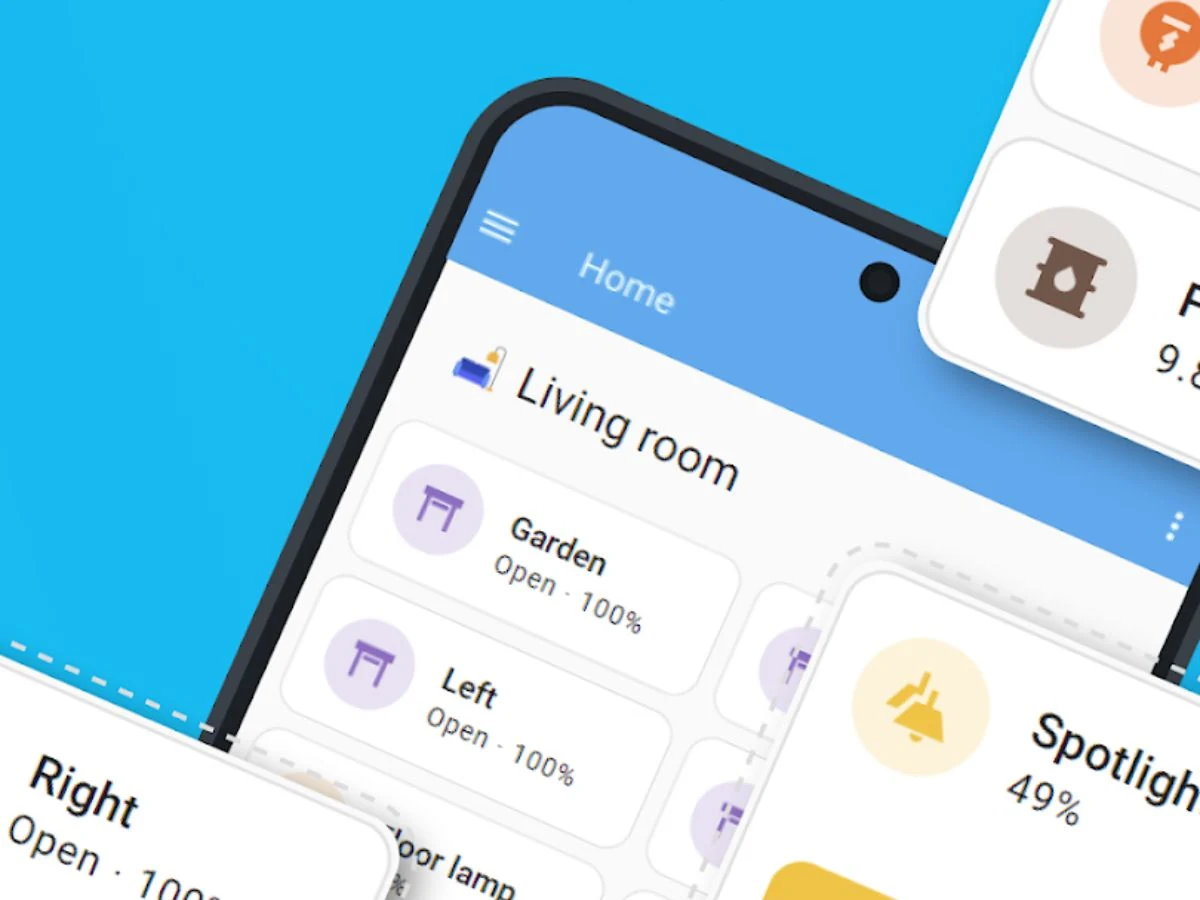
    To start off, Home Assistant has revamped the onboarding process for the Android app. Below, you can see a screenshot showcasing the new onboarding interface. A comparable update was made for iOS users in the 2025.11.0 version. Additionally, the company has enhanced the Assist voice control feature, which now includes streaming text-to-speech (TTS) capabilities, aimed at reducing response times.

    Improved Entity Picker

    Moreover, the Android app has a fresh entity picker as part of version 2026.1 (check out the screenshot below). This feature was previously introduced to iOS users in the same version. The new entity picker comes with additional filters for ID, name, and area, all designed to improve the overall user experience.

    Download Availability

    You can now grab the Home Assistant app version 2026.1.6 from the Google Play Store. Although the app’s page lacks detailed release notes, users can access the full changelog for this update on the official Home Assistant GitHub page. In the upcoming days, users should also look forward to a broader Home Assistant 2025.2 update for the open-source smart home automation platform.

    Google Play Store, Home Assistant via GitHub, Home Assistant via X, Caschy’s Blog.

    Source:
    Link


  • Windows 11 KB5074105 Preview Update: Features and Fixes in 25H2

    Windows 11 KB5074105 Preview Update: Features and Fixes in 25H2

    Key Takeaways

    1. KB5074105 is the January 2026 Preview Update for Windows 11 versions 24H2 and 25H2, updating systems to build 26200.7705.
    2. This update is optional and focuses on new features and fixes, rather than addressing security issues.
    3. It includes several visible changes and numerous behind-the-scenes enhancements.
    4. Users need to manually click “Download & install” for this preview update to be installed.
    5. This update aims to address issues caused by the previous update, KB5074109, particularly problems with the Start menu and black screens.


    Microsoft has put out KB5074105 as the January 2026 Preview Update for Windows 11 versions 24H2 and 25H2, updating systems to build 26200.7705. In contrast to KB5074109, this update is optional and does not address security issues; instead, it centers around introducing new features and fixing some problems from earlier updates in January.

    New Features and Improvements

    The update brings several changes that users can see, along with various behind-the-scenes enhancements. A few of the highlights include:

    KB5074105 also includes a significant number of fixes, many of which aim to resolve problems encountered after the installation of KB5074109.

    Installation Notes

    Since this is a preview update, KB5074105 won’t install on its own unless you manually click on “Download & install” or if you have the option “Get the latest updates as soon as they’re available” enabled. Users who are still apprehensive after the issues caused by KB5074109 might consider waiting for the next full Patch Tuesday update. However, for those experiencing specific problems with the Start menu or black screens, this preview serves as Microsoft’s initial measure toward a more comprehensive fix.

    Windows Latest

    Source:
    Link


  • Windows 11 KB5074109 Drops Support for Older Modems

    Windows 11 KB5074109 Drops Support for Older Modems

    Key Takeaways

    1. The January 2026 Windows 11 KB5074109 security update causes crashes and boot issues on some PCs.
    2. The update removes four old modem drivers, making certain modems stop working.
    3. Many users have reported that their dial-up and telephony modems fail to operate after installing the update.
    4. Microsoft justifies the driver removal as a security measure to address unresolved kernel vulnerabilities.
    5. Users relying on affected modems have limited options: uninstall the update or upgrade to new hardware with supported drivers.


    Microsoft’s January 2026 Windows 11 KB5074109 security update has been causing issues on some PCs, leading to crashes and boot problems. Additionally, it’s intentionally disabling certain older modems.

    Driver Removals

    In the official changelog for KB5074109, Microsoft mentions a “Compatibility” change that eliminates four long-standing modem drivers from Windows 11: agrsm64.sys, agrsm.sys, smserl64.sys, and smserial.sys. The documentation clearly states that any modem hardware relying on these drivers will stop functioning after the update.

    Users Affected

    This situation has been frequently noted by users. After installing KB5074109, many find that their dial-up and telephony modems cease to operate, including some devices marketed as “Windows 11 compatible.” Rolling back the update immediately restores these modems, proving that the removal of the drivers is the cause of the problem.

    Microsoft’s Justification

    Both Microsoft and external analysts frame this action as a step towards enhancing security, rather than as an error. The drivers that were removed, which are utilized by older Agere/LSI and Motorola soft-modems, have been linked to unresolved vulnerabilities at the kernel level. Therefore, Microsoft opted to remove them from the operating system instead of continuing to distribute code that could be exploited.

    For users and small businesses that still depend on these modems for services like faxing, telemetry, or phone-logging, the options are quite limited. They can either uninstall KB5074109 and temporarily pause updates, or swap out the hardware for devices that utilize currently supported drivers. Microsoft’s own guidelines make it clear that there will not be any future support for modems associated with these four outdated drivers.

    Source:
    Link


  • WhatsApp Encryption Lawsuit: Employees Can Access User Data Easily

    WhatsApp Encryption Lawsuit: Employees Can Access User Data Easily

    Key Takeaways

    1. Meta’s reputation regarding privacy is questionable, despite WhatsApp’s claims of end-to-end encryption.
    2. Whistleblowers allege that WhatsApp’s messaging data is not fully encrypted and that Meta engineers can easily access it.
    3. Access to encrypted communications is reportedly granted to Meta employees with minimal scrutiny through a simple internal request system.
    4. The lawsuit lacks technical evidence but raises serious concerns about WhatsApp’s privacy practices.
    5. Meta has dismissed the lawsuit as “absurd” and “categorically false,” while WhatsApp’s security has faced criticism in the past.


    When discussing privacy, it’s fair to say that Meta isn’t viewed as one of the most reliable companies. WhatsApp, which is a part of Meta, promotes itself as a secure messaging platform due to its end-to-end encryption policy. This feature is supposed to prevent any unauthorized access to user data, even by Meta itself. However, a new lawsuit suggests otherwise.

    Whistleblower Claims

    The lawsuit references allegations made by a group of “whistleblowers.” It suggests that WhatsApp’s messaging data isn’t actually encrypted end-to-end as claimed. Moreover, it alleges that Meta engineers can access this data quite easily with just a simple request. Even more concerning, the lawsuit states that these engineers frequently access customer data “without any scrutiny.”

    “As explained by the whistleblowers, WhatsApp and Meta retain and have unlimited access to WhatsApp’s encrypted communications. The process for Meta employees to obtain this access is remarkably straightforward. An employee just needs to submit a “task” (which is essentially a request through Meta’s internal system) to a Meta engineer, explaining that they require access to WhatsApp messages for their job. In response, the Meta engineering team often grants this access without any serious review.”

    Lack of Evidence

    Interestingly, the lawsuit does not provide any technical proof to support its assertions. However, the fact that the whistleblowers have chosen to file a lawsuit suggests there may be some truth to these alarming claims. If this is accurate, it could be a significant setback for WhatsApp, especially as privacy is increasingly a top concern for consumers today.

    Meta has responded to the lawsuit, labeling it as “absurd” and “categorically false” in a statement to PCMag.

    Ongoing Concerns

    WhatsApp’s privacy and security measures have been criticized several times in the past. Telegram’s founder, Pavel Durov, claimed that various vulnerabilities in WhatsApp’s security were uncovered during an investigation, but he did not provide any further evidence to substantiate his allegations.

    Source:
    Link


  • Samsung Launches 13-Inch EM13DX Color E-Paper Display for Retail

    Samsung Launches 13-Inch EM13DX Color E-Paper Display for Retail

    Key Takeaways

    1. Samsung has launched the 13.3-inch EM13DX color e-paper display for retail, aiming to replace printed signs with a sustainable option.
    2. The display uses a resolution of 1,200 x 1,600 pixels and does not require a backlight, making it energy efficient.
    3. It features a 4,600 mAh battery, consuming no power when displaying a static image.
    4. Users can create and update images via the Samsung E-Paper app on Android and Apple devices.
    5. For managing multiple displays, the cloud-based Samsung VXT app allows easy updates across various stores.


    Samsung has introduced the new 13.3-inch EM13DX color e-paper display designed for retail use, aiming to replace traditional printed signs with a more sustainable option. This passive display utilizes Samsung’s sophisticated color imaging algorithm to deliver images that resemble paper when viewed in natural light. Notably, the device does not feature a backlight or any form of internal lighting.

    Specifications and Features

    The EM13DX boasts a screen resolution of 1,200 x 1,600 pixels, encased in a frame that is 17.9 mm (0.70 in.) thick and has a weight of 0.9 kg (1.98 lbs.). It is powered by a 4,600 mAh battery, which is engaged during image changes; however, when displaying a static image, the unit uses no power at all, making it very energy efficient.

    App and Connectivity

    To create and update the images on the EM13DX, users can download the Samsung E-Paper app available for both Android and Apple devices. Additionally, for users managing multiple displays, the cloud-based Samsung VXT app allows for easy updates across various stores, streamlining the process for retail signage.

    Pricing and availability details have yet to be revealed to the public, but businesses interested in this innovative product can reach out to their Samsung representatives for more information and quotes.

    Source:
    Link


  • Google Aluminium OS Leak: Android Alternative to Windows & macOS

    Google Aluminium OS Leak: Android Alternative to Windows & macOS

    Key Takeaways

    1. Aluminium OS, codenamed “ALOS,” is Google’s new desktop version of Android, built on Android 16.
    2. The operating system features an optimized interface for larger screens, including a taller taskbar and a new menu bar displaying battery and WiFi status.
    3. Users can manage windows similar to Chrome OS, with options to minimize, maximize, and close apps easily.
    4. Aluminium OS allows flexible window positioning and resizing, enhancing user experience on Chromebooks.
    5. While the release date is unclear, internal testing suggests that Aluminium OS may soon replace Chrome OS on Chromebooks.


    Google’s Chromium Issue Tracker has shared fresh insights about Google’s Aluminium OS, but access to this part of the site has since been restricted. Fortunately, 9to5Google managed to capture and release the information and videos just in time. The report states that these videos were recorded on an HP Elite Dragonfly 13.5 Chromebook running “ALOS,” which is the internal codename for Aluminium OS, the desktop version of Android developed by Google.

    Features and Specifications

    This operating system is built on Android 16, as shown by data in Google Chrome. Aluminium OS has been optimized for larger screens when compared to the desktop version of Android 16. It features a taller taskbar and a new menu bar that shows details like battery levels, WiFi status, and active background tasks such as screen recording.

    The interface of Google Chrome varies from the Android desktop edition, including an extensions button located beside the address bar. Window management is reminiscent of Chrome OS, where you find buttons for minimize, maximize, and close features in the top right corner, while the name of the app is displayed on the upper left.

    User Experience

    Users can position windows anywhere on the screen, as well as resize them or utilize a full-screen view. Although the launch date for Aluminium OS remains uncertain, Google’s internal testing of a working version based on Android 16 indicates that a release might be on the horizon. This new operating system is anticipated to take the place of Chrome OS on Chromebooks. It is yet to be seen if Google’s new software will attract more users away from Apple and Microsoft.

    Source:
    Link


  • Apple Surprises Users with Updates for Older iPhones and iPads

    Apple Surprises Users with Updates for Older iPhones and iPads

    Key Takeaways

    1. Apple released updates for older iPhone and iPad models, including iOS 12.5.8, on January 26, 2026.
    2. The updates focus on renewing digital security certificates for devices over ten years old.
    3. Without the updates, essential services like iMessage and FaceTime may stop working in the future.
    4. The updates do not introduce new features or security fixes; they primarily ensure device connectivity.
    5. These actions coincide with the release of iOS 26.2.1 for newer devices.


    On January 26, 2026, Apple surprised many by rolling out software updates for older models of iPhone and iPad. The spotlight is on iOS 12.5.8, which was specially created for gadgets that are over ten years old. Take the iPhone 5s (launched in 2013, with support ending in 2019) or the 6th generation iPod Touch (introduced in 2015) as examples. What’s happening here?

    Reason for the Updates

    The main reason behind these updates is quite technical: it’s just a renewal of certificates. Digital security certificates are vital for secure communication between the device and Apple’s servers. If this patch isn’t installed, important services like iMessage and FaceTime, along with general device activation, might stop working in the future. By installing these system updates, users can ensure that these essential services keep working even after this point.

    Relation to Newer Systems

    These actions go hand-in-hand with the release of iOS 26.2.1, which is the latest operating system for iPhones and iPads. The updates for older devices don’t bring any security fixes; they are mainly aimed at keeping the devices connected. Therefore, no new features are introduced, and the absence of security updates makes safe internet browsing somewhat impossible.

    Apple Support

    Source:
    Link


  • Microsoft Releases Emergency Patch for Office Zero-Day Vulnerability

    Microsoft Releases Emergency Patch for Office Zero-Day Vulnerability

    Key Takeaways

    1. Microsoft released a security update for a zero-day vulnerability (CVE-2026-21509) in Microsoft Office, which is actively being exploited.
    2. The vulnerability allows attackers to bypass security measures in Office by using specially crafted files, requiring user interaction to activate.
    3. Office 2021 and later users receive automatic protection, while Office 2016 and 2019 users must install specific updates to be safeguarded.
    4. The vulnerability is included in the Cybersecurity and Infrastructure Security Agency’s Known Exploited Vulnerabilities catalog, requiring U.S. federal agencies to update by February 16, 2026.
    5. Recent Windows 11 updates have caused stability issues, complicating the update process for Microsoft systems.


    Microsoft has rolled out a special security update to tackle a zero-day vulnerability that is actively being exploited in Microsoft Office. This comes at a time when the January 2026 update cycle is already facing challenges, including significant stability problems with Windows 11 systems.

    Details on the Vulnerability

    This vulnerability, labeled CVE-2026-21509, is identified as a security feature bypass. According to the Microsoft Security Response Center, it stems from “dependence on untrusted input in a security choice within Microsoft Office.” If successfully exploited, an attacker could bypass Office’s security measures, specifically those meant to protect against vulnerable COM and OLE controls.

    Impact and Exploitation

    Microsoft assigned this flaw a CVSS v3.1 score of 7.8 and confirmed that it is being exploited in real-world scenarios. Although the company has not shared specific technical details on the attacks, it mentioned that user interaction is necessary for exploitation. Attackers must persuade victims to open a specially designed Office file. Notably, the Preview Pane does not serve as an attack vector.

    Protection Measures

    For users running Office 2021 and later, protection is automatically implemented through a service-side adjustment, but they need to restart their Office applications for the changes to take effect. On the other hand, those using Office 2016 and Office 2019 won’t be safeguarded unless they install the latest security updates. Additionally, Microsoft has offered a registry-based fix that can be instantly applied on affected systems to prevent exploitation until a patch is available.

    The vulnerability has been listed in the Known Exploited Vulnerabilities catalog by the Cybersecurity and Infrastructure Security Agency. This catalog mandates that U.S. federal agencies must install the updates by February 16, 2026.

    Ongoing Stability Issues

    Earlier this month, the Windows 11 security update KB5074109 was associated with widespread stability problems and reports of UNMOUNTABLE_BOOT_VOLUME errors on certain systems, highlighting the delicate nature of recent updates for Windows and Office.

    Source:
    Link