
Key Takeaways
1. Simplified High-Availability Setup: UniFi Network 10.1 makes high-availability configurations easier with step-by-step guidance for administrators.
2. Failover Verification Feature: A new feature simulates outages to verify that the network setup is functioning correctly.
3. WiFi Doctor Tool: This tool helps identify and fix potential configuration issues in the WiFi network.
4. Device Tracking: Administrators can monitor devices as they roam within the WiFi network, providing insights into their connections to access points.
5. Enhanced Control Options: New features allow better management of access point density, integration of satellite uplinks like Starlink, and improved device tagging and broadcasting capabilities.
With the arrival of UniFi Network 10.1, Ubiquiti’s network software is introducing several new features. The company has concentrated on making high-availability setups more straightforward, allowing for easier configuration. The controller software now assists administrators by guiding them through each step. Additionally, a failover verification feature has been added to test the setup by simulating an outage, ensuring everything is working correctly.
New WiFi Features
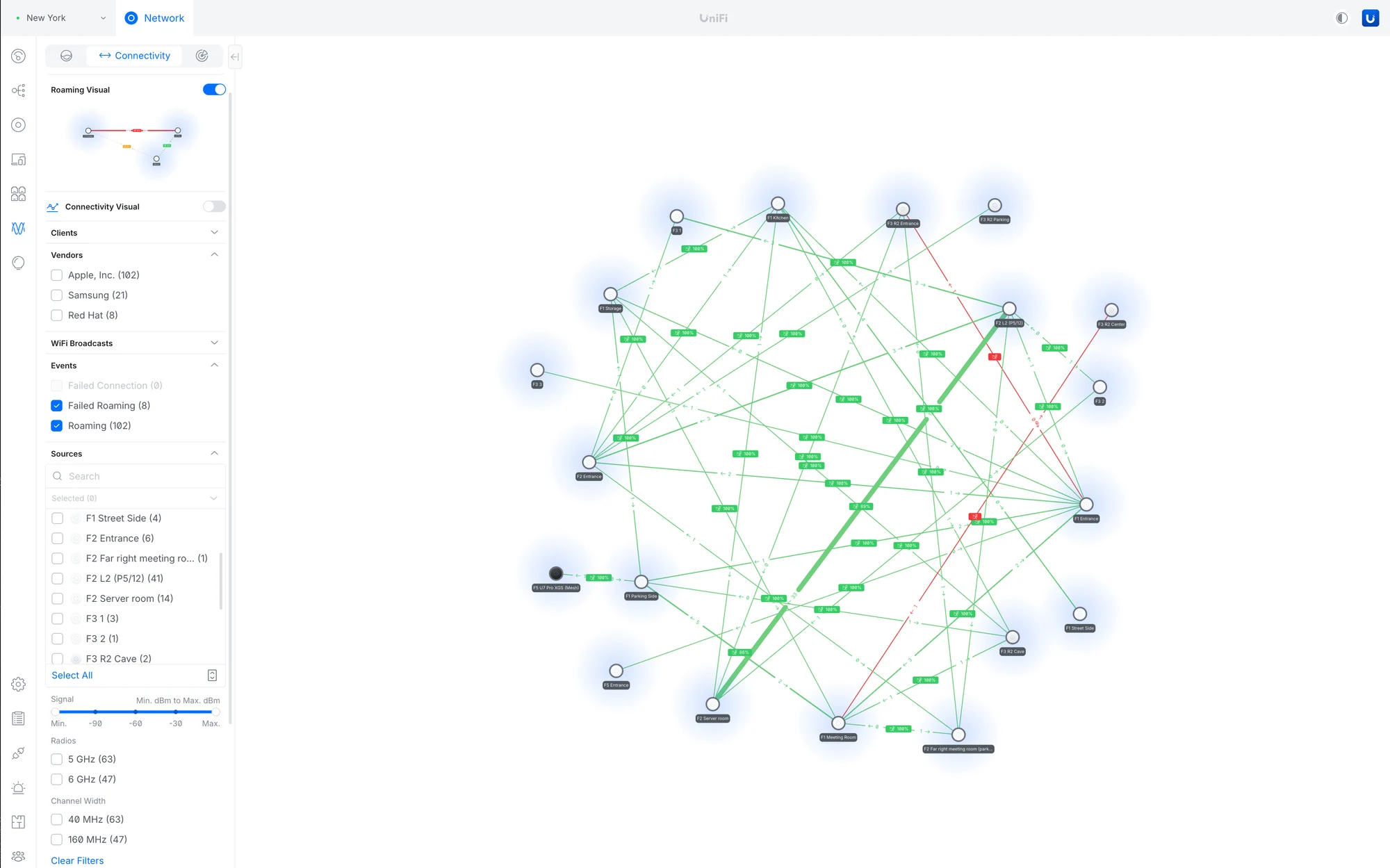
The update also brings a host of enhancements related to WiFi. A new tool called WiFi Doctor aims to fix potential configuration problems. Furthermore, UniFi Network 10.1 introduces the ability to track devices as they roam within the WiFi network. This means that administrators can visually monitor the “roaming journey” of clients, showing which access points they connect to. This feature is particularly useful for smartphones and other mobile devices that frequently change their locations.
Enhanced Control Options
These updates provide administrators with additional control options, such as managing access point density within a business or making adjustments to guide clients toward different access points. Furthermore, improvements have been made regarding the integration of satellite uplinks, specifically with signal strength information. More precisely, this includes the integration of Starlink, allowing users to view the firmware status of Starlink hardware directly within UniFi Network 10.1.
Moreover, new tags for devices on the network have been introduced, along with the option to broadcast access point names. Around a dozen bugs have also been fixed. Currently, UniFi Network 10.1.83 is in the release candidate stage, and all changes can already be found in the associated changelog.
Ubiquiti is continually working to provide better solutions for network management, making it easier for users to ensure their networks are running smoothly.
Source:
Link