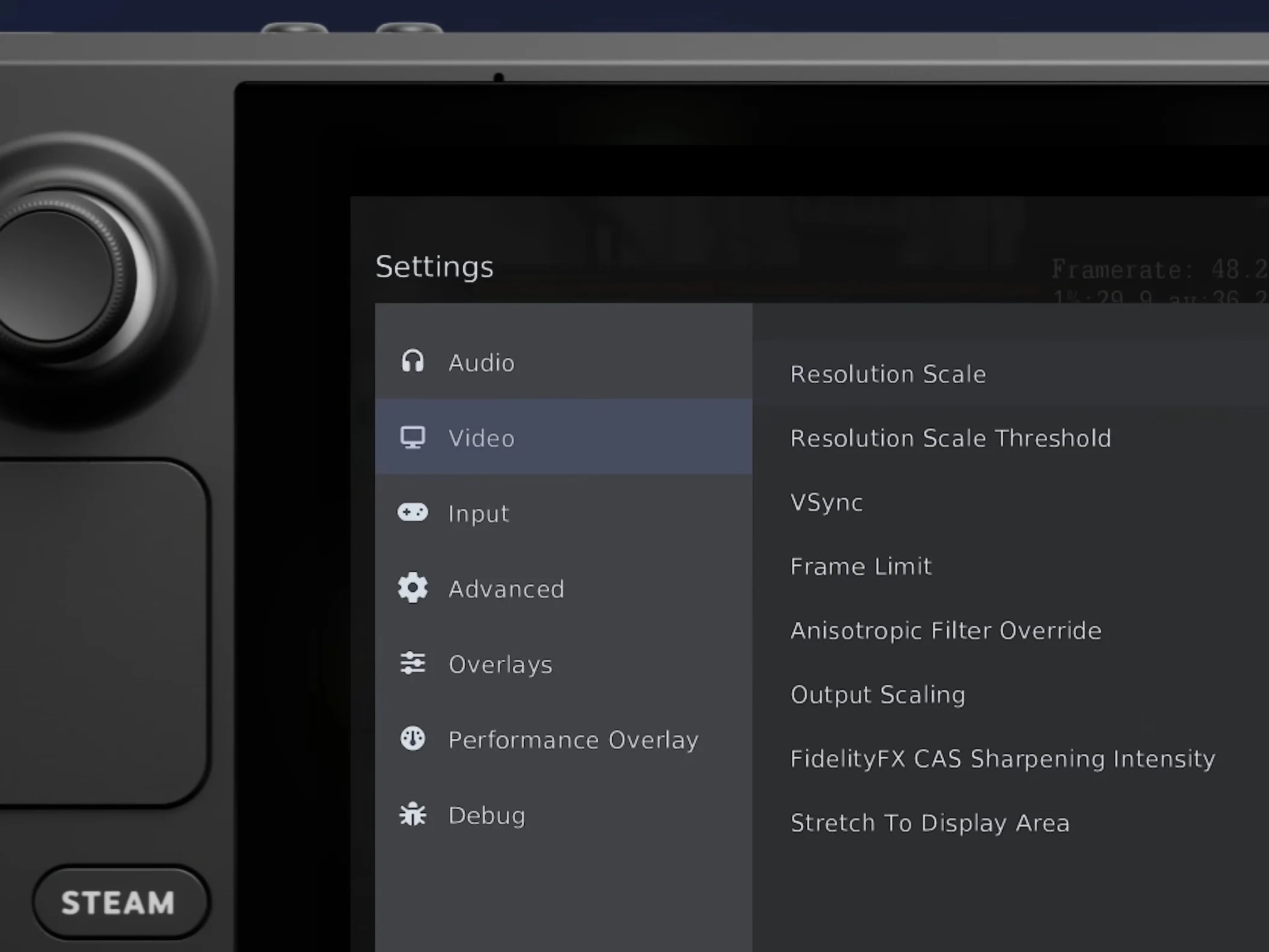
1. The new “Handheld Experience” in RPCS3 integrates exhaustive settings accessible directly from in-game, enhancing performance customization for handheld PC users, especially Steam Deck.
2. Enhanced UI features include SteamOS/Big Picture compatibility, game shortcuts with PS3 XMB artwork, and desktop UI autoplaying game audio/video on hover, rivaling RetroArch’s XMB clone.
3. RPCS3 significantly improves controller support, closing the gap with other emulators, and offers a seamless experience for desktop and handheld users running PlayStation 3 games.
4. The update underscores the relevance of handheld gaming devices like Steam Deck as successors to traditional PlayStation handhelds, emphasizing the appeal of PS3 emulation on portable platforms.
5. The latest RPCS3 features are already available in the stable release, ready for users to enhance their PS3 emulation and handheld gaming experience.
New Features for Handheld PC Gaming
RPCS3, being a very advanced emulator for the PlayStation 3, now love a more refined “Handheld Experience” which allow users to tweak all settings directly in game. This is a big improvement compare to before, inspired by Steam Big Picture and Steam Deck controls. The interface is designed for easy control from both desktop and handheld devices, making it more user-friendly for gamers on the go. The updates focus on making gameplay smooth while giving access to important configurations, with settings that can significantly influence performance. The new UI looks really modern and fits naturally with SteamOS themes, what makes the experience even better.
Enhanced UI and Controller Support
Much attention was paid, especially for Steam Deck users, but also for players using other devices like ASUS ROG Ally X. Now, users can add RPCS3 game shortcuts straight into Steam, with artwork from the original PlayStation 3 game. The desktop interface also autoplays game audio and videos when you hover over a link, just like old PS3’s XMB system. This is a lot more advanced than RetroArch’s UI clone, especially in controller support, because now RPCS3 offers more than just basic game functions. The new design feels totally at home on SteamOS/Big Picture, sharing the same color schemes and aesthetic.
Emulation on Handheld Platforms
Right now is a exciting time for fans who love PlayStation 3 games played on handheld gadgets. Sony is holding back on releasing more PC ports, but devices like Steam Deck lets gamers relive their favorite titles like God of War (2014). Interestingly, even the previous Sony CEO experimented with Steam Deck by running PS4 games. Rumors also say Sony might release a PlayStation 6 handheld console someday, but for now, Steam Deck and similar devices are seen as the modern successors to handheld consoles like PSP and PS Vita. The PS Vita was a standout with its OLED display, being the first portable with such a screen. Until the Sony released newer versions with LCD screens, the original PS Vita had the most premium display on a portable gaming device. The Nintendo Switch OLED and Steam Deck OLED are stepping into that same level now, marking a new era for handheld gaming visuals.
Latest Updates Ready for Use
If you’re interested in what the recent update includes, just watch the video above for a detailed demonstration. For those who already have RPCS3 installed or are thinking about getting it, the latest improvements are available in the stable release, and you can start enjoying new features right now. Emulation for PS3 games on handhelds is becoming more polished, thanks to these advanced UI and support improvements, making it easier and more enjoyable than ever to relive your favorite classics anywhere you go.