Key Takeaways
1. The new iPad Pro features the M5 chip, enhancing performance compared to the M4 and M1 models, particularly in gaming.
2. In gaming tests, the M5 iPad Pro achieved smoother frame rates, reaching up to 60 FPS in some cases, while older models struggled significantly.
3. Thermal performance of the M5 is superior, maintaining performance longer under stress compared to the M4, which throttles faster.
4. Visual quality issues were noted in games like Assassin’s Creed Mirage, with shader compilation causing frequent FPS spikes and freezes.
5. Overall, the M5 iPad Pro shows improvements in gaming performance, but some games still require optimization to fully utilize the new chip’s capabilities.
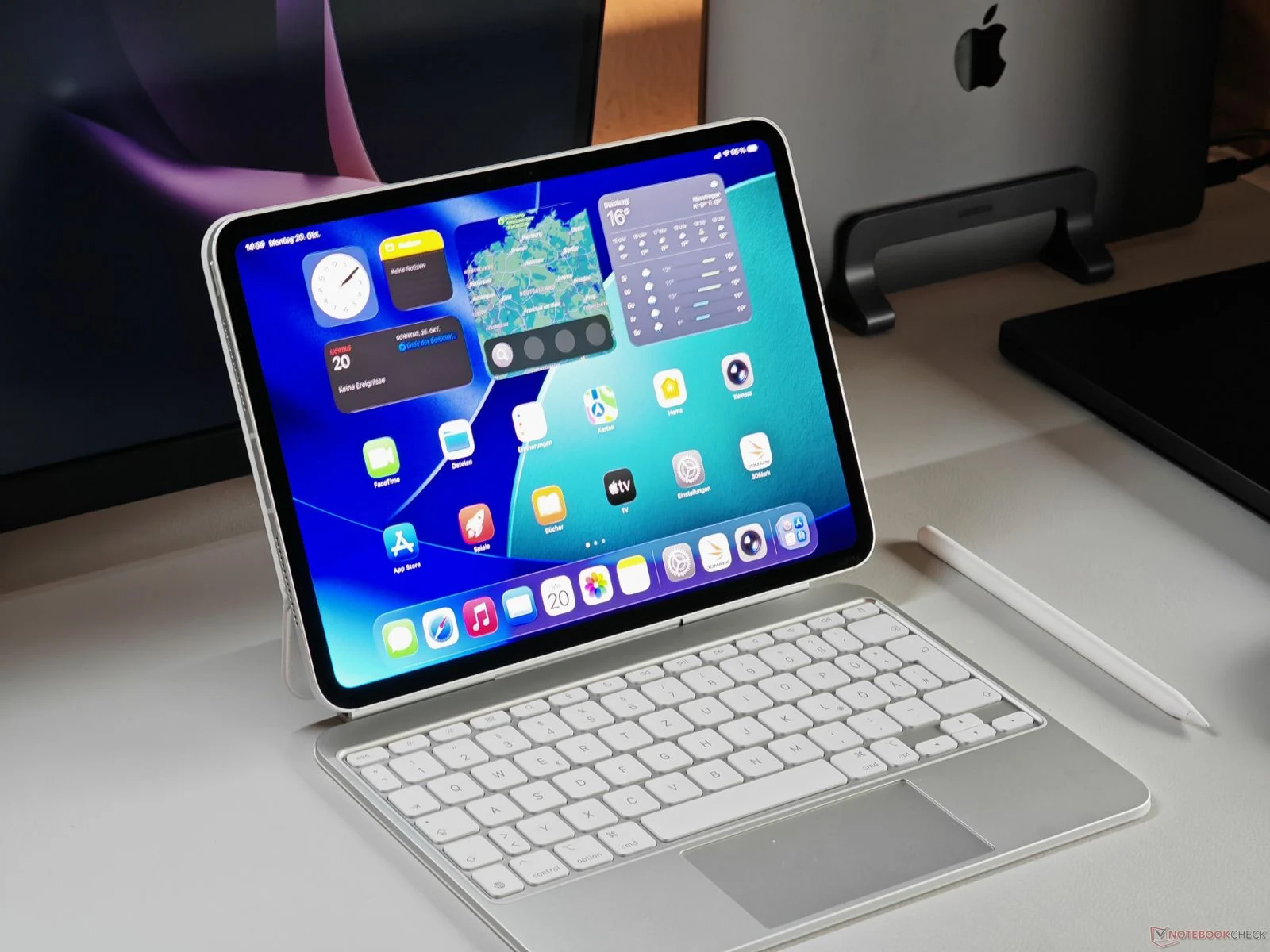
Apple has just introduced the refreshed iPad Pro, now equipped with the new M5 chip. While its design mirrors the previous M4 model from last year, it offers various improvements, particularly in its performance capabilities. For a thorough analysis, you can check out our detailed review of the iPad Pro M5 here.
Gaming Performance Tested
Recently, we received firsthand insights into the gaming abilities of the new M5 iPad Pro. The YouTube channel MrMacRight performed tests using several high-profile games, comparing the M5 model with the earlier M4 iPad Pro and the older M1 version. The M5 variant tested came with 16 GB of RAM and a 10-core CPU (consisting of 4 performance cores and 6 efficiency cores), which includes one extra performance core compared to the 12 GB base model that has a 9-core CPU (3 performance cores + 6 efficiency cores).
The first game tested was Resident Evil 4, which was run at a scaled input resolution of 800 × 450 and an upscaled target resolution of 1600 × 900, capped at 30 FPS by default, with low settings and temporal upscaling via Apple’s Metal FX.
Frame Rate Insights
The game performed well with its default settings, but the YouTuber pointed out that shader compilation can lead to brief stutters during loading and sometimes while playing. On the M5 iPad Pro, Resident Evil 4 ran pretty smoothy, but the limited graphics options from Capcom and the black bars due to the fixed 16:9 aspect ratio slightly hindered the gaming experience on the iPad’s 4:3 display.
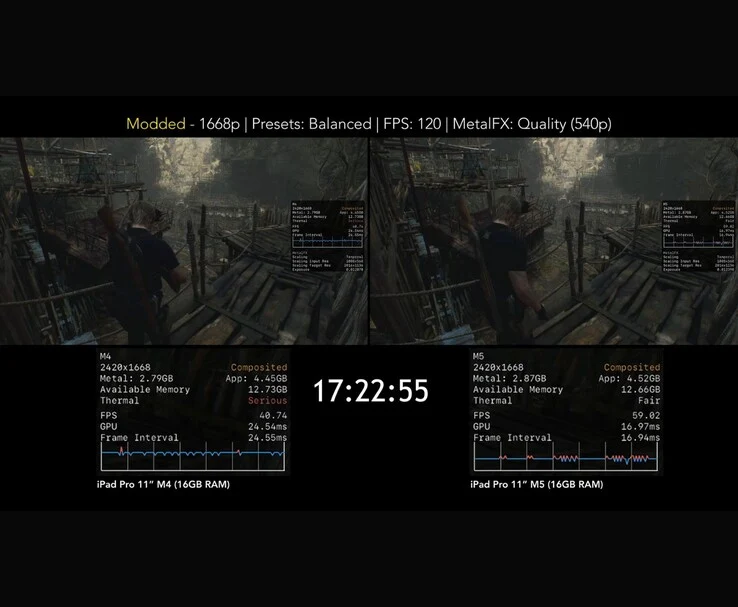
When the YouTuber adjusted the configuration settings, the game managed to run at around 60 FPS by changing the preset to Balanced, lowering the resolution, enabling MetalFX Quality mode, and setting the FPS target to 120. Under these enhanced settings, the M5 iPad Pro performed between 50-60 FPS, whereas the M4 iPad Pro dropped to the mid-40s, and the M1 version struggled to even hit 20 FPS.
Thermal Performance Comparison
In a one-hour thermal throttling assessment, both the M4 and M5 were tested under the same conditions. The M4 iPad Pro started to throttle after just nine minutes, with its thermal rating declining from “Nominal” to “Serious.” In contrast, the M5 maintained its performance for about 17 minutes, keeping a 15-20 FPS advantage by the end of the test, as its rating changed from “Nominal” to “Fair.”
Next up was Death Stranding. The game was run at a scaled input resolution of 784 × 540 and upscaled to 1567 × 1080, utilizing low graphics settings at 30 FPS with aggressive MetalFX upscaling.
Visual Quality Observations
Throughout the test, the M5 maintained a steady 30 FPS, but the YouTuber expressed concerns about noticeable softness and ghosting on the larger iPad screen, which were less apparent on the smaller iPhone display while running the same game.
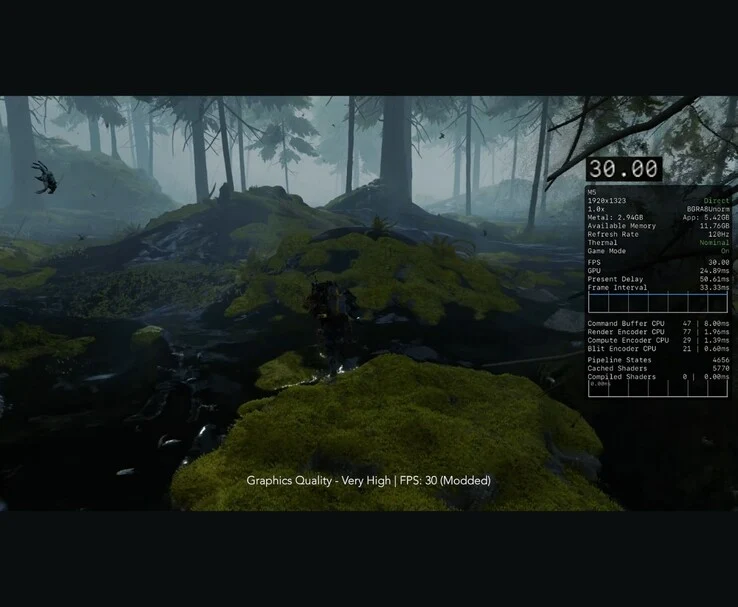
By swapping the iPad’s configuration file with the Mac version, the game was able to run natively at 1080p on “Very High” settings while still capping at 30 FPS. The visuals were impressive, with only slight dips during intensive scenes, suggesting that the iPad could manage higher fidelity graphics if developers permitted it.
To achieve a 60 FPS frame rate, the YouTuber adjusted the graphics quality to “Low” and activated MetalFX in “Temporal Balanced” mode. This 1080p low setting provided smooth gameplay with only occasional dips during heavy action. The M5 iPad Pro outperformed the M4 by 5-10 FPS, and significantly surpassed the M1 model. In thermal tests, the M5 again demonstrated superior thermal performance, achieving a “Fair” state after 13 minutes and maintaining it throughout the test, while the M4 iPad Pro started throttling after 15 minutes.
Assassin’s Creed Mirage Review
The YouTuber then moved on to Assassin’s Creed Mirage. This game features adjustable resolution scaling up to 100% and quality presets up to “High.”
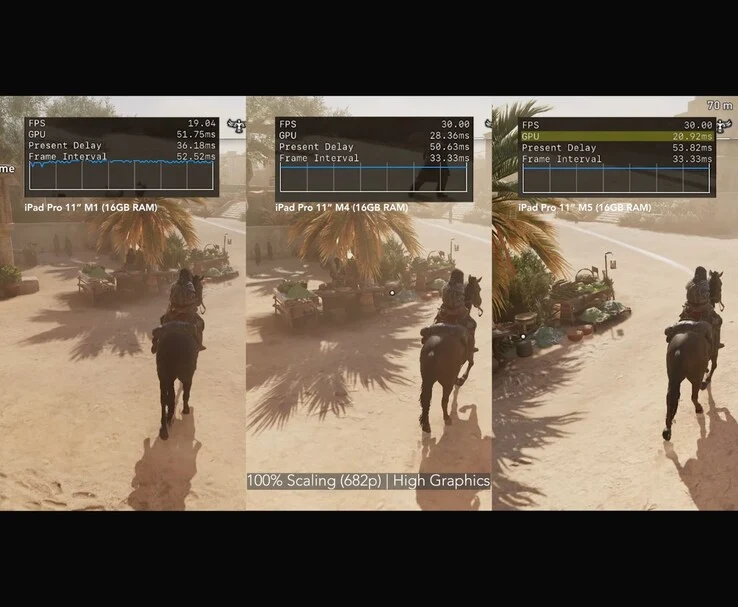
However, it is limited to 30 FPS. On the M5 iPad Pro, MrMacRight played at 100% resolution with High graphics quality, and while it consistently held at 30 FPS, the overall experience fell short due to shader compilation issues causing frequent FPS spikes and unexpected freezes. The YouTuber described the gameplay experience as “awful.”
The target resolution for the game is 2420 × 1362, but it renders internally at just 1210 × 682 because of a fixed 50% internal scaling. This setting is always active and cannot be adjusted, meaning even at the iPad’s native resolution, the game still runs at a lower internal resolution. GPU frame times were consistently high, around 20 ms during gameplay. MrMacRight pointed out that even if Ubisoft lifted the 30 FPS cap, the game would still struggle to achieve 60 FPS in its current state.
Final Thoughts on Performance
When the YouTuber lowered the resolution scale to 50%, effectively rendering at 1210 × 834 and further reducing it via MetalFX to about 606 × 340 internally, frame times remained around 20 ms. Visually, there were no significant improvements in Assassin’s Creed Mirage between the M4 and M5 iPad Pro. Both models are locked at 30 FPS and face similar shader compilation problems. However, a closer examination of the Metal HUD showed that the M5’s GPU frame times were 5-10 ms lower.
This trial indicated that the M1 iPad Pro is best played at a much lower resolution to maintain a steady 30 FPS. Even then, the visual quality suffers, making it the least favorable option among the three for this title. MrMacRight concluded that Assassin’s Creed Mirage needs considerable optimization to fully leverage Apple’s latest M-series chips. The YouTuber also reviewed Hitman: World of Assassination and Divinity: Original Sin 2 in the video, which is linked below.