Author: GizNews

  • OnePlus Nord Buds 4 Pro Launch in India: Enhanced ANC & Battery Life

    OnePlus Nord Buds 4 Pro Launch in India: Enhanced ANC & Battery Life

    Key Takeaways

    1. Design and Colors: The Nord Buds 4 Pro feature a new in-ear design available in Radiant Gray and Raven Black.
    2. Enhanced Noise Cancellation: They offer active noise cancellation (ANC) performance of 55dB, a 200% improvement over the previous model, with three adjustable ANC levels.
    3. Audio Quality: Equipped with 12mm titanium-coated drivers, the earbuds are Hi-Res Audio certified and support features like 3D spatial audio and Game Sound spatial audio.
    4. Battery Life: The earbuds provide up to 54 hours of playback with the charging case, with fast charging allowing 13 hours from just a 10-minute charge.
    5. Pricing and Availability: Priced at ₹3,999 (~$43/€37/£32), they will be available for purchase in India starting March 23, 2024.


    After a sneak peek last week, OnePlus has officially launched the Nord Buds 4 Pro. These new wireless earbuds are the successors to the Nord Buds 3 Pro that came out in July 2024.

    Design and Features

    The Nord Buds 4 Pro feature a fresh design, yet they still maintain the in-ear style. They come in two colors: Radiant Gray and Raven Black. Equipped with 12mm titanium-coated drivers, these earbuds are said to provide 100% more power compared to the Nord Buds 3 Pro.

    Noise Cancellation and Audio Quality

    With active noise cancellation (ANC), the Nord Buds 4 Pro boast a performance of 55dB, which OnePlus claims is a 200% enhancement over the last generation. Users can choose from three ANC levels — Light, moderate, and maximum — with the earbuds adjusting in real-time based on the surroundings.

    Each earbud contains three microphones that collaborate with a special AI algorithm to identify and minimize wind and traffic noise during phone calls. Additionally, these earbuds are Hi-Res Audio certified and support LHDC 5.0. They also come with features like 3D spatial audio and Game Sound spatial audio.

    Battery Life and Pricing

    The OnePlus Nord Buds 4 Pro offer a battery life of up to 54 hours when using the charging case. However, the actual battery life can change based on whether ANC is activated or deactivated and whether you are listening in AAC or LHDC mode. Fast charging is available, as just a 10-minute charge can give 13 hours of playback time.

    The price for the OnePlus Nord Buds 4 Pro is set at ₹3,999 (~$43/€37/£32) in India, which is a slight rise from the ₹3,299 launch price of the Nord Buds 3 Pro. They will be up for purchase starting March 23. Unfortunately, there is no information yet about when they will be available in other countries.

    Source:
    Link


  • Philips Hue App Update: New Customization Feature Released

    Philips Hue App Update: New Customization Feature Released

    Key Takeaways

    1. Philips Hue app version 5.63.0 has been released for iOS and Android, following version 5.62.0.
    2. The update includes various bug fixes and stability improvements.
    3. Users can now remove the Hue AI Assistant, which creates custom dynamic lighting effects.
    4. The Hue AI Assistant is now available in Spanish, German, and Dutch, in addition to English.
    5. Users can customize their experience by disabling the Floating AI Assistant, Hue shop shortcut, and Home switch in app settings.


    Philips Hue app version 5.63.0 has been released for both iOS and Android. This update comes just a few weeks after the previous version 5.62.0, which was launched in early March 2026. The earlier update included a new feature that allowed users to change the orientation of Gradient lights, like the Hue Gradient Lightstrip ambiance (currently priced at $148.49 on Amazon).

    New Features and Fixes

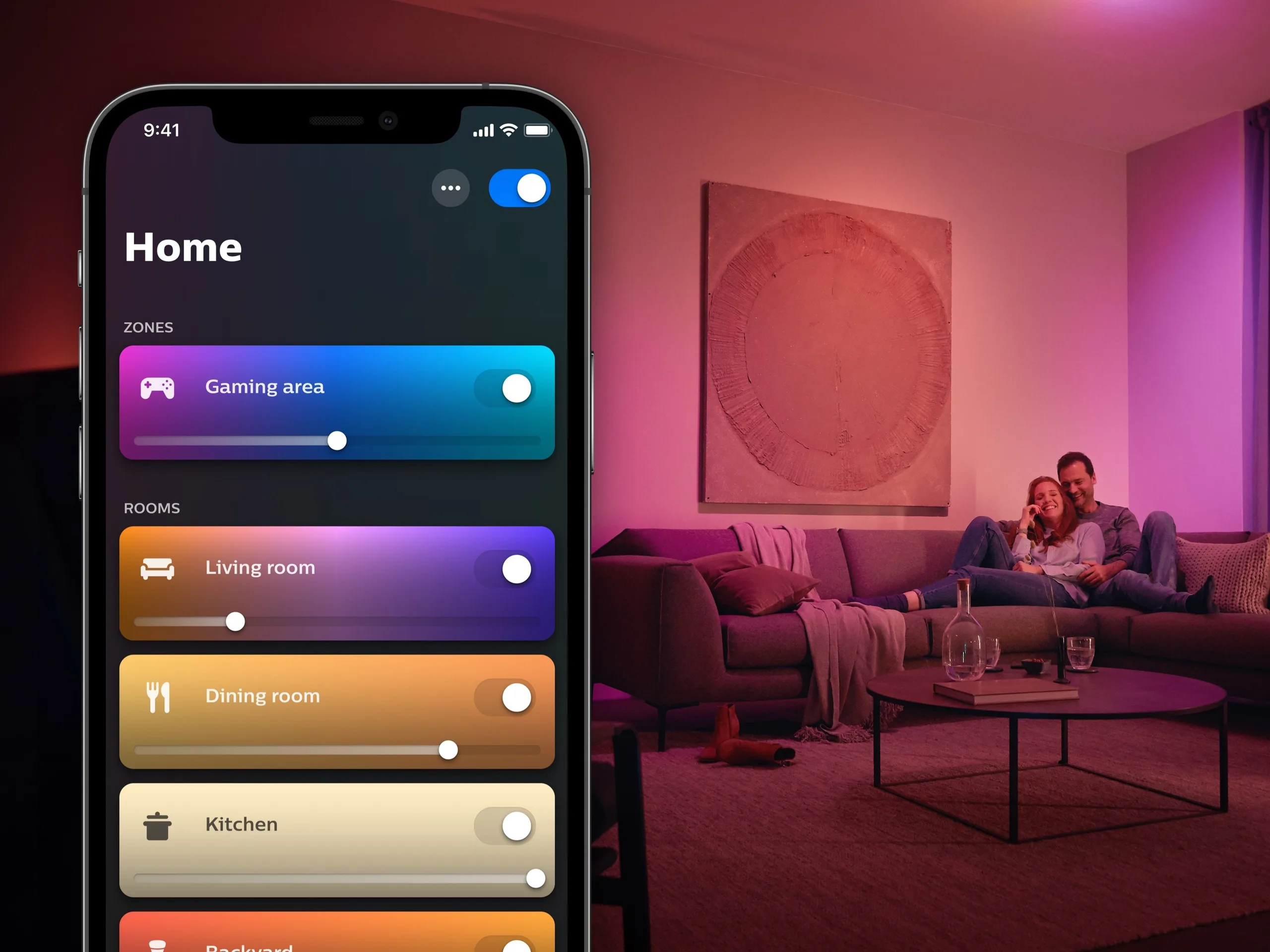
    The official notes for the Philips Hue app version 5.63.0 are quite brief, merely indicating that the update includes “various bug fixes and stability improvements.” However, HueBlog has discovered an unannounced feature: users can now remove the Hue AI Assistant. This tool helps create custom dynamic lighting effects through voice or text prompts. Originally available only for English speakers, this functionality is now also accessible to Spanish, German, and Dutch speakers.

    Customizing Your Experience

    Users typically access the Philips Hue AI Assistant via an icon located in the lower right corner of the home screen. Now, within the app’s settings, you have the option to turn off the Floating AI Assistant. To do this, navigate to Settings > App preferences > Floating search button. Additionally, you can disable the Hue shop shortcut and the Home switch, which are also features found in the Home tab.

    You can now download the Philips Hue app version 5.63.0 from the Apple App Store or the Google Play Store.

    Source:
    Link


  • Researchers Create Fully Biodegradable Robotic Finger

    Researchers Create Fully Biodegradable Robotic Finger

    Key Takeaways

    1. The global electronic waste problem reached 62 million metric tons in 2022, exacerbated by the rise of soft robotics in healthcare and farming.
    2. Researchers have developed a fully biodegradable soft robotic system, including a robotic finger that meets industrial standards and decomposes naturally.
    3. The robot is made from polyglycerol sebacate, a biodegradable material, and includes electronic parts from naturally decomposing elements like magnesium and silicon.
    4. The compostable robotic fingers demonstrated high durability, maintaining strength and efficiency after over a million bends and force applications.
    5. The entire robotic system broke down in industrial composting conditions within months, and the compost was confirmed non-toxic by successfully growing oats.


    With the world facing a massive electronic waste problem of 62 million metric tons in 2022, the swiftly growing field of soft robotics in areas like healthcare and farming risks making this situation even worse. Conventional soft robots are made from complicated layers of permanent plastics, metal alloys, and semiconductors, which makes them nearly impossible to recycle or naturally break down.

    Innovative Approach to Design

    To tackle this unsustainable design challenge, a global team of researchers has developed a fully biodegradable soft robotic system. According to a study in the journal Nature Sustainability, the scientists created a robotic finger that not only meets rigorous industrial standards but also completely returns to nature after its life cycle ends.

    New Materials, New Possibilities

    Rather than using typical plastics, the team constructed the robot’s body using polyglycerol sebacate, a super elastic, water-free, and biodegradable material resembling rubber. They embedded twenty-one specialized electronic parts made from naturally decomposing elements like magnesium, molybdenum, and silicon directly within the finger.

    Historically, parts designed for sustainability have struggled with reliability. However, these new compostable fingers showed impressive durability, bending and applying force over a million times without losing their structural strength or mechanical efficiency.

    Eco-Friendly Confirmation

    When the robot’s operational life came to an end, the researchers placed the entire setup in standard industrial composting conditions. Within a few months, the flexible body and internal electronics had completely broken down. To ensure the system was genuinely eco-friendly, the team planted oats in the compost produced. The seeds sprouted and thrived, indicating that the dissolved robotic materials were entirely non-toxic.

    By combining high-performance engineering with complete ecological safety, this groundbreaking technology sets a new benchmark for sustainable machinery.

    Nature Sustainability via TechXplore

    Source:
    Link


  • Waveshare Launches Affordable Fanless Mini PC Case for Raspberry Pi CM5

    Waveshare Launches Affordable Fanless Mini PC Case for Raspberry Pi CM5

    Key Takeaways

    1. Compact Size: The CM5-DUAL-ETH-BOX-B measures only 101 x 62 x 23.4 mm, making it a small and portable mini PC.

    2. Connectivity: The device lacks wireless networking but supports a wide range of input and output options through the Raspberry Pi CM5 module.

    3. Fanless Design: The unit operates without a fan, suitable for low power consumption, which is typical for similar systems.

    4. Decent Performance: It features a quad-core Cortex A76 CPU, offering performance comparable to older dual-core Intel CPUs for lightweight computing tasks.

    5. Affordable Pricing: The mini PC is available for just under $100, but users must purchase the CM5 module separately.


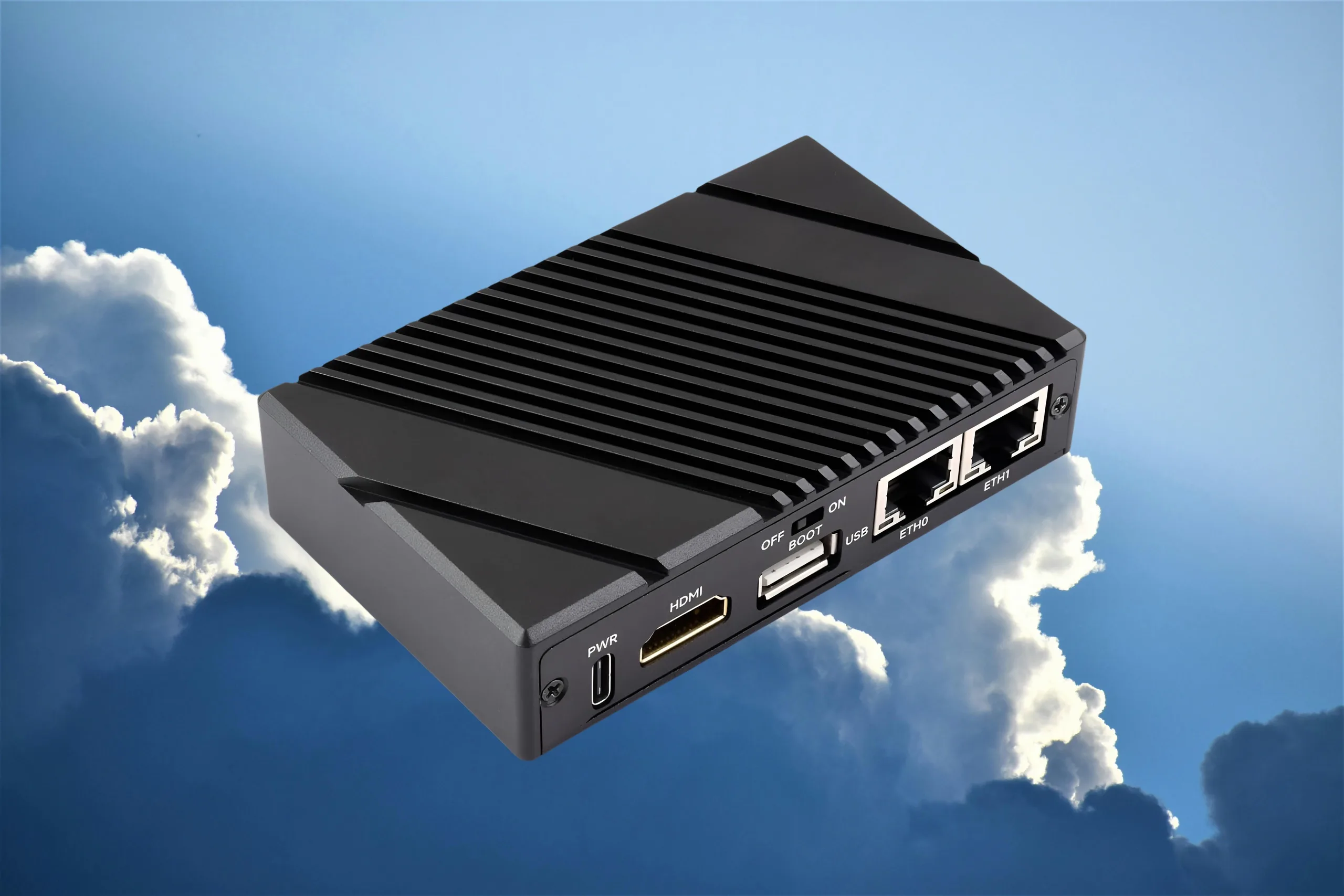
    Waveshare has launched a new mini PC called the CM5-DUAL-ETH-BOX-B. While the name may not be very exciting, the device features a small case with a carrier board, allowing users to attach their Raspberry Pi CM5 compute module.

    Compact Design

    Measuring only 101 x 62 x 23.4 mm, or approximately 4 x 2.4 x 0.9 inches, the Waveshare CM5 BOX is delightfully small. This isn’t surprising, given how tiny the CM5 module itself is. As with any I/O carrier board, this setup provides a Raspberry Pi CM5 with a wide range of input and output options. You can find the details listed below:

    Connectivity Options

    The device does not include wireless networking support, but this shouldn’t pose much of a problem since many CM5 boards come with integrated wireless capabilities. Additionally, the entire unit has been designed to run without a fan, which is quite typical for systems with low power consumption.

    Thanks to its video output, the CM5-powered BOX can function as a standard mini PC for lightweight computing tasks. The quad-core CPU featuring Cortex A76 cores may not be a powerhouse, yet it can still deliver decent performance for everyday activities. For example, in Geekbench 6, its performance is comparable to older dual-core Intel CPUs from the Skylake and Kaby Lake series.

    Availability and Pricing

    The Waveshare CM5-DUAL-ETH-BOX-B is now available to buy, with a price tag of just under $100. As previously mentioned, buyers will need to provide their own CM5 module.

    Source:
    Link


  • Intel Unveils New 14-Core i7 Raptor Lake-HX CPU for Budget Gaming Laptops

    Intel Unveils New 14-Core i7 Raptor Lake-HX CPU for Budget Gaming Laptops

    Key Takeaways

    1. The Intel Core i7 13645HX is a budget-friendly processor offering similar performance to the Core i7 13650HX, with 14 cores (6 performance and 8 efficiency cores).

    2. The maximum clock speed for performance cores is 4.9 GHz, while the efficiency cores have a reduced boost clock of 3.5 GHz.

    3. Integrated graphics have improved significantly, with the 13645HX featuring 32 execution units (EUs) compared to 16 EUs in the 13650HX, though performance remains modest.

    4. The new CPU supports faster DDR5-5600 memory, increasing maximum memory bandwidth to 89.6 GB/s, enhancing overall capabilities, especially for integrated graphics.

    5. Both the Core i7 13645HX and 13650HX perform similarly in multithreaded applications and compete well against newer CPUs like the Intel Core Ultra X9 388H “Panther Lake.”


    Intel has recently introduced a new laptop CPU aimed at budget-friendly mid-range laptops, named the Core i7 13645HX. This processor is part of the Raptor Lake family and offers nearly the same performance capabilities as the Core i7 13650HX.

    Specifications and Performance

    The design remains unchanged, featuring a configuration of 14 cores, which includes six high-performance cores and eight high-efficiency cores. The maximum clock speed for the performance cores remains at a peak turbo frequency of 4.9 GHz. However, the boost clock for the efficiency cores has been decreased by 100 MHz, now maxing out at 3.5 GHz. The CPU retains a smart cache of 24 MB, along with a peak thermal design power (TDP) of 157 watts.

    Graphics Upgrade

    In terms of integrated graphics, there’s a significant enhancement. While the 13650HX comes with an Intel UHD iGPU that has 16 execution units (EUs), the 13645HX upgrades this to a robust 32 EUs. Nevertheless, the performance of this entry-level integrated graphics unit will still be fairly modest.

    Memory and Bandwidth

    The new CPU also supports DDR5-5600 memory, an improvement over the DDR5-4800 support of the 13650HX. This naturally leads to increased maximum memory bandwidth, which has risen to 89.6 GB/s from 76.8 GB/s. This upgrade is expected to positively impact the iGPU’s performance, leading to better overall capabilities. However, it’s likely that most laptops featuring this chip will come with discrete GPUs, making the iGPU improvements less significant for many users.

    Multithreading and Competition

    When it comes to multithread performance, both the Core i7 13645HX and the 13650HX should perform similarly. The latter competes well against the 25-watt Intel Core Ultra X9 388H “Panther Lake” in multicore tests, which is notable given that the i7 is approaching three years old now.

    Gamers looking for laptops equipped with more advanced CPUs can explore the Core Ultra 7-powered Legion 5i available on Lenovo.com, which is now offered at a 22% discount for a limited time.

    Source:
    Link


  • Casio GMW-BZ5000RC-1DR Leak: Full Metal Build and April Release

    Casio GMW-BZ5000RC-1DR Leak: Full Metal Build and April Release

    Key Takeaways

    1. The GMW-BZ5000RC-1DR features a full-metal stainless steel design with subtle rainbow ion-plated accents.
    2. Key specifications include Tough Solar charging, Multi Band 6 radio control, Bluetooth capabilities, and a water resistance rating of 20 bar.
    3. The watch’s module number “3575” suggests a slight update to the current platform, though specific changes are unclear.
    4. The design includes a multicolor gradient on the inner frame, with blue and purple shades on one side and warmer colors on the other.
    5. The watch is expected to be released in April with a price around €800, but availability may be limited.


    A recent leak from tipster @morgan_gshock offers us a closer glimpse at Casio’s soon-to-be-released GMW-BZ5000RC-1DR, giving more insights into the rumored full-metal square watch with rainbow accents.

    Design Details

    The latest render shows the watch entirely made of stainless steel, complete with a matching metal bracelet. Contrary to earlier expectations of a vividly multicolored casing, the design turns out to be more subtle. The primary finish looks silver, with delicate rainbow ion-plated details along the case’s edges and around the dial frame. There are striking blue and purple shades on the lower right side of the case, while warmer colors are found nearer to the top. The inner frame surrounding the display features a soft multicolor gradient.

    Key Specifications

    According to the spec sheet, the watch includes Tough Solar charging, Multi Band 6 radio control, and Bluetooth capabilities. It also confirms a water resistance rating of 20 bar, mineral glass, and a white LED backlight. These features are typical for high-end full-metal G-Shock squares, indicating that there won’t be significant functional changes compared to existing models.

    Additional Information

    An interesting point is the module number “3575,” which suggests a slight update or variation of the current platform, although it’s still unclear what alterations, if any, this might introduce in everyday usage. Additionally, the “APR” marking could indicate a potential release in April. While this leak does not mention pricing, earlier reports suggest it may be around €800, with limited availability rather than a broad release.

    Source:
    Link


  • Crimson Desert: 60 FPS on Budget GPUs for Affordable Gaming

    Crimson Desert: 60 FPS on Budget GPUs for Affordable Gaming

    Key Takeaways

    1. Open World Experience: Crimson Desert features a vast and detailed open world with numerous side quests and challenging boss encounters, contributing to its popularity.

    2. Performance Across GPUs: The game can run at a solid 60 FPS even with modest GPUs like the RX 7600, showcasing impressive performance optimization.

    3. Graphics Flexibility: Players can achieve high frame rates by adjusting graphics settings, with older GPUs like the RTX 4070 capable of reaching around 100 FPS on lower settings.

    4. 1440p and 4K Requirements: For 1440p gaming at high settings, GPUs like the RTX 5060 Ti are necessary for 60 FPS, while 4K gaming requires more powerful GPUs like the RTX 5080 to maintain similar performance.

    5. Future Performance Improvements: Anticipation for future patches may enhance performance, especially considering that GeForce RTX cards currently outperform Radeon counterparts in the game.


    Crimson Desert is possibly the most discussed video game in recent times, and it certainly deserves the hype. This game presents a huge and detailed open world to discover, filled with numerous side quests and challenging boss encounters. One of the most delightful surprises is that, even with its impressive graphics, Crimson Desert runs quite well on a range of systems and does not require a powerful GPU to maintain a solid 60 FPS.

    Performance Insights

    Hardware Unboxed has analyzed the performance of Crimson Desert using 40 different GPUs alongside a Ryzen 7 9800X3D. The data is impressive, showing that Crimson Desert can maintain a consistent 60 FPS even with more modest GPUs like the RX 7600.

    When playing at 1080p with the highest “Cinematic” settings, an RTX 3060 Ti with 8 GB of VRAM is sufficient to achieve an average of 60 FPS. However, for smoother gameplay, an RTX 4060 Ti is recommended, which keeps the 1% lows in the mid 50s. Affordable modern GPUs such as the RTX 5060 and RX 9060 are definitely capable of running Crimson Desert at over 60 FPS without any issues.

    Graphics Flexibility

    By lowering the graphics settings to “High,” even the RX 7600 can run the game at 60 FPS. Newer GPUs like the RX 9060 XT and the RTX 5060 can easily exceed 80 FPS.

    Interestingly, you can achieve around 100 FPS with older GPUs like the RTX 4070 and the RX 7900 GRE.

    If you are stuck with a GPU like the RTX 5050, you will need to reduce the settings or use FSR/DLSS to reach 60 FPS.

    1440p Gaming Requirements

    At 1440p, for the highest “Cinematic” settings, GPUs like the RTX 5060 Ti and RX 7800 XT are needed to maintain an average of 60 FPS. The RTX 5070 and RX 9070 can manage about 80 FPS, while the RTX 5070 Ti can push it to 100 FPS.

    For high-refresh-rate gameplay in Crimson Desert at 1440p, the RTX 5070 Ti, RTX 5080, and RTX 5090 are recommended. However, by switching to “High” settings, even the RTX 5070 can achieve around 100 FPS.

    If your goal is just to get a steady 60 FPS at 1440p, Hardware Unboxed indicates that an RTX 5060 or RX 9060 XT (available on Amazon) will do the trick.

    4K Performance Needs

    While Crimson Desert isn’t the toughest game to run at 4K, it does require an RTX 4080 Super or RTX 5070 Ti to hit 60 FPS, and an RTX 5080 is ideal for consistently staying above 60 FPS at the highest settings. To achieve 100 FPS at native resolution, an RTX 5090 is necessary.

    Crimson Desert fully supports DLSS 4.5 and FSR 4.0, so if you’re unable to get an RTX 5070 Ti, RX 9070, or RTX 5070, you might still manage 60 FPS with image upscaling enabled.

    At 4K with “High” settings, both the RX 9070 and RTX 5070 can provide 60 FPS without needing any image reconstruction techniques.

    Interestingly, GeForce RTX cards seem to outperform their Radeon counterparts in Crimson Desert. The RTX 5070 Ti, which is slower than the RX 9070 XT, performs roughly 13% better than the RX 9070 XT across various resolutions. We anticipate that the game’s performance will improve with future patches, so developer Pearl Abyss may address these performance differences in upcoming updates.

    In summary, you can enjoy Crimson Desert even if you’re using a lower-end GPU like the RTX 5050. This is a refreshing change in an era where many new AAA game releases often face performance issues.

    Source:
    Link


  • Nintendo Enhances Switch 2 GameCube Emulator for Better Control

    Nintendo Enhances Switch 2 GameCube Emulator for Better Control

    Key Takeaways

    1. The Switch 2 aims to be the primary device for playing GameCube classics, but latency and control issues hinder the retro gaming experience.
    2. The GameCube emulator version 1.6.0 introduced improvements, including reduced control sensitivity and a calibration screen for better input registration.
    3. Ongoing lag issues remain, despite some positive changes seen in games like F-Zero GX and The Legend of Zelda: Wind Waker after recent patches.
    4. The CRT filter feature aims to enhance retro graphics but affects brightness levels; an HDR option was added to improve this.
    5. Nintendo Classics has gained popularity since its launch, but slow library expansion leads many retro gamers to prefer the Dolphin GameCube emulator.


    Ideally, the Switch 2 would serve as the sole device needed to play GameCube classics. The Nintendo Switch Online + Expansion Pack subscription features an ever-growing array of beloved titles. Unfortunately, some of these games suffer from noticeable latency and unresponsive controls, which can make enjoying retro gaming quite frustrating. Nonetheless, fans have observed some improvements since the release of Pokémon XD: Gale of Darkness.

    Emulator Updates

    According to GamesRadar+, the official GameCube emulator’s version 1.6.0 was launched together with the Pokémon game. One of the first games that players often try after updates is the 2003 arcade racing game F-Zero GX. In the past, even minor movements of the analog stick would be amplified, leading to disastrous results on the high-speed tracks.

    YouTuber Madao Joestar shared a video demonstrating how the control sensitivity has decreased. The game now provides a calibration screen, making it simpler to see how inputs are more accurately registered. Sadly, due to ongoing lag issues, many players may still choose to enjoy the racer on the original Nintendo console for a better experience.

    Ongoing Lag Issues

    With the Switch 2’s GameCube emulator, players have noticed a delay between their inputs and what appears on the screen. Back in December 2025, gamers detected improvements in an earlier patch for Nintendo Switch Online. Both F-Zero GX and The Legend of Zelda: Wind Waker showed positive results, but some latency issues remained. It’s expected that the company will keep working on enhancing the overall experience.

    Another enhancement includes the CRT filter for GameCube titles. This feature adds scan lines and smooths out the jagged edges typical of retro graphics. While it aims to replicate the visuals of a TV from the early 2000s, the brightness levels have been affected. The release of Gale of Darkness included an HDR option to lessen this dimness somewhat.

    Nintendo Classics Appeal

    Since its debut in June 2025, Nintendo Classics has become a more attractive option for gamers. Generally, the titles showcase fewer performance problems, even if input lag can still detract from enjoyment. However, the expansion of the library is not happening as quickly as some gamers would prefer. Consequently, the Dolphin GameCube emulator continues to be favored by retro gaming fans.

    Source:
    Link


  • Apple’s Delayed Fix for iPhone Typing Issue: What Happened?

    Apple’s Delayed Fix for iPhone Typing Issue: What Happened?

    Key Takeaways

    1. Keyboard Accuracy Improvement: iOS 26.4 Beta 4 introduces better keyboard accuracy for fast typing, addressing a long-standing bug acknowledged by Apple.

    2. Widespread User Complaints: Many users reported significant typing issues after the iOS 26 update, including missed inputs and lag, impacting the usability of their devices.

    3. Delayed Response from Apple: It took Apple four to six months to address the keyboard bug, raising concerns about their response time to known issues.

    4. Complexity of the Bug: The typing issue was linked to multiple overlapping changes in the keyboard system, making it difficult to identify and fix during testing.

    5. Lack of Communication: Apple did not publicly discuss the issue until the fix was released, leaving users seeking information and reassurance from forums and social media.


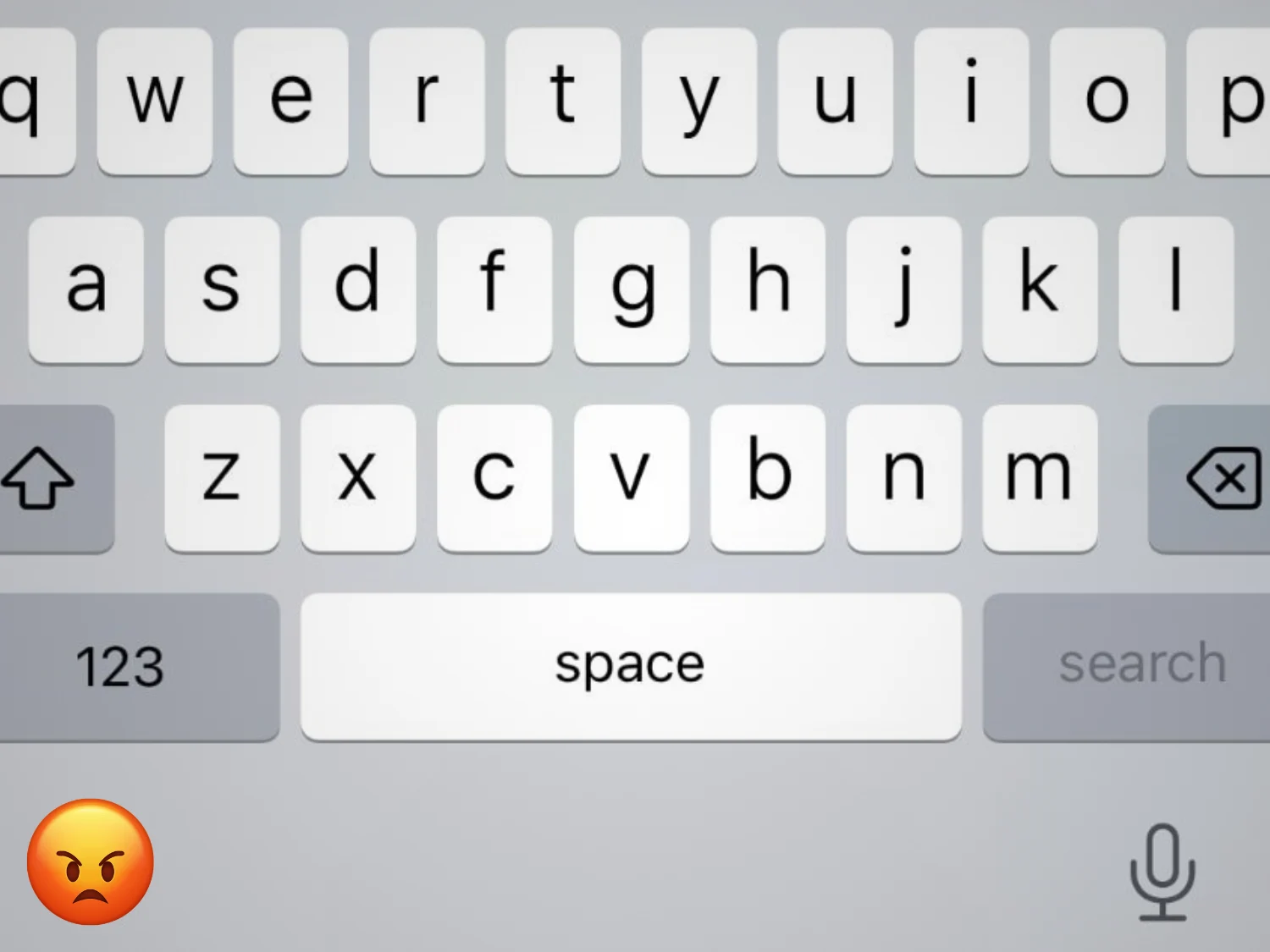
    Apple has quietly launched iOS 26.4 Beta 4, which includes a small but significant change: “better keyboard accuracy when typing quickly.” This marks Apple’s first public acknowledgment of a bug that many iPhone users have been experiencing for months. Following the release of iOS 26 in late 2025, a consistent issue arose when users typed quickly, where some characters simply didn’t register. People, myself included, would tap letters, see them light up, but the input wouldn’t show up in the text. For something as fundamental as typing, this inconsistency becomes very noticeable and can be quite annoying. After all, it’s just the most basic app on any device.

    User Feedback and Complaints

    In November 2025, one Apple support user noted that their typing accuracy on screen had “dropped significantly” after the update. By early 2026, complaints became fairly widespread online. MacRumors highlighted “multiple complaints,” indicating that iOS 26 had made keyboards “far more error prone.” On a Reddit thread, a user expressed frustration over their keyboard “lagging, missing inputs, and autocorrecting nonsense,” making their phone nearly “unusable.” Some users traced the issue to iOS itself, indicating it was not a hardware problem or related to specific apps, and it didn’t occur with slower typing. In essence, anyone who typed fast enough faced this issue. At this point, it was clear that this was not just an isolated case, but a more common problem.

    Delayed Fixes from Apple

    Despite the uproar, Apple only recently provided an official fix with the 26.4 beta in March. There was no beta solution prior, and iOS 26.3 release notes didn’t mention anything either. It was only when iOS 26.4 was released that Apple’s notes highlighted the improvement. AppleInsider noted that this change “quashes a persistent, pesky bug” that had already “plagued” the iOS 26 series. In other words, Apple took approximately four to six months to address a widely recognized issue. This delay raises questions about why such a clear problem lingered for so long. To be fair, for a company that prides itself on polish, that timeline is hard to defend – at least from my point of view.

    Possible Reasons for the Delay

    So, what caused the delay? Several factors likely contributed. First, the bug only occurred under specific conditions—specifically, very fast typing. If a user typed at a normal speed, the keyboard functioned properly. This made the issue difficult to identify during testing since human testers or automated scripts may not have tried “type as fast as you can” situations until much later in the process. In quality assurance labs, the keyboard might have appeared to work fine during regular use, allowing the bug to slip through the initial reviews. I only noticed this after spending almost a month with iOS 26, and once I did, it was hard to ignore.

    Secondly, the glitch appeared to be linked to various aspects of iOS 26’s keyboard system. Back in 2019, Apple was already late in introducing QuickPath to iPhones. A community member mentioned that even “very minor changes in the size of the keypads” could confuse some users. Several users discovered that turning off swipe typing and predictive text improved the situation. I tried this too, but it didn’t help. Essentially, this didn’t seem to be a simple bug, but rather a result of several overlapping changes. Touch input, gesture detection, and autocorrect share the same data stream, so even slight timing or detection adjustments can interfere with each other. Isolating and fixing it without causing other problems likely took time—six months still feels infuriating.

    Communication Issues

    Finally, there’s the issue of priority. For most iPhone users, the keyboard still worked, albeit imperfectly for fast typers. Apple probably did not consider it a security risk. They often bundle such fixes into the next point update rather than issuing urgent patches. Reports indicate that the fix first appeared in the 26.4 developer beta, suggesting that Apple took its time to test the solution before a larger release. This method can work for minor bugs, sure, but this one impacts a core interaction with the device.

    It’s important to point out how Apple communicated about this issue, or rather, how they typically communicate. Unlike some companies, Apple seldom discusses bugs until they’re resolved. There was no public statement or guidance from Apple on this matter; the only indication was the patch note. That silence can make any delay feel longer. Users like me were left searching for information on Apple’s forums and Reddit. A simple acknowledgment early on could have reassured users that the problem was being taken seriously.

    Positive User Responses

    I am no longer part of the Apple Beta program, but I’ve been keeping an eye on discussions online. Fortunately, the feedback has been largely positive so far. Many users on Reddit threads are reporting significant improvements. I hope future iOS testing includes more aggressive typing scenarios, and that Apple’s support teams can address touch-input bugs more transparently. Because, honestly, I would really dislike having to switch back and forth between two different keyboards on my primary device even one more time.

    Source:
    Link



  • Casio S100X Limited Edition Flagship Calculator Launches

    Casio S100X Limited Edition Flagship Calculator Launches

    Key Takeaways

    1. The Casio S100X-JC1-U, named “The Special One,” is a limited edition pocket calculator with only 650 units made globally.
    2. The calculator features a hand-lacquered aluminum casing with a glossy black finish, red trim on keys, and gold labeling.
    3. It has a high-contrast FSTN LCD display with navy blue numbers for better visibility.
    4. The key mechanism uses scissor switches for precise input and supports three-key rollover for quick typing.
    5. Priced at 99,000 yen ($630), it is currently available only in Japan, with potential for international import through platforms like Zenmarket.


    While Casio often introduces special editions of its digital watches, it’s quite uncommon for calculators to receive such treatment. The S100X-JC1-U, which Casio dubs “The Special One,” is a unique pocket calculator that is limited to only 650 units globally. The casing of this calculator is made from aluminum.

    Handcrafted Excellence

    The surface is hand-lacquered using a traditional Japanese technique, resulting in a glossy black finish that has a distinctive shine. Every key and the front panel are highlighted with a red trim. The buttons feature gold labeling. The display presents navy blue numbers against a nearly white backdrop, providing maximum contrast—Casio claims that the FSTN LCD is less reflective and offers better contrast than most pocket calculators due to its double coating.

    Advanced Key Mechanism

    The keys are fitted with scissor mechanism switches, similar to those found on most laptop keyboards. This design aims to ensure a precise pressure point and consistent resistance, whether a key is pressed in the center or at the edges. The calculator supports three-key rollover, so it can handle quick inputs without issue. The Casio S100X has a weight of 275 grams and operates on a CR2025 battery ($2.99 for a pack of 12 on Amazon), which Casio estimates will last for seven years with daily use of one hour.

    The Casio S100X-JC1-U “The Special One” pocket calculator is priced at 99,000 yen ($630) and is currently available in Japan only. With only 650 pieces produced, it remains uncertain if it will be offered internationally, but customers can directly import it through platforms like Zenmarket.

    Source:
    Link