Author: GizNews

  • Vintage 7 blends Windows 7 and Windows 10 IoT you’ll love

    Vintage 7 blends Windows 7 and Windows 10 IoT you’ll love

    Key Takeaway

    – Classic 7 rebinds a Windows 10 IoT LTSC base to resemble Windows 7, offering a lightweight, ad-free experience with continued security updates through Oct 2032.
    – It requires minimal hardware (as low as 2 GB RAM and 1 GHz CPU) and does not require activation to function.
    – Using unofficial sources to install Classic 7 carries risks, including potential nefarious changes from developers.
    – Potential for improved performance in some games or as a weekend VM project, though results vary.


    Windows 11 may still be chasing some fancier bells and whistles, but many folks are itching for a simpler era where things felt less cluttered. The current OS landscape is noisy, and some corners of the community long for the days when things seemed more straightforward and less monetized. The nostalgia is strong, and the appeal of a leaner system persists across different user groups.

    Classic 7: a leaner path with security updates

    Enter Classic 7, a project that aims to resurrect the feel of earlier Windows while still receiving ongoing security updates. This setup is built on Windows 10 IoT (IoT Enterprise LTSC 2021), a pared-down edition that trims away features like the Xbox Game Bar, excessive advertising, and Microsoft Edge. It targets embedded devices and falls into a low-resource category, with a modest requirement of 2 GB RAM and a 1 GHz processor, which explains its “embedded” heritage in its naming.

    Security and licensing realities

    Since Windows 10 IoT is tailored toward industrial and retail contexts, it continues to receive security updates through October 2032. Licensing remains something you would need to sort on your own, but for testing purposes, it can run without activation. This reality makes it a possible, if unofficial, gateway to experimenting with a Windows 7-like desktop experience on modern hardware.

    It’s important to note that obtaining the primary operating system from unofficial sources carries inherent risks. Implementing the Windows 7 desktop environment on a more current OS requires substantial modification, and the trust you place in the developers of Classic 7 to avoid nefarious changes is significant. The project exists in a gray area where caution is advised and user discretion is essential.

    Performance and usability implications

    There are anecdotal whispers that this approach may even yield better performance in some games, though results will understandably vary. Some users view it as a fun weekend project to explore in a virtual machine and test whether Windows 7 nostalgia holds up under modern hardware, offering a different flavor of experimentation than a standard upgrade path.

    Official purchasing paths and price points

    For those who prefer a fully official route, Windows 11 is occasionally listed with price points around typical consumer market prices, including figures comparable to retail promotions. When weighing options, consider what you value most: authenticity and support versus experimentation and lightweight configurations. The decision rests with the user, who must evaluate their own requirements and risk tolerance.

  • Realme Watch S5 Launches at $84, 16-Day Battery Life

    Realme Watch S5 Launches at $84, 16-Day Battery Life

    Key Takeaway

    – Round 1.43-inch AMOLED display at 1,500 nits with 60 Hz, always-on option reduces battery life from 16 to 5 days; night vision mode shows red content.
    – Distinct flat frame design, 11.8 mm thick, 32 g, 5 ATM waterproof for swimming, with three side buttons including one that activates Google Gemini.
    – Health and activity tracking: heart rate, SpO2, sleep, stress, female cycle, 110 sports; GPS for distance during runs/cycles; lacks ECG, skin temperature, and NFC.
    – Availability: launching in India at INR 7,999 (~$84); no confirmed international release yet.


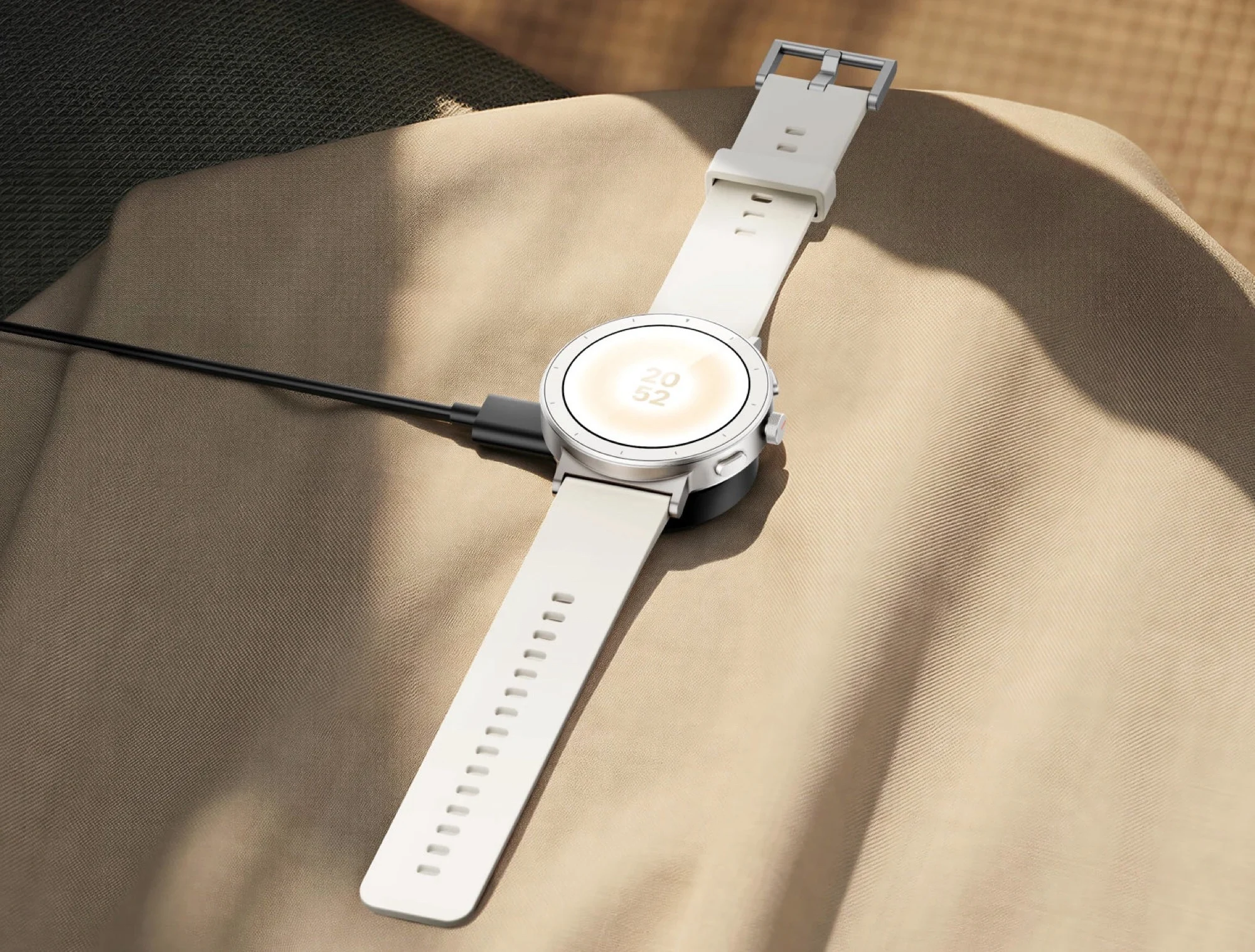
    Realme unveils a round smartwatch with a distinctive flat frame and prominent buttons, housing a 1.43-inch AMOLED display. At 11.8 millimeters thick and 32 grams, the device claims 5 ATM water resistance, meaning it can be worn while swimming. The blend of style and sport-oriented features aims to attract users who want both daily wearability and fitness tracking in one package.

    Display and Battery

    The round AMOLED panel peaks at 1,500 nits brightness and runs at 60 Hz. If the always-on display is enabled, the screen stays on continuously, but battery life drops from about 16 days to roughly five days. A night vision mode is included, rendering content in red for low-light readability, and one side button directly summons Google Gemini for on-wrist chatbot interactions.

    Health and Fitness Tracking

    The Realme Watch S5 includes heart rate and SpO2 sensors, plus monitoring for sleep, stress, the female cycle, and 110 sports modes. An integrated GPS helps track distance during runs or rides. However, unlike some pricier rivals, it lacks an ECG sensor and a skin temperature sensor, and there is no NFC for contactless payments.

    Release Details

    In terms of availability, Realme plans a launch in India first, with a price of INR 7,999 (about $84). No official international release date has been announced yet, and it’s noted that the older rectangular Realme Watch 5 has seen international distribution as well.

    Sources
  • iPhone 18 Pro Foldable Ultra Aims to Fix Apple Reception Issues (Leak)

    iPhone 18 Pro Foldable Ultra Aims to Fix Apple Reception Issues (Leak)

    Key Takeaway

    – Apple reportedly aims to turn satellite connectivity from emergency-only to everyday use with the iPhone 18 Pro, Pro Max, and Ultra, via a new C2 modem and 5G NR-NTN support.
    – The system would automatically switch to satellite when cellular signals are weak, removing the need to manually connect to satellites.
    – This could enable more reliable connectivity in low-signal areas (pockets, cars, indoors), potentially expanding satellite coverage as a standard feature by September release.


    Overview

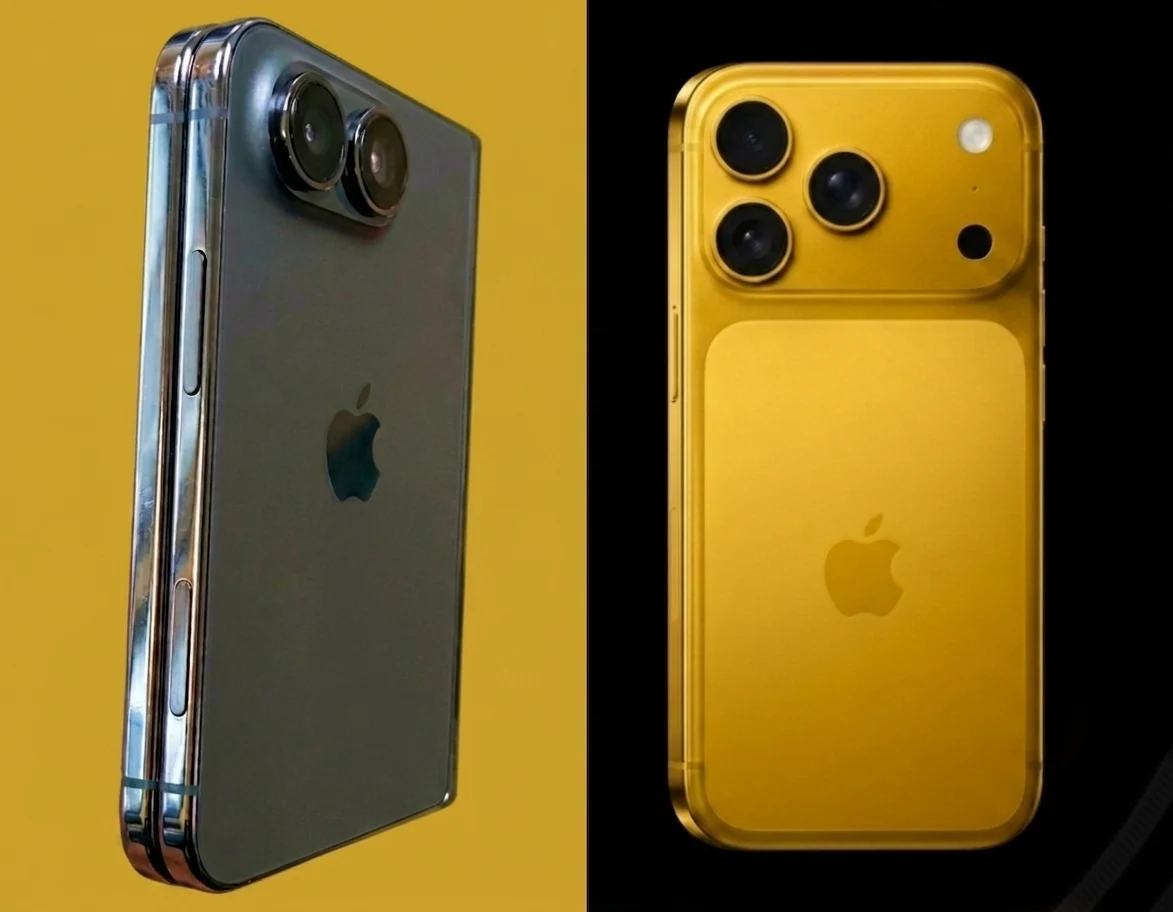
    If you’ve ever experienced reception issues with your iPhone (and most people have), you’d be thrilled to find out Apple’s upcoming iPhone 18 Pro, iPhone 18 Pro Max and the foldable iPhone Ultra may mark a significant shift for satellite connectivity, moving the technology from an emergency-only to an everyday feature. The topic suggests a notable change in how users stay connected, with implications for daily use and reliability.

    Speculations and Technology

    Recent reports say the iPhone 18 Pro and iPhone Ultra will feature Apple’s new proprietary “C2” modem, which is rumored to support 5G Non-Terrestrial Networks (5G NR-NTN). This integration is expected to allow Apple’s 2026 iPhone lineup to automatically fall back to satellite coverage when cellular signals are weak, eliminating the need for users to manually point their phones at a satellite, a convenience that could alter user behavior in urban and rural settings alike.

    Connectivity Goals

    By making use of 5G over satellite, the goal is to keep users connected in areas where traditional cell reception fails, potentially ensuring connectivity even while a phone is in a pocket, inside a car, or indoors. The emphasis on seamless handoff hints at improved user experience, though adoption and real-world performance will depend on carrier partnerships and satellite network expansion beyond preliminary tests.

    Sources
  • Honor Watch 6 Plus: Soon Launch with Giant Battery and 3000 Nits AMOLED Display

    Honor Watch 6 Plus: Soon Launch with Giant Battery and 3000 Nits AMOLED Display

    Key Takeaway

    – Large 1,000 mAh battery enables up to 17 days normal use, 35 days power-saving, or 42 hours GPS continuous use, while keeping a slim 10.8 mm profile at 41 g.
    – 1.46-inch round AMOLED display reaches up to 3,000 nits and works with wet fingers or screens, with GPS-supported navigation.
    – NFC for contactless payments and support for 120+ sports modes, plus comprehensive health features including hypertension risk assessment.


    Honor Watch 6 Plus Gets Official Specs After Teaser

    The news circus around Honor’s teaser site in mid-May has settled, and now the company is releasing the core specs of the new smartwatch. The device resembles Huawei Watch GT 6 in design but packs a notably bigger battery. Readers who are curious about capacity will find that the battery is a standout feature here, with numbers that push it ahead of some rivals. The emphasis is clearly on endurance and everyday practicality in daily wear.

    Battery Capacity and Longevity

    Honor touts a mighty 1,000 mAh battery, a figure that more than doubles the capacity of certain contemporaries like the Samsung Galaxy Watch8. In practical terms, the company claims up to 17 days of typical use, 35 days in a minimal power-saving state, and about 42 hours if you rely on GPS continuously. Despite this substantial energy reserve, the Watch 6 Plus remains slim at 10.8 millimetres and light at 41 grams, which helps it wear comfortably through long days and nights.

    Display, Durability, and Connectivity

    The smartwatch features a round 1.46-inch AMOLED panel delivering a brightness of up to 3,000 nits, which should translate to good readability in bright outdoor conditions. The touchscreen is designed to work even when the screen surface is wet or when fingers are damp, a practical touch for rainy days or after swimming sessions. Navigation and route tracking are supported via GPS, and the built-in module can be used for route mapping or following a navigation app during runs or rides.

    Functionality and Health Features

    In addition to fitness tracking with a wide suite of sports modes—over 120—the Watch 6 Plus includes an NFC chip for contactless payments. Honor also highlights health monitoring capabilities with features like a risk assessment for high blood pressure, indicating a push toward more proactive health supervision. The device’s full feature set and its final pricing are expected to be fully disclosed at the official launch on May 25, creating anticipation for further details.


  • Microsoft patches Defender zero-days exploited in active attacks

    Microsoft patches Defender zero-days exploited in active attacks

    Key Takeaway

    – Two Windows Defender zero-days (RedSun and UnDefend) were exploited in the wild before patches, with CVE-2026-41091 (7.8) allowing SYSTEM privilege escalation in Malware Protection Engine and CVE-2026-45498 (4.0) causing DoS in Antimalware Platform.
    – Patches are available in Malware Protection Engine 1.1.26040.8 and Antimalware Platform 4.18.26040.7; verify deployments are updated, especially in air-gapped or managed environments.
    – CISA added both CVEs to the Known Exploited Vulnerabilities catalog (deadline June 3, 2026 for Federal agencies); third related flaw CVE-2026-45584 was also fixed by the same engine update but not yet widely exploited.


    On May 21, 2026, Microsoft pushed out-of-band patches for two Windows Defender zero-days that real attacks had already confirmed. Researcher Chaotic Eclipse disclosed both vulnerabilities, publicly known as RedSun and UnDefend, without coordinated disclosure. They had no CVEs and no fixes when first released. Endpoint security firm Huntress confirmed active exploitation before the patches existed.

    Two Windows Defender zero-days and their impact

    The more severe of the two, CVE-2026-41091, carries a CVSS score of 7.8 and targets the Microsoft Malware Protection Engine. The flaw stems from an improper link resolution before file access, which lets a low-privileged attacker manipulate a symbolic link or directory junction during a Defender scan and escalate to full SYSTEM-level control. No elevated starting permissions are required.

    Second vulnerability details

    The second, CVE-2026-45498, is rated CVSS 4.0 and targets the Microsoft Defender Antimalware Platform. It functions as a denial-of-service against the protection engine itself, silently blocking definition updates and degrading Defender’s ability to detect new threats. The flaw affects System Center Endpoint Protection, System Center 2012 R2 and 2012 Endpoint Protection, and Security Essentials in addition to standard Defender installations. Neither vulnerability triggers a visible alert to the user or administrator during exploitation.

    Resolution and deployment guidance

    Both CVEs are resolved in Malware Protection Engine version 1.1.26040.8 and Antimalware Platform version 4.18.26040.7. Microsoft delivers the fixes automatically through Defender’s built-in update mechanism. Administrators should confirm their deployments are running those versions or newer, particularly in air-gapped or managed environments where automatic updates may be delayed.

    Regulatory and broader context

    CISA added both vulnerabilities to its Known Exploited Vulnerabilities catalog on May 20, 2026, giving Federal Civilian Executive Branch agencies until June 3 to confirm patching. The same engine update that resolves CVE-2026-41091 also addresses a third flaw, CVE-2026-45584, a heap-based buffer overflow with a CVSS of 8.1 that allows remote code execution without user interaction. CVE-2026-45584 has not yet been confirmed exploited in the wild.

    Background and related disclosures

    RedSun and UnDefend are the fourth and fifth zero-days released by Chaotic Eclipse over the past six weeks, all targeting Windows security components. MiniPlasma, which gives SYSTEM access on fully patched Windows 11 machines via the Cloud Filter driver, remains unpatched. For more on that disclosure and its context within the broader series, see our earlier report:

    • BleepingComputer
    • Security Week
    • Microsoft
    • nvd.nist.gov
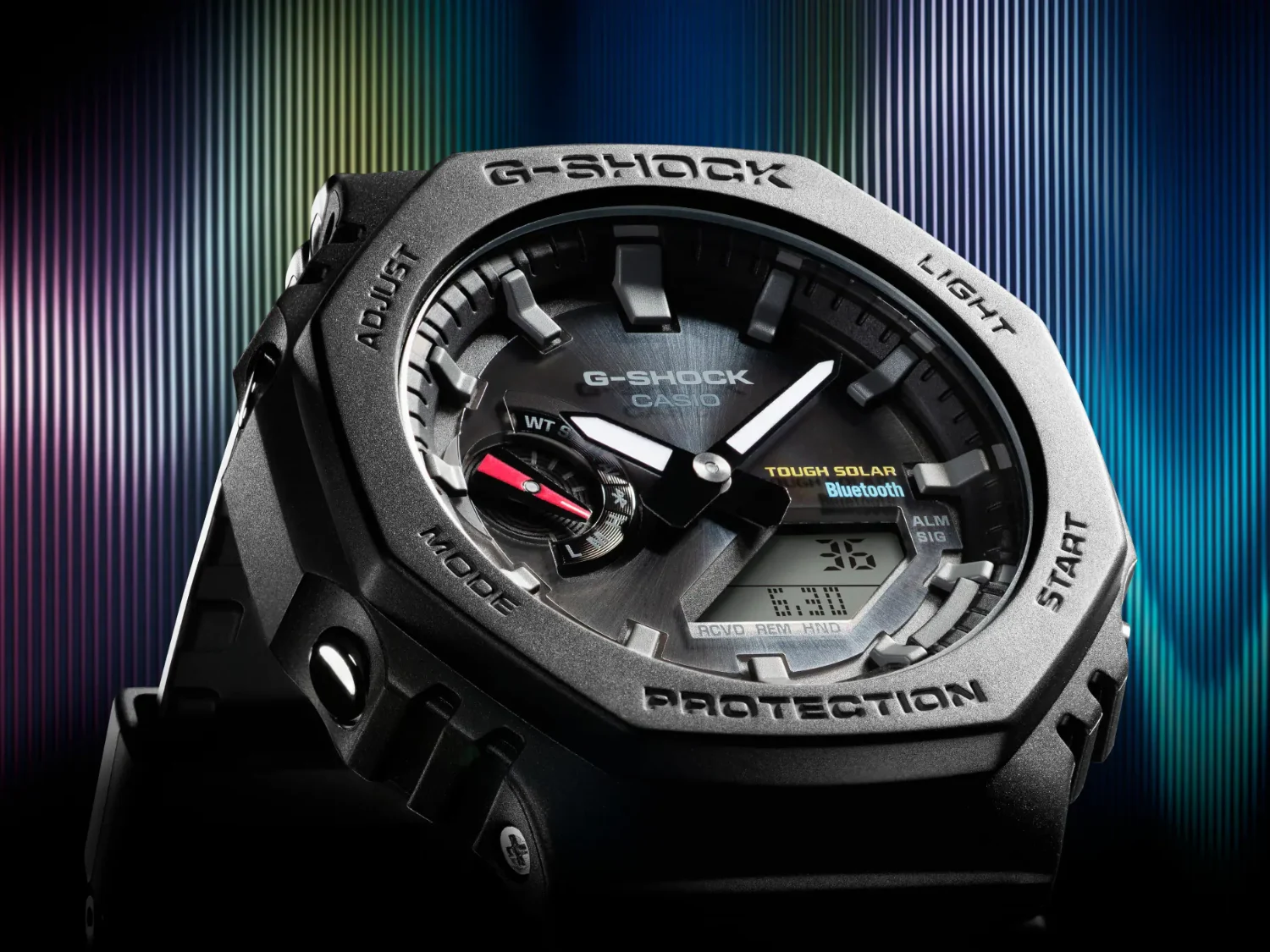
  • Casio G-Shock GA-2100LXB GM-2100LXB Spotted in Asian Retailer Database

    Casio G-Shock GA-2100LXB GM-2100LXB Spotted in Asian Retailer Database

    Key Takeaway

    – Casio appears to be developing a luxury-oriented sub-series (LXB) within the GA-2100/GM-2100 line, suggesting simultaneous resin and metal configurations.
    – The LXB designation likely signals a premium/design-forward direction for the CasiOak family without official product images or announcements yet.
    – Given past patterns, expect concurrent releases for GA-2100LXB and GM-2100LXB, though no pricing or launch window is disclosed.


    New model codes hinting towards a luxury-oriented expansion of Casio’s popular CasiOak lineup have surfaced in an Asian watch retailer database, courtesy of Great G-Shock World.

    In this paragraph the tone shifts to a newsroom-esque report, with a focus on facts and potential implications. The discovery revolves around entries that reference a GA-2100LXB series and a metal-case GM-2100LXB variant. The language keeps a cautious note, emphasizing that no official Casio statement has been issued. The wording avoids sensationalism, yet preserves the essence of a preliminary leak. It remains to be seen how these codes will translate to real products, if at all, and whether the LXB tag signals a true luxury direction or merely a branding exercise. The octagonal CasiOak silhouette is likely to be retained, grounding speculation in familiar design cues that fans already recognize.

    Speculation about luxury cues and case materials

    The second paragraph shifts to a more analytical voice, offering a speculative reading of what LXB could imply. The suffix is interpreted as denoting luxury design direction, even as no images accompany the database entries. The case design is said to preserve the octagonal bezel that characterizes the CasiOak, with both resin and metal configurations on the table, hinted by the presence of GA-2100LXB and GM-2100LXB codes. This paragraph keeps a cautious tone while outlining potential material options, including the possibility of forged stainless steel for the GM-2100 variant. It anchors speculation in the platform’s established history and the ongoing diversification within the 2100 family.

    Context within Casio’s financial results and product strategy

    A more contextual discussion is provided here, tying the rumored codes to Casio’s recent financial statements. The GA-2100 platform has been highlighted as a central pillar for G-Shock sales, in both resin and metal configurations, reinforcing the significance of the line. The GA-2100 launched in 2019 and has since become a classic, earning the CasiOak nickname among communities of enthusiasts. The GM-2100 is described as using the same foundation—an intentionally forged stainless steel bezel with a hairline finish on the top surface and a mirror polish on the sides. This paragraph links product strategy to financial outcomes without asserting concrete details about future releases.

    • Pricing and release windows remain unconfirmed in the database entries.
    • Simultaneous appearance of GA-2100LXB and GM-2100LXB suggests concurrent release plans.

    Industry implications and retailer implications

    The final paragraph contemplates how retailers and enthusiasts might interpret these hints. The simultaneous emergence of both code lines could indicate a coordinated launch approach, echoing past 2100 expansions. The text notes that no official announcement has been made, reinforcing the idea that this information is early and subject to change. It also reiterates the absence of any buying links and excludes mentions of any sites or image details, aligning with the request to remove external shopping references and avoid specific sources. The overall tone remains grounded, weighing potential market reception against the lack of concrete confirmation.

    Sources
  • Plex Lifetime Pass Plunges/Triples to $750 as Monthly Price Unchanged

    Plex Lifetime Pass Plunges/Triples to $750 as Monthly Price Unchanged

    Key Takeaway

    – Plex announced a price hike for Lifetime Plex Pass from $249.99 to $749.99, effective July 1, 2026 (12:01 a.m. UTC).
    – Existing Lifetime Pass owners retain current benefits; monthly and yearly Plex Pass prices remain $6.99 and $69.99 (for now).
    – Plex cites long-term value and ongoing development as reasons to maintain a Lifetime option, despite the steep increase.
    – The move follows a previous Lifetime Pass price rise in March 2025, signaling a broader shift toward recurring subscriptions.


    Plex announced on May 19, 2025 that a major price change is coming, and the note was shared with readers on their official platforms. The company stated that the Lifetime Plex Pass would jump from $249.99 to $749.99 starting July 1, 2026, which is a tripling of the current price. The change will take effect at 12:01 a.m. UTC on July 1, 2026, so current users should be aware of the new policy.

    Pricing Impact and Current Protections

    Existing Lifetime Plex Pass holders will not see any changes or lose any benefits, and the existing monthly and yearly Plex Pass pricing will stay at $6.99 and $69.99 for now, the note emphasized. The company’s blog clarified this policy, aiming to reassure those already invested in the Lifetime Pass that their upgrades and features remain intact despite the future price shift.

    What Plex Said and Why

    Plex explained that, historically, they had considered eliminating the Lifetime Pass, since recurring subscriptions support long‑term development. Yet, they chose to keep the Lifetime Pass, but priced to reflect the ongoing value of the software they intend to build and maintain for years to come. The language suggested a balance between sustainability and user value, while acknowledging the evolving business model.

    People reacting online have been vocal about the steep price increase, in part because Plex had already raised the price once in the last year. Some observers feel that the Lifetime Pass is now less appealing, potentially nudging users toward monthly plans instead. The discussion highlighted concerns about whether a one‑time purchase still represents the best deal given the new economics.

    About Plex Pass and Its Features

    Plex is a media management and streaming solution that lets you turn a computer or NAS into a personal media server. It enables storing movies, TV shows, and music and streaming them to phones, tablets, TVs, and other devices. Most content remains under local control, unlike some cloud‑dependent services that demand constant online access.

    • Hardware‑accelerated transcoding
    • Mobile syncing
    • Remote access
    • More advanced library management tools

    The Plex Pass brings these extras, but the price change for Lifetime has raised questions about value versus ongoing subscription costs. This marks the second notable price adjustment for Lifetime Pass within roughly a year, following a March 2025 increase from $119.99 to $249.99, with the new cap of $749.99 slated for July 1, 2026.

    What This Means for Decisions Today

    If you’re still undecided, consider whether to lock in a one‑time upfront payment before the new pricing takes effect. The timing favors early commitments if you want to avoid the higher future price, especially for those who anticipate heavy use of Plex’s premium features over many years. Conversely, potential subscribers might choose to explore the ongoing monthly plan as a more flexible alternative.

    In summary, Plex appears to be balancing long‑term customer retention and revenue certainty with the ongoing appeal of its service. The debate about Lifetime versus monthly pricing is likely to continue as users weigh their own streaming needs against the announced price trajectory for the Lifetime Plex Pass.

    Sources
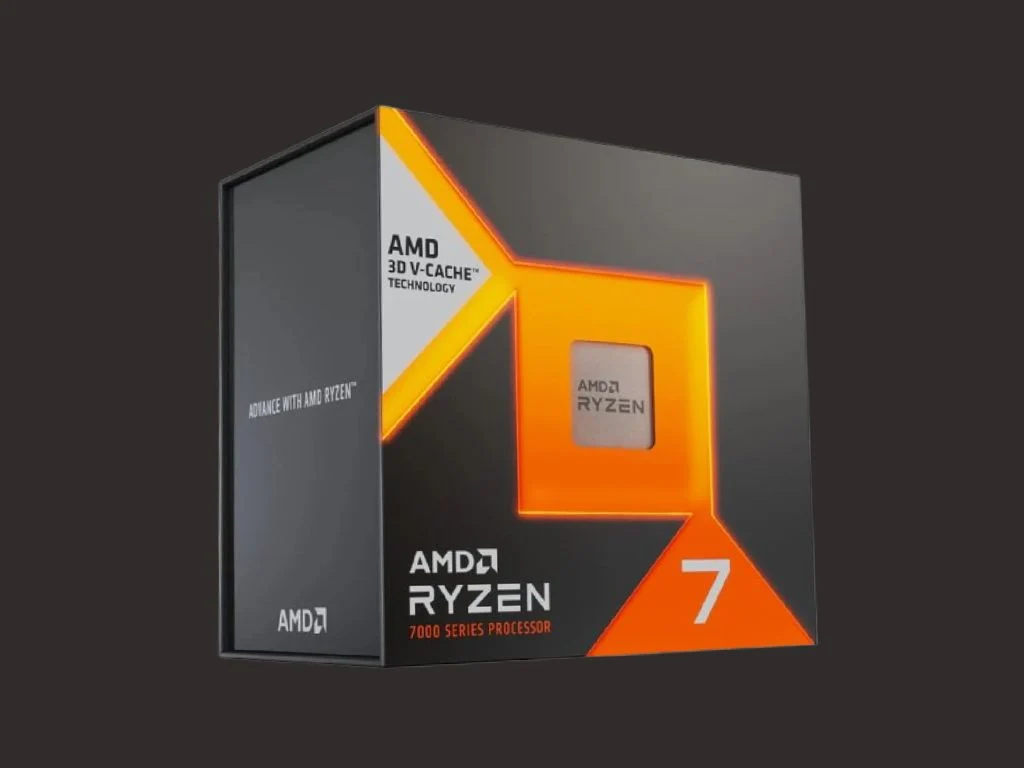
  • Budget 8-core AMD Ryzen 7 7700X3D in the works reveal

    Budget 8-core AMD Ryzen 7 7700X3D in the works reveal

    Key Takeaway

    – Rumor: AMD prep for a budget-friendly Ryzen 7 7700X3D (Zen 4 with 3D V-Cache) aimed at budget-conscious gamers.
    – Specs (rumored): 8 cores / 16 threads, 96 MB L3 cache, 120W TDP, base 4.0 GHz, boost up to 4.5 GHz.
    – Performance expectation: In-game performance within ~5–10% of the higher-end 7800X3D, at a lower price point (~$300).
    – Market impact: Could broaden access to 3D V-Cache tech and improve price-to-performance in gaming CPUs if launched.


    Budget Ryzen 7000 X3D Rumor Surfaces

    AMD is reportedly working on a budget-friendly Ryzen 7000 series X3D CPU for gamers that doesn’t break the bank while still delivering top-tier gaming performance in CPU-intensive titles. The chatter comes from a known hardware leaker going by chi11eddog, who claims the lineup will include a new Zen 4-based chip using the company’s 3D V-Cache tech. This would place the product as the latest entry in the Ryzen 7000 X3D family, specifically aimed at budget-minded players who aren’t willing to splurge on flagship parts.

    Rumored Pricing and Target

    It’s rumored that the Ryzen 7 7700X3D will be priced around $300 at retail, potentially making it an attractive option for price-to-performance in gaming. The idea is to broaden access to AMD’s 3D V-Cache tech for a wider audience. Some speculation suggests AMD could be using leftover or repurposed dies to assemble this more affordable processor.

    Key Specs Leaked

    The leaker’s post on X reportedly includes some essential specs: “R7 7700X3D, 120W, 8C16T, 96MB.” In comparison to the current Zen 4 X3D octa-core CPU, the Ryzen 7 7700X3D resembles the 7800X3D on paper, both offering eight cores, sixteen threads, and 96MB of L3 cache (32MB standard plus 64MB stacked via 3D V-Cache). The main variation appears in clock frequencies.

    Performance and Cooling

    Sources claim the 7700X3D would run at a base clock of 4.0 GHz and boost up to 4.5 GHz, which are about 200 MHz and 500 MHz lower respectively than the 7800X3D’s 4.2/5.0 GHz. The total power draw is pegged at 120 watts, implying that high-end cooling might not be strictly necessary. The lower clocks could also help the chip stay a bit cooler than its larger sibling, a reasonable trade-off for a budget-focused model.

    Market Impact and Availability

    Early reports suggest gaming performance could dip only around 5–10% versus the 7800X3D, which would be acceptable for many players when weighed against the lower price tag. The 7800X3D originally launched at $449 in 2023 and still commands roughly $350–$380 in today’s market, depending on availability. The Ryzen 7 7700X3D might offer similar gains at a fraction of the cost, presenting a helpful option as hardware prices fluctuate.

    Official Confirmation and Timing

    Despite the chatter, AMD has not officially announced the Ryzen 7 7700X3D. Historically, the company has released more affordable chips after higher-end, well-binned units become scarce, so the candidate could arrive soon, aligning with a PC gaming market that could use some relief on hardware costs.

    Sources
  • Lisuan LX 7G100: Chinese Gaming GPU Trails RTX 4060

    Lisuan LX 7G100: Chinese Gaming GPU Trails RTX 4060

    Key Takeaway

    – 7G100 shows solid 1080p playability (56–182 FPS across tested titles) but trails mainstream GPUs by ~30%, with larger gaps in less-supported games.
    – Stronger game compatibility and fewer driver issues than older Chinese GPUs, though stability and driver software still need work (stuttering, frame pacing, settings reset).
    – No ray tracing and software ecosystem is underdeveloped (minimal control panel, overclock resets), impacting advanced features and long-term usability.
    – Pricing (~$485) positions it close to faster competitors, making value dependent on demand for compatibility over peak performance.


    Overview of the Lisuan LX 7G100 Graphics Card

    Fully detailed months ago, a Lisuan LX 7G100 graphics card has now been put through early independent gaming benchmarks. Built on Lisuan Tech’s in-house TrueGPU architecture, the card reportedly fully supports DirectX 12 and modern AAA titles without the severe driver issues that plagued earlier Chinese GPUs. The LX 7G100 model teste comes equipped with 12 GB of GDDR6 memory and uses a 6 nm GPU chip known as the 7G106. In real-world gaming tests at 1080p, the card manages 56 FPS in Black Myth: Wukong, 57 FPS in The Witcher 3: Wild Hunt, 80 FPS in Elden Ring, 150 FPS in Grand Theft Auto V, and 182 FPS in Dota 2. In Cyberpunk 2077 with FSR3 Quality mode and frame generation enabled, the GPU averages around 88 FPS.

    Performance Against Mainstream Competitors

    While those numbers are enough for playable gameplay, the card still falls roughly 30% behind mainstream competitors like the Nvidia GeForce RTX 4060 and Intel Arc B580, and in poorly supported games, the performance gap widens further, with competing GPUs delivering two to three times higher frame rates. The hardware itself also lacks ray tracing support, with Lisuan planning to add it only in future GPU generations.

    Software and Compatibility

    Reviewers say the biggest improvement compared to older Chinese GPUs is game compatibility. Modern titles launch and run without major issues or months of waiting for driver fixes. However, the software side still needs work. Testers reported stuttering, inconsistent frame pacing, a nearly empty driver control panel, and overclock settings resetting after every reboot.

    Pricing and Market Position

    Pricing may be the hardest sell for the LX 7G100. In China, the Founders Edition is listed at around ~$485, putting it close to much faster alternatives from Nvidia, AMD, and Intel.


    Sources

  • Soundcore Liberty 5 Pro/Pro Max launch with on-device AI chip and AMOLED case display

    Soundcore Liberty 5 Pro/Pro Max launch with on-device AI chip and AMOLED case display

    Key Takeaway

    – Both Liberty 5 Pro and Liberty 5 Pro Max feature the Thus AI chip, 9.2 mm drivers with Dolby Atmos, an 8-mic noise reduction system, and Guinness World Records for clearest TWS calls, plus audio Super-Resolution and 20 voice commands.
    – Liberty 5 Pro adds Adaptive ANC 4.0 with five-level tuning via a mini touchscreen on the case, plus Dolby Atmos Spatial Audio with head tracking and HearID 5.0; colorways include Midnight, Titanium Blue, Titanium Pink, Cloud White.
    – Liberty 5 Pro Max upgrades with a 1.78-inch AMOLED touchscreen on the case for ANC control, multipoint, display customization, and an AI Voice Recorder (on-device processing, transcripts, speaker summaries) with up to 12 hours of stored audio; available in Midnight and Champagne.


    Anker has just announced two flagship earbuds during Anker Day 2026 in New York City: the soundcore Liberty 5 Pro (€179.99) and Liberty 5 Pro Max (€249.99). They are both built around the company’s new Thus AI chip that promises up to 150x more processing power than the prior soundcore flagship generation, which is a bold claim aimed at boosting overall performance and efficiency.

    What’s inside and core specs

    Both models share the same 9.2 mm drivers with Dolby Atmos support, an 8-microphone noise reduction system, and a Guinness World Records certification for clearest TWS earbuds for phone calls. The lineup also includes features like audio Super-Resolution and 20 voice commands, standard across the range, which hints at a focus on clarity and hands-free control.

    Liberty 5 Pro: adaptive tech and personalised sound

    The Liberty 5 Pro differentiates itself with Adaptive ANC 4.0, which auto-adjusts to the environment and can be tuned across five levels via a mini touchscreen on the charging case. Dolby Atmos Spatial Audio with head tracking and HearID 5.0 personalised sound profiles complete the feature set. It arrives in Midnight, Titanium Blue, Titanium Pink, and Cloud White colorways, offering some variety for users.

    Meanwhile, the Liberty 5 Pro Max adds a larger on-device control experience with a 1.78-inch fully functional AMOLED touchscreen on the case for controlling ANC, multipoint pairing, and display customization. Its standout feature is an AI Voice Recorder — a double-tap on the case starts recording, with transcripts and speaker-identified summaries processed entirely on-device, no internet required. The case also stores up to 12 hours of audio and is offered in Midnight and Champagne colors.

    Availability and software

    Both models are available now on the soundcore website, along with major retail partners, with the brand also rolling out VibeOS, a new AI layer in the soundcore app featuring a voice assistant named Anka for hands-free device management.


    Sources