Tag: google

  • Google’s Freshly Revamped Sign-in & Sign-up Pages Released

    Google’s Freshly Revamped Sign-in & Sign-up Pages Released

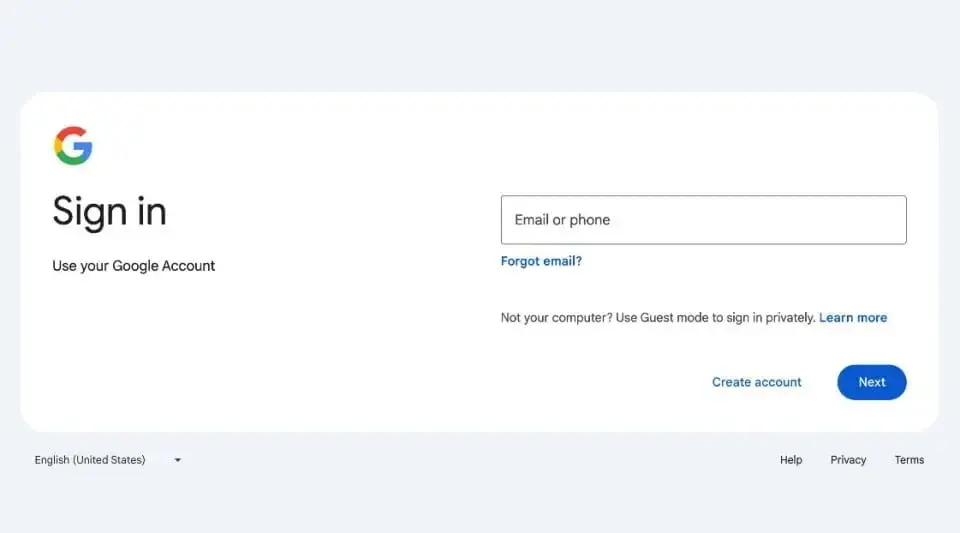
    Google has recently unveiled a refreshed look for its sign-in and sign-up pages. While not a drastic overhaul, the subtle changes are a pleasant update for frequent Google service users. The new design aims to streamline the visual aspects without altering the functionality, aligning with Google's commitment to maintaining a modern appearance.

    Material Design Continuity

    The updated sign-in page now aligns more closely with Google's 'Material Design' UI, which was initially introduced back in 2014. This design refresh ensures that the page adapts better to various screen sizes, catering to both computer users and those accessing Google services on their mobile devices. However, users with outdated browsers may not immediately see the new design elements.

    Evolution of Sign-In Pages

    In 2015, Google made a significant change by introducing a two-page sign-in process, prompting users to enter their passwords on a separate page. This adjustment was made in preparation for alternative login methods that might not require a password, as well as to simplify the experience for individuals managing multiple Google accounts.

    Continuous Improvement for Users

    Google affirms that this updated design is a permanent change, reminiscent of the transition when Gmail was revamped to consolidate all content into a single view. The rollout of the new sign-in page commenced on February 21, with the goal of making it accessible to all users by March 4, 2024. Despite its seemingly minor nature, this update underscores Google's dedication to enhancing user experiences through incremental design enhancements.

    By enhancing the visual clarity and adaptability of the design across different devices, Google aims to ensure a seamless and enjoyable experience for all users, underscoring their commitment to user-centric improvements.
  • Google Reveals Android Classic Collectible Figurine “The Bot”

    Google Reveals Android Classic Collectible Figurine “The Bot”

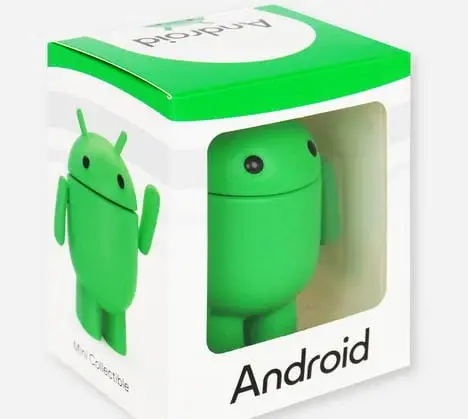
    Google fans and Android enthusiasts, rejoice! Your workspace or bookshelf is about to get a major upgrade. Google’s official merchandise store has just rolled out something special for Android lovers. Amidst a variety of items from water bottles to sunglasses, a standout addition has made its debut – the Android Classic Collectible figure. This will surely get the attention of hardcore Android fans.

    Dubbed “The Bot,” this 3-inch vinyl figure brings the familiar Android mascot to life, complete with posable arms for a touch of personality. Priced at $16, it’s not just any figurine. It’s a nod to the Android community’s enduring spirit, embodied in a design that closely mirrors Google’s newly revamped 3D Android mascot. While the exact maker of the figure remains a mystery, its packaging and design hint at a collab with Dead Zebra’s line of Android collectibles, known for their posable antenna and unique flair.

    Android Classic Collectible Figure Details:

    • Price: $16 plus shipping
    • Size: 3-inch vinyl figure
    • Special features: Posable arms, detailed design

    This collectible is more than just a figure; it’s a piece of Android history, capturing the essence of Google’s beloved operating system in a form that fans can appreciate up close. Available exclusively through Google’s online store in the US, with an added cost for shipping, it’s an item that’s catching eyes and selling fast. At last check, stock levels dipped below 150 units, signaling a high demand among collectors and fans alike.

    Limited Availability and High Demand:

    • Only available through Google’s US online store
    • Limited stock remaining, less than 150 units left

    And for those looking to expand their collection, Google’s store doesn’t disappoint. The recent introduction of the “Hello Android Black Tee” further enriches the Android merchandise lineup, offering fans another stylish way to show their allegiance.

    If you’re keen on snagging one of these collectibles, time is of the essence. Google’s merchandise offerings are known for their limited runs, making “The Bot” a must-have for anyone looking to celebrate their love for Android.

    Expansion of Android Merchandise:

    • Addition of “Hello Android Black Tee” to merchandise lineup
    • Stylish option for Android fans
  • Google Camera Ports Development May Face Blocking by Google

    Google Camera Ports Development May Face Blocking by Google

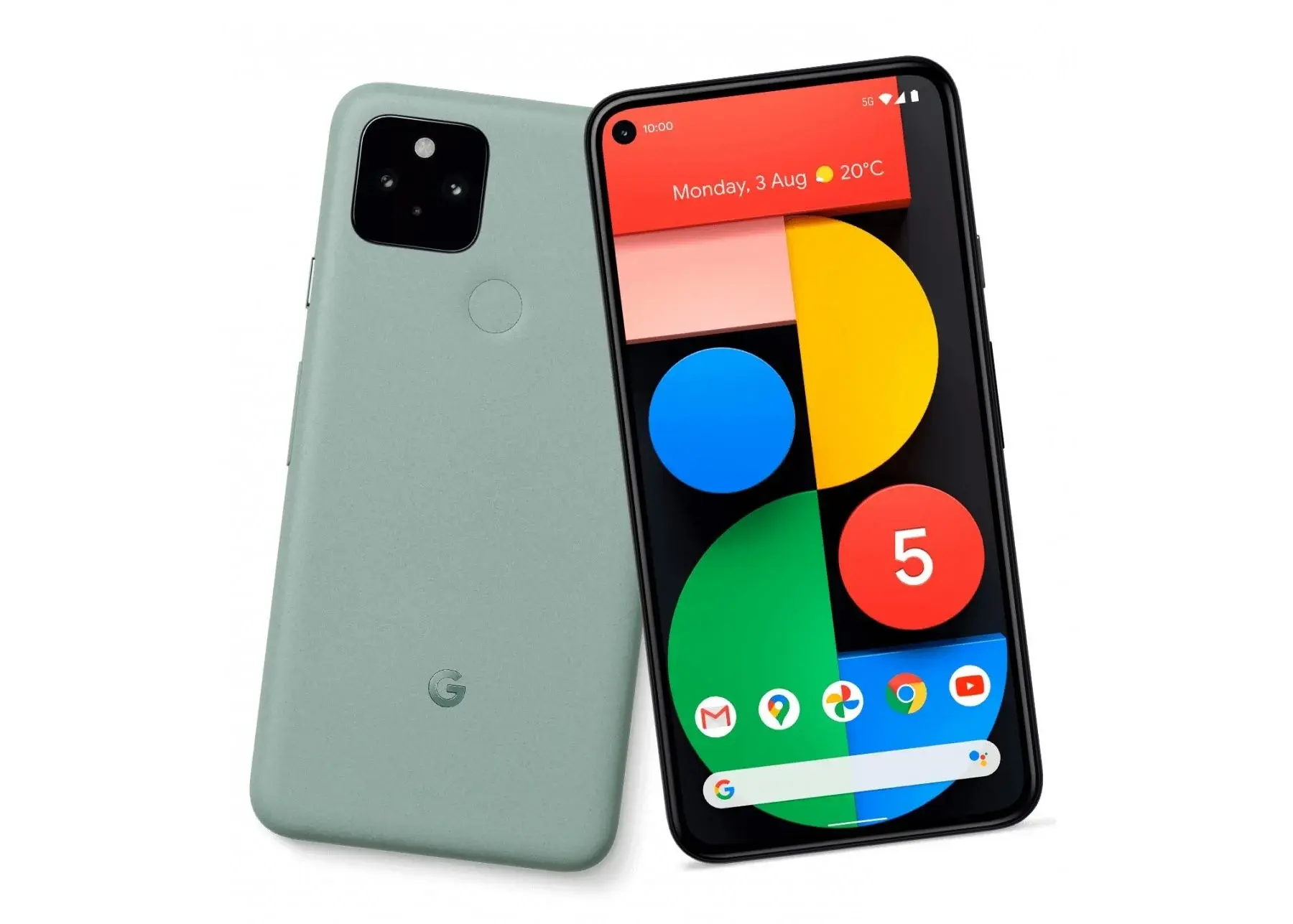
    Google recently unveiled the first developer preview version of Android 15, bringing forth a host of captivating features. Despite this initial release, the Pixel 5 series devices did not receive the Android 15 update. As Pixel 5 devices are no longer receiving official software support, the possibility of porting the GCam app to non-Pixel Android devices seems increasingly unlikely. The oldest Pixel devices eligible for the Android 15 update are part of the Pixel 6 series, equipped with Google’s custom Tensor chipset.

    Google’s Shift Away from Snapdragon Support

    In 2020, Google introduced the Pixel 5, which officially ceased to receive software updates by 2024. Noteworthy for featuring the last Snapdragon chipset from Google, the Pixel 5 stands out from the modern devices like the Pixel 6, which boast the custom Tensor CPU.

    Impact on Pixel 5 Features

    With the transition to their proprietary chipset, Google now wields complete control over the processor, a realm previously limited by Snapdragon chipsets. This shift may lead to Pixel-exclusive features that operate solely with a Tensor processor, potentially complicating the utilization or porting of Pixel features to non-Pixel devices.

    Challenges with Qualcomm DSP Support

    There’s a possibility that Qualcomm DSP support could be eliminated from Google Camera, a crucial component for image processing on Qualcomm chipsets. Should the GCam application be adapted to various devices without this support, image processing times could significantly lengthen, rendering GCam ports ineffective.

    Despite the possibilities, it remains uncertain whether these changes will come to fruition, especially with Google discontinuing official support for Snapdragon devices. However, a more pressing concern arises from the performance limitations of Tensor chipsets.

    Addressing Tensor Chipset Performance

    Since Google’s inception of their custom chipset in 2021, Tensor CPUs continue to grapple with substantial challenges in power and efficiency. Present-day Tensor CPUs offer performance levels akin to Qualcomm’s flagship processors from approximately three years ago. Given the current landscape of smartphones featuring robust processing power and impressive battery life, Google may need to reconsider adopting Snapdragon chipsets once more or make significant advancements in the Tensor lineup.

    Google Camera Ports Development May Face Blocking by Google

  • Android 15 Introduces Notification Cooldown Feature to Address Notification Overload

    Android 15 Introduces Notification Cooldown Feature to Address Notification Overload

    While the first Android 15 developer preview focused less on visual overhauls, it introduces a practical feature called “Notification Cooldown.” This feature addresses the annoyance of constantly buzzing or beeping phones due to a stream of repetitive notifications.

    The concept is straightforward — if your phone receives multiple notifications from the same app within a short timeframe, Notification Cooldown progressively lowers the volume and vibration intensity of these subsequent notifications.

    Notification Cooldown Feature

    This offers relief from the distraction of endless buzzing caused by chatty contacts or active group threads. If you have apps where every notification is crucial, Google allows the option to apply Notification Cooldown exclusively to conversations.

    Also to note, this ‘cooldown’ isn’t permanent. After a brief pause in the conversation, notifications will go back to full volume. If you need all alerts at maximum volume (for work, or on-call situations), the feature can be easily disabled.

    Enabling/Disabling “Notification Cooldown”

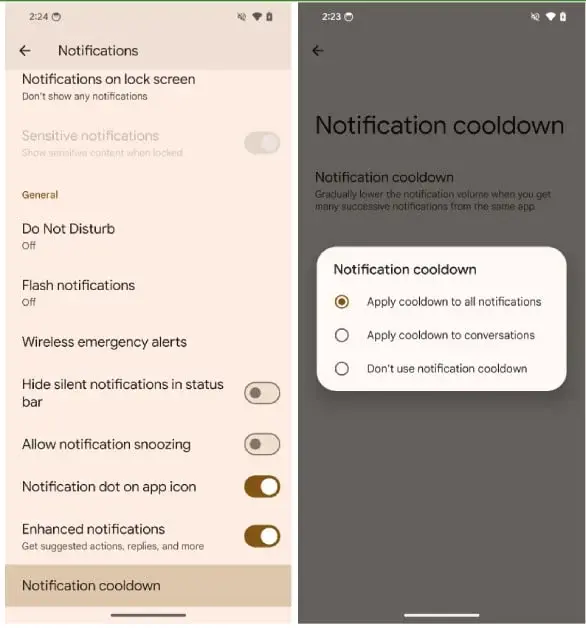
    Google’s enabled this feature automatically in the developer preview, but if you’re using it, here’s how to customize it:

    1. Open your device’s “Settings” app.
    2. Tap on “Notifications”.
    3. Scroll down and choose “Notification Cooldown”.
    4. Your options:
      • “Apply cooldown to all notifications” for comprehensive quiet.
      • “Apply cooldown to conversations” to target chattiness.
      • “Don’t use notification cooldown” to turn the feature off entirely.

    The Future of Notification Cooldown

    As Android 15 progresses, Google could further improve Notification Cooldown. An ideal addition would be customization on a per-app basis, allowing users to fine-tune which apps have this calming feature applied.

    Even in its initial form, “Notification Cooldown” has the potential to simplify how we manage notifications on our devices.

  • The first Android 15 Developer Preview is now being released by Google.

    The first Android 15 Developer Preview is now being released by Google.

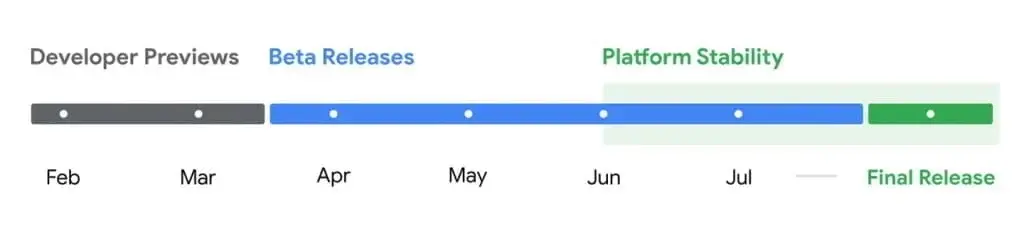
    The first developer preview version of Android 15 has been released today, featuring minor privacy improvements and new features. As it is specifically designed for developers, it may not be suitable for daily driving so better wait for a little if you want to try it on your Pixel device. Google announced they might release the public beta version between March and April.

    Android 15 release timeline

    Android 15 will allow you to have more control over the ads you see in a more detailed manner. A new menu named “Ads” has been added under the “Privacy & security” section in settings, where you can check which apps are tracking your activity on your phone to show ads.

    FLEDGE API for app tracking prevention

    Some apps can provide personalized ads by tracking your activity on your phone. With the FLEDGE API in Android 15, you can now prevent apps from tracking you. This doesn’t mean that the ads on your device will be completely removed, but it ensures that your data will not be shared with the chosen 3rd party app.

    Partial screen recording

    Another new feature in Android 15 is the ability to perform partial screen recording. Instead of recording or casting the entire screen while screen recording, you can now record only a specific part of the app. This can be useful for users who frequently record their phone screen or have to cast their phone screen during a video call.

    Better camera optimization for 3rd party apps

    Another welcomed improvement is that Google is finally working on a better camera optimization for 3rd party apps. Images captured in a low-light environment will now be processed in real-time, giving you a simultaneous bright preview, just like it appears after tapping the shutter button. 3rd party apps can also benefit from improved preview images.

    The bad news is that the Android 15 Developer Preview is currently only available for the Pixel 6 series and newer Pixels. This means that the software support for devices in the Pixel 5 series has officially ended. Android 15 will be available for Pixel 6a, Pixel 6, Pixel 6 Pro, Pixel 7a, Pixel 7, Pixel 7 Pro, Pixel 8, Pixel 8 Pro, Pixel Fold, and Pixel Tablet.

  • Duet AI by Google: The Ultimate Smart Sidekick for Emails and Docs

    Duet AI by Google: The Ultimate Smart Sidekick for Emails and Docs

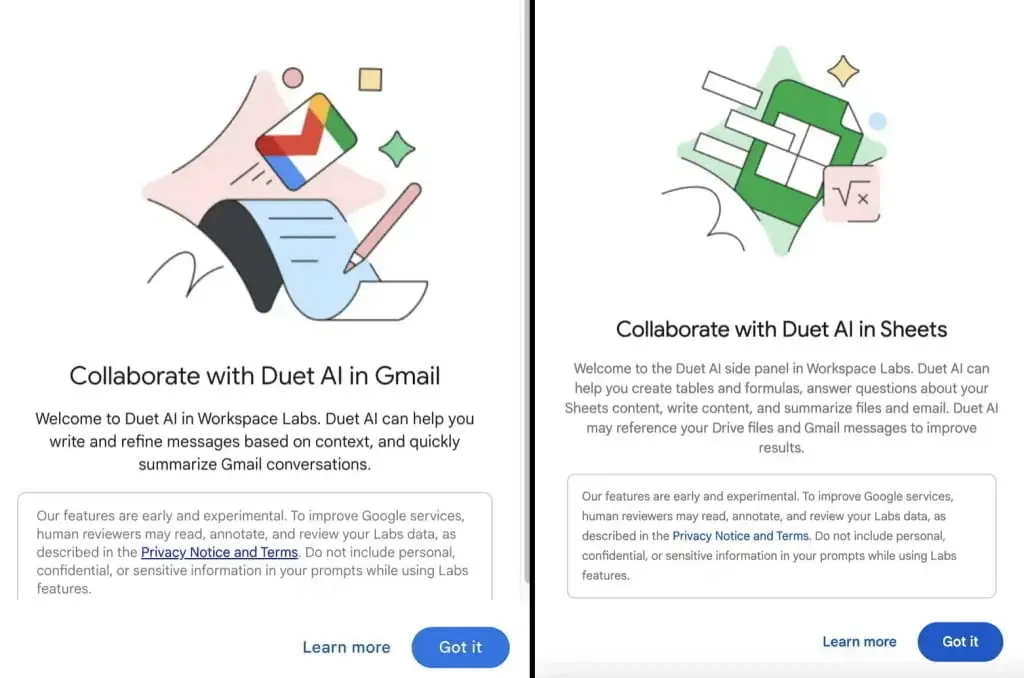
    Duet AI is Google’s latest innovation, and it is making waves as it begins broader testing. Revealed at I/O 2023, this tool is designed to work seamlessly alongside you, offering real-time, contextual support directly from your web browser.

    Integrating with Google Services

    Duet AI will integrate with your Google services and help you work faster. It cleverly positions itself next to your profile image, inviting interaction with just a tap. It opens up a realm of possibilities, from simplifying email management in Gmail to enhancing productivity in Google Drive and Google Docs.

    A Smart Assistant by Your Side

    Imagine having the capability to summarize lengthy email threads with ease or getting a complex email explained in the simplest terms possible. Duet AI is not just another tool; it’s like having a smart assistant by your side, ready to tackle a variety of tasks.

    Enhancing Gmail and Google Drive

    For Gmail users, Duet AI is a game-changer, offering functionalities such as drafting announcement emails or crafting personalized thank you notes. It can sift through your emails to fetch information about upcoming flights or package deliveries, making life a bit easier.

    Google Drive interactions become more intuitive with Duet AI, allowing users to summarize documents or inquire about specific details like contract expiration dates or project contributions.

    Streamlining Google Docs and Google Sheets

    Moreover, Google Docs and Google Sheets integration means you can generate summaries, create tables, or even devise complex formulas without breaking a sweat. Duet AI’s capabilities extend to Google Slides as well, where it aids in creating engaging presentations.

    As Duet AI rolls out to more users, particularly those with free accounts through the Workspace Labs program, it aims to redefine how we interact with our digital environments. For Google One AI Premium plan members, this addition is yet another perk.

  • Google Introduces New Features to Enhance Android’s Cohesion Across Devices

    Google Introduces New Features to Enhance Android’s Cohesion Across Devices

    Google Enhances Android Devices with New Features

    Google is making strides in improving the connectivity and functionality of Android devices, following in the footsteps of Apple’s innovation. The tech giant is focusing on enhancing user-friendliness and connectivity among Android devices, as seen in recent updates to Google Play services.

    Introducing “Devices and Sharing”

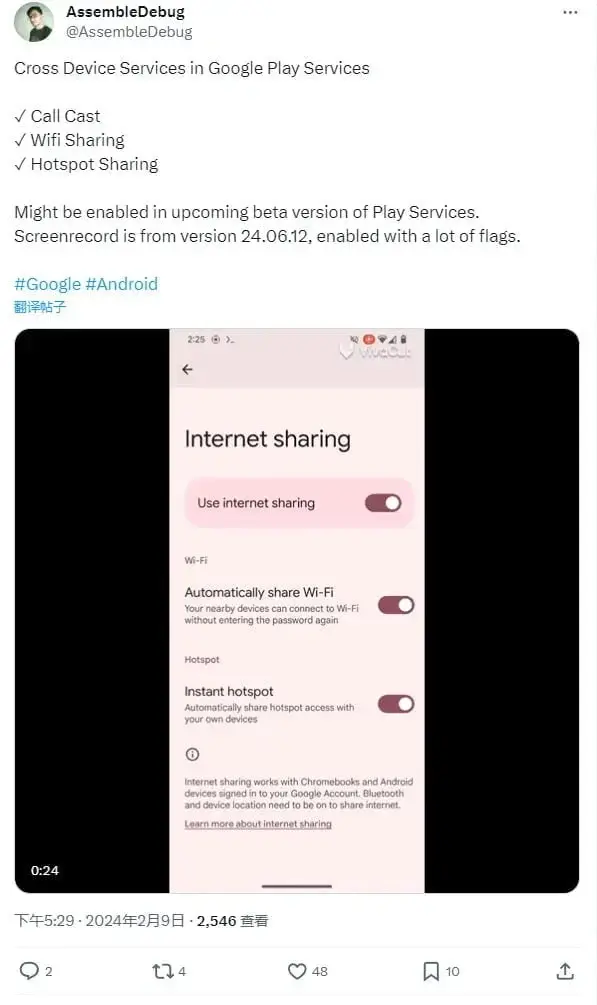
    The updated version, 24.06.12, introduces an improved “cross-device service” now known as “Devices and Sharing.” This update brings three practical features that have the potential to revolutionize how we use our devices: call transfer, hotspot sharing, and Wi-Fi sharing.

    Call Transfer

    The call transfer feature allows users to seamlessly move a call from one device to another without dropping the call. This feature requires both devices to be linked to the same Google account. With call transfer, users can easily switch between devices without interruptions.

    Hotspot Sharing

    Hotspot sharing simplifies the process of controlling another device’s Wi-Fi hotspot connection. Users can use one device to manage the Wi-Fi hotspot connection of another device, making it more convenient and efficient to share internet access.

    Wi-Fi Sharing

    Wi-Fi sharing makes it easier to share Wi-Fi passwords between devices. Users can now share Wi-Fi passwords between devices without the need for QR code sharing. This feature ensures that staying connected to Wi-Fi networks is simpler than ever before.

    Upcoming Feature: Device Groups

    Google is not stopping at the aforementioned features. They are also working on a feature called “Device Groups.” This upcoming feature will allow users to group multiple devices under one Google account, enabling new levels of interaction between them. By creating device groups, users can seamlessly connect and control their devices, enhancing the overall user experience.

    Google Challenges Apple’s Dominance

    With these updates, Google is clearly striving to create a more seamless and integrated experience for Android users, challenging Apple’s dominance in the “ecosystem” arena. These improvements are expected to make life with Android devices more cohesive, user-friendly, and connected.

    In conclusion, Google is making significant advancements in improving the connectivity and user experience of Android devices. The introduction of “Devices and Sharing” and its practical features, along with the upcoming “Device Groups” feature, demonstrate Google’s commitment to creating a more seamless and interconnected ecosystem for Android users. These updates are set to revolutionize the way we use our Android devices, making them more user-friendly and integrated.

  • Gemini replaces ‘Assistant with Bard’ branding as Google’s choice

    Gemini replaces ‘Assistant with Bard’ branding as Google’s choice

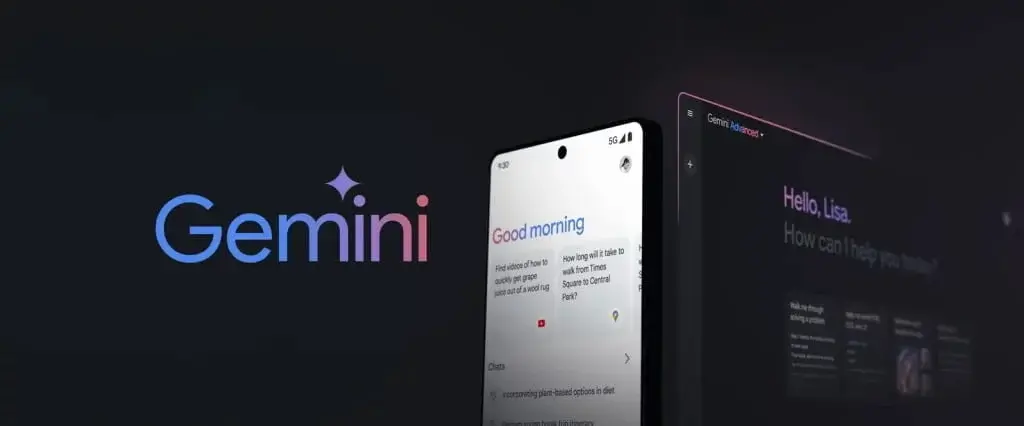
    Google made a major announcement yesterday, streamlining all of its AI efforts under a single name — Gemini. This means that Google’s AI chatbot, formerly known as Bard, is now referred to as Gemini, and the tech giant has also introduced its standalone Android app.

    Google’s Consolidation of AI Efforts

    Google made a significant move by consolidating all of its AI efforts under the name Gemini. This includes renaming its AI chatbot from Bard to Gemini and launching a standalone Android app.

    Clarifying the Fate of Assistant’s AI Services

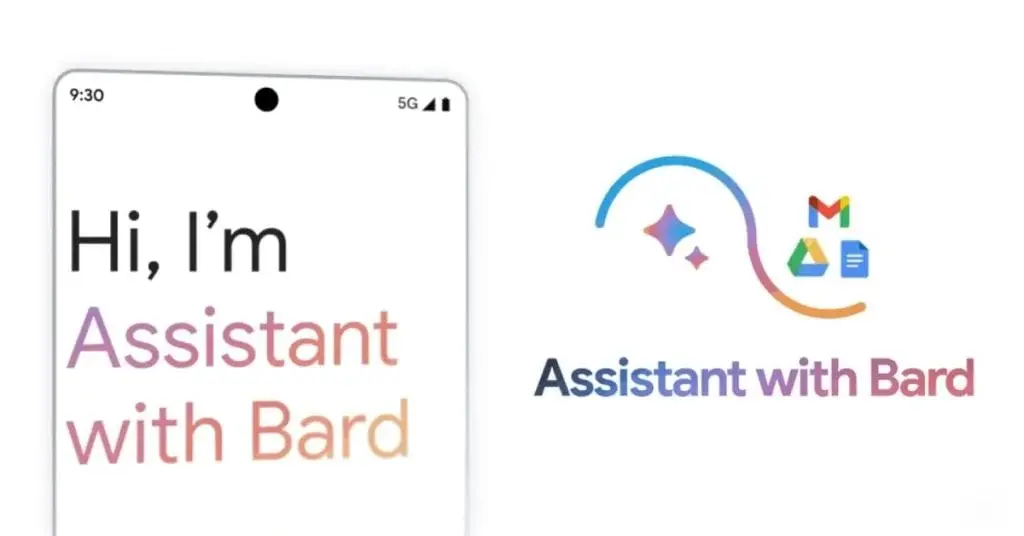
    Last year, Google announced its plan to enhance Android’s default Assistant with AI capabilities through a service called “Assistant with Bard.” With the rebranding of Bard to Gemini, there may be uncertainty about the future of Assistant’s AI services.

    Google has clarified to Android Authority that the Gemini experience on Android is what Assistant with Bard was intended to provide. The company’s vision of building a true AI assistant that is conversational, multimodal, and helpful remains the same.

    “Now, with the incredible capabilities of Gemini, we can deliver on that vision in an even more profound and meaningful way. The technology allows us to push past the limits of what we could do before (timers, alarms, weather) to help you supercharge your ideas and collaborate directly with Google AI on your phone,” said a Google spokesperson.

    In essence, the functionalities envisioned for “Assistant with Bard” have now been fully integrated into Gemini for Android.

    Gemini as the Default Assistant on Android

    Google has already taken steps towards implementing this approach, as Gemini becomes the default Assistant on Android after downloading the app from the Play Store. However, users still have the option to switch back to the old Assistant in the settings if they prefer.

    Google is confident that Gemini will power the AI capabilities of Assistant going forward, effectively retiring the “Assistant with Bard” name.

  • Google Announces the Official Rebranding of Bard to Gemini, an All-in-One AI Platform

    Google Announces the Official Rebranding of Bard to Gemini, an All-in-One AI Platform

    Google has officially introduced Gemini, a unified AI platform that consolidates its previous efforts in the AI sector. By rebranding and enhancing services like the Bard chatbot and Duet AI under the Gemini name, Google is directly challenging the popularity of OpenAI’s ChatGPT.

    Gemini AI: Advanced Features

    The transformation into Gemini brings a suite of advanced features that extend Google’s AI capabilities to text, voice, and image interactions. With a dedicated app for Android users and integration into the Google app for Apple users, Gemini aims to be more accessible and user-friendly.

    Gemini Ultra: Advanced AI Features

    Gemini’s new offerings include Gemini Ultra, which is available through Google One’s AI Premium tier. For a monthly fee of $20, users can access advanced AI features and additional cloud storage. This positions Gemini as a strong competitor to ChatGPT Plus, offering a richer package for the same price.

    Gemini: Infusing Personality

    Google aims to make Gemini stand out by infusing it with a distinct personality. The goal is to move beyond the neutral tone typical of AI interactions and offer users a more engaging and dynamic experience. By understanding user intent and reacting with personality, Gemini hopes to carve out a unique space in the AI chatbot landscape.

    Despite the upgrades, there is skepticism around the ability to distinguish large language models like Gemini from others such as ChatGPT. The real challenge for Google lies in demonstrating clear advancements and convincing users of Gemini’s unique value proposition.

    Google’s Commitment to Innovation

    Google plans to roll out Gemini in the US initially and later expand to the Asia Pacific region. The AI community and users worldwide are eager to see how this new contender fares against established players like ChatGPT. Google’s commitment to innovation in AI through Gemini marks an exciting chapter in the evolving story of artificial intelligence.

  • Alleged Google Pixel Fold 2 in Development, Features Tensor G4 and 16GB RAM

    Alleged Google Pixel Fold 2 in Development, Features Tensor G4 and 16GB RAM

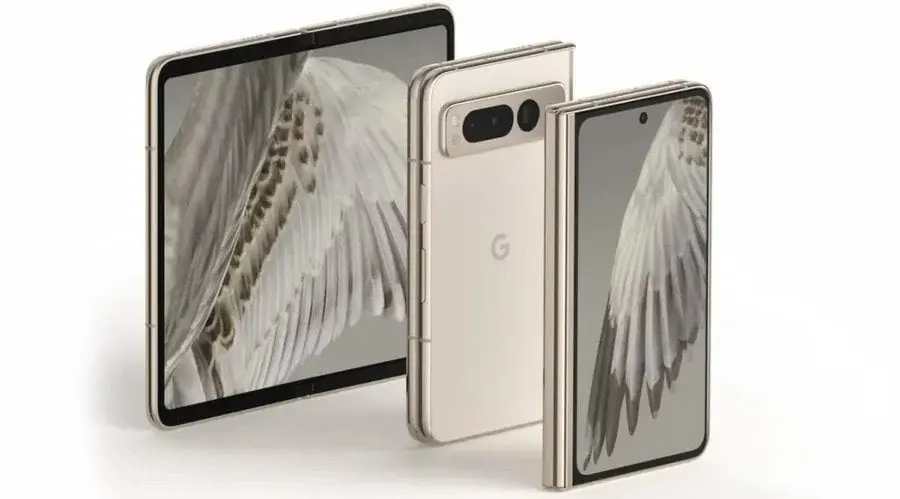
    Last year, Google announced its entry into the foldable phone market with the Google Pixel Fold. Now, rumors suggest that the brand is preparing to unveil its successor, the Pixel Fold 2. A recent report by Android Authority has provided some insights into the key specifications of the upcoming device, as well as its expected launch timeframe.

    Google Pixel Fold 2 Key Specifications (Rumored)

    According to an anonymous source mentioned in the report, Google has been conducting internal tests on the Pixel Fold 2 for the past few months. It has been discovered that the prototype units of the Pixel Fold 2 are powered by a chipset codenamed “zumapro.” This is interesting because the previous Pixel 8 series was powered by the Tensor G3 chip, which had the codename “zuma.” This suggests that the zumapro chip could be the next-generation Tensor G4 chip for the Pixel Fold 2. It’s worth noting that the original Pixel Fold 2 featured the Tensor G2 chip.

    The Tensor G4 chip is expected to be manufactured by Samsung and will likely come equipped with ARM Cortex-X4, A720, and A520 CPU cores. In terms of memory and storage, the Pixel Fold 2 is rumored to have 16 GB of LPDDR5 RAM and 256 GB of UFS 4.0 storage. This is a significant upgrade compared to the original Pixel Fold, which had 12 GB of LPDDR5 RAM and 256 GB of UFS 3.1 storage. Additionally, there are speculations that the Pixel Fold 2 may also feature the rumored Pixel AI assistant.

    Google Pixel Fold 2 Launch Timeframe (Rumored)

    According to the report, the Pixel Fold 2 is currently in the Engineering Validation Test (EVT) stage. This suggests that it may still be several months away from entering mass production. Google is expected to unveil the Pixel 9 and 9 Pro in October this year, both featuring the Tensor G4 chip. With the Pixel Fold 2 also rumored to have the same chip, there is a possibility that it may be launched alongside the Pixel 9 series.