Tag: Google Pixel

  • Pixel 8 Pro User DIY Modifies Phone with Brushed Camera Bar

    Pixel 8 Pro User DIY Modifies Phone with Brushed Camera Bar

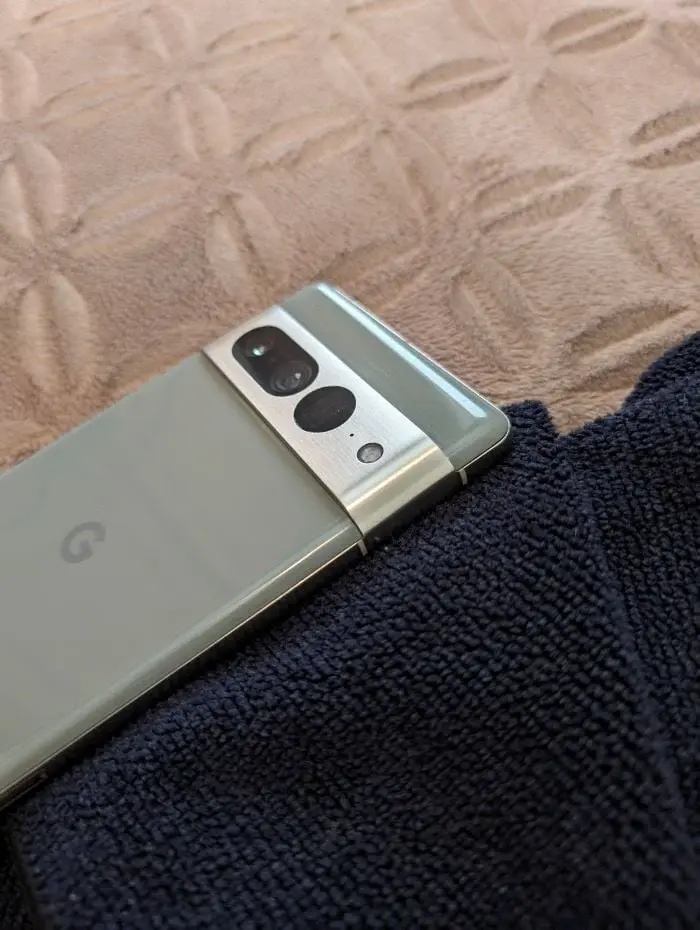
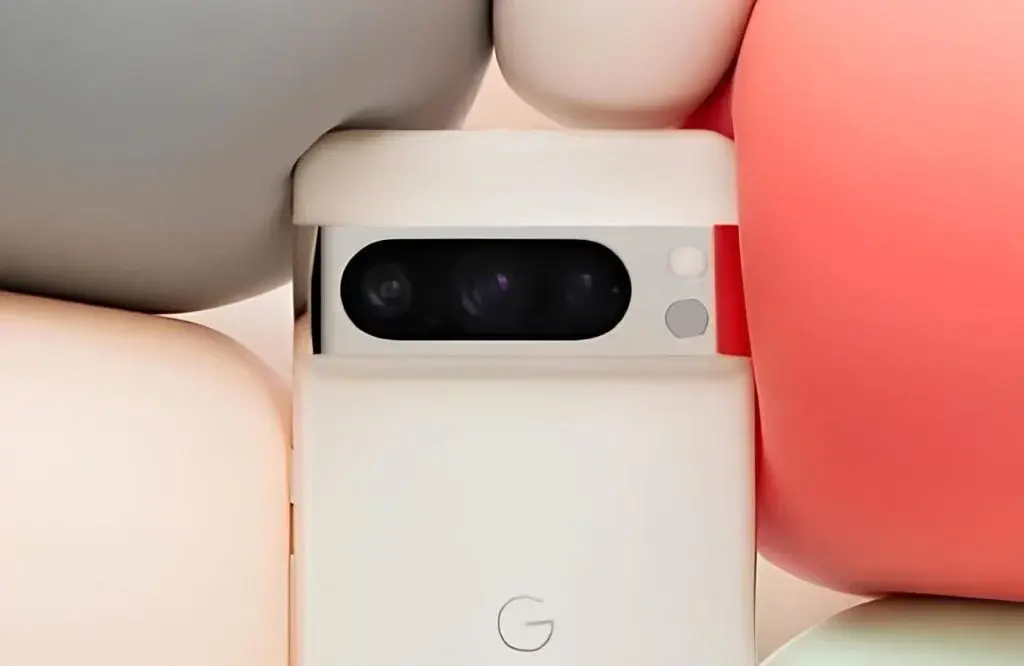
    The Google Pixel 7 Pro and Pixel 8 Pro differ in their camera bar finishes, with the Pro models featuring a glossy look while the non-Pro versions offer a matte finish. The camera bar, constructed from aluminum, is prone to easy scratching, with the glossy surface accentuating these marks. Despite being a protective element for the camera assembly, the glossy finish has not been well-received by users.

    User Innovation in Reducing Visibility

    A user recently shared a method to diminish the appearance of scratches and fingerprints on the camera bar of the Pixel 7 Pro and Pixel 8 Pro. By employing a Scotch Brite scrubbing pad, commonly used by watchmakers and restorers to transition from glossy to brushed finishes, the user was able to achieve a brushed look for the camera bar.

    User Caution Advised

    While this DIY approach may appeal to some users, caution is advised. Altering the camera bar finish could potentially impact the resale value of the device. Additionally, the user did not specify whether a protective film was applied to the lens cover, raising concerns about potential damage to the lens or image quality if the scrubbing pad comes into contact with it.

    Protective Measures and Considerations

    For users opting to use these devices without a case, skins are recommended as a protective measure against scratches and fingerprints. Skins offer a sleek customization option without adding bulk to the phone. However, it is important to note that such modifications may void the warranty, unlike using a protective skin which maintains the device’s aesthetic appeal without jeopardizing warranty claims.


    Pixel 8 Pro User DIY Modifies Phone with Brushed Camera Bar
  • Google to Provide Free Magic Editor on All Androids with a Twist

    Google to Provide Free Magic Editor on All Androids with a Twist

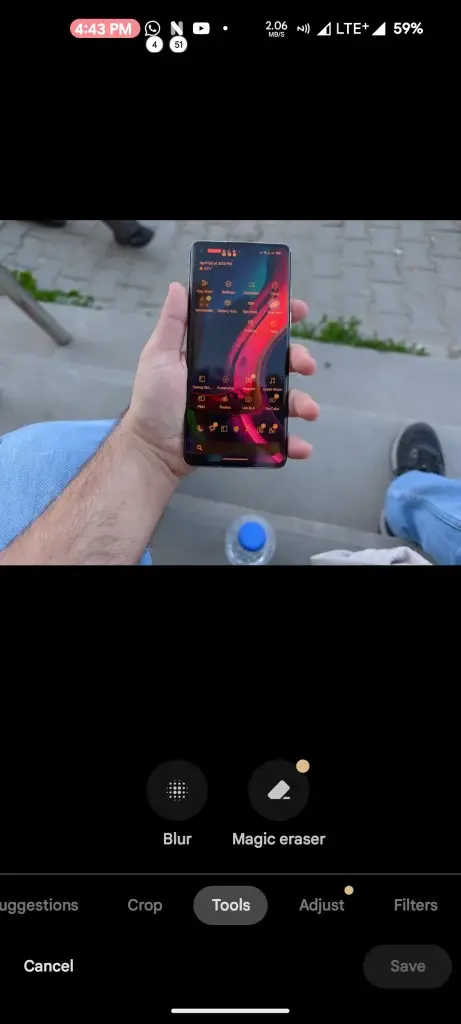
    Google stands out in the smartphone manufacturing landscape with their innovation of computational photography – their Magic Editor feature allows users to apply portrait effects or remove elements from older photos that they no longer wish to include, initially only available with Pixel devices but now made available across Google One regardless of whether subscribers own one of those phones or not.

    Google’s Magic Editor Could Soon Become Available Free Of Charge

    Android Authority conducted an in-depth examination of an APK file’s code to reveal a possibility that Magic Editor could become accessible across all Android devices for free. New code found in version 6.78.0.622306643 of Google Photos indicates a feature called metered saves which might be introduced for use within Magic Editor, potentially providing free initial access but eventually require Google One subscription after exceeding a set limit of saves.

    Google One Subscription Benefits

    Google’s strategy of expanding access to its Magic Editor may be seen as an incentive to encourage more users to sign up for its Google One plan and benefit from increased Google Drive storage space and additional perks; especially notable is Magic Editor as an AI-powered image editing solution.


  • Google Pixel Phones Launching Satellite SOS Feature

    Google Pixel Phones Launching Satellite SOS Feature

    Satellite connectivity has already demonstrated its importance as a safety tool on the iPhone, and now Android phones, particularly Google Pixel devices, are gearing up to introduce a similar feature known as "Satellite SOS." This upcoming feature will enable users to reach emergency services even in the absence of cellular or Wi-Fi signals.

    Signs of “Satellite SOS” on Google Pixel Devices

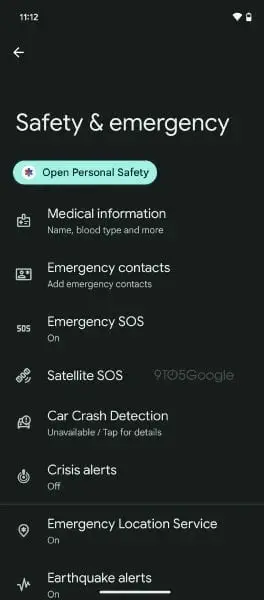
    While the feature is not yet fully active, Pixel phone users have noticed a "Satellite SOS" option within the "Safety & Emergency" settings. Upon further investigation by 9to5Google on a rooted Pixel phone, a detailed menu was uncovered, shedding light on how Satellite SOS is expected to function.

    Understanding Satellite SOS Functionality

    According to the Satellite SOS page, Pixel users will be able to communicate with emergency services and share their location using Google Maps when traditional networks are unavailable. Additionally, users might have the option to provide information regarding the emergency situation they are facing.

    Google Pixel Phones Launching Satellite SOS Feature

    Implementation and Data Sharing

    To facilitate this service, Google will need to gather personal information like the user’s name, phone number from their Google account, and details of up to three emergency contacts. Furthermore, details such as the user’s location, device specifics, and information about the emergency will be shared with both emergency responders and satellite service providers.

    Although Google has not specified the countries where Satellite SOS will be accessible, a reference to a Garmin Search and Rescue Insurance plan hints at possible collaboration with Garmin. Demo features are visible, yet they are not operational at present.

    The exact timeline for the full-scale launch of Satellite SOS by Google remains uncertain. Nonetheless, the broad availability of the setting on Pixel devices and the detailed menu associated with it suggest that a release could be on the horizon.

  • Google Pixels to Receive February Update Including Latest Security Patch and Additional Features

    Google Pixels to Receive February Update Including Latest Security Patch and Additional Features

    Following the January 2024 update, Google has released the latest monthly update for Pixel smartphones and Pixel Watches. The February update is now available for various Pixel devices, including the Pixel 5a, Pixel 6, Pixel 6 Pro, Pixel 6a, Pixel 7, Pixel 7 Pro, Pixel 7a, Pixel Tablet, Pixel Fold, and the new Pixel 8 Series. Additionally, the monthly update for Pixel Watches is also rolling out. This update brings several changes and enhancements, which we will discuss in detail below.

    Security Enhancements and Fixes

    Based on the Android 14 QOPR1, the new update brings fixes and security enhancements for both Android-based vulnerabilities and specific issues on Pixel smartphones. The update includes fixes for a total of 15 security issues through the Android 14 February Security patch. Furthermore, there are camera improvements that enhance system stability and performance.

    Upcoming Features for Pixel Smartphones

    Google is also working on introducing new features for Pixel smartphones, which will be part of the upcoming Android 14 OPR2. The Android 14 QPR2 Beta 3.1 is already available for smartphones.

    Changelog for Pixel Smartphones

    Below is the official changelog for the Pixel smartphones, highlighting the changes included in the February 2024 update:

    Camera

    • General improvements for system stability and performance in certain conditions

    Display & Graphics

    • Fix for display getting corrupted in certain conditions
    • Fix for issue with outer display in certain conditions

    Framework

    • Fix for stability or performance with certain third-party apps

    Wi-Fi

    • General improvements for Wi-Fi stability and performance in certain conditions

    Device Applicability

    The fixes mentioned above are available for all supported Pixel devices unless otherwise indicated. Some fixes may be Carrier/Region specific.

    Firmware Versions for Compatible Smartphones

    The update is gradually rolling out to Pixel smartphones worldwide. It may take up to a week for each unit to receive the update as it is being rolled out in phases. Here are the firmware versions for each compatible smartphone, including the Verizon and Softbank locked versions:

    Global:

    Pixel 5a (5G): UQ1A.240205.002
    Pixel 6: UQ1A.240205.002
    Pixel 6 Pro: UQ1A.240205.002
    Pixel 6a: UQ1A.240205.002
    Pixel 7: UQ1A.240205.002
    Pixel 7 Pro: UQ1A.240205.002
    Pixel 7a: UQ1A.240205.002
    Pixel Tablet: UQ1A.240205.002
    Pixel Fold: UQ1A.240205.002
    Pixel 8: UQ1A.240205.004
    Pixel 8 Pro: UQ1A.240205.004

    Verizon:

    Pixel 7: UQ1A.240205.002.A1
    Pixel 7 Pro: UQ1A.240205.002.A1
    Pixel 7a: UQ1A.240205.002.A1
    Pixel Fold: UQ1A.240205.002.A1
    Pixel 8: UQ1A.240205.004.A1
    Pixel 8 Pro: UQ1A.240205.004.A1

    SoftBank (JP):

    Pixel 7: UQ1A.240205.002.B1
    Pixel 7 Pro: UQ1A.240205.002.B1
    Pixel 7a: UQ1A.240205.002.B1
    Pixel Fold: UQ1A.240205.002.B1
    Pixel 8: UQ1A.240205.004.B1
    Pixel 8 Pro: UQ1A.240205.004.B1

    Pixel Watch February Update

    All Pixel Watch devices are receiving the February 2024 update, which includes the latest security patch. This update primarily focuses on enhancing the system’s security and stability. The update will be available for all Pixel Watch devices starting today. However, this is the second update for Pixel Watches since the January 224 update.

    In addition to the February update, Pixel Watch recently received a camera app update that introduced some new features. Google regularly pushes updates for Pixel Watch devices, similar to Pixel Smartphones.

  • Google Pixel November Update Released: Resolves Reboot Loop and Improves Touch Registration

    Google Pixel November Update Released: Resolves Reboot Loop and Improves Touch Registration

    Improved NFC performance: The November update includes enhancements to the Near Field Communication (NFC) functionality on Pixel devices. Users can expect improved reliability and faster connection speeds when using NFC for tasks such as contactless payments and transferring files.

    Camera
    Enhanced camera performance: Google has made optimizations to the camera software, resulting in improved image quality and overall performance. Users can expect sharper and more vibrant photos, as well as faster autofocus and shutter speed.

    Battery Life
    Battery optimizations: The November update includes various improvements to optimize battery usage on Pixel devices. These optimizations aim to extend battery life and provide a longer-lasting experience for users. Additionally, the update includes fixes for any battery-related bugs or issues reported by users.

    Security Patches
    Security updates: As with every software update, the November release includes the latest security patches from Google. These patches address any identified vulnerabilities and ensure that Pixel devices are protected against potential threats.

    How to Update Your Pixel Device
    To install the November 2023 update on your compatible Pixel device, follow these steps:

    1. Connect your Pixel device to a stable Wi-Fi network.

    2. Go to Settings on your device.

    3. Scroll down and tap on System.

    4. Tap on System update.

    5. If the update is available for your device, tap on Download and install.

    6. Wait for the update to download and then tap on Install now.

    7. Your device will restart and install the update. This process may take a few minutes.

    Once the update is installed, your Pixel device will have the latest software version and all the included bug fixes and improvements.

    Conclusion
    With the November 2023 update, Google aims to enhance the user experience on its Pixel devices by addressing various bugs and introducing performance improvements. Users can expect a smoother and more reliable experience across different aspects of their device, including the display, NFC functionality, camera performance, battery life, and security. To enjoy these enhancements, make sure to update your compatible Pixel device to the latest software version.