Tag: Apple Music

  • Apple Music Surpasses Spotify: A New Era in Streaming Services

    Apple Music Surpasses Spotify: A New Era in Streaming Services

    Key Takeaways

    1. Improved Music Discovery: Apple Music’s new “Playlist Playground” feature enhances song discovery, competing effectively with Spotify’s “Discover Weekly.”

    2. Superior Sound Quality: Apple Music offers higher sound quality with “Hi-Res Lossless” and Dolby Atmos, surpassing Spotify’s recent lossless audio launch.

    3. Competitive Pricing: Apple Music is cheaper at $10.99 compared to Spotify’s $12.99, especially beneficial for users within the Apple ecosystem.

    4. Better User Interface: Apple Music’s user interface is visually appealing and user-friendly, while Spotify’s interface is more social media-like and less cohesive.

    5. Fairer Artist Compensation: Apple Music pays higher royalties per stream than Spotify, making it a more artist-friendly platform.


    The ongoing arguments in technology seem like they will never end—there are so many examples. You have Android vs iOS, team red vs team green, Azure vs AWS, and many more. Music streaming is another hot topic, with two major players in the US (let’s not include YouTube Music for now). With the latest update of iOS 26.4, I’m happy to say I’ve made my decision. For context, I’ve been a longtime user of Spotify over Apple Music, but it always felt like a trade-off: I chose Spotify for its user interface and the chance to discover new songs, while I used Apple Music for its higher sound quality. However, in 2026, I believe Apple has finally addressed the “discovery gap,” and considering all factors—the technology, pricing, and ethics—Spotify is no longer the top choice.

    A New Player in Discovery

    Spotify’s “Discover Weekly” used to be its biggest strength. But with the introduction of “Playlist Playground” in iOS 26.4, the competition is more balanced than ever. Although I haven’t tried it myself yet (it’s only available in the US), it looks promising. Unlike Spotify’s algorithm, Playlist Playground leverages on-device intelligence to create a 25-song playlist from a simple text prompt—like “a synth-heavy playlist with moody songs.” It’s quick, it’s precise, and I hope it gives me more control over my music curation, which was previously Spotify’s domain.

    Sound Quality Matters

    When it comes to sound quality, Apple wins by a landslide. Spotify just launched its lossless audio tier at the end of 2025, but it feels like it came too late. While Spotify’s lossless audio reaches 24-bit/44.1 kHz, Apple Music’s “Hi-Res Lossless” goes up to 24-bit/192 kHz (I stick with the former since I don’t have the right equipment). Then there’s Dolby Atmos Spatial Audio—although I usually keep it off, it is a cool feature. Spotify still struggles with immersive audio, which is a dealbreaker for those who care about sound quality. Plus, as of March, Spotify Lossless isn’t even available in India, making my decision much easier.

    Pricing Changes the Game

    Pricing used to be similar between the two services, but Spotify’s recent price increases have altered the situation. As of early 2026, a Spotify Premium Individual plan in the US has risen to $12.99. In contrast, Apple Music remains at $10.99 and includes “Apple Music Classical” and high-resolution audio at no extra cost. If you’re already in the Apple ecosystem, the Apple One bundle, which includes TV+, Arcade, and 50 GB of iCloud storage, makes the music service feel nearly free.

    From a visual perspective, I think it’s not even close, but that might be because I’m using iOS. Spotify looks nearly the same across both platforms, but Apple Music on Android is quite different from iOS. Apple’s new user interface is gorgeous, featuring full-screen artwork that colors the entire display to match the album’s mood. In comparison, Spotify has opted for a TikTok-style vertical feed for some reason—the home feed feels more like a social media platform, which aligns with the company’s focus on that aspect. Additionally, Apple Music includes a karaoke/sing-along feature that works smoothly for the most part, while Spotify’s lyrics tab doesn’t even come close.

    Treatment of Artists

    Lastly, what really pushed me over the edge was how these companies treat the musicians. Apple Music pays about $0.01 per stream, which is nearly two to three times the $0.003 – $0.005 average rate that Spotify offers. Being a premium-only service means Apple doesn’t have to drain royalties to support a large “free” ad-supported tier. Moreover, Spotify has used generative AI for features like daylists and the 2024 Wrapped, which didn’t sit well with some users.

    Certainly, neither of these giants is perfect. Spotify is still reeling from the backlash of its “podcasting-first” strategy, facing ongoing protests about misinformation on platforms like the Joe Rogan Experience. Meanwhile, Apple is under scrutiny from global regulators, having recently faced a hefty €1.8 billion fine for “anti-steering” practices that allegedly disadvantage competitors like Spotify.

    But when you look at the app on your phone today, the choice seems clear. Apple Music offers better sound, greater value, and now, with Playlist Playground and “Concerts Near You,” improved song discovery. If you’ve been sticking with Spotify out of habit and have been thinking of switching—now’s the time. Apple Music makes it simple to transfer your albums and playlists from Spotify too.
  • Apple Launches iOS 26.1 and macOS 26.1 with Liquid Glass Feature

    Apple Launches iOS 26.1 and macOS 26.1 with Liquid Glass Feature

    Key Takeaways

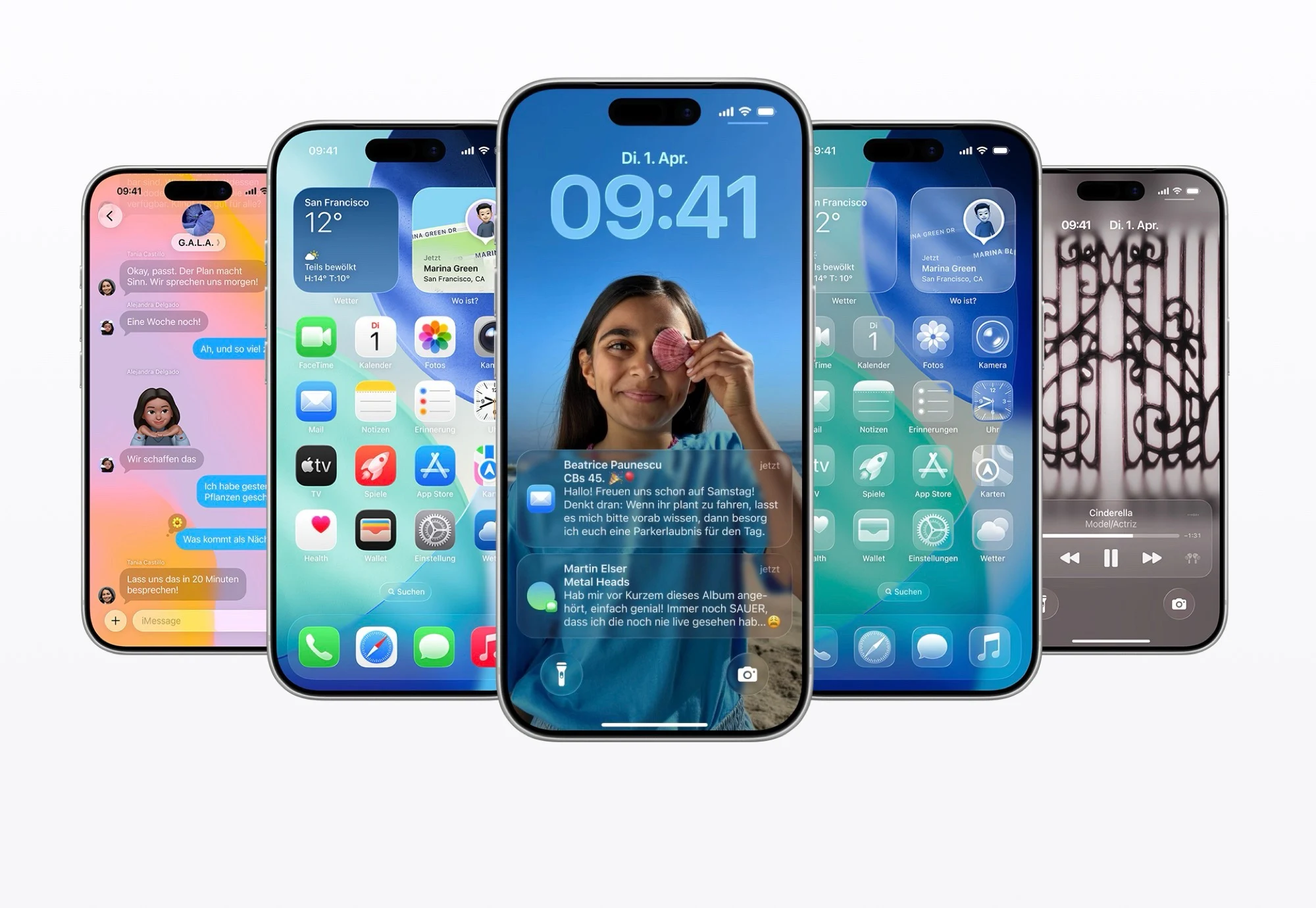
    1. iOS 26 update (4.6 GB) introduces features like reduced transparency and tinted “Liquid Glass” for better text visibility.
    2. Apple Music mini-player gains gesture controls for easier track navigation and a setting to disable the lock screen swipe for the camera.
    3. Alarm clock now requires a swipe to deactivate instead of tapping, addressing previous user feedback.
    4. Fitness app updated to allow users to create custom workouts.
    5. iPadOS 26.1 returns “Slide Over” multitasking, while macOS 26.1 features minor updates, including darker Liquid Glass and revamped icons.


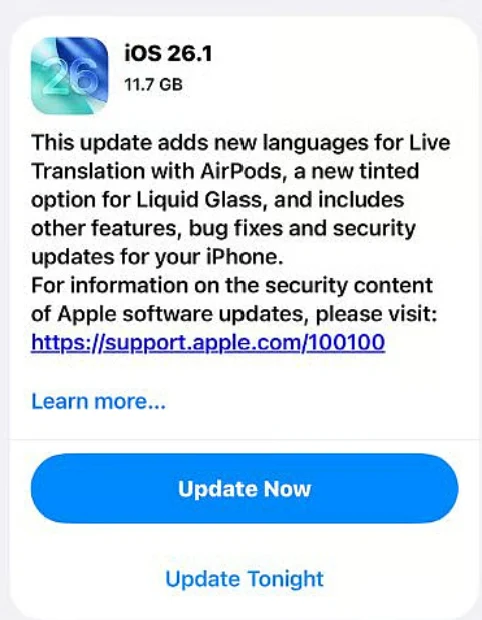
    Following the debut of iOS 26 in September with the iPhone 17, the first major upgrade to the current iPhone operating system is here. This update, which is about 4.6 GB, brings several enhancements, including a feature to lessen transparency and the option to tint Apple’s “Liquid Glass” for better text visibility.

    New Features in Apple Music

    In Apple Music, the mini-player now includes new gesture controls, letting users swipe to skip to the next track or go back to the previous one. There’s also a fresh setting that lets users turn off the swipe gesture on the lock screen that usually opens the camera app. For those using a USB-C connected microphone, it is now possible to adjust its level and choose where voice recordings are saved. Additionally, Apple has enhanced audio quality for FaceTime calls when the internet connection is not strong.

    Alarm Clock Changes and Fitness Updates

    To deactivate an alarm instead of hitting snooze, you now need to swipe rather than simply tap the large button. This change comes after Apple faced a lot of criticism for the new alarm clock design in iOS 26. The fitness app has also been updated to let you create your own custom workouts.

    iPadOS and macOS Updates

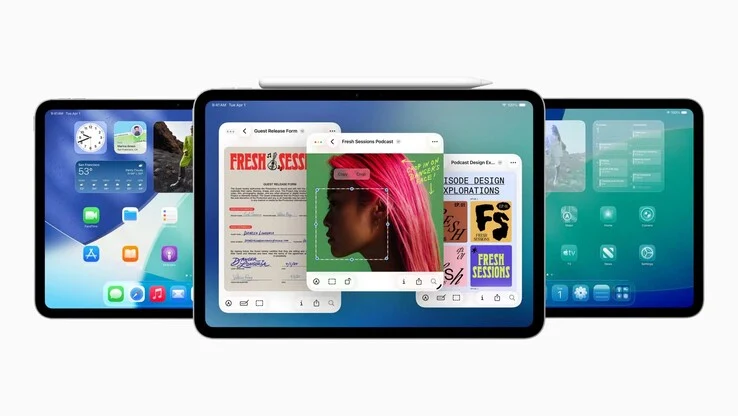
    The Apple iPad gets similar updates through iPadOS 26.1, but it also sees the return of the “Slide Over” multitasking feature, which allows users to place an app on the right side of the screen as a floating window. Meanwhile, macOS 26.1 has fewer noticeable changes: Liquid Glass can now appear in a darker tone on Macs, and both the Apple TV and hard drive icons have been revamped.

    Apple’s ongoing updates continue to enhance user experience across its devices, making them more intuitive and user-friendly.


  • CheckMag | Apple Music on Windows: Why Users Are Disappointed

    CheckMag | Apple Music on Windows: Why Users Are Disappointed

    Key Takeaways

    1. Audio Engine Failures: Apple Music for Windows suffers from significant audio issues, including tracks playing briefly before cutting off, indicating a fundamental flaw in the app.

    2. User Experience Frustrations: Many users face frustrating playback issues, with audio stopping unexpectedly and the application often requiring restarts to restore functionality.

    3. Volume Control Problems: The volume slider can become unresponsive, and adjustments often lead to unexpected volume levels, affecting user control over playback.

    4. Performance and Integration Issues: The app experiences slow load times, memory leaks, and crashes, while lacking essential integration features found in competing services like Spotify.

    5. Missing Features and Functionality: Key features from iTunes are absent in the Windows version of Apple Music, leading users to consider reverting to iTunes or switching to other streaming services.


    When Apple introduced standalone Windows applications for its media services in 2023, replacing the outdated iTunes, many users hoped for a sleek and dependable music experience. Unfortunately, Apple Music for Windows has turned into a disappointing story of how to poorly transfer software to a different platform. After extensive research through user forums, support discussions, and personal accounts, the signs are clear: Apple Music for Windows is fundamentally flawed—suffering from audio issues, sync problems, and performance hiccups that make it nearly impossible for serious music listening. This comes from someone who is a devoted Apple Music user, which has a wonderfully optimized interface on both iOS and Android.

    Audio Engine Problems

    The most telling proof of Apple Music’s failures on Windows is found in its malfunctioning audio engine. I’m not alone in this view—multiple users on Apple’s support forums have reported the same issues: tracks play for only two seconds before the sound cuts off entirely, while the progress bar keeps moving. This is not a trivial bug; instead, it signifies a total failure of the app’s core purpose—playing music. I even tried disabling lossless audio (which kind of defeats the purpose of Apple Music, but still) and switching off the Sound enhancer, but nothing seemed to work.

    User Experiences

    According to one user’s detailed account: “When I pick a track from my library in Apple Music for Windows, it plays for about 2 seconds, then the sound stops for around 8 seconds while the track looks like it’s still playing. Then the audio comes back.” I’ve faced the same issue every time I restart the application—sometimes, the audio doesn’t come back at all. It’s frustrating to be stuck in a never-ending cycle where basic music playback feels like a constant struggle.

    Volume Control Woes

    To make matters worse, the audio engine and volume control in Apple Music for Windows have been problematic for some time, if they ever actually worked. The volume slider can become completely unresponsive, sometimes for many seconds, and muting or unmuting causes the volume to drop to 50% no matter where the slider is set.

    Apple’s claim of smooth synchronization across devices almost falls apart on Windows. Apple Music sometimes fails to recognize locally added files after the app or computer is restarted. Adding music to the library often requires removing and re-adding files multiple times, and sync attempts with iOS devices frequently fail until users try the process five times or more.

    Performance Issues

    The performance problems with Apple Music on Windows go beyond just slow load times. I’ve noticed memory leaks on Windows 11, where the app consumes more and more RAM until it becomes unresponsive.

    The sluggish performance also hampers basic navigation. Loading pages in the Browse section takes much longer compared to other streaming services like Spotify or Tidal. I have a pretty well-equipped PC (featuring a Ryzen 5800X, currently priced at $170 on Amazon, RTX 3060 Ti, and 64GB of RAM), yet Apple Music is still often slow, despite having plenty of processing power.

    Crashes and Integration Problems

    Don’t even get me started on the crashes during normal operations. These crashes often require force-quitting through Task Manager, and several users on forums have reported that Apple Music can freeze their entire system so badly that even Task Manager becomes unresponsive.

    The app’s integration with Windows presents its own set of issues. Unlike Spotify, which offers basic interactive taskbar previews with playback controls and song details, Apple Music lacks this functionality. The app also doesn’t provide proper keyboard shortcuts for essential tasks like searching, forcing users to navigate manually to search boxes instead of using standard Windows shortcuts. That’s pretty unacceptable in 2025.

    Loading Issues

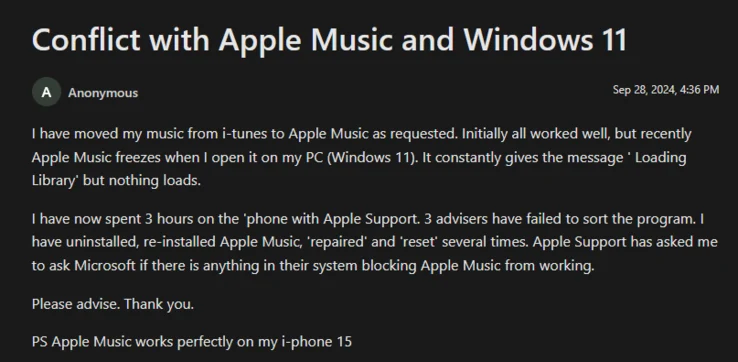
    Even when the app does manage to launch correctly, I find myself stuck on the “Loading Library” screen at times, which always prompts for an app restart. Many online reports describe the app getting trapped in a perpetual loading state, showing the message indefinitely without actually loading any content. Reinstalling the app, clearing caches, and restarting Windows have not fixed these issues for me.

    Missing Features

    The absence of features only adds to the frustration. Experienced users will agree that this Windows version misses many of the long-standing capabilities of iTunes. One community member even listed additional “major issues”: you can’t reorder songs in a playlist, can’t delete songs without removing them from the library, Home Sharing and column browsing are gone, and even basic menu controls are missing. Understandably, he added: “If Apple is serious about replacing iTunes for Windows without fixing these big issues, I’ll cancel my Apple One Subscription and switch to Spotify, which works on more devices and has better features.” Many other support posts mention workarounds like uninstalling the new app and going back to the old iTunes client, which is a clear sign of defeat.

    User Sentiments

    For many users, the advantages like lossless/hi-res streaming and gapless playback are overshadowed by numerous bugs. I’m echoing the sentiment of one long-time iTunes user: “It’s hard to believe that a company this big can’t create an app that functions decently on other platforms.”

    You won’t find other evidence in tech specs or feature comparisons, but in forums filled with paying customers like me, pleading for basic functionality while being told to use web browsers or revert to outdated software. When your solution to a broken music app is “don’t use the music app,” it’s clear that the product shouldn’t exist in its current state.

    User reports and tech forums on Apple Music for Windows (discussions.apple.com, macstories.net, learn.microsoft.com, r/AppleMusic on Reddit).


  • Spotify Surpasses Competitors in Price: What You Need to Know

    Spotify Surpasses Competitors in Price: What You Need to Know

    Key Takeaways

    1. Spotify is raising the price of its Premium service in various regions outside the U.S., with notifications expected next month.
    2. The monthly fee may increase from €10.99 to €11.99, but it is unclear if this will apply to all countries in the affected regions.
    3. The price hike could position Spotify Premium as one of the more expensive music streaming options compared to competitors like Apple Music and Tidal.
    4. Spotify’s streaming quality and song library are limited compared to rivals; it offers 100 million songs and streams at a bitrate of 256 kbit/s.
    5. The company is focusing on podcasts and audiobooks to attract users, but the current audiobook offer of 15 hours per month is often insufficient.


    Spotify has recently announced in a press release that the cost of its music streaming service will rise in various regions outside the United States. Customers in Europe, South Asia, the Middle East, Africa, Latin America, and Asia-Pacific will receive notifications next month about the upcoming price hike for Spotify Premium. The monthly fee is expected to go up from €10.99 to €11.99, although Spotify has not yet confirmed if this increase will apply to every country in these regions.

    Increased Competition

    This change will likely make Spotify Premium one of the pricier music streaming options available, as its main competitors—Apple Music, Amazon Music Unlimited, Tidal, and YouTube Music—currently charge €10.99 per month. Additionally, Spotify provides fewer features in many aspects. Although there have been ongoing rumors about a new Spotify HiFi subscription, the existing Spotify Premium service only streams music in a compressed format (AAC) at a bitrate of 256 kbit/s. In contrast, both Apple Music and Tidal offer lossless streaming capabilities of up to 24-bit at 192 kHz.

    Catalog Limitations

    Moreover, Spotify’s song library falls short compared to its rivals; Spotify Premium has about 100 million songs while Tidal boasts over 110 million. To draw in more users, Spotify is placing greater emphasis on podcasts and audiobooks, but it only provides 15 hours of audiobooks each month with its Premium subscription. Often, this amount is insufficient for completing a single audiobook. The price increase appears to be essential, especially since Spotify reported a net loss of €86 million despite having 696 million active users in the last quarter.

    Source:
    Link


  • iOS 26: Third-Party Apps like Spotify Access New Apple Music Features

    iOS 26: Third-Party Apps like Spotify Access New Apple Music Features

    Key Takeaways

    1. iOS 26 introduces animated artwork on the lock screen when playing songs through Apple Music and third-party apps.
    2. The feature is currently in beta and still under development by Apple.
    3. The new API, MPMediaItemAnimatedArtwork, enables the animated visuals.
    4. Animated artwork requires both a video asset and a preview image for display.
    5. iOS 26 includes other enhancements like a Liquid Glass UI, a revamped Dynamic Clock, and built-in generative AI features.


    The new update iOS 26 brings an exciting feature that adds animated artwork to the lock screen when a song is played through Apple Music. It is noteworthy that this functionality will also be available for third-party music streaming apps, not just exclusive to Apple Music.

    Development Status

    Currently, this feature is still being developed by Apple and is available in beta. There’s no guarantee that popular streaming services like Spotify, YouTube Music, Prime Music, Deezer, and Tidal will implement this feature, but the prospects seem quite promising.

    Technical Details

    The new API, called MPMediaItemAnimatedArtwork, is responsible for showing these animated visuals. To make this work, two important elements are required: an animated video asset for the artwork and a preview image that represents the first frame. As the video loads, the preview image will serve as a temporary substitute.

    Other Features

    iOS 26 is packed with a variety of new features and enhancements in visual experience, including a fresh Liquid Glass UI, a revamped Dynamic Clock, and effects that create a three-dimensional feel. Additionally, it introduces built-in generative AI among other advancements.

    Source:
    Link

  • Apple tvOS 26 Transforms Apple TVs into Karaoke Machines

    Apple tvOS 26 Transforms Apple TVs into Karaoke Machines

    Key Takeaways

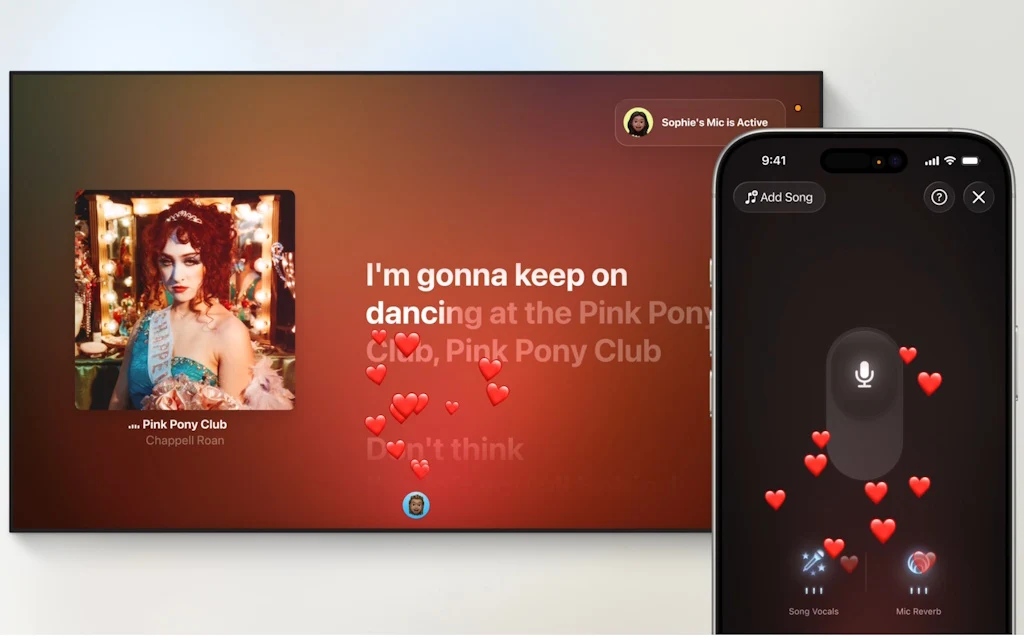
    1. Karaoke Feature: tvOS 26 allows Apple TVs to function as karaoke machines using iPhones as microphones, with music, lighting effects, and real-time translations.

    2. Expanded Language Support: Enhanced Live Captions during FaceTime calls now available in multiple languages, including French, German, Japanese, Korean, Mandarin, and Spanish.

    3. Interface Redesign: The new Liquid Glass design features semi-transparent elements and updated poster art, aiming to reduce distractions while watching content.

    4. User Profiles and Recommendations: Personalized suggestions linked to user profiles for easier access; new APIs simplify app and watchlist transfers to new Apple TV devices.

    5. Stunning Screen Savers: Users can enjoy beautiful aerial photographs of various landscapes as screen savers when their Apple TVs are on.


    Apple has introduced tvOS 26 for its streaming media devices, Apple TV. This update brings a variety of new features and a redesigned interface. Developers can start using the OS right away, while the general public will get access to a beta version next month.

    Karaoke Feature

    One of the standout features of tvOS 26 is its capability to transform Apple TVs (2nd generation or later, like the one available on Amazon) into karaoke machines when used with iPhones (11 or newer) as microphones. The Apple Music app will provide music alongside lighting effects, real-time translations, and pronunciation of lyrics for songs in supported languages. Viewers can cheer on singers by sending emojis that appear on screen. Users have the option to choose any AirPlay-compatible speaker (for instance, this HomePod on Amazon) as the main output speaker for their Apple TVs.

    Expanded Language Support

    Apple TV users will benefit from enhanced language support for Live Captions during FaceTime calls, now available in French, German, Japanese, Korean, Mandarin, and Spanish. Users can also personalize their contacts with photos, making it easier to recognize them at a glance.

    Interface Redesign

    The interface has been updated with a Liquid Glass design, showcasing movies and shows with new poster art. The design features buttons and GUI elements that are semi-transparent, allowing for lighting effects from the images beneath them.

    These subtle interface elements aim to avoid distractions while watching content, but they could present challenges for users with limited vision. It still needs to be determined if a high-contrast version of the user interface can be activated in tvOS 26.

    User Profiles and Recommendations

    Personalized suggestions and watchlists are linked to user profiles, which appear on the screen when the Apple TV is woken up for quick login options. Developers will find it easier to transfer watchlists and apps to new Apple TV devices, thanks to new APIs that connect app logins to user accounts, simplifying the transition from older models to the latest ones.

    For users who keep their Apple TVs on, they can enjoy stunning aerial photographs of cityscapes, earth, landscapes, or underwater scenes as screen savers.

    Source:
    Link


  • iOS 16 Unveiled: Exciting Redesign and New Features Revealed

    iOS 16 Unveiled: Exciting Redesign and New Features Revealed

    Key Takeaways

    1. Apple has renamed all software updates to a unified version number, now at 26, including iOS 26.
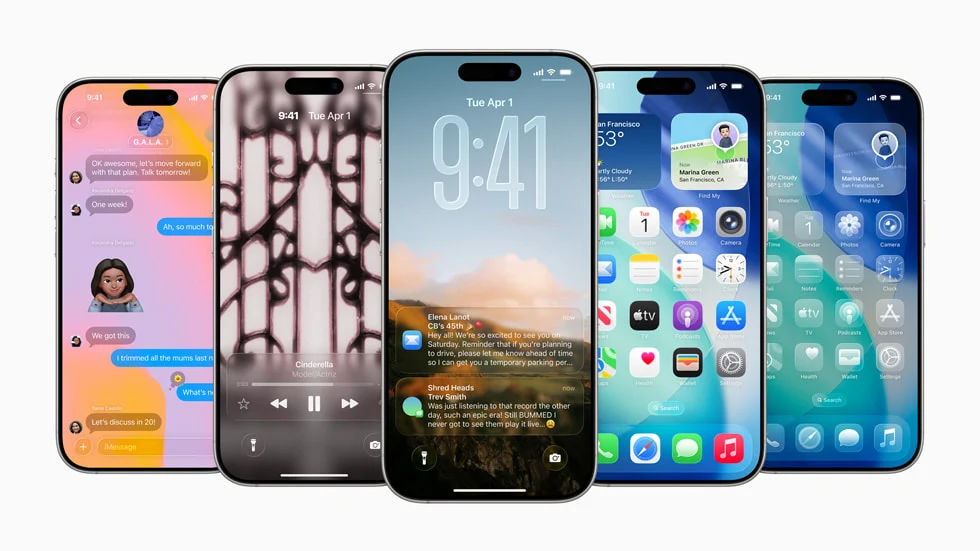
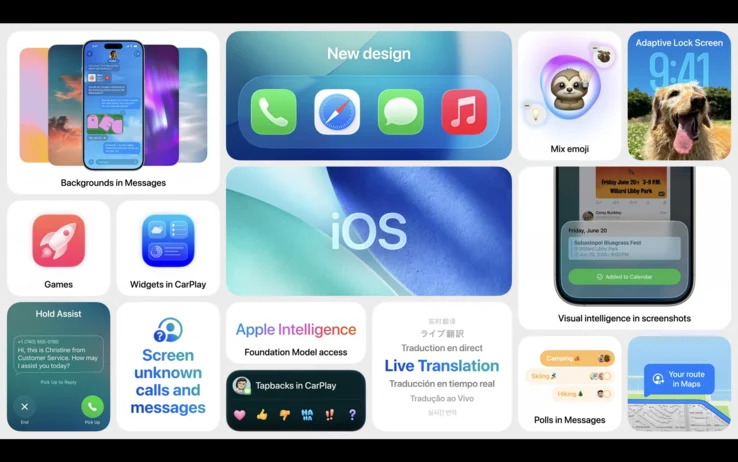
    2. iOS 26 introduces significant lock screen enhancements with 3D wallpapers and dynamic elements, plus a revamped Phone app with AI call screening.
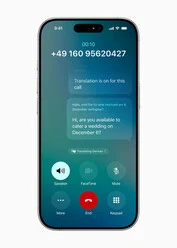
    3. The update features Live Translation across all apps and real-time text translation during phone calls and music playback.
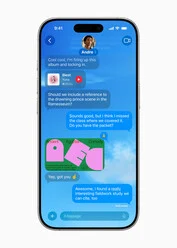
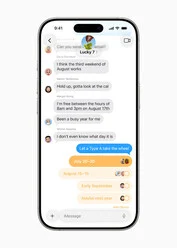
    4. iMessage receives new updates, including themes, typing indicators, an automatic spam filter, and the ability to create polls.
    5. The iOS 26 developer beta is available for iPhone 11 and newer, with specific features exclusive to iPhone 15 Pro and newer models; a public beta will launch in July.


    As mentioned by Bloomberg’s Mark Gurman, Apple has made a significant change in how it names its software updates. Everything is now numbered 26, including iOS 26. This update introduces a major visual change that aligns with Apple’s new Liquid Glass style. There’s a lot to anticipate in this update, although some may justifiably claim that many of these features have already been seen on Android for some time.

    Exciting Lock Screen Enhancements

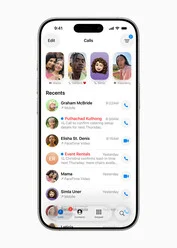
    The first noticeable upgrades with iOS 26 pertain to the lock screen, which now offers 3D wallpapers and elements that change dynamically based on what’s shown on the screen. The Phone app has also undergone a much-needed makeover and has added some new functionalities. With Call Screening, AI technology can now answer calls for you. This feature has been available on Google Pixel phones for a while, so it’s nice to see iOS finally catch up.

    Live Translation and More

    Another impressive feature in iOS 26 is Live Translation. It operates across all apps, including iMessage, and can even translate text in real-time during phone calls. Additionally, song lyrics in the Music app can be translated as they play. Apple Music now includes a mixer-like feature that allows for smooth transitions between songs. iMessage has finally updated to compete with giants like WhatsApp and Telegram, offering themes for individual conversations and ‘typing’ indicators.

    Moreover, iMessage now includes an automatic spam text filter. Messages from unknown contacts will remain hidden in your notifications unless you choose otherwise. Users can also create polls. Apple Maps now remembers places you’ve visited, similar to Google Maps. Apple has taken another cue from Google with Apple Games, a centralized hub for all your games.

    Availability and Compatibility

    The iOS 26 developer beta is currently available for download on the iPhone 11 and newer devices. Features that utilize Apple Intelligence will only function on the iPhone 15 Pro, Pro Max, and newer models. A public beta for iOS 26 is set to launch in July, with a stable version expected to follow shortly after.

    Source:
    Link


  • Apple Music and UMG Launch New Lo-Fi Beats Playlists

    Apple Music and UMG Launch New Lo-Fi Beats Playlists

    Key Takeaways

    1. Apple Music and Universal Music Group (UMG) are collaborating on a Sound Therapy project to help listeners relax, concentrate, and improve sleep quality.

    2. The project features well-known songs from UMG’s library enhanced with “special sound waves” like delta waves and pink noise for sleep, and gamma waves with white noise for focus.

    3. There are three curated playlists: Focus (for productivity), Relax (for stress relief), and Sleep (for deep sleep), featuring remixed versions of popular tracks.

    4. The collection was curated by Sollos, a music wellness branch within UMG, and includes artists like Imagine Dragons, Katy Perry, and Chelsea Cutler.

    5. The Sound Therapy collection will also be available on Apple Music’s new Chill radio station, promoting the use of music for wellness.


    Apple Music and Universal Music Group (UMG) are now collaborating on a fresh Sound Therapy project, an audio compilation aimed at helping listeners to relax, concentrate, or improve their sleep quality.

    Enhancing Your Experience

    This initiative takes well-known songs from the extensive UMG library and incorporates “special sound waves” that the companies assert will aid in “enhancing users’ daily routines.” For instance, introducing delta waves and pink noise, which are akin to sounds of rain or wind, might assist in better sleep. On the other hand, using gamma waves along with white noise can enhance focus.

    Curated Playlists for Every Mood

    The new collection consists of specially curated playlists for three distinct categories: Focus, Relax, and Sleep. The Focus playlist aims to boost concentration and productivity, the Relax playlist is designed for unwinding and reducing stress, while the Sleep playlist promotes deep sleep, a state of relaxation and restoration.

    These playlists are made by remixing existing songs from UMG’s library, adding those extra sound waves. For instance, listeners can enjoy a soothing chill version of Katy Perry’s “Double Rainbow” or a Relax remix of Chelsea Cutler’s “The Stars.”

    Behind the Scenes

    The entire collection was thoughtfully curated and remixed by a group at Sollos, a music wellness branch located within UMG’s London offices. It showcases “extended, instrumental, and reimagined versions of popular tracks from well-regarded artists like Imagine Dragons, Katy Perry, Kacey Musgraves, Ludovico Einaudi, AURORA, Jhené Aiko, Chelsea Cutler, and Jeremy Zucker.”

    “Sound Therapy is a significant endorsement of our innovative, science-driven Sollos initiative,” commented Michael Nash, UMG’s executive vice president and chief digital officer. “We’re excited to closely partner with the Apple team to broaden the ways music can be utilized to enhance wellness for users.”

    Source:
    Link

  • Home Assistant Launches Music Assistant 2.4 with New Features

    Home Assistant Launches Music Assistant 2.4 with New Features

    Key Takeaways

    1. Music Assistant version 2.4 enhances streaming from Assist devices and supports voice commands for song selection.
    2. The update introduces native support for podcasts and audiobooks from platforms like Subsonic, YouTube, and Audible.
    3. Spotify Connect is supported, requiring a Spotify Premium account for use.
    4. A new Digital Signal Processor (DSP) feature allows users to customize their listening experience with adjustable input/output gain and a Parametric Equalizer.
    5. Plans for future updates include an Apple AirPlay plugin for additional audio source compatibility.


    Home Assistant has shared the launch of Music Assistant version 2.4. This application is a free, open-source media library manager that allows users of Home Assistant to stream music from a variety of sources using their smart home speakers.

    Improvements in Version 2.4

    The latest version introduces enhancements for streaming from Assist devices, including the newly released Home Assistant Voice Preview Edition. Users can also employ Assist voice commands to pick a song or an artist to listen to. Furthermore, it supports external audio sources, making it compatible with Spotify Connect, although it’s important to note that a Spotify Premium account is necessary for this feature. The company has mentioned plans to add an Apple AirPlay plugin in the future.

    New Features for Audio Content

    Another significant improvement is the native support for podcasts and audiobooks through platforms such as Subsonic, YouTube, and Audible. When enjoying an audiobook, users can monitor their progress with a bar that shows dots marking the start of each chapter. Since the previous update, Music Assistant has also incorporated support for Apple Music, iBroadcast, and SiriusXM.

    Customization Options for Users

    Additionally, a new configurable Digital Signal Processor (DSP) has been introduced, which allows you to tailor your listening experience by modifying the input and output gain or utilizing the Parametric Equalizer (PEQ) tool. The full change log is accessible on GitHub. Music Assistant version 2.4 is now ready for all users, and this add-on can be installed directly from your Home Assistant.

    Source:
    Link

  • Spotify Music Pro: Get Exclusive Benefits with 50% Surcharge

    Spotify Music Pro: Get Exclusive Benefits with 50% Surcharge

    Key Takeaways

    1. Spotify HiFi was announced in February 2021 but has not yet launched, unlike competitors offering high-fidelity audio.
    2. Spotify Music Pro is expected to introduce a new pricing tier, adding about $6 to the existing $12 for Spotify Premium users.
    3. New features for Spotify Music Pro may include personalized AI-generated playlists and exclusive concert ticket access.
    4. The introduction of this premium tier is seen as essential for Spotify to increase revenue as the music streaming market becomes saturated.
    5. Spotify aims to enhance its service with exclusive content like podcasts and audiobooks while improving audio quality to attract more subscribers.


    Spotify HiFi was first revealed in February 2021, with plans to provide music in CD-quality soon after. However, while other services like Amazon Music, Tidal, and Apple Music have been offering high-fidelity audio for quite some time, there has been no indication of the much-anticipated Spotify upgrade. Recent reports from Bloomberg suggest that changes are on the horizon this year, leading to the introduction of Spotify Music Pro.

    Pricing and New Features

    Unlike Apple Music, which includes Hi-Fi quality for all its users at no additional cost, Spotify is rumored to impose an extra charge of about $6 on top of the existing $12 for Spotify Premium. This would allow listeners to enjoy superior audio quality, although the specific pricing and timeline for the global rollout are still being determined. Alongside enhanced audio quality, Spotify Music Pro is expected to offer various new features, such as personalized AI-generated playlists and exclusive concert ticket access. Subscribers may have the advantage of purchasing tickets before regular customers or gaining access to premium seating options reserved just for them.

    Market Positioning

    Spotify seems to consider this pricier subscription tier crucial for boosting its revenues, especially as the music streaming market nears saturation. In 2024, Spotify saw an 11% increase, reaching 263 million paying subscribers. The standard subscription, priced at $11.99 per month, is only $1 less than Apple Music’s offering. Currently, Spotify provides notably lower audio quality at this price point, but it aims to enhance its appeal with exclusive podcasts and audiobooks, among other content.

    Bloomberg’s insights paint a picture of Spotify’s future direction, suggesting that they are gearing up for a significant transformation in how they deliver music and engage with their audience.

    Source:
    Link