Tag: Windows

  • Buy Once, Play Anywhere: Google Play Games Connects Android and Windows

    Buy Once, Play Anywhere: Google Play Games Connects Android and Windows

    Key Takeaways

    1. Expanded Game Offerings: Google Play Games on PC will include more PC titles and Android games, making mobile games automatically accessible unless developers opt out.

    2. Shift in Strategy: Google is transitioning from a limited service to a comprehensive gaming platform, aiming to attract users who buy and play games through Google Play.

    3. Native PC Games Support: Enhanced support for native PC games will attract developers and improve the platform’s appeal to desktop gamers.

    4. General Availability and Growth: The service has reached general availability with over 200,000 titles, aiming for a seamless experience across Android and PC gaming.

    5. Premium Titles and “Buy Once, Play Anywhere” Model: Google Play Games on PC is introducing more premium titles and a purchasing model that allows players to access games on both platforms.


    Google has shared its plans for a more extensive Play Games on PC, aiming to include additional games, enhanced support for native PC titles, and broader hardware compatibility. This initiative is designed to increase the platform’s significance on Windows. In updates released around GDC 2025, Google announced that Play Games on PC will feature a wider array of PC games, introduce more Android games to Windows, and be compatible with a larger variety of devices.

    Expanded Game Offerings

    In the previous GDC 2025 update, Google mentioned that Play Games on PC is set to broaden its selection with more PC titles and Android games. The company highlighted titles like Game of Thrones: Kingsroad, Sonic Rumble, and Odin: Valhalla Rising as new additions to the platform. Moreover, mobile games will automatically be accessible on PC unless developers choose to opt out, which represents a significant change from the service’s prior, more restrictive approach.

    Shift in Strategy

    This marks a clear transition from the service’s earlier, limited strategy. By moving towards a wider default availability, Google is likely making the Windows client more appealing to users who are already purchasing and playing games through Google Play. The company is shifting its view of Play Games on PC from merely a platform for running Android titles on Windows to a more comprehensive gaming service.

    Native PC Games Support

    Google has stated that it is enhancing support for native PC games, opening the platform to all native PC titles, particularly those aimed at desktop gamers. This is a crucial advancement for a service that has often seemed more like an extension of Android rather than a full-fledged PC gaming platform. With native PC support, Google stands a better chance of attracting developers who wish to engage with Google’s ecosystem without viewing Windows as a secondary market.

    Furthermore, Google announced that the complete Play Games on PC catalog will now be accessible on a wider range of devices, including AMD laptops and desktops. They have also introduced features like multi-account and multi-instance support, while improving the service’s visibility on certain PCs through collaborations with OEMs.

    General Availability and Growth

    Later, Google declared that Play Games on PC has reached general availability, boasting a catalog that has expanded to over 200,000 titles across both mobile and PC, highlighting the service’s growth beyond its initial beta phase. The developer documentation indicates that Google aims to create a more interconnected experience between Android and PC gaming. Their continuity requirements for Play Games on PC suggest that optimized titles should offer a seamless experience across devices, allowing sign-in and progress to transfer between Android devices and Windows PCs via Google Play Games Services.

    Meanwhile, Ars Technica has reported that Google Play Games on PC is also welcoming more premium titles and implementing a “buy once, play anywhere” model for selected games, including the Reigns series and Dungeon Clawler.

    Conclusion

    Although Google Play Games on PC has been available for several years, it hasn’t enjoyed the same recognition or momentum as more established Windows gaming platforms. With an influx of new games, improved native PC support, expanded hardware compatibility, and enhanced continuity between Android and PC, the service could become increasingly relevant to both gamers and developers in the future.

    – Google Play official 2026 announcement
    – Release notes for Google Play Games on PC
    – GDC 2025 update
    – Ars Technica

    Source:
    Link


  • Next-Gen Xbox Console to Feature Super-Premium Partner Offerings

    Next-Gen Xbox Console to Feature Super-Premium Partner Offerings

    Key Takeaways

    1. The upcoming Xbox console will have a user-friendly interface for TVs and will operate on a version of Windows, allowing users to run any Windows application.
    2. Users will be able to access third-party platforms like Steam and Epic Games Store, which may impact the Xbox ecosystem.
    3. Pricing for the next Xbox could reach up to $1,000, with potential for higher costs due to ongoing RAM and storage shortages.
    4. Microsoft is working with third-party OEMs to create budget-friendly options that may offer similar or greater performance than the new Xbox.
    5. The console is expected to feature a powerful SoC named Magnus, with an eleven-core CPU, RDNA 6 GPU, and up to 48 GB of GDDR7 memory, plus a dedicated Neural Processing Unit for AI features.


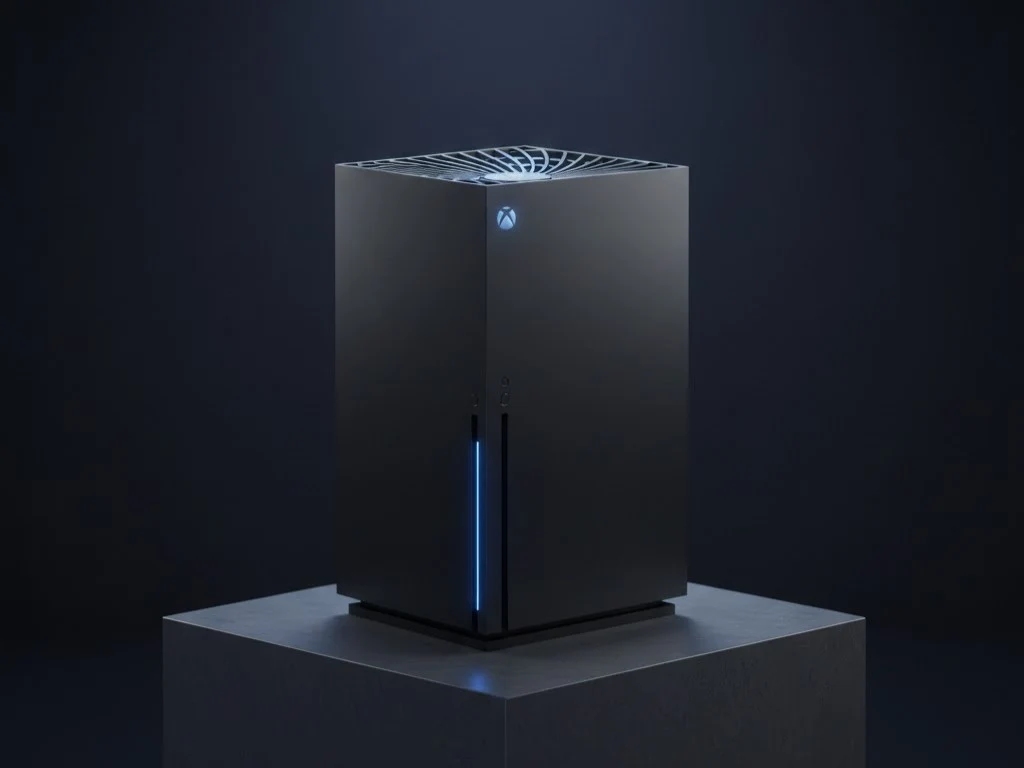
    Windows Central’s Jez Corden, who is known for sharing reliable Xbox news, has revealed some fresh insights about the upcoming Xbox console. Following previous leaks that suggested it would function like a complete PC, the new Xbox is set to feature a user-friendly interface suitable for TVs while operating on a version of Windows. This means that users can switch from the console interface to run any Windows application they prefer. Therefore, it will be possible to access third-party platforms such as Steam and Epic Games Store on the new Xbox, which, although beneficial for users, might not be the best for the Xbox ecosystem.

    Pricing Expectations

    Earlier speculations hinted that the price of the next Xbox console could reach up to $1,000. Considering the current rates of memory, this estimate does sound possible. In fact, it might even end up being higher since RAM and storage are expected to remain in short supply until 2028; this is well beyond the anticipated release date for the next Xbox, which is slated for 2027. Jez has gathered information from his sources indicating that Microsoft is collaborating with third-party OEMs to create more budget-friendly options that can provide a similar experience at lower price points. Some of these third-party products could potentially offer even greater power than the forthcoming Xbox.

    Technical Specifications

    The next Xbox is believed to utilize a System on Chip (SoC) named Magnus, featuring an eleven-core CPU (3x Zen 6 and 8x Zen 6c), alongside an RDNA 6 GPU with 68 Compute Units (CUs), and up to 48 GB of GDDR7 memory on a 192-bit bus. It will also include a dedicated Neural Processing Unit (NPU) for Copilot and other AI functionalities. On paper, this setup is quite impressive, and it will be fascinating to observe how OEMs might enhance this configuration. Incorporating 3D V-cache in some form isn’t out of the question, particularly since it’s rumored that Sony plans to implement it in an upcoming product.

    Source:
    Link


  • Mac vs Windows: How Companies Choose Between Apple and PC

    Mac vs Windows: How Companies Choose Between Apple and PC

    Key Takeaways

    1. Windows dominates the business sector with over 75% of global computer shipments, while Apple accounts for only 5%.
    2. Organizations typically fall into three categories regarding computer usage: PC-first, allowing employee choice, or strictly PC-based.
    3. Macs are often designated for specific tasks like design and software development, where macOS tools offer advantages.
    4. Some businesses implement performance-based criteria, like 30-day trials, to assess the value of Mac purchases, reducing unnecessary requests by 67%.
    5. Analysts suggest that Apple’s value proposition is evolving, potentially increasing its presence in enterprises as younger decision-makers prefer flexibility.


    Despite Apple becoming more noticeable in workplaces, Windows still dominates the business sector. A recent report from IDC indicates that Apple only makes up 5% of worldwide commercial computer shipments. In contrast, Lenovo, HP, and Dell together hold more than 75%. In the United States, Macs have reached around 11% of laptop deployments, which still keeps them in a smaller group.

    Division of Computer Usage

    Organizations generally fall into three categories regarding computer usage. There are PC-first companies with few exceptions for Macs, those that allow employees to choose freely, and firms that strictly use PCs. According to BlueRadius Cyber, an IT consultancy, the choice often hinges on the specific needs and budget. Macs are usually designated for tasks such as design, software development, or testing within Apple’s ecosystem, where tools in macOS provide distinct benefits.

    Performance-Based Purchase Criteria

    Some businesses even use performance criteria before allowing Mac purchases. Luca Dal Zotto from Rent a Mac explained to The Register a system where employees go through a 30-day trial to document measurable enhancements before getting approval. These improvements can be about video render times or debugging speeds. This method has reportedly decreased unnecessary Mac requests by 67%.

    Changing Value Proposition

    Yet, analysts believe that Apple’s value proposition is evolving. Canalys analyst Kieren Jessop pointed out that the MacBook Air’s 16GB RAM and its price of $1,199 are closing the gap between Apple and other premium PCs like the Dell XPS 13. As younger IT decision-makers lean towards flexibility, Apple’s presence in enterprises might keep increasing, although Windows still stands as the corporate standard for now.

    Source:
    Link


  • CheckMag | Apple Music on Windows: Why Users Are Disappointed

    CheckMag | Apple Music on Windows: Why Users Are Disappointed

    Key Takeaways

    1. Audio Engine Failures: Apple Music for Windows suffers from significant audio issues, including tracks playing briefly before cutting off, indicating a fundamental flaw in the app.

    2. User Experience Frustrations: Many users face frustrating playback issues, with audio stopping unexpectedly and the application often requiring restarts to restore functionality.

    3. Volume Control Problems: The volume slider can become unresponsive, and adjustments often lead to unexpected volume levels, affecting user control over playback.

    4. Performance and Integration Issues: The app experiences slow load times, memory leaks, and crashes, while lacking essential integration features found in competing services like Spotify.

    5. Missing Features and Functionality: Key features from iTunes are absent in the Windows version of Apple Music, leading users to consider reverting to iTunes or switching to other streaming services.


    When Apple introduced standalone Windows applications for its media services in 2023, replacing the outdated iTunes, many users hoped for a sleek and dependable music experience. Unfortunately, Apple Music for Windows has turned into a disappointing story of how to poorly transfer software to a different platform. After extensive research through user forums, support discussions, and personal accounts, the signs are clear: Apple Music for Windows is fundamentally flawed—suffering from audio issues, sync problems, and performance hiccups that make it nearly impossible for serious music listening. This comes from someone who is a devoted Apple Music user, which has a wonderfully optimized interface on both iOS and Android.

    Audio Engine Problems

    The most telling proof of Apple Music’s failures on Windows is found in its malfunctioning audio engine. I’m not alone in this view—multiple users on Apple’s support forums have reported the same issues: tracks play for only two seconds before the sound cuts off entirely, while the progress bar keeps moving. This is not a trivial bug; instead, it signifies a total failure of the app’s core purpose—playing music. I even tried disabling lossless audio (which kind of defeats the purpose of Apple Music, but still) and switching off the Sound enhancer, but nothing seemed to work.

    User Experiences

    According to one user’s detailed account: “When I pick a track from my library in Apple Music for Windows, it plays for about 2 seconds, then the sound stops for around 8 seconds while the track looks like it’s still playing. Then the audio comes back.” I’ve faced the same issue every time I restart the application—sometimes, the audio doesn’t come back at all. It’s frustrating to be stuck in a never-ending cycle where basic music playback feels like a constant struggle.

    Volume Control Woes

    To make matters worse, the audio engine and volume control in Apple Music for Windows have been problematic for some time, if they ever actually worked. The volume slider can become completely unresponsive, sometimes for many seconds, and muting or unmuting causes the volume to drop to 50% no matter where the slider is set.

    Apple’s claim of smooth synchronization across devices almost falls apart on Windows. Apple Music sometimes fails to recognize locally added files after the app or computer is restarted. Adding music to the library often requires removing and re-adding files multiple times, and sync attempts with iOS devices frequently fail until users try the process five times or more.

    Performance Issues

    The performance problems with Apple Music on Windows go beyond just slow load times. I’ve noticed memory leaks on Windows 11, where the app consumes more and more RAM until it becomes unresponsive.

    The sluggish performance also hampers basic navigation. Loading pages in the Browse section takes much longer compared to other streaming services like Spotify or Tidal. I have a pretty well-equipped PC (featuring a Ryzen 5800X, currently priced at $170 on Amazon, RTX 3060 Ti, and 64GB of RAM), yet Apple Music is still often slow, despite having plenty of processing power.

    Crashes and Integration Problems

    Don’t even get me started on the crashes during normal operations. These crashes often require force-quitting through Task Manager, and several users on forums have reported that Apple Music can freeze their entire system so badly that even Task Manager becomes unresponsive.

    The app’s integration with Windows presents its own set of issues. Unlike Spotify, which offers basic interactive taskbar previews with playback controls and song details, Apple Music lacks this functionality. The app also doesn’t provide proper keyboard shortcuts for essential tasks like searching, forcing users to navigate manually to search boxes instead of using standard Windows shortcuts. That’s pretty unacceptable in 2025.

    Loading Issues

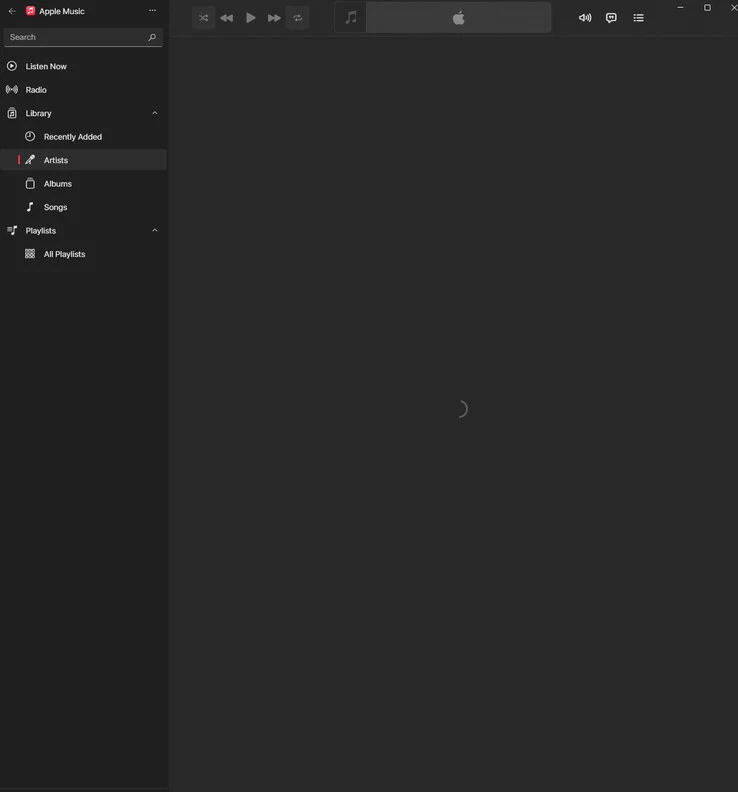
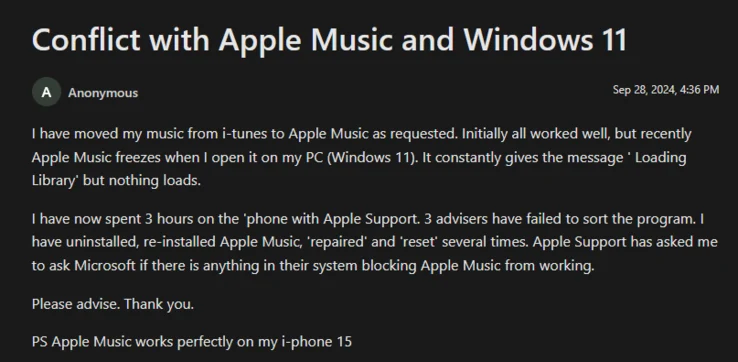
    Even when the app does manage to launch correctly, I find myself stuck on the “Loading Library” screen at times, which always prompts for an app restart. Many online reports describe the app getting trapped in a perpetual loading state, showing the message indefinitely without actually loading any content. Reinstalling the app, clearing caches, and restarting Windows have not fixed these issues for me.

    Missing Features

    The absence of features only adds to the frustration. Experienced users will agree that this Windows version misses many of the long-standing capabilities of iTunes. One community member even listed additional “major issues”: you can’t reorder songs in a playlist, can’t delete songs without removing them from the library, Home Sharing and column browsing are gone, and even basic menu controls are missing. Understandably, he added: “If Apple is serious about replacing iTunes for Windows without fixing these big issues, I’ll cancel my Apple One Subscription and switch to Spotify, which works on more devices and has better features.” Many other support posts mention workarounds like uninstalling the new app and going back to the old iTunes client, which is a clear sign of defeat.

    User Sentiments

    For many users, the advantages like lossless/hi-res streaming and gapless playback are overshadowed by numerous bugs. I’m echoing the sentiment of one long-time iTunes user: “It’s hard to believe that a company this big can’t create an app that functions decently on other platforms.”

    You won’t find other evidence in tech specs or feature comparisons, but in forums filled with paying customers like me, pleading for basic functionality while being told to use web browsers or revert to outdated software. When your solution to a broken music app is “don’t use the music app,” it’s clear that the product shouldn’t exist in its current state.

    User reports and tech forums on Apple Music for Windows (discussions.apple.com, macstories.net, learn.microsoft.com, r/AppleMusic on Reddit).


  • Microsoft Discusses Merging Xbox and Windows for Gaming Handhelds

    Microsoft Discusses Merging Xbox and Windows for Gaming Handhelds

    It’s well-known that Microsoft is in the works of launching an Xbox gaming handheld, but this device might take a couple of years to hit the market. Before that happens, the company aims to combine the “best of Xbox and Windows” for the handheld devices that are already available.

    Xbox Games on Windows Handhelds

    Naturally, you can still enjoy Xbox games on a Windows gaming handheld. Thanks to Game Pass and its specialized app, access to Xbox titles has become a reality. However, this does not provide a completely native experience, and it’s clear that Windows struggles to deliver a console-like gaming feel. But, that’s about to change soon.

    Future Plans for Windows Gaming

    In a recent conversation with The Verge, Jason Ronald, Microsoft’s VP of Next Generation, discussed the company’s vision for Windows gaming handhelds set for 2025. Ronald hinted at significant upgrades, emphasizing that Microsoft aims to pursue a more integrated approach.

    Ronald explained that they are working to extend their console innovations into the wider Windows ecosystem. He recognized the current limitations of Windows on gaming handhelds and promised that efforts are underway to enhance the overall experience.

    Enhancing the User Experience

    In addition to simplification, Ronald stated that Microsoft intends to make it “much more like a console experience,” ensuring that the user and their game library are “the center of the experience.” The company is also looking into better controller support for Windows handhelds, along with a revamped interface for those who don’t use a keyboard and mouse.

    For those curious, Ronald made it clear that these enhancements will not involve a custom Xbox operating system being adapted for handhelds. Instead, they will be Xbox-focused features tailored for Windows gaming handhelds (Z1 Extreme ROG Ally currently priced at $499.99 on Amazon).

    Although Ronald did not provide a specific timeline, he reassured gamers that these anticipated updates are on their way. In fact, the recent user interface redesign of the Xbox app for Windows gaming handhelds might just be the beginning of this entire initiative.

    Source: Link

  • New Gamepad Keyboard for Legion Go & ROG Ally Enhances Typing

    New Gamepad Keyboard for Legion Go & ROG Ally Enhances Typing

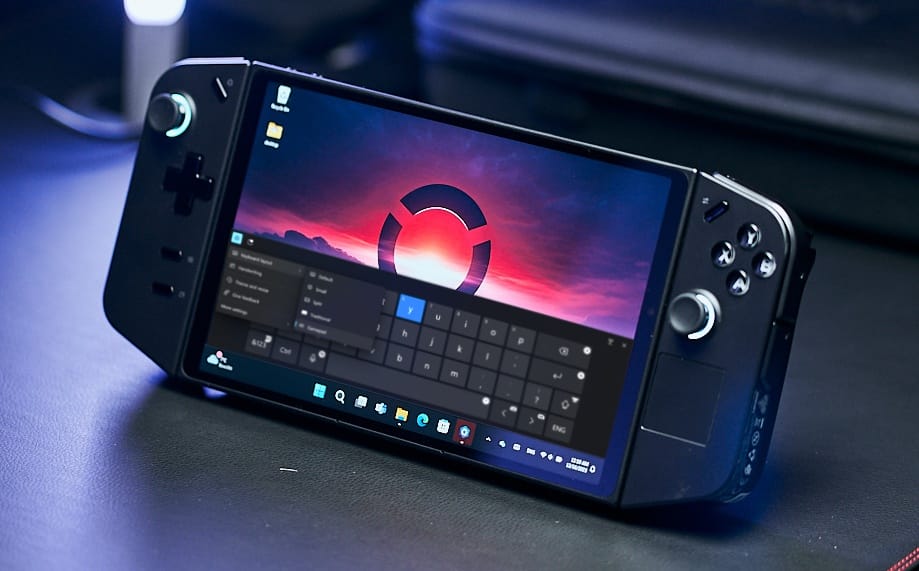
    Anyone who has gamed on a handheld Windows PC knows that the built-in on-screen keyboard leaves much to be desired. Not only do you struggle to reach the keys with your thumbs across clunky controllers, but using a joystick to type can be pretty awkward. Plus, the traditional staggered QWERTY format is not very practical for handheld devices.

    Exciting New Developments

    However, a recent blog post from Microsoft reveals that the latest Windows Insider Preview includes a new on-screen keyboard designed specifically for handheld devices. This update not only expands the audience who can test this new keyboard, which has been thoughtfully designed for layout and physical usability, but it also indicates that Microsoft is getting ready to integrate it into the main Windows build soon.

    Key Features of the New Keyboard

    In their blog, Microsoft describes the keyboard as follows:

    "[Gamepad keyboard] New! This update starts the roll out of a new Gamepad keyboard layout for the on-screen keyboard. With it, you can use your Xbox controller to move around the screen and type. Button accelerators are also available; these include the X button for backspace and the Y button for the spacebar. For better movement patterns, the keyboard keys are aligned vertically."

    These modifications seem to be positive advancements, especially the shortcut keys and the straight keyboard layout, which should be especially handy for gamers who prefer inputting text via a controller. These improvements promise quicker and more intuitive navigation. While the Steam Deck’s dual touchpads might still outperform the new Windows gamepad keyboard, it’s encouraging to see Microsoft finally making changes that enhance the handheld gaming experience.

    Future of Handheld Gaming on Windows

    Windows gamers may still need to dive into the accessibility settings or manually set up a controller key combo to access the on-screen keyboard. This update comes on the heels of several enhancements to the Windows Game Bar. It seemed like Microsoft was just sitting back for a while, but the increasing popularity of handheld gaming devices—both running on Windows and Linux—has evidently motivated the tech giant to take handheld gaming more seriously. For more details, check out the complete update notes for Windows 11 Insider Preview Build 22631.4387 (KB5044380).

    If you’re considering venturing into handheld gaming, you might want to look at the Asus ROG Ally X, which is currently priced at $799.99 at Best Buy.

  • Steam Deck Transforms into Handheld Hackintosh with macOS Sequoia

    Steam Deck Transforms into Handheld Hackintosh with macOS Sequoia

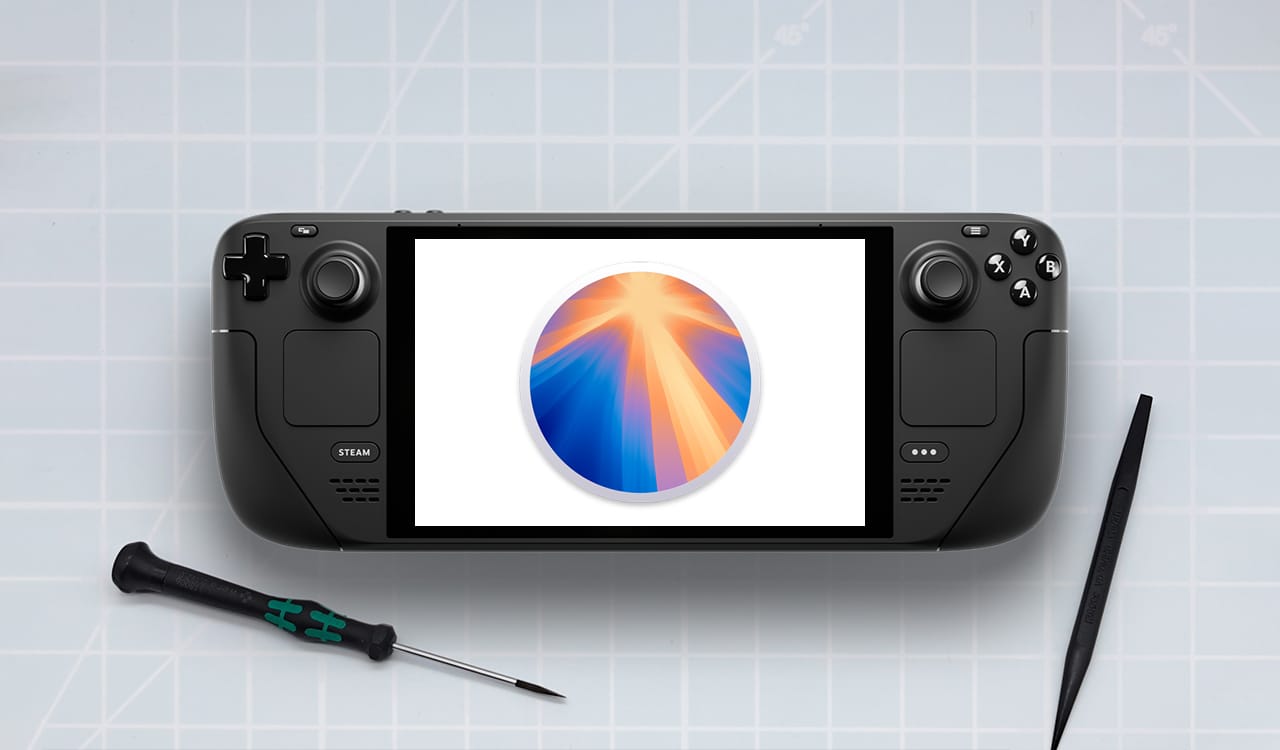
    Valve delivers the Steam Deck equipped with SteamOS, a Linux distribution based on Debian. This gaming handheld functions much like any standard PC, allowing it to support common operating systems. While Windows operates smoothly on the device, user @whatdahopper has made history by demonstrating macOS Sequoia running on the Steam Deck.

    A Collaborative Effort

    According to @whatdahopper, a team worked together to enable the Steam Deck to run Apple’s newest desktop OS. However, right now, installing macOS Sequoia on the device is not particularly useful. There’s currently no GPU acceleration available, but the team is optimistic that this will change once the iGPU kext (kernel extension) for AMD Van Gogh is released.

    Future Possibilities

    This release might come sooner than expected, as macOS already supports RDNA 2. Once that happens, the Steam Deck could transform into a legitimate portable Hackintosh. Nonetheless, it’s important to note that using Sequoia on the Steam Deck for gaming isn‘t advisable, given that the gaming library on macOS isn’t as robust as what you’ll find on Windows or Linux.

    In the end, with the right iGPU support on the Steam Deck, it might become a mobile substitute for a MacBook (the base 2023 MacBook Pro is currently priced at $1,299 on Amazon). However, @whatdahopper has pointed out that getting macOS Sequoia to run on this device is more challenging than simply installing Windows, which is something to keep in mind if you’re considering the Mac operating system for your gaming handheld.

  • Arc Browser Now Available for Windows 11 Users

    Arc Browser Now Available for Windows 11 Users

    The long wait has ended for Windows 11 users! The Browser Company has officially released Arc browser 1.0.1 after an extensive beta period. Users are now able to download and utilize Arc without having to join any waiting lists.

    Windows 10 Users Await

    Windows 10 users, on the other hand, may have to exercise patience before getting their hands on the browser. Presently, Arc exclusively supports Windows 11. Users on Windows 10 will need to wait a while longer. Additionally, an ARM64 version of Arc is in the works for users with ARM-based Windows devices, promising compatibility in the future. Notably, the Windows edition of Arc makes use of Apple's Swift programming language, mirroring the approach taken in the macOS version, facilitating the sharing of core code between the two platforms.

    Features and Interface

    Arc boasts a distinctive interface featuring a sidebar that hosts various functionalities such as tabs, library, easels & notes, spaces, boosts, and archived tabs. It introduces innovative capabilities like tab renaming, link peeks before opening, and in-browser note-taking.

    Pros and Cons

    While Arc showcases promising features, it comes with its challenges. Users may find it challenging due to its novel design and reliance on keyboard shortcuts. Despite its innovative attributes, some may argue that it is not yet suitable for widespread adoption. With a fresh user base, the Browser's reception among the public remains to be seen.

  • Windows Devices Now Supported with Apple’s New TV, Music, and Devices Apps

    Windows Devices Now Supported with Apple’s New TV, Music, and Devices Apps

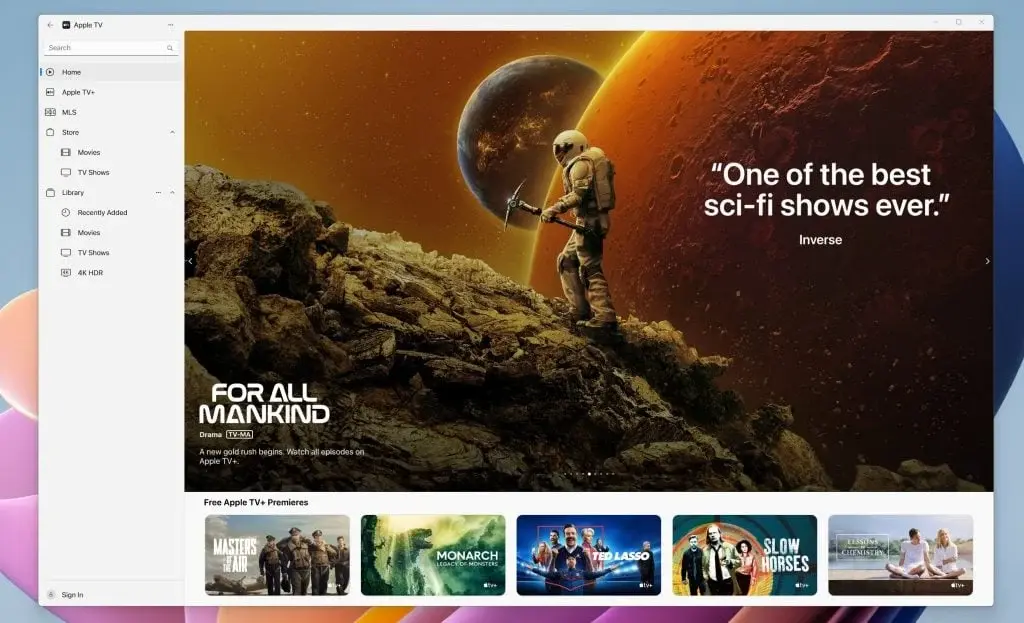
    After a long, long wait, Apple is changing how Windows users enjoy its services by launching three new apps: Apple TV, Apple Music, and Apple Devices. The company is aiming towards reducing Windows users’ need for iTunes, offering a more direct and streamlined way to access Apple’s entertainment and device management features.

    Apple worked closely with Microsoft to ensure the quality of these apps

    After a period of testing and feedback, these apps are no longer just a preview. Apple worked closely with Microsoft to ensure these apps were ready for the public – a joint effort to improve the user experience across different platforms.

    Access to a world of content

    For those who love watching TV shows and movies or listening to music, the Apple TV and Apple Music apps open up a world of content. Windows users can now easily watch their favorite shows or listen to music from their iTunes library or through Apple’s subscription services. The Apple Devices app makes managing iPhones and iPads from a Windows PC easier, offering options to back up, restore, and sync content.

    iCloud for Windows app update

    Alongside these new apps, Apple has updated the iCloud for Windows app, making it work better with Windows systems. This is part of a larger effort to ensure Windows users can enjoy a seamless experience with their services. Microsoft has also embraced this collaboration, integrating iCloud Photos into Windows 11‘s Photos app.