Category: Tablets

  • Nework Launches 27-Inch MoveMate Hi-Fi Portable Tablet with Stand

    Nework Launches 27-Inch MoveMate Hi-Fi Portable Tablet with Stand

    Key Takeaways

    1. Portable Design: The MoveMate Hi-Fi is a 27-inch touchscreen tablet with a rolling stand, allowing easy use in various spaces.

    2. Impressive Display: It features a Full HD display (1,920 x 1,080) with a contrast ratio of 1,200:1 and brightness up to 300 nits.

    3. Powerful Performance: Powered by Android 14, it has 8 GB of RAM and 128 GB of storage, supporting a wide range of apps from the Google Play Store.

    4. Advanced Connectivity: The device supports Wi-Fi 6, Bluetooth 5.2, and various media streaming options, along with a quad-speaker system for high-quality audio.

    5. Long Battery Life: It includes a 213 Wh battery providing up to 8 hours of usage, suitable for both indoor and outdoor use.


    Nework has introduced the MoveMate Hi-Fi, a portable 27-inch touchscreen tablet designed with a rolling stand and powered by Android OS, making it easy to use in any space. This device features a 60 Hz Full HD display (1,920 x 1,080) with a contrast ratio of 1,200:1 and can reach a brightness of up to 300 nits, while the average response time is 14 ms.

    Performance and Features

    Operating on Android 14, the MoveMate is equipped with 8 GB of RAM and 128 GB of storage, allowing users to access a wide range of applications from the Google Play Store. Users have the option to navigate through apps either via the touchscreen or using a remote control that functions like a mouse. Additionally, the remote includes a microphone for voice commands, enabling access to Google Assistant and Gemini AI.

    Connectivity and Sound

    In addition to streaming content from popular platforms such as Netflix and YouTube, users can also transmit media wirelessly through Wi-Fi 6 or Bluetooth 5.2 from their smartphones. The device supports extending computer displays through Android DLNA, Apple AirPlay, KShare, and Miracast. Audio is delivered through a powerful 44-watt quad-speaker system, which features a subwoofer for enhanced sound quality.

    Portability and Battery Life

    Weighing in at 28.6 lbs (13.0 kg), the MoveMate comes with a height-adjustable stand that allows it to switch between landscape and portrait modes, as well as tilt for optimal framing during video calls with its 5 MP webcam.

    For those looking to use the MoveMate outside or while sitting comfortably, it has a 213 Wh battery that can keep the large Android tablet running for up to 8.0 hours, as stated by Nework.

    Source:
    Link


  • Apple’s iPad: 16 Years of Changing Personal Computing

    Apple’s iPad: 16 Years of Changing Personal Computing

    Key Takeaways

    1. The original iPad, launched on January 27, 2010, marked the beginning of a new era in personal computing and shaped the tablet market.

    2. The first-generation iPad featured a 9.7-inch display, a custom-designed chip, up to 64 GB of storage, and a battery life of up to 10 hours, priced starting at $499.

    3. Steve Jobs emphasized the iPad’s ability to create a new category of devices that offered an intimate and intuitive way to interact with apps and digital content.

    4. Despite mixed reviews regarding its necessity compared to laptops, the iPad achieved remarkable commercial success, selling over 300,000 units on its first day and exceeding 15 million units in its first year.

    5. The iPad has evolved into a diverse range of devices, including the iPad mini, Air, and Pro, incorporating advanced features and accessories, solidifying its role in everyday computing.


    Sixteen years ago, on January 27, 2010, Steve Jobs took the stage at the Yerba Buena Center for the Arts in San Francisco to introduce what he referred to as “a magical and revolutionary device.” This device was the original Apple iPad, and its launch signified the start of a new era in personal computing that would shape the current tablet market.

    Specifications of the First iPad

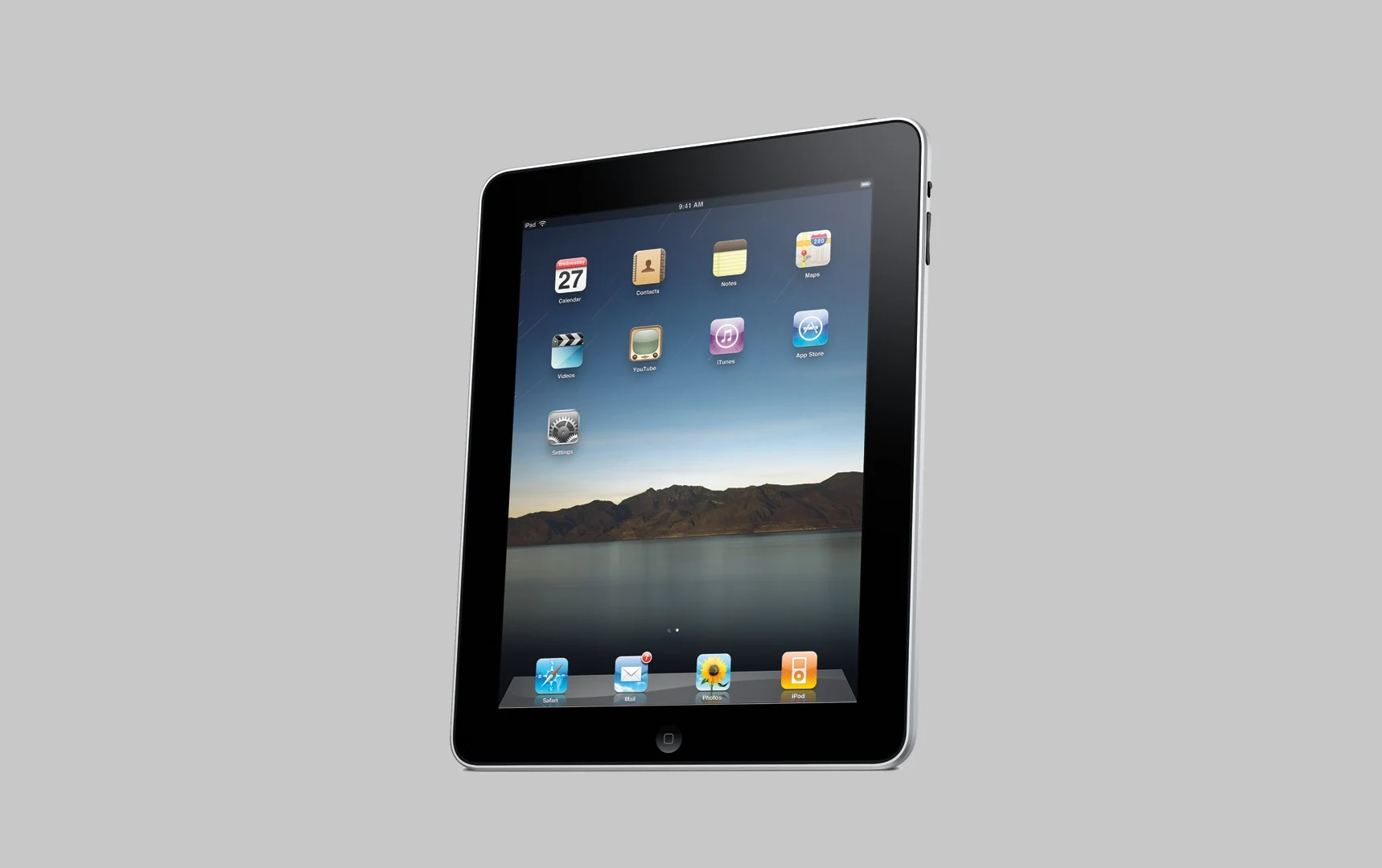
    The first-generation iPad was strategically placed between smartphones and laptops. It boasted a 9.7-inch LED-backlit multitouch screen, running on Apple’s inaugural custom-designed silicon chip. The device utilized a 30-pin dock connector and had storage options of up to 64 GB. Weighing in at 1.5 pounds, the original model featured thick black bezels, a physical Home button, and a curved aluminum backside. Apple advertised a battery life of up to 10 hours.

    With a starting price of $499, the iPad offered an easier, more user-friendly way to surf the web, read eBooks, watch videos, and use applications on a larger display. Jobs portrayed the tablet as a more personal and intuitive means of engaging with apps and digital content, especially for web browsing, media viewing, and reading.

    Jobs’ Vision for the iPad

    “iPad is our most advanced technology in a magical and revolutionary device at an unbelievable price. iPad creates and defines an entirely new category of devices that will connect users with their apps and content in a much more intimate, intuitive, and fun way than ever before,” Jobs stated.

    From a technical standpoint, the original iPad operated on a version of iOS tailored for its larger screen, bringing well-known apps like Safari, Mail, and Photos into a more expansive view. Apple also took this opportunity to launch iBooks and the iBookstore, marking the company’s entry into the e-reader sector, which was then dominated by Amazon’s Kindle.

    Mixed Reactions and Commercial Success

    The initial response to the iPad was a mix of opinions. Some reviewers praised the device as a top-notch platform for light computing and media experiences, while others doubted its necessity, claiming it lacked the functionality needed to replace a standard laptop. Even with these discussions, the iPad achieved impressive commercial success, selling over 300,000 units on its first day in April 2010 and hitting one million units within the first month. By the year’s end, total sales exceeded 15 million tablets, generating around $9.5 billion in revenue, solidifying the iPad as a vital Apple product.

    More significantly, the iPad sparked an entire industry. Competitors like Samsung, Microsoft, and Amazon quickly introduced their own tablets, each trying to either imitate or set themselves apart from Apple’s model.

    The iPad’s Evolution

    As time passed, the iPad transformed into a diverse range of devices. It expanded into the iPad mini, iPad Air, and iPad Pro, along with accessories like the Apple Pencil and Magic Keyboard. Later versions incorporated cameras, multitasking capabilities, various display sizes, USB-C connectivity, and enhanced performance levels akin to laptops. What started in 2010 as a “magical and revolutionary” concept has evolved into a well-known and impactful element of everyday computing.

    Apple, MacRumors’

    Source:
    Link


  • Brax Open_Slate: Open Source Ubuntu & Android Tablet with M.2 Support

    Brax Open_Slate: Open Source Ubuntu & Android Tablet with M.2 Support

    Key Takeaways

    1. The Brax Open_Slate 2 in 1 features a MediaTek Genio 720 CPU and a 12-inch Gorilla Glass IPS touchscreen with stylus support.
    2. It allows flexibility with multiple operating systems, including Ubuntu and Lineage OS, emphasizing Linux compatibility.
    3. The device supports various storage options with a PCIe Gen 2 M.2 socket and a user-replaceable battery for sustainability.
    4. Connectivity includes Wi-Fi 6E, Bluetooth 5.3, and includes hardware privacy switches; 5G support is anticipated via an external module.
    5. The pre-order price is set at $399 for the basic model, with the company’s past delivery success potentially attracting early backers.


    Following a fruitful crowdfunding effort for the Brax3 privacy-conscious smartphone, which gathered over two million dollars and delivered more than 5,500 units in September 2025, Brax is returning with the Open_Slate 2 in 1.

    Hardware Overview

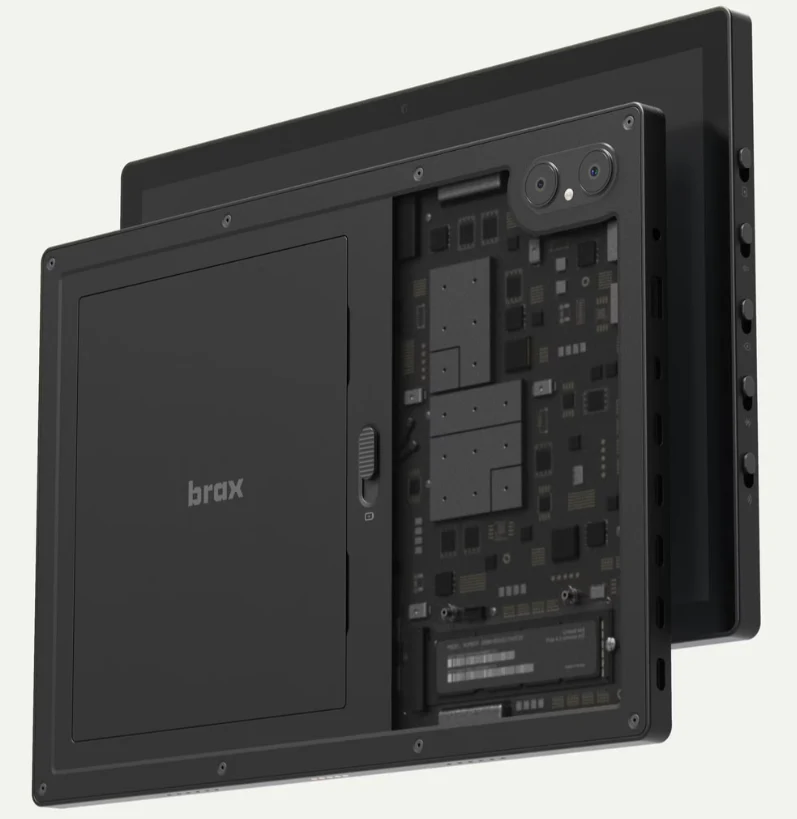
    Currently, only product images are available, but the hardware specifications have been mostly settled. It features a MediaTek Genio 720 CPU and a Mali-G57 MC2 GPU, with options of either 8 GB or 16 GB of LPDDR4X and 5X RAM. Storage options include either 128 GB or 256 GB.

    The device is expected to come with a 12-inch 1600 x 2400 Gorilla Glass IPS touchscreen that supports stylus input with 4096 levels of pressure sensitivity. Connectivity options are set to include Wi-Fi 6E, GPS, Bluetooth 5.3, along with hardware privacy switches. While 5G support is not yet confirmed, it is anticipated to be available via an external module. A variety of accessories, such as folio cases and keyboards, are also promised.

    Operating System Flexibility

    Similar to the Brax3, the Open_Slate sets itself apart by allowing multiple operating systems, including Ubuntu, Ubuntu Touch, Debian, iodeOS, Lineage OS, and BraxOS. Braxtech states that they are:

    directly collaborating with Linux integrators and chipset suppliers to guarantee adequate mainline Linux compatibility

    and are also incorporating community feedback to guide the product’s evolution.

    The Open_Slate is expected to feature various I/O options, including two USB Type-C ports, one of which will support Display Port 1.4.

    Storage and Sustainability

    The introduction of a PCIe Gen 2 M.2 socket should provide access to numerous fast storage choices (alongside the Micro SD slot), enabling convenient dual-boot functionality. The user-replaceable battery underscores a commitment to sustainability and the right-to-repair, at least as long as components can be bought.

    Full specifications can be accessed here.

    Even though the product hasn’t reached the crowdfunding phase yet (and all the same warnings apply to supporting a product that hasn’t been shipped), the pre-order price of $399 for the basic model may attract interest. The company’s history of actually delivering products might give some assurance to early backers.

    With various open-source tablets available, like the Purism Librem 11 and Pine64 Pinetab2, plus numerous Intel-based tablets (like this Chuwi Hi10 x2 – Available on Amazon) that already support Linux installations, it remains to be seen if Brax can thrive in such a competitive market.

    Source:
    Link


  • Bigme B10: New Color E-Ink Tablet Replaces Laptop and Notepad

    Bigme B10: New Color E-Ink Tablet Replaces Laptop and Notepad

    Key Takeaways

    1. The Bigme B10 tablet features a 10.3-inch Kaleido 3 e-ink display with a resolution of 1,404 × 1,872 pixels in color mode and 2,480 × 1,860 pixels in black and white.
    2. It runs on Android 14, powered by a 2.6 GHz octa-core processor, with 8 GB of RAM and 256 GB of internal storage, expandable via microSD.
    3. Preorders are available for approximately $594 (€563), with shipping starting on February 10, and an optional keyboard cover for laptop-like functionality.
    4. The tablet supports 4G connectivity, includes a GNSS module for GPS, GLONASS, Beidou, and Galileo, and has a fingerprint sensor for quick access.
    5. It features a robust 6,900 mAh battery, adjustable front light with 36 brightness levels, and a stylus with 4,096 levels of pressure sensitivity for a “pen-on-paper” experience.


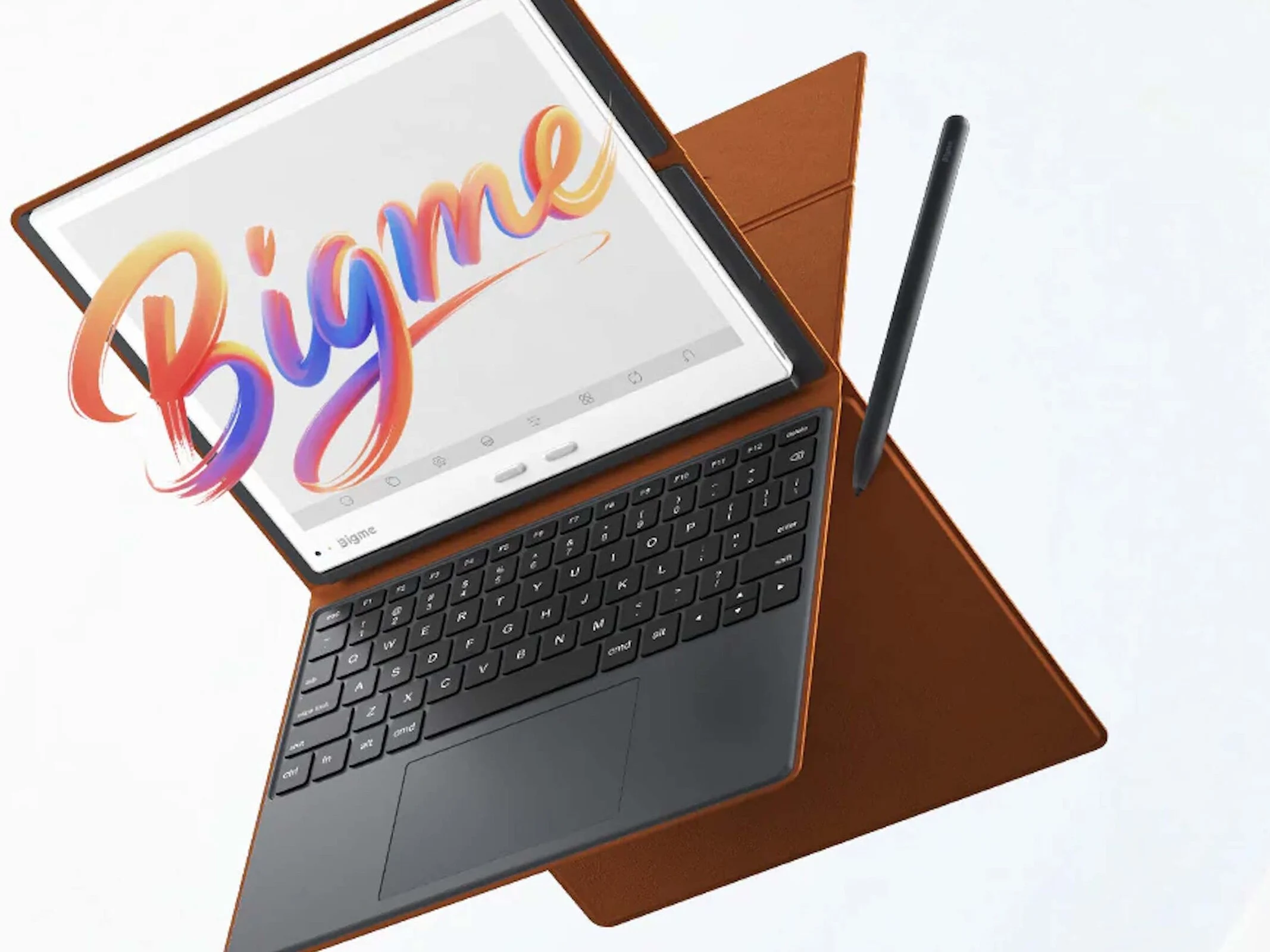
    The Bigme B10 tablet has just been launched and comes with a colour e-ink display. You can preorder it for about $594 (€563), and it’s expected to ship starting on February 10. An optional keyboard cover is available, letting users utilize the tablet as a laptop alternative. This device runs on Android 14 and is powered by a fast octa-core processor that runs at 2.6 GHz. It has 8 GB of RAM and 256 GB of internal storage, which can be expanded with a microSD card. Plus, the B10 supports 4G connectivity and comes with a GNSS module that works with GPS, GLONASS, Beidou, and Galileo.

    Display and Features

    The tablet boasts a 10.3-inch Kaleido 3 e-ink display that delivers a resolution of 1,404 × 1,872 pixels in colour mode. When switched to black and white, the resolution increases to 2,480 × 1,860 pixels. The front light features 36 brightness levels that can be adjusted, offering both warm and cool white light options. Users can navigate the tablet using its touchscreen, eight touch buttons, or the included stylus. The stylus boasts 4,096 levels of pressure sensitivity, providing a “pen-on-paper” experience on the screen. There’s also a fingerprint sensor for quick access, and the device contains a robust 6,900 mAh battery that charges via USB-C. You can connect headphones through USB-C or Bluetooth.

    Source:
    Link


  • Amazon Kindle eBooks Now Partially DRM-Free for Readers

    Amazon Kindle eBooks Now Partially DRM-Free for Readers

    Key Takeaways

    1. Starting January 20, 2026, publishers can sell Kindle eBooks without copy protection (DRM).
    2. DRM-free eBooks can be downloaded as PDF or ePub files, allowing use on non-Kindle devices.
    3. Users can find the “Download EPUB/PDF” option in the “Digital Content” section if a DRM-free version is available.
    4. Publishers must manually convert older titles to DRM-free format, while new releases can use Amazon’s automatic conversion service.
    5. Some publishers now offer DRM-free downloads, but there is currently no way to check if a book is DRM-free before purchase.


    In December, Amazon notified publishers they would have the ability to sell Kindle eBooks without copy protection starting on January 20, 2026. This development means that certain eBooks can now be downloaded not just to Kindle e-readers and devices with the Kindle app, but also as DRM-free PDF or ePub files.

    How to Download eBooks

    To download an eBook, simply choose it from the “Digital Content” section of your Amazon account. If a DRM-free version is available, you will see the “Download EPUB/PDF” option listed under “More Actions”. This feature enables the reading of books on eReaders that do not have the Kindle app installed. The option to sell books without DRM also allows for sharing with friends, leading Amazon to give publishers the choice of whether to offer their books with or without DRM.

    Conversion Process for Older Books

    For titles published prior to December 9, 2025, publishers must convert them to the DRM-free format manually. For new releases, Amazon provides an optional automatic conversion service. According to Good E-Reader, many large publishers have yet to provide their titles without copy protection in the Kindle Store. However, we found that some publishers, including Drachenmond, Hidden Gnome Publishing, and Fabylon, now permit DRM-free downloads from Amazon. Despite this, there seems to be no way to determine if a book is DRM-free before making a purchase.

    Good E-Reader | Perfecto Capucine (teaser image)

    Source:
    Link


  • Xiaomi Relaunches New Large Android Tablet Version

    Xiaomi Relaunches New Large Android Tablet Version

    Key Takeaways

    1. Xiaomi is set to launch the Redmi Pad 2 Pro in China, which was first released globally last September.
    2. The tablet will feature a 12.1-inch display and a powerful 12,000 mAh battery with 27 W reverse wired charging.
    3. A special Harry Potter edition design will be available, potentially including a themed case.
    4. The launch is planned before the end of the month, alongside the Redmi Turbo 5 Max.
    5. Customers can already reserve the new tablet on an official microsite.


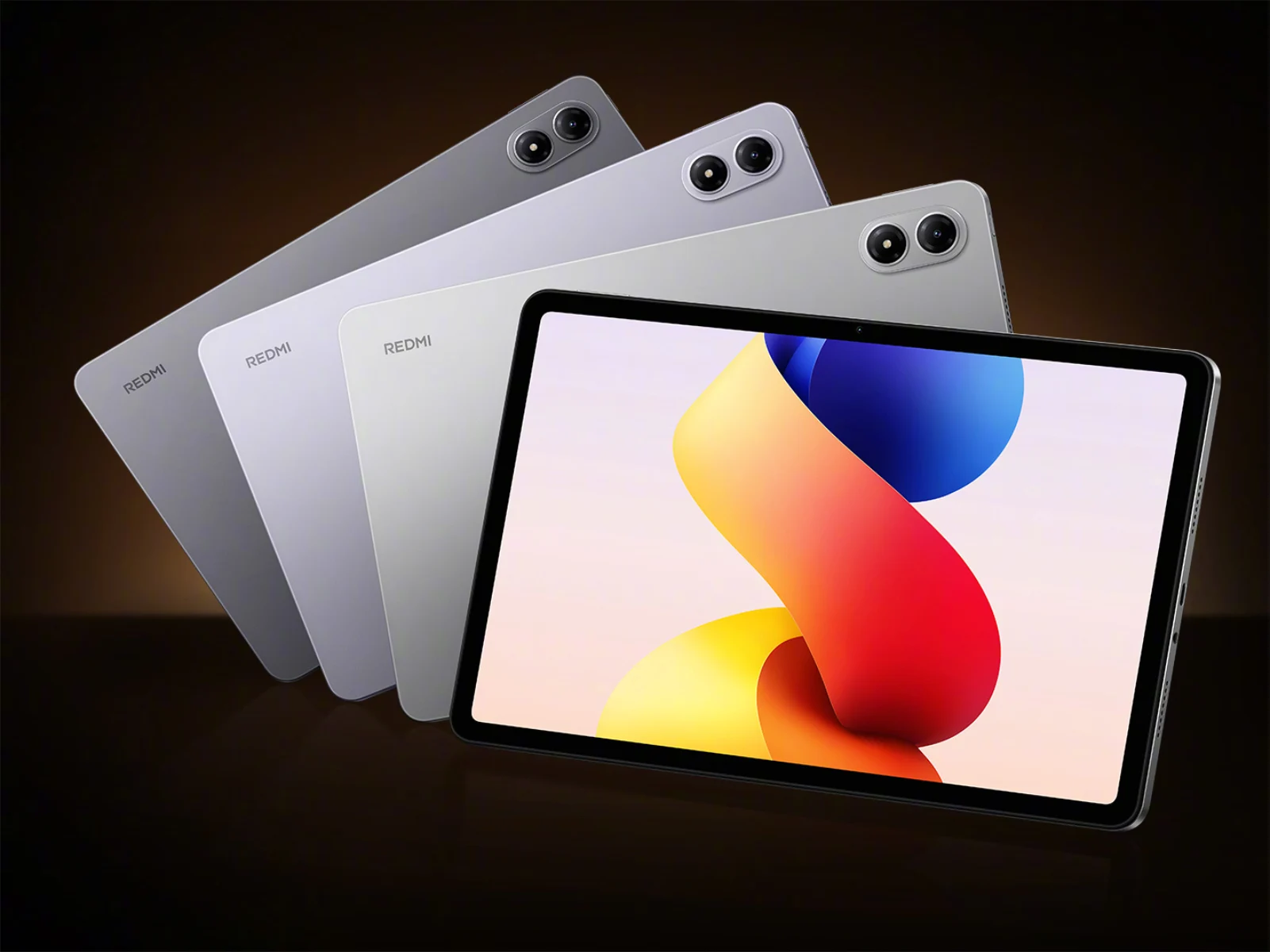
    Xiaomi is getting ready to bring back one of its tablets in China. Interestingly, the Redmi Pad 2 Pro was first launched globally. It made its debut last September, alongside the Xiaomi 15T series, which offered options for both 5G and Wi-Fi only (currently priced at $263 on Amazon). Now, it appears that the Redmi Pad 2 Pro will see at least one new version to celebrate its launch in China.

    Details About the Launch

    Xiaomi is holding back some information about the Redmi Pad 2 Pro for the Chinese market. Nevertheless, the new release seems to be quite similar to the 12.1-inch tablet that has been on sale in India and other regions since last autumn. For instance, Xiaomi has confirmed that the Redmi Pad 2 Pro will come to China equipped with a 12,000 mAh battery that allows for 27 W reverse wired charging.

    Special Edition and Availability

    Moreover, the company has mentioned that the Redmi Pad 2 Pro will feature a special Harry Potter edition design. Following the trend set by the Redmi Pad Pro, this new version of the Redmi Pad 2 Pro might also include the case shown in the teaser below. Xiaomi intends to launch the revamped Redmi Pad 2 Pro before the month ends, alongside the Redmi Turbo 5 Max. In the meantime, customers can already reserve Xiaomi’s latest tablet on an official microsite.

    Xiaomi via WhyLab

    Source:
    Link


  • RedMagic Launches New Powerful OLED Gaming Tablet Version

    RedMagic Launches New Powerful OLED Gaming Tablet Version

    Key Takeaways

    1. RedMagic has launched an updated version of the Astra gaming tablet, the Golden Saga Limited Edition, claiming improved performance over earlier models.
    2. The new tablet features a Qualcomm Snapdragon 8 Elite chipset, 24 GB of RAM, and an 8,200 mAh battery, similar to the original Astra.
    3. It includes a 9.06-inch OLED display with a 2.4K resolution and a 165 Hz refresh rate.
    4. The Golden AquaCore Cooling System is designed to provide superior airflow and reduce thermal throttling, though details on this feature are limited.
    5. Pricing for the Golden Saga Limited Edition is £1,139, €1,299, and $1,349, and it includes 1 TB of storage and a free protective case, with shipping starting before March 13.


    Over five months ago, RedMagic launched its Astra gaming tablet worldwide. During this time, several competitors have emerged, such as the Xiaomi Pad Mini and the Huawei MatePad Mini. Now, RedMagic is back with an updated version of the Astra, claiming that it outperforms the earlier models in several ways.

    Performance Details

    Utilizing the Qualcomm Snapdragon 8 Elite chipset, which is also found in the OnePlus Pad 3 (currently priced at $678.99 on Amazon), the new Golden Saga Limited Edition is not expected to exceed the performance of the existing RedMagic Astra tablets in most situations. Additionally, the new tablet comes equipped with 24 GB of RAM and an 8,200 mAh battery, which remain unchanged from its first release. The Golden Saga Limited Edition also features a 9.06-inch OLED display that boasts a 2.4K resolution and a 165 Hz refresh rate.

    Cooling System

    Nonetheless, RedMagic claims that this latest version offers “superior airflow” through its Golden AquaCore Cooling System. This system is said to include gold-plated vapor chambers that help reduce thermal throttling when the device is under heavy use. Unfortunately, RedMagic has not disclosed any more information regarding this feature.

    Pricing and Availability

    In addition, the new model sports sapphire glass on its see-through back panel. The Golden Saga Limited Edition is available for £1,139, €1,299, and $1,349, which includes 1 TB of storage and a free Astra Golden Saga Magnetic Kevlar Protective Case. RedMagic plans to start shipping pre-orders prior to March 13.

    Source:
    Link


  • CheckMag: A Guide to Jailbreaking Your Kindle and Installing Apps

    CheckMag: A Guide to Jailbreaking Your Kindle and Installing Apps

    Key Takeaways

    1. Jailbreak Compatibility: Most Kindle models can be jailbroken using WinterBreak or AdBreak, except for the newest Kindle Scribe. Check compatibility at kindlemodding.org.

    2. Choosing a Method: Select between WinterBreak (requires storage management) or AdBreak (simpler for ad-supported models) for the jailbreaking process.

    3. Step-by-Step Guidance: Follow detailed guides on the Kindle Modding Wiki for an easy jailbreak process, typically taking less than 15 minutes.

    4. Post-Jailbreak Actions: Complete necessary steps to disable OTA updates and consider downloading the KindleForge app for additional functionality.

    5. Enhanced Reading with KOReader: Install KOReader for better reading experience, supporting various formats and offering extensive customization options.


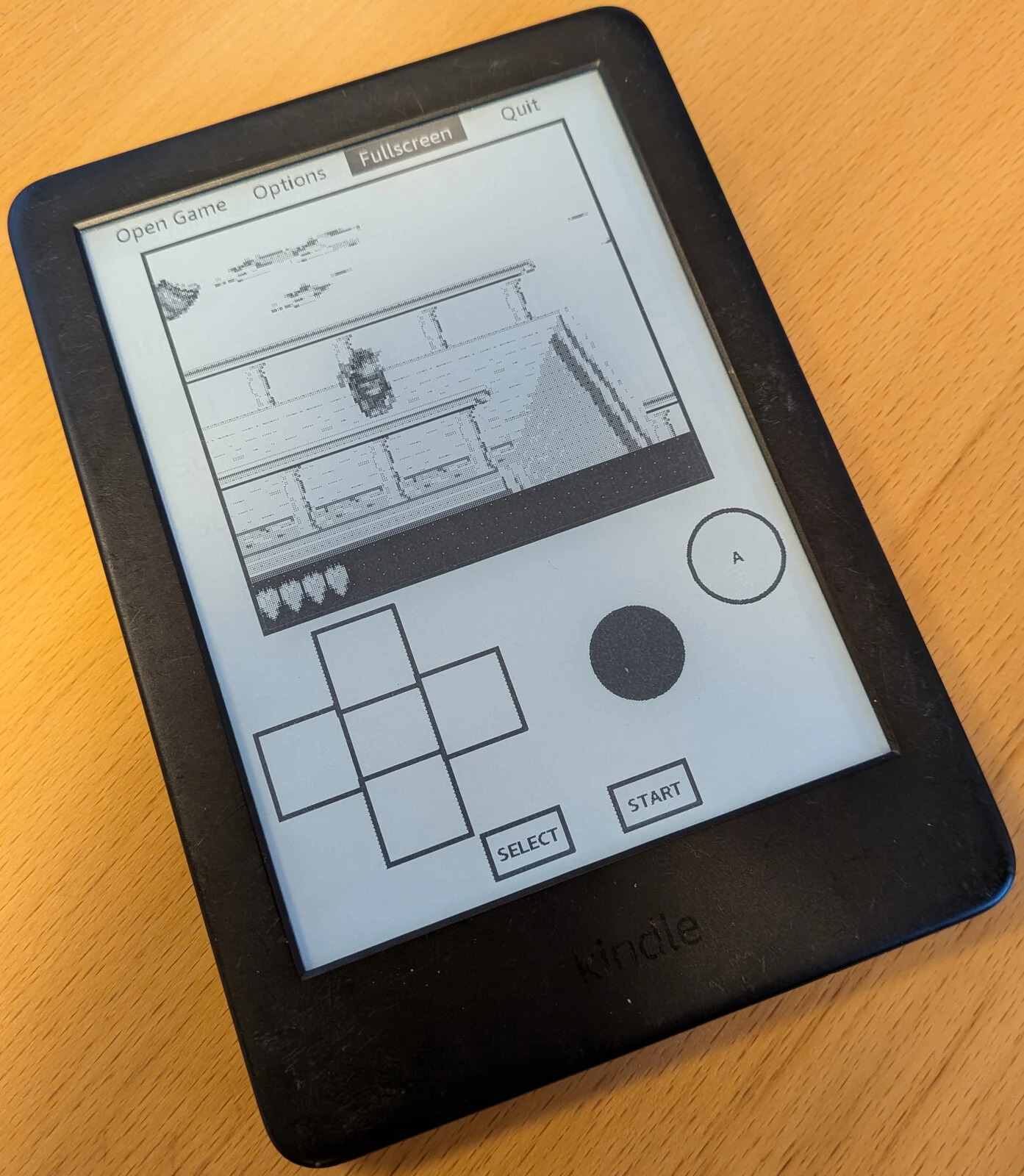
    Thanks to WinterBreak and AdBreak, jailbreaking your Kindle has become quite easy. Most Kindle models can be jailbroken, except for the newest Kindle Scribe. To check if your model is compatible and find out which firmware it uses, visit kindlemodding.org.

    Choosing Your Jailbreak Method

    After confirming compatibility with your model, you need to select between WinterBreak or AdBreak for the process. Since I had a Kindle 10th gen that had ads, I decided to go with AdBreak. WinterBreak still works, but it requires you to fill your Kindle’s storage to prevent automatic updates. It’s not a big deal, but it simplifies things a bit.

    Step-by-Step Guidance Available

    Both WinterBreak and AdBreak have detailed guides on the Kindle Modding Wiki. These instructions are simple to follow and took me less than 15 minutes to finish in total.

    The only challenge I faced was when it asked me to locate the .assets folder in the Kindle file system. To do this, I had to change a Windows setting by unchecking the box for “Hide protected operating system files” in the Windows File Manager.

    Important Post-Jailbreak Steps

    Make sure to complete the post-jailbreak actions to turn off OTA updates. While the latest Kindle OS version (as of this writing) can be exploited, that could change in the future.

    During the jailbreak process, I did encounter some app errors, but these can be ignored without worries.

    Once you’re back on the home screen, it’s a good idea to head over to Github and download the KindleForge app. Simply copy the contents from the Zip file to the downloads folder on your Kindle and run the script.

    Discover KindleForge

    KindleForge acts as an app store for your jailbroken Kindle and offers a variety of apps that can be installed easily with one click. Some of the most notable include:

    There are many others, so it’s beneficial to explore and see if any fit your needs.

    While these additional apps are a great perk, the most important app to enhance your Kindle’s functionality is KOReader.

    Using KOReader for Enhanced Reading

    After installing KOReader, you can transfer books to your device through USB, KOReader’s Cloud Storage integration (like Dropbox, FTP, or WebDAV), or SSH. Once you have some reading materials on your device, KOReader can open them. It supports a variety of formats, including EPUB, PDF, and MOBI, among others.

    The interface is quite basic but gets the job done effectively. After you choose the folder where your books are stored, you’ll see a list of your titles.

    Customization Options Galore

    There are plenty of customization options, such as setting hot corners and gestures for actions while reading, and creating a book map for easier navigation. You can also adjust fonts, sizes, margins, word spacing, line spacing, and contrast. If you run your own KOReader server, you can sync with Calibre and track your reading progress across devices.

    There are numerous features to explore, but it’s clear that many won’t be found on a standard Kindle.

    Comparing with Other E-Readers

    Although Kindles aren’t the fastest and might not hold up against competitors like Kobo or the Onyx Go 7 from Boox (available on Amazon), they are relatively affordable. A jailbroken Kindle provides a fantastic way to access DRM-free content from other stores or regain some features that Amazon has removed over the past year.

    For more information, check out kindlemodding.org, Reddit r/kindlejailbreak, KOReader.rocks, KindleForge (via Github), KOReader-Sync-Server (via Github), and Amazonform.com.

    Source:
    Link


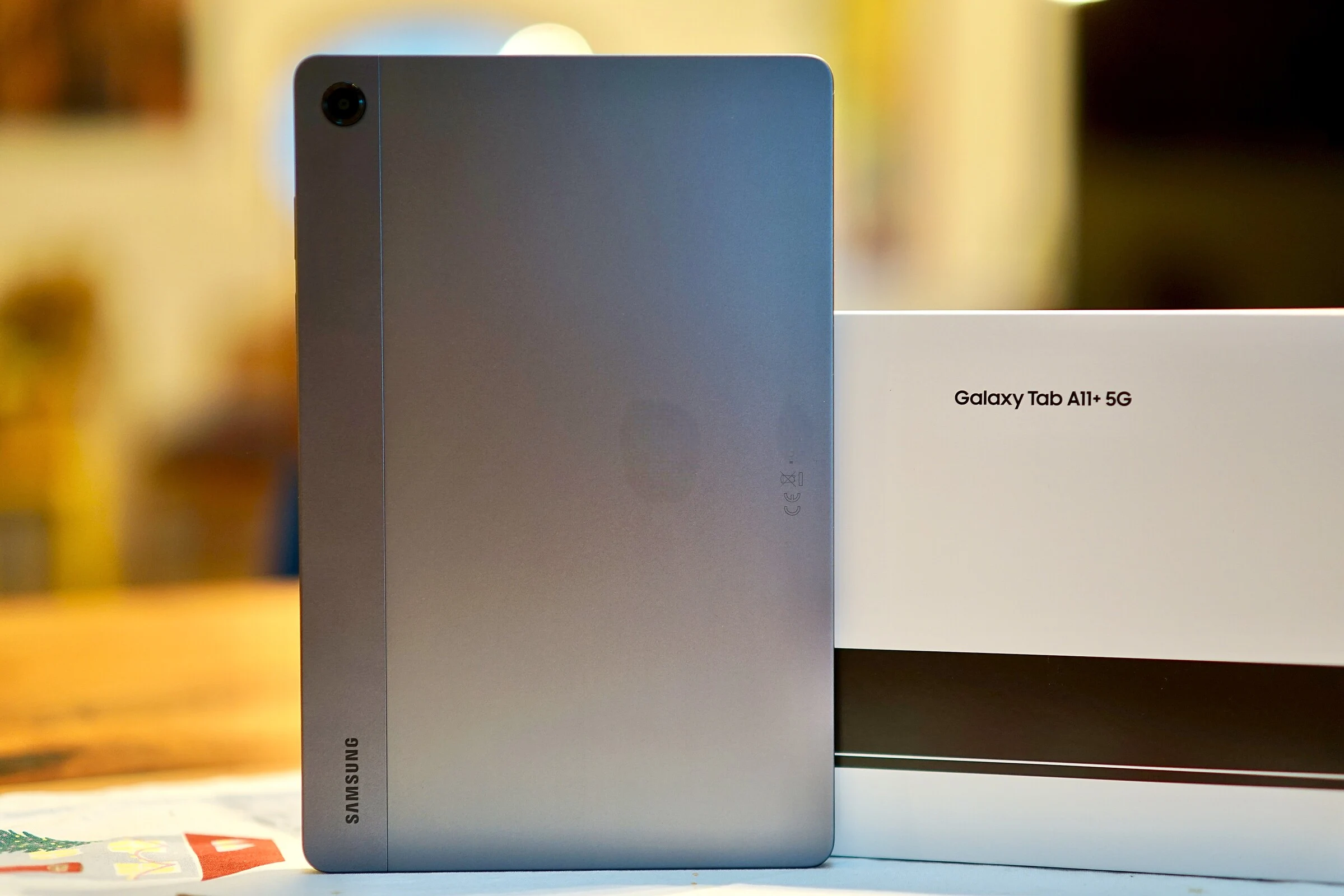
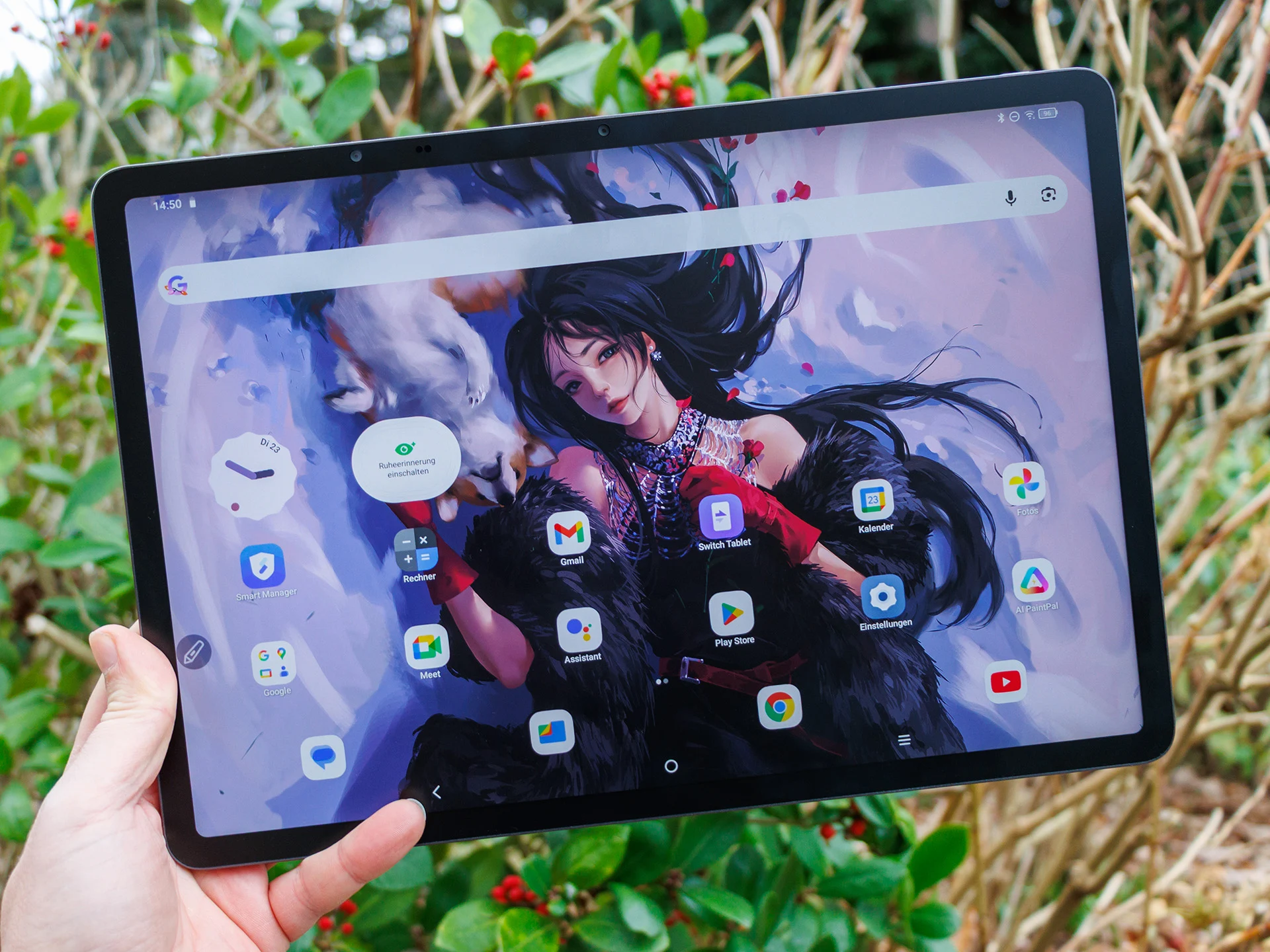
  • Budget Samsung Tablet Review: High Performance & 5G Option

    Budget Samsung Tablet Review: High Performance & 5G Option

    Key Takeaways

    1. Varying Reviews: Samsung products often receive mixed reviews, with some falling short in comparison to competitors.

    2. Value for Money: The Samsung Galaxy Tab A11+ 5G offers good value as a budget-friendly Android device, especially compared to the standard Galaxy Tab A11.

    3. Performance: Equipped with the MediaTek Dimensity 7300 SoC, the tablet handles demanding applications well and provides solid performance.

    4. Long Update Commitment: Samsung promises 7 years of security updates for the tablet, enhancing its longevity.

    5. Battery Life: With a 7,040mAh battery, the tablet lasts over 36 hours during WiFi testing, making it reliable for extended use.


    Reviews of Samsung products can be quite varying. Sometimes, a smartphone or tablet doesn’t really wow us because the South Korean brand leans too much on its famous name, while competitors have surpassed them in specifications, features, or overall value.

    Nevertheless, we do come across Samsung tablets or phones that provide excellent value for a fair price. Thankfully, this is the case with the newly evaluated Samsung Galaxy Tab A11+ 5G, which is somewhat unexpected, considering we weren’t very impressed by the standard Galaxy Tab A11 model.

    More for Your Money

    The Samsung Galaxy Tab A11 Plus, which is a bit pricier, arguably gives more for those looking for a budget-friendly Android device. There are four configurations available, though their local availability may vary:

    Every variant comes equipped with a GPS module, including the WiFi-only models. In some areas, prices at select third-party sellers have already dipped below the stated MSRP. For example, the 128GB version with 5G is currently priced at $253 on Amazon.

    Solid Performance

    In this price bracket, the MediaTek Dimensity 7300 is a quite speedy SoC that manages to handle more demanding applications with ease. Additionally, Samsung commits to providing 7 years of security updates, and the 5G version is capable of making phone calls. The tablet has a battery capacity of 7,040mAh, which isn’t oversized but still lasts over 36 hours in our WiFi testing.

    Despite the long update commitment, Samsung hasn’t prioritized sustainability much. There’s no fingerprint scanner, and the display exhibits a slight blue tint.

    Overall Impressions

    That being said, the Samsung Galaxy Tab A11 Plus made a very positive impression due to its comprehensive feature set. For further information and extensive measurements, benchmark results, and comparisons, you can check out our detailed review of this budget-friendly Samsung tablet.

  • Ugee UT3 vs Samsung Galaxy Tab S10 FE+: Which is Better?

    Ugee UT3 vs Samsung Galaxy Tab S10 FE+: Which is Better?

    Key Takeaways

    1. Target Audience and Purpose: Ugee UT3 is focused on artists with its large drawing area and pen capability, while Samsung Galaxy Tab S10 FE+ is designed as a versatile all-around tablet for general use.

    2. Display Quality: Ugee features a 60 Hz LC panel with a matte finish and color modes for a paper-like experience, whereas the Galaxy Tab S10 FE+ offers a brighter 90 Hz display for smoother visuals and better multitasking.

    3. Performance: Ugee UT3 has a slower MediaTek Helio G99 processor, suitable for basic tasks, while Galaxy Tab S10 FE+ uses a powerful Exynos chip for superior performance in demanding applications and gaming.

    4. Software and Updates: Ugee runs a basic version of Android 14 with limited updates, while Samsung provides a feature-rich One UI with long-term OS and security support, along with better camera capabilities.

    5. Pricing and Value: Ugee UT3 is priced below $400, ideal for those needing a large screen for drawing, but with trade-offs. The Galaxy Tab S10 FE+ costs more but offers a comprehensive package with better performance and future usability.


    At first look, the Ugee UT3 and the Samsung Galaxy Tab S10 FE+ seem targeted at the same audience, yet they are quite different in focus, performance, and future usability. The Ugee, boasting a large 14.25-inch screen and pen capability, provides ample drawing area at a relatively low cost. In contrast, the Galaxy Tab S10 FE+ is marketed as a more contemporary all-around tablet, emphasizing better performance, connectivity, and software support.

    Display Comparison

    For its display, Ugee opts for a sizeable 60 Hz LC panel that features a matte finish alongside three unique color modes, including color paper and ink paper modes. These are aimed at delivering a more authentic paper-like experience for both writing and reading. On the other hand, Samsung’s Tab S10 FE+ has a 13.1-inch screen with a superior refresh rate of 90 Hz and significantly brighter visuals, leading to a smoother and more modern user experience during scrolling, gaming, and multitasking. The S Pen on the Galaxy Tab also boasts lower latency and is more effectively integrated into the system, making it easier to use for notes, multitasking, AI features, and creative applications.

    Performance Differences

    When it comes to performance, there is a stark contrast between the two tablets. The Ugee UT3 is powered by an older MediaTek Helio G99, paired with slow eMMC storage, which is adequate for basic daily tasks but struggles with more demanding applications. In comparison, the Galaxy Tab S10 FE+ utilizes a cutting-edge 4nm generation Exynos chip, along with increased RAM and faster storage. This results in noticeably quicker loading times, enhanced multitasking capabilities, and superior gaming performance. Moreover, it supports Wi-Fi 6E, optional 5G, features a fingerprint sensor, and has IP68 ratings, while the Ugee falls behind in terms of connectivity and user-friendly features.

    Software and Camera Capabilities

    Samsung holds a distinct edge in software and camera quality as well. The Ugee UT3 runs on Android 14 with minimal customizations and lacks a clear update path, while its cameras are basic, primarily suited for simple photos and video calls. In contrast, Samsung provides the latest Android version along with One UI, promising multiple years of OS and security updates. The Tab S10 FE+ is equipped with higher-resolution cameras that support 4K video, making it much more versatile for video conferencing, scans, and occasional photography.

    In the pricing department, the Ugee UT3 (buy here on Amazon) is appealing at just below $400 for those seeking maximum screen space and a matte surface for writing, sketching, and reading, though they must be okay with some trade-offs regarding speed, audio quality, wireless standards, and updates. The Galaxy Tab S10 FE+ is priced a bit higher (buy here on Amazon) but delivers a more comprehensive package overall, making it a recommended choice for a multi-functional work and multimedia tablet with robust pen support and better long-term viability.

    Source:
    Link