Category: Gaming

  • Retroid Pocket 6 and G2 Gaming Handheld Release Details Coming Soon

    Retroid Pocket 6 and G2 Gaming Handheld Release Details Coming Soon

    Key Takeaways

    1. Retroid has announced two new gaming handhelds: the Pocket 6 and Pocket G2.
    2. The Pocket 6 will begin shipping in January 2026, while the Pocket G2 will ship in two batches starting October 29.
    3. Pre-orders for both devices will open on October 28 at 01:00 UTC.
    4. The Pocket 6 is priced at $209 and the Pocket G2 at $199.
    5. The Pocket G2 will have different shipping dates for its color variants: Black, GameCube, and 16-bit on October 29, and Turquoise and Yellow on November 5.


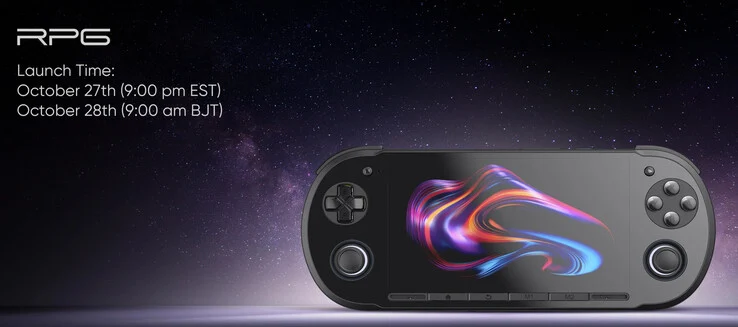
    Retroid just showed off its new gaming handhelds today. This time, the company didn’t do a big reveal like last time. Instead of a long build-up like they did with the Pocket Classic and Pocket Flip 2 (curr. $269 on Amazon), they decided to announce everything at once.

    New Handhelds Announced

    Retroid introduced the Pocket 6 and Pocket G2 after sharing a mysterious teaser just last Monday. Now, they have quietly confirmed when both devices will be available. However, it’s important to note that the Pocket 6 won’t be shipping for a while.

    Shipping Dates and Pre-orders

    To be specific, Retroid won’t start sending out Pocket 6 pre-orders until at least January 2026. On the other hand, the Pocket G2 will be shipped out in two different batches. According to the image below, the Black, GameCube, and 16-bit models will start shipping on October 29.

    Conversely, the Turquoise and Yellow versions will be delayed and won’t go out until November 5. The Retroid Pocket 6 and Pocket G2 will be up for pre-order starting October 28 at 01:00 UTC, priced at $209 and $199, respectively.


    Source:
    Link


  • MSI Launches Ultra-Compact RTX 5050 GPUs for SFF PCs

    MSI Launches Ultra-Compact RTX 5050 GPUs for SFF PCs

    Key Takeaways

    1. MSI launched the GeForce RTX 5050 Inspire ITX and Inspire ITX OC graphics cards for compact PC builds.
    2. The cards measure 147 × 120 × 45 mm and feature a two-slot, single-fan cooler with modern display outputs.
    3. Both models use Nvidia’s GB207-300 GPU with 2,560 CUDA cores and 8 GB of GDDR6 memory, differing mainly in boost clock speeds.
    4. They have a 130 W TDP and require a single 8-pin PCIe power connector, with a recommended PSU of 550 W.
    5. The cards target gamers and creators needing performance in small spaces, with no pricing or availability details announced yet.


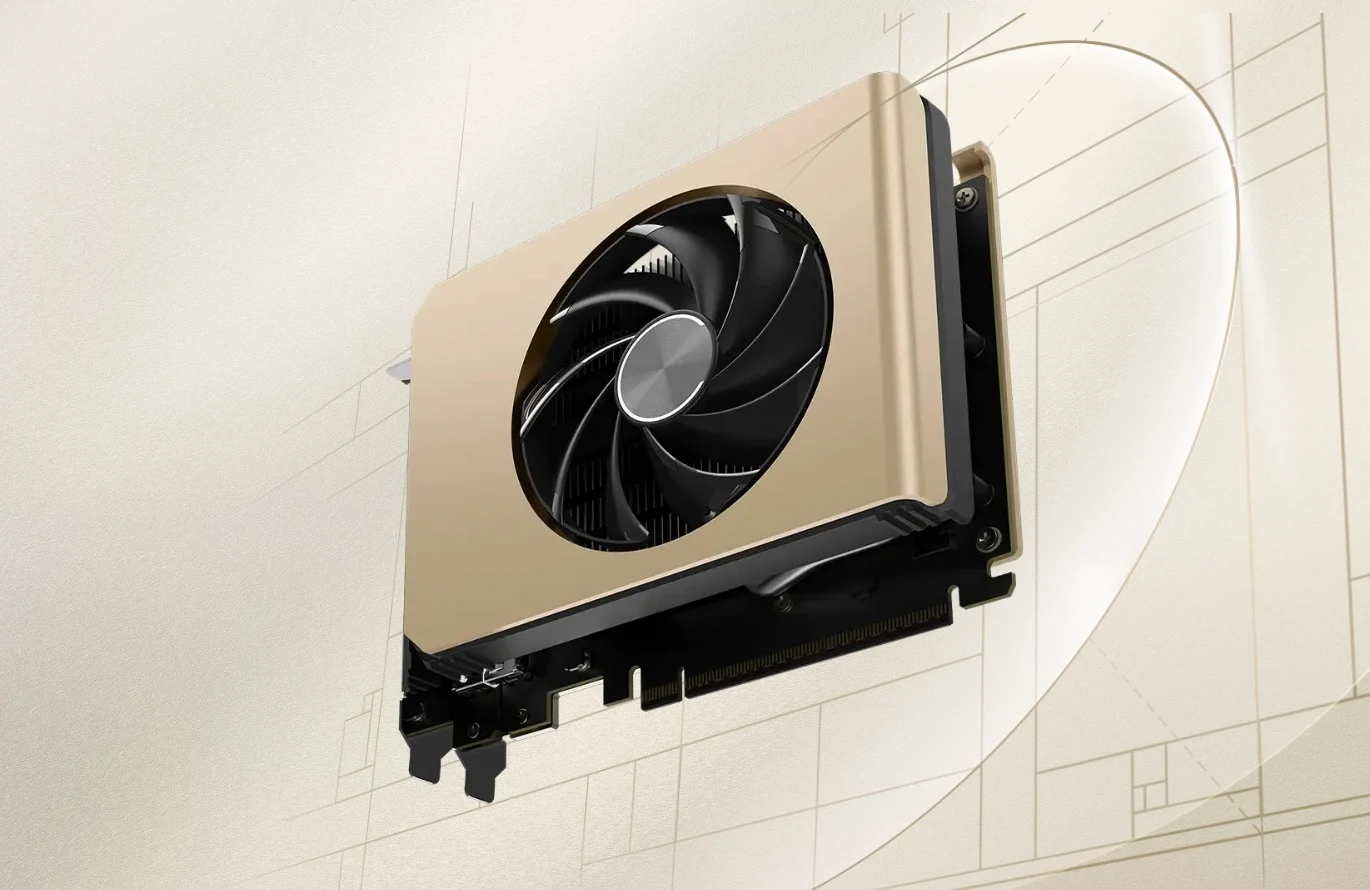
    MSI has launched two fresh models in its GeForce RTX 50 lineup, aiming at PC builders who favor small form factor (SFF) and ITX setups. The GeForce RTX 5050 Inspire ITX and the Inspire ITX OC graphics cards focus on a compact design while maintaining essential features.

    Compact Design

    Measuring just 147 × 120 × 45 mm, these graphics cards bring Nvidia’s latest RTX 5050 technology to cases where every millimeter matters. MSI’s offering is notable in a market that is increasingly filled with large GPUs, as it provides a two-slot, single-fan cooler along with a complete range of modern display outputs — including three DisplayPort 2.1b and one HDMI 2.1b.

    Specifications and Performance

    The standard Inspire ITX (G5050-8II) and its OC counterpart (G5050-8IIC) are driven by Nvidia’s GB207-300 GPU featuring 2,560 CUDA cores and 8 GB of GDDR6 memory operating at 20 Gbps across a 128-bit bus. The main distinction between the two models is in the boost clock speeds: 2,572 MHz for the base version and 2,602 MHz for the OC edition.

    Power and Recommendations

    The power requirements are quite reasonable, with both cards having a 130 W TDP and utilizing a single 8-pin PCIe power connector. MSI suggests a 550 W PSU for optimal system compatibility.

    Though MSI has not disclosed any pricing or availability details yet, the new GeForce RTX 5050 Inspire ITX models are clearly aimed at gamers and creators who seek performance within tight spaces—whether it be in living room PCs, HTPCs, or compact gaming setups. In a landscape where GPUs appear to be getting bigger with each generation, these new models provide an appreciated acknowledgment to the compact PC enthusiast community.

    Source:
    Link


  • ARMSX2 v1.0 Released for Better PS2 Emulation on ARM Android Devices

    ARMSX2 v1.0 Released for Better PS2 Emulation on ARM Android Devices

    Key Takeaways

    1. ARMSX2 is a new open-source PlayStation 2 emulator for ARM-based devices, particularly Android smartphones, and has just released its first stable version 1.0.
    2. It builds upon the popular PCSX2 emulator but uses a translation layer to convert x86 code to arm64, resulting in some performance issues and bugs.
    3. Previous PS2 emulators for Android, like AetherSX2 and NetherSX2, faced challenges, with AetherSX2 being discontinued due to community conflicts and NetherSX2 being closed-source.
    4. The open-source nature of ARMSX2 allows developers to contribute to its growth and improvements, with plans to achieve feature parity with PCSX2 in the future.
    5. ARMSX2 aims to support multiple platforms, including Android, iOS, and MacOS, although iOS presents limitations for playable emulation.


    Console emulators on smartphones have just seen a significant boost.

    ARMSX2, a PlayStation 2 (PS2) emulator tailored for ARM-based devices (particularly Android smartphones like the Samsung Galaxy S25 Ultra), has launched version 1.0. This emulator is an open-source initiative built upon PCSX2, which is possibly the most favored PS2 emulator currently available. Although it was initially released in August, this version represents its first stable update.

    History of PS2 Emulators

    For seasoned retro gamers, it’s clear that this isn’t the first PS2 emulator for Android. AetherSX2 made quite an impression when it debuted a few years ago, but the developer halted work on it due to conflicts with users and others in the emulation community. This led to the creation of NetherSX2, a capable PS2 emulator as well. However, NetherSX2 operates on closed-source code, which limits its growth and updates.

    Technical Details

    While ARMSX2 is rooted in PCSX2, it doesn’t utilize native ARM code. Instead, it employs a translation layer that recompiles x86 code (the code PCSX2 uses) into arm64 code suitable for ARM devices. Consequently, there are numerous bugs present in ARMSX2’s current version. Reports indicate that its performance is also not as impressive when compared to NetherSX2. The developers have mentioned that they might change how this translation layer works in future updates.

    Future Prospects

    Nonetheless, ARMSX2 might become the next big thing in mobile PS2 emulation. Being open-source means that any developer can review the code and even propose modifications. Moreover, it leverages the robust PCSX2 emulator and features a more updated codebase than its rivals.

    The creators aim to reach “version parity with PCSX2.” They’ve also clarified that ARMSX2 is designed for “Android, iOS, and MacOS [sic].” This is intriguing since there’s already a PS2 emulator for iOS named “Play!,” but it’s not generally considered playable due to iOS’s limitations on just-in-time (JIT) compilation. Additionally, there’s a specialized ARM-optimized version of PCSX2 made for M-series MacBooks (like the M5 MacBook Pro).


    Source:
    Link


  • Unlock RTX 4090 Laptop Performance to Beat RTX 5090 Laptops

    Unlock RTX 4090 Laptop Performance to Beat RTX 5090 Laptops

    Key Takeaways

    1. Power limits in gaming laptops often restrict GPU performance to prevent overheating and ensure stability.
    2. A modder successfully used shunt modding on an RTX 4090 GPU to report lower power consumption, allowing the GPU to reach higher clock speeds.
    3. The modification involved adding a 1 mOhm resistor to the existing 5 mOhm resistor, misleading the system about actual power usage.
    4. Adequate cooling and a strong power supply are essential for this mod, as the true power draw can reach up to 240W.
    5. While shunt modding can significantly boost performance, it carries risks of permanent damage and requires specialized tools to execute correctly.


    Power limits often prevent a high-performance GPU from achieving its full capabilities. In gaming laptops, where space and cooling are restricted, strict power limits are typically enforced to avoid overheating and ensure stable performance. But what if there was a way to deceive the system into believing that the GPU isn’t hitting its power limit? A modder has found a method to do just that, achieving impressive performance boosts that sometimes surpass a laptop equipped with an RTX 5090.

    The Modding Process

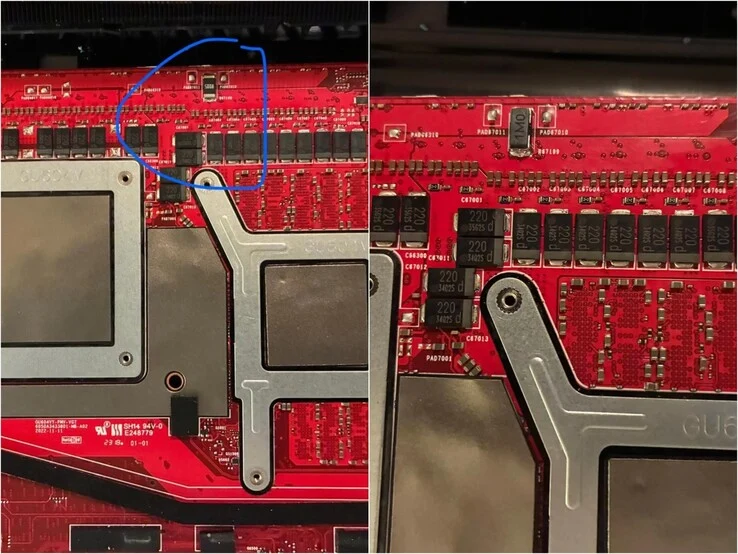
    According to a post by ‘thatavidreadertrue’ on Reddit, the user implemented shunt modding on a Zephyrus M16 that houses an RTX 4090 GPU. Shunt modding involves physically altering a resistor on the GPU, allowing it to report a lower power consumption. This enables the GPU to achieve its full clock speeds. The modder placed a 1 mOhm resistor on top of the existing 5 mOhm resistor, causing the GPU to indicate it was using six times less power than it actually was.

    Cooling and Power Supply Considerations

    Naturally, this modification requires a robust cooling system and a strong power supply. The Redditor mentioned that the Zephyrus M16 has sufficient power phases, and they replaced the old thermal paste on both the CPU and GPU with a higher-performance option. As a result, the M16 was showing power usage between 40W to 45W, while the true power draw could reach up to 240W (the maximum of the power adapter).

    Benchmark Results and Risks

    The modder shared several benchmarks, including Speedway, Steel Nomad, Port Royal, and Time Spy. In most instances, as illustrated below, the modified M16 surpassed the typical performance of an RTX 5090 laptop.

    While shunt modding can be effective, it carries risks and demands some specialized tools. If you consider attempting this, be aware that there is a possibility of causing permanent damage to the components. However, if done correctly, you could potentially achieve RTX 5090 laptop performance at just half the price.

    Source:
    Link


  • OneXPlayer OneXFly Apex: First Liquid-Cooled Gaming Handheld

    OneXPlayer OneXFly Apex: First Liquid-Cooled Gaming Handheld

    Key Takeaways

    1. The OneXFly Apex gaming handheld features AMD Strix Halo APUs, up to 128 GB of RAM, and an 8-inch VRR display.
    2. The device is powered by an 85 Wh battery and has been shown playing Cyberpunk 2077 at 1200p with over 60 FPS.
    3. One-Netbook has introduced an external liquid cooling system for the OneXFly Apex to manage a 120 W TDP.
    4. The OneXFly Apex is set to compete with GPD’s Win 5, which has a smaller 7-inch screen and focuses on enhanced cooling.
    5. A launch event for the OneXFly Apex is scheduled for October 28 at 11:00 UTC to provide more hardware details.


    Over a month ago, One-Netbook gave a sneak peek of the OneXFly Apex under its OneXPlayer brand. This new gaming handheld, the OneXFly Apex, features AMD Strix Halo APUs, offers up to 128 GB of RAM, boasts an 8-inch VRR display, and is powered by an 85 Wh battery. In the meantime, GPD launched the Win 5, which also uses the same AMD platform but has a smaller 7-inch screen, plus an external battery solution to enhance cooling performance.

    OneXFly Apex in Action

    Recently, One-Netbook has revealed its first AMD Strix Halo gaming handheld through a series of videos, including one uploaded to YouTube. The video features the OneXFly Apex playing Cyberpunk 2077 at 1200p with ray tracing turned on and DLSS upscaling off. Unlike AMD Strix Point handhelds such as the OneXFly F1 Pro (currently priced at $1,439 on Amazon), which struggle to perform, the OneXFly Apex maintains over 60 FPS consistently.

    Cooling Solutions and Launch Event

    In addition, One-Netbook has announced that the OneXFly Apex will be compatible with an external liquid cooling system designed to manage a 120 W TDP effectively. As of now, One-Netbook has not shown how this cooling solution functions or how it connects to the device. The company is planning to hold a launch event for the OneXFly Apex on October 28 at 11:00 UTC, where it is expected to reveal more about the hardware.

    Source:
    Link


  • Assassin’s Creed Unity Stunning Graphics with RTX 5090 Ultra Settings

    Assassin’s Creed Unity Stunning Graphics with RTX 5090 Ultra Settings

    Key Takeaways

    1. Assassin’s Creed Unity, released in 2014, has undergone significant improvements, with most bugs resolved and new customization options available.
    2. Digital Dreams showcased enhanced graphics, including ray tracing, which improves lighting quality and overall immersion.
    3. The game is now playable in stunning 8K resolution, enhancing texture and environmental details for a more realistic experience.
    4. High-end hardware, like the RTX 5090 and Ryzen 7 9800X3D, is required to achieve the best visual quality displayed in the video.
    5. Players with less powerful systems can explore alternative mods for a better experience without needing high-end equipment.


    Assassin’s Creed Unity is a game that came out in 2014 and has a special place in the hearts of many fans. Currently, there are no remastered versions in the works, but Digital Dreams has just shared a video showcasing the game in stunning detail, thanks to the RTX 5090 and various mods.

    Improvements Over Time

    It’s noteworthy that this game has seen a lot of fixes in recent years. Nowadays, most bugs have been resolved, and players can enjoy a range of customization options that enhance their experience.

    Enhanced Graphics

    Digital Dreams has clearly recognized the potential of this title by implementing various upgrades. They introduced ray tracing, which significantly elevates the game’s lighting quality. Additionally, the Apex Reshade mod makes daytime brighter and nighttime colors darker, creating a more immersive environment.

    Stunning Visuals in 8K

    Furthermore, the game is played at an 8K resolution, which boosts the texture and environmental quality. This certainly adds a sense of realism to the 18th-century Paris setting. Players will now notice many details that were once hard to see, greatly enriching the overall experience.

    However, not everyone will be able to enjoy Assassin’s Creed Unity at the same stunning level as shown in the video. It’s important to mention that Digital Dreams operates on a high-end setup, featuring an RTX 5090 and a Ryzen 7 9800X3D. If your system doesn’t meet these requirements, it might be wise to explore other mods that demand less power.

    Source:
    Link


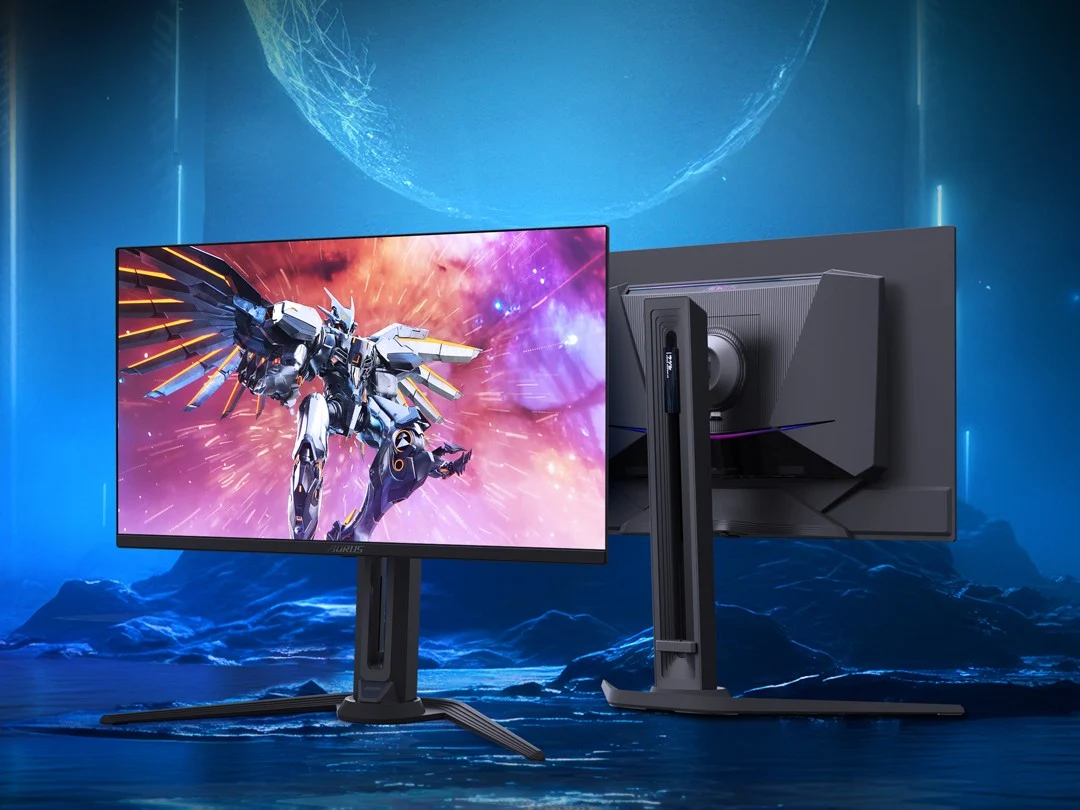
  • Gigabyte Aorus FO27Q5P: 500Hz QD-OLED Monitor in the UK

    Gigabyte Aorus FO27Q5P: 500Hz QD-OLED Monitor in the UK

    Key Takeaways

    1. The Aorus FO27Q5P is a 500Hz QD-OLED gaming monitor with UHBR20-capable DisplayPort 2.1 ports.
    2. It is priced at £838.99 (approximately $1,120) in the UK, which is higher than the AOC Agon Pro AG276QKD2.
    3. The monitor features a 27-inch QD-OLED display with 1440p resolution and can achieve up to 1,000 nits brightness in HDR mode.
    4. It has certifications including DisplayHDR True Black 500 and covers 99% of the DCI-P3 color space.
    5. Unique features include UHBR20 compatibility, a built-in KVM switch, and a USB-C port, enhancing its utility for both gaming and office use.


    The Gigabyte Aorus FO27Q5P is part of the latest batch of 500Hz QD-OLED gaming monitors that were revealed this year. This particular model was first shown during CES and stands out as one of the few, along with the MSI MPG 271QR QD-OLED X50 and AOC Agon Pro AG276QKD2, to offer UHBR20-capable DisplayPort 2.1 ports. After its initial release in Europe, the Aorus FO27Q5P is now available in the UK.

    Pricing Details

    In the UK, customers can buy the Aorus FO27Q5P for £838.99 (approximately $1,120) from retailers like Amazon and Overclockers UK. It’s worth noting that this price is higher when compared to the AOC Agon Pro AG276QKD2, which is currently listed at £678.95 on Overclockers UK, even though both models feature the same QD-OLED 500Hz panel and DisplayPort 2.1 support.

    Specifications

    As highlighted earlier, the Aorus FO27Q5P boasts a 27-inch QD-OLED display with 1440p resolution and a refresh rate of 500Hz. It can achieve up to 1,000 nits brightness in HDR mode, which is slightly less than the Gigabyte MO27Q28G that utilizes the new Primary RGB Tandem OLED panel. Nonetheless, it still offers a bright enough performance for a genuine HDR experience. Additionally, the Aorus FO27Q5P is DisplayHDR True Black 500 certified and covers an impressive 99% of the DCI-P3 color space.

    Unique Features

    The main draw for choosing this model over more affordable 500Hz OLEDs like the MSI MAG 272QP QD-OLED X50 is its UHBR20 compatibility. With its DisplayPort 2.1 ports, the Aorus FO27Q5P can reach its full 500Hz refresh rate at 1440p without the need for DSC. It also holds a ClearMR 21000 certification and comes with a built-in KVM switch and a USB-C port, which adds to its convenience for office environments.

    At present, the Aorus FO27Q5P can be found in the UK and Europe, but Gigabyte has not yet announced when it will be available in the US market.

    Source:
    Link


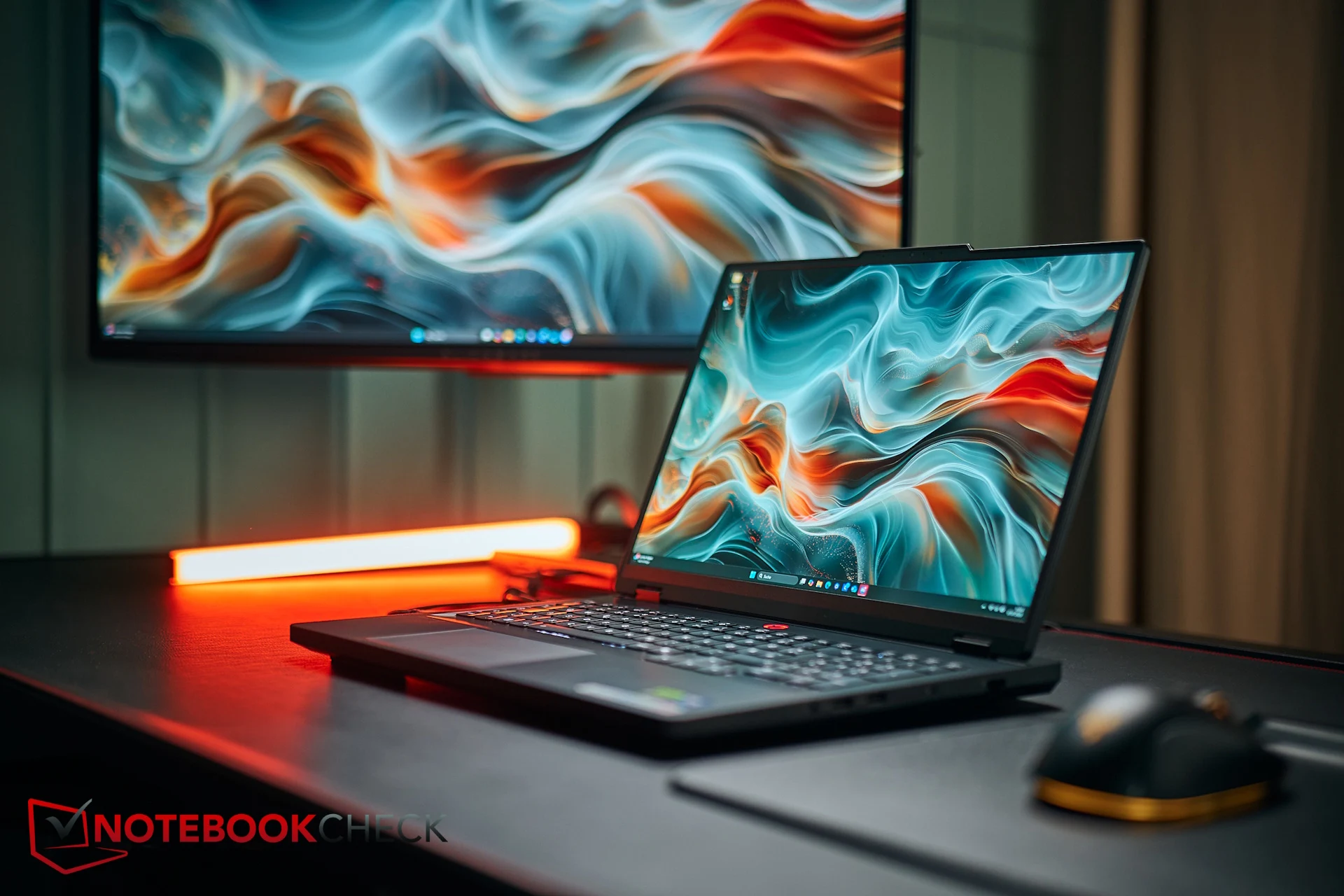
  • RTX 5070 vs 5070 Ti: Why the 5070 Legion Pro Scores Higher

    RTX 5070 vs 5070 Ti: Why the 5070 Legion Pro Scores Higher

    Key Takeaways

    1. Complexity of Testing: Evaluating laptop hardware is complicated, especially when comparing different models and features.

    2. Performance vs. Features: The Lenovo Legion Pro 5 16, while not as powerful as the Ti model, offers advantages in temperature, noise, power usage, and battery life.

    3. Subjective Priorities: Gamers may prioritize raw performance, while others might value thermal management and noise levels, leading to differing opinions on which model is “better.”

    4. Inflexibility of Ratings: A single score can be misleading; ratings come with compromises and can vary based on user needs and budget.

    5. Research is Key: Potential buyers should read comprehensive reviews and seek multiple opinions to make informed decisions.


    Testing laptop hardware properly—especially when you’re looking at every important detail—can be quite complex. But scoring and comparing those results between different models is even more challenging and often leads to disagreements.

    When we checked out the Lenovo Legion Pro 16 featuring the RTX 5070 Ti, we rated it as one of the top RTX 5070 Ti laptops available, giving it a score of 85 percent. Four months later, we put the Legion Pro 5 16 with the regular RTX 5070 to the test. It’s a solid performer as well, although naturally, it doesn’t match the speed of the Ti model and is even slightly surpassed by one of its rivals. Still, it received a score of 86 percent—how can that be?

    Performance vs. Features

    The reasoning is quite straightforward, though different people may see it differently based on what they prioritize: what the smaller version lacks in sheer performance, it compensates for easily in factors like temperature, noise, power usage, and battery longevity. The performance gap is balanced out by benefits in several other areas. Additionally, it offers one small perk—the non-Ti variant comes with a built-in Wi-Fi 7 module, while the Ti version only has a Wi-Fi 6E card.

    The Great Debate

    This is where discussions start to arise. Core gamers might prioritize raw performance much more than they do fan noise or thermal management. How do you measure that accurately? One could also contend that, with the correct performance setting (Balanced, Eco, etc.) or a little undervolting, the Ti version could reach similar thermal and noise levels while still maintaining more potential for performance.

    So, is the non-Ti model actually “better”? It’s tough to determine—definitely not universally. However, for a rating system to remain consistent, it needs specific rules. That’s why a single score seldom reveals the whole story: ratings always come with compromises and are, by nature, somewhat inflexible. In our evaluation, the non-Ti model comes out slightly on top—but that’s merely a part of the overall picture. Particularly when the scores are so close, each buyer should consider the different categories a little differently, especially depending on their budget.

    Final Thoughts

    Our advice for readers and potential laptop purchasers: for making the best informed choice, read our comprehensive reviews and—after that—seek a second opinion. Serious buying research should always be founded on various sources.

  • Retroid Pocket G2 Release: Upgraded Processor from Pocket 5

    Retroid Pocket G2 Release: Upgraded Processor from Pocket 5

    Key Takeaways

    1. Enhanced Version: The Retroid Pocket G2 is an upgraded model of the Retroid Pocket 5, sharing similar design features.

    2. Color Options: The G2 comes in five colors, including Yellow and Turquoise, and is compatible with accessories from the Pocket 5.

    3. Internal Upgrades: It features a 5.5-inch 1080p AMOLED screen, Snapdragon G2 Gen 2 processor, 8GB of RAM, and 128GB of storage.

    4. Battery and Connectivity: The device includes a 5,000mAh battery with 27W charging, USB-C with DisplayPort support, Wi-Fi 6, and Bluetooth 5.4.

    5. Pricing and Launch: The G2 is priced at $219, but can be purchased for $199 during the first two weeks after launch.


    Along with the Retroid Pocket 6, the company has also rolled out another handheld device named the Pocket G2. This new gadget can be seen as an enhanced version of the Retroid Pocket 5, as both handhelds sport many similar features, including their design.

    Naming Confusion

    It could easily have been termed the Pocket 5s, Pocket 5 Plus, or even Pocket 5 Pro, especially since there isn’t any Retroid Pocket G1. Still, the likeness between these two handhelds does not diminish the appeal of the new model.

    Color Options and Compatibility

    The Retroid Pocket G2 comes in five different colors, including Yellow and Turquoise, which are quite similar to those of the Nintendo Switch Lite (currently priced at $199 on Amazon). The other three colors — 16Bit, Black, and GC — are taken from the Retroid Pocket 5. Since it has the same shell as the Pocket 5, it can use the same accessories as that model.

    Internal Upgrades

    While the exterior remains unchanged, the real upgrades are found within. The Retroid Pocket G2 features a 5.5-inch 1080p AMOLED screen with a 60Hz refresh rate. Unlike the Pocket 5, which had the Snapdragon 865, this new model uses the more advanced Snapdragon G2 Gen 2. This processor is combined with 8GB of LPDDR5x RAM and 128GB of UFS 3.1 storage.

    Battery Life and Connectivity

    This Android handheld comes with Android 15, a 5,000mAh battery, and supports 27W wired charging. It includes a USB-C port that has DisplayPort support for 1080p output and also features Wi-Fi 6 and Bluetooth 5.4. Similar to the Pocket 5, it has Analog L2 and R2 buttons, along with Hall Effect joysticks that glow with RGB lights.

    Pricing and Availability

    The Retroid Pocket G2 is priced at $219, but during the first two weeks of its launch, customers can get it for $199, which aligns with the new price of the Retroid 5 after its permanent price reduction. Retroid has yet to announce when the handheld will actually be available for buying.

    Source:
    Link


  • Leaked Images from Canceled God of War Multiplayer Game

    Leaked Images from Canceled God of War Multiplayer Game

    Key Takeaways

    1. The God of War series has entertained gamers for over 20 years with numerous titles.
    2. Screenshots from a scrapped multiplayer game reveal it was set in Ancient Greece.
    3. The storyline could have included iconic characters like Poseidon, Hades, and Hercules.
    4. Some images suggest a curse affecting the game world, but no official confirmation exists.
    5. Fans are eager for a remake of the original God of War, and Bluepoint Games has a strong reputation for high-quality projects.


    The God of War series has been delighting gamers for over two decades, with many titles that have captivated millions globally. Earlier this year, a multiplayer game being developed by Bluepoint Games was scrapped, but recently, some images leaked online, revealing a vast world that could have been.

    Screenshots Reveal Ancient Greece

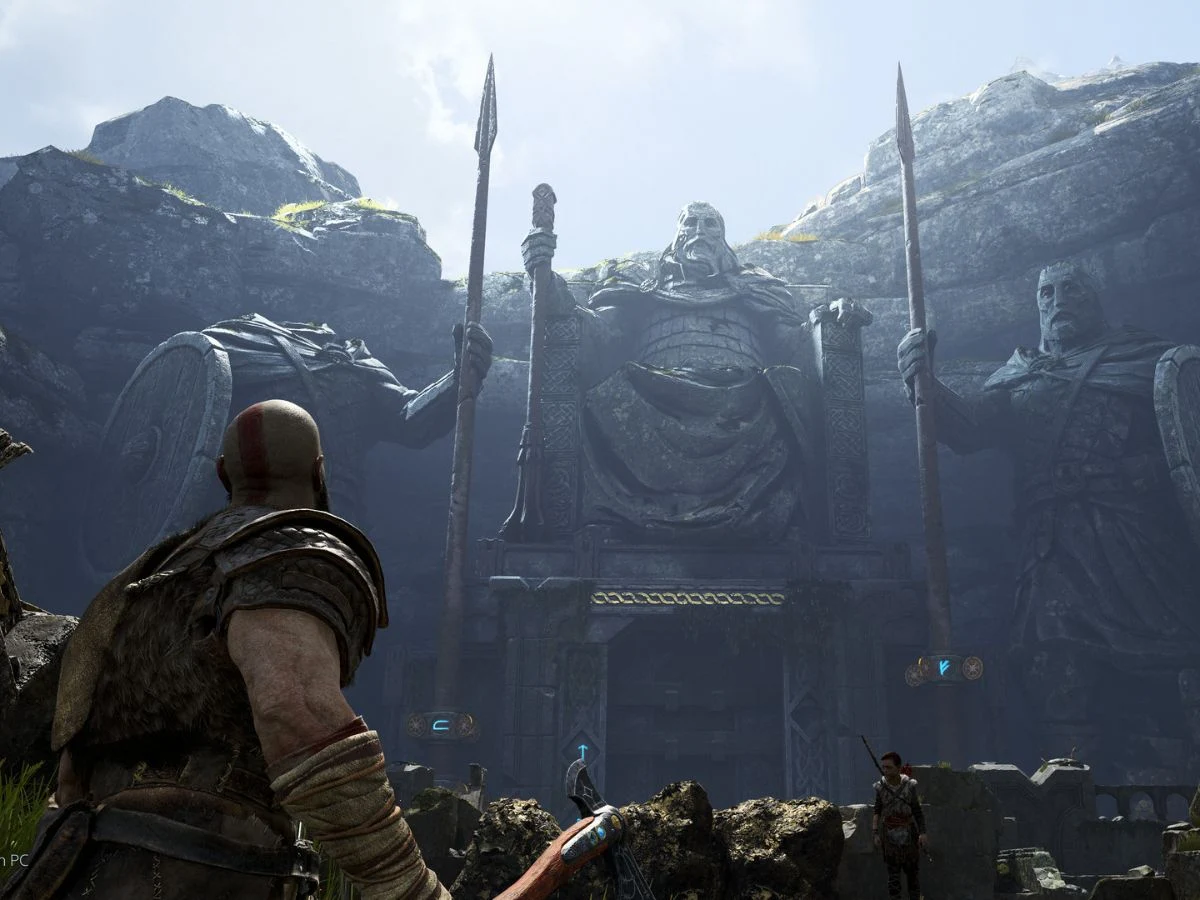
    MP1st shared several screenshots from this canceled project, and one detail really jumps out. This God of War game was meant to be set in Ancient Greece, which is clear from the statues and the design of the temples shown in the images.

    Imagining What Could Have Been

    If these images are from an early development phase, it opens up a lot of potential scenarios. If the storyline was indeed set in this era, players might have met iconic characters from the series, including gods like Poseidon, Hades, and even Hercules.

    A Possible Game-Changer

    Another noteworthy aspect is the reddish hue seen in some pictures, which seems to suggest a curse affecting various regions of the game world.

    Nonetheless, we should be careful, as there has been no official confirmation regarding these images. While we know the game was planned as a multiplayer experience, many uncertainties still linger about its gameplay features.

    Future Possibilities

    Bluepoint Games is well-known for its high-quality projects, and there’s a strong call from fans for a remake of the original God of War. Even though there’s been no announcement yet, things might change in the next few months.

    Source:
    Link