
Key Takeaways
1. Performance Trade-offs: The Acer Nitro V 17 operates quietly and is energy-efficient, but this results in a slight decrease in gaming performance, which is acceptable for a budget device.
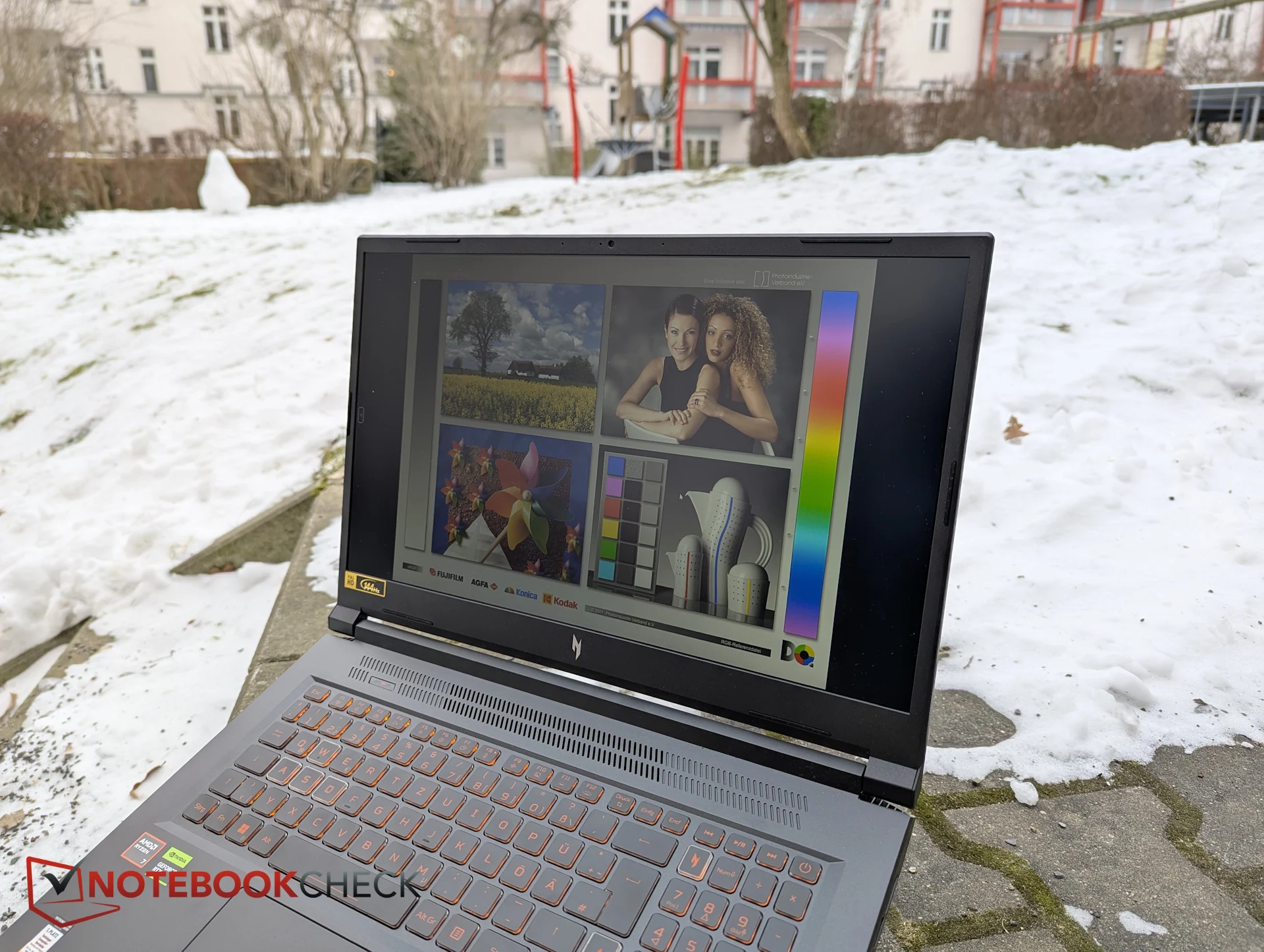
2. Display Limitations: The Full HD IPS screen is dim at 238 nits and lacks vibrancy, making it unsuitable for outdoor use and resulting in washed-out colors during regular activities.
3. Poor Response Times: The screen’s response times range from 30 to 42 milliseconds, leading to sluggish motion and noticeable ghosting, failing to meet basic gaming standards.
4. Comparison with Competitors: Other budget laptops, like the Lenovo LOQ 17 and Omen 16, offer better display performance, including higher brightness and faster response times.
5. Importance of Display Quality: For users relying on a single device for gaming and daily tasks, a subpar display can be a significant drawback, highlighting the need for manufacturers to improve display quality in budget laptops.
We just tried out the Acer Nitro V 17, a gaming laptop with a 17-inch screen. Along with the Lenovo LOQ 17 and the Omen 16, it’s one of the cheapest laptops now on the market featuring an NVIDIA GeForce RTX 5070. This makes the Nitro V 17 seem like a good choice on paper.
Performance Insights
In real-world use, the laptop shows some positive aspects. It operates quite quietly and is energy-efficient, but this does lead to a small dip in gaming performance. For a budget device, this compromise is acceptable.
Display Flaws
However, Acer seems to have overdone it with the display quality. The Full HD IPS screen only reaches a brightness of around 238 nits, which is clearly not enough for outdoor usage. Even when used indoors, the visuals often appear dull and lack vibrancy. This brightness level is noticeably low, even by budget standards.
Additionally, the display does not adequately cover the sRGB color space. Colors seem washed out, and images lack richness and vibrancy. While this might be okay for casual gaming, the poor color quality becomes very noticeable during regular activities like browsing the web, working, or watching videos.
Response Times
Another significant issue is the response times. With readings between 30 and 42 milliseconds, the screen fails to meet basic gaming laptop standards. Motion looks sluggish, and ghosting is apparent—problems that are hard to overlook, even for a budget model.
When comparing with other laptops in the same price range, it’s evident that there are better options available. The Lenovo LOQ 17, for instance, also sports a Full HD display but achieves around 300 nits of brightness, covers the sRGB color space well, and provides response times of 10 to 16 milliseconds, which are much faster.
The Omen 16 takes a different route with its 1200p screen in a 16:10 aspect ratio, also providing around 300 nits of brightness. Although its color coverage is similarly limited, its response times are about half as slow as those of the Nitro V 17.
Budget Considerations
In direct comparisons, the Nitro V 17’s display clearly ranks at the lower end of the budget category. Particularly in this segment, a laptop often serves as the sole computer a user has. It’s more than just a gaming device; it’s also used for work, studying, and watching media. Those with limited finances usually can’t afford a second machine.
From my own experience—going back to my student days—it’s clear that when one device has to do it all, the quality of the display becomes very important. A consistently subpar screen can be an ongoing annoyance.
Manufacturers should be cautious not to skimp too much on display quality, especially for entry-level products. An OLED or Mini-LED panel isn’t necessary, but users deserve a screen that they enjoy viewing each day.
This is precisely where the Acer Nitro V 17 could fall behind rivals like the Lenovo LOQ 17, the Omen 16, or even the Katana 17. Despite its quiet and efficient performance, the display remains a significant drawback—a factor that may deter many potential buyers.
Leave a Reply