Tag: Lenovo

  • Lenovo Yoga Slim 7 Aura Edition Touchscreen vs. Traditional Mouse

    Lenovo Yoga Slim 7 Aura Edition Touchscreen vs. Traditional Mouse

    Key Takeaways

    1. The Lenovo Yoga Slim 7 Aura Edition touchscreen can effectively replace a mouse for everyday tasks like email, web browsing, and document editing, offering a more engaging interaction with content.

    2. Windows 11 enhances the touchscreen experience with intuitive touch gestures, making actions like window arrangement and scrolling smooth and natural.

    3. While the touchscreen is great for casual gaming and touch-friendly genres, it struggles with precision-heavy games, where a mouse is still preferred.

    4. User habits play a significant role; many Lenovo users forget about the touchscreen feature and stick to traditional input methods, but those who adapt find it more direct and natural.

    5. Overall, using the touchscreen as a sole input method is enjoyable for casual tasks, but it doesn’t entirely replace the need for a mouse in precision-demanding scenarios.


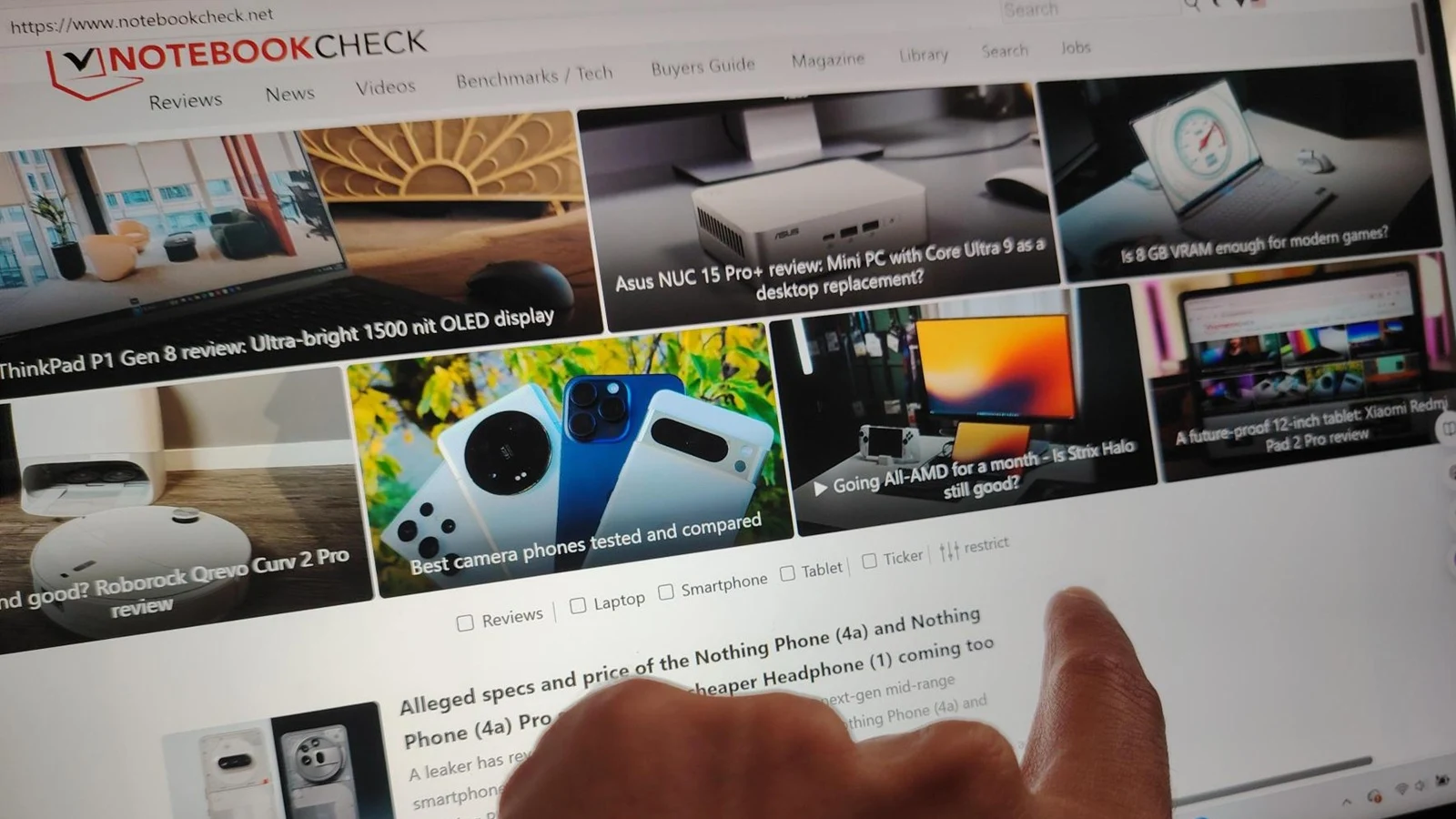
    I decided to try something a bit unusual: no mouse at all. No trackpad gestures, no external pointing tools. Just my fingers and the Lenovo Yoga Slim 7 Aura Edition touchscreen: Model 15ILL9.

    Exploring Touchscreen Productivity

    This experiment wasn’t just for casual scrolling while lounging. I aimed to discover if a laptop built with touch features could truly replace the classic mouse-driven method for daily tasks… and maybe even some gaming. Essentially, I wanted to find out if the Lenovo Yoga Slim 7 Aura Edition and its touchscreen could genuinely act as a substitute for a mouse in both work and play situations.

    For regular activities like checking email, browsing the web, and editing documents, the touchscreen performed better than I had anticipated.

    Navigating an inbox, moving windows, selecting text in Word, and switching tabs in Chrome felt direct and engaging. Instead of just nudging a pointer, you’re actually interacting with the content. This sense of immediacy is something a mouse struggles to replicate.

    Windows 11 Enhancements

    Windows 11 is a big help. The standard touch gestures from Lenovo, paired with Microsoft’s interface, make actions like pinch-to-zoom, smooth scrolling, and arranging windows into layouts feel intuitive. Once you stop instinctively reaching for a mouse, dragging a window to dock it becomes second nature.

    However, there’s a downside, which is tiredness and lack of precision. Keeping your arm up to tap the screen for extended periods can be exhausting, and making small, precise movements—like clicking tiny icons or adjusting sliders—can be quite fiddly.

    Most of the time, though, the combination of a clear 2.8K display and responsive Intel Arc graphics means that touches are registered quickly and accurately. For general productivity, the touchscreen is not only usable… it’s genuinely comfortable… until fatigue kicks in.

    Gaming Experience

    Now, gaming is where it gets interesting. The Yoga Slim 7 isn’t a high-end gaming laptop, but with the touchscreen as the only input, some game genres really shine.

    Turn-based games like Civilization VI, simple card games such as Microsoft Solitaire, and touch-friendly puzzle or rhythm games work well with taps and swipes. It feels satisfying to directly poke and drag units, cards, or tiles using your fingertips. In some cases, it’s even faster than moving a mouse cursor around.

    However, this setup has its limits when it comes to precision-heavy gaming. First-person shooters, MOBAs, and real-time strategy games with small click targets are still much better with a mouse. Fast aiming, quick camera control, and precise unit selection are simply not strengths of a touchscreen.

    For casual or touch-optimized games, though, relying on the touchscreen can add a playful, hands-on feel, making the laptop behave more like a large, powerful tablet.

    User Perspectives

    If you browse through Reddit threads, a common theme emerges: many Lenovo users hardly utilize their touchscreens. Many admit that they often forget the feature exists, sticking to the trackpad or mouse out of habit.

    Frequent complaints include fingerprints, occasional mis-taps, and the fact that many individuals have spent years training themselves to reach for a mouse. However, there’s another group—those who fully embrace touch—and they often describe it as more “direct” and “natural” once you adapt.

    On the Lenovo Yoga Slim 7 Aura Edition, AI-assisted features and smooth gesture handling help mitigate some of the challenges. The way the screen tracks fingers and translates motion across the display makes a touchscreen-only workflow feel more realistic than it would on older or less responsive devices.

    Final Thoughts

    After using the Lenovo Yoga Slim 7 Aura Edition touchscreen as my sole pointing device, here’s what I discovered:

    For everyday tasks and casual gaming, fully embracing touch is not only feasible; it’s surprisingly enjoyable. It compels you to reconsider your habits, making the laptop feel more immediate and tactile.

    Yet, it doesn’t entirely replace traditional input methods. Precision tasks still benefit from a mouse, and long periods of tapping the screen will give your arm a workout you didn’t ask for.

    Still, this experiment shifted my perspective on the laptop. The Lenovo Yoga Slim 7 Aura Edition touchscreen isn’t merely a nice feature for the occasional scroll; it’s a valid approach for navigating work and play, particularly if you’re prepared to change how you interact with your device.

    Mouse enthusiasts don’t have to ditch their peripherals. But if you’re curious, consider spending a few days using just your fingers. On a modern touchscreen laptop like the Lenovo Yoga Slim 7 Aura Edition, you might find that touch-first computing feels more freeing—and a lot less crazy—than it seems.

    Source:
    Link


  • 2026 Motorola Moto G Stylus and Moto Tag 2 Leak Revealed

    2026 Motorola Moto G Stylus and Moto Tag 2 Leak Revealed

    Key Takeaways

    1. Lenovo is set to launch two new devices: the 2026 Motorola Moto G Stylus and the Moto Tag 2.
    2. The Moto G Stylus 2026 leak shows the device in dark gray and lavender colors, featuring a similar design to its predecessor.
    3. The leaked image confirms the inclusion of a stylus, with the frame color matching the back of the phone.
    4. The Moto Tag 2 will come in orange and beige, with anticipated improvements in button feel and battery life.
    5. The Moto Tag 2 is expected to support UWB, integrate with Google’s Find My Device Network, and have an IP67 rating.


    Lenovo seems to be gearing up to introduce two new devices: the 2026 Motorola Moto G Stylus and the Moto Tag 2. Of these, the former was initially revealed in a leak from November 2025. However, that information was dismissed by a reliable source, who suggested it was actually about the Moto G Power 2026.

    New Leak Insights

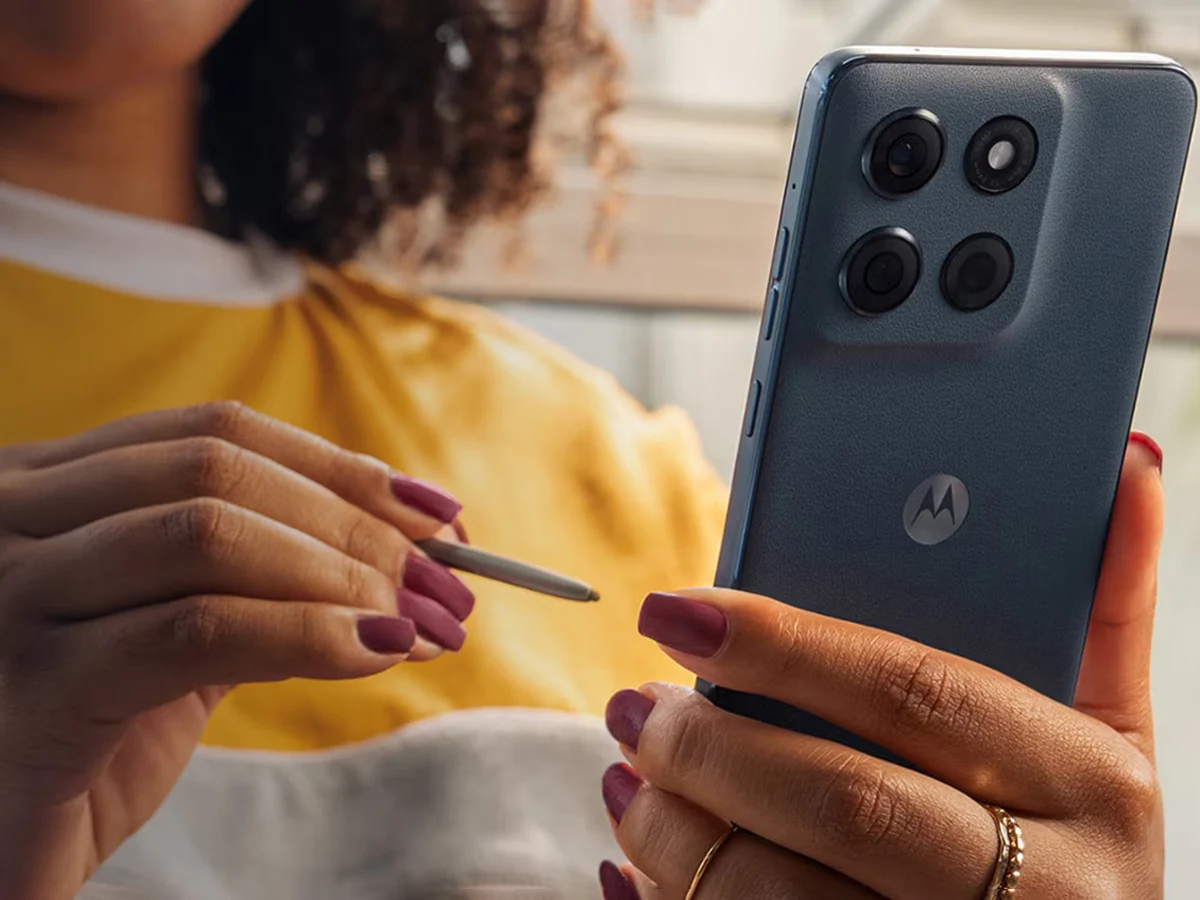
    Now, a fresh leak from Android Headlines showcases the Moto G Stylus 2026 in two different colors. This time, the image features the phone along with its stylus, which indicates that this leak could provide a genuine early glimpse at the device, unlike the previous one.

    Design Similarities

    Notably, there doesn’t seem to be a significant change in design compared to its predecessor. The leaked image reveals a camera island that looks quite similar to that of the previous model. Although the outlet did not reveal the specific names for the colors displayed, one appears to be dark gray while the other looks like lavender.

    As pointed out by Android Headlines, the frame color of the phone will correspond with the color of the back, but the stylus will maintain a consistent colorway across both options. While this leak lacks any specification details, the previous Moto G Stylus featured a Snapdragon 6 Gen 3 processor and a 50 MP primary camera on the rear (256 GB currently priced at $299.99 on Amazon).

    Details on Moto Tag 2

    Switching to the second product in the leak, the Moto Tag 2 is also presented in two color options: orange and beige. According to the shared image, this upcoming Bluetooth tracker won’t have many design alterations either. However, it is anticipated to provide enhanced button feel and longer battery life. It is also expected to include support for UWB, integration with Google’s Find My Device Network, and an IP67 rating.

    Source:
    Link


  • Lenovo Legion Go 2 Controllers Now on Amazon Starting at $59.99

    Lenovo Legion Go 2 Controllers Now on Amazon Starting at $59.99

    Key Takeaways

    1. Availability: Legion Go 2 Controllers are now available on Amazon after being out of stock on Lenovo’s site.

    2. Pricing: Right Controller is priced at $79.99 and Left Controller at $59.99 due to additional features in the right controller.

    3. Improved Ergonomics: Controllers offer better comfort and include a USB-C port for charging, differing from previous models.

    4. Button Layout Changes: Significant changes in button placements, including the repositioning of the View and Menu buttons.

    5. Specifications: Each controller has Hall Effect joysticks, 650mAh battery, better vibration, auto-connection, and a wireless range of 10 meters.


    When the Legion Go 2 was first shown off at CES 2025, it was announced that its detachable Truestrike controllers could work with the original Legion Go (check out our review). Now, a few months post the release of the Legion Go 2, Lenovo has started offering the controllers on Amazon.

    Availability of Controllers

    The Legion Go 2 Controllers were up for grabs straight from Lenovo for a couple of months, but as of now, they are out of stock there. Luckily, buyers can now find the controllers on Amazon.

    Pricing Details

    Available and shipped by Amazon, the controllers come individually and not as a set. The Legion Go 2 Right Controller is listed at $79.99 while the Left Controller is priced at $59.99. The price difference is due to the right controller having additional features, like working as a vertical mouse for FPS games.

    Improved Ergonomics

    The Legion Go 2 controllers are designed to be more comfortable than those of the original Legion Go. They include a USB-C port, enabling users to charge them with a USB-C cable rather than linking them to the Legion Go or Legion Go 2 through pogo pins.

    If you decide to get the Legion Go 2 controllers, be prepared to adjust since Lenovo has changed the placement of some buttons. For example, the View button, which was under the Menu button on the previous controller, is now located at the top, beneath the Legion Space button.

    Button Layout Changes

    Conversely, the Menu button has shifted from the left controller to the right one and is now located below the Quick Settings button. The original spots for the Menu and View buttons have been replaced by the Desktop button and Page button, respectively. Other updates include a new D-pad design (called the Pivot D-Pad) and segmented RGB lights.

    Specifications

    According to the specification sheet, each controller features Hall Effect joysticks and triggers, a battery capacity of 650mAh, a linear motor with a better vibration algorithm, and a comfortable grip. There’s no need for a manual setup since they auto-connect to the device. They also boast a wireless range of 10 meters.

    Source:
    Link


  • Dell Increases PC Prices by 20% as Lenovo Signals January Hikes

    Dell Increases PC Prices by 20% as Lenovo Signals January Hikes

    Key Takeaways

    1. Dell plans to increase PC prices by 15-20% in 2026, with Lenovo expected to follow suit.
    2. DDR5 memory costs have surged, rising up to 70%, and some DRAM components have increased by 170%.
    3. Lenovo is urging customers to place orders quickly as current quotes will expire on New Year’s Day.
    4. TrendForce has revised its 2026 notebook forecast from a 1.7% growth to a 2.4% decline due to rising production costs.
    5. Manufacturers may focus on promoting lower-spec laptops and tablets to manage pricing.


    As stated by TrendForce, the year 2026 looks like it will bring increases in prices for computing devices. The analytics company has found that Dell plans to increase PC prices by 15-20 percent, with Lenovo also expected to follow this trend.

    Rising Costs in the Industry

    The sector has been facing higher costs for DDR5 memory, with estimates showing a rise of up to 70 percent. Some DRAM components have even surged by 170 percent, driven by increased demand and supply chain challenges. Companies like Micron are reallocating resources to AI products that have better profit margins. Dell’s COO, Jeff Clarke, mentioned that he has “never seen memory-chip costs rise this fast.”

    Urging Customers to Act

    Lenovo is said to be encouraging its clients to secure orders swiftly, as all current quotes will go stale on New Year’s Day. This is not just Lenovo; major competitors like HP, Samsung, and LG are also evaluating the prices for their 2026 products. The categories that will see the most impact are AI PCs and tablets, where memory pricing could represent around 18 percent of the total cost of materials.

    Adjusting Forecasts

    TrendForce has updated its notebook forecast for 2026 due to the increasing production expenses. The projected growth has changed from a year-on-year increase of 1.7 percent to a decline of 2.4 percent, as it anticipates that demand will decrease because of higher BOM costs and restricted availability.

    Source:
    Link


  • Lenovo Launches Affordable 12.7-Inch Tablet with Big Battery

    Lenovo Launches Affordable 12.7-Inch Tablet with Big Battery

    Key Takeaways

    1. Lecoo, a sub-brand of Lenovo, is launching a budget-friendly tablet called the Lecoo Tablet 12.7 in China on November 27, 2025, priced at CNY 1,104 (approximately $156).
    2. The tablet is powered by the MediaTek Helio G99 SoC, features 8 GB of RAM, and offers up to 256 GB of storage with a microSD card slot supporting up to 1 TB.
    3. It has a 12.7-inch display with a resolution of 2176×1600 pixels and a 90 Hz refresh rate, along with several eye-protection options.
    4. The Lecoo Tablet 12.7 includes a quad-speaker setup for immersive sound and a 10,200 mAh battery supporting 18 W charging.
    5. The tablet features an 8 MP camera on both the front and rear, a metal design, and compatibility with a detachable keyboard, but its global release status is uncertain.


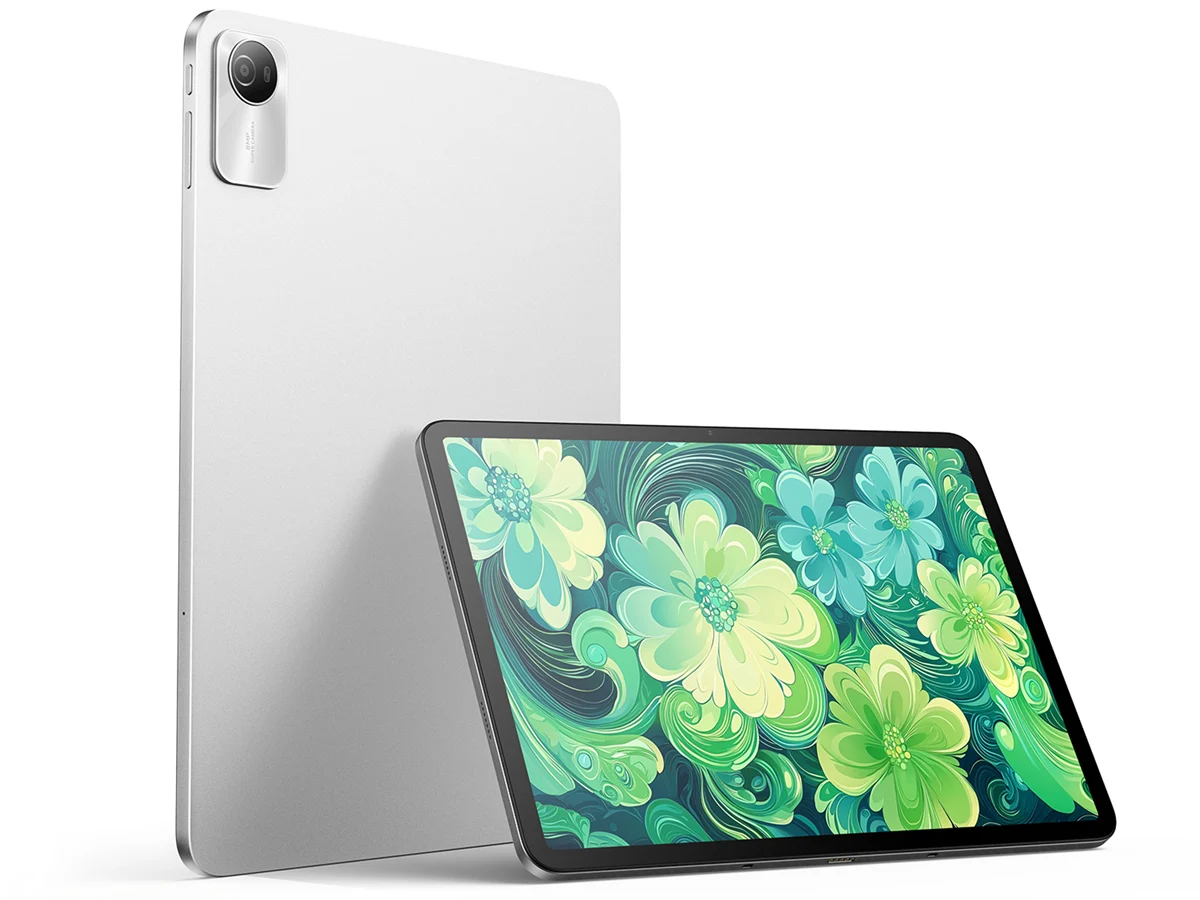
    Lecoo, which is a sub-brand of Lenovo, has launched a new budget-friendly tablet. It will be available in China starting on November 27, 2025, with an introductory price of CNY 1,104, which is about $156. However, the retail base price of this tablet is CNY 1,399, or roughly $197.

    Specs and Performance

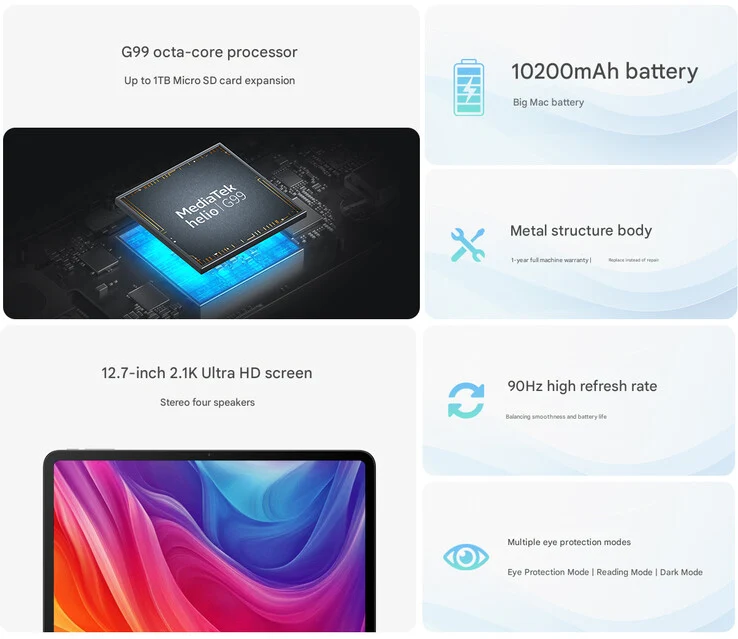
    Named the Lecoo Tablet 12.7, this device runs on the MediaTek Helio G99 SoC, a popular chipset that came out in 2022. This same processor is found in smartphones like the Redmi Note 14 LTE and tablets like the 2024 Lenovo Tab Plus (currently priced at $194.99 on Amazon). It comes with 8 GB of RAM and offers up to 256 GB of storage.

    Storage and Display

    The tablet features a microSD card slot that supports cards up to 1 TB. The display of the Lecoo Tablet 12.7 measures 12.7 inches and has a resolution of 2176×1600 pixels, complemented by a 90 Hz refresh rate. Lenovo claims it includes several eye-protection options to provide a comfortable viewing experience.

    Audio and Battery

    Another key aspect of this affordable tablet is its quad-speaker setup, designed to offer an immersive sound experience. The device is powered by a sizable 10,200 mAh battery, capable of charging at 18 W.

    Camera and Design

    In terms of camera specifications, Lenovo has equipped the tablet with an 8 MP camera on both the front and the rear. Additional features include a metal design, compatibility with a detachable keyboard via the Pogo Pin connector, and a lightweight construction. The company hasn’t announced if this budget tablet will be released globally, but it’s important to note that not all Lecoo products are available outside of China.

    Source:
    Link


  • Lenovo Warns of PC Price Hikes in 2026 Amid AI Memory Shortages

    Lenovo Warns of PC Price Hikes in 2026 Amid AI Memory Shortages

    Key Takeaways

    1. Lenovo has increased its inventory levels by 50% to manage shortages in various memory products.
    2. The company aims to maintain strong sales by keeping product prices stable until the end of 2025.
    3. The AI sector’s demand is worsening memory shortages, which may lead to higher production costs and consumer prices.
    4. Future supply chain challenges are expected, with potential impacts on electronics and automotive chip availability in 2026.
    5. Lenovo has sufficient inventory and long-term contracts for 2026 but must balance pricing and availability moving forward.


    The Beijing-based computer manufacturer has boosted its inventory levels by 50 percent, as per CFO Winston Cheng’s comments to Bloomberg TV. This increase in stock has enabled Lenovo to navigate the significant shortages in DRAM, LPDDR, DDR, GDDR, and HBM that have affected the industry during the last quarter of 2025.

    Maintaining Sales Momentum

    Cheng mentioned that Lenovo aims to sustain its strong sales performance through the end of 2025 by keeping product prices stable. This strategy is crucial for ensuring continued consumer interest.

    Impact of AI on Supply Chain

    The demand from the AI sector is amplifying the shortage of memory products due to its high demand for storage components. This situation is likely to exert pressure on supply chains and raise production costs, which may lead to higher prices for consumer electronics. Suppliers and industry experts caution that items like laptops, PCs, and smartphones could see increased costs.

    Future Challenges for the Electronics Market

    According to Bloomberg, the Chinese chip manufacturer SMIC anticipates that the availability of electronics and automotive chips will be affected by memory shortages in 2026. Additionally, the well-known phone manufacturer Xiaomi has also alerted consumers about potential price hikes for its devices next year due to similar supply chain issues.

    Lenovo has previously disclosed that it has sufficient inventory for 2026 and has secured long-term contracts. However, Cheng pointed out that even with these advantages, Lenovo will need to find a balance between pricing and availability in the upcoming year.

    Source:
    Link


  • Lenovo ThinkPad T16 Gen 4 AMD: Premium Business Laptop with 60Hz Display

    Lenovo ThinkPad T16 Gen 4 AMD: Premium Business Laptop with 60Hz Display

    Key Takeaways

    1. Lenovo’s ThinkPad T16 Gen 4 AMD offers only Full-HD displays with a 60 Hz refresh rate, which is seen as a limitation in the business laptop category.
    2. The standard display has a low color gamut of 45% NTSC, while the optional 500-nit panel provides better overall image quality and color accuracy.
    3. The review unit’s display is energy-efficient, contributing to impressive battery life of up to 17 hours at 150 nits brightness.
    4. Lenovo could enhance the ThinkPad T16 Gen 4 by offering superior display options, such as high-quality OLED or higher-resolution matte IPS panels with faster refresh rates.
    5. The limitations in display choices affect both the AMD and Intel versions of the ThinkPad T16 Gen 4.


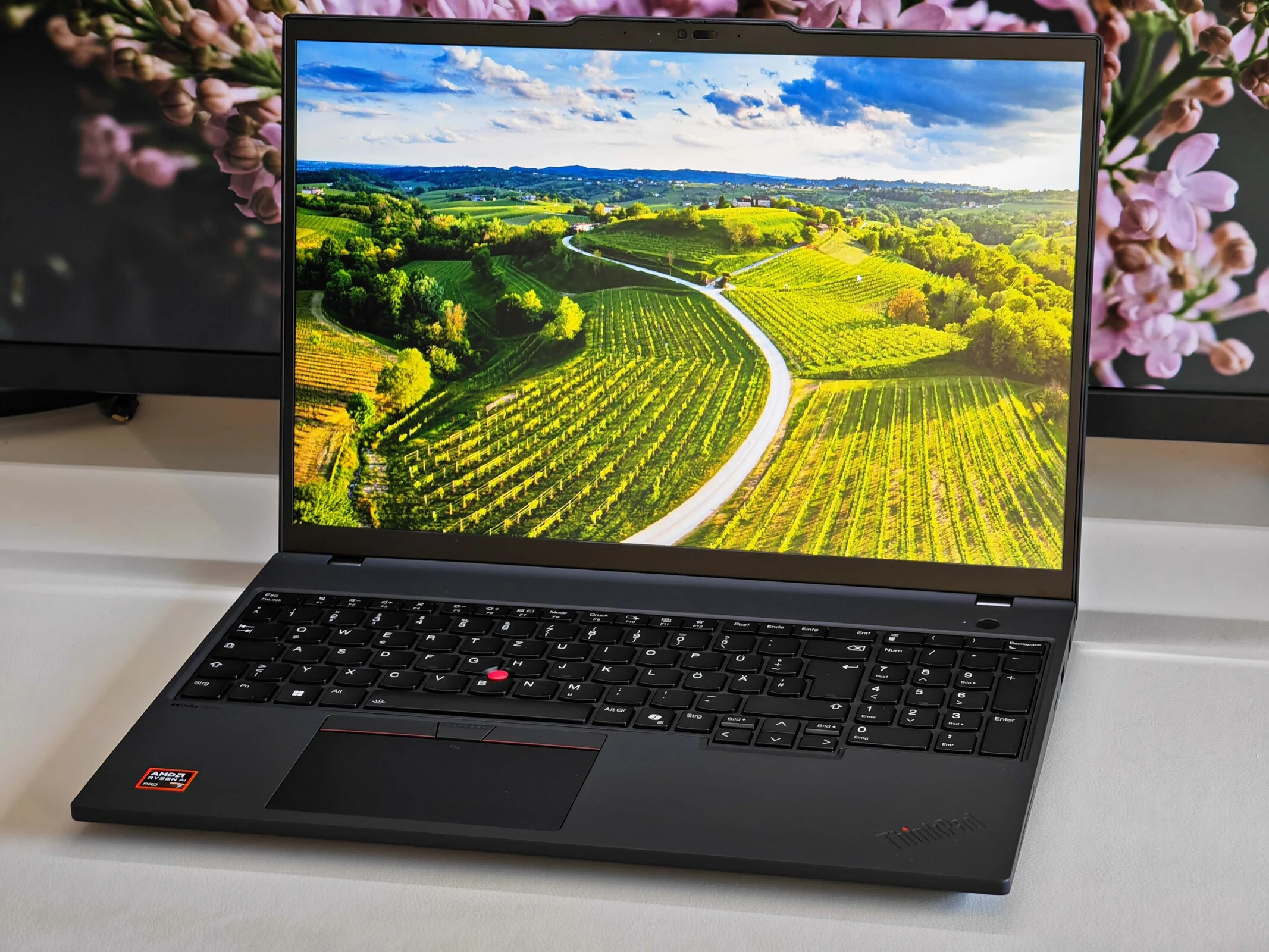
    We have commended Lenovo several times this year for the outstanding display quality in their gaming and consumer laptops. However, the situation is quite different in the business category. In our recent evaluation of the ThinkPad T16 Gen 4 AMD, we found that Lenovo only provides Full-HD displays with a refresh rate of 60 Hz. While business laptops do have distinct needs compared to multimedia devices, and cost considerations are important, Lenovo seems to be lacking in this area too. Although the ThinkPad T-series is marketed as a premium line, there are more budget-friendly options (like the ThinkPad E-series) that offer 120 Hz screens.

    Display Options

    The standard display for the ThinkPad T16 Gen 4 AMD is a 400-nit panel that has a low color gamut of 45% NTSC, which we do not recommend. The optional 500-nit panel, which we had on our review unit, provides decent image quality overall with vibrant colors, full sRGB coverage, and sharp visuals (even bright areas stay clear, thanks to the matte finish). Our calibration (the corresponding profile is available for free in our review) allows for very precise colors, making it suitable for photo editing. The LowPower display is also energy-efficient, contributing to impressive battery life in our Wi-Fi test (17 hours at 150 nits and 10.5 hours at maximum brightness). A 120 Hz display would likely consume more power.

    Room for Improvement

    Nevertheless, we believe Lenovo ought to offer buyers the choice of a superior panel. They certainly have access to high-quality OLED displays, but a higher-resolution matte IPS panel with a faster refresh rate would also be appealing to customers. This limitation is present in both the AMD and Intel versions of the ThinkPad T16 Gen 4. For additional details, please refer to our extensive review of this large business laptop.


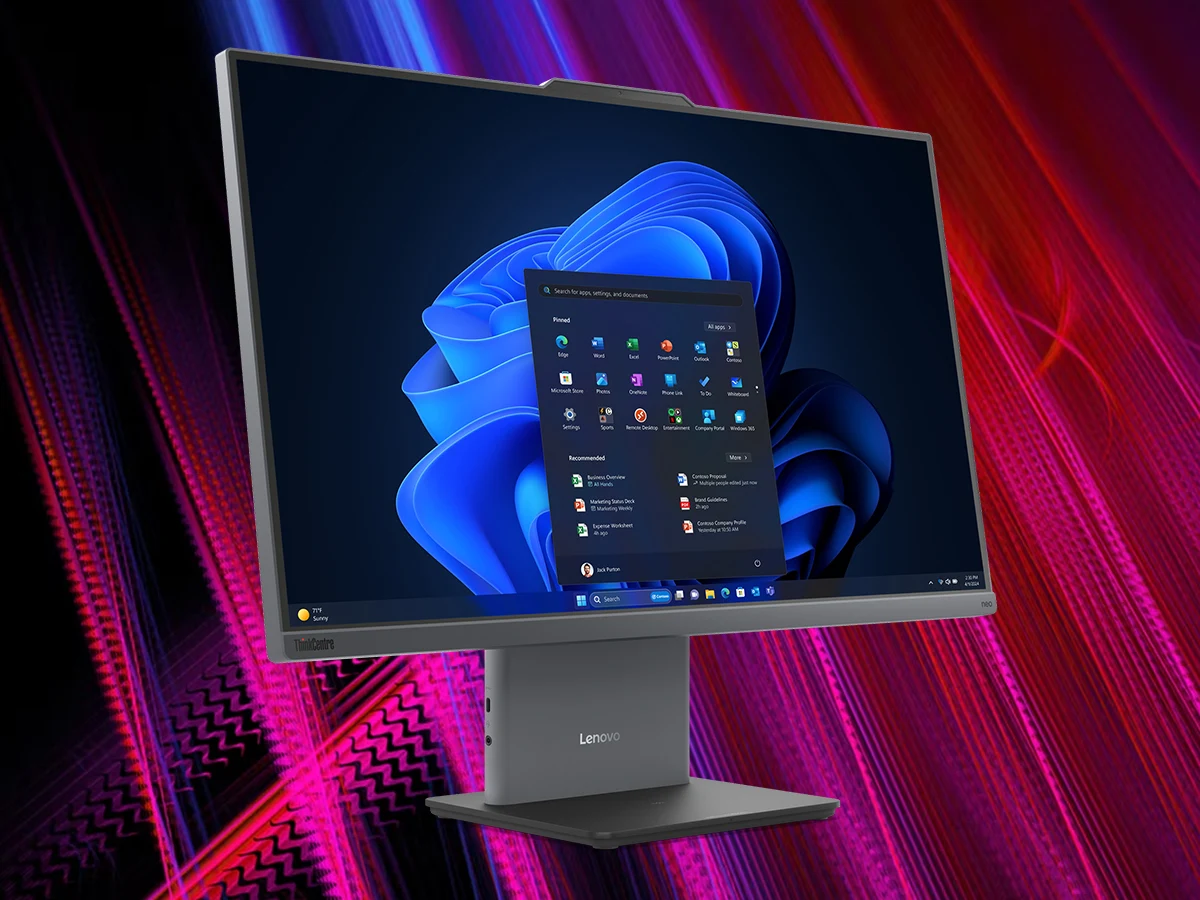
  • Lenovo ThinkCentre Neo 55A Gen 6 AIO with Ryzen AI 300 Series CPU

    Lenovo ThinkCentre Neo 55A Gen 6 AIO with Ryzen AI 300 Series CPU

    Key Takeaways

    1. The Lenovo ThinkCentre neo 55a Gen 6 is an all-in-one computer featuring a Ryzen AI 300 series APU, aimed at productivity and office use.
    2. It supports up to 32 GB of DDR5 RAM at 5,600 MHz and has a single M.2 PCIe slot for SSDs with a maximum capacity of 1 TB.
    3. The AIO has a 23.8-inch IPS display with a 1920 x 1080 resolution, 100 Hz refresh rate, 250 nits brightness, and 99% sRGB color coverage.
    4. It includes various connectivity options like WiFi 6, Bluetooth 5.2, and features such as a 5 MP webcam with Smart Meeting Tools.
    5. The ThinkCentre neo 55a Gen 6 is available starting at a price of $549.


    Lenovo has introduced the ThinkCentre neo 55a Gen 6, a new all-in-one (AIO) computer that can be fitted with a Ryzen AI 300 series APU. The company didn’t exactly specify the exact processor choices available, but since this AIO is aimed at productivity and office work, it’s likely that Strix Point APUs are off the table.

    Memory and Storage

    Lenovo confirmed that the APU in the ThinkCentre neo 55a Gen 6 can be combined with as much as 32 GB of DDR5 RAM that operates at 5,600 MHz. Regarding storage options, this AIO includes just a single M.2 PCIe slot for SSDs, which can hold a maximum of up to 1 TB (currently, a 1 TB Samsung 990 EVO Plus is priced at $74.99 on Amazon).

    Display Features

    On the front side, the AIO features a 23.8-inch IPS screen with a resolution of 1920 x 1080 pixels. Lenovo mentions that the display supports a 100 Hz refresh rate, has a brightness level of 250 nits, and covers 99% of the sRGB color space. These specifications ensure that the screen is more than adequate for everyday use and entertainment.

    Design and Connectivity

    Even though the ThinkCentre neo 55a Gen 6 sports a slim and compact form, it offers a nice variety of ports, including:

    Some other notable features of this AIO are WiFi 6, Bluetooth 5.2, an integrated 5 MP webcam equipped with Smart Meeting Tools, and two 3-watt Harman speakers that support Dolby Audio. The ThinkCentre neo 55a Gen 6 is now up for grabs, starting at a price of $549.


  • Lenovo Lecoo Air 16: Lightweight 16-Inch Laptop with Number Pad

    Lenovo Lecoo Air 16: Lightweight 16-Inch Laptop with Number Pad

    Key Takeaways

    1. Lenovo has launched the Lecoo Air 16, a new lightweight Windows laptop available only in China.
    2. The Lecoo Air 16 weighs only 1 kg and features a magnesium alloy build, making it lighter than many 15-inch and 16-inch laptops.
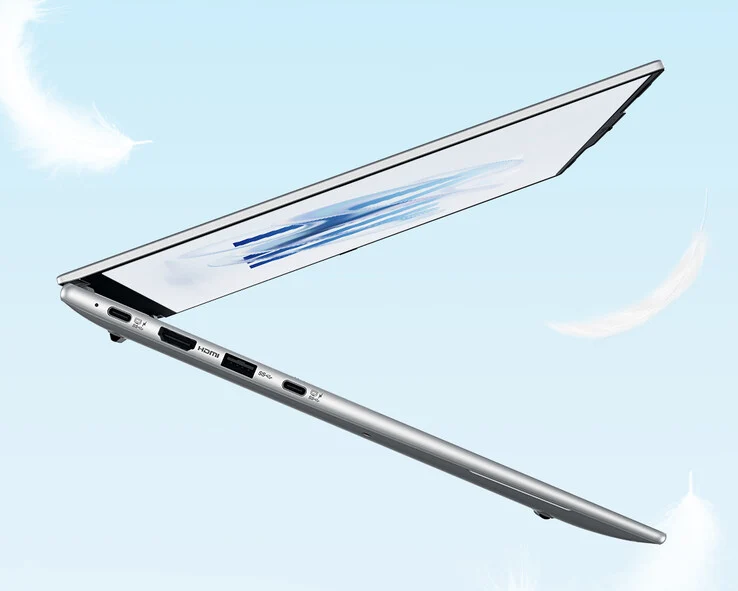
    3. The laptop has a slim design, measuring just 10 mm at its thinnest point, and includes a 2.5K, 120 Hz IPS display.
    4. It comes with 32 GB of RAM, 1 TB of storage, and a 60 Wh battery, along with full-sized HDMI and USB Type-A ports.
    5. Priced at CNY 4,999 (approximately $702), the device is powered by Intel’s Meteor Lake Core Ultra 5 125H processor, which has limitations in graphics performance and energy efficiency compared to newer models.


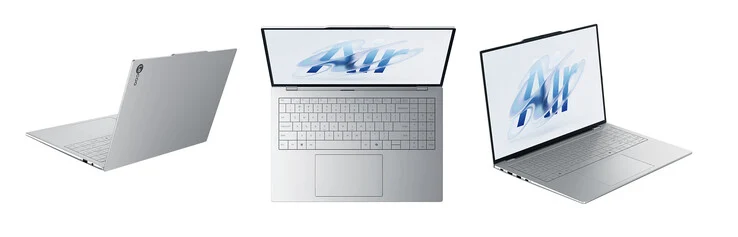
    Lenovo has launched a new Windows laptop after updating its ThinkPad lineup last month at IFA 2025 in Berlin. This time, they’re focusing on their Lecoo brand, which is available solely in China.

    A Lightweight Design

    The new Lecoo Air 16 features a housing that’s significantly lighter than other 16-inch laptops or even 15-inch models. For comparison, the current MacBook Air 15 is priced at about $1,149 on Amazon and weighs just a bit over 1.5 kg. In contrast, the Lecoo Air 16 weighs only 1 kg, thanks to its magnesium alloy build.

    Impressive Specifications

    Additionally, the Lecoo Air 16 measures just 10 mm at its thinnest point. The laptop is equipped with a 2.5K, 120 Hz IPS display and includes a 60 Wh battery along with a zero-lattice keyboard that features a built-in number pad. As depicted in the images above and below, Lenovo has also included full-sized HDMI and USB Type-A ports.

    The Lecoo Air 16 is priced at CNY 4,999 (approximately $702) in China, boasting 32 GB of RAM and 1 TB of storage. However, the laptop is powered by Intel’s Meteor Lake Core Ultra 5 125H processor. This 14-core chip struggles with graphics-intensive tasks and energy efficiency compared to the newer Core Ultra 5 225H and its AMD Strix Point counterparts. There hasn’t been any announcement regarding a global launch yet.

    Lenovo via Lonely City Hardware

    Source:
    Link


  • Affordable Lenovo Idea Tab Plus: A Versatile Tablet with Stylus

    Affordable Lenovo Idea Tab Plus: A Versatile Tablet with Stylus

    Key Takeaways

    1. The Lenovo Idea Tab Plus is designed for students, featuring a stylus, 90 Hz display, and AI tools for enhanced study routines.
    2. The ZUI interface allows for multitasking with multiple app windows and easy access to applications via a taskbar.
    3. The tablet boasts strong multimedia capabilities with an IPS display, Dolby Atmos speakers, and a long-lasting battery of nearly 15 hours.
    4. Performance is adequate for everyday tasks but lacks in gaming and is limited to Wi-Fi 5 speeds; no cellular model is available.
    5. The device has a 256 GB storage capacity, expandable via microSD, and offers four years of updates, which is less than the EU’s five-year requirement for new mobile devices.


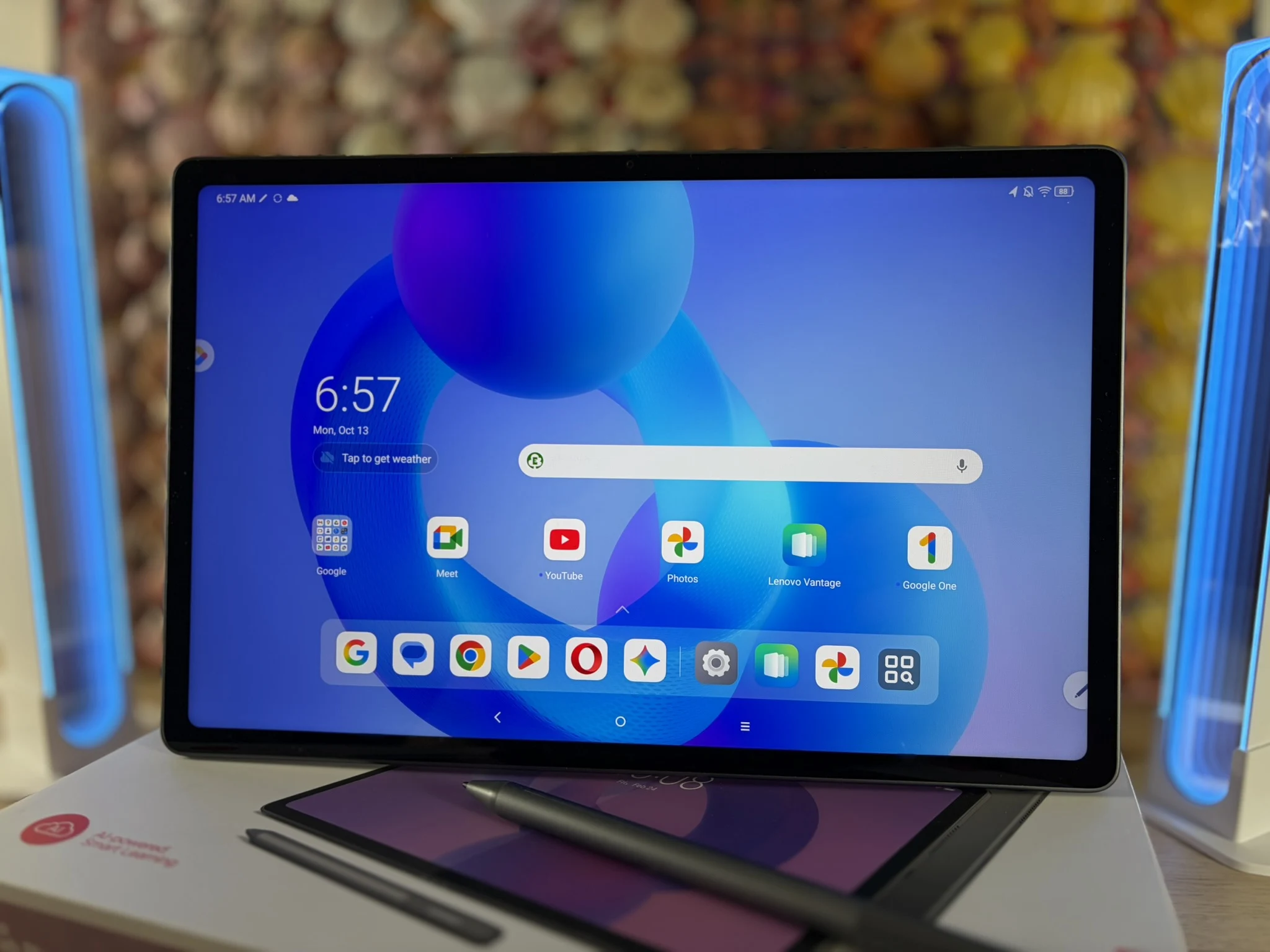
    Lenovo is marketing its latest Android tablet, the Lenovo Idea Tab Plus, mainly as a helpful tool for students in their daily routines. This 530-gram tablet features a stylus, a quick 90 Hz display, and various built-in AI tools like Google Gemini and Circle to Search. Its aluminum body is crafted for assisting users with their studies.

    User Interface and Multi-tasking

    The ZUI interface, which runs on Android 15, allows users to multitask by displaying several apps at once in different windows. It also comes with a taskbar-like feature for easy access to commonly used applications.

    During our evaluations, the 12.1-inch tablet demonstrated that it’s not just for academic purposes; it also attracts anyone seeking a useful and budget-friendly creative tablet for daily use.

    Multimedia and Battery Life

    Equipped with an IPS display that reaches brightness levels of up to 762 cd/m² and offers stable viewing angles, the Idea Tab Plus also includes a surprisingly strong set of four speakers with Dolby Atmos support, along with DRM Widevine L1 compatibility. This tablet has all the components necessary for enjoying multimedia content and browsing the web.

    In our Wi-Fi testing, the battery lasted nearly 15 hours, which is better than average when compared to similar devices. The charging speed is impressive too, as the 10,200 mAh battery can be charged at a rate of up to 45 watts. A full recharge takes just 1 hour and 21 minutes. It also provides 256 GB of built-in storage, with the option to expand via a microSD card up to 2 TB.

    Performance Limitations

    While the Mediatek Dimensity 6400 chip isn’t the fastest around, it works well for everyday tasks like studying, streaming, and browsing online. However, gaming performance is lacking, and on local networks, it only operates at Wi-Fi 5 speeds. Note that a power adapter isn’t included in the package.

    It’s unfortunate that Lenovo doesn’t have a cellular model available. The tablet is eligible for updates for four years, but this falls short of the five years required by the EU for mobile devices released after June 20, 2025.