
Key Takeaways
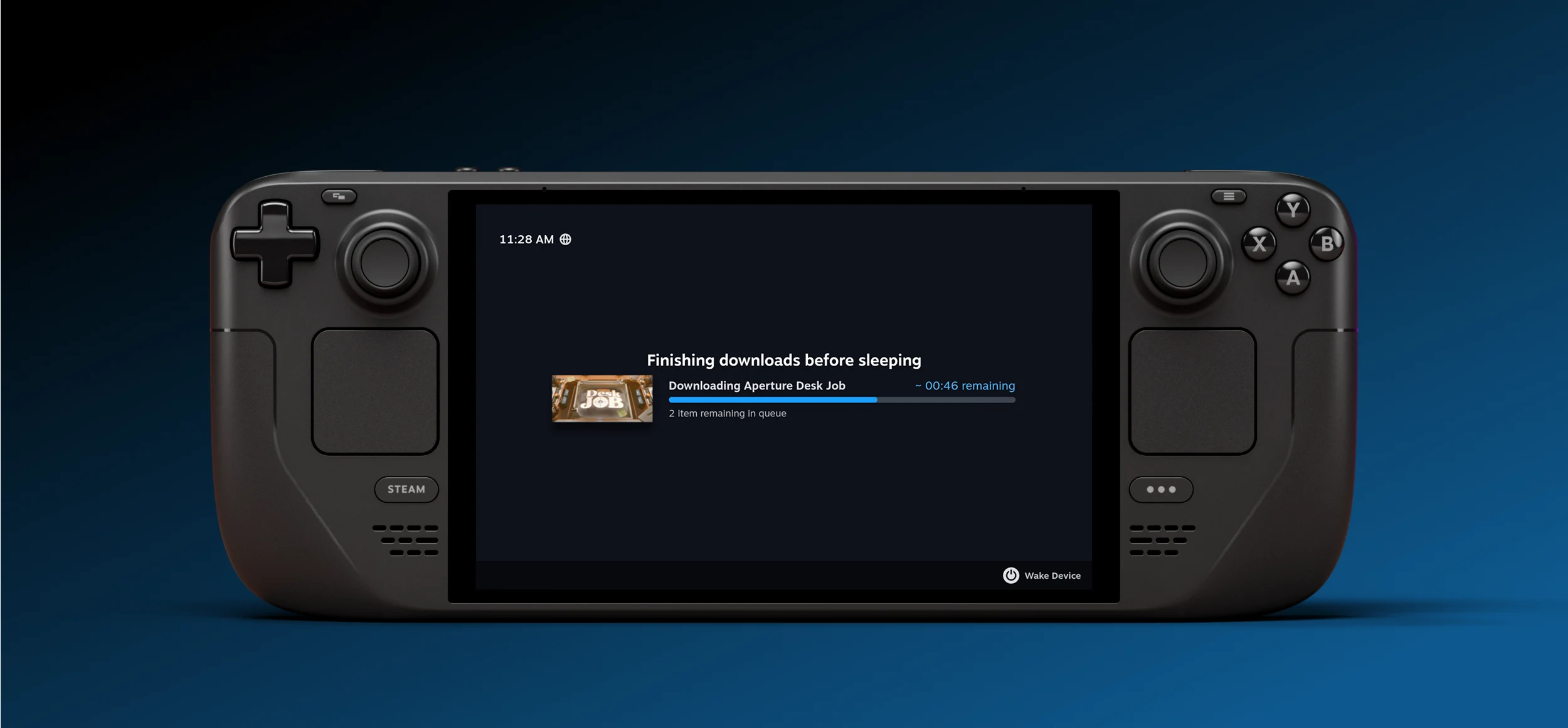
1. Users can now download content on the Steam Deck while in power-saving mode.
2. Downloads continue in the background when the power button is pressed.
3. The Steam Deck automatically switches to off-screen download mode when idle.
4. The new feature is currently in the beta version of SteamOS but will be available for all users soon.
5. The Steam Deck is the only console that can update games in the background, helping to reduce screen burn-in.
Valve has quietly introduced what might be one of the top enhancements for the Steam Deck’s user experience. Now, users are able to download content even when the device is in power-saving mode. In the past, it was necessary to keep the console active for the entire duration of downloads, which could take several days if the internet connection was slow. By default, off-screen downloads are turned on whenever the Steam Deck is plugged into a power source. Yet, users can activate this feature for battery mode through the settings.
Downloading Made Easier
When a download is in progress and the power button is pressed, an additional option will appear allowing the download to continue running in the background. Moreover, if the Steam Deck is idle while downloads are active, it will automatically switch to this mode. If the battery percentage goes below 20%, the console will enter sleep mode. Currently, this feature is exclusive to the beta version of SteamOS, but it’s expected to be available for all users soon.
Keeping Games Updated
In essence, the Steam Deck stands out as the only console capable of updating games in the background. It’s worth noting that Steam was among the first applications to integrate this feature on desktop platforms, so it makes sense for them to include it on this new device form. This update will be particularly beneficial for Steam Deck OLED users by lowering the chances of screen burn-in.
Source:
Link
Leave a Reply