Category: Tablets

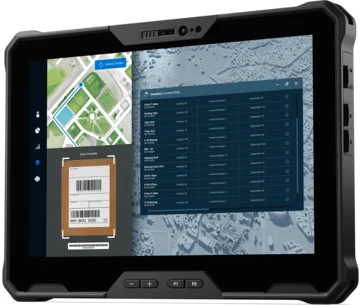
  • Dell Pro Rugged 10 and 12 Tablets: Dual Batteries, Intel Chips

    Dell Pro Rugged 10 and 12 Tablets: Dual Batteries, Intel Chips

    Key Takeaways

    1. Dell launched two rugged tablets, Pro Rugged 10 and Pro Rugged 12, designed for extreme conditions, featuring Intel Core Ultra 200V processors with built-in NPUs.
    2. Both tablets are lightweight, durable with IP66 ratings, and pass MIL-STD-810H and MIL-STD-461G tests for robustness against drops, vibrations, and electromagnetic interference.
    3. The tablets come with dual hot-swappable batteries, Windows 11 Pro, and AI features, ensuring continuous usage without shutdowns.
    4. They offer high-resolution touchscreens (12-inch at 1200 nits and 10-inch at 1000 nits), optional 5G connectivity, and can be configured with up to 32 GB RAM and 2 TB SSD storage.
    5. A range of accessories is available, along with Dell’s support plans, and prices are set at €2,909 for the Pro Rugged 10 and €3,129 for the Pro Rugged 12.


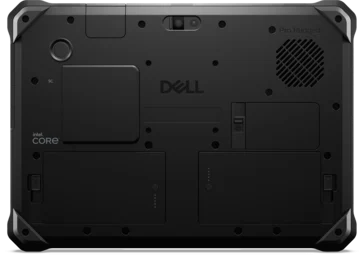
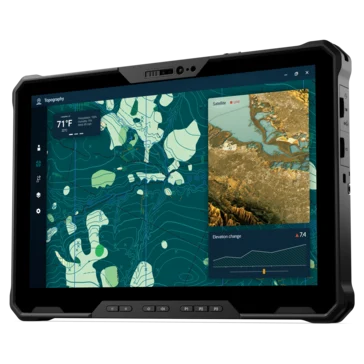
    Dell has recently launched two new rugged tablets running Windows – the Pro Rugged 10 and Pro Rugged 12, designed specifically for professionals in “extreme” conditions. These tablets are touted as the lightest fully rugged 10-inch and 12-inch options available, each equipped with Intel’s latest Core Ultra 200V series processors that include built-in neural processing units (NPUs).

    Features and Durability

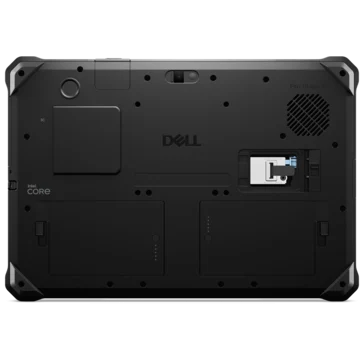
    Both tablets are classified as Copilot+ PCs, operating on Windows 11 Pro with integrated AI features. They come with dual hot-swappable batteries, ensuring uninterrupted use without any shutdowns, and they hold an IP66 rating for resistance to dust and high-pressure water. Additionally, they have successfully passed MIL-STD-810H and MIL-STD-461G testing for drop, vibration, and electromagnetic robustness.

    Specifications and Connectivity

    The Pro Rugged 12 weighs 1.31 kg and boasts a 12-inch FHD+ touchscreen with a brightness level of 1200 nits. The smaller Pro Rugged 10 is lighter at 1.04 kg and features a 1000-nit display. Both models have 16:10 aspect ratio screens that support touch with gloves and water, protected by Corning Gorilla Glass 5. They also offer optional 5G connectivity and Wi-Fi 7.

    Internally, these tablets can be configured with up to 32 GB LPDDR5x RAM and 2 TB of removable SSD storage. The Ultra 7 models come with Intel Arc 140V graphics, while the Ultra 5 versions are equipped with Arc 130V. For security, they include TPM 2.0, fingerprint scanners, smartcard readers, mechanical privacy shutters, and Windows Hello face recognition. The USB-C ports, batteries, and SSDs are all replaceable by users, and the tablets are packaged in 100% recycled or renewable materials. They also utilize recycled components, such as 30% post-consumer plastic in the speaker housing and up to 98% recycled aluminum in the power adapter.

    Accessories and Support

    A variety of accessories are available, including full-size IP66-rated keyboards, handles, rotating hand straps, and magnetic VESA-mount plates. The 12-inch version offers additional I/O configurations and a longer-range barcode scanner option, while the 10-inch version features a compact 50×50 VESA mount. Both tablets come with Dell’s standard and ProSupport service plans, providing next-business-day onsite support for up to five years. They can be purchased on the Dell Germany website (Dell Pro Rugged 10, Dell Pro Rugged 12) for prices of €2,909 and €3,129, respectively.
     

  • Apple Teases New M5 MacBook Pro and iPad Pro Launch Soon

    Apple Teases New M5 MacBook Pro and iPad Pro Launch Soon

    Key Takeaways

    1. The next-gen iPad Pro features the new Apple M5 chip and is set to launch soon, as suggested by an unboxing video.
    2. The MacBook Pro M5 has FCC approval but lacks Wi-Fi 7 capability.
    3. Delivery times for current iPad Pro and MacBook Pro models indicate upcoming releases, with many versions out of stock.
    4. The iPad Pro is expected to have modest upgrades, including a RAM increase from 8 GB to 12 GB and the addition of a second front camera.
    5. Significant upgrades for the MacBook Pro are not expected until the Apple M6 arrives next year, which may include a redesign and an OLED touchscreen.


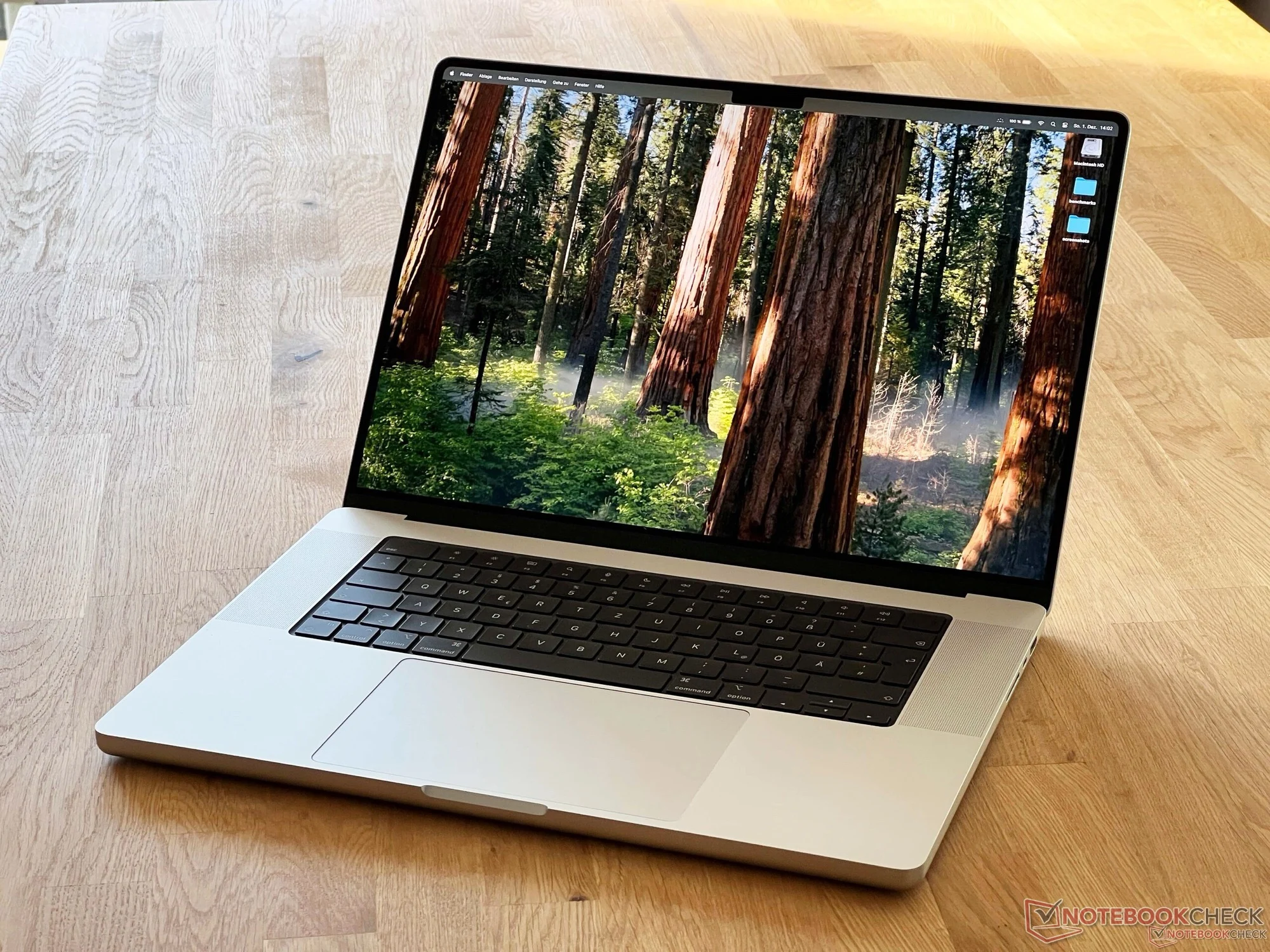
    The unveiling of the next-gen iPad Pro took place recently in an unboxing video, which also showcased early performance results of the Apple M5 chip. Meanwhile, the MacBook Pro M5 has gained approval from the US Federal Communications Commission (FCC) but seems to still be missing Wi-Fi 7 capability. Additionally, the Apple Online Store has hinted that the launch of both devices is just around the corner.

    Delivery Times Indicate Upcoming Releases

    Certain versions of the iPad Pro powered by the Apple M4 are currently out of stock, with the website noting that delivery could take one to two weeks. For the base model of the 14-inch MacBook Pro, the estimated delivery period is two to three weeks, whereas models with increased storage might take longer, around seven to ten days. Such delays in delivery often suggest that Apple is gearing up to release new models, as they tend to sell off older inventory without restocking.

    Expected Features and Upgrades

    In terms of upgrades, the new chip is the main highlight for the iPad Pro, with other changes expected to be quite modest. There are rumors that Apple won’t alter the design or display. The base model is rumored to come with 12 GB of RAM, up from the previous 8 GB, and a second front camera might be introduced. As for the MacBook Pro, a more substantial upgrade is not anticipated until the Apple M6 arrives next year, which is expected to feature a redesigned look and an OLED touchscreen. In the fall, consumers can also look forward to a new Vision Pro mixed reality headset, the next-gen Apple TV 4K, and an updated HomePod mini.

    Source:
    Link


  • Onyx Boox P6 Pro E-Reader: Color & B&W Options Before Release

    Onyx Boox P6 Pro E-Reader: Color & B&W Options Before Release

    Key Takeaways

    1. Onyx has launched the Boox Note X5 Mini with a 7.8-inch E Ink screen and revealed images of the upcoming Boox P6 Pro, which will have Black & White and color versions.
    2. The Boox P6 Pro will likely be released worldwide as the successor to the Boox Palma 2 and will feature 5G capabilities instead of the 4G seen in prototypes.
    3. The P6 Pro includes a SIM card slot for internet access on the go, and potentially allows for phone calls, though this feature is not highlighted.
    4. The color variant of the P6 Pro will have 8GB of RAM, 128GB of storage, a hybrid SIM tray, and will support stylus input.
    5. The Boox P6 Pro is set for announcement in China on October 9, with global launch details still pending, and it may be more affordable than the reMarkable Paper Pro Move.


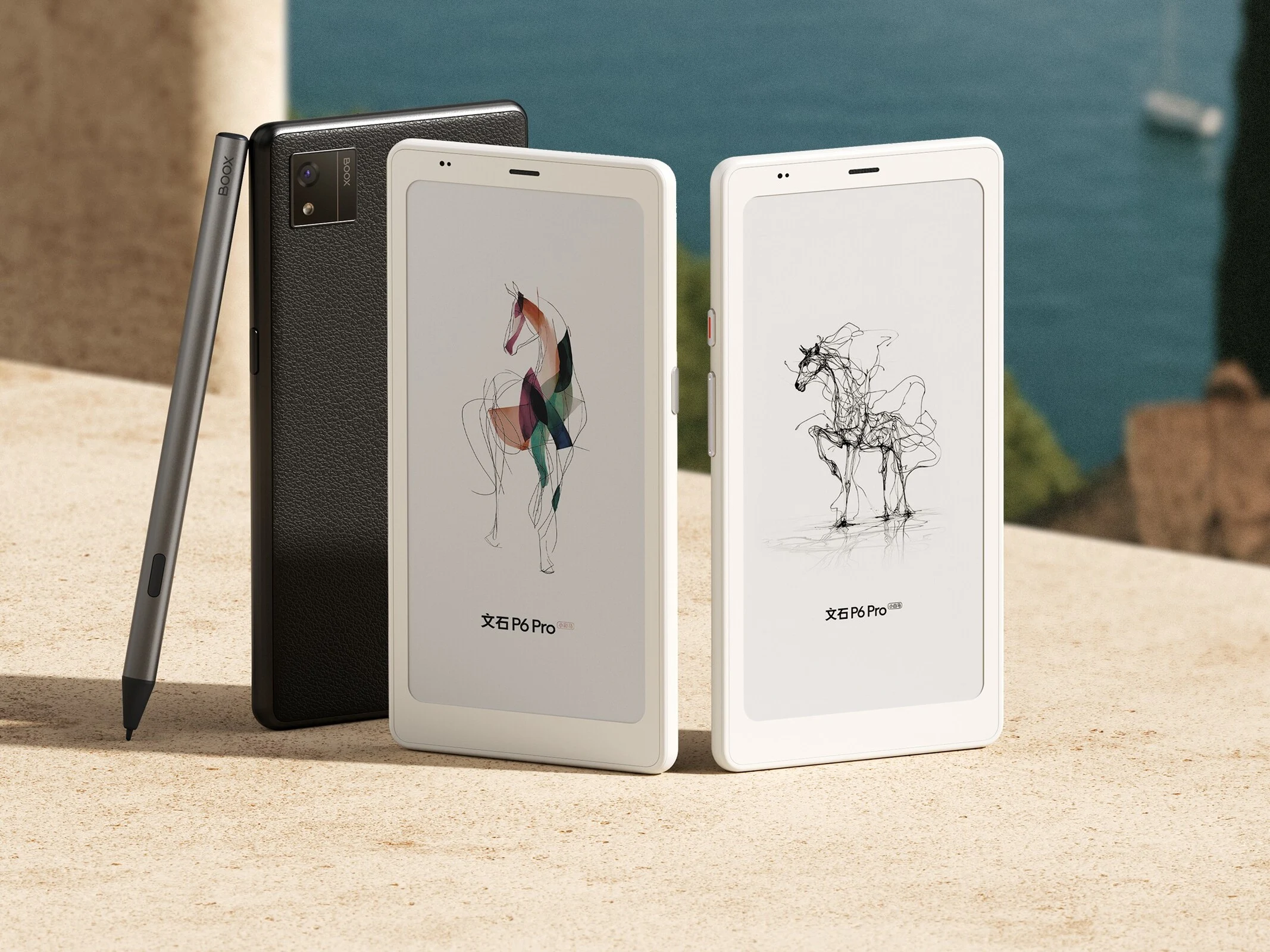
    Onyx has recently introduced the Boox Note X5 Mini, featuring a 7.8-inch Black & White E Ink screen, in China. They’ve also unveiled official images of their upcoming device, the Boox P6 Pro, which will come in both Black & White and color variants.

    Previous Showings at IFA

    This isn’t the first instance of Onyx showcasing these new devices, as prototypes were previously exhibited at IFA last month. This suggests that the Boox P6 Pro is likely to see a worldwide release, serving as the successor to the Boox Palma 2, which is currently listed on Amazon for $269.99. However, while the prototypes shown at IFA had 4G capabilities, the P6 Pro models are equipped with 5G.

    Features and Functionality

    With the inclusion of a SIM card slot, users will have the ability to connect to the internet while on the move instead of depending on a Wi-Fi connection. Technically, this should also enable users to place calls using the P6 Pro, although Boox hasn’t emphasized this feature, possibly indicating that the SIM card is primarily for internet access.

    The design of the Boox P6 Pro will resemble that of the Palma 2, featuring thick bezels and a single 16MP rear camera. Nonetheless, the location of the buttons has been altered, with the volume rocker now positioned on the left side. Specific technical details about the P6 Pro are yet to be revealed.

    Color Version and Specs

    Boox has also presented a color variant of the P6 Pro that will be offered in two color choices. Besides having a color display, this version will boast 8GB of RAM, 128GB of storage, and will support stylus input. It will also feature a hybrid SIM tray accommodating both a physical SIM card and a MicroSD card.

    While the price for the Boox P6 Pro Color has not been disclosed, it is possible that it will be more affordable than the reMarkable Paper Pro Move, which retails for $449. This could make it a more budget-friendly option compared to reMarkable’s compact note-taking device.

    The Boox P6 Pro and Boox P6 Pro Color are set to be announced in China on October 9. Details regarding a global launch are still pending.

    Boox on Weibo

    Source:
    Link


  • Samsung Galaxy Tab S11 vs. Galaxy Tab S20: A Missed Opportunity

    Samsung Galaxy Tab S11 vs. Galaxy Tab S20: A Missed Opportunity

    Key Takeaways

    1. The Samsung Galaxy Tab S11 features a durable, waterproof aluminum body and an impressive 11-inch OLED screen with peak brightness over 1,600 cd/m².
    2. The tablet’s display performs well in HDR video playback, reaching brightness levels up to 1,648 cd/m², with quick response times suitable for gamers.
    3. Color accuracy is a concern, with increased DeltaE values indicating less precise color reproduction compared to competitors like the Xiaomi Pad 7 Pro.
    4. The Dimensity 9400+ chipset provides strong performance, but the Galaxy Tab S11 experiences thermal throttling under heavy use and has lower benchmark results than the Ultra variant.
    5. Battery life is below expectations, achieving only 11 hours in real-world testing, which is less competitive than rivals like the Galaxy Tab S9.


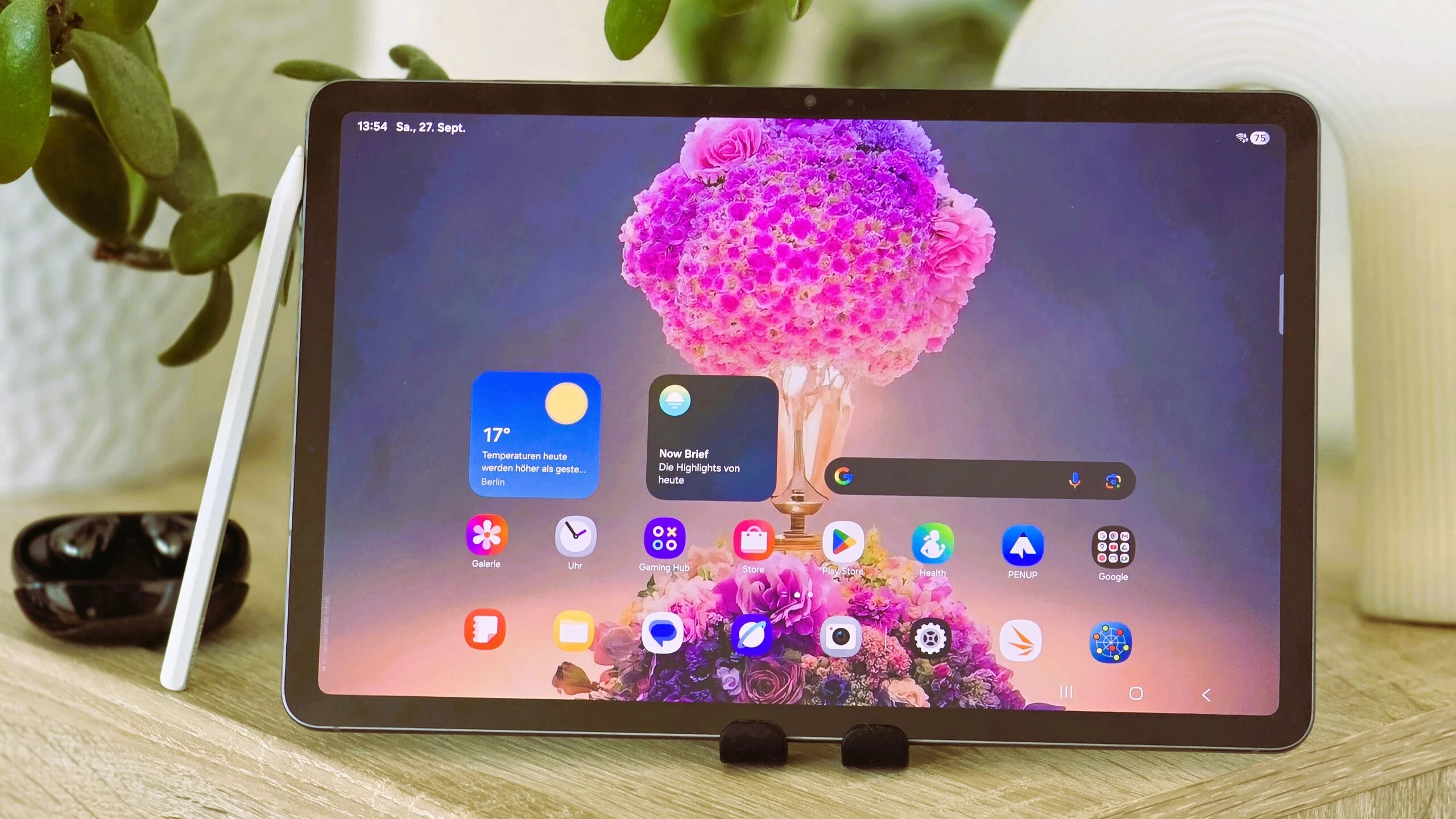
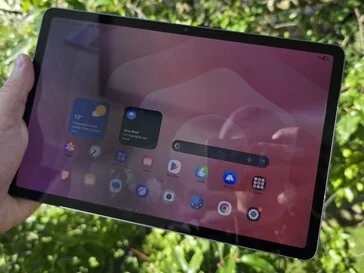
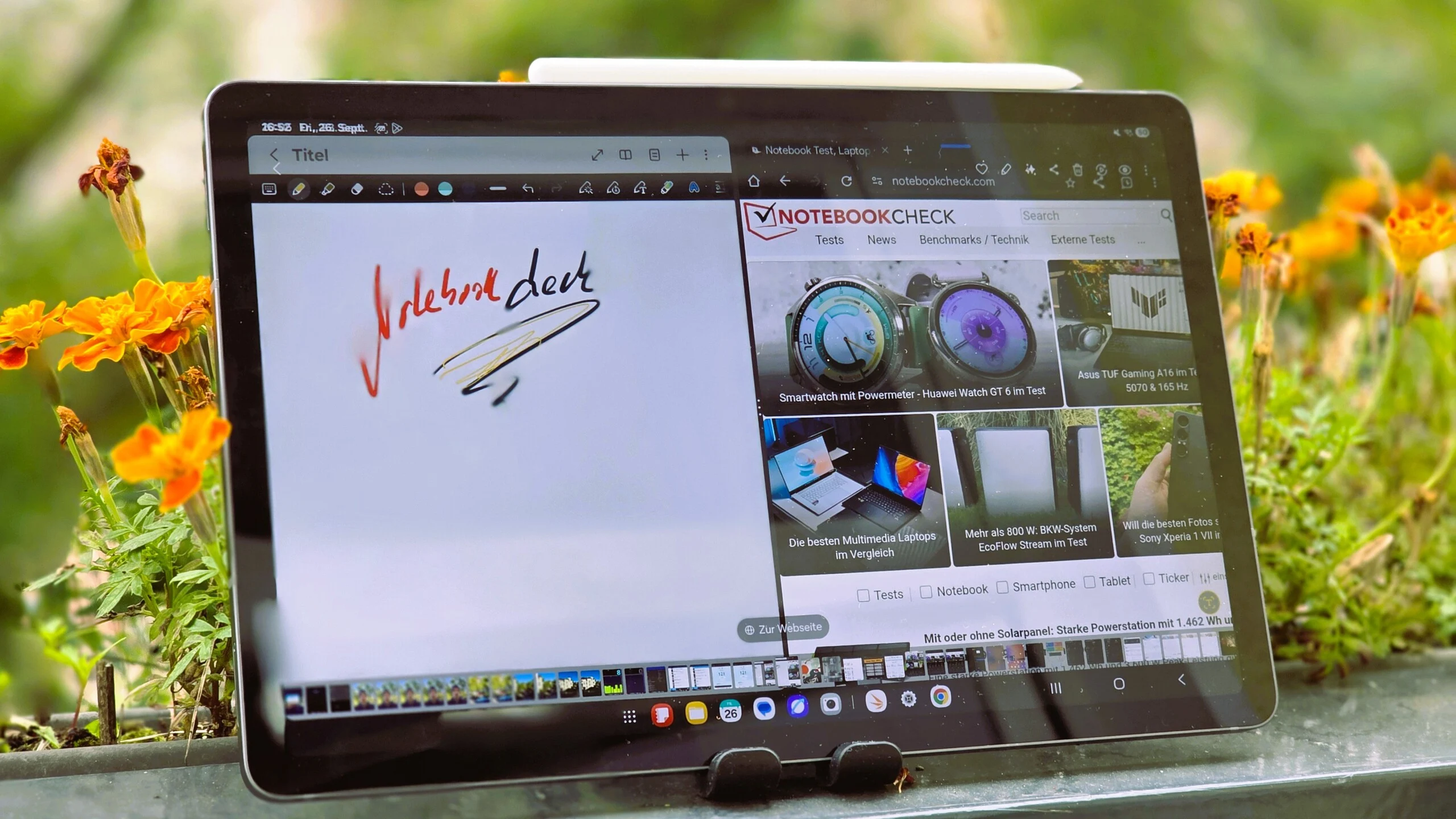
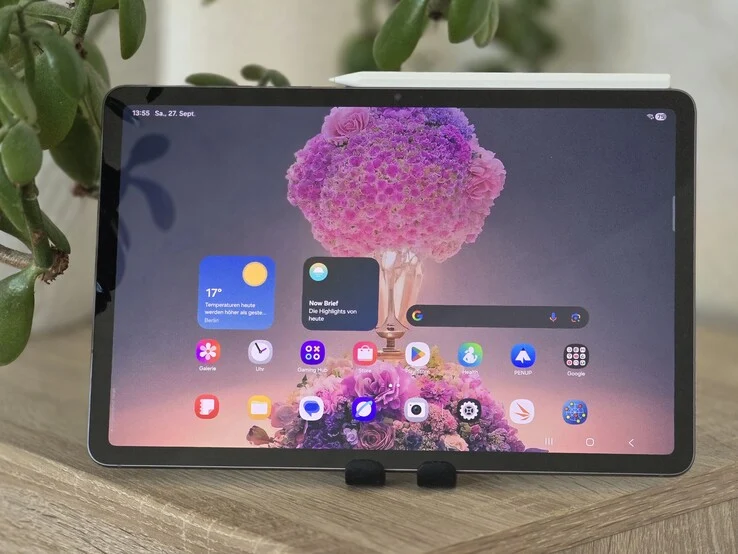
    In our analysis, the Samsung Galaxy Tab S11 stands out as a high-end tablet, constructed with a durable and waterproof aluminum body. It features an 11-inch OLED screen that shines brightly, boasting a peak brightness exceeding 1,600 cd/m², which aligns with the brightness claims made by Samsung.

    Display Performance

    Using a spectrophotometer and the APL18 testing pattern, we observed a notable luminance of 1,575 cd/m². During HDR video playback, the Galaxy Tab S11 reached up to 1,648 cd/m². The OLED screen also showcases impressively quick response times, which gamers will definitely appreciate.

    Color Accuracy Analysis

    An examination of the color accuracy of the Samsung Galaxy Tab S11, conducted with a photospectrometer and CalMAN software, reveals that the tablet has increased DeltaE values when compared to the sRGB color space. This indicates that the color calibration isn’t perfect, leading to less precise color reproduction in contrast to alternatives like the Xiaomi Pad 7 Pro. Particularly, the red and green hues are less than satisfactory.

    Performance and Thermal Issues

    There are few issues regarding the selection of the chipset, as the Dimensity 9400+ is a current SoC that delivers strong performance. Nevertheless, we noticed some thermal challenges, especially in comparison to the Galaxy Tab S11 Ultra. During our evaluations, the Galaxy Tab S11 showed noticeable throttling under heavy use. The benchmark results also fell short compared to those of the Ultra variant.

    Battery Life Concerns

    The battery performance of the Galaxy Tab S11 leaves much to be desired. In our real-world testing at a brightness of 150 cd/m², it didn’t perform as well as its rivals. For instance, the Galaxy Tab S9 managed 9 hours during the Wi-Fi test, while the Galaxy Tab S11 only achieved 11 hours.

    It would have been beneficial if Samsung had made a significant upgrade to its tablet series, akin to what was done with its smartphones, by introducing a Galaxy Tab S20. With an extended battery life of 20 hours, this compact Samsung tablet would have been much more competitive in the Android market.

    Source:
    Link


  • Samsung Galaxy Tab S10 Lite Review: Cost-Cutting Concerns

    Samsung Galaxy Tab S10 Lite Review: Cost-Cutting Concerns

    Key Takeaways

    1. Strong Build and Update Promise: The Galaxy Tab S10 Lite is well-constructed and offers long-term software support, making it budget-friendly.

    2. Integration with Samsung’s Ecosystem: The tablet features excellent stylus functionality and a 5G option, enhancing its appeal for Samsung users.

    3. Performance Limitations: Powered by the Exynos 1380, the tablet struggles with lag and smooth operation during use, especially compared to competitors.

    4. Comparison with Competitors: The S10 Lite falls short in benchmark tests against models like the Galaxy Tab S10 FE and Xiaomi Pad 7 Pro, highlighting its weaker performance.

    5. Consideration for Budget Users: While it’s a decent option for budget-conscious users, potential buyers should weigh its performance challenges before purchasing.


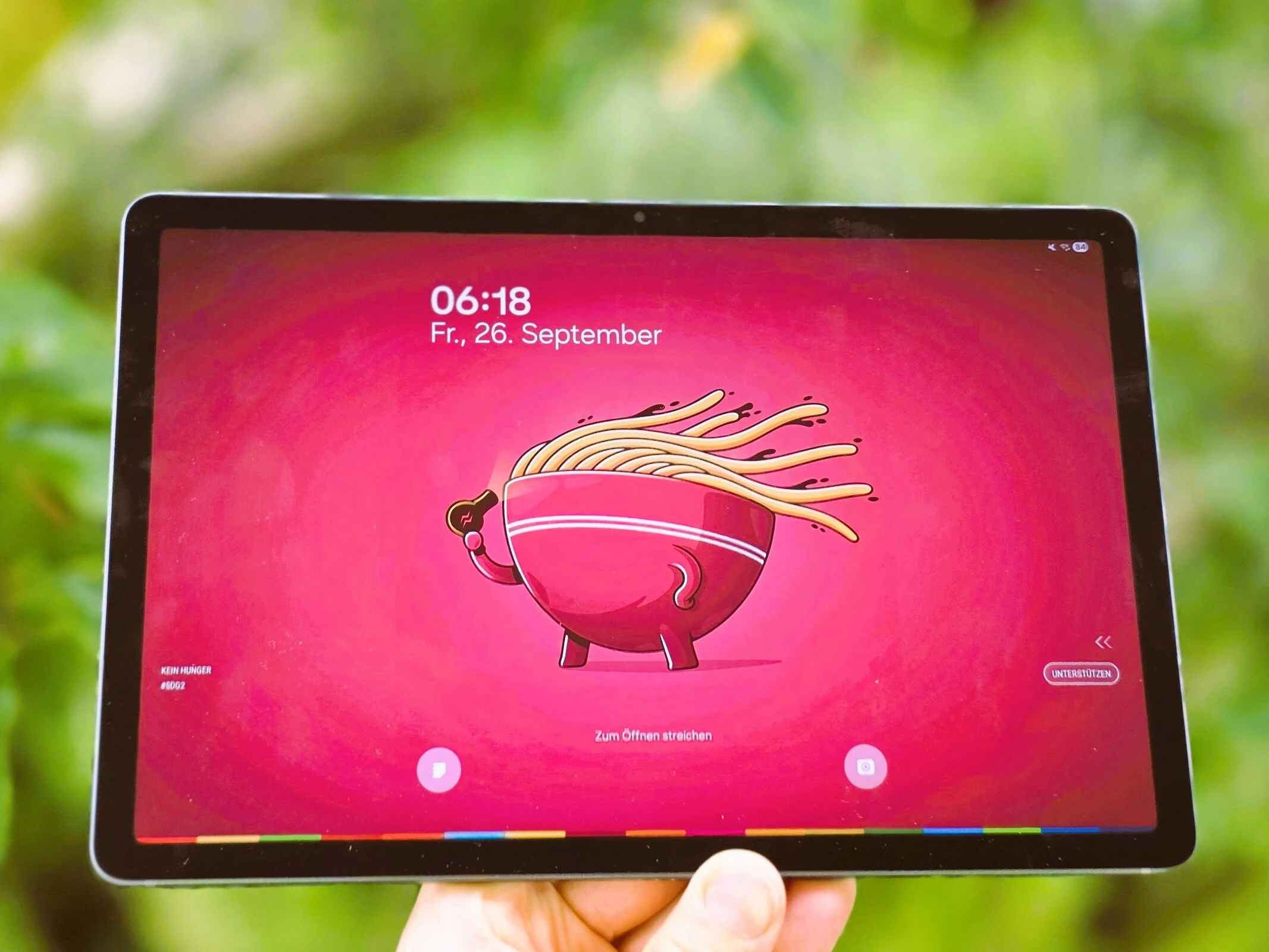
    In our assessment, the Galaxy Tab S10 Lite shows itself to be strong and well-constructed. The tablet offers a very appealing update promise, making it a good choice for users who are mindful of their budget and appreciate long-term software support without wanting to spend a lot on a device.

    Samsung’s Features and Ecosystem

    One of the major attractions of the Galaxy Tab S10 Lite is its integration with Samsung’s ecosystem and the outstanding stylus functionality. Additionally, it comes in a 5G version. However, if someone places a high priority on performance and seamless operation, they might want to look at other models that feature newer processors and stronger GPUs, as the Galaxy Tab S10 Lite has clear limitations in this area and can quickly hit its performance ceiling.

    Performance Limitations

    The Galaxy Tab S10 Lite is powered by the relatively underwhelming Exynos 1380. Our evaluations reveal that this performance shortfall often leads to lagging and less-than-smooth operation during use.

    The system-on-chip (SoC), which is also used in the Galaxy Tab S9 FE, is adequate for daily tasks, but it doesn’t offer the high performance present in many competing tablets available today. When placed side-by-side with rivals that feature more advanced chipsets, like the Xiaomi Pad 7 Pro, the Tab S10 Lite appears to be less equipped for future demands in terms of performance.

    Comparison with Competitors

    Unlike the Galaxy Tab S10 FE, which utilizes the slightly more robust Exynos 1580, the S10 Lite trails significantly in benchmark tests. The Mali-G68 MP5 also fails to impress in the 4K graphics performance test, managing only about 6 FPS, which is quite low.

    In conclusion, the Galaxy Tab S10 Lite is a decent option for budget-conscious users but comes with its own set of performance challenges that should be taken into account before making a purchase.

    Source:
    Link


  • Samsung S Pen for Galaxy Tab S11: Cool Features & Design Debate

    Samsung S Pen for Galaxy Tab S11: Cool Features & Design Debate

    Key Takeaways

    1. The Samsung Galaxy Tab S11 includes a new S Pen with a hexagonal shape, enhancing user convenience since it is bundled with the tablet.
    2. The S Pen has an IP68 rating, providing protection against dust and water, but its compact design may not be ideal for users with larger hands.
    3. Weighing only 8 grams, the lightweight S Pen is comfortable for some users, though opinions vary on whether it feels high-quality.
    4. The S Pen features a 1-millimeter tip that offers a softer touch for a more natural writing and drawing experience, operating quietly for improved usability.
    5. With 4,096 levels of pressure sensitivity and quick response times, the S Pen performs well, though some professional artists may prefer higher pressure sensitivity options.


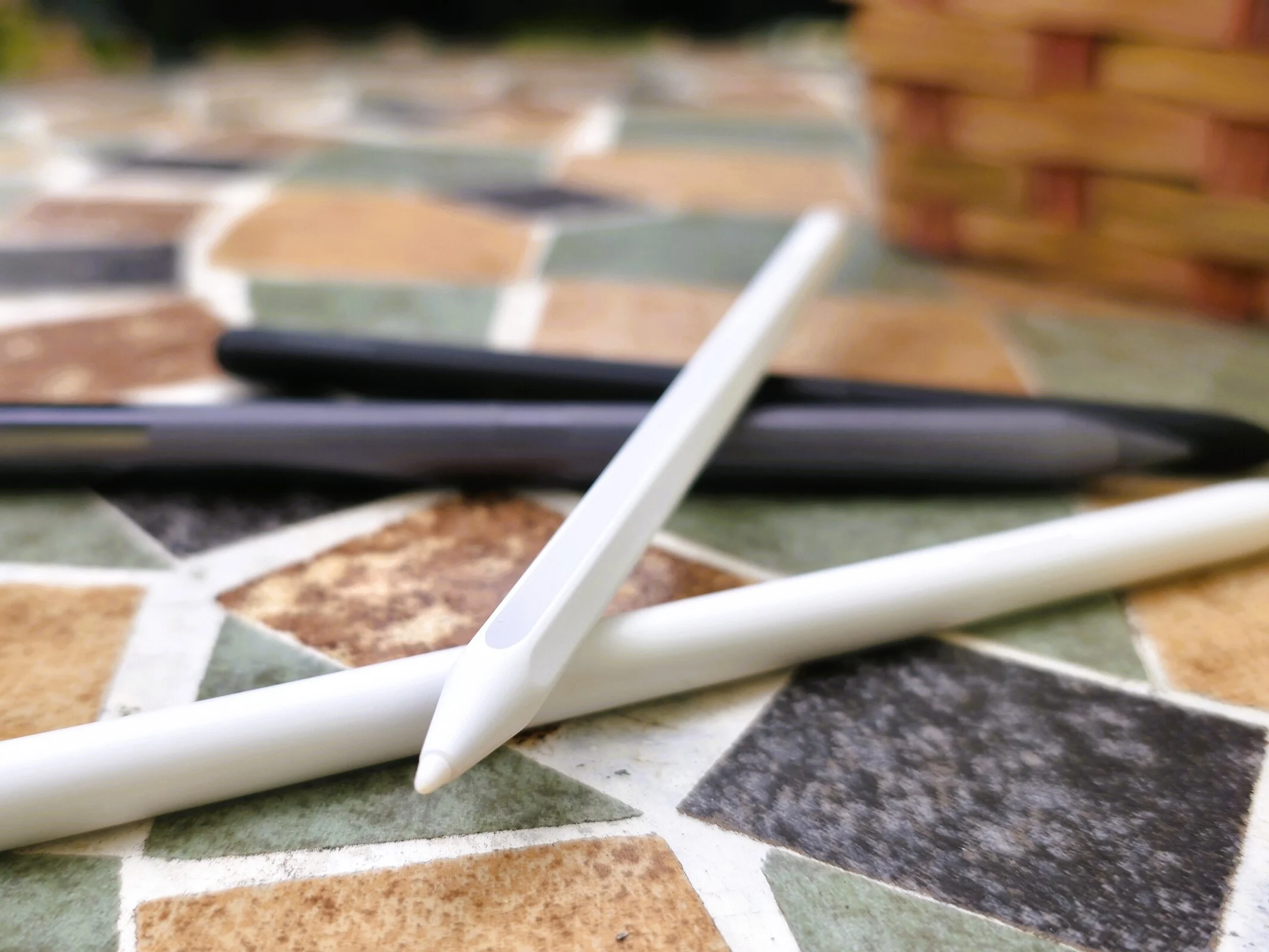
    The Samsung Galaxy Tab S11 is bundled with a new S Pen that features a hexagonal shape, taking inspiration from traditional pencils. We had the opportunity to evaluate this new pen alongside the tablet, which starts at a price of $899, available at various retailers like Amazon.

    Included S Pen

    It’s great to see that the S Pen is included in the package, unlike the Apple iPad Pro, where you have to buy it separately. This makes it more convenient for users who want to start using their tablet right away.

    Design and Feel

    The S Pen designed for the Tab S11 and Tab S11 Ultra boasts an IP68 rating, providing protection from both dust and water. Its new shape allows for a comfortable grip, but it seems a bit slimmer and more compact when compared to the Apple Pencil or the Honor Magic Pencil 3. Personal taste will play a big role in whether you like the design and feel, but we tend to favor the more ergonomic, semi-circular shape of its older version. Moreover, the compact casing of the new S Pen might feel a bit small, especially for people with larger hands.

    Weight and Comfort

    Weighing in at a mere 8 grams, the S Pen is quite lightweight, especially when stacked against the Apple Pencil Pro, which is over twice its weight. However, opinions differ on this aspect. Some argue that the lightweight nature is beneficial for extended use and better for smaller hands, while others feel it lacks a sense of quality or heft.

    Performance

    Where the new S Pen truly excels is in its functionality. The tip is about 1 millimeter in size and offers a softer touch than competitors, making it feel more natural for writing and drawing. Additionally, the pen operates quietly, which enhances the user experience.

    Technical Specs

    In terms of technology, the S Pen stands out with an impressive 4,096 levels of pressure sensitivity and rapid response times. Although Samsung hasn’t disclosed specifics about latency and some competitors may offer more pressure levels, we haven’t noticed any drawbacks in daily usage. Nevertheless, the reduced pressure sensitivity could be less favorable for professional artists.


  • Galaxy Tab S10 Lite: Affordable Tablet with 7 Years of Updates

    Galaxy Tab S10 Lite: Affordable Tablet with 7 Years of Updates

    Key Takeaways

    1. Emphasis on data safety and security over speed and robustness.
    2. Long update timeline with seven major Android version upgrades and regular security patches.
    3. Access to new features and enhanced user experience through extensive updates.
    4. Samsung Care+ provides coverage for damages, reducing financial risks for users.
    5. Samsung Knox offers comprehensive hardware and software protection for sensitive information.


    The Galaxy Tab S10 Lite isn’t the quickest or the most robust tablet in its price range. Instead, Samsung emphasizes the importance of data safety and security in this device.

    Security Features of the Galaxy Tab S10 Lite

    There are three key areas where the Samsung Galaxy Tab S10 Lite stands out in terms of security. You can read our full review to learn more.

    One big plus of this budget-friendly Samsung tablet is its long update timeline and the promise of seven major Android version upgrades. Regularly issued security patches help close known vulnerabilities that could be taken advantage of by potential threats. Without these updates, the chances of a device falling prey to malware or hacker attacks tend to rise.

    Long-term Benefits of Updates

    A tablet that gets extensive Android version upgrades also gains access to new features and enhancements that improve the user experience over time. Furthermore, it guarantees that the Android system stays compatible with the newest apps and services.

    Samsung provides Care+ for the Galaxy Tab S10 Lite, which helps users cover damages from accidents, falls, or even water exposure. Unlike standard warranties, which can differ by country (for instance, 1 year in the USA and 3 years in Germany), users don’t have to stress about high repair costs, thereby lowering their financial risks.

    Samsung Knox for Enhanced Protection

    The Galaxy Tab S10 Lite is equipped with Samsung Knox, a unique security platform tailored for mobile devices. Samsung claims this delivers all-around hardware and software protection to keep sensitive information safe from unauthorized access, malware, and various threats. Knox encompasses features like secure boot processes, encryption, and data compartmentalization (for instance, separating personal and work-related data).

    Source:
    Link


  • Wacom MovinkPad Pro 14: Snapdragon 8s, OLED Display, Pro Pen 3

    Wacom MovinkPad Pro 14: Snapdragon 8s, OLED Display, Pro Pen 3

    Key Takeaways

    1. The Wacom MovinkPad Pro 14 features a Snapdragon 8s Gen 3 SoC, 12 GB of RAM, and 256 GB of storage, with expandable memory via microSD.
    2. It has a 2,800 x 1,800 pixel OLED display with a 120 Hz refresh rate, covering 100% of sRGB and DCI-P3 color spaces, and includes glare-reducing coatings for eye comfort.
    3. The tablet includes the Wacom Pro Pen 3, offering 8,192 levels of pressure sensitivity and no need for batteries, along with options for different nibs.
    4. It features Wacom’s UX interface, a one-year license for Clip Studio Paint Debut, and supports various file formats for artwork storage.
    5. Priced at $899.95, the MovinkPad Pro 14 will be available in Fall 2025, while the smaller MovinkPad 11 is available now.


    Wacom has just introduced the MovinkPad Pro 14, an all-in-one drawing tablet designed for artists that runs on a speedy Snapdragon 8s Gen 3 SoC. It comes equipped with 12 GB of RAM, 256 GB of storage, and the option to expand memory via a microSD card.

    Display Features

    This Android 15 tablet boasts a stunning 2,800 x 1,800 pixel OLED display that supports 10-finger multi-touch. The 120 Hz refresh rate screen fully covers 100% of both the sRGB and DCI-P3 color spaces, featuring a contrast ratio of 100,000:1 and brightness levels of 400 cd/m2 (with a peak of 900 cd/m2). For better eye comfort, it includes special coatings to reduce glare and fingerprints. Wacom claims that the textured surface of the display gives users a natural, paper-like drawing experience.

    Pen and Connectivity

    Included with the MovinkPad is the Wacom Pro Pen 3, which offers 8,192 levels of pressure sensitivity, a resolution of 5,080 lines per inch, and a tilt range of 60 degrees. It utilizes electromagnetic resonance tech, meaning there’s no need for batteries or charging. Various nibs that change the pen’s feel on the display are available separately, along with other Wacom-compatible pens. Additionally, the tablet can connect to a PC or Mac, allowing it to function as an external display with drawing capabilities.

    User Interface and Storage

    Wacom’s UX interface enables quick access to Wacom Canvas, a digital sketchbook designed to help artists capture spontaneous creative ideas. A one-year license for Clip Studio Paint Debut is also part of the package. Users can view all their artwork stored on the device through Wacom Shelf, which supports various file formats including bmp, clip, heic, jpeg, png, tiff, and webp.

    The dimensions of the Wacom tablet are 323.3 x 210 x 5.9 mm (12.7 x 8.3 x 0.23 in.) and it weighs 699 g (1.6 lbs). It features dual microphones, stereo speakers, GPS, and an ambient light sensor, along with Bluetooth 5.4 and 802.11ax Wi-Fi for wireless connectivity. The device is powered by a 10,000 mAh battery that can be charged using a USB-C power source.

    Pricing and Availability

    The MovinkPad (DTHA140L0Z), priced at $899.95, is expected to be available in Fall 2025 through Wacom and the Wacom store on Amazon. For those who can’t wait, there’s the MovinkPad 11, a smaller version that you can find on Amazon right now. Artists needing a tablet capable of running professional software like the full version of Adobe Photoshop may want to consider a PC tablet.

    Source:
    Link


  • Amazon Launches 3rd Gen Kindle Scribe: New Design & Larger Display

    Amazon Launches 3rd Gen Kindle Scribe: New Design & Larger Display

    Key Takeaways

    1. Amazon introduced three new Kindle Scribe models, including the 3rd generation and a version without Front Light, featuring significant updates from previous models.

    2. The new Kindle Scribe has a redesigned, thinner, and lighter body with an 11-inch display at 300 ppi, enhancing the overall aesthetic and usability.

    3. Enhanced user experience features include a glare-free display that mimics paper, improved lighting, reduced parallax, faster performance with a quad-core processor, and increased memory options.

    4. New AI-driven features include AI-powered search, reading tools, and integration with Alexa+, along with access to files from Google Drive and Microsoft OneDrive.

    5. Pricing starts at $499 for the 32GB Kindle Scribe (3rd Generation) and $429 for the version without Front Light, with availability later this year and early next year, respectively.


    For its autumn event this year, Amazon has revealed not just one, but three new models of the Kindle Scribe, which bring major updates to the largest Kindle in their lineup.

    New Models and Features

    Among the new offerings is the Kindle Scribe Colorsoft, which can be explored further in its dedicated section. However, the real stars are the Kindle Scribe (3rd generation) and its counterpart, the Kindle Scribe without Front Light, which are the genuine successors to the 2022 and 2024 versions of the Kindle Scribe.

    Design Improvements

    The latest Kindle Scribe features a completely revamped design — the previously thick side that made it easy to hold without accidental screen touches is now a thing of the past. The new version has sleek bezels on all four sides, resembling a conventional tablet. It’s taller, thinner, and lighter than earlier models, despite offering a larger display.

    Unlike its predecessor, which had a 10.2-inch screen, the Kindle Scribe (3rd Generation) and its counterpart have an 11-inch display with a resolution of 300 ppi. However, it’s worth noting that while the standard model includes built-in lighting, the Kindle Scribe without Front Light does not have this feature, which seems odd in today’s market.

    Enhanced User Experience

    Amazon claims that this new glare-free display mimics the feel of a sheet of paper, both in size and in the writing experience. The front-lit version has an upgraded lighting system and a newly textured glass that enhances friction while using the redesigned premium pen. Furthermore, Amazon reports they’ve managed to reduce parallax to nearly zero, resulting in a superior writing experience.

    The 2025 models of the Kindle Scribe come equipped with a quad-core processor and increased memory, meaning users should experience faster performance compared to previous versions. The Kindle Scribe (3rd Generation) is available in 32GB and 64GB storage options, while the model without front lighting offers just 16GB — another puzzling choice for 2025.

    Innovative AI Features

    There are also new AI-driven software features, including AI-powered search, AI-assisted reading tools, and the functionality to send notes and documents to Alexa+. Users can access their files via Google Drive and Microsoft OneDrive, and share notebooks using OneNote.

    Yet again, Amazon has left out Wi-Fi 6, waterproof capabilities, and wireless charging for the 2025 Kindle Scribe. According to the specs, the battery lasts 12 weeks for the model with front light and 16 weeks for the version without. This estimate is based on reading for 30 minutes daily with Wi-Fi turned off. The new Kindle Scribes fully charge from empty in 2.5 hours using a 20W adapter. Though a charger is not included, buyers will receive a Premium Pen, replaceable tips, and a charging cable.

    Pricing and Availability

    The Kindle Scribe (3rd Generation) comes in Graphite, priced at $499 for the 32GB model and $549 for the 64GB variant. This will be available later this year. The Kindle Scribe without Front Light also comes in Graphite but is more affordable at $429, though it won’t be released until early next year.

    If these prices seem excessive, Amazon still offers last year’s updated model, allowing you to snag the 64GB version for $339.99 instead of the original price of $449.99.

    Source:
    Link


  • Kindle Scribe Colorsoft vs. reMarkable Paper Pro: A Comparison

    Kindle Scribe Colorsoft vs. reMarkable Paper Pro: A Comparison

    Key Takeaways

    1. The Kindle Scribe Colorsoft features an 11-inch Colorsoft display with 300 ppi for Black and White and 150 ppi for color.
    2. It shares specifications with the Kindle Scribe (3rd generation) and includes AI-powered software features and a quad-core processor.
    3. Available in Graphite and Fig colors, it offers 32GB and 64GB storage options and includes a battery-free Premium Pen with multiple color options.
    4. The device has security features like data encryption, a PIN code lock, and a tamper-resistant design.
    5. Battery life lasts up to 8 weeks for reading, but only 2 weeks for writing; pricing starts at $629.99 for the 32GB model.


    After dipping its toes with the Kindle Colorsoft Signature Edition and the newer Kindle Colorsoft, Amazon has now introduced the color display feature to its biggest Kindle yet, the Kindle Scribe Colorsoft.

    New Model Features

    The Kindle Scribe Colorsoft is one of three fresh Kindle Scribe models unveiled during Amazon’s fall event in 2025. It boasts an 11-inch Colorsoft display that offers 300 ppi for Black and White and 150 ppi for color. The display includes adjustable warm lighting and is encased in an aluminum shell with consistent bezel thickness all around.

    Specs and Design

    Aside from the Colorsoft display, the Kindle Scribe Colorsoft shares the same specifications as the Kindle Scribe (3rd generation) with Front Light. This means it provides a realistic writing experience, maintaining its sleek and lightweight design, along with AI-powered software features. Additionally, it is equipped with a quad-core processor and has more memory compared to the first-generation Kindle Scribe.

    Available Options

    The Kindle Scribe Colorsoft comes in Graphite and Fig colors, with storage options of 32GB and 64GB. It includes a matching Premium Pen that does not need charging as it is battery-free. According to Amazon, users can select from 10 pen colors, 5 highlighters, and a shading tool for delicate gradients and overlays.

    Security and Connectivity

    The Kindle Scribe Colorsoft also features data encryption and allows users to set a PIN code to keep their notes safe from unwanted access. It’s designed to be tamper-resistant and has a sleep timer that turns off the display when not in use.

    Battery Life and Pricing

    The specifications indicate it supports dual-band Wi-Fi and has a USB-C port for connectivity. Amazon claims the battery life can last up to 8 weeks on a single charge, given 30 minutes of reading daily, Wi-Fi turned off, and brightness set at level 13. However, if you primarily use it for writing (30 minutes daily), the battery life drops to just 2 weeks. Fully charging it takes about 2.5 hours using a 20W USB-C adapter.

    The starting price for the Kindle Scribe Colorsoft is $629.99 for the 32GB model, rising to $679.99 for the 64GB version. It is set to launch later this year and will compete against rivals like the reMarkable Paper Pro, which features a larger 11.8-inch color display and starts at $629. Another competitor is the BOOX Note Air4 C, available on Amazon for $529.99, which has a slightly smaller screen but boasts 64GB of storage and runs on Android.

    Source:
    Link