Category: Gaming

  • AOC Launches 27-Inch 200Hz Fast IPS Gaming Monitor Under $160

    AOC Launches 27-Inch 200Hz Fast IPS Gaming Monitor Under $160

    Key Takeaways

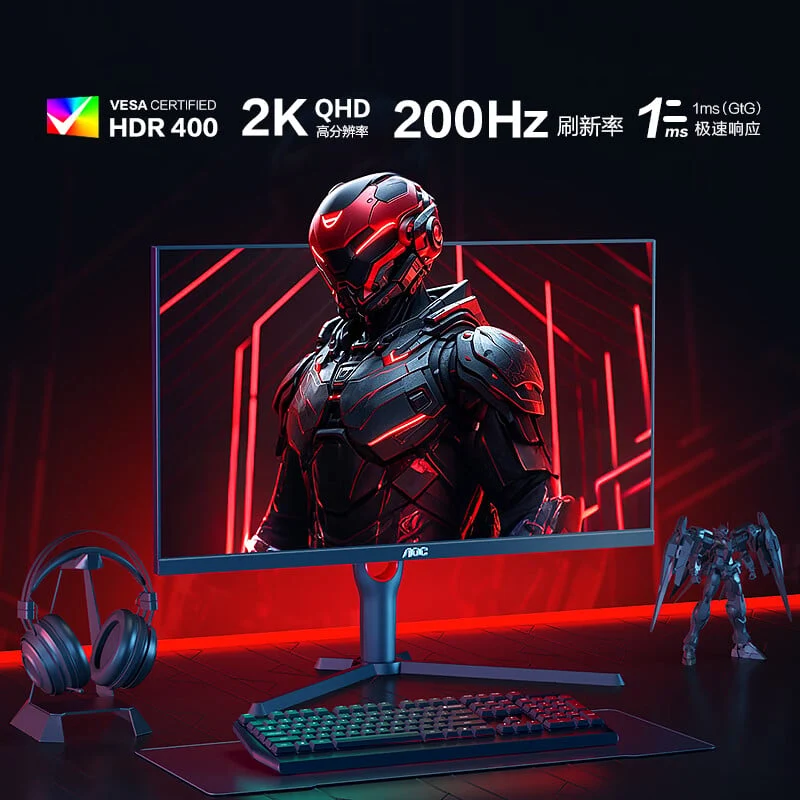
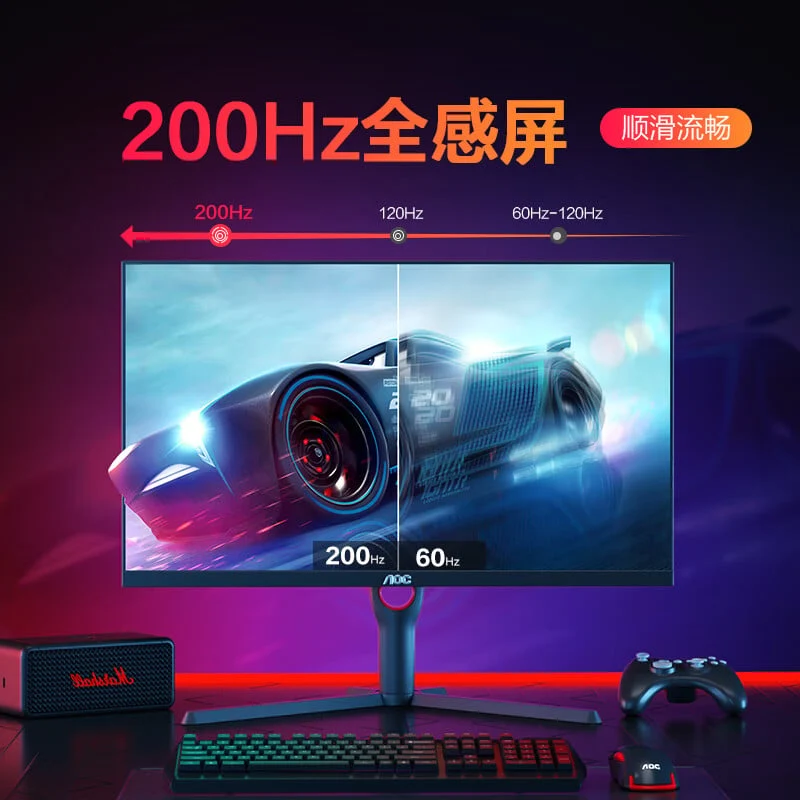
    1. The AOC Q27G3H monitor features a 27-inch 2K QHD resolution (2560 x 1440) and an overclocked refresh rate of 200Hz, ideal for gaming and content creation.
    2. It uses a Fast IPS panel with a 1ms GtG response time and 0.3ms MPRT, reducing motion blur and providing broad viewing angles and accurate colors.
    3. The monitor is HDR400 certified, supports 10-bit color, and covers 99% of the sRGB and 95% of the DCI-P3 color spaces, ensuring high color accuracy for tasks like video editing.
    4. Ergonomically designed, it has an adjustable stand for tilt, swivel, height, and pivot, plus VESA wall mounting support.
    5. Connectivity options include HDMI 2.1, DisplayPort 1.4, and a 3.5mm audio jack, along with gamer-friendly features like Game Color tuning and low input lag mode.


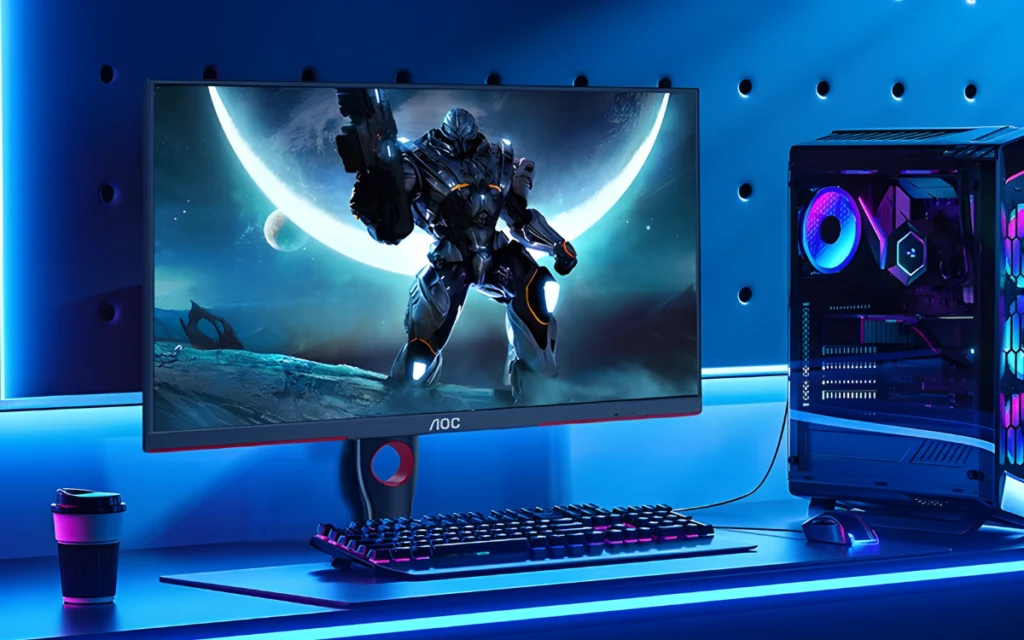
    AOC has launched its latest 27-inch Q27G3H gaming monitor in China, striking an impressive harmony of performance and price. The monitor retails for 1,149 yuan ($158) and is currently up for grabs on JD.com. Let’s dive into its essential features.

    Specifications of AOC Q27G3H Monitor

    This monitor boasts a 2K QHD resolution (2560 x 1440) along with an overclocked refresh rate of 200Hz, providing smooth and quick visuals that are perfect for gaming and creating content.

    The Q27G3H utilizes a Fast IPS panel, which gives it broad viewing angles and precise color accuracy. It has a 1ms GtG response time and an impressively low 0.3ms MPRT, which minimizes motion blur during rapid scenes. Moreover, it is equipped with Adaptive Sync and is compatible with AMD FreeSync, ensuring a tear-free gaming experience.

    Eye Comfort and Color Accuracy

    The panel holds an HDR400 certification and offers support for 10-bit color (8-bit + FRC), enabling it to display an astonishing 10.7 billion colors. It covers 99% of the sRGB and 95% of the DCI-P3 color spaces, and it comes factory-calibrated for color accuracy (ΔE<2), which is suitable for tasks that require precise color, like video editing and photography.

    To enhance eye comfort, the Q27G3H includes DC dimming and a TÜV-certified low blue light panel. It also has various blue light modes designed for specific activities such as watching media, reading, and working in an office setting.

    Ergonomics and Connectivity

    Regarding ergonomics, the monitor features an entirely adjustable stand that allows for tilt (-5° to 23°), swivel (-30° to 30°), height adjustment (up to 130mm), and pivot rotation (-90° to 90°). Additionally, it supports VESA wall mounting with a 100 x 100 mm pattern.

    When it comes to connectivity, the monitor includes HDMI 2.1, DisplayPort 1.4, and a 3.5mm audio jack, making it a versatile option for both PC and console gamers. It also includes gamer-friendly features like Game Color tuning, a low input lag mode, dark field control, and an on-screen crosshair that improves precision in first-person shooter games.

    Asus has recently unveiled a 31.5-inch 4K QD-OLED monitor that features a 240Hz refresh rate along with Thunderbolt 4 support. At the same time, Dell has released new 27-inch 4K monitors that come with a 120Hz refresh rate, 99% sRGB coverage, FreeSync Premium, and USB-C connectivity with 65W power delivery.

    Source:
    Link


  • System Shock 2 Remake Possible, Hints Nightdive Studios

    System Shock 2 Remake Possible, Hints Nightdive Studios

    Key Takeaways

    1. Nightdive Studios is planning to release a remaster of System Shock 2 on June 26, with potential for a complete remake in the future.
    2. The future of System Shock 3 is uncertain, with complications surrounding its development and ownership since Tencent took over in 2020.
    3. Nightdive holds rights to the first two System Shock titles but not to System Shock 3, impacting their control over the franchise’s future.
    4. Nightdive aims to expand the System Shock franchise with possible remakes, new content, and cross-media projects like a live-action series.
    5. The upcoming remaster of System Shock 2 will feature improved visuals, updated cooperative gameplay, and various quality-of-life enhancements, available on multiple platforms.


    Right after revealing a June release for the highly anticipated remaster of System Shock 2, Nightdive Studios is now discussing what lies ahead for this cherished franchise.

    Future Possibilities

    The developer has given a careful update about the future of the System Shock series, hinting that a complete remake of System Shock 2 might be feasible while recognizing the uncertain situation surrounding System Shock 3. In a recent talk with VGC, Larry Kuperman, Nightdive’s business development director, responded to fans’ curiosity about a System Shock 2 remake following the upcoming release of System Shock 2: 25th Anniversary Remaster, set for June 26. When questioned about the choice to go for a remaster instead of a full remake, Kuperman playfully remarked, “Are you somehow under the impression that because we do a remaster that we won’t be able to do a remake in the future?” He further added, “That might be something that I can either confirm or deny. But there’s going to be content coming out.”

    System Shock 3’s Uncertainty

    On the other hand, the future of System Shock 3 is still in the dark. The sequel, which was initially licensed to Otherside Entertainment, was taken over by Tencent in 2020, but no updates have surfaced since then. Kuperman acknowledged that the matter is “very complicated” and may take “potentially within a year” to sort out – or even longer. While Nightdive holds the rights to the first two titles, it does not have direct control over System Shock 3.

    What’s Next for Nightdive

    Even with the ambiguity, Kuperman mentioned Nightdive’s ambitions for the franchise within its scope, including possible remakes, new content, and cross-media projects such as the previously announced live-action System Shock series.

    For the moment, fans can anticipate the System Shock 2 remaster, which boasts improved visuals, updated cooperative gameplay, and various quality-of-life enhancements. This remaster will be available on PlayStation, Xbox, Switch, and PC this June.

    Source:
    Link

  • Intel Xe2 Battlemage GPUs Face Tough Competition from Nvidia

    Intel Xe2 Battlemage GPUs Face Tough Competition from Nvidia

    Key Takeaways

    1. Intel’s Arc Battlemage B580 and B570 GPUs received positive reviews for their performance and competitive pricing.
    2. Anticipation for the Arc B770 GPU was high among gamers looking for affordable high-end options.
    3. Recent reports indicate that the development of the Arc B770 GPU may have been completely cancelled.
    4. The B770 was expected to feature 16 GB of VRAM and up to 32 Intel Xe2 GPU cores, aiming to compete with high-end Nvidia GPUs.
    5. There are rumors of a potential 24 GB Intel Battlemage card targeted at creative professionals, despite the cancellation of the B770.


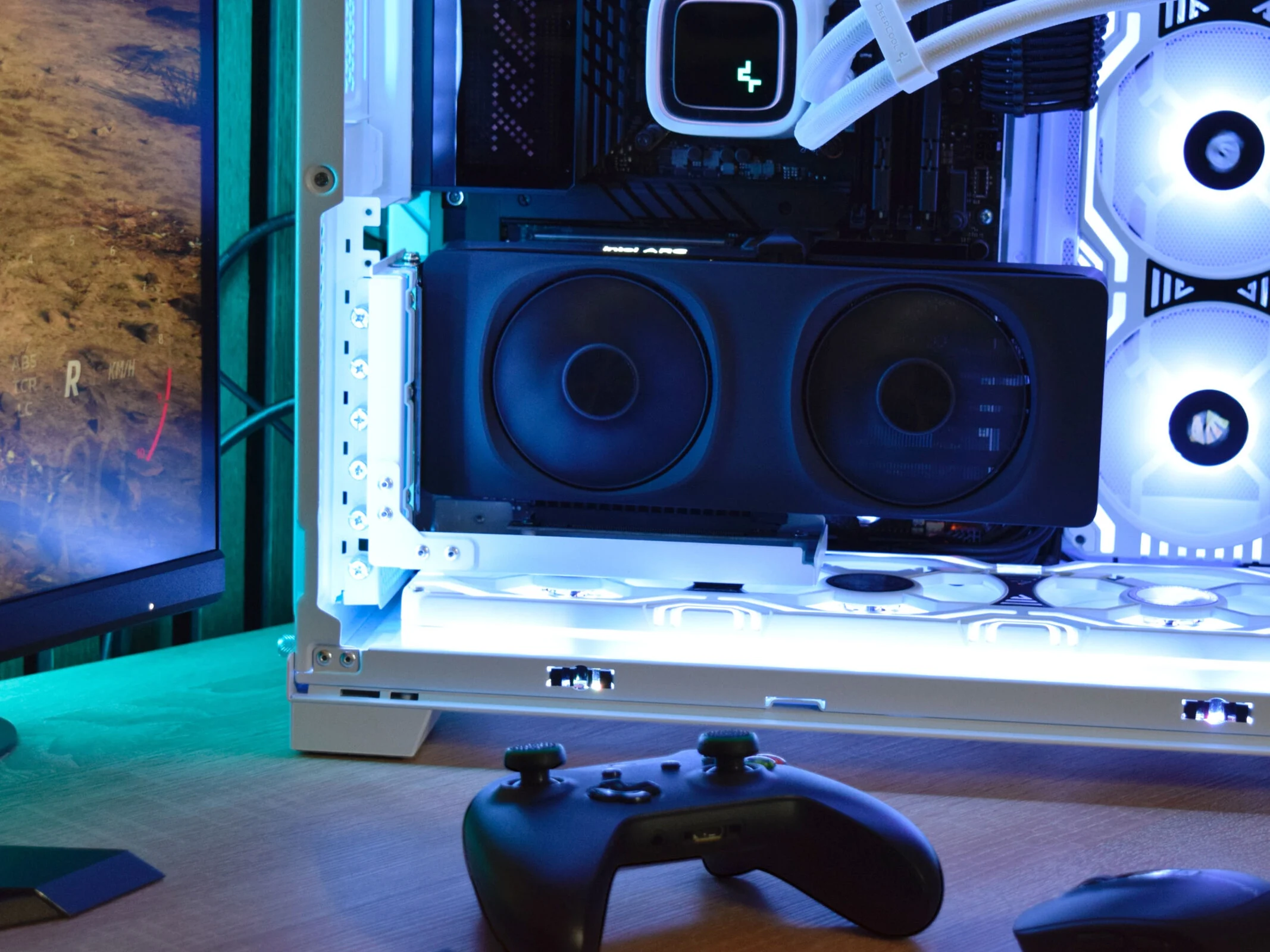
    Intel’s Arc Battlemage B580 and B570 GPUs made a notable impact when they were released not long ago. Our review of the B580 showcased its impressive performance at a price that is much more appealing than what AMD and Nvidia have offered up till now. This positive reception heightened anticipation for the upcoming Battlemage B770 GPU, especially for gamers seeking high-end PC gaming options without breaking the bank.

    Rumors of Cancellation

    However, recent reports suggest that Intel’s Arc B770 GPU may have been completely cancelled. According to frequent hardware insider, @jaykihn0 on X, when questioned about the Battlemage G31, the leaker stated that it has been “dead” since the third quarter of 2024. This indicates that the development of the high-end Intel GPU was halted in late 2024, at least for consumer purposes. Previous reports hinted that the B770 was already “doomed” even before its planned launch.

    Specifications and Implications

    The Arc B770 was expected to feature 16 GB of VRAM and could have included as many as 32 Intel Xe2 GPU cores. If these leaks are accurate, it would mean that Intel is entirely bypassing the high-end GPU sector in 2025. Nonetheless, there are rumors of a 24 GB Intel Battlemage card that might be aimed at creative professionals.

    Prior leaks suggested that the Intel Arc B770 could have competed with the Nvidia GeForce RTX 4080, positioning it against the newer Nvidia GeForce RTX 5070 Ti in the high-end market.

    Source:
    Link

  • Dual Boot Bazzite on Your Gaming Handheld: Step-by-Step Guide

    Dual Boot Bazzite on Your Gaming Handheld: Step-by-Step Guide

    Key Takeaways

    1. Bazzite’s Advantages: Setting up Bazzite for dual booting is straightforward and resolves common issues found with Steam OS, such as RGB lighting and button mapping.

    2. Storage Considerations: A larger storage capacity (1 TB) is recommended for dual booting to ensure enough space for both Windows and Bazzite, whereas 512 GB may lead to limited room for each OS.

    3. Partitioning Process: Proper partitioning is crucial; tools like Easeus Partition Master can help manage disk space more accurately than Windows’ built-in tools.

    4. Installation Steps: The installation of Bazzite requires creating specific partitions and sub-volumes, necessitating a keyboard for setup as there is no on-screen keyboard available.

    5. Performance Benefits: Users report improved battery life and functionality with Bazzite compared to Windows, along with enhanced game performance and seamless operation of hardware features.


    It is commonly known that using Windows on handheld devices can be a bit of a frustrating experience, but it does offer useful features like Game Pass and anti-cheat compatibility that help users overlook its shortcomings. On the other hand, configuring your gaming handheld to dual boot with an option like Bazzite allows you to enjoy the best features of both systems. While Valve’s Steam OS builds are available, using the beta version may lead to its own set of complications. For instance, RGB lighting might not function, TDP controls can be unreliable, not all buttons may be properly mapped, and the process for setting up a dual boot system hasn’t been well documented yet.

    Advantages of Bazzite

    Bazzite, however, does not experience these problems, and setting it up in a dual boot configuration is surprisingly straightforward, allowing for seamless switching between the two operating systems. It also supports a wide range of handheld devices, including those from GPD, ROG Ally (which you can find on Amazon), Ally X, Legion Go, OneX, and AYN. The dual booting process for Bazzite is generally consistent across these devices.

    Storage Considerations

    It’s important to remember that if you’re working with a system that has only 512 GB of storage, you will be dividing your space between the two operating systems, which can leave each with limited room. In contrast, a 1 TB drive provides ample space for dual booting while still leaving plenty of room for games on either Windows or Bazzite.

    To begin the process, you’ll require some hardware and software:

    First, download the Bazzite image specific to your device from the designated website and write it onto a USB stick using Balena Etcher or a similar USB image writing application like Rufus. After preparing the USB, you’ll move on to Windows to adjust your drive’s partitions.

    Partitioning Your Drive

    Depending on how much space you intend to allocate to Bazzite, you might need to remove some software from your Windows partition. I was aiming to use around half of a 1 TB drive, so it’s crucial to ensure you have at least 600 GB of free space. Once you have the required space, open “Computer Management” in Windows and navigate to “Disk Management” from the left sidebar. (Alternatively, you can press Win + R and type diskmgmt.msc)

    By right-clicking the primary (largest) volume on your drive, you can select “Shrink Volume.” This will display the maximum amount of space that can be freed up from Windows. If the amount seems reasonable, click “Shrink” on the next prompt, and you should be all set. You’ll see a black bar labeled “Unallocated Space”; if this amount meets your needs, you can proceed with the installation. You may also delete the “Recovery Partition,” which frees up about 1 GB of space using a specific guide; however, if you ever need to reinstall Windows, you’ll have to do it from the beginning (which isn’t necessarily a bad thing).

    That said, during my attempts, I found that Windows sometimes inaccurately reported the available free space. If you encounter this issue, I recommend a free tool called Easeus Partition Master, which I’ve relied on for managing partitions for years.

    Using Easeus Partition Master

    Once installed, the process for shrinking the partition is pretty much the same. Right-click on the volume, select “Extend / Shrink,” and drag the slider to release the space. Click “Execute Task” on the next screen, and Easeus Partition Master will boot into a separate recovery image from Windows to carry out the operation, which helps avoid the issue of Windows underreporting free space.

    After you’ve successfully partitioned your drive, reboot into Windows and check the disk space to confirm that it has shrunk. If it has, connect your USB dock, keyboard, and the USB drive containing Bazzite. You will need to boot from the USB stick, which involves accessing the BIOS/UEFI menu on your device. Shut down Windows, then power on the device while pressing the volume down button (similar to pressing the delete key on a desktop PC). This process may differ between devices. Once in the BIOS, navigate to the security tab and disable “Secure Boot.” In some cases, you might first need to set an administrator password to enable the option for disabling Secure Boot.

    Installation Process

    You may need to reboot back into the BIOS for the changes to take effect. After that, adjust the boot device order to prioritize the USB stick, and you should enter the Bazzite installation menu.

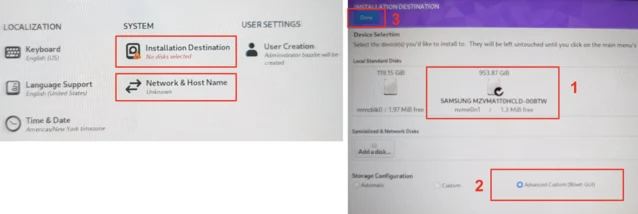
    Once in the installer, connect to your Wi-Fi network and create a new user with the name and username “deck.” Next, select the “Installation Destination.” It’s vital to have a keyboard connected here, as there is no on-screen keyboard available in the installer. Choose the free space on the right side of the disk layout that we created by shrinking Windows, and click the + button. You will need to create three different partitions. For each partition, select the free space and click the plus button. Assign each partition the following properties:

    After you’ve set up the three main partitions, a folder named btrfs.XXX will appear where you will need to create three btrfs sub-volumes. Select this folder and again click the plus button to create the following three sub-volumes. There’s no need to specify space here; just focus on the Mountpoint.

    Once your partition layout is correct, click “Done” in the upper left corner and “Accept the Changes” in the subsequent popup. This will take you back to the installation overview screen we saw earlier, and you can click “Begin Installation” in the bottom right corner. If everything is done correctly, after a few minutes, your device should reboot into Bazzite.

    Final Steps and Performance

    From this point, you can opt to install additional software like DeckyLoader and EmuDeck, but this step is optional. What you should end up with is a fully functioning Bazzite installation ready for use. Just sign into Steam as you would on a Steam Deck, and you’re set.

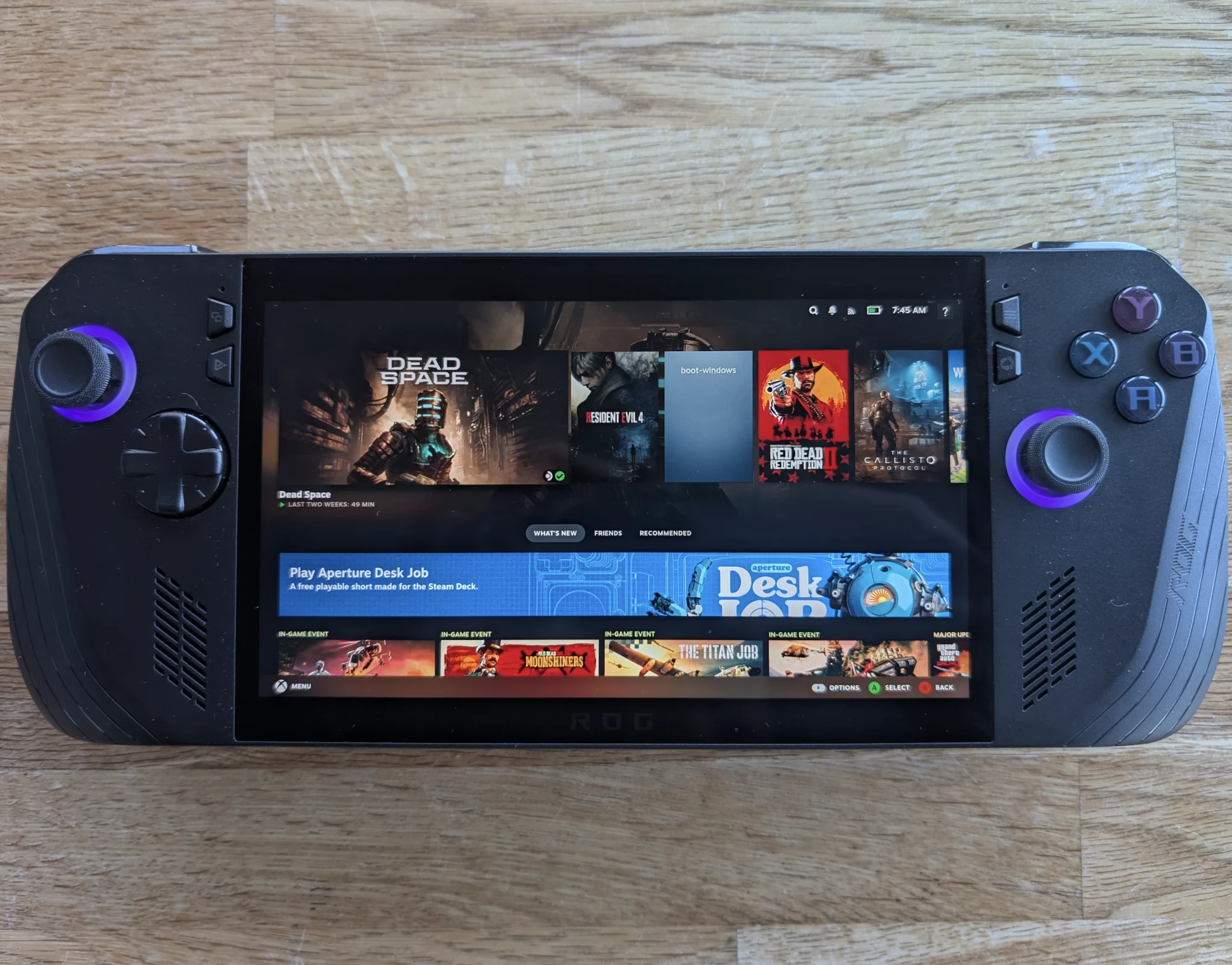
    Switching between Windows and Bazzite is as straightforward (or complex) as accessing the boot menu on your device and picking the installation you wish to use. Bazzite will be the default option during a normal boot unless you change the order in the BIOS. Alternatively, you can create a shortcut in Bazzite to boot into Windows automatically. To do this, navigate to the power menu, select “Switch to Desktop,” open a terminal window, and type:

    ujust setup-boot-windows-steam

    This action will add “boot-Windows” as a Non-Steam shortcut in your game library.

    Regardless of your feelings about Windows, Bazzite (and Steam OS) offers a much easier way to interact with your device, while keeping Windows as an option allows you to enjoy the best of both systems. With Bazzite, everything functions as intended. All buttons work properly, including the rear ones. The RGB on the Ally X is functional and customizable, TDP controls work well, and global scaling and filters like FSR operate correctly too. The major advantage is the ability to suspend your session by pressing the power button, allowing your device to resume right where you left off with minimal battery loss—something that has historically been problematic on Windows. It even comes with WayDroid pre-installed, enabling you to run Android apps as well.

    In terms of performance, I found both operating systems to be quite similar, but battery life improved significantly. Numerous users report enhanced performance in certain games when using Bazzite, though individual results may vary.

    Although an official Valve release of Steam OS is anticipated in just a few weeks as of late March 2025, Bazzite stands as a mature product that is easy to set up, fully functional, and compatible with nearly every handheld device, which is why many users consider it the top choice for handheld operating systems.

    Source:
    Link



  • Helldivers 2 Fails on Older Systems After Recent Updates, Players Angry

    Helldivers 2 Fails on Older Systems After Recent Updates, Players Angry

    Key Takeaways

    1. Helldivers 2 has received positive reviews and significant interest since its launch, but players with older CPUs are facing access issues.
    2. Many users are complaining on Discord about being unable to play the game, despite meeting minimum system specifications.
    3. The game’s requirement for AVX2 support has become strict due to recent updates, locking out players with CPUs older than 2013.
    4. Moderators have expressed frustration while informing users that their outdated processors may not support the game, emphasizing the importance of checking system specifications before purchase.
    5. The development team is working on a solution for the AVX2 issue, but no official updates have been provided yet.


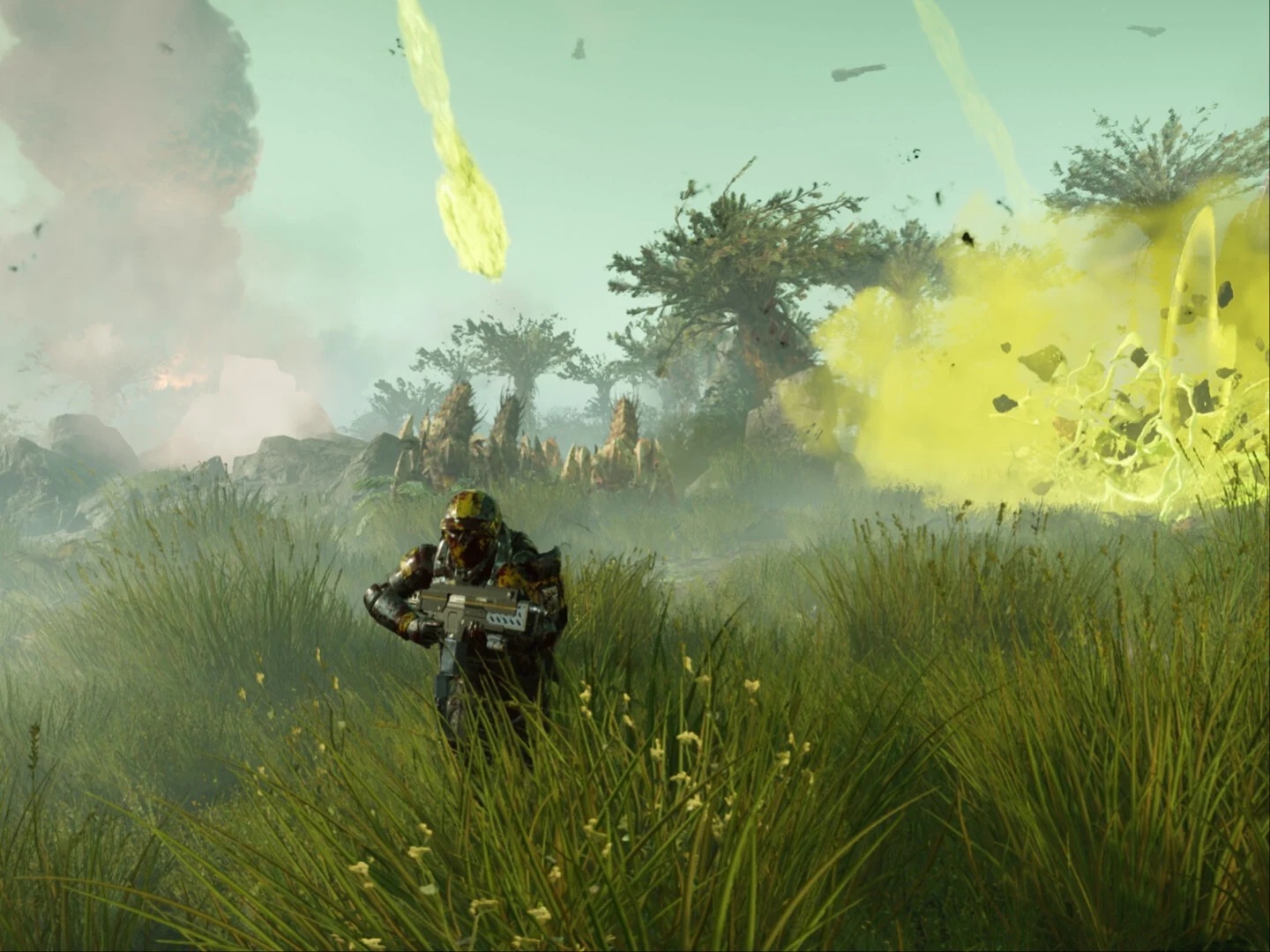
    Helldivers 2 has become one of the top launches from last year, attracting significant interest and receiving mostly favorable reviews on Steam. Since its release, gamers on both older and newer computers have enjoyed the game with varying levels of graphic quality. However, it has come as a shock that players with older systems have now been locked out from accessing the game they paid for. This is due to the absence of AVX2 support in older CPUs.

    User Complaints Rise

    As noted by Eurogamer, the Helldivers 2 Discord has been flooded with complaints from users who claim they can’t play the game, even though they meet the minimum specifications. Several players who previously played the game since its launch reported issues with the game not starting or crashing unexpectedly. The root of the problem appears to be linked to AVX2, or Advanced Vector Extensions 2, and the lack of support for this in older processors.

    Changes in System Requirements

    AVX2 support was allegedly part of the original system requirements, but as reported by The Verge, the enforcement of this instruction set was not strict. This allowed users with CPUs older than 2013 to run the game without issues. However, following recent updates, it seems that AVX2 has become a strict minimum requirement, leaving players with CPUs that do not support it unable to access the game without upgrading or purchasing a new machine.

    One player expressed their frustration on the Discord server, stating, “I’ve never had any issues before this update, and I’ll stand by saying that it’s really defeating to play a game for 600+ hours, be in love with it, and then be hard-locked out while meeting/ somewhat above minimum specs.” The conversation around the AVX2 issue has grown intense, with server moderator Birby voicing their annoyance at having to inform users that their 13-year-old processors are outdated. They added, “I get you’re venting, but as I keep saying- it is up to you as the consumer to confirm your system meets spec before purchase, and you should never be surprised if your out of spec machine can’t run the game.”

    Ongoing Efforts for a Fix

    Another moderator mentioned that the development team is actively working on a solution for the AVX2 problem and expressed gratitude to gamers for their understanding. For the time being, some recommended troubleshooting steps include rolling back AMD/NVIDIA GPU drivers and disabling mods, among other suggestions.

    As of now, Arrowhead Game Studios has yet to provide an official update on the situation.

    Source:
    Link

  • Microsoft Xbox Elite Series 2 Controller – Amazon Return Label

    Microsoft Xbox Elite Series 2 Controller – Amazon Return Label

    Key Takeaways

    1. The Xbox Elite Series 2 controller has been labeled as a frequently returned item by Amazon due to quality issues, similar to the Surface Laptop 7.
    2. Users report problems such as unresponsive buttons and stick drift, which can occur both immediately and over time.
    3. Despite its high price, the Elite Series 2 is less dependable than cheaper alternatives, leading to mixed reviews from users.
    4. Microsoft extended the warranty for the Elite Series 2 from 90 days to a full year in response to ongoing issues.
    5. Xbox gaming is shifting towards cross-platform publishing, while the standard Xbox controller remains popular for its affordability and compatibility.


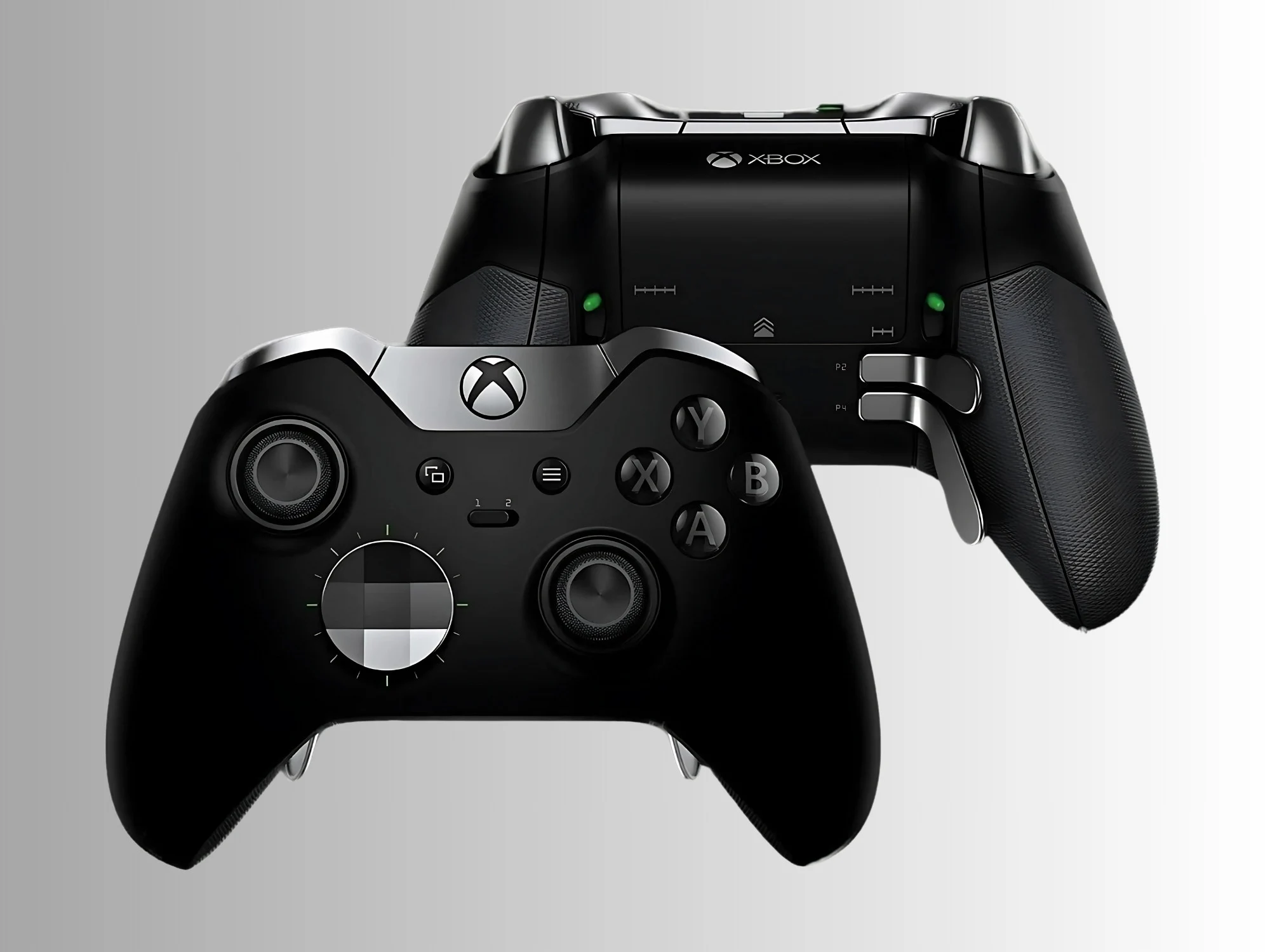
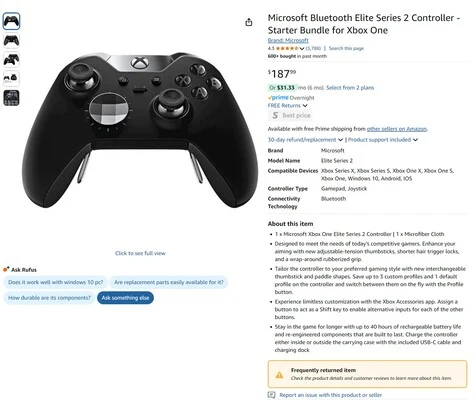
    Recently, Amazon has labeled a Surface Laptop 7 as a frequently returned item. This indicates ongoing quality control problems with Microsoft’s hardware. Now, the Xbox Elite Series 2 controller has also received this unfortunate label. Many customers have reported issues such as unresponsive buttons and stick drift with the Xbox controller.

    Pricey Yet Problematic

    Whether you choose the standard or core version, the Elite Series 2 is an expensive accessory. It’s designed for serious gamers who expect high durability from a professional-grade controller. Although it satisfies many users, it has turned out to be less dependable than some of its cheaper rivals.

    Immediate and Long-term Issues

    Some problems with the Xbox Elite Series 2 controller can be noticed right after buying it. The bumper and face buttons might not work, and its wireless connection can be unreliable. Over time, users frequently encounter the frustrating stick drift issue. This happens as the physical parts in the analog sticks wear down, leading to unpredictable behavior. This is especially annoying since brands like GameSir offer affordable Hall effect alternatives.

    When the Elite Series 2 is functioning properly, customers tend to give it high ratings, averaging around 4.3 out of 5. However, many of the same issues regarding the Xbox controller show up in reviews on Amazon. The retailer marks items with high return rates as frequently returned. After the 30-day window of Amazon’s return policy, gamers can submit a warranty claim to Microsoft. In 2020, Microsoft responded to the recurring problems by extending the warranty for the Elite Series 2 from 90 days to a full year.

    Shifting Focus in Xbox Gaming

    Xbox gaming is starting to shift its focus towards cross-platform publishing rather than just consoles. Nevertheless, the more affordable stock Xbox controller remains a top-selling accessory, thanks in part to its compatibility with PCs and Bluetooth. With the Sebile on the horizon, Microsoft isn’t slowing down its controller development anytime soon. It is to be hoped that any new pro controller will be more reliable than the current Xbox Elite Series 2.

    Source:
    Link


  • Nintendo Switch 2 Release Date Leaked: Pre-Orders Start April 9

    Nintendo Switch 2 Release Date Leaked: Pre-Orders Start April 9

    Key Takeaways

    1. Switch 2 Launch Timeline: The Switch 2 is expected to launch in June, with pre-orders starting on April 9th.
    2. Caution Recommended: Consumers should be cautious about the information, as previous announcements have been retracted, highlighting the potential for misinformation.
    3. Limited Stock Anticipated: There may be limited stock of the Switch 2 at launch, with Nintendo planning to adjust production based on interest gauged after the April 2nd Direct.
    4. Promotional Strategies: Retailers may create excitement with a countdown timer for pre-orders and offer collectible coins for customers who secure a console.
    5. New Features Leaked: Recent leaks mention a C button on the right joy con and potential Virtual Game Cards for upgraded titles, suggesting new features for the Switch 2.


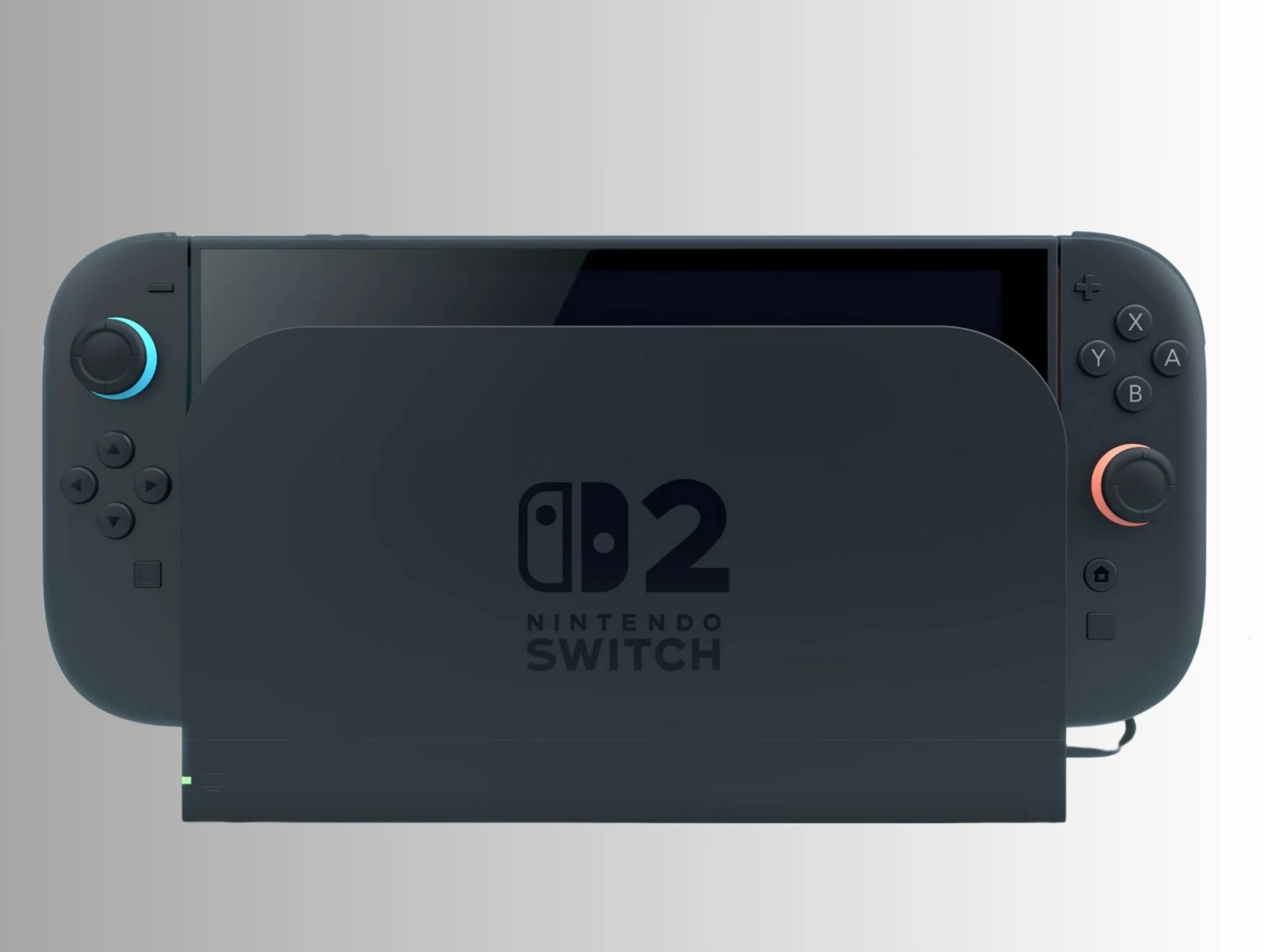
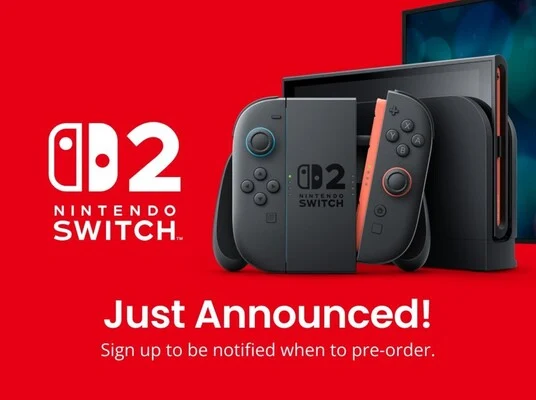
    With the upcoming Switch 2 Nintendo Direct set for April 2nd, strategies for sales are beginning to surface. Tom Henderson from Insider Gaming has gotten some updates from a U.S. retailer that have revealed more details. The retailer claims that the Switch 2 will launch in June, with pre-orders kicking off on April 9th.

    Caution is Key

    Henderson has established himself as a trustworthy source, but it is wise for consumers to remain cautious. Just ahead of the Nintendo Switch Direct on March 27th, a blog post from Best Buy Canada hinted at an April 2nd pre-order date for the Switch 2. However, the post was taken down, and other outlets questioned the claim. While waiting a week may not be a huge issue for gamers, it’s worth noting that after the 2017 Direct, fans were able to reserve the original Switch right away.

    Limited Stock Expected

    The second point from the Insider Gaming report is that the Switch 2 is indeed expected to release in June. This timeline matches various leaks suggesting a summer launch. However, what raises concern is that Henderson’s source indicates there may be limited stock available. Nintendo intends to gauge interest in the device after the April 2nd Direct and adjust production levels based on that. Yet, considering the response to the January reveal, it’s hard to picture a situation with less demand than expected. Even with Nintendo’s efforts, shortages could still be a reality.

    Exciting Promotions

    The April 9th pre-order date could also give retailers a chance to take advantage of the excitement surrounding the new console. Insider Gaming notes that there will be a countdown timer that will finish exactly when the Switch 2 pre-orders open. Furthermore, customers who successfully secure a console will receive a collectible coin.

    There are still many questions about the Switch 2 beyond just when it will release and when pre-orders will start. The recent Nintendo Direct mainly highlighted current-gen titles but also leaked some information about the Switch 2. Promotional materials revealed the much-discussed C button on the right joy con of the console. Additionally, there were mentions of Virtual Game Cards that referred to upgraded Switch 2 Edition titles, which might require buyers to pay extra.

    Source:
    Link


  • Free-to-Play Fighting Game Update Before Alpha 2 Play Test

    Free-to-Play Fighting Game Update Before Alpha 2 Play Test

    Key Takeaways

    1. 2XKO is a new 2v2 fighting game by Riot Games featuring characters from Arcane and League of Legends, with a stylish 2.5D graphic style.
    2. The Alpha Lab 2 play test is scheduled for April 18 to 20, available to players in Brazil, Canada, and the USA on Windows, PlayStation 5, and Xbox Series X|S.
    3. The game will launch with 10 playable champions, with a focus on getting the game into players’ hands sooner rather than delaying for more characters.
    4. Additional champions will be added after the game’s release, as it will be a live service game with ongoing updates and new content.
    5. Seven champions have been showcased so far, but it is unclear if Katarina, who was previously revealed, will return by the official launch.


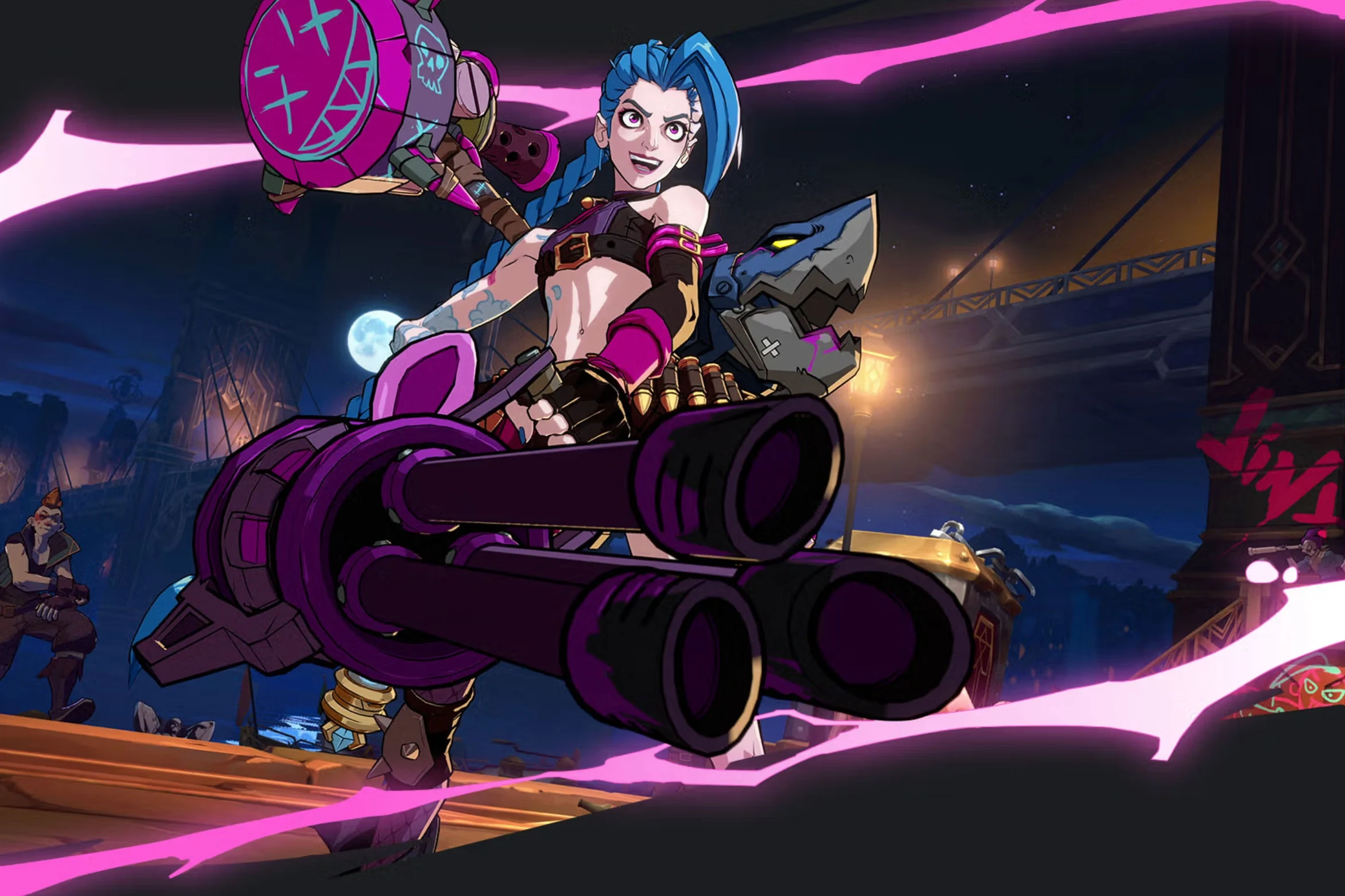
    In case you haven’t heard, 2XKO is a new 2v2 fighting game that Riot Games, the studio behind League of Legends, is currently working on. The game boasts stylish 2.5D graphics, allowing players to engage in 2v2 tag-team battles featuring characters from Arcane and League of Legends. On Friday, Riot Games held a Q&A session on the game’s Discord after providing an update on the development ahead of the Alpha Lab 2 play test, where they shared several details about the gameplay and the anticipated state of the game upon its release in 2025.

    Upcoming Play Test Details

    To start, it was announced that the next play test is set for April 18 to 20, limited to players in Brazil, Canada, and the USA. This Alpha Lab 2 play test will be accessible on Windows, PlayStation 5, and Xbox Series X|S platforms. During the Q&A, the director of the game provided insights into the number of playable characters that will be available at launch.

    “We will have 10 playable champions at launch,” he said. “We know this is less than what many might expect, but we faced a choice between adding more champions and delaying the release or getting it into your hands sooner, and we chose the latter.”

    Future Champion Additions

    The game’s director, Shaun Rivera, continued by mentioning that additional champions will be introduced after the game is released, as it develops over time.

    “We also believe that experiencing these champions through solo or duo play with various combinations offers a lot for players to explore early on. Being a live service game means it will only improve from there with new champion releases and gameplay updates.”

    As of now, Riot Games has showcased gameplay footage for seven champions, but it appears that the other three champions won’t be playable until the official launch later this year. Riot Games has indicated that following the Alpha Lab 2, barring any significant delays, the 2XKO team will shift focus towards the full release instead of preparing for another play test.

    Known Champions List

    One character that Riot Games previously revealed is Katarina, although she has been taken out of the game recently. It’s still uncertain whether she will return by the time the game launches, but it remains a possibility.

    Source:
    Link

  • Nvidia RTX 5090 Lacks ROPs but Still Priced High at Retailers

    Nvidia RTX 5090 Lacks ROPs but Still Priced High at Retailers

    Key Takeaways

    1. Many Nvidia GeForce RTX 5090 GPUs are still hard to find despite supply increasing, with some retailers raising prices above MSRP.
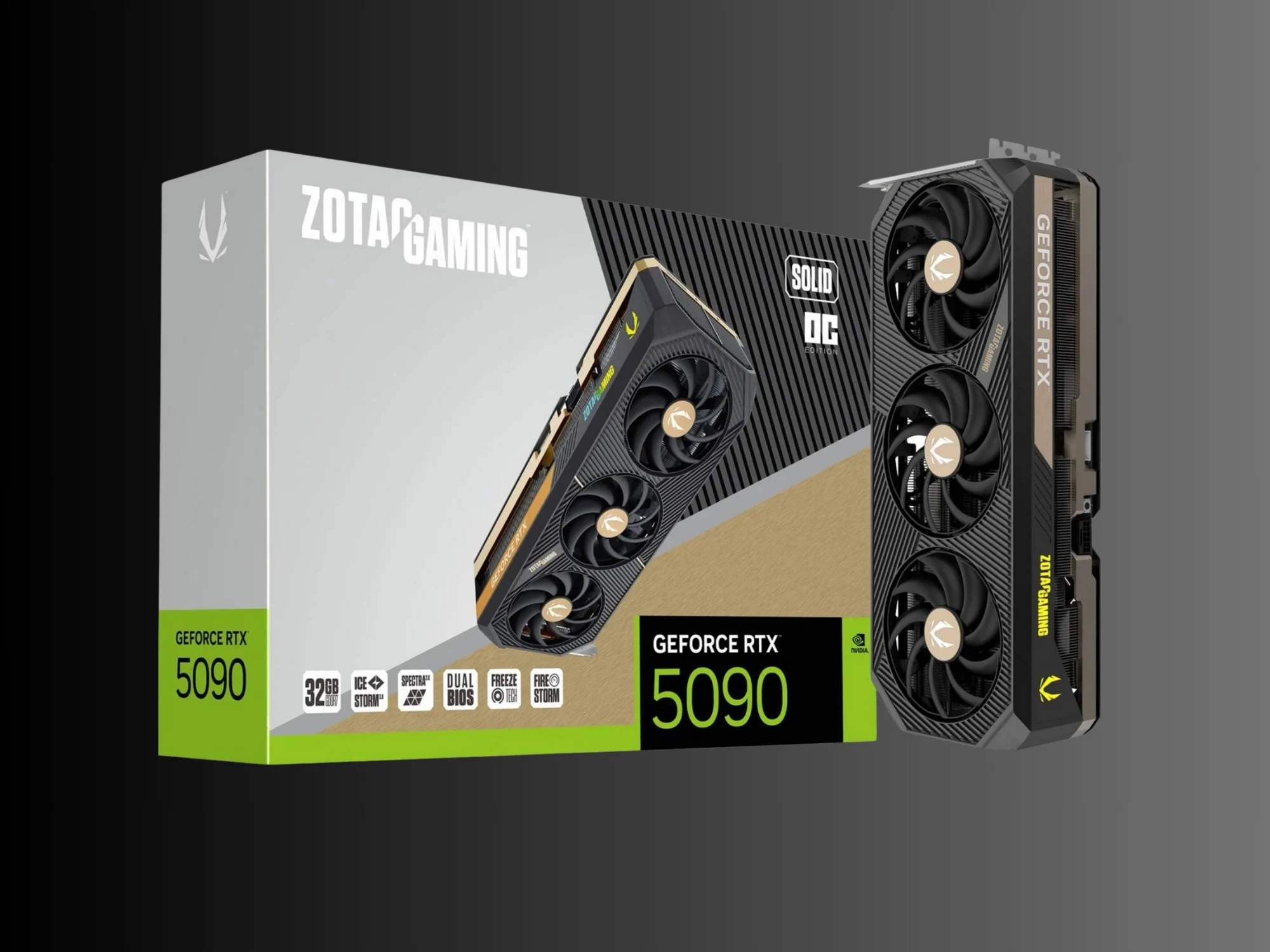
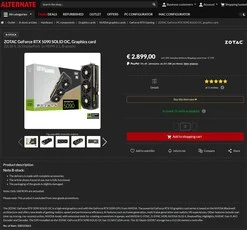
    2. A damaged Zotac RTX 5090 is being sold for €2899, but it has only 168 out of 176 ROPs working, affecting its performance.
    3. Nvidia has acknowledged production issues with missing ROPs in some RTX 50 series GPUs and recommends returns or RMAs.
    4. The same retailer lists a new Zotac RTX 5090 for €2899 and a lower-priced undamaged version at €2859, with no benefits for B-stock buyers.
    5. Ongoing issues with the RTX 50 series include driver problems causing black screens and bricked GPUs, despite Nvidia issuing fixes.


    Despite supply beginning to catch up with demand, many Nvidia GeForce RTX 5090 GPUs are still hard to find. Some manufacturers are increasing prices, making it less tempting to buy these cards at their suggested retail price (MSRP). A possible way to save money is to opt for a B-stock unit. However, a German retailer is offering an RTX 5090 with missing ROPs and without any price reduction.

    Damaged GPU Listing

    VideoCardz found a damaged Zotac RTX 5090 Solid OC available at Alternate for €2899. The retailer mentions that the GPU has visible signs of use but is operational. Still, it’s noted that this Blackwell model has only 168 out of 176 ROPs working. ROPs are critical parts that influence a graphics card’s performance. Therefore, it’s quite misleading to claim that this RTX 5090 is fully functional.

    Production Issues Acknowledged

    Some RTX 50 series GPUs were shipped with missing ROPs, a problem acknowledged by Nvidia, attributing it to initial production errors. Although fewer defective cards have been reported recently, some GPUs with limitations are still showing up in laptops and at retailers. Nvidia has recommended that customers return their purchases to the vendors or file an RMA with the manufacturers. It seems that Alternate prefers to profit off the RTX 5090 Solid OC instead of sending it back to Zotac.

    Price Comparison

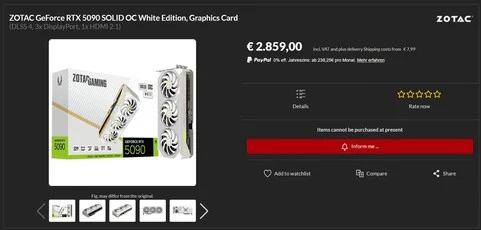
    Adding to the frustration, the German retailer is listing the Zotac RTX 5090 in new condition for the same €2899 price. Furthermore, the undamaged white version is priced lower at €2859. Neither version is currently available, yet customers are not receiving any benefits for choosing a B-stock item.

    Ongoing Issues with RTX 50 Series

    Missing ROPs are not the lone challenges the RTX 50 series has encountered. Driver problems have resulted in black screens and, in certain cases, completely bricked GPUs. Although Nvidia has issued fixes, complaints regarding these issues still persist on platforms like Reddit.

    Source:
    Link


  • Beloved Strategy Game Sale: Only $6, Down from $60 on Steam & Epic

    Beloved Strategy Game Sale: Only $6, Down from $60 on Steam & Epic

    Key Takeaways

    1. Gameplay Overview: Players select a historical nation and guide their civilization from the Stone Age in 4000 BC through various paths like diplomacy, science, culture, religion, or warfare to achieve global dominance.

    2. New District System: The introduction of the “District” system allows cities to expand across multiple tiles, adding strategic depth as each district specializes in different areas like science, military, or culture.

    3. Mixed Reviews: While praised for its scope and strategic depth, critiques focus on unpredictable AI behavior, navigation challenges in crowded maps, and the absence of certain quality-of-life features.

    4. Positive Reception: The game received an 87/100 from GameStar, with over 250,000 players on Steam giving it an 86% favorable rating and a Metascore of 88 on Metacritic.

    5. Current Pricing: Civilization VI is typically $60 but is currently on sale for $6 due to a 90% discount on Steam and the Epic Games Store, with additional costs for expansions and DLCs.


    Sid Meier’s Civilization VI, created by Firaxis Games and launched by 2K in 2016, marks the sixth main installment in the beloved strategy series. Players select a historical nation, such as Imperial China, the Roman Empire, or the Kingdom of Nubia, and guide their civilization across thousands of years. Regardless of the nation chosen, the adventure always kicks off in the Stone Age, specifically in the year 4000 BC.

    Beginning the Journey

    At the outset, players start with merely one settler unit and a warrior for basic defense purposes. The map is largely concealed by the fog of war, making the initial task to explore the area and find an ideal location to build the capital. After establishing the city, the slow yet steady journey through history unfolds. Players investigate early technologies like animal husbandry, pottery, and mining, gradually unlocking buildings, units, and upgrades along the way. As the game advances, players can choose their path through diplomacy, science, culture, religion, or warfare. The ultimate aim is global dominance—achieved through alliances, innovation, influence, faith, or military force.

    New Features and Mechanics

    A fresh addition in Civ VI is the “District” system, which allows cities to extend across multiple tiles for the first time. Each district specializes in a certain area, like science, military, religion, or culture, and is constructed as an individual part of the city on its own tile. This makes city placement more significant compared to earlier titles, adding a strategic layer to the gameplay. The mechanics of research and culture have also seen changes: specific actions and terrain types can speed up advancement, providing more variety and excitement in the gameplay.

    Critiques and Praise

    In its review, German publication GameStar commended Civilization VI for its grand scope and strategic depth, particularly praising the new district system. Nonetheless, the review highlighted some flaws, especially regarding the AI, which tends to act unpredictably during combat or city defense. The game’s clarity can falter in large matches, as crowded maps filled with numerous units can quickly become hard to navigate. Some quality-of-life features are also absent, like a production queue or the ability to rename cities. For beginners, the complexity of the mechanics might feel a bit daunting initially.

    Despite these critiques, Civilization VI received a solid score of 87 out of 100 from GameStar. Reviews on major platforms reflect a similarly positive outlook. On Steam, over 250,000 players have given feedback, with 86% rating the game favorably. On Metacritic, it boasts a Metascore of 88 and a User Score of 7.1.

    Pricing and Discounts

    On Steam, Civilization VI’s standard price is $60. However, at the moment, a huge 90% discount is available until April 7, lowering the price to just $6. This deal is also present on the Epic Games Store, lasting until April 9. It’s important to note that Civ VI has a diverse array of expansions and DLCs, so if you want the complete experience, be ready to invest a little more.

    Source:
    Link