
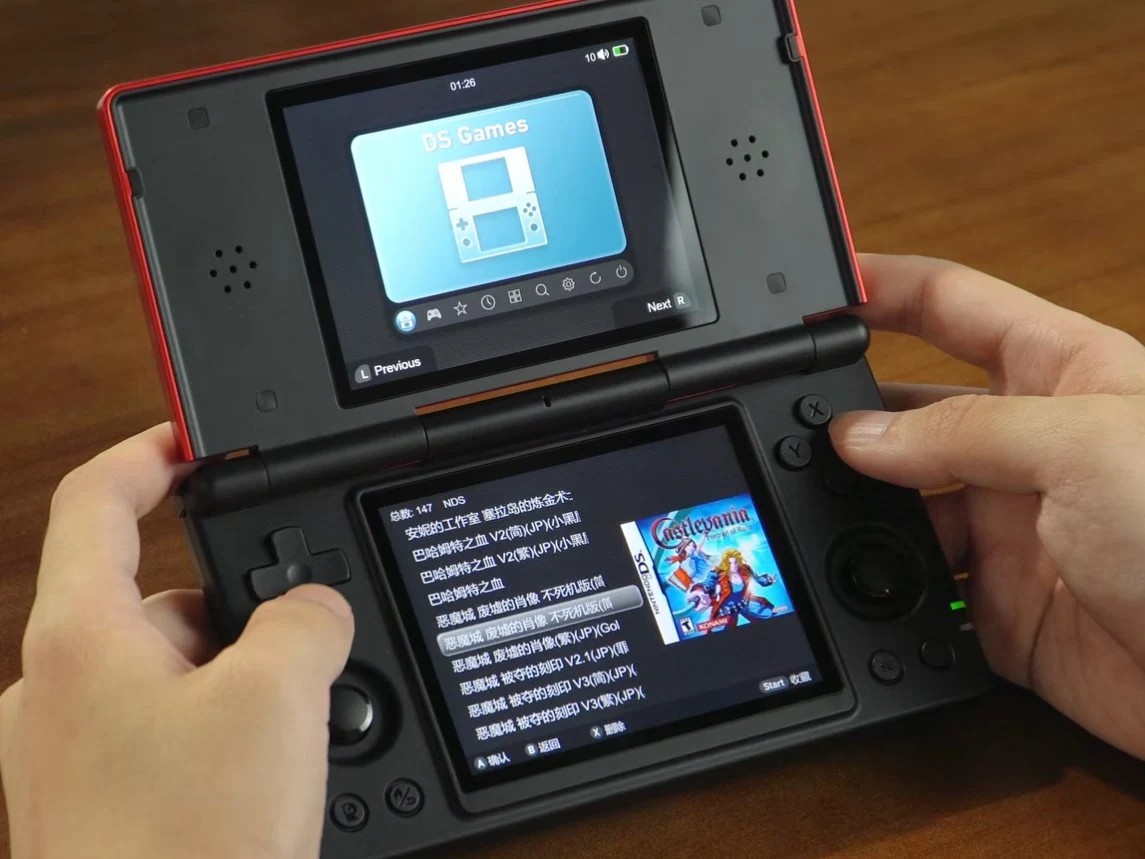
– Anbernic RG DS can boot a new Linux OS from a microSD card without erasing the preinstalled Android, an update after shipping with Android 14.
– Installation method: use a microSD card of at least 64GB, flash the Linux image, insert the card to boot into Linux; to return to Android, power off, remove the card, and power on again.
– Linux OS features: three themes (DS Dark, DS Light, Classic); independent screen brightness; swap content on each screen; custom fonts; new button test interface; secondary screen shows platform icons for single-screen games.
– Availability and access: Linux OS is downloadable from the provided source link and includes the tools to flash it; the RG DS is listed on Amazon for $124.99.
Anbernic has released handhelds that ship pre-installed with either Android, Linux, or both as is the case with the RG Vita Pro. However, what is unusual is for it to launch a device with one operating system, and then release a different operating system later that users can manually install, which is what it has done with the RG DS. The approach keeps buyers guessing and curious about what will come next.
Background
The Anbernic RG DS ships with Android 14 out of the box. Unfortunately, the software experience leaves a lot to be desired such that people have to resort to installing a custom firmware such as GammaOS. Now, Anbernic has released a Linux OS for the RG DS, that users can install without erasing the preinstalled Android OS.
Linux OS Details
The features of the new Linux OS as well as how to install it on the RG DS, priced at $124.99, have been detailed in a video. According to the video, users can flash the new OS onto a microSD card with a capacity of at least 64GB. Once done, simply insert the microSD card into the device, and it will boot into Linux instead of Android. To switch back to Android, power off the device, remove the microSD card, and power it on again.
Within the Linux OS, you can choose from three themes — DS Dark, DS Light, and Classic — and it brings a handful of practical tweaks that sharpen the handheld’s usability. Independent screen brightness adjustments let you calibrate each display separately, you can swap the content on each screen to suit the game you are playing, you can load custom fonts, and there is a new button test interface to verify input.
Additionally, the OS design considers multi-screen gaming. When you are playing a single-screen title, the RG DS’s secondary display automatically shows an icon that corresponds to the platform being emulated, for example a PlayStation controller icon for PS1 games or a Game Boy Advance emblem when you enjoy a GBA title. This cue helps players recognize the game family at a glance, even while focusing on action.
Features and UX
The Linux OS package is available to download in the referenced location, and it includes the software needed to flash the OS onto a microSD card. For those who want to experiment, the bundle provides flashing tools and a concise guide that walks you through copying the system image, preparing at least a 64GB card, and mounting it so the device boots Linux rather than Android. No data on Android gets erased during the switch.
Anbernic has a YouTube presence where the maker posts updates, demonstrations, and tips for the RG DS. Viewers can watch hands-on runs of the Linux install, see how the themes change the interface, and get practical advice for maintaining the device alongside Android. The videos add context to the written guides and help new owners get up and running.
In summary, Anbernic’s RG DS opens doors to dual-OS flexibility with a path from Android 14 to Linux without erasing the original setup. The Linux option, priced at $124.99, ships with three themes and features tailored for portable gaming and power users alike, while the boot-from-microSD approach keeps the change reversible. Fans should stay tuned for fresh tweaks and enhancements as this line evolves.
Leave a Reply