Tag: Xbox App

  • Xbox Mode Now Live on Windows 11 for Better Gaming Performance

    Xbox Mode Now Live on Windows 11 for Better Gaming Performance

    Key Takeaway

    1. Xbox mode provides a full-screen, controller-driven gaming interface on Windows devices, blurring the line between Windows PC and Xbox console.
    2. It can be activated via a keyboard shortcut or through settings, replacing the desktop with a focused gaming dashboard.
    3. The mode suppresses background processes and notifications to enhance gaming performance, resembling a console experience.
    4. Xbox mode is part of Microsoft’s Project Helix, unifying the Xbox and Windows ecosystems, and is now available to stable Windows 11 users.
    5. Limited multi-monitor support and occasional sleep/resume issues are noted, with Microsoft recommending hibernation during use.

    Microsoft’s Latest Gaming Interface

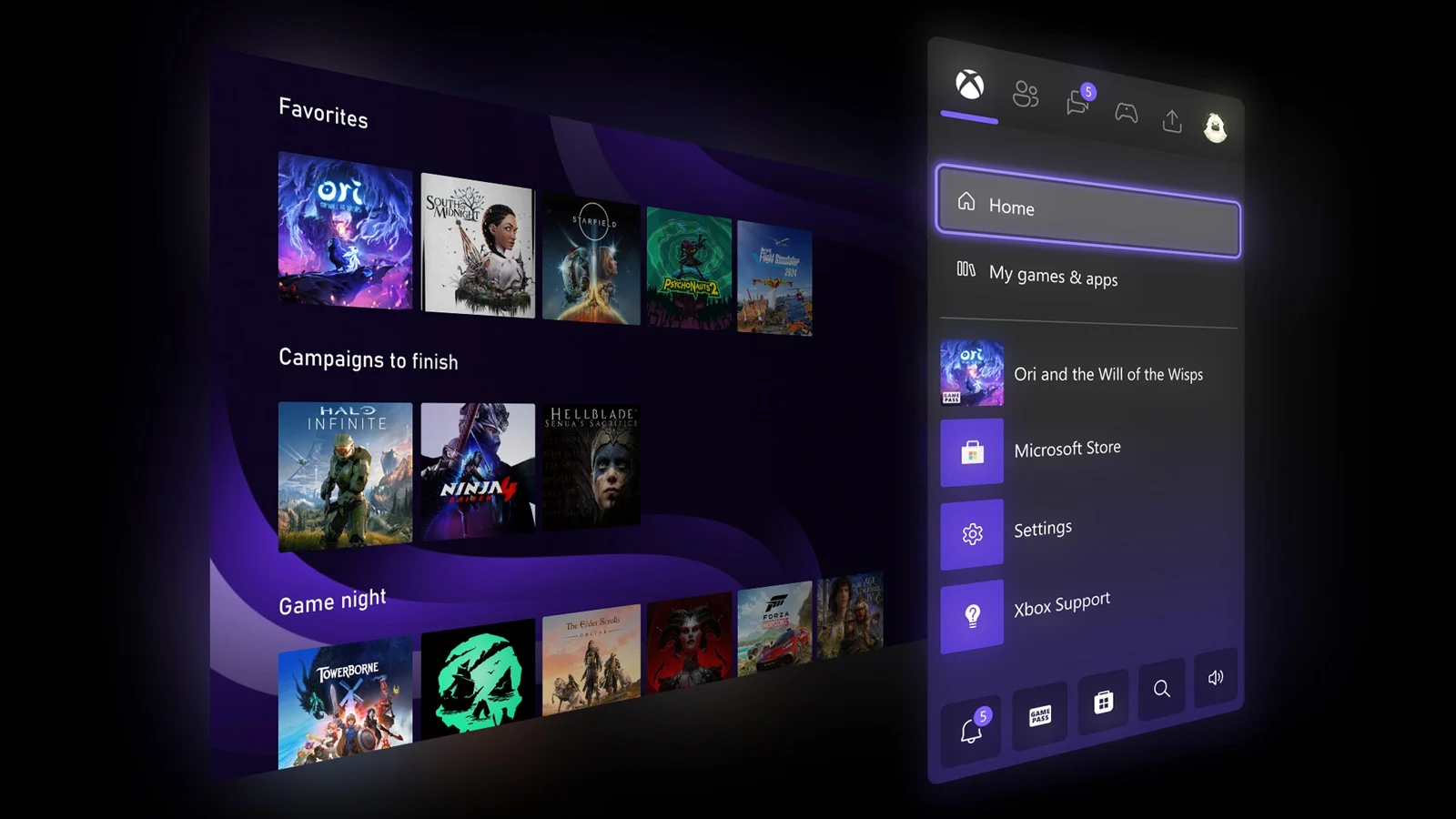
    Microsoft has recently introduced a new feature which transforms the way gamers interact with their PCs, specifically designed to mimic the Xbox experience. This new feature was rolled out on April 30, through an optional update known as KB5083631. Once activated, gamers can quickly switch into a dedicated gaming mode that immerses them into a full-screen, controller-driven interface. All it takes is opening the Xbox app and pressing Windows + F11, and the desktop promptly hides itself. What appears next is a sleek, console-like interface that centers around your game library, Game Pass, and cloud gaming options. This new interface makes your Windows device feel more like an Xbox than ever before, offering a seamless gaming experience.

    Compatibility and Activation

    This new Xbox mode can be used on a variety of devices including laptops, desktops, tablets, and handheld PCs. The activation process is straightforward by going into the Settings menu, then selecting Gaming > Xbox mode, and toggling it on. The mode can be triggered anytime by pressing Windows + F11 or simply accessed through the Xbox app or Game Bar settings. While active, it reduces background activities and keeps notifications out of sight, providing a cleaner gaming environment. Microsoft claims it resembles sitting in front of an Xbox console more closely than traditional Windows interfaces, aiming to bridge the gap between PC and console gaming. Once active, users will experience a more focused gaming session free from desktop distractions.

    Technical Details and Limitations

    This feature suppresses background processes and notifications, akin to the existing Game Mode, but with a more comprehensive, console-style dashboard layered over the desktop interface. Microsoft sees it as a step towards unifying the Windows and Xbox ecosystems. The mode has been tested through Insider programs since late 2025, and the recent rollout marks its official release to regular users on Windows 11 24H2 and 25H2 updates. However, users should be aware of some limitations. Multi-monitor support isn’t perfect, with some secondary screens occasionally going blank when Xbox mode is active. Additionally, some configurations may experience issues with sleep and resume functions. Microsoft recommends using hibernation instead of sleep during this phase of deployment to avoid these problems. Despite these issues, the new feature signifies a major shift towards integrated gaming on Windows devices.
    Sources
  • Xbox App to Launch All Games, Boosting Project Helix Console

    Xbox App to Launch All Games, Boosting Project Helix Console

    Key Takeaways

    1. Enhanced Game Access: The latest Xbox app update allows users to launch games and applications from various platforms, improving accessibility for gamers.

    2. User-Friendly Process: Testers report that adding games is simple, involving a “+” symbol in “My Library” and requiring the target file to be an .exe type.

    3. Positive Reception for Handhelds: Owners of Windows gaming handhelds have responded positively to the Xbox Mode, which provides a console-like experience on PCs and mobile devices.

    4. Future of Project Helix: Project Helix is expected to launch by 2027, with potential UI changes that may take inspiration from Xbox Series X|S or the Windows app.

    5. Uncertain Steam Shortcut Support: Current support for Steam shortcuts in the Xbox app may change with Project Helix, and there are hints of a curated Helix store featuring selected partners.


    Microsoft is always searching for ways to improve gaming across different devices. The newest update for the Xbox app allows users to launch any game or application from the same platform. As reported by Pure Xbox, insiders are currently testing this new feature on PCs and handheld devices. With Project Helix expected to operate on Windows, the user interface modifications may enhance navigation on the upcoming Xbox console.

    More Access for Gamers

    Previously, gamers could use Steam and other third-party stores within the Xbox app. Now, they will have the ability to open additional games or even productivity applications without hassle.

    Simple Steps for Users

    Testers have noted that the process is quite straightforward. In the “My Library” section, users will see a “+” symbol appear. The only restriction seems to be that the target file must be an .exe type. Users can assign a unique name for the shortcut, alter its icon, and even set launch parameters.

    Positive Feedback from Handheld Owners

    The changes have been positively received by owners of Windows gaming handhelds like the ROG Xbox Ally. The Xbox Mode, which was previously called the Full Screen Experience, offers a console-like browsing experience on PCs and mobile devices. Sadly, some games or applications may still require users to switch to desktop mode, making the experience less smooth.

    With the Project Helix release expected as soon as 2027, there are still unanswered questions about its user interface. It might take cues from the Xbox Series X|S or could be a version of the Windows app. If it leans towards the latter, some gamers might anticipate controls that are comfortable for couch use on the new Xbox console.

    Uncertain Future for Steam Shortcuts

    Despite Microsoft currently supporting Steam shortcuts in the Xbox app, this may change with Helix. An insider from Moore’s Law Is Dead mentioned that developers at GDC 2026 provided some hints. One interesting detail is that its Game Development Kit (GDK) will allow for Xbox-exclusive titles. Additionally, even with the speculation, there are no indications that Microsoft will combine all PC storefronts.

    Gamers might see a specially curated Helix store that will feature only selected partners. A representative from Epic Games Store has previously suggested their involvement. Nevertheless, even without Valve, Microsoft must ensure that the improvements made with Xbox Mode carry over to future gaming platforms.

    Source:
    Link


  • Native Xbox Gaming on Windows on Arm Now Available

    Native Xbox Gaming on Windows on Arm Now Available

    Key Takeaways

    1. A new Xbox app version allows Arm-based Windows devices to download and play games directly, moving beyond previous streaming limitations.
    2. Prior to this update, the app had limited functionality, primarily offering game streaming and cloud access via the Microsoft Store.
    3. Microsoft plans to enhance the app’s compatibility for Arm devices in the coming months, potentially increasing their appeal to gamers.
    4. Hardware advancements for Windows on Arm are underway, including the Asus Vivobook 14 with an 8-core Snapdragon X Plus and Nvidia’s rumored gaming-friendly Arm-based SoC, the N1X.
    5. Access to the updated Xbox app requires users to be part of the Xbox Insider and Windows Insider programs, with downloads available through the Insider Hub.


    A new version of the Xbox app has been released for Arm-based Windows devices. One of the major features of this update is that it enables compatible Arm PCs to download and play games directly on their systems. Previously, these devices could only access games through other platforms like Steam.

    Previous Capabilities

    Before this update, the Xbox app on Windows for Arm had limited gaming functionality. It did provide users with the option to stream games. Moreover, the official Microsoft Store enforced similar limitations, permitting cloud streaming for most games only.

    Future Features

    Microsoft has indicated plans to enhance the app further to improve game compatibility on Arm-based Windows devices. This additional support is anticipated to be introduced in the next few months, which could make Arm Windows PCs a more attractive option for gamers.

    Hardware Developments

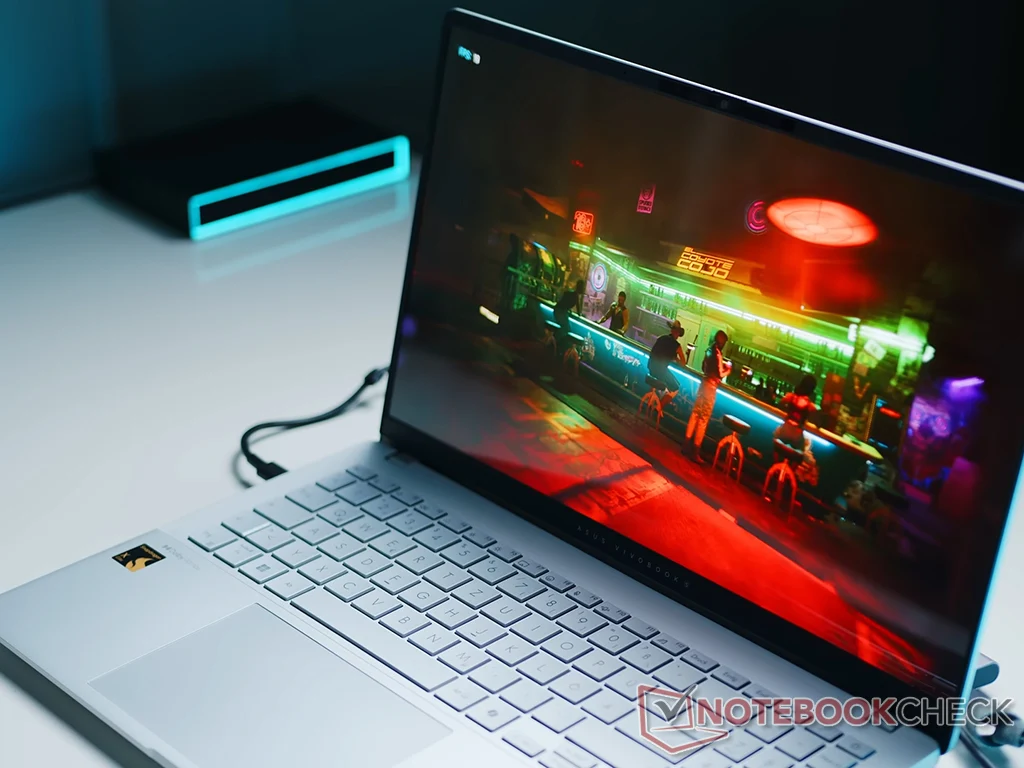
    In light of this, Microsoft may be signaling a significant advancement in hardware for Windows on Arm devices, such as the Asus Vivobook 14 equipped with an 8-core Snapdragon X Plus, currently priced at $656.99 on Amazon. Nvidia is reportedly developing an Arm-based SoC, which appeared on Geekbench under the name N1X. Compared to existing Arm solutions, this rumored chip is said to be more gaming-friendly, boasting the same CUDA core count as the RTX 5070 desktop graphics card.

    As for the CPU in the Nvidia N1X SoC, it’s claimed to be competitive. However, since the firmware and drivers are still in the early phases, the CPU performance isn’t expected to surpass the leading offerings from Intel and AMD right now.

    Now, regarding the updated app that permits native gaming, users must be part of the Xbox Insider and Windows Insider programs to access it. The app can be downloaded via the Insider Hub, located under the “Previews” tab.

    Source:
    Link


  • Xbox App Receives UI Overhaul for Windows Gaming Handhelds

    Xbox App Receives UI Overhaul for Windows Gaming Handhelds

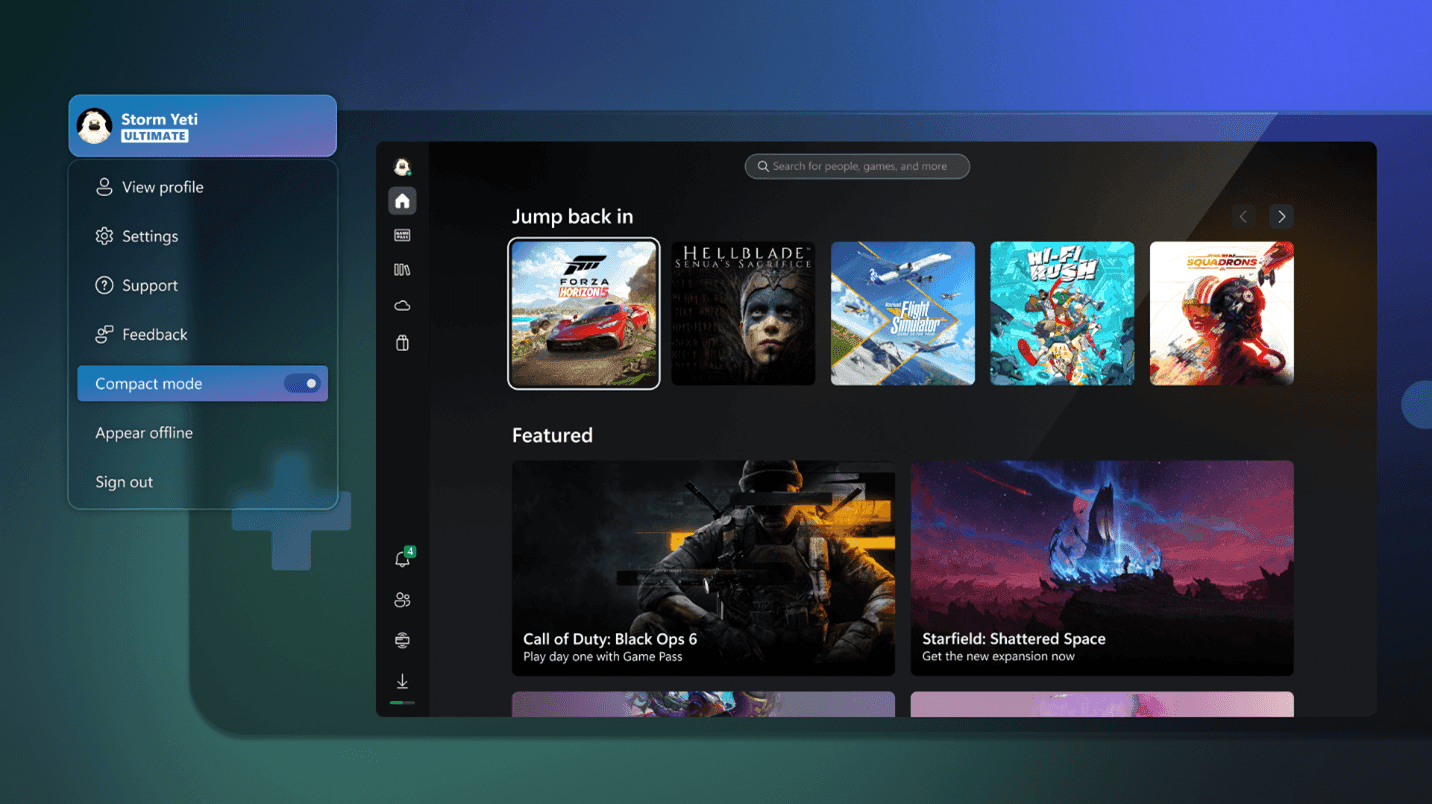
    Microsoft appears to have finally acknowledged the competition in the gaming arena. They recently confirmed they are developing a handheld gaming device and are now working to enhance the Xbox app experience across multiple gaming platforms. An update is being rolled out for the Xbox App on Windows, introducing a new Home experience and a Compact mode designed for handheld devices, which seems to be heavily influenced by Valve’s Steam Deck.

    Home Layout and Compact Mode

    The most significant changes come from the redesigned Home layout and the introduction of Compact mode, which features a new function called “Jump Back In.” This new ribbon showcases recent games, much like the Recent Games section found in Steam Deck’s SteamOS and Steam Big Picture. When Compact mode is activated, this section appears in the upper half of the Xbox App for Windows. This update aims to simplify returning to your most recently played games on devices like the Asus ROG Ally (currently priced at $499 at Best Buy).

    Enhanced Navigation and Features

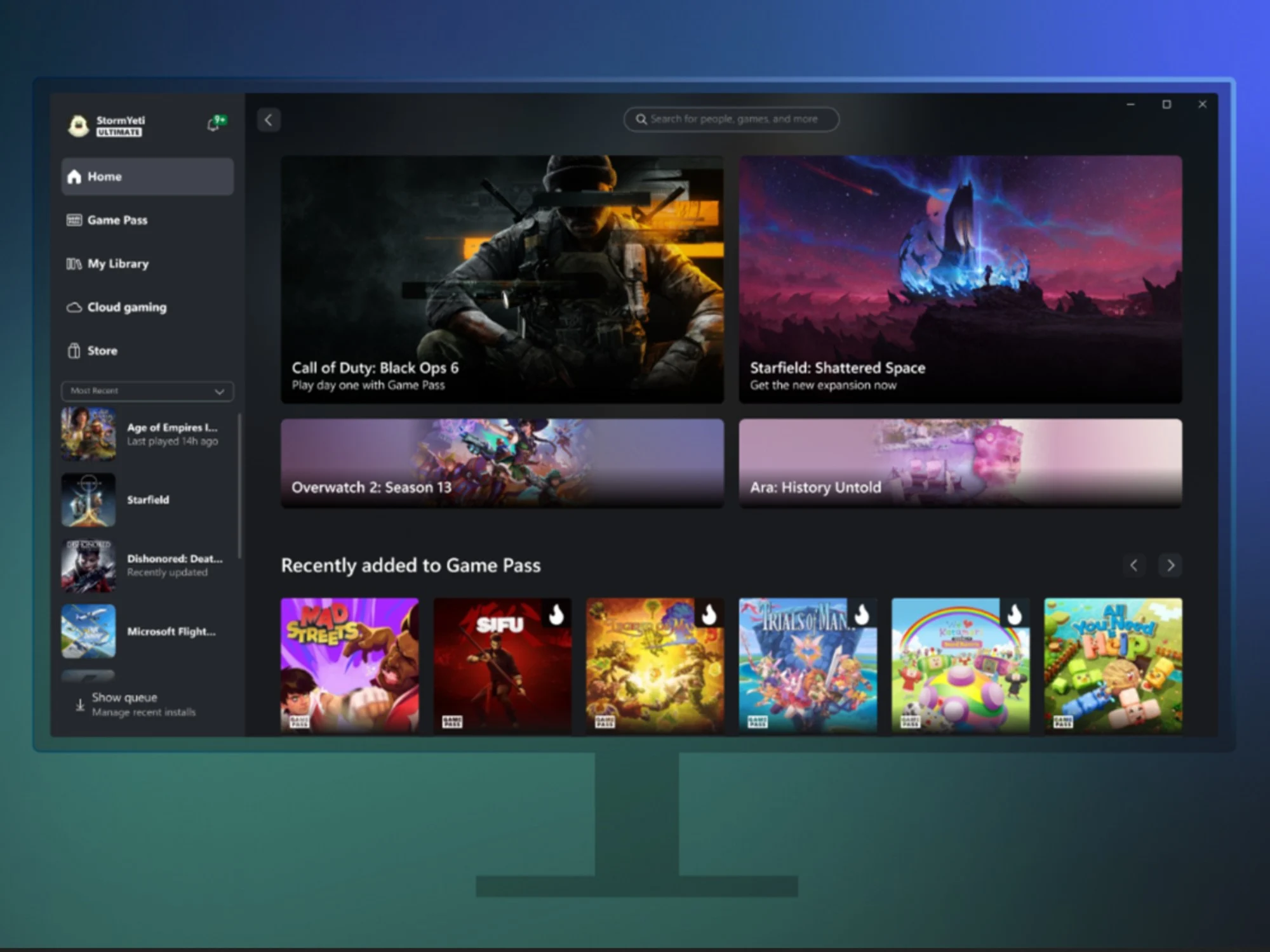
    The revamped Home UI for the Xbox app on Windows now includes a clean column of icons and shortcuts on the left side of the screen, enhancing navigation on smaller displays. Additionally, the update brings news and suggested content from Game Pass and the Xbox Store directly into the Home UI, again borrowing ideas from the SteamOS framework.

    The new Home experience combines the latest and most exciting content from Game Pass and the Store into one easy-to-access location. Users will also find access to the latest games, news, tailored recommendations, free-to-play offerings, and special deals.

    Competition with Valve

    Valve has also stirred things up with recent SteamOS updates that improved compatibility with the Asus ROG Ally’s display and button setups. The company has declared that SteamOS will eventually be downloadable as an ISO for other AMD-based gaming systems and handheld PCs, which predominantly operate on Windows—an operating system often criticized for its inadequate handheld optimizations. With Microsoft’s handheld-oriented updates, it seems that both Valve and Microsoft are in a direct competition, aiming to create a widely available handheld operating system.

    For comprehensive details on the November Xbox App update, including a new friend request feature and AI-powered search, you can check the full notes here.

    Source: Link


    Image 1