
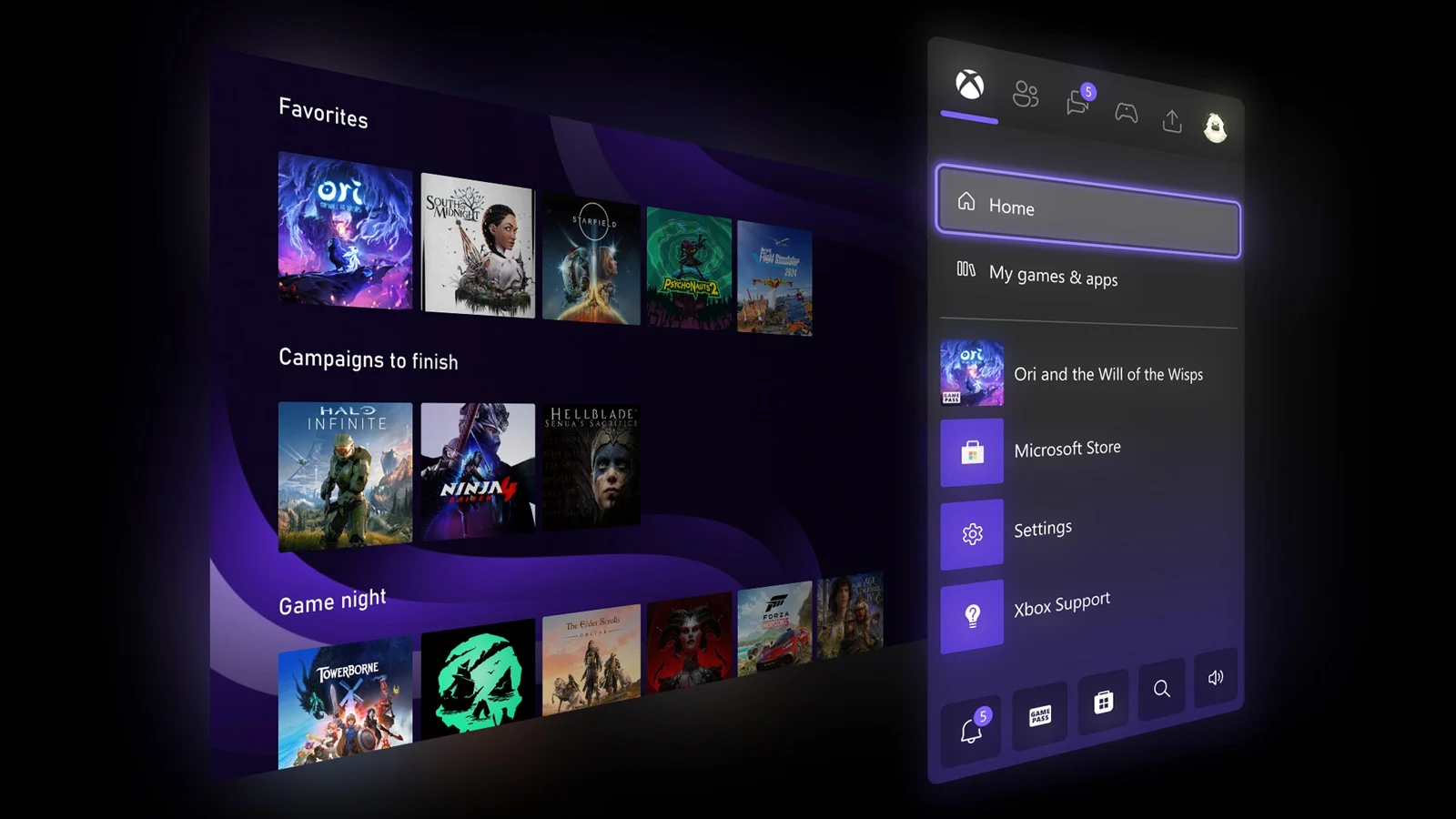
1. Xbox mode provides a full-screen, controller-driven gaming interface on Windows devices, blurring the line between Windows PC and Xbox console.
2. It can be activated via a keyboard shortcut or through settings, replacing the desktop with a focused gaming dashboard.
3. The mode suppresses background processes and notifications to enhance gaming performance, resembling a console experience.
4. Xbox mode is part of Microsoft’s Project Helix, unifying the Xbox and Windows ecosystems, and is now available to stable Windows 11 users.
5. Limited multi-monitor support and occasional sleep/resume issues are noted, with Microsoft recommending hibernation during use.
Microsoft’s Latest Gaming Interface
Microsoft has recently introduced a new feature which transforms the way gamers interact with their PCs, specifically designed to mimic the Xbox experience. This new feature was rolled out on April 30, through an optional update known as KB5083631. Once activated, gamers can quickly switch into a dedicated gaming mode that immerses them into a full-screen, controller-driven interface. All it takes is opening the Xbox app and pressing Windows + F11, and the desktop promptly hides itself. What appears next is a sleek, console-like interface that centers around your game library, Game Pass, and cloud gaming options. This new interface makes your Windows device feel more like an Xbox than ever before, offering a seamless gaming experience.
Compatibility and Activation
This new Xbox mode can be used on a variety of devices including laptops, desktops, tablets, and handheld PCs. The activation process is straightforward by going into the Settings menu, then selecting Gaming > Xbox mode, and toggling it on. The mode can be triggered anytime by pressing Windows + F11 or simply accessed through the Xbox app or Game Bar settings. While active, it reduces background activities and keeps notifications out of sight, providing a cleaner gaming environment. Microsoft claims it resembles sitting in front of an Xbox console more closely than traditional Windows interfaces, aiming to bridge the gap between PC and console gaming. Once active, users will experience a more focused gaming session free from desktop distractions.
Technical Details and Limitations
This feature suppresses background processes and notifications, akin to the existing Game Mode, but with a more comprehensive, console-style dashboard layered over the desktop interface. Microsoft sees it as a step towards unifying the Windows and Xbox ecosystems. The mode has been tested through Insider programs since late 2025, and the recent rollout marks its official release to regular users on Windows 11 24H2 and 25H2 updates. However, users should be aware of some limitations. Multi-monitor support isn’t perfect, with some secondary screens occasionally going blank when Xbox mode is active. Additionally, some configurations may experience issues with sleep and resume functions. Microsoft recommends using hibernation instead of sleep during this phase of deployment to avoid these problems. Despite these issues, the new feature signifies a major shift towards integrated gaming on Windows devices.