
Tag: ThinkPad E14 G7

  • Lenovo ThinkPad E14 vs. ThinkBook 14: Business vs. Prosumer

    Lenovo ThinkPad E14 vs. ThinkBook 14: Business vs. Prosumer

    Key Takeaways

    1. Target Audience: Lenovo’s ThinkBook series is aimed at personal users and small to medium-sized businesses, while ThinkPads are primarily business-focused devices.

    2. Design Similarities: Both the ThinkBook 14 G8 and ThinkPad E14 G7 share similar designs and features, with modern aesthetics for the ThinkBook and an option for an aluminum base in the ThinkPad.

    3. Display Quality: The ThinkPad E14 G7 offers a superior display option with a 2.8K IPS screen and 120 Hz refresh rate, outperforming the ThinkBook 14’s 1080p display.

    4. Performance Differences: The ThinkBook 14 has better CPU performance due to higher power limits, while the ThinkPad E14 performs better in battery life and quiet operation.

    5. Key Consideration: For users prioritizing display quality, the ThinkPad E14 G7 is recommended, especially if relying on the internal screen rather than an external monitor.


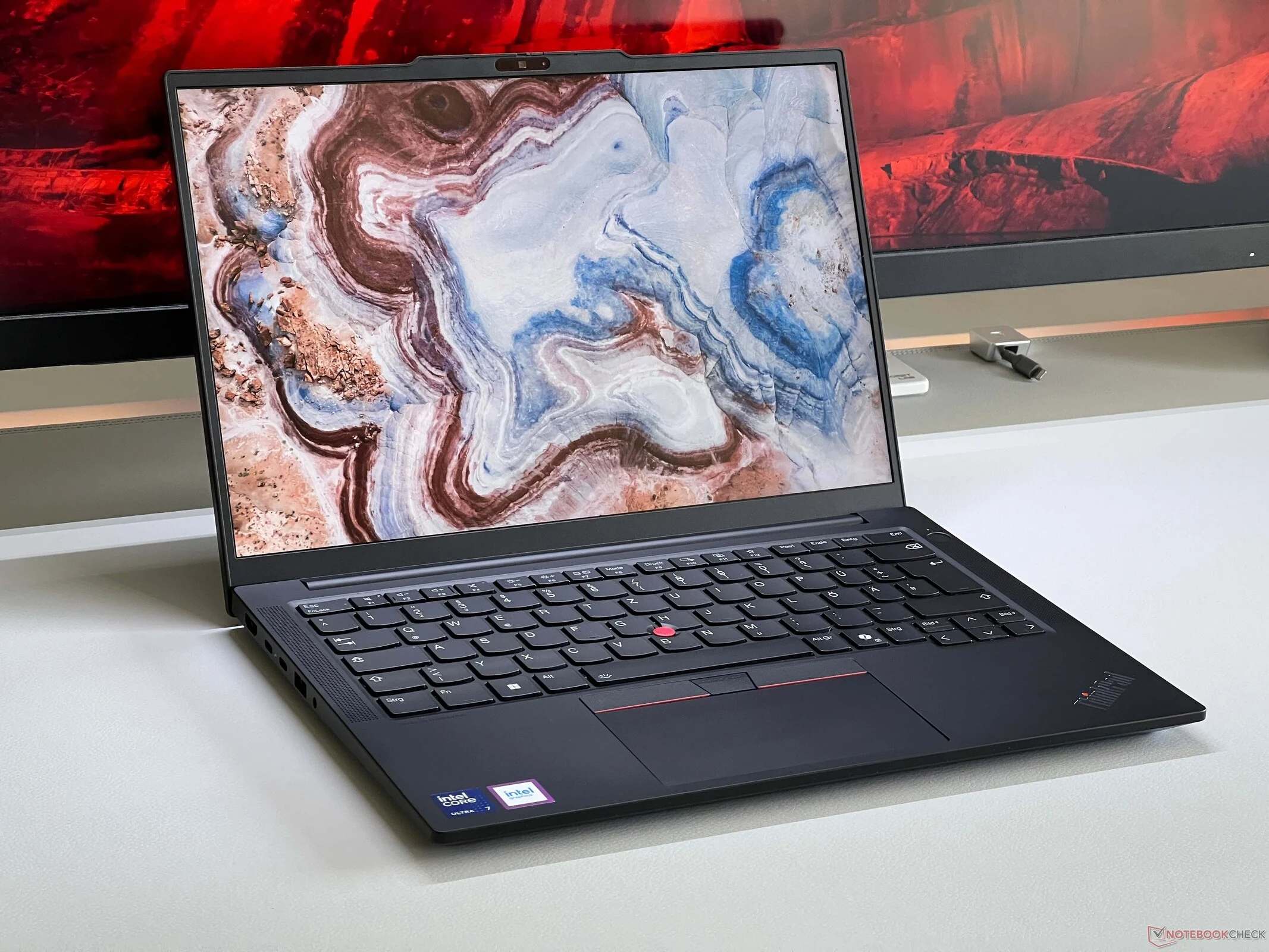
    Most people who use laptops are familiar with the ThinkPad name, knowing it’s synonymous with business devices. However, Lenovo also offers a range called ThinkBook, which caters to both personal users and businesses, mainly targeting small to medium-sized companies. We have recently evaluated the latest 14-inch models: the ThinkBook 14 G8 and the ThinkPad E14 G7. Both models are comparably priced and feature the Core Ultra 7 255H along with Arc Graphics 140T.

    Design and Build Quality

    When you examine the design, including maintenance options, ports, and keyboard layout, there isn’t a significant difference between the two laptops. Each has an aluminum lid paired with a plastic base, although the ThinkPad can also be purchased with an aluminum base. The most noticeable distinction lies in their aesthetics—the ThinkBook presents a more modern look with its silver finish. Both laptops boast two slots for memory and SSD upgrades, as well as a good number of USB ports, including Thunderbolt 4. Notably, only the ThinkBook features a card reader. The keyboards are quite similar, yet the ThinkPad has a slight edge, but it’s not a major difference.

    Display and Battery Life

    The ThinkPad E14 G7 is particularly impressive regarding its display, as our test unit came with an optional 2.8K IPS screen that features 120 Hz refresh rate. This screen clearly outperforms the standard IPS display on the ThinkBook 14, which has less than 300 nits brightness, 1080p resolution, 60 Hz refresh rate, and a limited color range. Despite having a superior display, the ThinkPad also achieves better battery life, thanks to its larger battery (64 Wh compared to 45 Wh).

    Performance Comparison

    In terms of raw CPU performance, the ThinkBook 14 comes out ahead with higher power limits (50/38 Watts compared to 45/28 Watts), whether under short bursts of activity or extended workloads. The graphics performance on the ThinkPad suffers due to a single-channel memory setup, but this can be easily remedied by adding a second memory module if necessary. However, the higher performance of the ThinkBook 14 does lead to slightly louder fan noise when under load.

    In summary, Lenovo has two very closely matched devices. The ThinkBook 14 is aesthetically more pleasing and offers greater CPU performance, while the ThinkPad E14 has a slight edge in chassis quality (especially with the aluminum base) and quieter operation with extended battery life. The standout feature, however, is the 120 Hz screen. If you frequently rely on the internal display rather than solely using an external monitor, the ThinkPad E14 G7 is undoubtedly the better option.


     

  • Lenovo ThinkPad E14 Gets Improved 120Hz Display for Budget Users

    Lenovo ThinkPad E14 Gets Improved 120Hz Display for Budget Users

    Key Takeaways

    1. Budget office laptops typically feature IPS screens with around 300 nits brightness, 60 Hz refresh rate, and limited color range.
    2. High-end business laptops often use OLED panels, but IPS panels avoid PWM flickering and light reflection issues.
    3. Lenovo’s ThinkPad E-series now offers upgraded IPS screens with higher resolutions and refresh rates for an additional cost.
    4. The ThinkPad E14 G7 has a higher resolution of 2880 x 1800 pixels, but may appear grainy in bright areas, while the E16 G3 performs better with 2560 x 1600 pixels.
    5. The improved refresh rate on upgraded displays allows for better image editing capabilities.


    Inexpensive office laptops usually come with rather poor screens, and not long ago, there were still VA panels around. Currently, the norm for budget-friendly office notebooks features IPS screens with a brightness level of approximately 300 nits, 60 Hz refresh rate, and limited color range. This decision makes sense for companies aiming to cut costs, especially with the rise of flexible workspaces where laptops are frequently connected to larger external displays. Consequently, the quality of the built-in screen becomes less significant.

    Premium Laptops and Their Displays

    High-end business laptops typically offer OLED panels, which do have their clear benefits. However, IPS panels are free from PWM flickering issues, and matte screens do not reflect light problems either. Lenovo is now providing improved IPS screens for its more affordable ThinkPad E-series. Both the ThinkPad E16 G3 and the ThinkPad E14 G7 can be upgraded to high-resolution IPS panels boasting 120 Hz refresh rates and full sRGB color coverage for an extra fee of merely 60 Euros.

    Screen Comparisons and Performance

    Interestingly, the smaller ThinkPad E14 G7 features a slightly higher resolution of 2880 x 1800 pixels (16:10), although it does present a somewhat grainy appearance on bright areas. In contrast, the larger 16-inch display of the ThinkPad E16 G3, with 2560 x 1600 pixels, performs better in this regard. Nevertheless, the image quality is undoubtedly superior compared to the standard screen. The enhanced refresh rate, in particular, represents a significant upgrade, allowing users to even edit images on the optional displays.

  • ThinkPad E14 G7: 14-inch Office Laptop with 2 SSD & RAM Slots

    ThinkPad E14 G7: 14-inch Office Laptop with 2 SSD & RAM Slots

    Key Takeaways

    1. Maintenance choices for consumer laptops are mainly limited to SSD upgrades due to soldered RAM on motherboards.
    2. The new Lenovo ThinkPad E14 G7 features SO-DIMM slots, allowing RAM upgrades up to 128GB with Arrow Lake processors.
    3. The E14 G7 includes an extra M.2 2280 slot for secondary SSD, enhancing storage options.
    4. Upcoming models with Lunar Lake processors will not support RAM upgrades or additional SSD slots due to integrated memory.
    5. Battery capacity and cooling performance are expected to remain unchanged in the Lunar Lake variant.


    When discussing consumer laptops, it’s generally understood that maintenance choices are mostly restricted to the SSD. This is because the memory is frequently soldered directly onto the motherboard or integrated into the processor, as seen with Intel’s recent Lunar Lake processors. This pattern has also extended to business laptops in the past few years, providing some benefits since SO-DIMM modules take up less room on the motherboard. Lenovo’s ThinkPad line has models that feature either 8GB or 16GB of soldered RAM along with an additional SO-DIMM slot for memory upgrades.

    A Shift in Trend

    The new ThinkPad E14 G7, which is one of Lenovo’s more budget-friendly office options, has turned this trend upside down. Specifically, the Intel setup with the latest Arrow Lake processors comes with SO-DIMM slots. This advancement allows the RAM to be increased to as much as 128GB in certain configurations. Additionally, the E14 G7 is well-provided for in terms of SSD capacity. Besides the shorter M.2 2242 slot filled by the default SSD, there’s another complete M.2 2280 slot available for a secondary solid-state drive.

    Variants and Limitations

    Nonetheless, this feature isn’t available across all versions of the ThinkPad E14 G7. In a few weeks, another model utilizing Lunar Lake processors will be released alongside the Arrow Lake version we reviewed. As the memory is integrated into the processor, the upgrade option will be lost. Moreover, that variant will not feature an extra SSD slot, as it comes with just a single M.2 2280 slot. The battery capacity also won’t be increased, and we don’t anticipate any notable enhancements in cooling performance due to the lower power limits of the Lunar Lake CPUs, meaning there may be a lot of unutilized space. We expect to evaluate that version in a few weeks.