Tag: Razer Core X V2

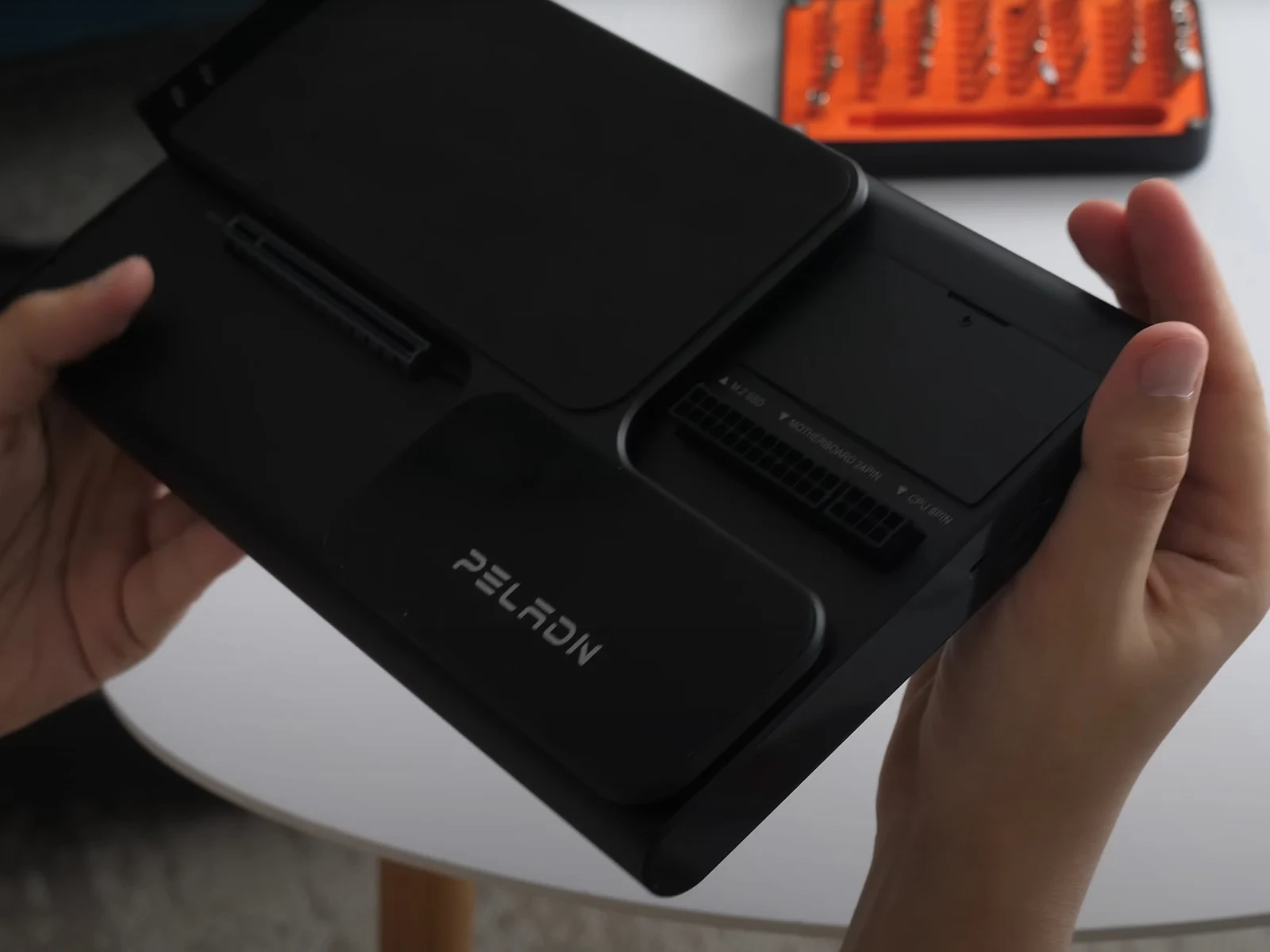
  • Thunderbolt 5 eGPU Performance: Peladn Link S-3 vs OCuLink

    Thunderbolt 5 eGPU Performance: Peladn Link S-3 vs OCuLink

    Key Takeaways

    1. Thunderbolt 5-based eGPUs are now widely available, with options like the Razer Core X V2 priced at $349.99.
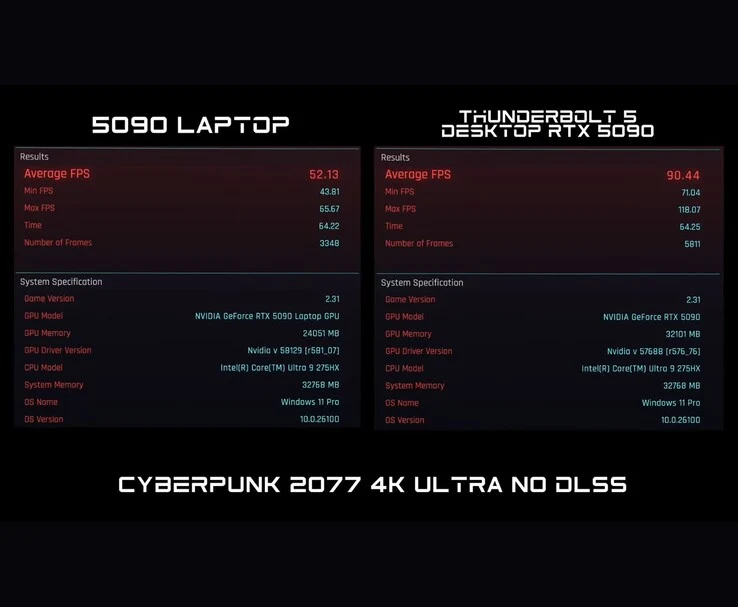
    2. The GeForce RTX 5090 can achieve around 90 FPS in Cyberpunk 2077 at 4K Ultra settings when paired with Thunderbolt 5.
    3. Thunderbolt 5’s bandwidth often falls short compared to OCuLink, as shown in tests with the GeForce RTX 5070 Ti.
    4. The performance of graphics cards like the RTX 5070 Ti is negatively affected when connected via Thunderbolt 5, resulting in lower FPS.
    5. While Thunderbolt 5 is improving, it still cannot match OCuLink’s bandwidth, which also has its own performance and compatibility issues.


    Thunderbolt 5-based eGPUs are now starting to be widely available, following their introduction earlier this year with the new Asus ROG XG Mobile. Although Asus’ GeForce RTX 50 laptop models are hard to find, devices that utilize desktop graphics cards, such as the Razer Core X V2, can be easily ordered (currently priced at $349.99 on Amazon).

    Performance Expectations

    In a recent demonstration, ETA Prime revealed the performance that can be expected from a GeForce RTX 5090 when paired with Razer’s latest eGPU. Nvidia’s most powerful consumer GPU can achieve around 90 FPS in Cyberpunk 2077 at 4K Ultra settings with DLSS turned off, even when using Thunderbolt 5 for connection.

    Bandwidth Comparison

    Theoretically, Thunderbolt 5 should meet or surpass the maximum bandwidth provided by OCuLink. However, YouTuber Try Some Tech has shown that this is rarely the reality. In his test with the Peladn Link S-3 and a GeForce RTX 5070 Ti, he confirms that Thunderbolt 5 significantly lags behind the bandwidth capabilities of OCuLink, as demonstrated around 3:29 minutes into the video linked below.

    Gameplay Impact

    Due to this limitation, the Peladn Link S-3 causes the GeForce RTX 5070 Ti to deliver noticeably lower frames per second compared to when it’s connected to a device via OCuLink or used in a desktop setup. Furthermore, the 1% FPS lows are more pronounced over Thunderbolt 5, which can make for a less smooth gaming experience overall.

    In conclusion, while Thunderbolt 5 is narrowing the gap with OCuLink, it still has a long way to go to match the bandwidth that OCuLink provides. Nevertheless, OCuLink isn’t without its flaws either, as it suffers from performance losses compared to desktop systems, cable compatibility issues, and the absence of hotswapping, among other drawbacks.

    Source:
    Link
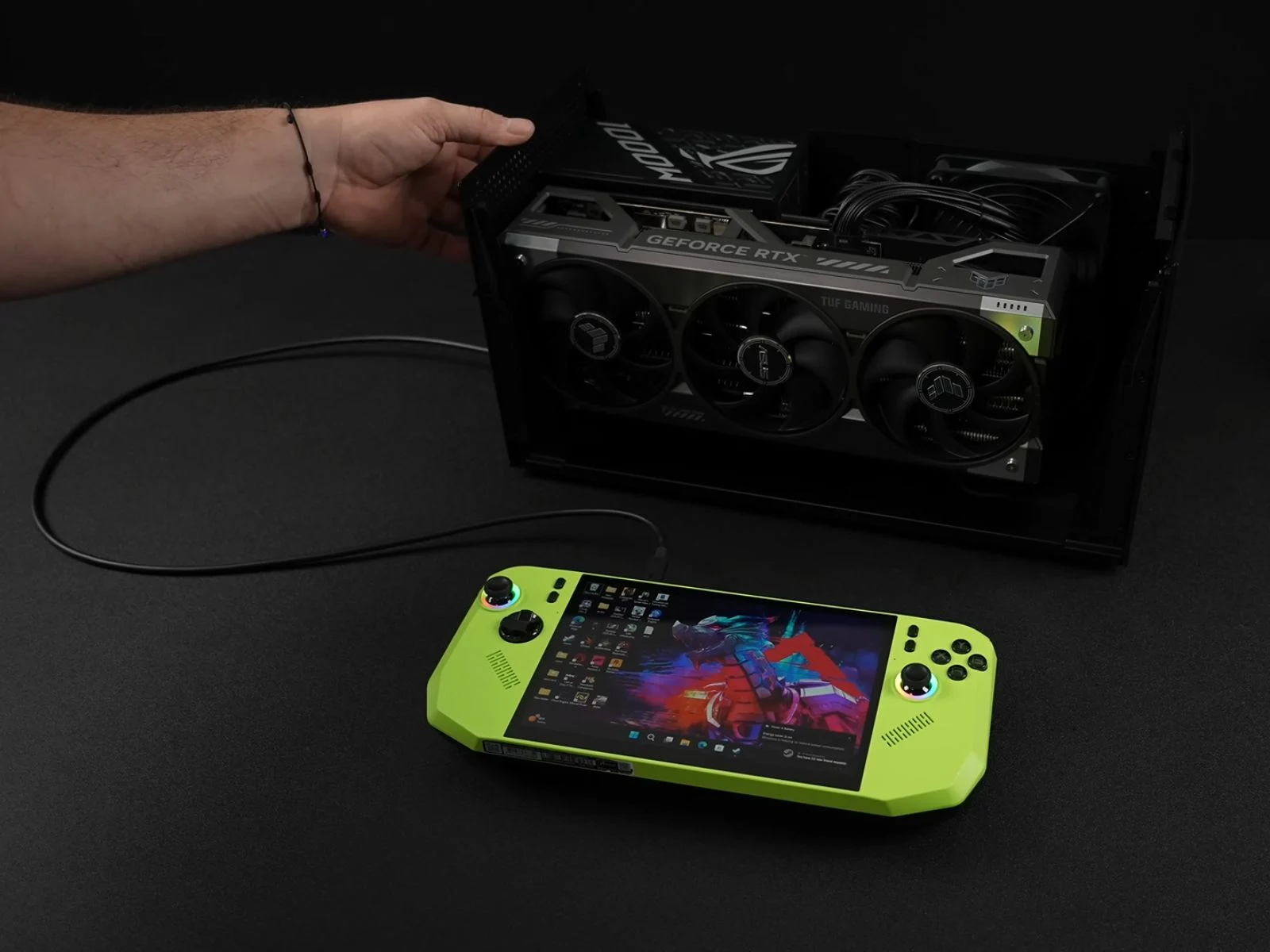


  • Thunderbolt 5 eGPU Dock: 4K Ultra Cyberpunk 2077 at 90 FPS

    Thunderbolt 5 eGPU Dock: 4K Ultra Cyberpunk 2077 at 90 FPS

    Key Takeaways

    1. The Razer Core X V2 enclosure features a Thunderbolt 5 port and supports high-powered GPUs, including the Nvidia GeForce RTX 5090, with a price of $349.
    2. YouTuber ETA PRIME tested the eGPU dock with both an Asus ROG Strix Scar G18 laptop and a smaller MSI Claw A8 handheld gaming PC.
    3. In Cyberpunk 2077, the RTX 5090 in the eGPU dock achieved 90 FPS compared to 52 FPS in the laptop version, showcasing significant performance differences.
    4. Performance in Horizon Zero Dawn Remastered was nearly identical between the laptop and eGPU setups, indicating game-specific performance variability.
    5. Connecting the eGPU to the MSI Claw A8 resulted in 70-80 FPS in Cyberpunk 2077, which increased to 276 FPS with Nvidia DLSS Frame Generation enabled.


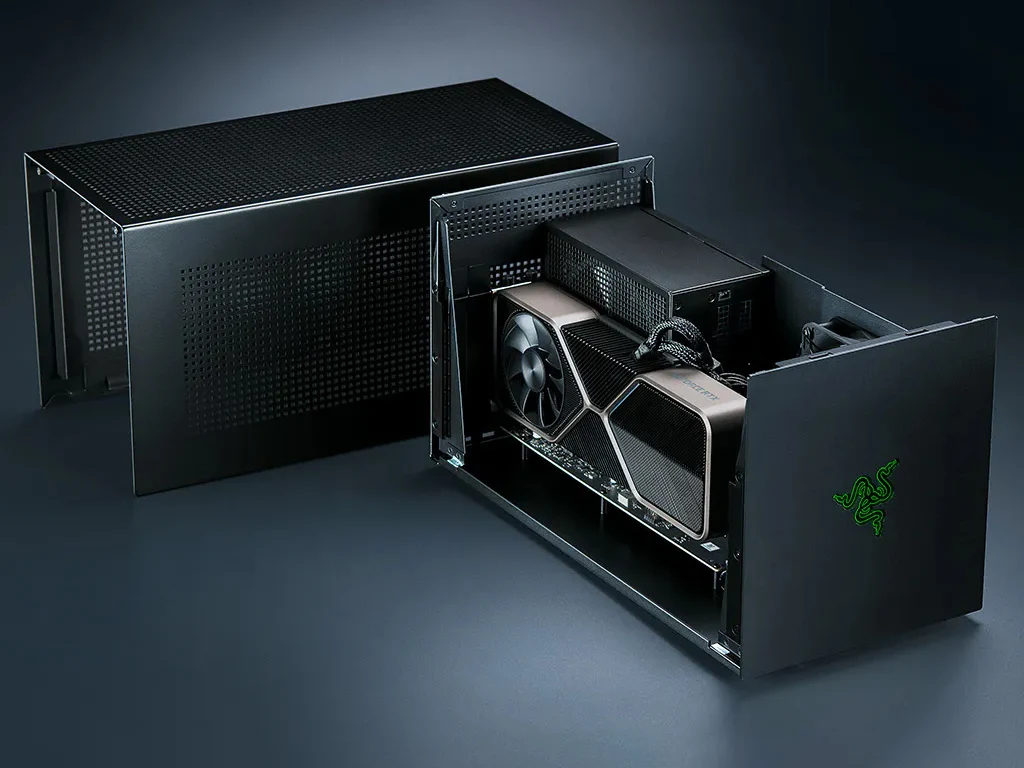
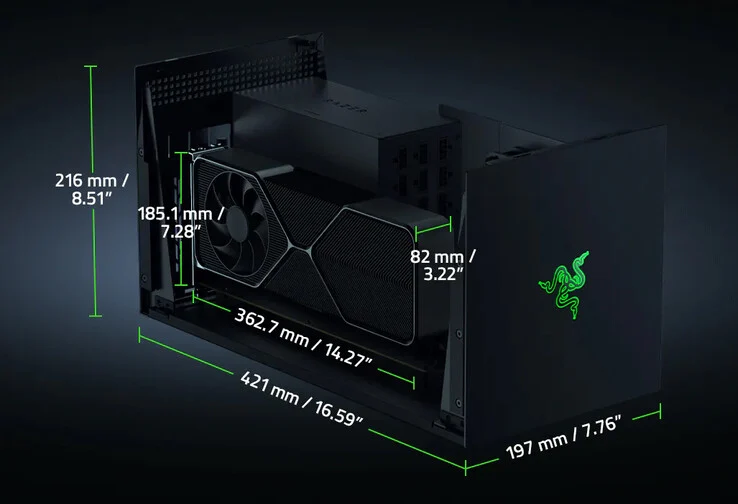
    A few months back, Razer introduced the Core X V2 enclosure featuring a Thunderbolt 5 port, and it’s currently priced at $349 on Amazon. It supports 140 W PD charging, which is pretty neat. What makes this eGPU dock special is its capacity to hold an Nvidia GeForce RTX 5090 or a comparable AMD graphics card. In simple terms, there’s plenty of room inside this enclosure. It also has a 120 mm fan that adjusts its speed automatically based on usage, plus built-in ventilation holes for better airflow.

    Unique Testing Approaches

    Recently, YouTuber ETA PRIME decided to test the Razer Core X V2 in an interesting way. Initially, the eGPU dock was used with an Asus ROG Strix Scar G18 laptop. Then, it was connected to a smaller handheld gaming PC, the MSI Claw A8. While the Scar G18 is a logical choice for the eGPU dock, given its 18-inch size, Intel Core i9 processor, and Nvidia GeForce RTX 5090, the MSI Claw A8 presents a fascinating alternative due to its compactness and lesser power.

    Performance Comparisons

    In the first test, ETA PRIME connected the eGPU dock to an Nvidia GeForce RTX 5090 GPU and compared its performance with the RTX 5090 found in the laptop. It’s important to note that this was done via the Thunderbolt 5 port on the Scar G18.

    While playing Cyberpunk 2077, the differences between the two setups became quite clear. At 4K Ultra settings without DLSS, the RTX 5090 in the laptop managed 52 FPS, while the RTX 5090 through the eGPU dock hit 90 FPS. The total graphics power (TGP) was also notably different; the laptop version consumed about 170 W, whereas the Razer eGPU dock drew approximately 460 W.

    Game-Specific Performance

    However, when running Horizon Zero Dawn Remastered, both the laptop and desktop 5090 performed similarly, with the laptop scoring 83 FPS and the desktop scoring 84 FPS at 4K Very High settings, again without DLSS.

    In the case of Borderlands 4, the laptop RTX 5090 achieved around 40 FPS, while the desktop 5090 connected via eGPU managed between 45–50 FPS at 4K Ultra settings without DLSS. The reason for these performance discrepancies in the two games remains uncertain, and the YouTuber did not clarify this in the video.

    Testing with Handheld Gaming

    Next, they connected the Razer Core X V2 to the MSI Claw A8 and tested Cyberpunk 2077 using USB 4. With limited bandwidth, the RTX 5090 delivered between 70-80 FPS, occasionally dropping below 70 FPS during explosive scenes.

    After that, they enabled Nvidia DLSS Frame Generation, which increased the average frame rate to as high as 276 FPS. The YouTuber noted that playing the game this way felt quite ‘smooth.’

    ETA PRIME also recently conducted a similar experiment where they connected an eGPU through OCuLink to a handheld gaming device. If you’re interested, you can find more information about that here.

    Source:
    Link


  • Razer Core X V2: New Thunderbolt 5 eGPU Enclosure with 140W PD

    Razer Core X V2: New Thunderbolt 5 eGPU Enclosure with 140W PD

    Key Takeaways

    1. The Razer Core X V2 is a Thunderbolt 5 eGPU dock with a bandwidth of up to 80 Gbps, supporting Thunderbolt 4 and USB4 at 40 Gbps max.
    2. It is compatible with Nvidia’s RTX 50 series and Radeon RX 9000 series GPUs, accommodating full-sized desktop cards.
    3. The eGPU dock supports 140 W power delivery for connected devices, suitable for gaming handhelds and laptops.
    4. It features a 120 mm fan with adjustable speed for cooling and includes side ventilation holes for airflow.
    5. The pricing for the Razer Core X V2 is set at $350, but availability details have not been announced.


    The Razer Core X V2 has officially launched as a brand-new Thunderbolt 5 eGPU dock. It boasts a bandwidth of up to 80 Gbps, promising desktop-level performance. While it also supports Thunderbolt 4 and USB4 connections, these options will limit the bandwidth to a maximum of 40 Gbps, which is less than the capabilities of OCuLink.

    Compatibility with Latest GPUs

    Razer emphasizes that the Core X V2 is compatible with Nvidia’s RTX 50 series and Radeon RX 9000 series GPUs. This external GPU enclosure is designed to fit full-sized desktop cards, including those that are 4-slot wide (such as the ZOTAC RTX 5070 Ti Solid SFF OC, currently priced at $829.99 on Amazon). Regarding the power supply unit (PSU), the eGPU dock can accommodate a standard ATX power supply, though it is important to mention that one is not included with the enclosure.

    Power Delivery Features

    Another key feature of the Razer Core X V2 is its support for 140 W power delivery. This means the eGPU dock can supply up to 140 W of power to connected devices, which is sufficient for powering gaming handhelds and many laptops.

    To maintain proper cooling, this Thunderbolt 5 eGPU dock is equipped with a 120 mm fan. Razer indicates that the fan can automatically adjust its speed depending on the system load, and the enclosure includes ventilation holes on the side to ensure adequate airflow.

    Pricing and Availability

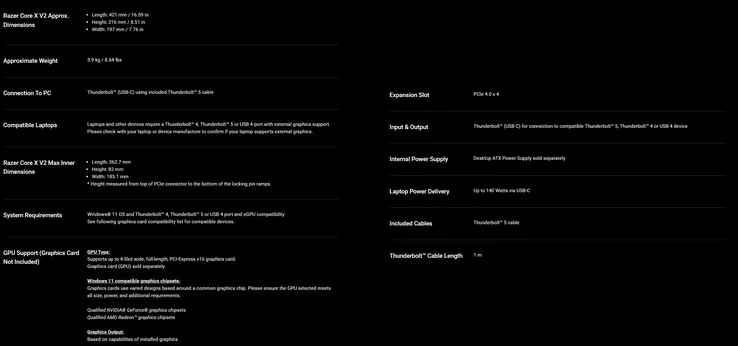
    In terms of pricing, the Razer Core X V2 is set at $350, but the company has not yet announced when the eGPU enclosure will be available for purchase. You can find more details in the attached spec sheet below.

    Source:
    Link