
Tag: Performance Modes

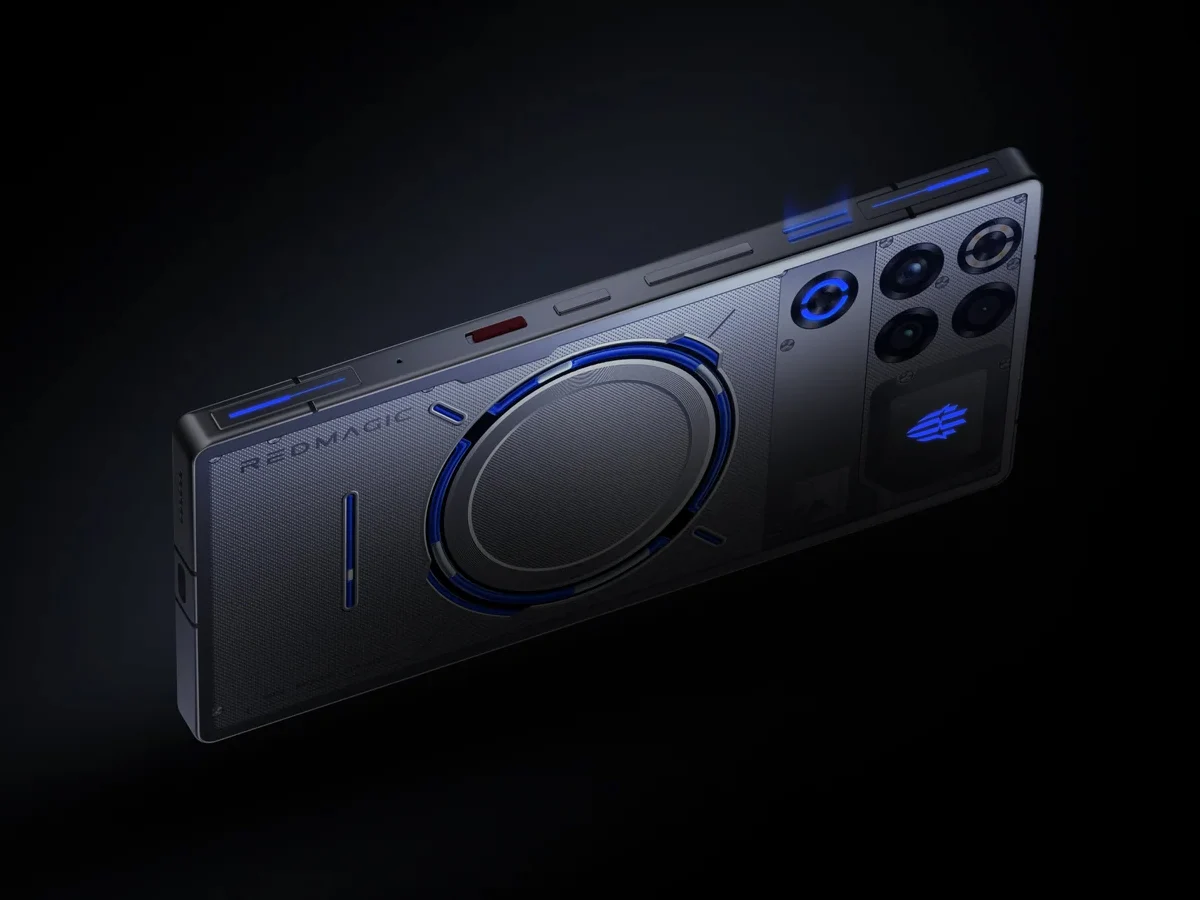
  • UL Solutions Reports Benchmark Cheating in RedMagic 11 Pro Series

    UL Solutions Reports Benchmark Cheating in RedMagic 11 Pro Series

    Key Takeaway

    1. UL Solutions delisted the RedMagic 11 Pro series due to violation of platform rules, specifically related to thermal limits and performance manipulation during benchmarking.
    2. The phones automatically switched to a high-performance “Diablo” mode during certain benchmark runs, resulting in artificially inflated scores by up to 24%.
    3. Nubia disputes the allegations, claiming their performance profiles are meant to give users more control, but did not clarify if automatic mode changes occur during benchmarks.
    4. These practices of optimizing for benchmarks and ignoring thermal constraints are common among various brands, though they can lead to device instability and overheating.

    UL Solutions Remove RedMagic 11 Pro from Rankings

    UL Solutions has recently taken down the RedMagic 11 Pro gaming phones from their benchmarking lists because they found out that these phones broke their rules and guidelines. The main problem was that the devices were said to be “cheating,” but in reality, they were just ignoring heat limits to get the best possible performance from their hardware.

    Performance Tests Show Discrepancies

    While it might look like they was cheating, the hardware itself can actually reach those high scores. UL Solutions defend their decision by sharing results from their own testing. They tested the RedMagic 11 Pro with two different versions of the 3DMark benchmark software. One of these versions is known to the public, but the other version has been renamed and is not recognized by the gaming phone itself.

    In the test using the public version, UL Solutions discovered the RedMagic 11 Pro would automatically run in a high-performance mode called “Diablo” mode. But when they ran using the other version, which the phone doesn’t recognize as a benchmarking app, the device stayed in normal mode. This caused a notable difference: in the high-performance mode, the phone scored about 24% higher in the benchmark.

    Nubia’s Response and User Concerns

    The company behind RedMagic, Nubia, issued a statement trying to justify their phones, but it didn’t quite work. In an email to Android Authority, Nubia said that its performance configurations aren’t “unethical” and are meant to give users more control over how their phones perform. But they didn’t mention that the phone automatically switches to high-performance when it detects benchmarking tools.

    Many users also reported issues with stability when using the highest performance modes—crashes, overheating, and other problems—like those caused by external cooling fans costing around $54.23 on TradingShenzhen. This highlights that pushing devices to maximum limits can sometimes have serious drawbacks, especially in terms of overheating and instability.

    Similar Practices in Other Brands

    This isn’t something completely unique to Nubia or RedMagic phones. Other brands such as Huawei, Oppo, and MediaTek have also been found to ignore thermal and power guidelines when their phones detect benchmarks or intensive workloads. This kind of behavior isn’t unusual in the smartphone business and often sparks debates about fairness and device safety in performance testing.


    Sources

  • Cyberpunk 2077 PS5 Pro Update Performance Review Despite Ray Tracing Issues

    Cyberpunk 2077 PS5 Pro Update Performance Review Despite Ray Tracing Issues

    Key Takeaway

    1. The PS5 Pro update for Cyberpunk 2077 significantly improves visuals and performance, especially with additional ray tracing options and upscaling techniques.
    2. The new performance modes provide a balance between high visual fidelity and smooth gameplay, with up to 60 fps in Ray Tracing Pro mode on suitable displays.
    3. Limitations remain in effects reliance on older screen-space techniques, and some visual issues like pop-in still persist despite hardware enhancements.
    4. Digital Foundry prefers the Performance Mode for lower latency and consistent frame rates, especially when VRR is active.
    5. The update offers substantial visual upgrades, but leaves room for further enhancements like full ray tracing implementation and addressing pop-in issues.

    Enhanced Performance and Visuals in Cyberpunk 2077 PS5 Pro Update

    CD Projekt Red’s newest update for Cyberpunk 2077 enhanced its experience on the latest PlayStation console, the PS5. The review from Digital Foundry shows that the game now runs much better with the new patch, mainly because of the improved PSSR upscaling and the advanced ray tracing features. But, some lighting effects still haven’t reached the potential seen on high-end PCs.

    New Performance Modes and Their Impact

    The game now has three new ways to play, with the Ray Tracing Pro option, which offers ray-traced reflections, better ambient occlusion, and realistic shadows. When playing on a 60Hz display, the target is 30 fps, but on 120Hz TVs or monitors, players get around 40 fps. Digital Foundry noticed that during intense scenes, frame rates occasionally dipped below these numbers, though they mostly stayed steady.

    Upscaling and Ray Tracing Advantages

    Using PSSR that upscales from 1440p to 4K makes a major difference, especially with ray tracing turned on. During the daytime, outdoor city views look more natural, and at night, the lighting effects are more convincing with neon signs glowing properly. Still, some reflections on windows and shiny car surfaces show limitations because they use older tech, not fully ray-traced effects, which results in some missed potential. Overall, despite these limits, the graphics on the PS5 Pro look very close to a good gaming PC, even at lower frame rates.

    Balancing Graphics and Frame Rates

    The Ray Tracing Mode in the game forgoes some features like global illumination to try to maintain 60 fps. Sometimes, frame rates dipped a little, but gameplay generally stayed fluid. Plus, the 1440p upscale to 4K results in sharper images than the standard PS5 modes. Digital Foundry thinks this setting strikes a good balance between smoothness and visual quality.

    Choosing the Right Mode for Gamers

    For players who want the lowest latency possible, Performance Mode without the extra lighting effects is recommended. Once Variable Refresh Rate (VRR) is turned on a compatible display, they found the game could hit around 90 fps in many scenarios, which is great for smooth gameplay. This mode sacrifices some of the lighting effects but offers a more responsive experience overall.

    Summary of the PS5 Pro Patch Expectations

    The review from Digital Foundry is mostly positive about the update. However, they note that there are still some missed opportunities, like adding an option for a fully ray-traced version at lower resolutions. Also, the game’s pop-in issues in the open-world environment persist to some extent, and the PS5 Pro’s hardware can’t fully eliminate those visual quirks.

    Sources