Tag: GeForce RTX 5090

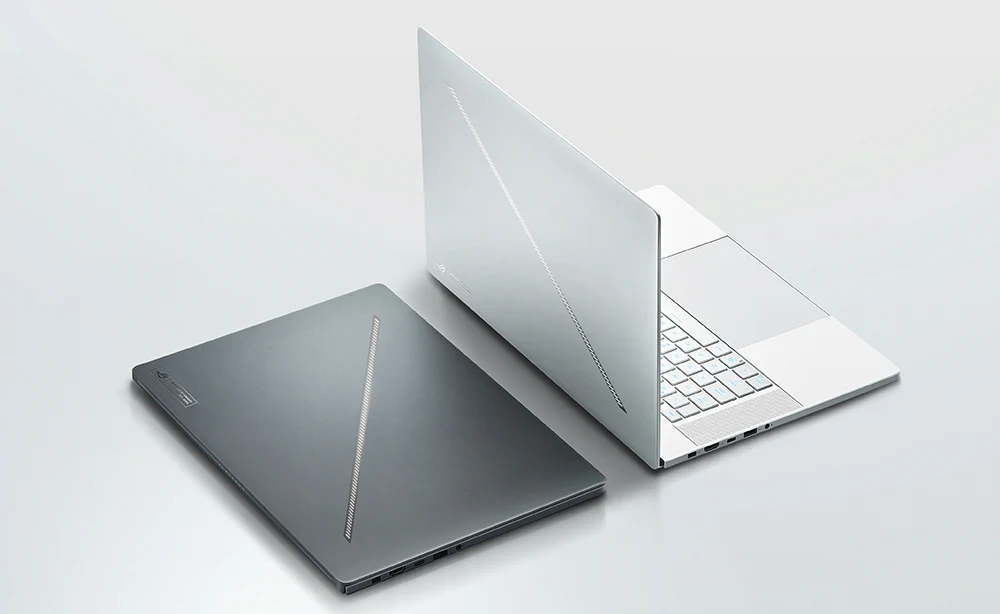
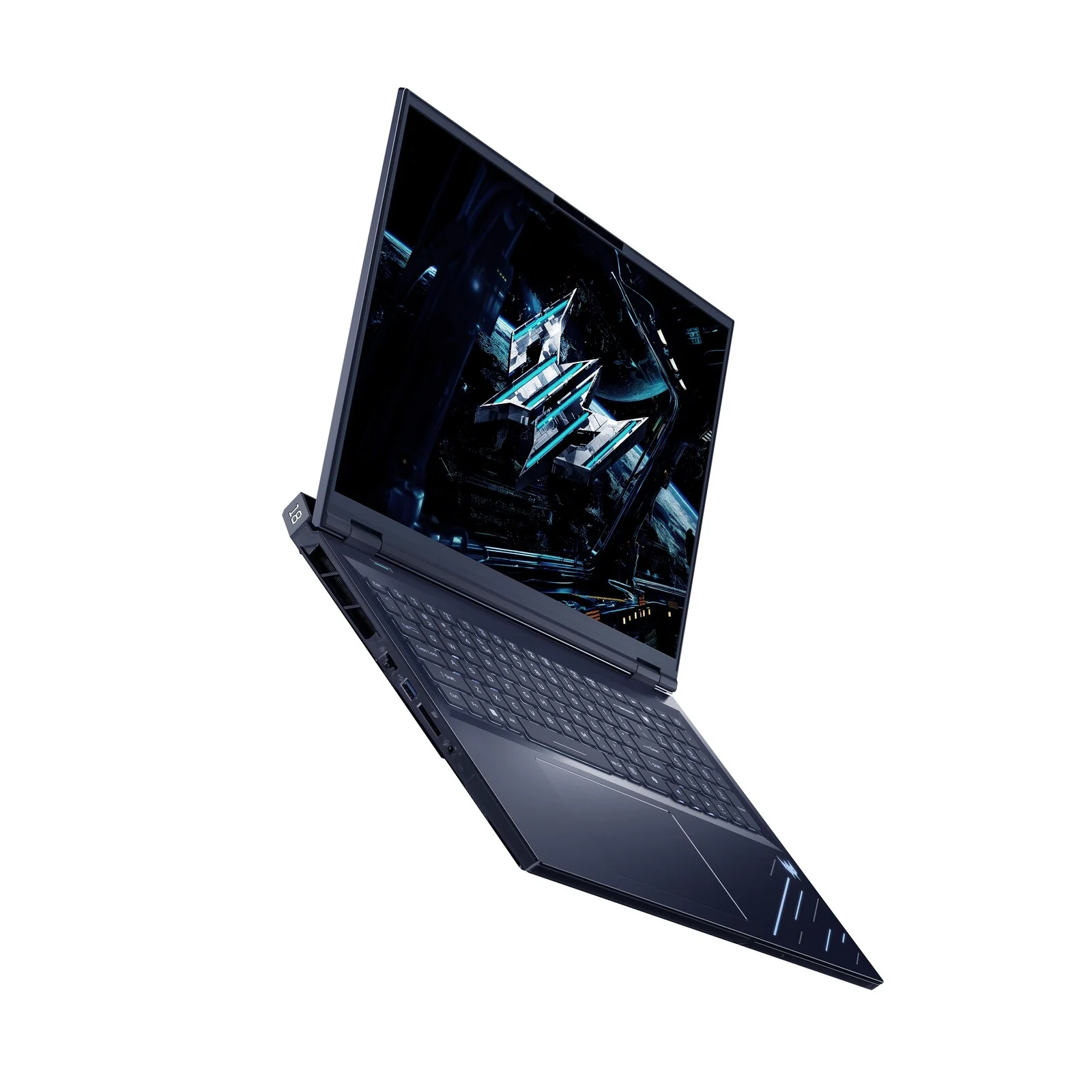
  • Acer Predator Helio 18P AI with ECC RAM and Arrow Lake vPro CPU

    Acer Predator Helio 18P AI with ECC RAM and Arrow Lake vPro CPU

    Key Takeaways

    1. Powerful Hardware: The Acer Predator Helios 18P AI features Intel’s Core Ultra 9 285HX vPro and GeForce RTX 5090 GPU, with up to 192 GB of ECC DDR5 RAM and 6 TB of storage.

    2. Advanced Cooling System: The laptop uses two sixth-gen AeroBlade fans, liquid metal thermal paste, and heat pipes for effective cooling of high-performance components.

    3. High-Quality Display: It has a 4K mini-LED display with 1,000 nits brightness, 120 Hz refresh rate, and 100% DCI-P3 color gamut coverage.

    4. Robust Connectivity: The device includes Wi-Fi 7, Bluetooth 5.4, Thunderbolt 5, HDMI 2.1, and an SD card reader.

    5. Premium Price: The Acer Predator Helios 18P AI is priced at EUR 4,999, indicating it is a high-end investment.


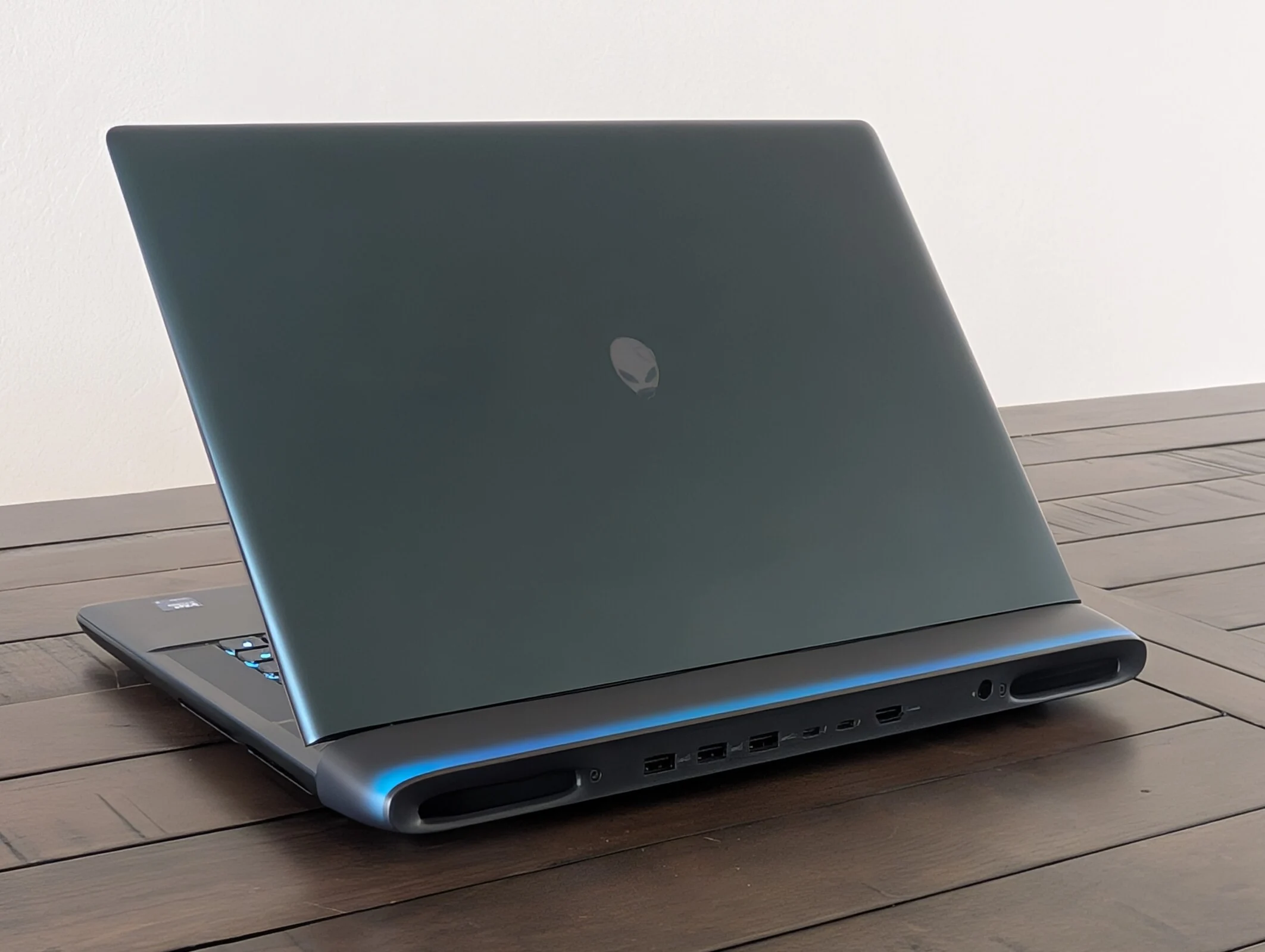
    Acer recently showcased its top-tier Predator Helios 18 AI at CES 2025, featuring cutting-edge hardware from Intel and Nvidia. Now, this laptop has undergone a mid-cycle update, resulting in the Acer Predator Helios 18P AI. While maintaining its gaming look, this device can also function as a portable workstation capable of handling intensive tasks.

    Powerful Upgrades

    To kick things off, the laptop is now equipped with Intel’s premium Core Ultra 9 285HX vPro, an upgrade from the Core Ultra 9 275HX found in the previous model. Users can pair this with a GeForce RTX 5090 laptop GPU, a staggering 192 GB of ECC DDR5 RAM, and a whopping 6 TB of storage, achieved through a combination of PCIe Gen5 and Gen4 drives. Acer has designed the system to keep its power-hungry components cool using two sixth-gen AeroBlade fans, liquid metal thermal paste, and an intricate network of heat pipes.

    Stunning Display and Features

    Other notable features of the Acer Predator Helios 18P AI include a stunning 4K (3,840 x 2,400) mini-LED display, boasting a peak brightness of 1,000 nits, a refresh rate of 120 Hz, and a quick grey-to-grey response time of just 3 ms, along with 100% coverage of the DCI-P3 color gamut. The notebook is powered by a robust 99.9 Wh battery. In terms of connectivity, it offers Wi-Fi 7, Bluetooth 5.4, Thunderbolt 5, an HDMI 2.1 port, and an SD card reader.

    Pricey Investment

    As anticipated, the Acer Predator Helios 18P AI is not going to be budget-friendly. While the exact release date remains unclear, the laptop comes with a staggering price of EUR 4,999, likely for the base model configuration.

  • Fractal Design Epoch PC Case: Three Fans, Tool-less Panels, Sleek Look

    Fractal Design Epoch PC Case: Three Fans, Tool-less Panels, Sleek Look

    Key Takeaways

    1. Modern design with smooth lines and a large tempered glass side panel for visibility.
    2. Excellent cooling options with multiple fan and radiator mounting positions.
    3. Tool-free side panel removal for easy maintenance and upgrades.
    4. Available in multiple colors and includes various ports, including USB-A and USB-C.
    5. Priced starting at $109, offering good value with included fans worth approximately $80.


    The Fractal Design Epoch PC case showcases a modern look with smooth lines and a generous tempered glass side panel. It doesn’t cut corners on cooling, making it ideal for high-performance setups, including those outfitted with a GeForce RTX 5090 and other robust components. The front, rear, and top panels feature perforations that provide ample mounting options for fans.

    Fan Configuration

    Included with the case are three 120mm Momentum 12 fans mounted at the front. The top panel can fit either two 140mm fans or a 240mm radiator for an all-in-one CPU cooler. Additionally, there’s space for another 120mm fan on the back. All side panels, along with the top and front, can be easily detached without the need for tools, making maintenance and upgrades a breeze.

    Color Options and Ports

    This latest Fractal case is offered in white, black, and a variant that lacks a tempered glass side panel on the left side. The top features a selection of ports, including USB-A ports with 5Gbps speed, one USB-C port with 20Gbps, and a 3.5mm headphone jack conveniently located next to the power button. It supports ATX, mATX, and Mini-ITX motherboards, along with CPU coolers measuring up to 17 cm in height and GPUs reaching 37.2 cm in length.

    Pricing and Availability

    The Fractal Design Epoch PC case is currently available at online retailers like Newegg, with prices beginning at $109. Fractal Design also provides three 120mm Momentum 12 fans, which alone would cost around $80 if bought separately from Amazon.

    Source:
    Link


  • Alienware 16 RTX 5080 vs Razer Blade 16 RTX 5090: Performance Showdown

    Alienware 16 RTX 5080 vs Razer Blade 16 RTX 5090: Performance Showdown

    Key Takeaways

    1. The Alienware Area-51 is significantly larger and heavier than the Razer Blade 16, allowing it to run GeForce RTX 50 GPUs at higher power levels for better performance.

    2. In certain gaming scenarios, the Area-51 with the RTX 5080 can outperform the Blade 16 with the RTX 5090, despite having a lower power output.

    3. Benchmark results show that while synthetic tests favor the Razer Blade 16, actual gaming performance can favor the Alienware in specific titles.

    4. The extra 8 GB of VRAM on the RTX 5090 does not significantly enhance performance in most gaming situations compared to the RTX 5080.

    5. Running the Alienware in “Overdrive” mode can further increase its performance advantage over the Blade 16 by 5 to 10 percent in gaming.


    The Alienware Area-51 is significantly heavier and larger than the Razer Blade 16, weighing nearly 60 percent more and being twice its size. This size advantage enables the Dell laptop to utilize GeForce RTX 50 GPUs at higher power levels, providing improved performance compared to the Razer. In certain situations, the Area-51, with the RTX 5080, can outperform the Blade 16, which has the RTX 5090, during gaming sessions, even when the Alienware’s GPU operates at a lower power of just 150 W TGP instead of the maximum 175 W.

    Benchmark Comparisons

    For instance, our benchmarks below show the Area-51 with the RTX 5080 in Balanced mode versus the Blade 16 with the RTX 5090 in Performance mode. While synthetic benchmarks, like 3DMark, suggest that the Razer outperforms, the reality is more complicated when we look at real gaming. Games such as Monster Hunter Wilds and Assassin’s Creed Shadows often favor the Alienware, while titles like Cyberpunk 2077 and Indiana Jones are closely matched, with only small percentage differences. Thus, the extra 8 GB of VRAM on the mobile RTX 5090 doesn’t significantly impact most gaming situations.

    Overdrive Mode Benefits

    If you run the Alienware in “Overdrive” mode instead of Balanced, the performance gap against the Blade 16 could increase by an additional 5 to 10 percent during gaming.

    This trend isn’t something new; similar patterns were noticed in the previous generation of gaming laptops that used older GeForce RTX 40 graphics. The size of the laptop remains a crucial factor, just as much as the GPU models, for users aiming to extract maximum performance from their devices.

  • Tuxedo Stellaris 16: High-Performance Notebook with RTX 5090

    Tuxedo Stellaris 16: High-Performance Notebook with RTX 5090

    Key Takeaways

    1. High-Performance Components: Features an Intel Core Ultra 9 275HX processor and options for GeForce RTX 5070 Ti, 5080, or 5090 graphics cards, with the RTX 5090 using up to 150 watts plus 25 watts from Dynamic Boost.

    2. Display Options: Offers two 16-inch display types: a mini-LED screen with 1,000 cd/m² peak HDR brightness and a conventional LED display with 500 cd/m² brightness, both at 2,560 x 1,600 resolution and up to 300 Hz refresh rate.

    3. Battery and Weight: Equipped with a 99 Wh battery providing up to 8.5 hours of browsing, weighs 2.65 kg for the LED model and 2.8 kg for the mini-LED model, and supports charging via USB-C.

    4. Memory and Storage: Supports up to 128 GB of DDR5 RAM and includes two M.2 2280 SSD slots, one with PCI Express 5.0 and the other with PCI Express 4.0.

    5. Comprehensive Connectivity: Well-equipped with multiple ports including USB-C, USB-A, Ethernet, Thunderbolt 4, HDMI 2.1, Mini DisplayPort 2.1, and an SD card reader.


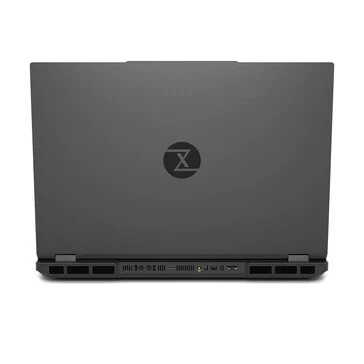
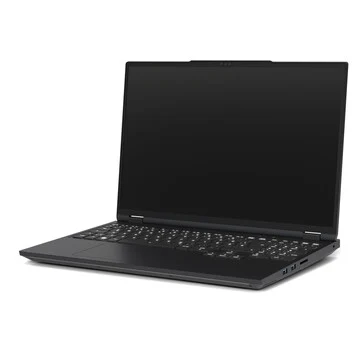
    Tuxedo is enhancing the Stellaris 16 significantly. This laptop is designed with a strong focus on performance rather than being small and light. It comes with an Intel Core Ultra 9 275HX, and users can opt for a GeForce RTX 5070 Ti, GeForce RTX 5080, or GeForce RTX 5090. The RTX 5090 has a maximum TGP of 150 watts plus an additional 25 watts from Dynamic Boost, while the processor can use up to 130 watts.

    Display Options

    Customers can select from two display types: a mini-LED screen that can reach a peak HDR brightness of 1,000 cd/m² or a conventional LED display with a brightness of up to 500 cd/m². Both displays are 16 inches in size, featuring a 16:10 aspect ratio and a resolution of 2,560 x 1,600 pixels. The maximum refresh rate is identical for both, offering up to 300 Hz. The mini-LED display reportedly covers 100% of the DCI-P3 color spectrum, while the LED version provides 100% coverage of the sRGB color space.

    Battery and Weight

    The laptop is equipped with a 99 Wh battery and comes with either a 330-watt or 420-watt power adapter depending on the model. It claims to offer up to 8.5 hours of browsing time. Users can also charge the device via USB-C with a power output of up to 140 watts. The weight of the notebook is either 2.65 kilograms for the LED variant or 2.8 kilograms for the mini-LED version. It supports two M.2 2280 SSDs, one featuring PCI Express 5.0 and the other PCI Express 4.0. Users can install up to 128 GB of DDR5 RAM in two slots.

    Connectivity Features

    When it comes to ports and connectivity, the Stellaris 16 is well-equipped. On the left side, there is a 2.5 Gbit/s Ethernet port, a USB-C 3.2 Gen2 port, a USB-A 3.2 Gen1 port, and an audio jack. The right side has two USB-A 3.2 Gen1 ports and an SD card reader. At the back, you’ll find a connector for the TUXEDO Aquaris liquid cooling system, along with a Thunderbolt 4 port, a Mini DisplayPort 2.1, and an HDMI 2.1 port. For more information about the Stellaris 16, you can check the official product page.

    Source:
    Link


  • Nvidia RTX 5090 Giveaway for Doom: The Dark Ages Launch Celebration

    Nvidia RTX 5090 Giveaway for Doom: The Dark Ages Launch Celebration

    Key Takeaways

    1. Nvidia is giving away a themed GeForce RTX 5090 GPU to celebrate the release of Doom: The Dark Ages.
    2. The giveaway is open worldwide, excluding certain areas in the US, Canada, and Australia, and participants must be adults and legal residents of eligible regions.
    3. To enter, leave a comment with #RTXON on social media before 5:00 PM PST on May 22nd, 2025.
    4. Winners will be announced on a separate page, but the exact announcement date is not specified.
    5. Doom: The Dark Ages offers a unique gaming experience with significant gameplay changes and is powered by the impressive idTech 8 engine.


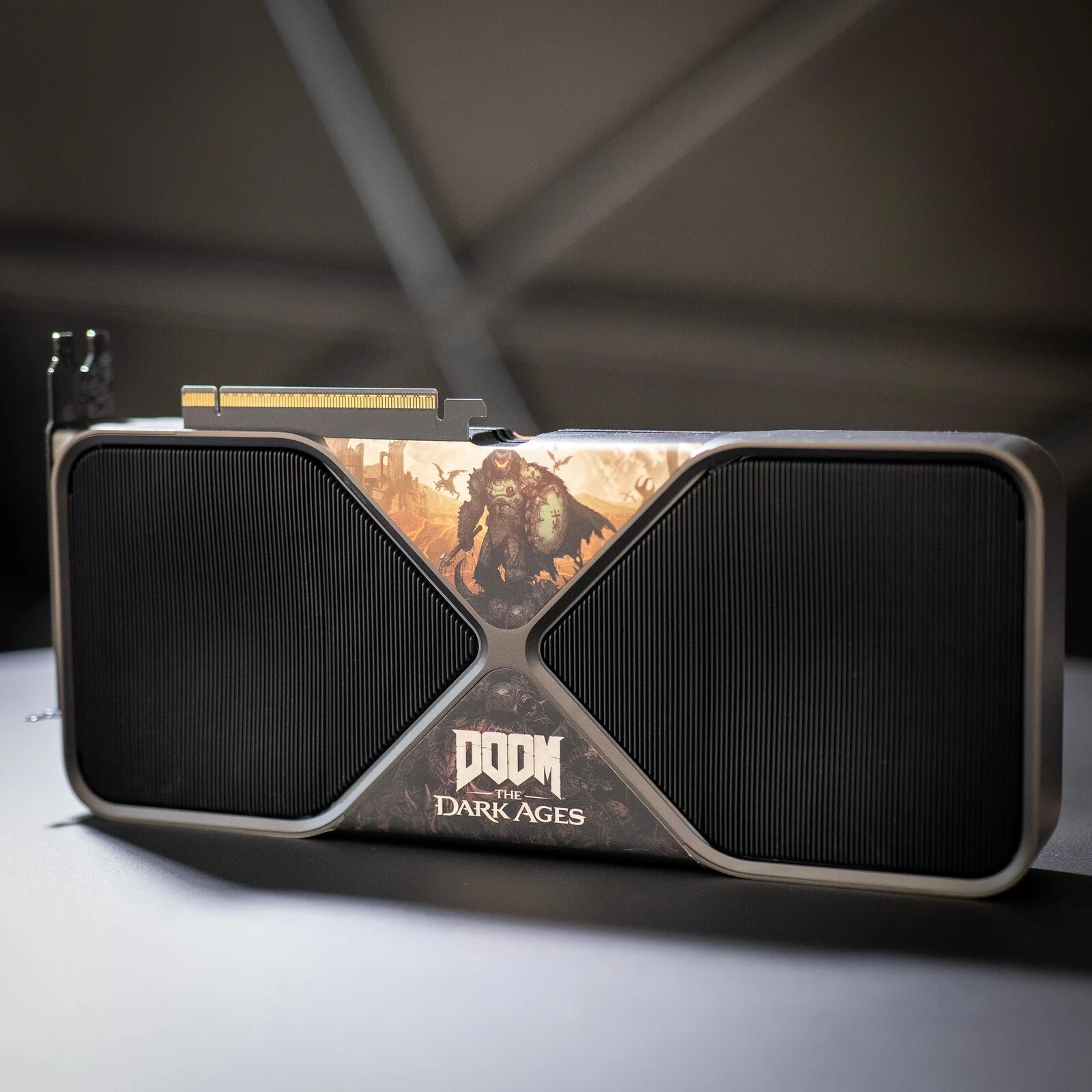
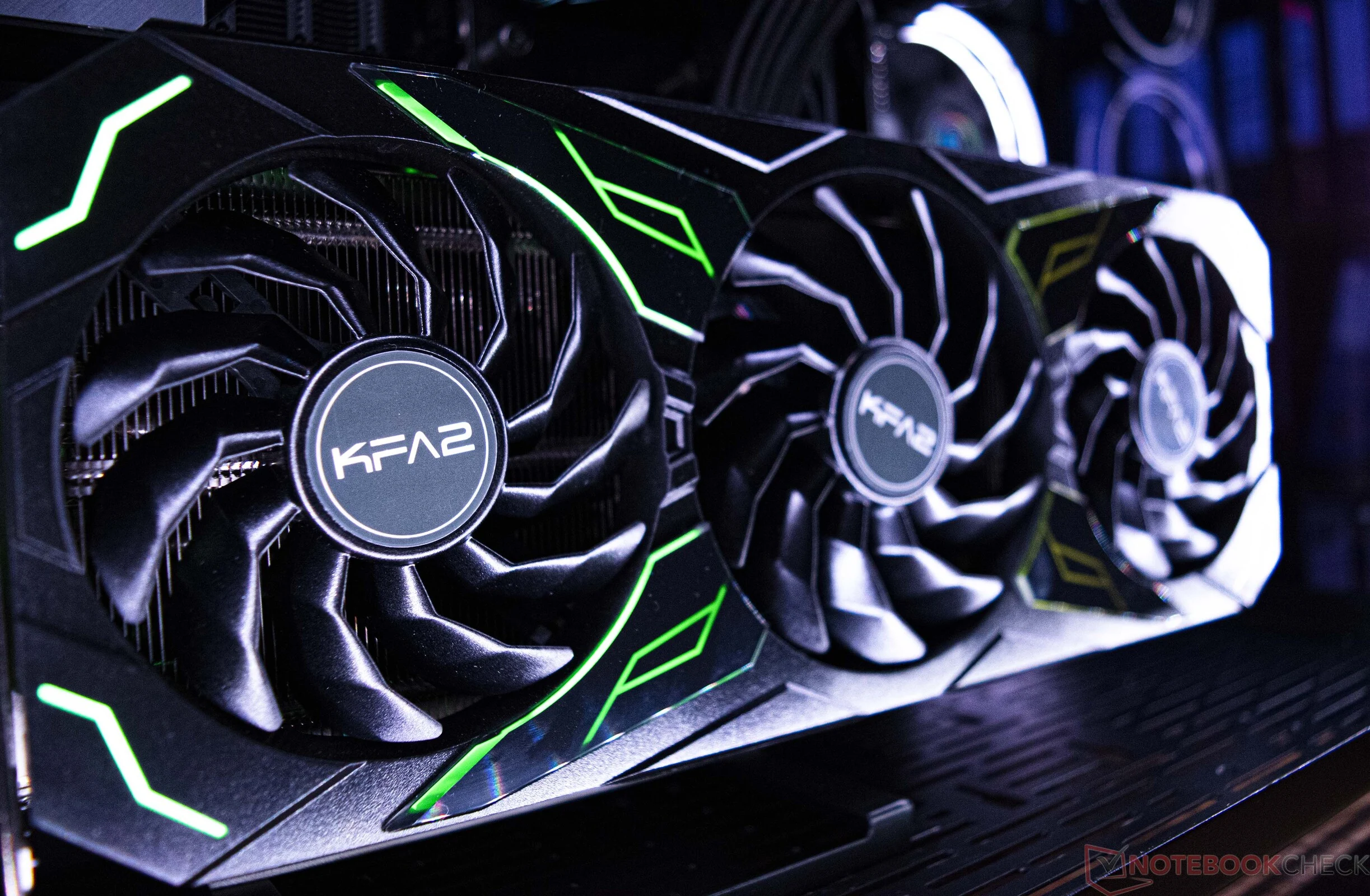
    Now that Doom: The Dark Ages has been officially released for everyone, Nvidia is excited to mark this occasion by giving away a brand new GeForce RTX 5090. Since it’s an Nvidia-promoted title, the GPU features a unique Doom theme with custom artwork that will surely enhance your PC setup.

    Terms and Conditions

    The rules for the giveaway are quite simple. Although Nvidia’s wording suggests the offer is only for Australia, it’s actually open worldwide, except for certain areas in the US, Canada, and Australia. To join in, you need to be an adult and a legal resident of the regions mentioned on the giveaway page.

    How to Enter

    To enter, just leave a comment saying #RTXON on this X post (or on any social media platform you prefer, like Facebook, Instagram, TikTok, Threads, or Twitch) before 5:00 PM PST on May 22nd, 2025. Similar to past giveaways, the winners will be revealed on a different page. Nvidia hasn’t mentioned when they will announce the chosen gamer, so be prepared to wait a little while.

    Game Review

    In our review of Doom: The Dark Ages, we discovered that the game offers a thoroughly enjoyable experience that distinguishes itself from earlier versions. The combat feels completely different from Doom Eternal, with the shield playing a crucial role in the gameplay. Technically, its idTech 8 engine is impressive, and while the RTX 5090 will allow you to enjoy the best graphics, the game is still playable on the Steam Deck.

    Source:
    Link

  • Nvidia Increases Prices by 5-15% Due to Export Restrictions

    Nvidia Increases Prices by 5-15% Due to Export Restrictions

    Key Takeaways

    1. Nvidia faced a $5.5 billion loss due to U.S. government restrictions on chip shipments to China.
    2. Rising costs from material, logistics, and tariffs have led Nvidia to increase prices for nearly all its products.
    3. The GeForce RTX 5090 price rose by over 10%, with other RTX 50-series cards increasing by 5-10%.
    4. AI silicon demand remains strong despite export restrictions, supporting Nvidia’s financial stability.
    5. Nvidia projects significant revenue growth, estimating around $43 billion for the upcoming quarter, a 65% increase year-on-year.


    Nvidia is changing its pricing approach due to a mix of outside challenges. As per supply-chain reports from Digitimes Taiwan, the firm faced a hefty loss of $5.5 billion after the U.S. government stopped shipments of its H20 chips to China. At the same time, the transfer of Blackwell production to TSMC’s facility in Arizona, along with increased costs for materials, logistics, and tariffs, has caused expenses to rise significantly.

    Price Increases for Products

    To safeguard its profit margins, Nvidia has raised the official prices “for nearly all of its products” and has permitted board partners to do the same. The channel price for the prominent GeForce RTX 5090 has surged from about NT$90,000 to NT$100,000 ($2,966 to $3,295)—an over 10 percent rise since its launch. Other cards in the RTX 50-series have also seen price hikes of 5-10 percent. Datacenter equipment hasn’t been immune either: the H200 and B200 modules now carry an increase of around 10-15 percent, a cost that server vendors are starting to transfer to their customers.

    Continued Demand for AI Silicon

    Even with the export restrictions and rising tariffs, the need for AI silicon from both U.S. and global cloud service providers remains robust. Therefore, supply-chain insiders anticipate that Nvidia’s financial results for the quarter ending in late May will align with their previous guidance and exhibit “excellent profit performance.” The company reported a revenue of $39.3 billion in its last quarter and has projected around $43 billion for the upcoming period, suggesting a year-on-year growth of approximately 65 percent.

    Source:
    Link

  • Asus ROG Zephyrus G16 RTX 5090 Slower than Older RTX 4090 Laptops

    Asus ROG Zephyrus G16 RTX 5090 Slower than Older RTX 4090 Laptops

    Key Takeaways

    1. Initial laptops with GeForce RTX 5090 aim for high TGP values of 160 W or more, showcasing peak performance.
    2. The Asus ROG Zephyrus G16 GU605CX has a lower TGP of 120 W, positioning it as a midrange RTX 5090 alternative.
    3. The 120 W RTX 5090 in the Zephyrus lags 25-30% behind the 175 W RTX 5090 in the SCHENKER Neo 16.
    4. In gaming scenarios, RTX 4090 laptops outperform the Zephyrus by 5-35% in popular games without DLSS enhancements.
    5. The Zephyrus 16 is slimmer, lighter, and more stylish, but its lower power limit affects GPU performance, affecting cost vs. performance trade-offs.


    Some of the initial laptops featuring GeForce RTX 5090 graphics are aiming for high thermal design power (TGP) values of 160 W or more, showcasing the peak performance of the mobile GPU. In contrast, the new Asus ROG Zephyrus G16 GU605CX sets its sights on a lower TGP of just 120 W, positioning itself as a “midrange” RTX 5090 alternative. Even though it remains a solid gaming laptop, its graphics performance is noticeably affected, leading to a situation where many RTX 4090 laptops can actually outpace the Asus.

    Performance Comparison

    In our latest review of the Zephyrus model, along with the accompanying graphs, it’s clear that the 120 W RTX 5090 in the 16-inch Asus lags about 25 to 30 percent behind the 175 W RTX 5090 found in the 16-inch SCHENKER Neo 16. This performance gap is so significant that even average RTX 4090 laptops in our database can exceed the Zephyrus by as much as 10 percent based on 3DMark tests.

    Gaming Experience

    The situation worsens when diving into real gaming scenarios, as the mobile RTX 4090 proves to outperform the RTX 5090-equipped Zephyrus by even larger margins, even at 1080p resolutions. Popular games such as Final Fantasy XV, Baldur’s Gate 3, Cyberpunk 2077, Monster Hunter Wilds, and Assassin’s Creed Shadows can run anywhere from 5 to 35 percent faster on older RTX 4090 laptops when compared to the newer Zephyrus, without the aid of DLSS enhancements.

    It’s important to point out that the new Zephyrus 16 is more slender, lighter, and more stylish than many other 16-inch gaming laptops, which required a tighter power limit for the GPU. Whether this trade-off is worth it in terms of cost versus performance ultimately rests on the buyer’s preferences.

  • GeForce RTX 5090 Laptops vs. Desktop RTX 4070 Ti Performance

    GeForce RTX 5090 Laptops vs. Desktop RTX 4070 Ti Performance

    Key Takeaways

    1. Major companies like Razer and HP are releasing gaming laptops with GeForce RTX 5090 graphics.
    2. The mobile RTX 5090’s performance is closer to the desktop RTX 4070 Ti Super than to the desktop RTX 5090.
    3. The mobile RTX 5090 has more unified shaders and cores than the desktop RTX 4070 Ti Super but performs lower due to a much lower TGP.
    4. In real gaming scenarios, the mobile RTX 5090 can perform similarly to the desktop RTX 4070 Ti Super in high-demand games at 4K settings.
    5. The mobile RTX 5090 offers better performance-per-watt compared to its raw performance, despite being more aligned with older desktop components.


    Major companies such as Razer and HP have started to deliver their newest gaming laptops that come with GeForce RTX 5090 graphics. Although performance has improved compared to the mobile RTX 4090, the difference between it and the desktop RTX 5090 is quite large and arguably more pronounced than the difference between the mobile RTX 4090 and the desktop version. Our benchmark tests indicate that the mobile RTX 5090 is more similar to the desktop RTX 4070 Ti Super, as evidenced by the graphs below. The 3DMark results show only a small percentage difference between these two GPUs.

    Performance Expectations

    It’s a bit disappointing to see that the mobile RTX 5090 has more unified shaders, TMUs, ROPs, RT cores, and tensor cores than the desktop RTX 4070 Ti Super, yet it doesn’t perform as well. The main issue here is the much lower TGP of the mobile chip, which means that the GPU clock rates are roughly half of those found in the desktop versions. Hence, the theoretical performance is only in the low 30 TFLOPS range, compared to around 40 TFLOPS for the desktop RTX 4070 Ti.

    Gaming Performance

    However, there is a silver lining for the mobile RTX 5090 when it comes to playing real games, rather than just relying on synthetic benchmarks like 3DMark. Titles like Final Fantasy 15, Cyberpunk 2077, Black Myth: Wukong, and Alan Wake 2 at 4K with maximum settings show performance levels that are comparable to a desktop RTX 4070 Ti Super, despite the significant differences in TGP, according to our findings. This doesn’t even factor in any benefits from DLSS4 or MFG features, which would further widen the performance gap favoring the mobile RTX 5090. Therefore, laptop users can at least rely on the better performance-per-watt of the mobile RTX 5090, even if its raw performance is more in line with a last generation desktop component.

    Source:
    Link

  • Maingear MG-1 Desktop: RTX 50, Ryzen 9000, Intel Ultra 2 Options

    Maingear MG-1 Desktop: RTX 50, Ryzen 9000, Intel Ultra 2 Options

    Key Takeaways

    1. The Maingear MG-1 gaming PC series has been upgraded with the latest AMD, Intel, and Nvidia technology for 2025.
    2. Pricing for the MG-1 series starts just below $2000 and can reach up to $6000 for top-tier configurations.
    3. Customization options include unique magnetic front covers with LED illumination for a personalized look.
    4. The MG-1 series will receive major hardware updates first before being applied to Maingear’s other product lines.
    5. Pre-built PCs are currently a convenient option for obtaining new GeForce RTX 50 GPUs, as standalone graphics cards are hard to find at retail prices.


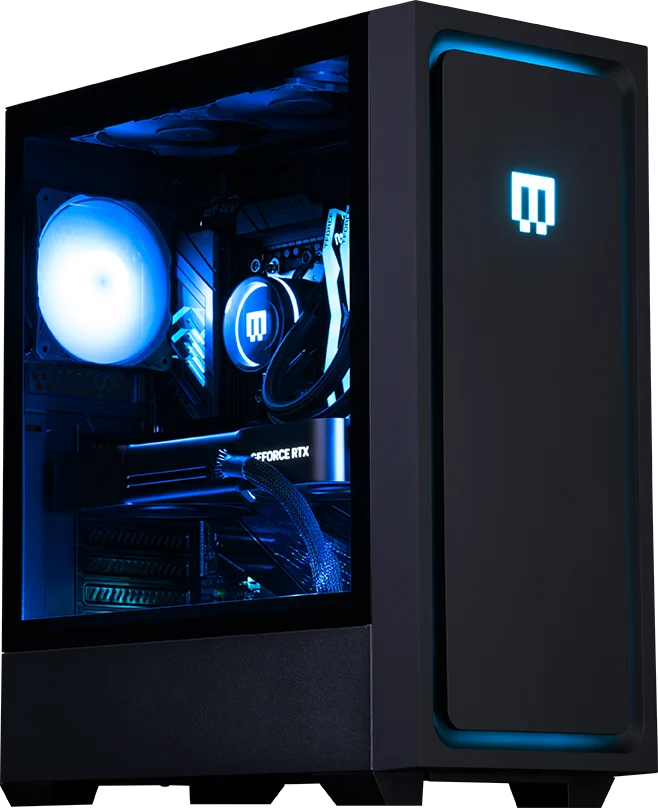
    The pre-assembled Maingear MG-1 gaming PC series saw a refresh last summer, adding AMD Zen 5 processors to its lineup. Now, in 2025, the series is receiving another upgrade featuring the latest from AMD, Intel, and Nvidia, making these gaming PCs some of the strongest options available.

    Pricing and Specifications

    According to the press release provided, users can start with configurations including the Ryzen 7 7800X3D or Core Ultra 5 245K as the base models, all the way up to the top-tier Ryzen 9 9950X3D or Core Ultra 9 285K. For graphics, options span from the GeForce RTX 5070 to the powerful RTX 5090, which requires a robust 1200 W PSU. The price range starts just below $2000 and can go up to $5650, or even $6000 for fully maxed-out setups.

    Design and Customization

    Aside from the internal advancements, the external look of the PCs stays consistent with previous versions. The chassis is particularly unique due to its magnetic front covers that are illuminated by LEDs, providing a customizable touch for users.

    Future Models and Availability

    Regarding Maingear’s other product lines like the North, Zero, or Rush series, the company has stated that similar processor choices will be available soon. The MG-1 series holds the title of Maingear’s flagship line, so any major hardware updates will first appear in the MG-1 before they are introduced to midrange options.

    At this moment, pre-built PCs offer a convenient method to obtain a new GeForce RTX 50 GPU, as standalone graphics cards remain hard to come by at prices near their suggested retail values.

    WARREN, N.J., March 31, 2025 /PRNewswire/ — MAINGEAR, recognized as a frontrunner in high-performance, premium-quality gaming PCs, has revealed its latest pre-configured MG-1 gaming systems for 2025. These systems are outfitted with NVIDIA’s state-of-the-art GeForce RTX 50-Series GPUs and are powered by the newest AMD Ryzen 9000 Series CPUs along with Intel Core Ultra Series 2 processors. This new lineup provides gamers with an impressive boost in power, performance, and value, emphasizing MAINGEAR’s dedication to enhancing the gaming experience for players of all skill levels.

  • GeForce RTX 5090 vs Razer Blade 16: Minor Performance Gains

    GeForce RTX 5090 vs Razer Blade 16: Minor Performance Gains

    Key Takeaways

    1. The mobile GeForce RTX 5090 shows about 15% better performance at a peak TGP of 175 W compared to the 160 W version in the Razer Blade 16.
    2. Performance gaps in gaming are larger at lower resolutions (30-50% faster at 1080p) but narrow at higher resolutions (10-5% faster at 4K).
    3. The Schenker Neo 16 A25 outperforms the Razer Blade 16 in lower resolutions, suggesting potential CPU limitations in the Razer system.
    4. Most users prefer higher resolutions, which may lead to disappointment with the small performance gains of the 175 W RTX 5090.
    5. The mobile RTX 5090 is only half as capable as its desktop version, with limited performance enhancements for the mobile RTX 50 series.


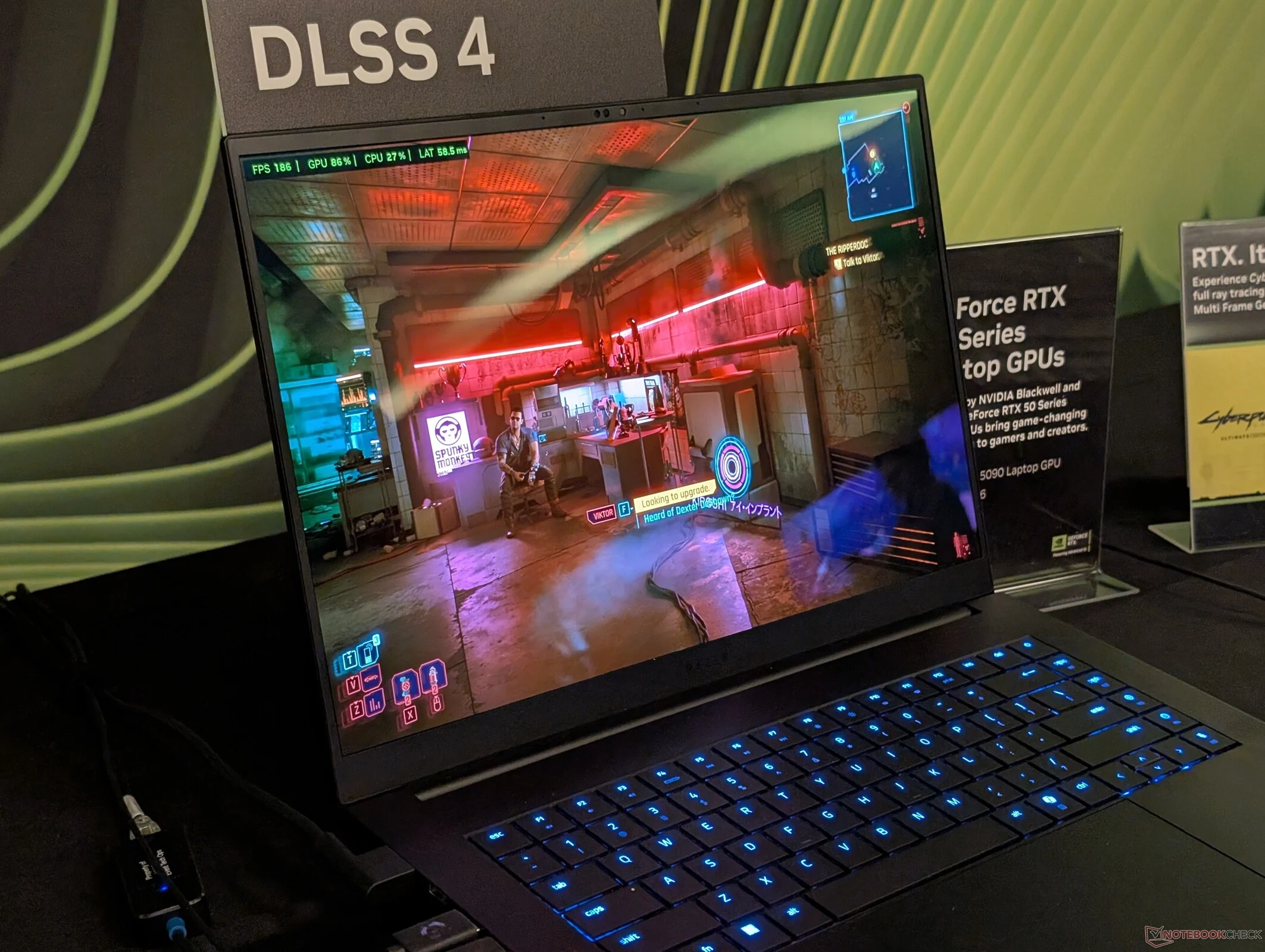
    As we keep testing the mobile GeForce RTX 5090, we’re starting to get a clearer idea of what this GPU can do at various TGP levels. The Schenker Neo 16 A25, which runs the GPU at a peak TGP of 175 W, shows about 15 percent better performance compared to the 160 W version in the Razer Blade 16, according to our 3DMark results below.

    Performance in Gaming

    However, when we look at actual gameplay, the performance gap seems larger at lower resolutions but narrows at higher resolutions without any upscaling techniques. For instance, our Schenker runs Monster Hunter Wilds and Cyberpunk 2077 at max 4K settings only about 10 percent and 5 percent faster, respectively, compared to the Razer system. On the flip side, at 1080p, those same games can run 30 to 50 percent faster on the Schenker, suggesting possible CPU limitations with the Razer. Most RTX 5090 users will likely prefer higher resolutions rather than lower ones, so the small performance gains with the 175 W RTX 5090 might leave some feeling a bit let down.

    Comparison with Desktop GPUs

    We’ve previously indicated that the mobile RTX 5090 in the Blade 16 is only half as capable as its desktop counterpart. Sadly, even the top-tier 175 W mobile GPU doesn’t significantly enhance the performance for the mobile RTX 50 series.