Tag: Bluetooth LE Audio

  • How to Use Windows 11 Shared Audio Feature

    How to Use Windows 11 Shared Audio Feature

    Key Takeaway

    – Windows 11 now natively supports simultaneous audio streaming to two Bluetooth devices.
    – Shared Audio uses Bluetooth LE Audio and requires specific hardware (e.g., Copilot+ PCs with Snapdragon or Intel Core Ultra 200 chips).
    – Microphone input is disabled on connected Bluetooth headsets, forcing use of the laptop’s built-in mic.
    – The feature is rolling out via Controlled Feature Rollout (CFR), so it may not be visible even on compatible devices.
    – Compatible headphones include Samsung Galaxy Buds2 Pro, Galaxy Buds3/Pro, and Sony LinkBuds S.


    New Audio Sharing Feature Rolls Out

    Microsoft resolved a persistent multi-user playback limitation by baking a native audio broadcaster directly into Windows 11. Instead of forcing users to wrestle with physical splitters or finicky third-party mirroring applications, the operating system splits the audio output stream at the system level, pushing synchronized sound to two separate Bluetooth devices at the same time.

    Taskbar Icon and Volume Controls

    A new status icon will appear on the taskbar to confirm the stream is live and to provide a direct shortcut back to the configuration overlay. Each listener can dial in a distinct volume profile using independent software sliders within the menu, or by pressing the physical volume buttons on their respective headsets. Note that this routing pipeline temporarily locks out standard Bluetooth headset microphone inputs, meaning Windows will automatically default to your laptop’s built-in microphone array for any voice calls what so ever.

    Hardware and Build Requirements

    Because this tool bypasses legacy Bluetooth Classic standards in favor of modern Bluetooth Low Energy (LE) Audio protocols, it requires Windows 11 build 26100.8522 or newer alongside specific internal hardware components. Compatible PCs include modern Copilot+ laptops driven by Qualcomm Snapdragon X Elite or Snapdragon X Plus processors—such as the Microsoft Surface Laptop 7, Surface Pro 11, Samsung Galaxy Book4 Edge, and Dell XPS 13 9345—as well as newer systems built on Intel Core Ultra Series 200 silicon.

    Supported Audio Devices

    For audio playback, users must connect broadcast-ready endpoints, which include the Samsung Galaxy Buds2 Pro, Galaxy Buds3, Galaxy Buds3 Pro, Sony LinkBuds S, and modern LE Audio-equipped hearing aids from manufacturers like ReSound and Beltone. Even if a machine satisfies the required hardware criteria and runs the correct build number, the Shared Audio option might still be missing from the interface entirely.

    Controlled Feature Rollout Process

    Microsoft is deploying this utility via a Controlled Feature Rollout (CFR). This server-side staging means the software architecture remains gated behind a configuration flag until Microsoft remotely activates the tile for your specific device pool. Windows 11 users should monitor there settings app for the appearance of this option rather than expecting instant availablity after a manual update.

    Sources
  • Windows 11 Now Lets You Share Audio with Multiple Devices

    Windows 11 Now Lets You Share Audio with Multiple Devices

    Key Takeaways

    1. New Feature: Windows has introduced a “Shared Audio” feature in the quick settings menu, allowing users to stream audio to multiple devices simultaneously.

    2. Device Selection: Users can choose one or more audio devices, such as Bluetooth headphones or wired speakers, for simultaneous audio playback.

    3. Enhanced Usability: This feature addresses a limitation of Windows, which previously required third-party apps for multi-device audio support.

    4. Compatibility Questions: There are uncertainties about the feature’s compatibility with Auracast and its ability to connect different types of devices at once.

    5. Future Updates: Microsoft has not officially announced the feature, but it may be included in upcoming stable releases of Windows 11 if testing is successful.


    As mentioned by the X user @phantomofearth, there’s a fresh feature called “Shared Audio” that has shown up in the quick settings menu right next to the “Project” button.

    Selecting Audio Devices

    When users turn this on, they are asked to choose one or more audio devices—like Bluetooth headphones or wired speakers—and start streaming audio to them all at the same time.

    So far, Windows has not allowed playing audio on multiple devices at the same time without the help of third-party applications, such as OBS. This new feature seems to be aimed at making it easier for users since its rivals already provide this kind of capability.

    Compatibility Concerns

    It’s still unclear if the Shared Audio feature will work with Auracast or if it will let users connect different types of devices at once, like Bluetooth earbuds, hearing aids, and wired headphones. The present stable version of Windows 11 does support Bluetooth LE audio, which allows for two compatible devices to be connected at the same time, although there are some limitations. Users usually have to download specific drivers, and the Settings menu currently only permits sequential connection of devices. The new Shared Audio feature is expected to make it easier to select multiple devices at once.

    Future Releases

    It’s quite interesting that Microsoft hasn’t made any official statement about this new option—not even in their Insider blogs. If the testing phase goes well, the Shared Audio feature will probably show up in future stable versions of Windows 11.

    Source:
    Link

  • Wear OS 5 to Support UWB, Bluetooth LE Audio on Pixel Watch 3

    Wear OS 5 to Support UWB, Bluetooth LE Audio on Pixel Watch 3

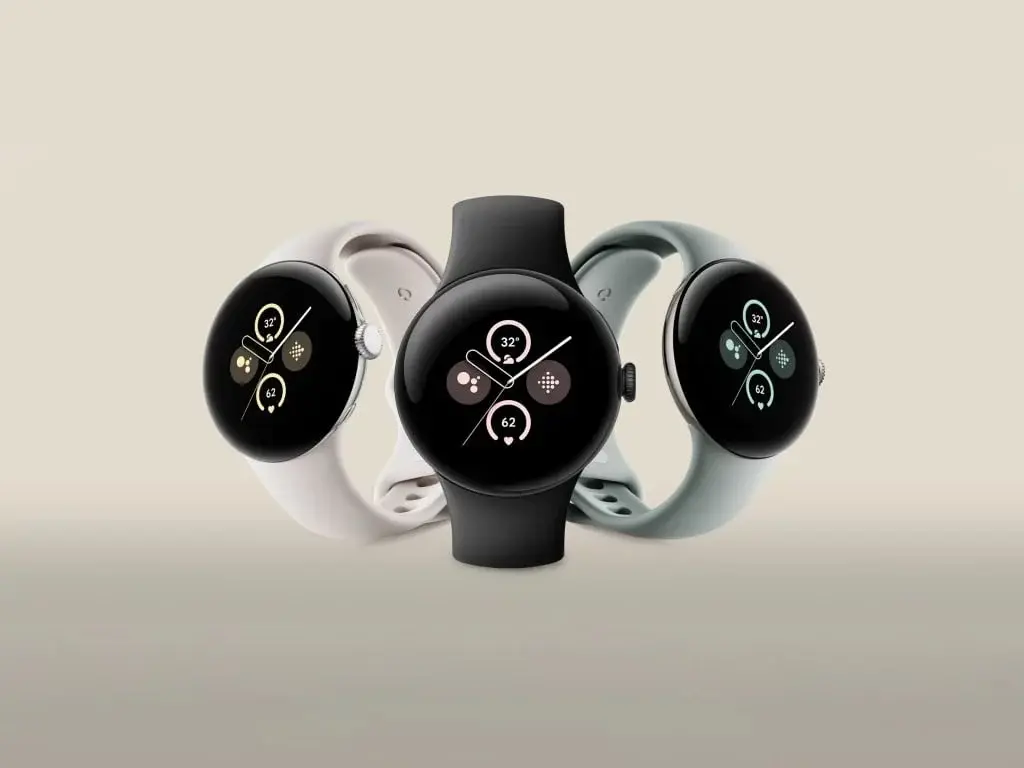
    Google is anticipated to launch its upcoming Pixel Watch 3 series in August, alongside the Pixel 9 series. Numerous details about the watch were revealed earlier this week.

    The upcoming watch is expected to feature the long-awaited ultra-wideband (UWB) capability, as evidenced by its recent appearance on the FCC.

    Now Mishaal Rahman from Android Authority discovered a hidden UWB toggle in the May Wear OS 5 Developer Preview while digging Wear OS 5. The toggle’s description states that it “helps identify the relative position of nearby devices that have UWB.” This finding confirms that the upcoming Wear OS watches will be able to utilize this feature.

    Set for an August release, the Pixel Watch 3 will likely debut this feature. UWB offers superior precision in location tracking, an advantage over GPS, Bluetooth, and Wi-Fi, especially in small, battery-powered wearables. UWB’s accuracy in determining the distance and direction between devices makes it a valuable addition, already used in item trackers and by car manufacturers.

    Enhanced Bluetooth LE Audio Support

    The Wear OS developer preview also hints at support for Bluetooth LE Audio, first introduced in Android 13 for single-source, single-receiver audio transmission. With Android 15, Google might be enhancing this to support multi-device audio streaming. This means the supported watch could stream audio to multiple Bluetooth LE Audio-compatible headphones simultaneously.

    Currently, no smartwatch offers Bluetooth LE Audio support. The Pixel Watch 3 could be the first to include this feature.

    Addressing User Complaints

    Google’s next Pixel Watch is rumored to address user complaints about the previous versions. The Pixel Watch 3 is expected to come in two sizes, 41mm and 45mm, with cellular and WiFi options. The bezels will be slimmer at 4.5mm compared to 5.5mm on the Pixel Watch 2.

    The display will also be brighter with a peak brightness of 2000 nits, up from 1000 nits on the previous model. The watch series is rumored to come in multiple colors, including Silver, Black, and Gold cases paired with Hazel, Obsidian, Porcelain, and Rose Quartz bands.

  • Motorola’s Moto Tag Tracking Device Confirmed by FCC Listing

    Motorola’s Moto Tag Tracking Device Confirmed by FCC Listing

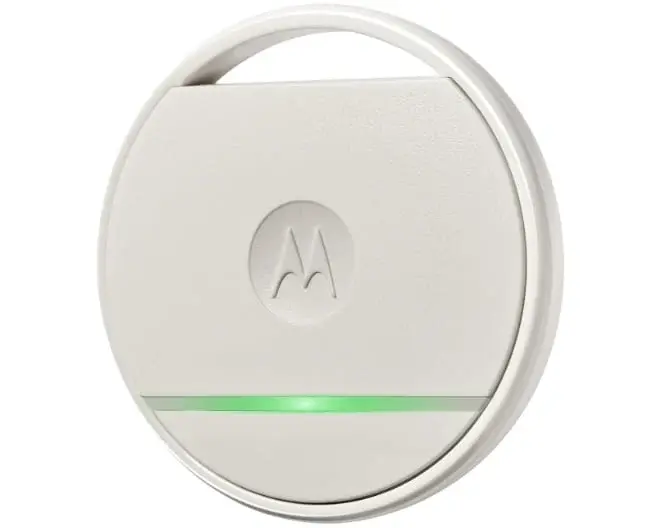
    Motorola is on the verge of debuting the Razr 50 series foldables on June 25th. However, a recent revelation from the Federal Communications Commission (FCC) certification website shows that the company is also focusing on other product categories simultaneously. The listing pertains to a tracking device named the Moto Tag and includes some technical specifications. Let’s delve into the details of this new product.

    Motorola is working on an iteration of the tracking device it launched back in 2017

    The Moto Tag will feature Bluetooth LE connectivity and will be powered by a 3V battery (CR2032) with a capacity of 210mAh. For comparison, the widely-used Apple AirTag also utilizes the same CR2032 coin cell battery, offering a battery life ranging from 12 to 18 months.

    The tracking device from Motorola comes with the model number – XT2445-1. Although the listing does not provide extensive information, it does suggest that the launch is imminent.

    Certifications and Expected Release

    In addition to FCC and SGS certification platforms, the Moto Tag has also appeared on UAE’s TDRA certification platform earlier this month, confirming its upcoming release in the UAE.

    It’s noteworthy that Motorola previously entered this product category, launching its first tracking device back in 2017. While the new tracking device employs the same battery as the Apple AirTag, it remains to be seen how power-efficient and reliable Motorola’s new Moto Tag will be.