Tag: Android Auto

  • Tesla EVs Could Soon Support Apple CarPlay, Report Says

    Tesla EVs Could Soon Support Apple CarPlay, Report Says

    Key Takeaways

    1. Tesla may be testing support for Apple CarPlay and Android Auto, potentially introducing the feature in the coming months.
    2. Plans for integration are uncertain and may change, reflecting Tesla’s history of experimenting with features that may not be released.
    3. The implementation is expected to be the standard version of CarPlay rather than the newer CarPlay Ultra.
    4. The functionality might operate in a windowed mode within Tesla’s existing user interface, which may not be ideal.
    5. Enthusiasm from users suggests that CarPlay support could influence future vehicle purchase decisions, especially in light of backlash against other manufacturers dropping these features.


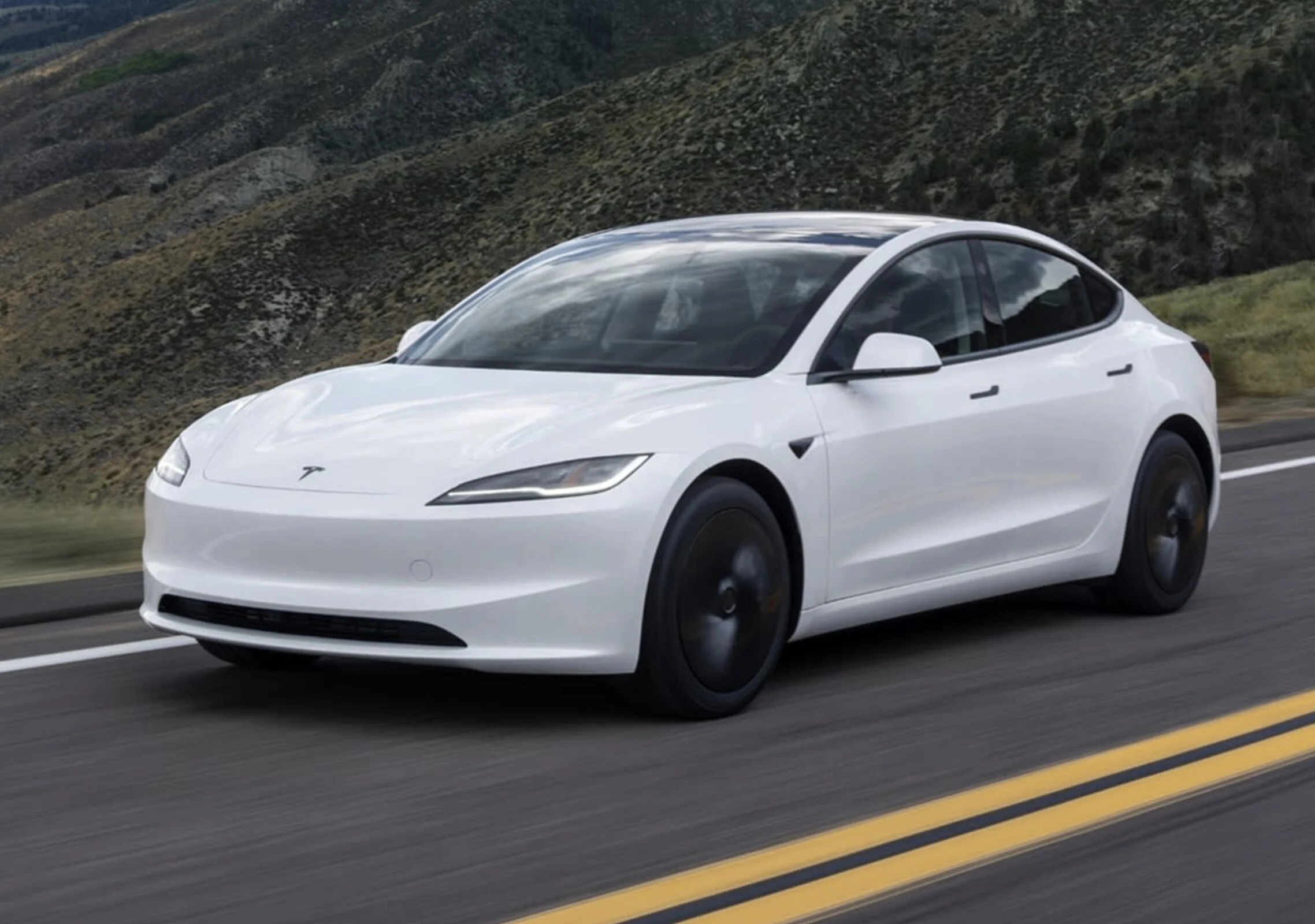
    Tesla has for a long time not included CarPlay or Android Auto in its well-regarded range of electric vehicles, sticking to its own software. A recent report from Bloomberg, however, suggests that the company might be recognizing the value of these features and is currently testing smartphone projection support. If this turns out to be true, we might see this feature available in the next few months.

    Plans Still Uncertain

    Though, these plans are not set in stone and could change at any moment. Tesla has developed a reputation for experimenting with features that sometimes never see the light of day, which makes this situation more confusing. The support for Apple CarPlay and Android Auto are clearly very useful and are prioritized by many car buyers, indicating that Tesla has finally started to pay attention to this reality.

    Basic Functionality Expected

    That being said, it seems that Tesla will probably implement the standard version of CarPlay instead of the newer CarPlay Ultra, which was released not too long ago to mixed reviews. The functionality is likely to operate in a windowed mode within Tesla’s existing user interface, which might not be the most elegant solution. Since the feature is still in the testing phase, the final product could change in unexpected ways, or may not be released at all, considering Tesla’s past behavior.

    Users on forums are already expressing their enthusiasm for Apple’s CarPlay, with some mentioning that it could be a crucial factor in their next vehicle decision. GM faced significant backlash after deciding to eliminate CarPlay and Android Auto in favor of its proprietary software, and it’s easy to understand why when you consider the many benefits that these phone projection systems offer.

    Source:
    Link


  • Widgets Arrive on Android Auto for a Personalized Driving Experience

    Widgets Arrive on Android Auto for a Personalized Driving Experience

    Key Takeaways

    1. Google is developing a feature for Android Auto that allows users to place home screen widgets on their car’s display, enhancing personalization.
    2. Users will be able to select and resize widgets via the Android Auto app, occupying about 35-40% of the screen on the left side, while navigation controls remain on the right.
    3. The feature is in early development, allowing only one widget at a time and currently facing limitations with app compatibility.
    4. Some widgets, like Clock and Pixel Weather, work well, but interactive features are minimal and may cause errors.
    5. The timing of these updates coincides with Apple’s recent CarPlay widget functionality, with Google focusing on flexibility and compatibility for drivers.


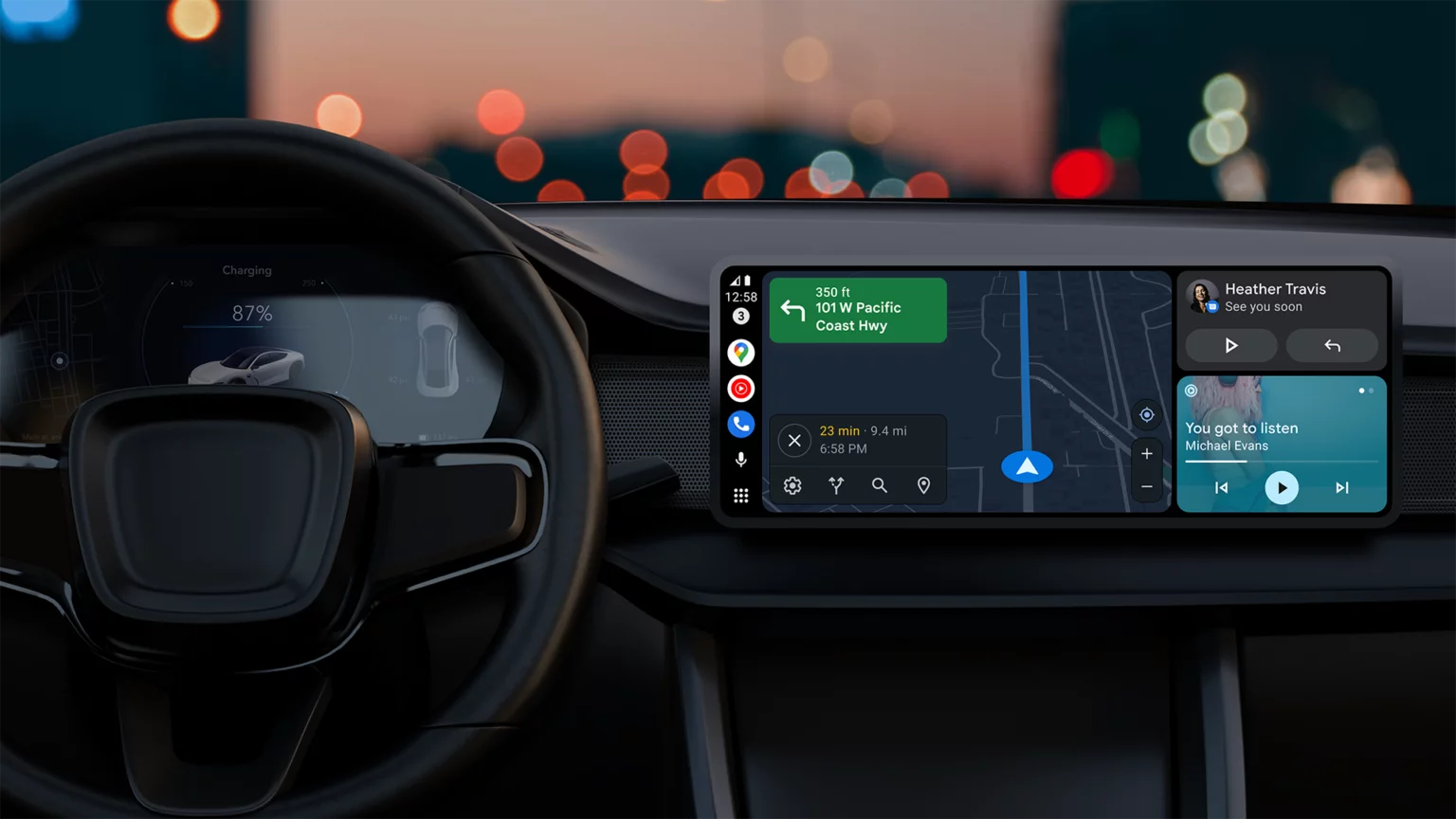
    Google is developing a new feature that will enable users of Android Auto to place home screen widgets directly on their car’s display. This feature, currently known as “Earth” in the latest beta versions, brings a level of personalization to Android Auto that has been missing for a long time. It enhances the evolving design of the dashboard, which has seen gradual improvements over recent years, but has still kept a fairly static layout and interaction style.

    Widget Selection and Resizing

    Recent findings from the Android Auto 15.6 beta update by Android Authority reveal that users will soon have the ability to choose and resize widgets via the Android Auto app on their smartphones. These widgets will take up about 35 to 40 percent of the screen, located on the left side of the dashboard, while navigation or media controls remain on the right side. This design aims to provide quick access while keeping distractions to a minimum.

    Early Development Stage

    This feature is still in its early stages, which is evident since only one widget can be active at a time, replacing the existing one when a new selection is made. Users cannot mix widgets from different apps or add duplicates either. Additionally, some applications show an error message indicating that the widget is not accessible on Android Auto, suggesting that many developers are still updating their apps to work with the system.

    Some Widgets Function Well

    Nonetheless, several widgets are already functioning smoothly. The Clock and Pixel Weather widgets operate reliably, with the latter updating automatically to reflect live weather data when location permissions are granted. Other widgets, like Gemini and Google Keep, have limited functionality but currently open on the connected mobile device instead of within Android Auto. Interactive features are minimal for now. While basic playback controls in media widgets like Spotify work as intended, tapping on different parts of the interface can cause errors, highlighting the early stage of this feature.

    Expanding Toolset

    The addition of widget support enhances Android Auto’s existing features, such as taskbar shortcuts and media controls. This is one of the several upcoming enhancements identified in recent builds, which also suggest that Google is planning updates for Assistant shortcuts to better integrate with Gemini and a redesigned media widget that can handle multiple music apps simultaneously. This would enable drivers to swipe between active applications rather than having to switch them manually each time.

    Competitive Timing

    The timing of these updates is also noteworthy, as Apple has just rolled out widget functionality for CarPlay. Both companies are clearly aiming to give drivers more options for customizing their dashboards, though Google’s method seems to emphasize flexibility and compatibility with current Android applications. None of these features have been made available to the public yet, and it may take a while before they are included in stable releases.

    Source:
    Link


  • Samsung Auto DeX: New Android Auto Alternative for 8,500 Cars

    Samsung Auto DeX: New Android Auto Alternative for 8,500 Cars

    Key Takeaways

    1. Samsung is developing a new interface called Auto DeX to replace Android Auto.
    2. Auto DeX features a user interface similar to infotainment systems, allowing quick access to apps and displaying up to three apps simultaneously.
    3. The interface includes a central map display and music controls, but the bottom taskbar may be revised in the final version.
    4. Auto DeX is expected to be compatible with over 8,500 vehicle models from more than 120 manufacturers, using a receiver app for connection.
    5. It may also work in cars that don’t officially support it, allowing users to display the interface on their smartphone screens.


    Samsung seems to be putting a lot of effort into creating a new option instead of Android Auto. Recently, @GalaxyTechie has found some early details about Auto DeX within the One UI code. The image shown below indicates that Samsung has designed a user interface similar to those found in infotainment systems. On the left side, there is a dock that enables quick access to commonly used apps, while allowing up to three apps to be displayed at once.

    Interface Details

    In the displayed image, the center space appears to be for a map, while the right side features a shortcut for a music playlist, along with a music control widget positioned above it. The taskbar located at the bottom of the screen seems to be of little use due to the vertical taskbar displaying the time, a list of apps, and a shortcut to the app drawer on the left side; this may possibly be left out in the final version. Samsung Auto DeX is anticipated to be compatible with over 8,500 vehicle models from more than 120 manufacturers, although it’s not clear how deeply integrated the system will be. To ensure wide compatibility, Samsung is implementing a receiver app that can be installed in the vehicle to connect with Auto DeX.

    Compatibility and Features

    Auto DeX might also be usable in cars that don’t officially support it, with “a few tricks”. According to 9to5Google, it’s thought that Auto DeX could be shown on the smartphone’s screen. With an appropriate mount, this could allow the phone to take the place of a car’s infotainment system—a capability that Android Auto has lost in the past years. While Auto DeX is not meant to take over Android Auto’s role, it aims to provide users with an alternative that will be accessible in more areas and vehicles compared to Google’s solution.

    Source:
    Link


  • Improved User Experience with Google Assistant and Voice Responses in Android Auto Revamp

    Improved User Experience with Google Assistant and Voice Responses in Android Auto Revamp

    The most recent Android Auto update introduces a much-needed redesign, enhancing the user interface for improved usability and intuitiveness.

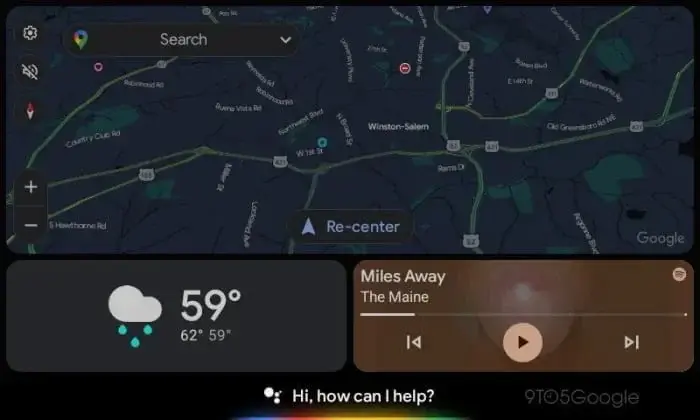
    Centralizing the navigation panel, positioning the call and music cards at the panel’s bottom, and integrating Google Assistant at the UI’s base eliminates empty space. Let’s delve deeper into the significant modifications within the Android Auto redesign.

    Key Alterations in Android Auto Redesign

    Google has once again revamped the Assistant interface on Android Auto, offering users a more sophisticated and polished experience. Notable changes include the introduction of a "listening" UI on the bottom bar, which supersedes app icons. This UI transcribes the user’s speech across the bar, facilitating interaction with the Assistant. Furthermore, voice replies have been revamped and are now visible alongside maps.

    Restructured Google Assistant Experience

    The updated Google Assistant now greets users with a welcoming "Hi, how can I help you?" prompt during quiet moments. As soon as the user speaks, the Assistant transcribes voice commands along the bar. It’s important to note that the Assistant’s responses are still vocalized and not displayed on the screen.

    Enhanced Voice Response Mechanism

    Alongside the visual enhancements, Google has enhanced the voice reply experience on Android Auto. Voice replies now optimize any vacant screen space, maximizing the available display area. The interface includes a "Speak now" cue in one panel, transcribing messages while providing distinct "Cancel" and "Send" buttons. Additionally, the recipient’s profile image, name, and app icon (e.g., Telegram) are showcased.

    Artificial Intelligence-Powered Auto Replies

    Google is leveraging its generative AI capabilities to enrich the auto-reply function on Android Auto. Following the introduction of generative AI to Chrome, Google intends to introduce similar functionalities to Android Auto. While a preview video has displayed several design elements, these specific features are not yet live but are anticipated to be available soon. These features entail AI-generated message summaries on Android Auto and context-aware auto-replies.

    Acquire the Latest Android Auto Version

    The redesign is a part of Android Auto version 11.2 and seeks to elevate the overall user experience. The update will be progressively distributed to users within the upcoming weeks. Users can anticipate a more streamlined and intuitive interface, improved voice interactions, and the forthcoming AI-driven auto reply capabilities.

    (via)