
Key Takeaways
1. The XPS 14 and 16 models have significant design and hardware changes this year, affecting servicing methods.
2. Users can access the motherboard by removing T5 Torx screws and using a screwdriver to detach the keyboard deck from the bottom panel.
3. Key components like the cooling system, battery, and SSD are now accessed via the keyboard deck (C cover) instead of the bottom panel (D cover).
4. Servicing the 2026 XPS series is more complex than older models, requiring more steps for upgrades or repairs.
5. The new XPS chassis offers improved rigidity, making the additional servicing effort worthwhile compared to similar designs like the Framework Laptop.
The XPS 14 and 16 models are undergoing major changes this year, from their outer designs to their internal hardware. As a result, the way to service these new models has shifted quite a bit from what previous XPS owners might be used to. Luckily, Dell has made a digital manual available for download, which can be found here, for current or potential users.
Accessing the Motherboard
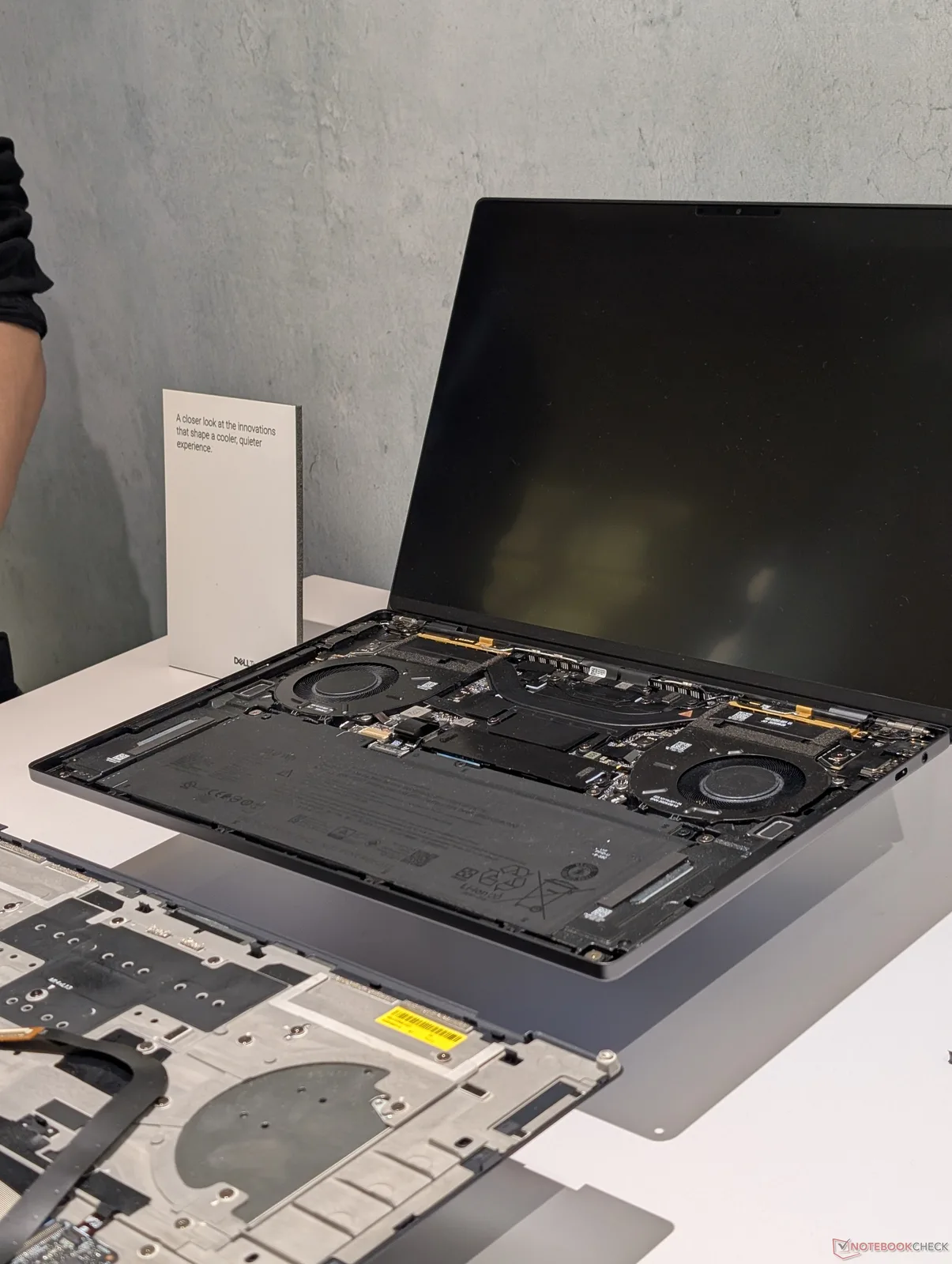
To reach the motherboard, users will still need to take out the T5 Torx screws located on the bottom panel, just like before. After these screws are taken off, users must put the Torx screwdriver back into the holes to help push the corners of the keyboard deck (C cover) away from the bottom panel (D cover). The two panels can then be gently pulled apart at their edges using a sharp plastic tool.
Key Components Inside
Important parts such as the cooling system, battery, and SSD can now be accessed by taking off the C cover instead of the D cover, as illustrated in the image below. It’s crucial for users to handle the delicate ribbon cable that connects the keyboard to the motherboard with care during this process.
Servicing Challenges
These service procedures differ from most laptops available today, where users usually only need to remove the D cover for upgrades or repairs. Thus, servicing the 2026 XPS series is a bit more complicated than for older XPS models. However, the enhanced rigidity of the chassis makes this extra effort worthwhile.
The Framework Laptop follows a similar servicing concept to the new Dell design, but the latest XPS shows significantly less bending and noise.

Leave a Reply