
Key Takeaways
1. Ergonomic Design: The Naya Create features a low-profile split keyboard with a columnar staggered QWERTY layout and additional thumb keys to reduce hand movement and improve comfort.
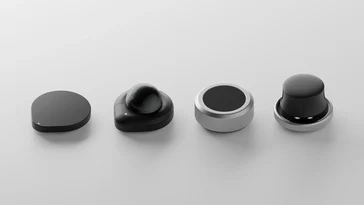
2. Customizable Modules: Optional modules enhance functionality beyond typing, allowing users to tailor the keyboard experience to their needs while keeping hands on the keyboard.
3. Wireless Connectivity and Battery Life: Supports Bluetooth, 2.4 GHz, or USB-C connectivity, with modules offering varying battery life—up to 80 days for smaller modules and around 100 days for larger ones.
4. High Customizability: Equipped with software based on ZMK firmware, users can customize key functions, layers, and macros, making it suitable for various creative professions.
5. Pricing and Availability: The Naya Create is available for purchase starting at $509.99, with additional modules sold separately, after a successful Kickstarter campaign.
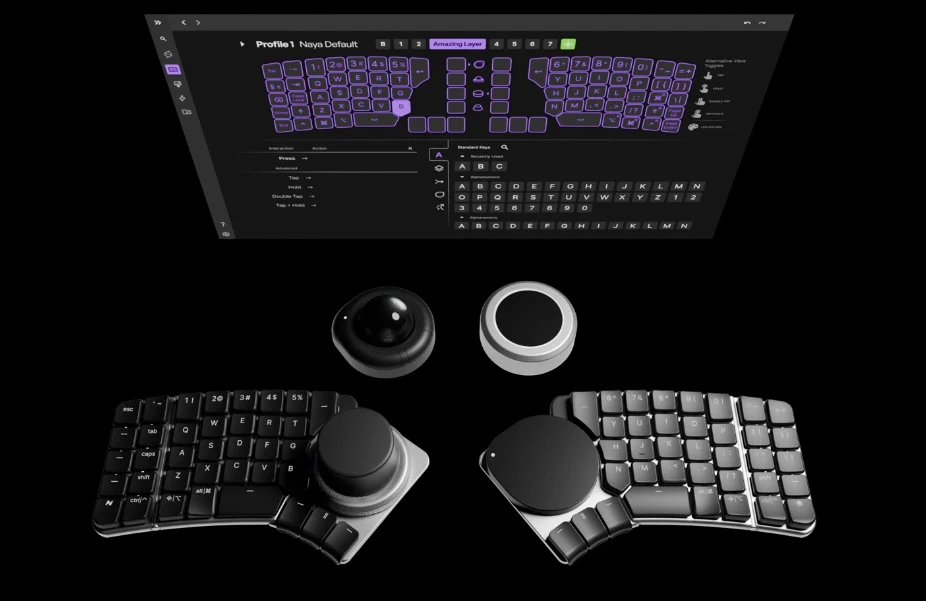
The Naya Create introduces a fresh ergonomic split keyboard designed to address several ergonomic and productivity issues that standard keyboards often present. Unlike past ergonomic and low-profile keyboards we’ve looked at, the Naya Create allows for optional modules that enhance the keyboard’s use beyond mere typing, all while keeping your hands on the keyboard or even on the home row. The keyboard features a low-profile structure with a deck height of only 11.2 mm, thanks to Kailh Choc Mini switches, hinges on each half for tenting, and uniquely shaped keycaps.
Pricing and Availability
Recently, the Naya Create completed its Kickstarter campaign and is now available for purchase directly from the Naya website at a hefty starting price of $509.99 (though the suggested retail price is said to be $499.99). If you’re interested in the full experience, the Create with all additional modules currently costs $1,09.76, with extra modules sold separately.
Layout and Connectivity
Technically, the Create has a 65% layout, but with thumb clusters and two columns on each half, it totals 76 keys, making it closer to a 75% keyboard, minus the function row. The Naya Create supports wireless connectivity if you choose a module for each side of the keyboard, allowing connections through Bluetooth, 2.4 GHz, or USB-C. One of the key features of the Create is its high customizability, and Naya has developed unique customization software that builds on ZMK firmware to achieve this. Known for its efficiency, the ZMK firmware should result in good battery life. The battery life will vary depending on the modules used, with the Track and Touch modules having 800 mAh batteries, while the Tune and Float have larger 1,500 mAh batteries. Naya claims that the smaller modules provide up to 80 days of battery life, and the larger ones can last around 100 days.
Ergonomics and Features
The Naya Create employs a columnar staggered QWERTY layout designed to minimize movement between key presses. Each side includes three extra thumb keys to enhance ergonomics, allowing users to set up layers and macros tailored to their specific tasks. Moreover, the keyboard boasts per-key north-facing RGBW backlighting and shine-through keycaps, making it easier to see in low-light environments.
Naya primarily aims to attract creative professionals, including CAD designers, photographers, programmers, and video editors, although anyone who spends significant time working at a keyboard may benefit from its ergonomic features, provided they can adapt to the new layout.
Module Functionality and Software
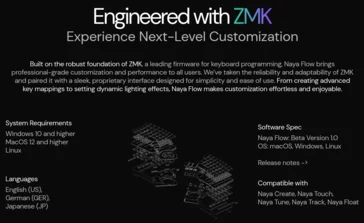
All modules feature Qi wireless charging capability, in addition to charging while connected to the keyboard, and they deliver various functionalities. Naya mentions that the Flow software for configuring the Create will eventually be available on Linux, but currently, downloadable versions are only offered for macOS and Windows. It remains uncertain whether Naya will contribute the necessary updates to ZMK to ensure compatibility with the open-source ZMK Studio.
Source:
Link
Leave a Reply