Category: Software

  • European Union Lacks iPhone Mirroring and SharePlay in iOS 18.4

    European Union Lacks iPhone Mirroring and SharePlay in iOS 18.4

    Key Takeaways

    1. iOS 18.4 introduces new features like priority notifications and support for non-English languages for beta testers.
    2. iPhone Mirroring and SharePlay Screen Sharing are not available for users in the EU due to regulatory uncertainties.
    3. Apple cites concerns over the Digital Markets Act (DMA) regarding user privacy and data security as reasons for the feature limitations.
    4. The DMA has previously impacted Apple, forcing changes like the switch from Lightning to USB-C for the iPhone 15.
    5. It is uncertain if iPhone Mirroring will be available in iOS 19, leaving EU users without this feature for now.


    With the upcoming launch of iOS 18.4, iPhone users, especially those in the European Union (EU), are eagerly anticipating some long-awaited additions. Sadly, EU users must wait a bit longer for one of these features.

    New Release Candidate Details

    The latest Release Candidate for iOS 18.4 was made available on Monday for beta testers. This update brought enhancements to Apple Intelligence, adding features like priority notifications and support for non-English languages. However, EU users observed that iPhone Mirroring is still not accessible. Additionally, SharePlay Screen Sharing, which permits FaceTime users to share their screens, is also absent.

    Apple’s Explanation

    Apple has explained that the lack of iPhone Mirroring in the EU is due to “regulatory uncertainties,” a rather vague justification. Last June, the company pointed to the Digital Markets Act (DMA), expressing concerns:

    We worry that the interoperability requirements of the DMA might force us to compromise the integrity of our products in ways that could endanger user privacy and data security.

    It seems Apple is sticking to its stance on this matter. Given that Apple’s practices have been a key focus of the DMA, the company is probably being cautious about certain features. The DMA is the law that famously compelled Apple to replace its Lightning connector with USB-C in the iPhone 15 (which can be found renewed on Amazon for $487.34).

    Future Outlook

    It is unclear whether iPhone Mirroring will eventually be available with iOS 19, which is anticipated to bring significant changes to Apple’s mobile operating system. For the time being, iPhone users in the EU will have to make do without this particular feature.

  • 23andMe Files for Bankruptcy and Appoints Interim CEO

    23andMe Files for Bankruptcy and Appoints Interim CEO

    Key Takeaways

    1. 23andMe has filed for voluntary chapter 11 bankruptcy due to ongoing operational and financial struggles, worsened by a security breach in 2023 affecting 7 million customers.
    2. The company plans to pursue a court-supervised sale process for nearly all its assets, with an auction planned if multiple bids are received.
    3. CEO Anne Wojcicki is stepping down immediately but will remain on the board; Joe Selsavage is appointed as the interim CEO.
    4. Wojcicki intends to bid for the company, despite her initial acquisition offer being rejected by the special committee.
    5. 23andMe’s valuation dropped significantly from $6 billion in 2021 to just 2% of that value by 2024, reflecting a severe decline in the company’s market position.


    23andMe, a company focused on biotechnology and genetics, is well known for its DNA testing services that helped customers uncover their ancestry. Recently, it has decided to file for voluntary chapter 11 bankruptcy. This move came after the organization struggled to deal with ongoing operational and financial issues for several years, especially following a security breach in 2023 that impacted around 7 million customers.

    Strategic Decision Made

    In an official statement shared with GlobeNewswire, Mark Jensen, the chairman and a member of the special committee on the board, was quoted saying, “After carefully reviewing our strategic options, we have concluded that pursuing a court-supervised sale process is the most effective way to optimize the value of our business.”

    The announcement also disclosed that the company is looking to sell nearly all of its assets. Once the court gives its approval, they will entertain qualified bids over a period of 45 days. If several qualifying bids come in, they plan to hold an auction to achieve the best value for their assets. Notably, the special committee turned down an acquisition offer made by Anne Wojcicki, who has been the CEO since the company’s inception in 2006.

    Changes in Leadership

    Additionally, it has been confirmed that Ms. Wojcicki will step down from her CEO position but will continue to serve on the board. This resignation is effective immediately, and Joe Selsavage, the Chief Financial and Accounting Officer, will take over as interim CEO. In a post shared on X regarding her resignation, Ms. Wojcicki expressed her intention to bid for the company despite the initial rejection of her acquisition offer, which aimed to take the company private again.

    In 2021, 23andMe was valued at $6 billion after becoming publicly traded through a merger with VG Acquisition Corp, a special-purpose acquisition company led by Richard Branson. However, by 2024, that valuation plummeted to a mere 2% of its original worth. The company provided customers not only with insights into their ancestry but also with crucial information about their health.

    Source:
    Link

  • Samsung One UI 7 Now Available for More Devices

    Samsung One UI 7 Now Available for More Devices

    Key Takeaways

    1. Samsung will start rolling out One UI 7 based on Android 15 on April 7 for 19 devices.
    2. Initially, only a few devices were listed, but the update now includes older models like the Galaxy S21 and S22 series.
    3. All Galaxy Z foldables from Galaxy Z Flip3 and Z Fold3 will receive the One UI 7 update.
    4. The Galaxy Tab S8 series and Galaxy Tab S6 Lite are also included in the update eligibility.
    5. There is skepticism about the 2020 version of the Galaxy Tab S6 Lite receiving the update, as it still lacks One UI 6.


    Hardly any time has gone by since Samsung made it known which devices will start getting One UI 7 next month. In brief, the company stated that 19 devices will be able to get the update based on Android 15 starting on April 7.

    Expanded Device List

    For some unknown reason, the company only listed the Galaxy S23, Galaxy S24, Galaxy Tab S9, and Galaxy Tab S10 series, along with its fifth and sixth-generation foldable phones. As we mentioned earlier, it did imply that this was merely the start of the One UI 7 rollout, a point backed up by a fresh press release from Samsung Singapore.

    Now, Samsung has broadened the list to include older flagship models such as the Galaxy S21 and Galaxy S22 series, plus all Galaxy Z foldables back to the Galaxy Z Flip3 and Galaxy Z Fold3 (currently $429 – renewed on Amazon). The latest press release from Samsung also verifies that One UI 7 will be available for the Galaxy Tab S8 series and the Galaxy Tab S6 Lite.

    Update Speculation

    However, it seems improbable that the 2020 version of the latter will get the update, especially since it still lacks One UI 6. Below is the list for the newly expanded eligibility for One UI 7. We’ve indicated which devices will get Audio Eraser, Drawing Assist, and Writing Assist when applicable.

    Source:
    Link

  • Roche and Oxford BioTherapeutics Collaborate on Antibody Cancer Treatments

    Roche and Oxford BioTherapeutics Collaborate on Antibody Cancer Treatments

    Key Takeaways

    1. Oxford BioTherapeutics (OBT) has partnered with Roche to develop new cancer antibody treatments using the OGAP-Verify discovery platform.
    2. OBT will receive an initial payment of up to $36 million and potential milestone payments exceeding $1 billion, along with royalties on successful product launches.
    3. Roche will lead the validation, research, and development of drug targets identified by OBT’s platform.
    4. OBT’s CEO highlighted Roche’s expertise in oncology and its role in enhancing cancer target discovery.
    5. OBT is focused on advanced treatments for patients with hard-to-treat cancers and has existing clinical programs in the U.S. and Europe.


    Oxford BioTherapeutics (OBT) has recently begun a long-term collaboration with Roche aimed at discovering and developing new antibody treatments to combat cancer. The oncology-focused company will utilize its OGAP-Verify discovery platform to identify promising drug targets with enhanced precision and accuracy.

    Financial Aspects of the Deal

    As part of this agreement, OBT is set to receive an initial payment of up to $36 million, along with potential milestone payments that could exceed $1 billion. Additionally, they will earn royalties on any successful products that are launched. Once OBT identifies targets using the OGAP-Verify platform, Roche will take the lead in validating, researching, and developing those targets further.

    Statements from Leadership

    OBT’s CEO, Christian Rohlff, emphasized the significance of this partnership, referring to Roche as “a global leader in oncology”. He expressed that this alliance bolsters OBT’s efforts in discovering better cancer targets and highlighted Roche’s special ability to combine pharmaceutical and diagnostic knowledge.

    Excitement at Roche

    Boris L. Zaïtra, who leads Corporate Business Development at Roche, also expressed enthusiasm regarding this strategic collaboration. He pointed out that merging Roche’s proficiency in introducing innovative treatments with OBT’s state-of-the-art target discovery platform could “open new doors in cancer care.” Zaïtra reiterated Roche’s dedication to accelerating the development of transformative therapies for patients with challenging diagnoses.

    OBT specializes in creating advanced treatments like Bispecific Antibodies and Antibody Drug Conjugates (ADCs), and they currently have three clinical programs underway in the U.S. and Europe. Their immuno-oncology discovery method has led to several new monoclonal and bispecific antibody candidates targeting various types of cancer.

    OBT’s Clinical Focus

    One of OBT’s primary clinical programs, which expanded in the U.S. in 2021, is aimed at patients suffering from advanced or treatment-resistant solid tumors, including gastric, bladder, ovarian, and lung cancers, particularly when specific biomarkers are highly expressed.

    OBT’s development capabilities have been confirmed through partnerships with significant industry players like Boehringer Ingelheim, ImmunoGen, and Zymeworks.

    Source:
    Link

  • Vivaldi 7.2 Released: Speed Boosts and Visual Enhancements

    Vivaldi 7.2 Released: Speed Boosts and Visual Enhancements

    Key Takeaways

    1. Vivaldi 7.2 enhances speed and adaptability for advanced users.
    2. The update is compatible with 32-bit Windows, macOS 11+, and various Linux distributions.
    3. Improved page loading times through behind-the-scenes enhancements.
    4. New interface tweaks aim for greater swiftness and versatility for all skill levels.
    5. Focus on better connection management and features for an improved browsing experience.


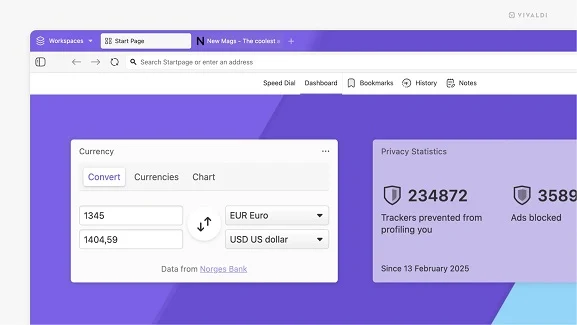
    One of the leading web browsers designed for advanced users has just rolled out an update that enhances its speed and adaptability even more than before. Vivaldi 7.2 introduces various behind-the-scenes improvements that accelerate page loading times, along with several interface tweaks that strive to offer both swiftness and versatility to its users, no matter their skill level.

    Key Features of the Update

    This new release is identified as 7.2.3621.63, compatible with all platforms, including 32-bit Windows systems. Alongside Windows, Vivaldi for desktop is also supported on macOS version 11 and above, as well as numerous Linux distributions (both DEB and RPM packages are available for different hardware types). It’s worth noting that the mobile versions haven’t seen any updates since last month.

    Improvements for Users

    Vivaldi 7.2 not only showcases enhanced connection management but also highlights several exciting features that users will appreciate. These changes aim to deliver an even better browsing experience, empowering users to navigate the internet more efficiently. The focus remains on providing options that cater to the diverse needs of its user base.

    Source:
    Link

  • Philips Hue App Update Introduces New QR Code Scanner Feature

    Philips Hue App Update Introduces New QR Code Scanner Feature

    Key Takeaways

    1. Philips Hue app version 5.38.0 is now available for iOS and Android users.
    2. A new QR code scanning option has been added for easier device setup.
    3. Users can view all connected products by going to Settings > Devices.
    4. Enhanced customization allows users to rearrange Hue Bridges on the Home tab.
    5. All-day scenes added to a Bridge are automatically grouped together.


    The Philips Hue app has just released version 5.38.0 for both iOS and Android users. This marks the second update in March, following the earlier release of version 5.37.1 at the beginning of the month. The prior update introduced a new video recording feature and better organization for those who have multiple Hue Bridges (curr. $42 at Amazon).

    New Features for Easier Setup

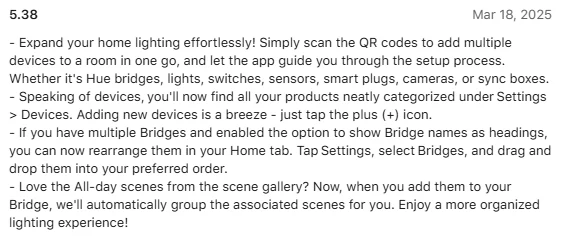
    With version 5.38, a QR code scanning option has been added, which was hinted at by Philips Hue earlier this year. This new tool enables users to swiftly set up and add various devices to a designated room. Additionally, you can see all your connected products by navigating to Settings > Devices. To add a new device, just tap the plus (+) icon from the list.

    Customize Your Experience

    For users managing several Hue Bridges, there are enhanced customization possibilities. You can now change the arrangement of your Bridges on the Home tab by heading to Settings > Bridges and dragging them into your desired sequence. Keep in mind, though, that you must enable the setting that allows Bridge names to be utilized as headings in order to access this feature. Lastly, when you add All-day scenes from the scene gallery to your Bridge, these are automatically grouped together.

    You can get the Philips Hue app version 5.38.0 from the Apple App Store and Google Play Store. In related news, the company has also launched the Datura smart ceiling panel lights in the US recently.

    Source:
    Link


  • Elementary OS 8.0.1 Released: Ubuntu 24.04.2 & Kernel 6.11 Updates

    Elementary OS 8.0.1 Released: Ubuntu 24.04.2 & Kernel 6.11 Updates

    Key Takeaways

    1. Version 8.0.1 is now available, featuring significant updates and improvements.
    2. The new Ubuntu LTS Hardware Enablement Kernel 6.11 enhances support for newer AMD platforms.
    3. Issues like Lock Screen freezes when connecting Bluetooth devices have been fixed.
    4. Most translations have been refreshed in this update.
    5. The operating system continues to use a pay-what-you-want pricing model, with a minimum of $0.


    In the three months following the launch of elementary OS 8.0, the developers of this Ubuntu-based operating system with a macOS-like interface have been diligently resolving various issues and enhancing the overall aesthetics and functionality of the software.

    New Version Released

    Now, users can download version 8.0.1, which includes significant updates. A key addition is the Ubuntu LTS Hardware Enablement Kernel 6.11, made possible by the foundation of Ubuntu 24.04.2. This kernel helps users on newer AMD platforms who faced hardware support issues in the previous version 8, allowing them to move past those difficulties. Additionally, the improvements also benefit components from other manufacturers.

    Improvements and Fixes

    The team has also addressed other concerns, such as freezes on the Lock Screen when connecting Bluetooth devices. Along with that, most translations have been refreshed. The software continues to be available through a pay-what-you-want pricing model, and users can still choose to pay $0. The ISO file size is 3.3 GB, and the system requirements suggest a dual-core 64-bit processor, a display resolution of 1024 x 768 pixels, a minimum of 4 GB of RAM, and at least 32 GB of available disk space.

    Source:
    Link

  • Stable One UI 7 Rollout Start Date Revealed

    Stable One UI 7 Rollout Start Date Revealed

    Key Takeaways

    1. Rollout Start Date: One UI 7 will begin rolling out on April 7, starting with devices like the Galaxy S24 series and Galaxy Z Fold/Flip 6.

    2. Expansion to More Devices: Additional devices, including Galaxy S23 and Galaxy Tab S series, will receive the update in the following weeks, with a second wave expected in May.

    3. New Features and Design: One UI 7 introduces a bold design and features like a simplified home screen, customizable lock screen, and the new Now Bar for quick access to information.

    4. Enhanced Productivity Tools: New features include AI Select for GIF creation, Writing Assist for grammar correction across all apps, and Drawing Assist for creative expression.

    5. Integration with Google Gemini: Improved voice assistant capabilities with Google Gemini, including natural language search in Settings for easier navigation.


    After a long wait, Samsung has announced the details for the One UI 7 rollout. The company had previously said that the rollout would start in April, and now they have specified the date and the devices that will be the first to receive the update, along with the major changes coming with One UI 7.

    Rollout Start Date and Initial Devices

    In a blog post on their official site, Samsung stated that the stable One UI 7 rollout will kick off on April 7. The initial devices set to receive the update include the Galaxy S24, Galaxy S24+, Galaxy S24 Ultra, Galaxy Z Fold 6, and Galaxy Z Flip 6. All these devices are expected to get the update on the same day—April 7. However, due to the incremental rollout process, it might take a few days for the update to become available in all regions.

    Expansion to Other Devices

    Following the initial rollout, more devices from the Galaxy S and Tab series will receive the update in the coming weeks. This list includes:
    – Galaxy S24 FE
    – Galaxy S23
    – Galaxy S23+
    – Galaxy S23 Ultra
    – Galaxy S23 FE
    – Galaxy Z Fold 5
    – Galaxy Z Flip 5
    – Galaxy Tab S10+
    – Galaxy Tab S10 Ultra
    – Galaxy Tab S9
    – Galaxy Tab S9+
    – Galaxy Tab S9 Ultra

    Samsung has not yet provided details about One UI 7 for other Galaxy devices, but this doesn’t mean they won’t receive the upgrade. It’s likely that these devices will be included in a second wave of updates, expected to start in May. For the complete list of eligible devices for One UI 7, you can check their official resources.

    Features of One UI 7

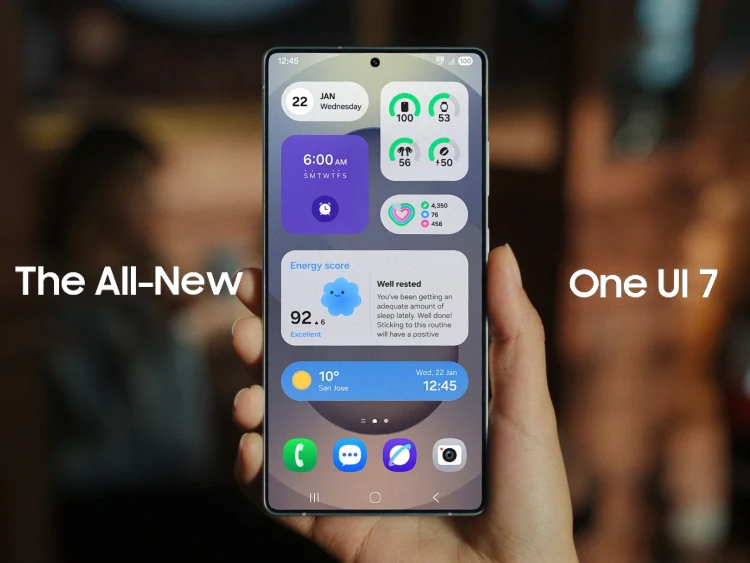
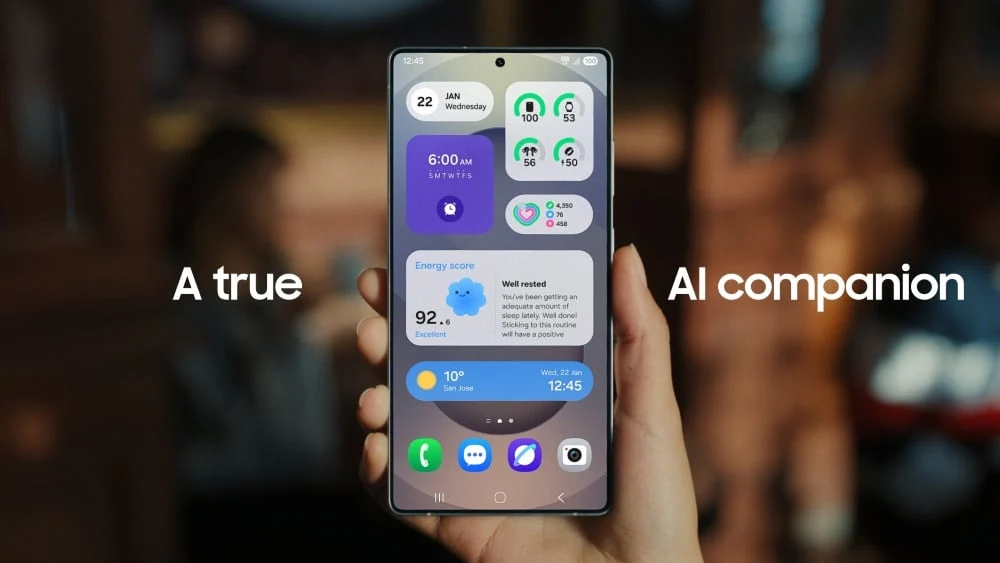
    According to Samsung, One UI 7 introduces a bold design to enhance personalization and user control. This new interface, designed with AI in mind, enables users to engage with their Galaxy devices more intuitively than before. Samsung describes One UI 7 as featuring a “simple, impactful and emotive design” for a more streamlined experience.

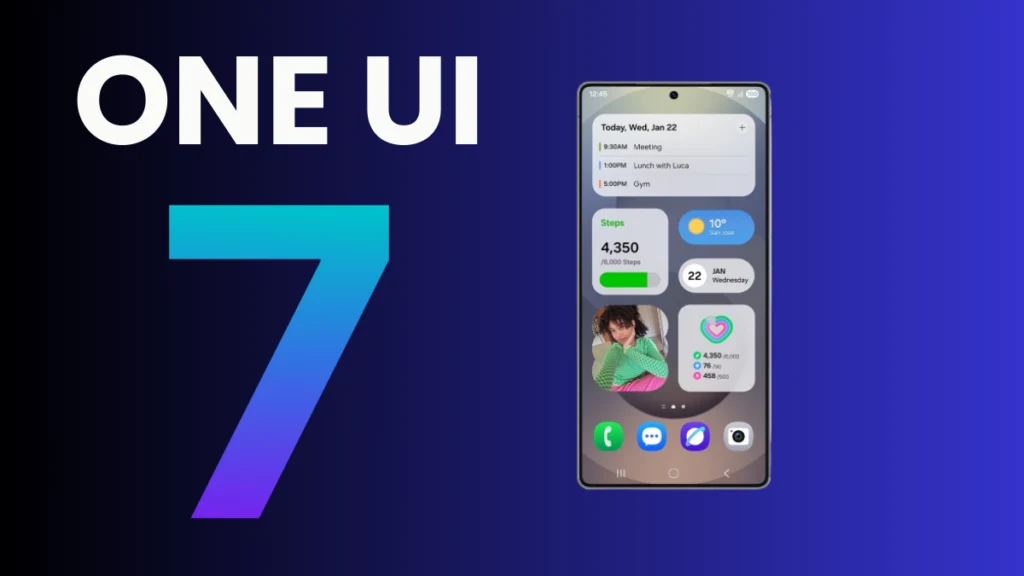
    This update, which is based on Android 15, introduces a simplified home screen, redesigned One UI widgets, and a customizable lock screen. One exciting addition is the Now Bar, a pill-shaped UI element that provides users with quick access to vital information such as ride statuses, currently playing music, delivery updates, timers, and more—all accessible with a simple swipe without needing to unlock the device.

    New Features and Enhancements

    One UI 7 also introduces a variety of new features and improvements for enhanced integration and productivity. The new AI Select feature lets users convert parts of videos into GIFs with just a few taps. Additionally, there’s a Writing Assist feature that helps to correct grammatical errors or enhance your texts. While this feature was available in One UI 6.1, it now works across all apps, regardless of the keyboard used, unlike before when it was limited to just Samsung Keyboard.

    Another intriguing addition is the Drawing Assist feature, which enables users to bring their ideas to life. It now supports multiple inputs, including combinations of text prompts and images or sketches. The update also introduces an Audio Eraser, an AI tool designed to remove unwanted noise from videos. However, this feature will only be available on select devices, including the Galaxy S25 series, S24 series (including S24 FE), Galaxy Z Fold 6, Flip 6, and Galaxy Tab S10 series.

    Samsung also mentions that One UI 7 has deeper integration with Google Gemini for a more intelligent voice assistant. Long-pressing the side button activates the Google Gemini assistant, which can answer questions and provide recommendations seamlessly. Natural language search is now available in Settings, meaning you no longer need to remember the exact name of a setting; just type what you need, and the Settings app will show relevant options. For instance, typing “my eyes are feeling tired” will prompt suggestions like adjusting the brightness or activating the Eye comfort shield.

    There’s much more to discover with One UI 7. If you’re interested in finding out why you should consider upgrading to this latest software, be sure to check additional resources.

  • SystemRescue 12.00: New LTS Kernel and Features for Computer Repair

    SystemRescue 12.00: New LTS Kernel and Features for Computer Repair

    Key Takeaways

    1. SystemRescueCD started in 2004 with i386 support, transitioned to i686 in 2007, and now exclusively supports x86_64 based on Arch Linux.
    2. The latest version 12.00 includes kernel 6.12.19 and Firefox 128.8.0 ESR, along with other updated tools like GParted 1.7.0 and nwipe 0.38.
    3. Version 12.00 introduces support for bcachefs and fixes display issues affecting grub on some hardware.
    4. An extensive list of package updates includes bind 9.20.6, e2fsprogs 1.47.2, and Python 3.13.2, covering various system needs.
    5. The release provides tools for disk management, recovery, security, networking, and more, ensuring comprehensive system repair capabilities.


    Back in the summer of 2004, SystemRescueCD 0.2.15 was released with support for the i386 architecture but did not come with a default desktop environment. By 2007, it added support for i686 and introduced WMaker. After spending two years with JWM, it transitioned to Xfce in 2009. Currently, it exclusively supports x86_64 and is based on Arch Linux. The most recent version, marked as 12.00, introduces several significant updates to this live system designed for repairing systems and recovering data after a crash.

    New Features in Version 12.00

    In December of the previous year, SystemRescue 11.03 was launched featuring the LTS kernel 6.6.63 alongside Firefox 128.5.1 ESR. With the 12.00 upgrade, the system now includes kernel version 6.12.19 and Firefox 128.8.0 ESR. Other notable additions include GParted 1.7.0, nwipe 0.38, and dump 0.4b49. Furthermore, it also provides support for bcachefs and a fix for display problems that may impact grub on certain hardware setups.

    Comprehensive Package Updates

    The list of packages that have been updated is extensive, featuring bind 9.20.6, e2fsprogs 1.47.2, glibc 2.41, kmod 34.1, mesa 25.0.1, openssh 9.9p2, openssl 3.4.1, perl 5.40.1, Python 3.13.2, qt 6.8.2, samba 4.22.0, systemd 257.4, along with xfdesktop 4.20.1 and xorg-server 21.1.16. The tools included in this release are as thorough as always, addressing various needs like storage and disk partitioning, file systems, networking, remote access, security, data recovery, secure deletion, file management, hardware diagnostics and testing, plus features for text editing, internet browsing, file handling, and scripting.

  • Samsung Confirms One UI 8 Beta Details and Rumors

    Samsung Confirms One UI 8 Beta Details and Rumors

    Key Takeaways

    1. Samsung is facing delays in launching One UI 7, causing disappointment among Galaxy users.
    2. The One UI 7 beta update has been released for select flagship models, but is limited to a few countries.
    3. There are rumors about the early development of One UI 8, which will be based on Android 16.
    4. A Samsung community moderator clarified that One UI 8 has not been officially announced and is still in early development.
    5. Samsung’s beta team is focused on completing One UI 7 before moving on to One UI 8, so users should not expect an early release of the latter.


    Samsung is putting a strong emphasis on the launch of One UI 7, but the delay in its release has left a number of Galaxy users feeling upset, which is understandable. Despite the slower progress, certain flagship models like the Galaxy S24, S23 series, and the 6th generation foldables have received the One UI 7 beta update. However, this beta rollout for the S23 lineup is restricted to a handful of countries.

    What’s Next for One UI?

    While Samsung has not yet kicked off the stable launch of One UI 7, which is based on Android 15, there are talks about One UI 8, built on Android 16. Recent leaks suggest that the company is already in the process of developing this new Android 16-based skin. This has sparked mixed feelings among Galaxy fans regarding Samsung’s pace of Android updates.

    Rumors of an Early Release

    It was recently thought that One UI 8 might show up sooner than expected. A picture of a Galaxy device running One UI 8 appeared online, which fueled speculation about an early beta release.

    Focus on One UI 7 First

    To clear up any potential confusion or unrealistic expectations, a moderator from the Samsung US Community clarified that One UI 8 has not been formally announced. The moderator pointed out that the device seen in the leaked image is an internal Samsung test unit, meant solely for early-stage development. This indicates that users shouldn’t expect the One UI 8 beta update anytime soon.

    The moderator also addressed community inquiries about fast-tracking to One UI 8, stressing that the beta program follows a clearly defined process. Although the concept of skipping One UI 7 to deliver the next major upgrade early is appealing, Samsung’s beta team is dedicated to wrapping up One UI 7 before moving on to One UI 8. So, for those who qualify for One UI 7, be sure to check out the rollout timeline provided.

    Source:
    Link