Category: Phones

Stay updated with the latest phone news, reviews, and trends. Discover cutting-edge smartphones, features, and innovations in our Phones category at GizNewsDaily

  • Xiaomi 17 Ultra Launches in Europe as Leica Leitzphone Edition

    Xiaomi 17 Ultra Launches in Europe as Leica Leitzphone Edition

    Key Takeaways

    1. Two versions of the Xiaomi 17 Ultra are expected in China, identified by specific model numbers.
    2. A new model for the global market, numbered 2512BPNDAG, has been discovered, indicating a triple-camera setup.
    3. A second model for Europe, informally known as P1S, will likely be branded as the “Leica Leitzphone powered by Xiaomi.”
    4. A premium “Xiaomi 17 Leica Leitzphone Edition” is anticipated, featuring a unique design and advanced clip-on optics.
    5. Both models are expected to share the same camera system, but the special edition may have distinct color and design elements.


    Up to this point, it was generally believed that there would be two versions of the Xiaomi 17 Ultra in China. The flagship camera, which is set to debut this month, has always been seen as a pair in certifications, identified by the numbers 2512BPNDAC and 25128PNA1C. However, a recent discovery from December 4, 2025, in the IMEI database has provided the first solid clue about the standard global Xiaomi 17 Ultra. The number found was 2512BPNDAG, which aligns with leaked images that confirmed a triple-camera setup, differing from the quad-camera seen in the Xiaomi 15 Ultra.

    Upcoming Models in Europe

    Interestingly, there is also a second model expected to be launched in Europe. Besides the P1 model numbered 2512BPNDAG, which is likely to be the standard Xiaomi 17 Ultra, the GSMA database has unveiled another model number, 25128PNA1G. According to Xiaomitime, this model is informally known as P1S and will probably be branded as the “Leica Leitzphone powered by Xiaomi.” It remains uncertain if this will be the final name used for marketing.

    High-End Variant Expectations

    A “Xiaomi 17 Leica Leitzphone Edition” seems plausible, especially since Xiaomi likely wants to retain some connection to the Xiaomi 17 Ultra name. More intriguing than the name itself is what will set this premium version apart from the base Xiaomi 17 model. Reports from China a few weeks ago indicated that both models would have the same camera system, but the special edition is expected to come in a unique color, feature a more eye-catching design, and include “advanced” clip-on optics. It’s worth noting that Sharp already has a Leitz Phone smartphone line, but it is only available in Japan.

    Source:
    Link


  • Samsung Qi2 Wireless Power Bank with Magnets for Galaxy S26

    Samsung Qi2 Wireless Power Bank with Magnets for Galaxy S26

    Key Takeaways

    1. The Samsung Galaxy S26 series is expected to support Qi2 with integrated magnets for improved wireless charging.
    2. A new Samsung Magnetic Wireless Battery Pack (model EB-U2500) has been certified for 15W Qi2 wireless charging, featuring built-in magnets.
    3. Competing brands like HMD Skyline and Google Pixel 10 series already offer built-in magnets for effective Qi2 wireless charging.
    4. Samsung is developing additional Qi2 accessories to keep up with competitors, despite no official announcements about adding magnets to Galaxy phones.
    5. A new Samsung Magnetic Wireless Charger supporting 25W wireless charging has been discovered, hinting at an upcoming launch.


    We are just a few months away from the launch of the Samsung Galaxy S26 series, and one of the most exciting upgrades expected is the support for Qi2 with integrated magnets. Currently, the Galaxy S25 models do allow for wireless charging, but they need magnetic cases to function properly with Qi2. There are now rumors suggesting that Samsung may finally incorporate magnets into the upcoming Galaxy phones to compete with the iPhone 17 and Pixel 10 series.

    New Battery Pack on the Horizon

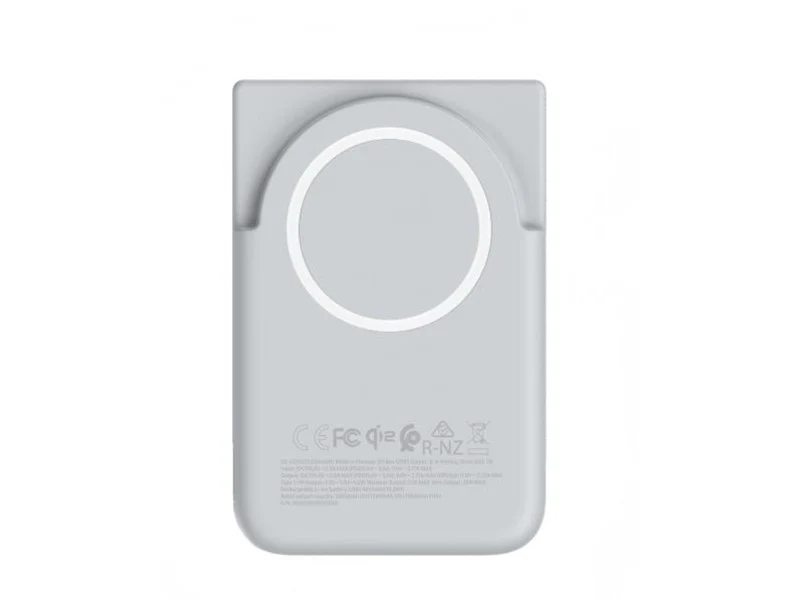
    Adding credibility to these speculations, a new Samsung Magnetic Wireless Battery Pack with the model number EB-U2500 has shown up in the Wireless Power Consortium database. This pack is certified for 15W Qi2 wireless charging and will mark Samsung’s first power bank featuring built-in magnets. Expected to be launched alongside the Galaxy S26, this accessory comes in a light gray color and includes a magnetic ring, allowing it to easily attach to compatible smartphones for hassle-free wireless charging.

    Competing Brands Ahead

    As of now, only the HMD Skyline and the latest Google Pixel 10 series offer built-in magnets for effective Qi2 wireless charging. In fact, Google has even introduced new Pixelsnap accessories that are compatible with Qi2.2 alongside the Pixel 10, putting Samsung at a disadvantage. Although the South Korean company hasn’t made any announcements about adding magnets to its Galaxy phones, it has been quietly developing additional Qi2.2 accessories.

    Upcoming Wireless Charger Discovery

    Recently, WinFuture discovered a new Samsung Magnetic Wireless Charger that supports 25W wireless charging at a retailer, suggesting a launch might be near. While the power bank has a maximum of 15W, it should be able to connect with the Galaxy S26 for wireless charging if the new models are released with built-in magnets.

    Source:
    Link


  • CheckMag: GrapheneOS Releases Stable Experimental Builds for Pixel 10

    CheckMag: GrapheneOS Releases Stable Experimental Builds for Pixel 10

    Key Takeaways

    1. Enhanced Security Features: GrapheneOS provides advanced security options like disabling USB ports, duress passwords, bootloader re-locking, and app sandboxing.

    2. Recent Updates: The OS has launched an experimental version for the Pixel 10 series, based on Android 16 QPR1, despite Google halting device support.

    3. Installation Process: Installation requires bootloader unlocking and will wipe the device, but can be completed quickly via a web browser.

    4. App Compatibility: Users can access the Google Play Store through the Graphene App Store or Aurora Store, though some apps may not function properly due to integrity checks.

    5. Future Upgrades: Over the Air (OTA) updates will simplify future security patches, making it easier to maintain the OS as it evolves beyond the experimental stage.


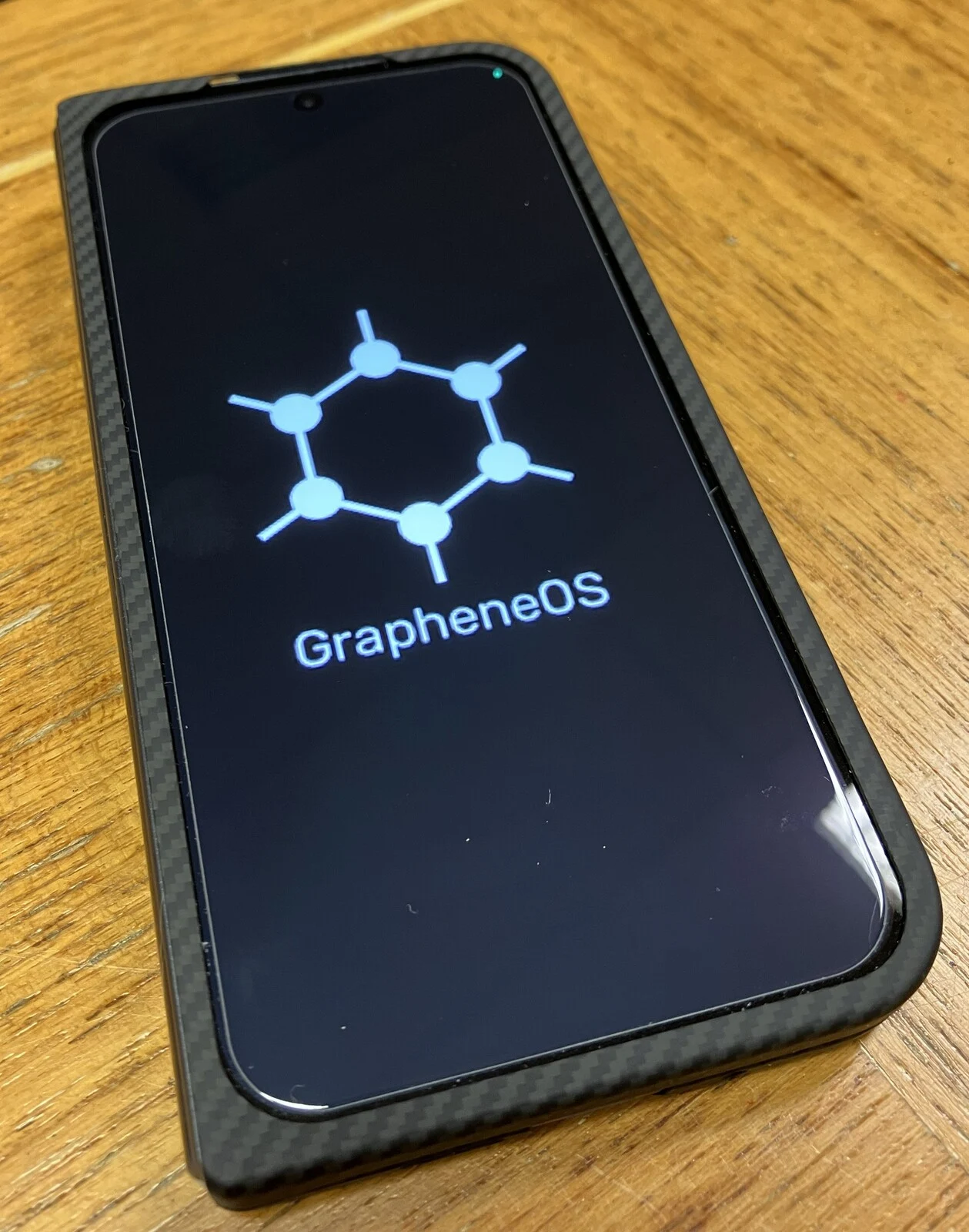
    GrapheneOS is a modified operating system that aims to provide the highest level of security available for Android devices. It is based on the Android Open Source Project (AOSP) and serves as a fortified version of Android while still allowing users to access the Google Play Store, either anonymously or by logging in.

    Security Features

    This OS includes numerous security enhancements such as disabling the USB port, offering protection against exploits, a duress password feature, the ability to re-lock the bootloader, and sandboxing Play Store applications in their own userspace. These features help prevent data tracking among apps and give users enhanced control over their permissions.

    Privacy enthusiasts favor this operating system, but it often gets mischaracterized by the media as being a tool for illegal activities.

    Recent Developments

    Even though Google has stopped publishing device trees and driver binaries for their devices, which has raised concerns within the Android community, GrapheneOS has successfully launched the first build of its system for the Pixel 10 series.

    The latest release is based on Android 16 QPR1 and is still labeled as “experimental.” However, GrapheneOS has mentioned:

    > Declaring the releases non-experimental is an arbitrary decision, and we don’t know when we’ll consider it well tested enough for that to happen. It doesn’t make much difference, it’s near fully functional and stable now.

    After several days of testing, “experimental” might not be the best term to describe the current version.

    Installation and Compatibility

    To install it, you need to unlock your bootloader by activating “OEM unlocking” in the developer options. The entire installation process can be completed in just a few minutes via a web browser on the GrapheneOS installation page, but keep in mind that it will wipe your phone, so back up your data first.

    All hardware functions as expected, including 5G, Wi-Fi, Bluetooth connections, and fingerprint recognition.

    The Play Store can be accessed through the Graphene App Store, allowing users to download both free and paid applications. If you’d rather install apps from Google Play without signing in, you can use the Aurora Store.

    While I managed to get various banking applications to work, GrapheneOS would often report that they relied on basic integrity instead of strong integrity. Hence, your experience may vary, and some specific apps might not operate properly with basic integrity.

    Connecting a Galaxy Watch required a bit of research since the setup failed at 80%. However, the Graphene forums provided the necessary information, indicating that extra permissions needed to be added to Google Play Services. This applies to all versions of Graphene, not just the Pixel 10 model.

    Camera and Other Features

    You can also install the native Pixel camera app from the Play Store, but you won’t be able to access the gallery from within the app unless you install Google Photos. This limitation is inherent to the Pixel Camera app. Graphene claims that its built-in camera app offers similar lens control and quality as the Pixel app, though opinions may vary on this.

    Android Auto is functional as well, but like the Galaxy Watch, it requires granting additional permissions to Google Play Services.

    Battery life appears to remain mostly unchanged compared to the stock OS. Aside from a few minor issues, GrapheneOS operates as you would expect from any custom ROM, offering various additional privacy and security features for those who require them.

    Future Updates

    Over the Air (OTA) updates will allow for easy upgrades as new security patches become available, eliminating the need to reinstall the OS once Graphene moves beyond the experimental stage.

    Setting up GrapheneOS is not the easiest process, requiring more adjustments than the stock OS or an alternative custom ROM. However, this is typical for any installation of Graphene.

    Currently, it is the only aftermarket ROM available for the Pixel 10 series and serves as a suitable daily operating system, despite its “experimental” label. If you wish to move away from the stock OS, it’s your only option.

    Source:
    Link



  • Poco X8 Pro: Redmi Turbo 5 to Launch with Xiaomi’s Largest Battery

    Poco X8 Pro: Redmi Turbo 5 to Launch with Xiaomi’s Largest Battery

    Key Takeaways

    1. The Poco X8 series will be unveiled in early 2026, with the Poco X8 Pro likely being a rebranded version of the Redmi Turbo 5.
    2. The Redmi Turbo 5 is expected to have the largest battery ever on a Xiaomi device, around 8,000 mAh.
    3. Global release for the Poco X8 Pro may not happen with the same battery size as its predecessors, which had smaller batteries.
    4. The Redmi Turbo 5 and Poco X8 Pro will feature a metal mid-frame, an ultrasonic fingerprint sensor, and a MediaTek Dimensity chipset.
    5. The Redmi Turbo 5 is set to debut in China next month, with the global release of the Poco X8 series likely to follow soon after.


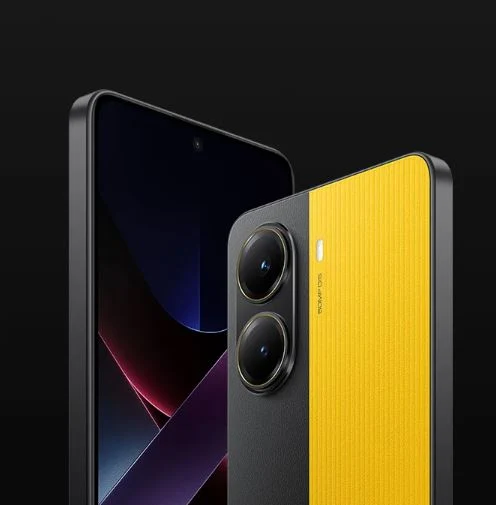
    Xiaomi is set to unveil the Poco X8 series at the beginning of 2026. Similar to the smartphones released this year, the Poco X8 Pro is anticipated to be a rebranded version of the forthcoming Redmi Turbo 5, with more information about that phone recently surfacing through leaks.

    Exciting Battery Features

    According to the information provided by Smart Pikachu, the Redmi Turbo 5 is likely to come equipped with the largest battery ever found on a Xiaomi device. Earlier leaks had already hinted that this mid-range smartphone, akin to the OnePlus Ace 6T, would have a battery capacity around 8,000 mAh.

    Global Release Speculations

    However, it would be quite unexpected for the Poco X8 Pro to be available worldwide with such a hefty battery, considering that devices like the Poco F8, Xiaomi 15T, and Poco F7 series were all launched globally with batteries that were smaller than their counterparts.

    In addition to boasting a substantial battery, the source also mentions that the Redmi Turbo 5—and by extension, the Poco X8 Pro—will come with a metal mid-frame, an ultrasonic fingerprint sensor embedded in the display, and a high-performance MediaTek Dimensity chipset. The Redmi Turbo 5 is expected to make its debut in China next month, with the global release of the Poco X8 series likely to follow soon after.

    Weibo.

    Source:
    Link


  • Elon Musk’s Starlink Mobile: Space-Based 5G Data and Voice Network

    Elon Musk’s Starlink Mobile: Space-Based 5G Data and Voice Network

    Key Takeaways

    1. Elon Musk envisions Starlink as a mobile service similar to AT&T, T-Mobile, or Verizon, offering 5G data from satellites to standard devices.
    2. SpaceX has applied for a trademark for “Starlink Mobile,” indicating plans to create a new mobile carrier using satellite networks for voice and data services.
    3. SpaceX’s acquisition of the 50 MHz S-band spectrum enhances the feasibility of launching a dedicated Starlink carrier service.
    4. The Starlink V3 satellites, set to launch in 2026, will be significantly larger and capable of providing gigabit Internet speeds and direct 5G service to smartphones.
    5. Starlink Mobile aims to offer a competitive alternative to existing carriers, with expected download speeds of up to 100 Mbps, starting with testing in 2026 and full deployment by 2027.


    Elon Musk has expressed that individuals “should be able to access Starlink like they do with AT&T, T-Mobile, or Verizon” on their smartphones, with the satellite service eventually providing 5G data from space to standard devices.

    Trademarking Starlink Mobile

    To make this idea a reality, SpaceX has applied for a trademark for the name Starlink Mobile at the USPTO. The description of this new brand’s services seems to hint at the formation of a fresh mobile carrier, delivering voice and data directly from satellites instead of traditional cell towers. The services include:

    Telecommunications services, specifically two-way real-time transmission of voice, audio, video and data using wireless telecommunications devices and satellite networks; Telecommunications services involving the transmission of voice, audio, video and data to mobile phones and smart devices, like thermostats, lighting systems, speakers, fitness trackers, cameras, refrigerators, locks, plugs, washing machines, and vehicle tracking systems via wireless telecommunications devices and satellite networks.

    SpaceX’s Vision Becomes Feasible

    After SpaceX invested $17 billion for the 50 MHz S-band spectrum previously held by DISH through its acquisition of Boost Mobile, which Sprint had to sell to merge with T-Mobile, Musk’s aspirations for a dedicated Starlink carrier service are now appearing more realistic.

    At present, devices such as the Galaxy S25 Ultra, currently 30% off on Amazon, can access limited satellite services like T-Mobile’s T-Satellite signal without any modifications. However, SpaceX is collaborating with mobile processor companies like Qualcomm and MediaTek to incorporate Starlink modems into upcoming chipsets, enabling phone users to enjoy faster satellite Internet access in areas lacking cellular signals directly.

    Future Launch Plans

    SpaceX has plans to begin launching its large Starlink V3 satellites in the year 2026, starting with the inaugural flights of the Starship 3 rocket. These V3 satellites will measure the size of a Boeing 737 when their solar panels are fully extended and will deliver 20 times the capacity of the existing satellites. While this will allow for gigabit satellite Internet speeds for customers using the latest Performance dish kit, SpaceX aims to also provide 5G download speeds directly to phones.

    The company has requested permission from the FCC to deploy at least 15,000 direct-to-cell V3 satellites, aiming to create a significant alternative to Verizon, AT&T, or T-Mobile in the United States. The first smartphones equipped with dedicated Starlink modems in their mobile chipsets are expected to begin testing in 2026 and be ready for the complete V3 direct-to-cell satellite constellation by 2027.

    SpaceX has warned that even then, Starlink will only be able to deliver 5G satellite Internet coverage with maximum download speeds of up to 100 Mbps. Nevertheless, considering that current carriers provide satellite services that only support messaging and limited data through specialized apps, such a download speed from Starlink Mobile seems quite groundbreaking.

    Source:
    Link


  • OnePlus 15R Lacks Key Feature Found in Ace 6T

    OnePlus 15R Lacks Key Feature Found in Ace 6T

    Key Takeaways

    1. OnePlus unveiled the Ace 6T in China, featuring the Snapdragon 8 Gen 5 and an 8,300 mAh battery, the largest in a OnePlus phone.
    2. The international version, OnePlus 15R, will launch on December 17, 2025, with a smaller 7,400 mAh battery.
    3. The OnePlus 15R will have a larger battery than the current flagship, OnePlus 15, but not match the Ace 6T’s capacity.
    4. Charging speed for the OnePlus 15R is reduced from 100 W to 80 W.
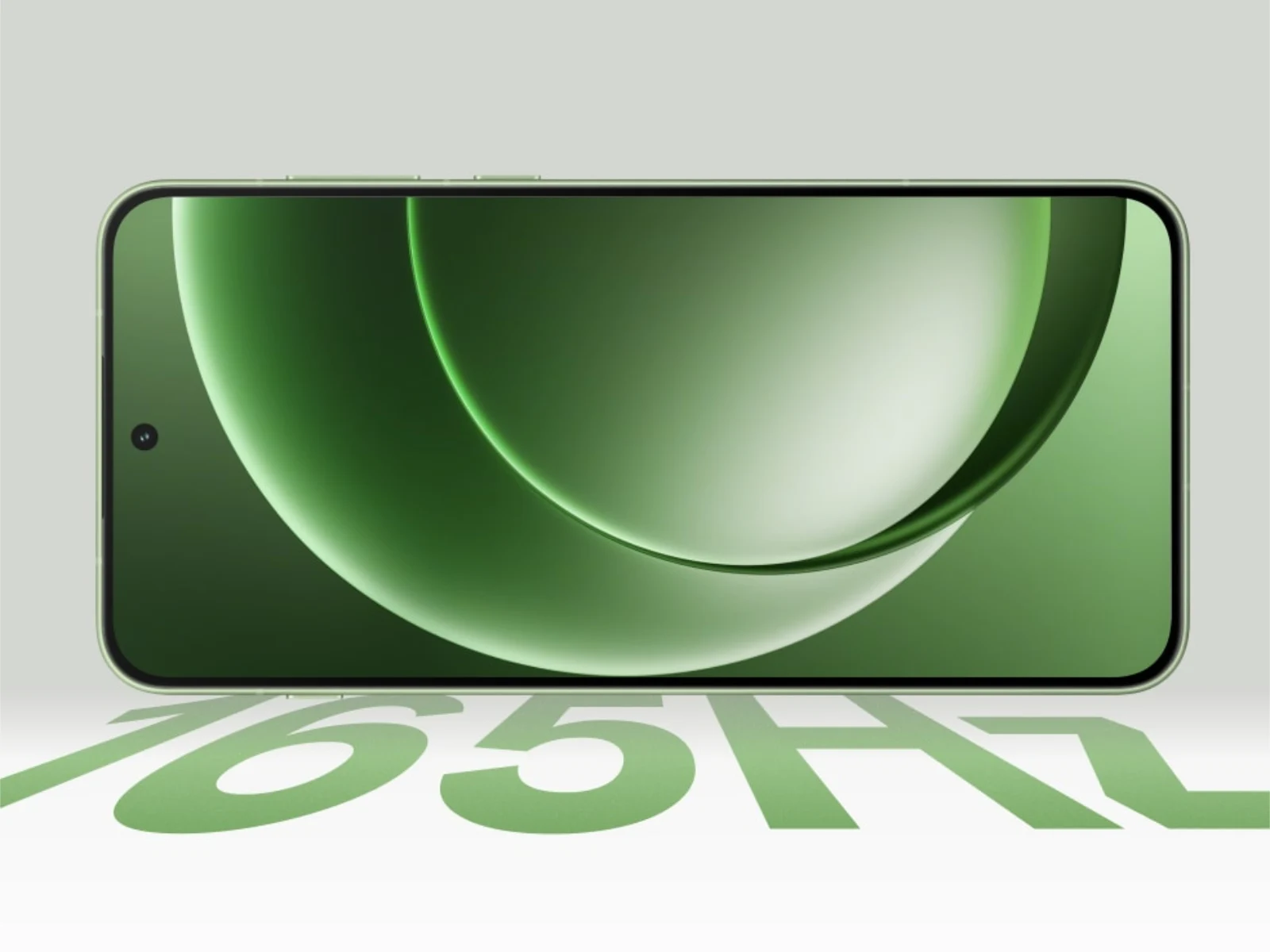
    5. The OnePlus 15R will maintain the 165 Hz refresh rate, Snapdragon 8 Gen 5 chip, and multiple IP ratings.


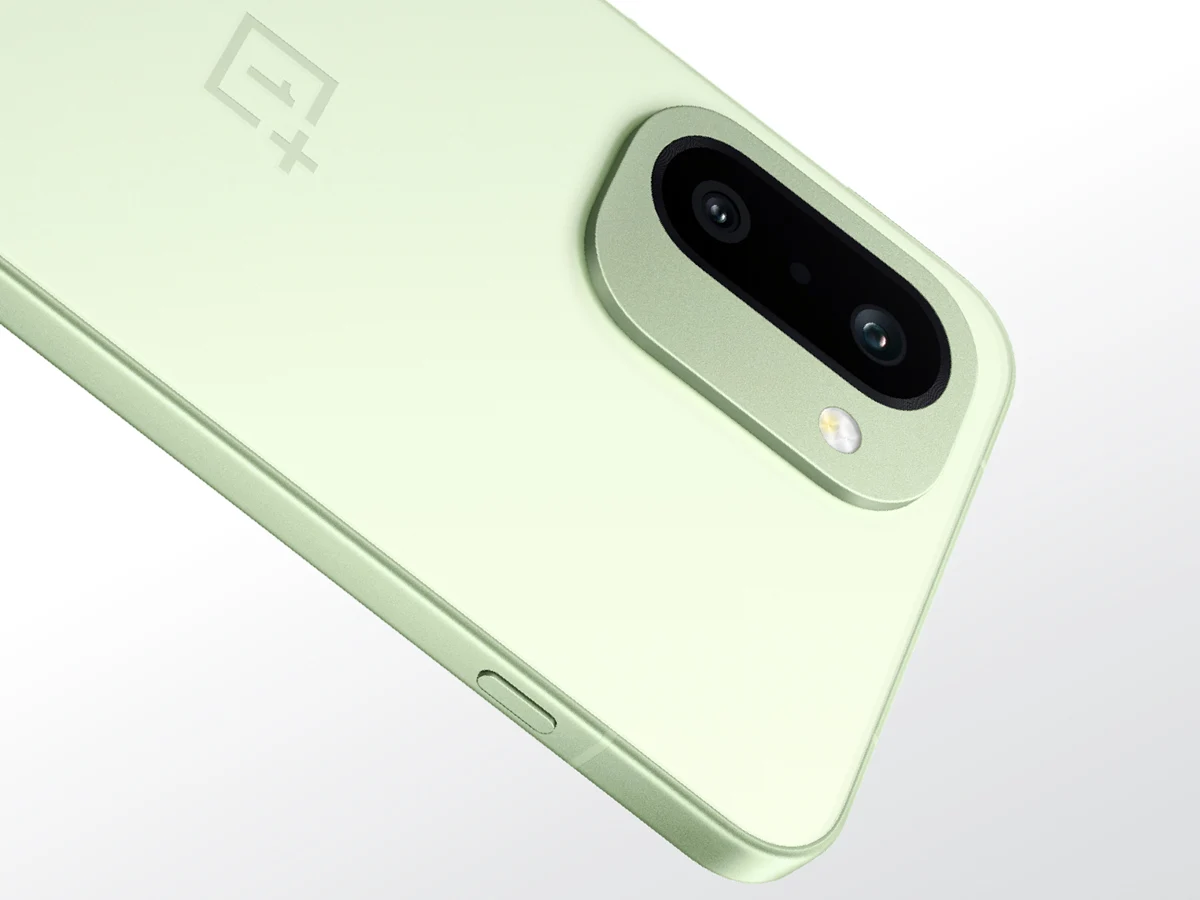
    OnePlus has just unveiled the Ace 6T in China, marking it as the first smartphone equipped with the Snapdragon 8 Gen 5. This device is scheduled to make its international appearance on December 17, 2025, though it will come with a modified specification sheet. As was hinted before, the OnePlus 15R, which is the version for international markets, will not feature the same battery as its Chinese counterpart.

    Battery Specifications

    To give you an idea, the Ace 6T is packed with the biggest battery ever seen in a OnePlus phone, boasting an impressive capacity of 8,300 mAh. This dwarfs the battery found in the company’s current flagship, the OnePlus 15. In contrast, the OnePlus 15R is confirmed to have a 7,400 mAh battery.

    Comparisons to the OnePlus 15

    While the 7,400 mAh battery is indeed larger than the one in the OnePlus 15, it still makes the 15R the phone with the largest battery available in the international market for OnePlus. However, the standout feature of the Ace 6T is its 8,000+ mAh capacity, and it would have been nice to see this same battery in the OnePlus 15R. Battery capacity reductions for Chinese phones when they launch globally is not a new trend, as many brands have done so in the past.

    Charging Capabilities and Features

    The charging speed has also taken a bit of a hit, reducing from 100 W to 80 W (currently, the 140 W Anker Zolo GaN charger is priced at $69.99 on Amazon). Regarding the other specifications confirmed for the OnePlus 15R, the company has recently announced that the global version will keep the 165 Hz refresh rate, Snapdragon 8 Gen 5 chip, and multiple IP ratings. More information about this affordable flagship for the global market is anticipated to come out soon.

    Source:
    Link


  • Motorola Edge 70: Ultra-Thin Smartphone with Swarovski Crystals

    Motorola Edge 70: Ultra-Thin Smartphone with Swarovski Crystals

    Key Takeaways

    1. Motorola launched a special edition of the Edge 70 called Cloud Dancer, featuring a new color developed with Pantone.
    2. Cloud Dancer represents Pantone’s Colour of the Year for 2026 and is designed to symbolize balance and refinement.
    3. The special edition maintains the same technical specifications as the original Edge 70, including a 120 Hz pOLED display and Qualcomm Snapdragon 7 Gen 4 chipset.
    4. The device includes three 50 MP cameras and a 4,800 mAh battery, while weighing 159 g and measuring 6 mm thick.
    5. The new Edge 70 will be available in select markets, but pricing and launch date details are not yet announced.


    Motorola has introduced a special edition of the Edge 70, just a little over a month after the device was launched worldwide. Initially, the Edge 70 was available in three Pantone-certified colors, all featuring a slim design that measures 6 mm thick, aiming to compete with the iPhone Air and Galaxy S25 Edge, which is currently priced at $809 on Amazon.

    New Color Option

    The latest addition is a color called Cloud Dancer, developed in collaboration with Pantone to highlight their Colour of the Year for 2026. Motorola describes Cloud Dancer as a light white shade intended to represent both ‘balance and refinement’. This new version of the Edge 70 serves as a way for Motorola to honor Pantone’s recent Colour of the Year while also incorporating Swarovski crystals into the design.

    Specs Remain the Same

    At its core, the new Edge 70 maintains the same technical features as the other models in the series. The Cloud Dancer version comes with a 120 Hz pOLED display, powered by a Qualcomm Snapdragon 7 Gen 4 chipset, along with three 50 MP cameras and a 4,800 mAh battery. The device weighs just 159 g and keeps the slim 6 mm thickness. Motorola intends to release the new Edge 70 in ‘select markets’ around the world. However, details about pricing and the exact launch date are still unclear. For further information, visit Motorola’s official website.

    Source:
    Link


  • OnePlus 15R Beats 13R and 13 in Benchmarks with Snapdragon 8 Gen 5

    OnePlus 15R Beats 13R and 13 in Benchmarks with Snapdragon 8 Gen 5

    Key Takeaways

    1. OnePlus will launch the OnePlus 15R globally on December 17, with early performance insights from a Geekbench listing.
    2. The device is expected to run on Android 16 and feature 12 GB of RAM, likely with 256 GB of storage.
    3. Key features include a 165 Hz AMOLED display, IP69K dust and water resistance, and a G2 Wi-Fi chip for improved reliability.
    4. The Snapdragon 8 Gen 5 processor allows the OnePlus 15R to achieve impressive benchmark scores of 2,815 (single-core) and 9,552 (multi-core).
    5. The OnePlus 15R shows a significant performance increase over the 13R, with a 27% boost in single-core and 45% in multi-core benchmarks.


    OnePlus is set to reveal the OnePlus 15R worldwide on December 17. Even so, a recent Geekbench listing has given us an early glimpse of its expected performance. The device, recognized by the model number CPH2767, is thought to be the global version of the Ace 6T, which OnePlus will probably only market in China.

    Performance and Specifications

    The benchmark data indicates that the OnePlus 15R operates on Android 16 and is equipped with 12 GB of RAM. If we look back at the OnePlus 13R, it’s likely that 12 GB of RAM will be the default memory setup, probably accompanied by 256 GB of storage. Furthermore, OnePlus has already disclosed several important features such as a 165 Hz AMOLED display, IP69K dust and water resistance, and a proprietary G2 Wi-Fi chip to enhance Wi-Fi reliability.

    Benchmark Scores

    On the other hand, the Snapdragon 8 Gen 5 enables the OnePlus 15R to score an average of 2,815 in single-core and 9,552 in multi-core benchmarks. Though these synthetic results do not fully reflect real-world usage, they reveal a noteworthy increase in performance compared to the OnePlus 13R, showing boosts of 27% in single-core and 45% in multi-core benchmarks. Consequently, the OnePlus 15R is nearly matching the performance of the OnePlus 13 (curr. $899 on Amazon), falling short by 9% in single-core and having a 2% advantage in multi-core performance at this point.

    Source:
    Link


  • Google Pixel Smartphones Unlock Faster with Latest Update

    Google Pixel Smartphones Unlock Faster with Latest Update

    Key Takeaways

    1. Android 16 QPR2 is the largest update to Google’s operating system, released since December 2.
    2. New features include enhanced dark mode support, AI-generated summaries for notifications, and customizable app icons.
    3. The update reintroduces a screen-off fingerprint unlock feature for quicker phone access.
    4. The screen-off unlock feature is available for Pixel 7 and newer models, but needs to be manually activated in settings.
    5. Google continues to improve user experience with each update.


    Since December 2, Google has been slowly releasing Android 16 QPR2, which is the largest update to its operating system to date. This update brings a variety of helpful features for users with the Pixel 10 and earlier versions. Some of these features include enhanced dark mode support for apps that previously did not support it, AI-generated summaries for lengthy notifications, and the ability to customize app icons. Additionally, this update reintroduces a feature that will make unlocking your phone even smoother in the future.

    New Unlocking Feature

    Typically, to unlock your phone with the fingerprint sensor, you have to wake the display first. However, with Google’s screen-off fingerprint unlock feature, which was first seen in the Android 16 developer preview, Pixel users can bypass this step. They can simply place their thumb on the screen to unlock the phone without having to turn it on. Although the time saved might seem minor, the convenience it offers is quite apparent, especially for those who use their phones often.

    Return of a Popular Feature

    Many Pixel users were disappointed when this feature got removed in subsequent beta versions. Fortunately, the Android 16 QPR2 update that is currently being distributed brings it back. At this time, the screen-off unlock feature is available for the Pixel 7 and newer models. It’s important to note that this feature does not come activated automatically after the update—you’ll need to enable it yourself. To do this, navigate to Settings > Privacy and security, select Device unlock, and then tap Fingerprint to turn it on.

    Google’s continuous efforts to enhance user experience with each update are evident.

    Source:
    Link


  • Xiaomi Redmi Note 15 Pro 4G Launch Date Expected Soon

    Xiaomi Redmi Note 15 Pro 4G Launch Date Expected Soon

    Key Takeaways

    1. Xiaomi is preparing for a global launch of the Redmi Note 15 series after its introduction in China three months ago.
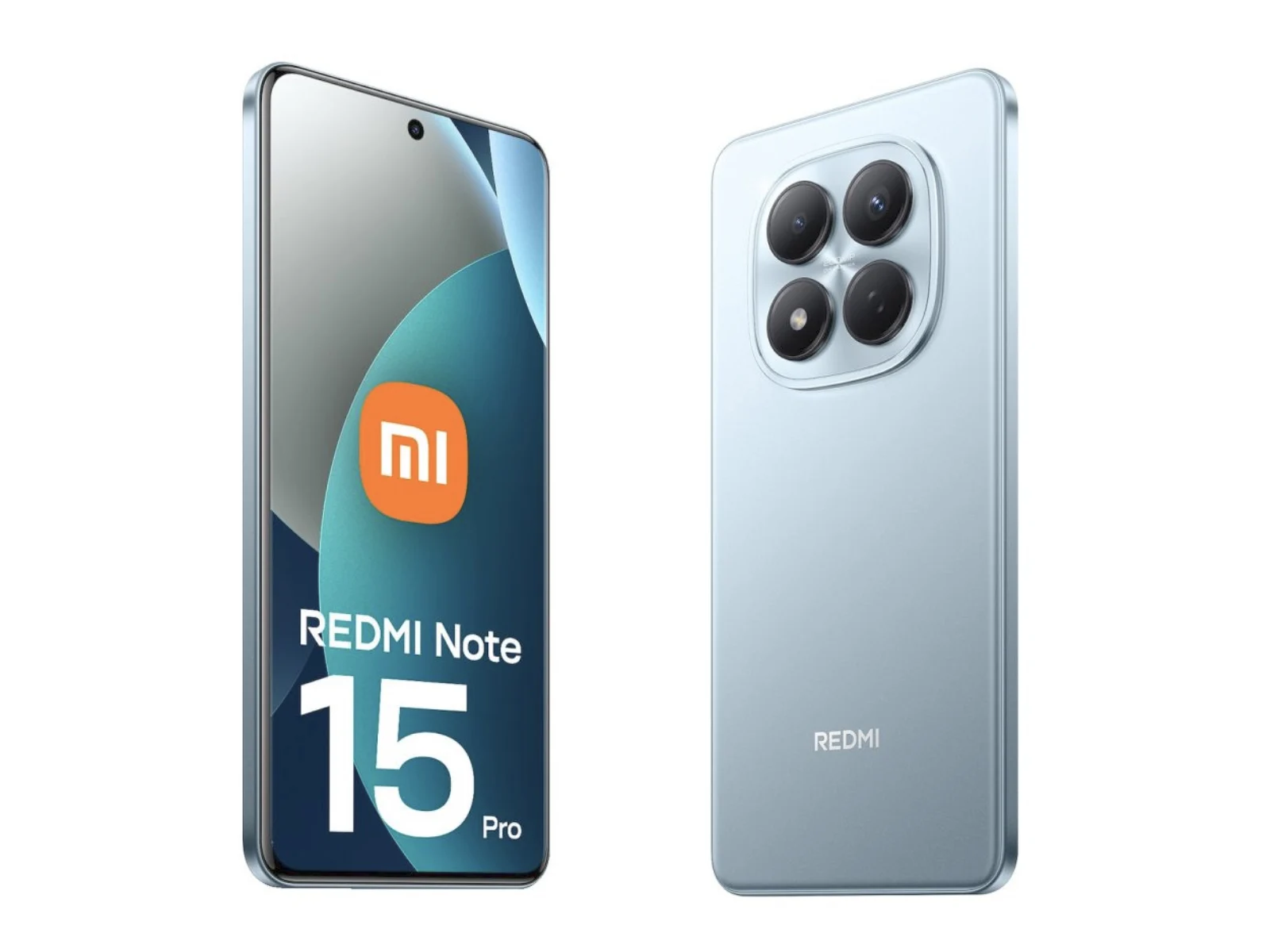
    2. The Redmi Note 15 Pro 4G features a MediaTek Helio G200 Ultra chipset and a 6,500 mAh battery with 45 W charging.
    3. The device has a slightly larger display of 6.77 inches with a 1080p resolution and a 120 Hz refresh rate.
    4. Camera specifications include a 32 MP front camera, a 200 MP primary camera, an 8 MP ultra-wide camera, and a 2 MP auxiliary rear camera.
    5. The Redmi Note 15 Pro 4G is expected to be priced around €295 (approximately $345) for the 8 GB RAM and 256 GB storage model, with more affordable versions likely available.


    Earlier this week, a German retailer showcased both the Redmi Note 15 Pro Plus and the Redmi Note 15 4G. In addition, the Redmi Note 15 Pro 4G has appeared in a different listing, which we’ve included evidence of below.

    Global Release on the Horizon

    This listing indicates that Xiaomi’s upcoming mid-range series is getting ready for a worldwide launch, following its introduction in China three months ago. Furthermore, the listing reveals how Xiaomi plans to set its new products apart from the current Redmi Note 14 Pro 4G, priced at $248 on Amazon.

    Impressive Specifications

    The Redmi Note 15 Pro 4G is equipped with MediaTek’s Helio G200 Ultra chipset and features a robust 6,500 mAh battery supporting 45 W charging. The dimensions have changed from 162.22 x 74.9 x 8.2 mm and 180 g to 163.22 x 76.29 x 7.96 mm and 195 g, making space for a slightly larger display of 0.1 inches. Epto reports that this new display measures 6.77 inches diagonally while keeping a 1080p resolution and a smooth 120 Hz refresh rate.

    Camera and Pricing Details

    In addition, Xiaomi enhances this OLED display with an impressive 32 MP front camera, along with a 200 MP primary camera, an 8 MP ultra-wide-angle camera, and a 2 MP auxiliary rear camera. It is said that the Redmi Note 15 Pro 4G will land in the Eurozone at approximately €295 for the model featuring 8 GB of RAM and 256 GB of storage. While this translates to roughly $345 at the current exchange rate, we anticipate that more affordable versions will also be available, starting with 128 GB of storage.

    Source:
    Link