
Key Takeaways
1. Immich: A self-hosted photo management tool that automatically backs up phone images, organizes photos into a timeline, and features facial recognition and keyword searching.
2. Navidrome: A web-based music player that allows users to stream their music collection, create playlists, and curate radio stations, but requires well-tagged metadata for effective library management.
3. Booklore: An e-book management system that supports various formats, provides automated metadata, and includes a built-in e-reader to track reading statistics.
4. Jellyfin: A self-hosted media server that allows users to create a media library, gather metadata for films and shows, and supports multiple streams for simultaneous viewing.
5. ROMM: A browser-based platform for organizing and playing retro games, supporting various consoles, with features for metadata scraping, save states, and cross-device gameplay.
Whether you have a ready-made NAS or decide to construct one from scratch, Docker is compatible with nearly anything. It enables the creation of media libraries accessible via any web browser on your home network. Here are some excellent free containers to help you kickstart your journey with various types of media.
Immich – A Fantastic Free Software
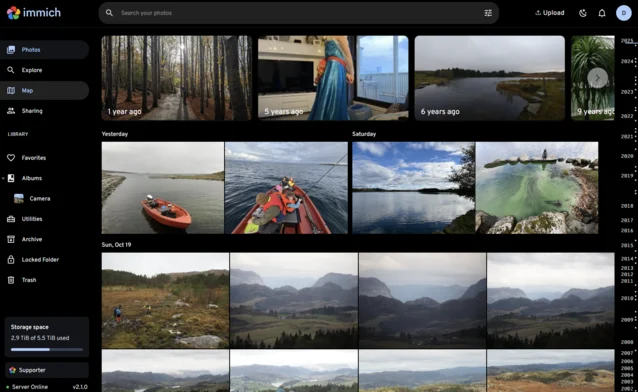
Immich is a remarkable software that feels too good to be complimentary. Unlike other “free” services where you end up as the product, Immich resembles Google Photos but is entirely self-hosted.
Along with its native apps for iOS and Android that automatically back up your phone’s camera roll whenever you connect to your home Wi-Fi, Immich allows you to explore your photo library. It also organizes all your photos and videos into a timeline and marks the locations where they were taken on an interactive map.
You can still upload images through the web interface, which is useful for those who use digital cameras. The automated facial recognition feature and keyword searching help you locate specific photos within what can become a vast collection. There’s even an Android TV app that lets you display your Immich library as a screensaver.
Navidrome – Your Music Hub
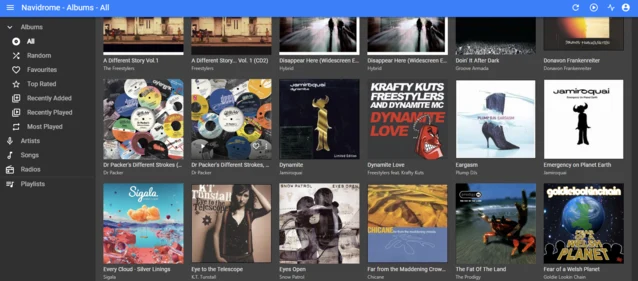
Navidrome serves as a web-based music player and browser. It incorporates most features you’d expect from an MP3 player, such as favorites, playlists, ratings, album art, and random play options. Additionally, it allows you to create and curate online radio stations.
However, Navidrome isn’t designed for library management. You can’t edit the metadata of individual files; it merely organizes your collection into albums and artists, unlike iTunes for Mac or Rhythmbox for Linux. Thus, it’s essential that your library is well tagged beforehand.
If you wish to modify metadata and oversee your library, you can self-host MusicBrainz Picard to access and change the same files. This setup offers a seamless cross-platform listening experience and lets you manage your library effectively.
Booklore – Manage Your E-Book Collection
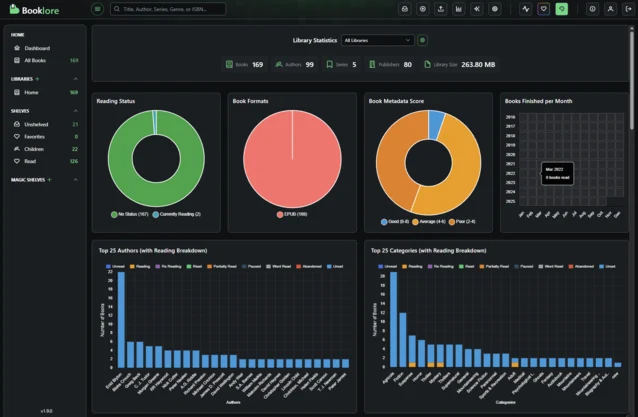
Booklore enables you to host and manage your own e-book library. It supports all major book formats and automatically downloads metadata to provide cover art and synopses. You can categorize books according to shelves that you create, and different users can be granted access to various libraries. The initial setup allows for unlimited book imports or you can add books directly through the web interface.
But Booklore is more than just a book manager; its built-in reading feature turns any web browser into a platform-independent e-reader. While you can download books or email them to your preferred device, using the built-in reader tracks your reading statistics, showing what you’ve read, what you’re currently reading, your favorite authors, and much more.
Jellyfin – A Self-Hosted Media Solution
Plex was once the leading platform for self-hosting your media, but its quality has declined over the years.
Jellyfin was created to address the concerns of Plex users by returning to the original idea of a completely self-hosted platform where users retain control of their own data.
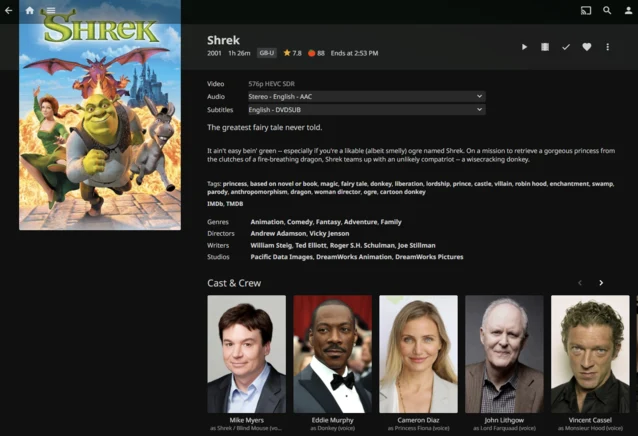
Similar to Plex, you can build your own media library, and Jellyfin will automatically gather metadata, providing an overview of your TV shows or movies, along with ratings from IMDB and Rotten Tomatoes, cast information, and credits. It has native apps for iOS and Android, as well as web access.
Jellyfin can transcode multiple streams at the same time, given that your hardware can handle it, allowing different users to watch different content all at once.
ROMM – Organizing Retro Games
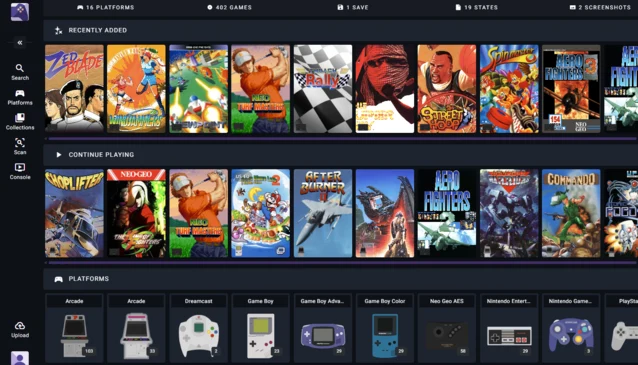
ROMM is an excellent way to organize and play retro games through a web browser. It scrapes metadata for your games from various sources, showcasing screenshots, gameplay videos, and synopses.
You can play nearly all retro consoles up to the PS1 right in your browser. Gamepads are compatible with both PCs and mobile devices, and there’s even touch screen controls if you need them. Save states are supported, and as long as you’re logged into ROMM with the same account, you can switch devices and continue playing where you left off.
ROMM supports almost every existing console and can also be accessed through Tinfoil, giving users a method to manage Switch games on modified consoles.
This list isn’t exhaustive but includes some of the most popular media types and the best Docker containers available for them. You might also want to check out PinePods for managing podcasts, Audiobookshelf for audiobooks, or Tdarr for compressing and reducing the size of your media files. You can even host Steam in a container if you wish to manage your PC games.
If you’re in search of a NAS that can effectively support several high-performance containers, you might want to look into the Intel i3-based UGREEN DXP6800 NAS, which is currently available at a 15% discount on Amazon.
Source:
Link
Leave a Reply