Tag: software update

  • OxygenOS 14 Update Now Ready for OnePlus 9R and 8T

    OxygenOS 14 Update Now Ready for OnePlus 9R and 8T

    Latest Stable Update OxygenOS 14 Now Available for OnePlus 8T and OnePlus 9R

    After much anticipation, the Stable OxygenOS 14 update, which is based on Android 14, is finally being deployed to the OnePlus 9R and OnePlus 8T smartphones. This update introduces a range of thrilling new modifications and feature enhancements. Presently, the update is exclusively accessible for the India editions of both phones. Initially, the rollout will target closed beta and open beta users before gradually becoming available to all regular users.

    Firmware Specifics

    The OnePlus 8T is getting the firmware KB2001_14.0.0.200 (EX01), whereas the OnePlus 9R is being upgraded with the firmware LE2101_14.0.0.300 (EX01). Both devices are sharing the same update log, showcasing noteworthy inclusions such as:

    Introduction of New File Dock and Content Extraction Attributes

    Among the key highlights of this update is the integration of the File Dock and Content Extraction attributes. Through the File Dock attribute, users can now effortlessly move files between applications, simplifying file management tasks. Moreover, the Content Extraction attribute empowers users to identify and extract text directly from the screen, making tasks involving information extraction from various sources more efficient.

    Various Enhancements

    Apart from the features mentioned above, the Stable OxygenOS 14 update introduces numerous other enhancements to enrich the overall user experience. Although the official log furnishes a comprehensive list of these enhancements, specific details are left unspecified.

    It is crucial to acknowledge that, at present, this update is solely accessible for the India variants of the OnePlus 9R and OnePlus 8T. Users residing outside India might experience a slight delay in receiving the update for their devices. Nonetheless, OnePlus has a reputation for swift software updates, indicating that the Stable OxygenOS 14 update will soon be globally accessible.

    To ensure a seamless installation process, it is advisable to possess a stable internet connection and ample battery life before commencing the update. Users can manually search for the update by navigating to Settings > System > System Updates.

    Once the Stable OxygenOS 14 update is successfully installed, users of OnePlus 9R and OnePlus 8T can relish the new features and enhancements it brings along. Whether it’s the convenience facilitated by the File Dock attribute or the efficiency boosted by the Content Extraction feature, this update strives to elevate the overall usability and functionality of the devices.

    In summary, the Stable OxygenOS 14 update is now making its way to OnePlus 9R and OnePlus 8T smartphones, introducing exciting new changes and feature enhancements. Users are now able to make the most of the advantages offered by the File Dock and Content Extraction attributes, alongside other enhancements designed to elevate the overall user experience. While the update is currently limited to India editions, it is anticipated to become available worldwide soon.

  • First software update for Huawei’s FreeClip earphones now available

    First software update for Huawei’s FreeClip earphones now available

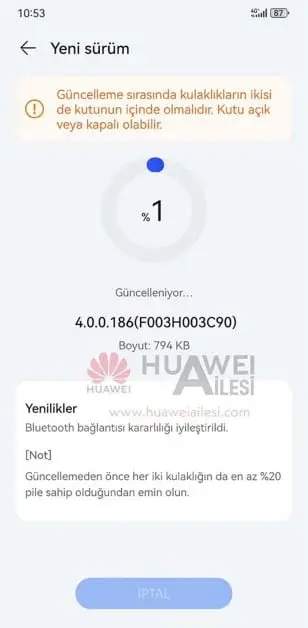
    Huawei has released its first software update for the new FreeClip earbuds, which were recently launched globally. This update focuses on improving Bluetooth connectivity and stability and weighs in at just 794KB.

    Improved Bluetooth Performance

    The changelog for this update highlights enhanced Bluetooth performance, which means users can expect fewer dropped connections and a smoother listening experience. While Huawei has not provided specific details about any other changes, there may be some hidden optimizations included in the firmware.

    How to Update

    To update your FreeClip earphones, simply open the Huawei Smart AI Life app and navigate to the Device section. If the update is available, you will see it listed in the settings. Tap to download and install the update, and your earbuds will be up-to-date in no time.

    About Huawei FreeClip Earbuds

    The Huawei FreeClip earbuds are the company's first open-ear style earphones that do not require users to discern between left and right ears. They feature a unique two-part structure consisting of a comfort bean (rear portion) and an acoustic ball (speaker) joined together by a C-bridge design.

    These earbuds are lightweight, weighing just 5.6 grams per bud, and are reversible, meaning users do not need to determine which ear each bud fits in. Huawei states that onboard sensors determine which bud is in which ear and tune it accordingly.

    Open-Ear Design

    Similar to other open-ear earphones, the FreeClip does not sit up against the ear canal, allowing users to hear outside-world noises. This design provides a different listening experience compared to traditional earbuds.

    Connectivity and Features

    The FreeClip earbuds offer the ability to connect to two devices simultaneously, providing users with flexibility in terms of devices. They are also IP54 dust and water-resistant, making them suitable for various environments. Additionally, these earbuds boast a battery life of up to 32 hours and support fast charging, allowing for 3 hours of listening time with just 10 minutes of charge.

    In conclusion, Huawei's FreeClip earbuds have received their first software update, focusing on improving Bluetooth connectivity and stability. Users can update their earphones through the Huawei Smart AI Life app. These open-ear style earbuds offer a unique design, lightweight construction, and various features such as dual device connectivity and long battery life.

  • Garmin smartwatch receives numerous enhancements and bug fixes through the 26.85 Beta Build update.

    Garmin smartwatch receives numerous enhancements and bug fixes through the 26.85 Beta Build update.

    Garmin Releases Public Beta Version for Smartwatches

    Garmin has recently launched its latest public Beta version for its smartwatches. In order to access the newest features, improvements, and bug fixes, users will need to manually install the 26.85 Beta update. This update is now available for the Fenix 6 series, as well as the Enduro, Tactix Delta, Quatix 6, and Marq smartwatches.

    Improvements and Bug Fixes

    The Garmin smartwatches have received several enhancements and bug fixes through the 26.85 Beta Build OTA update. This update comes as a surprise, especially after the company had previously released stable upgrades for the Fenix 7 and other newer devices. It was believed that the v26.xx development cycle had been completed, with no comparable stable upgrade for the Fenix 6 and its competitors. However, Garmin has now released the Beta Version 26.85, replacing the previous Beta Version 26.82.

    Bug Patches Included in Beta Version 26.85

    The Beta Version 26.85 includes five bug patches. The changes made in this version are as follows:

    1. Fixed an issue to ensure training load is properly calculated when using the Store & Forward feature on supported Garmin HRM straps.
    2. Fixed an issue where the device would sometimes shutdown when viewing the map on the Fish activity.
    3. Fixed an issue with audio prompts on workouts not playing the correct messages.
    4. Fixed an issue with auto runs on the Ski activity from not always starting on a descent.
    5. Fixed an issue with auto pause on the Ski activity from improperly activating.

    Manual Installation

    It is important to note that Garmin is not providing the Beta Version 26.85 as an over-the-air (OTA) update. Users will need to manually install the latest version, and they can find the download links on Garmin’s forum thread.

    Future Stable Update

    Garmin has not disclosed the date for the release of a new stable update for the Fenix 6 series. However, it has been confirmed that there have been 19 changes since the latest stable version, v26.00. These changes are included in the Beta Version 26.85.

    Reporting Bugs

    If users encounter any bugs while using the Public Beta software update, Garmin recommends reporting the issue under the relevant section within the Beta Bug Reports forum.

  • New update adds tap-to-start playlist feature to Amazon Echo Buds 2023

    New update adds tap-to-start playlist feature to Amazon Echo Buds 2023

    Amazon Echo Buds 2023 Receives New Software Update with Exciting Features

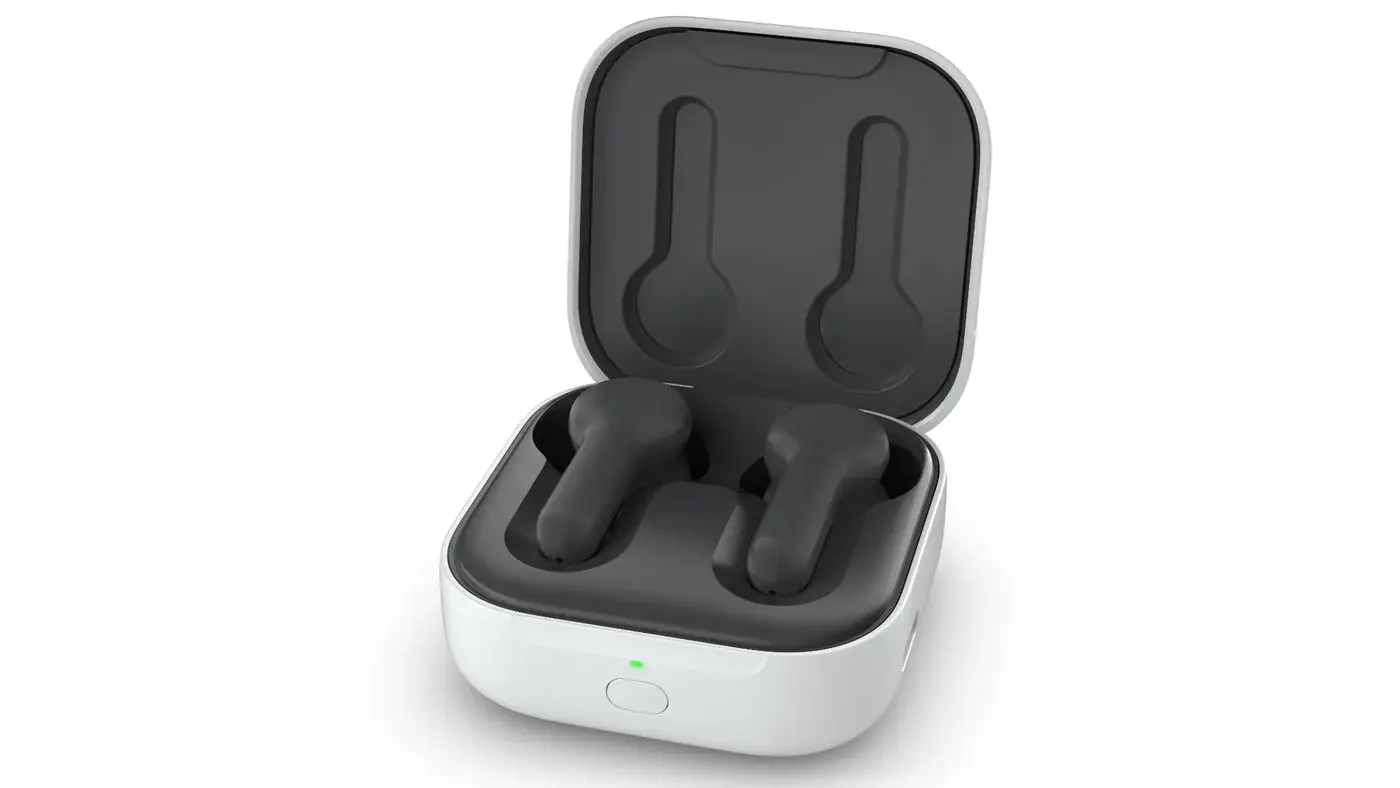
    Amazon has recently rolled out a software update for their Echo Buds 2023 (3rd generation), introducing several new features to enhance the user experience. This update brings added convenience and customization options to the popular TWS earphones.

    Tap-to-Start Playlist Feature

    One of the key additions in this update is the tap-to-start playlist feature. With this new functionality, users can simply tap their earphones to start a suggested playlist without the need to reach for their phone or use voice commands. This eliminates the hassle and allows for a seamless music listening experience.

    Customizable Tap Controls

    The tap-to-start playlist feature offers flexibility in terms of control. Users can start a playlist with a single long press or a triple tap, depending on their preference. The customization options for tap controls can be accessed through the Alexa app’s settings. By navigating to the Echo Buds device settings, users can find the audio customization choices and personalize their tap controls accordingly.

    Compatibility with Major Streaming Services

    Amazon ensures compatibility with all major streaming services for the tap-to-start playlist feature. By contacting the user’s preferred audio provider, Amazon Echo Buds can seamlessly access playlists from various streaming platforms. To get started, users can simply search for “Tap Controls” in the Echo Buds device settings and explore the available options.

    Audio Personalization for Enhanced Sound Experience

    Another notable feature introduced in this update is the audio personalization capability. Users can now adjust the sound and their physical surroundings to create a more immersive listening experience. For example, while taking a walk, users can emphasize the bass frequencies to enhance the richness of the sound.

    Individual Ear Tuning

    Furthermore, users have the ability to tune each ear separately from the other. This means that one ear can have a different frequency range or be louder than the other, allowing for a customized audio experience tailored to individual preferences. The setup process for individual ear tuning takes approximately four minutes. It is worth mentioning that this capability is available for both the 2023 model and the 2021 second-generation Echo Buds.

    With these exciting new features, Amazon continues to enhance the functionality and user-friendliness of their Echo Buds 2023. Whether it’s starting a playlist with a simple tap or customizing the sound to suit individual preferences, these updates aim to provide an immersive and personalized audio experience for users.

    Source: 1