Tag: ESP32

  • Garmin Fenix: How to Access External Efficiency Metrics

    Key Takeaway

    – Garmin’s ecosystem is not fully open, restricting third-party sensor pairing for metrics like running efficiency.
    – A developer successfully sent ground contact time and vertical oscillation data to a Garmin Fenix via ESP32/nRF52832, recognized as native data.
    – The project relied on Claude AI as a coding assistant, highlighting AI’s value for tasks requiring specialized knowledge (e.g., Bluetooth Low Energy).
    – A basic understanding of technology remains necessary despite AI assistance.
    – The open-source GitHub project could enable future DIY sensor development within Garmin’s platform.


    Garmin’s Ecosystem and Its Limits

    Garmin provides a comprehensive ecosystem but it is not entirely open, even though certain steps have been taken to make it more accessible. For example, users cannot just pair any sensor with a Garmin smartwatch to display metrics such as running efficiency. This might be less relevant for end users, but potentially significant for makers who want to experiment with custom hardware.

    DIY Sensor Success With ESP32

    A programmer has now successfully sent data to a Garmin Fenix using an ESP32 or nRF52832 chip, which the Fenix smartwatch recognised as native data. Specifically, these are running efficiency metrics, namely ground contact time and vertical oscillation. Sample data was used for this, not actual data collected by a fully functional DIY sensor, but it still shows real promise.

    Development Process and Claude’s Role

    Both the detailed Reddit post and the two blog entries are definitely worth reading, as they also explain how the development process unfolded. Sam Dumont used Claude as a tool and, by his own account, needed this assistance because he lacks expertise in Bluetooth Low Energy and reverse engineering, though he has been familiar with the Garmin platform and its quirks since 2020. The post demonstrates how Claude can apparently be put to good use in programming as a technically savvy colleague who critically examines one’s own ideas and may offer new approaches. According to Dumont, however, a basic understanding of technology is still necessary for such projects.

    Future Potential for Makers

    Of course, it remains unclear to what extent this project will be adopted by other developers. In the long run, the project, which Sam Dumont also shared via GitHub, could certainly open up opportunities for other makers to create their own sensors that work with Garmin devices.

    • Garmin ecosystem is not fully open for third-party sensors
    • ESP32 and nRF52832 chips used to mimic native data
    • Metrics include ground contact time and vertical oscillation
    • Development relied on Claude AI for Bluetooth expertise
    • GitHub project could enable future maker innovations
    Sources
  • Lightweight Open-Source 3D-Printed Drone Reaches 67 MPH

    Lightweight Open-Source 3D-Printed Drone Reaches 67 MPH

    Key Takeaways

    1. Max Imagination created a custom drone named ESP-Blast that can exceed speeds of 108 km/h (67 mph) using an affordable ESP32 microcontroller.
    2. The project was inspired by DIY drone teams Benjamin Bigg and the Bells, who have been competing to create the fastest RC quadcopters.
    3. Max collaborated with Benjamin to combine their expertise in building high-speed drones for this project.
    4. The drone’s components cost around $155, including propellers, a microcontroller, and a GPS unit, with the frame 3D-printed from durable PETG material.
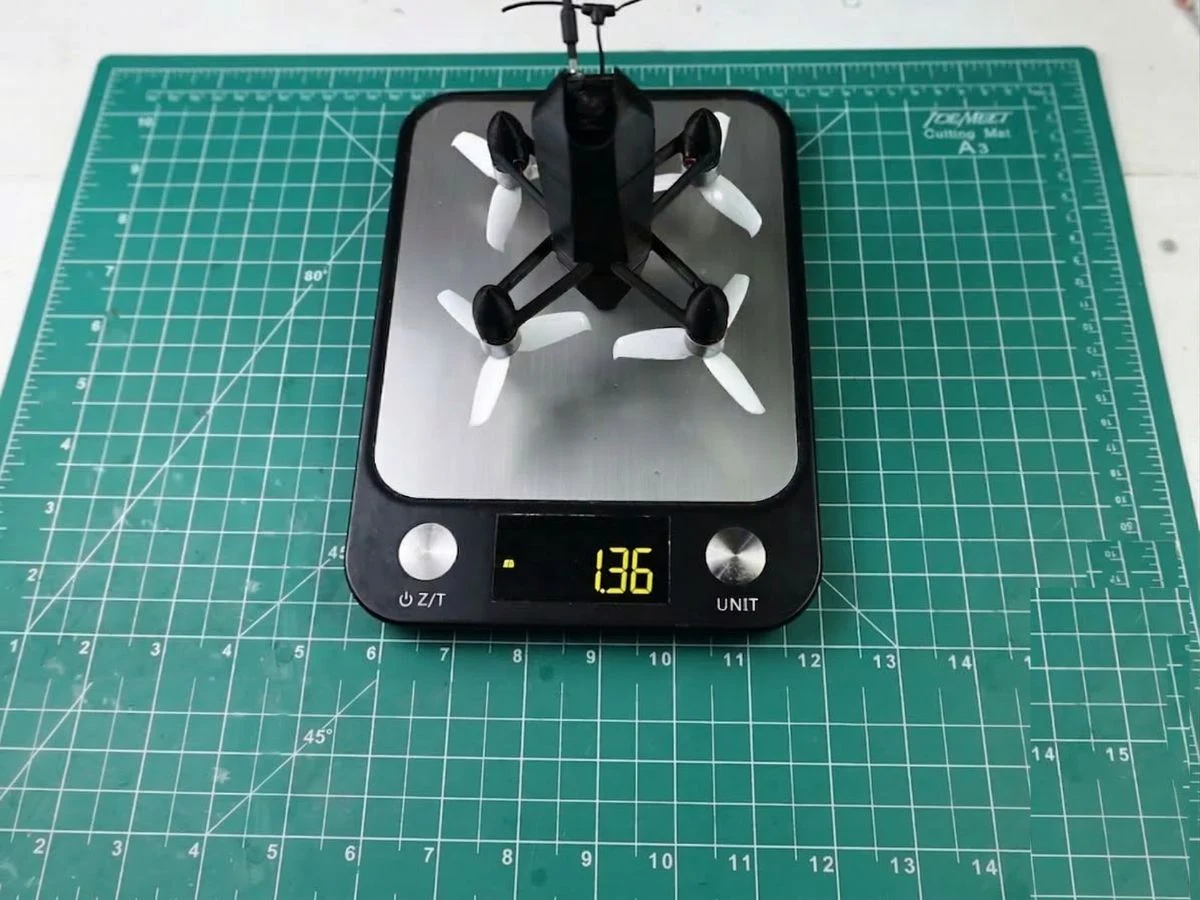
    5. The ESP-Blast weighs 136 grams, has a flight time of about five minutes with a 450 mAh battery, and Max plans to enhance its speed in future versions.


    In a fresh video on YouTube, DIY engineer and creator Max Imagination unveiled his newest invention — a small, custom-made drone that can reach speeds exceeding 108 km/h (67 mph). This remarkable drone was assembled using the affordable yet robust ESP32 microcontroller.

    Inspiring Collaborations

    Max states that he drew motivation for this project from two DIY drone teams: Benjamin Bigg on one end, and the Bells — Luke and Maximo Bell — on the other. Over the past few months, these teams have consistently outdone each other in achieving the fastest RC quadcopters, with the latest drone surpassing previous records.

    Collaboration and Expertise

    For this endeavor, Max — who is famous for his impressive electronic projects and for sharing tutorials and 3D models — teamed up with Benjamin to leverage his knowledge in high-speed drones.

    Building the ESP-Blast

    Max invested around $155 on the necessary parts, which included propellers, a microcontroller, ESCs, a barometer, a GPS unit, and more. The frame of the drone was 3D-printed using an Elegoo Neptune 4 Plus 3D Printer (currently priced at $349.99 on Amazon) and made with durable PETG material.

    After going through assembly, tests, crashes, and repairs, the compact drone — affectionately named ESP-Blast — reached speeds well above 100 km/h. It features a 450 mAh battery that enables it to fly for about five minutes and weighs only 136 grams. Max has plans for future versions to further enhance the drone’s speed.

  • Xteink X4: MagSafe Compact E-Reader for iPhones

    Xteink X4: MagSafe Compact E-Reader for iPhones

    Key Takeaways

    1. The Xteink X4 is a compact e-reader priced at $69, featuring dimensions of 114 x 69 x 5.9 mm and weighing 74 grams.
    2. It uses an ESP32 instead of a typical SoC, comes with a 32 GB microSD card, and has WiFi and Bluetooth capabilities for easy content transfer.
    3. The 4.3-inch screen has a pixel density of 220 PPI but displays limited text, requiring frequent page turns; it supports various file formats including ePUB and JPG.
    4. The device has no touchscreen functionality, relying on side buttons for navigation.
    5. It offers convenience and portability for users on the go, though its small display may not suit everyone’s reading preferences.


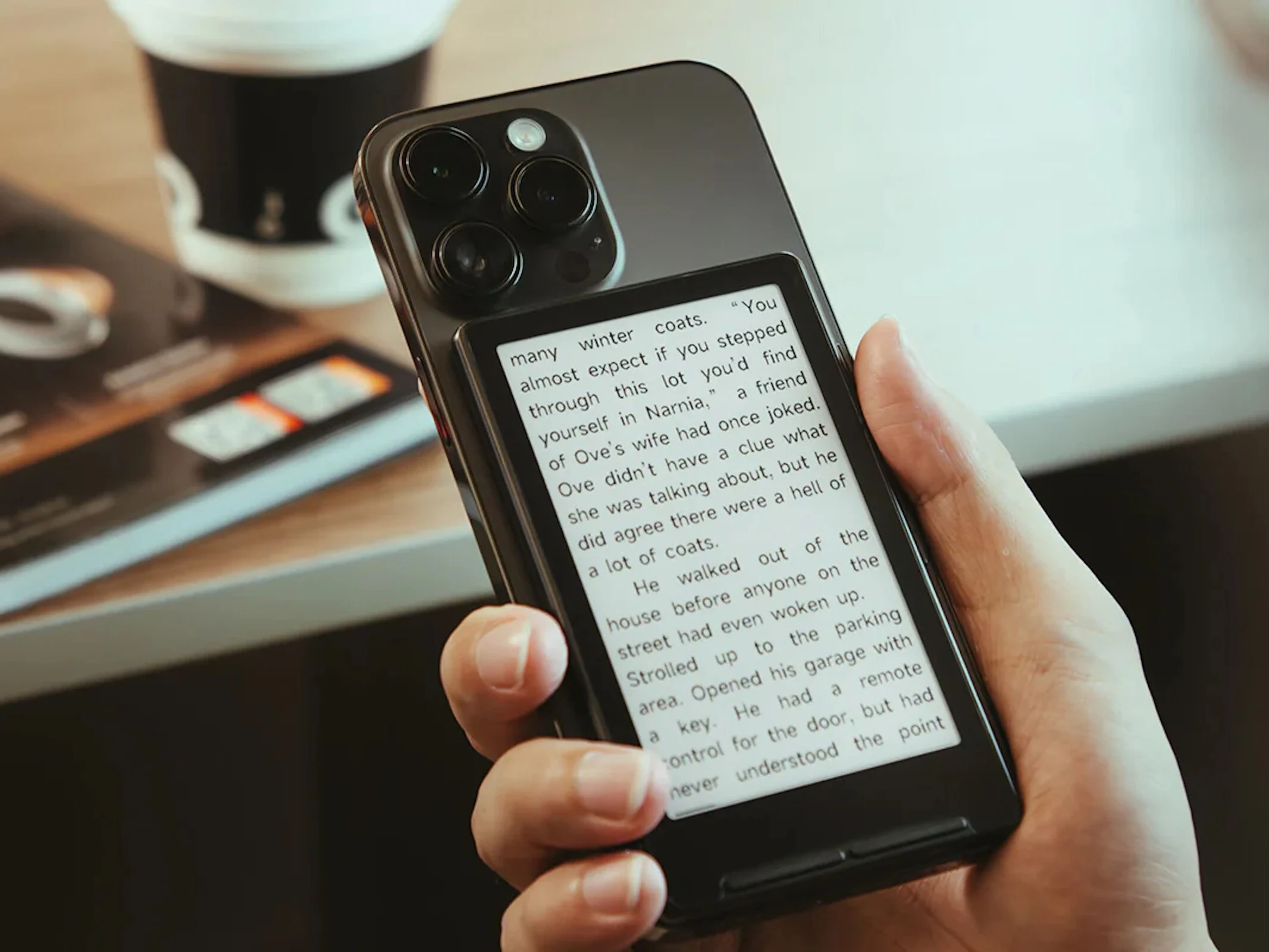
    The Xteink X4 is a small e-reader priced at $69. This gadget can function on its own, but it can also be magnetically attached to a smartphone that is compatible. Its dimensions are 114 x 69 x 5.9 millimeters, and it weighs in at 74 grams. Instead of a typical System on Chip (SoC), it uses an ESP32, which is popular in the maker community. There’s a 32 GB microSD card included. With both WiFi and Bluetooth capabilities, transferring content is a breeze. Although the 650 mAh battery is not very large, it can still last up to 14 days if you use it for one to three hours daily.

    Display and Usability

    The screen is 4.3 inches across the diagonal and offers a pixel density of 220 PPI. The Xteink X4 is marketed for various applications; however, due to its small display, only a limited amount of text can be shown at once. This means frequent page turns and line changes. Nonetheless, it’s also practical for displaying items like boarding passes for flights, membership cards, or even calendars. The device supports several file formats, including ePUB, text files, BMP, and JPG. Users should keep in mind that there is no touchscreen functionality, so the side buttons are crucial for navigating the device.

    Conclusion

    Xteink is a product that combines convenience and portability, making it suitable for those who are always on the go. The compact size and lightweight nature of the e-reader make it easy to carry around, and the ability to connect to a smartphone adds to its versatility. However, the limitations of its display may not cater to everyone’s reading preferences.

    Source:
    Link


  • DIY Retro PC with Solar Charging and Long Battery Life – Runs Doom

    DIY Retro PC with Solar Charging and Long Battery Life – Runs Doom

    Key Takeaways

    1. The Evertop PC is an open-source project that combines vintage 80s components and a highly efficient E-ink display for extended battery life.
    2. It emulates an IBM XT clone using an 80186 processor, supporting DOS and other retro operating systems from that era.
    3. The system features a 5.83-inch E-Ink display, which consumes no power when not refreshing, contributing to its impressive battery life.
    4. Equipped with a 10,000 mAh battery, the Evertop can run for 200 to 500 hours, and supports solar charging for additional power.
    5. Connectivity options include PS/2 ports, ethernet, USB, serial connections, and video output through various graphics adapters, with a simplified Evertop Mini version in development.


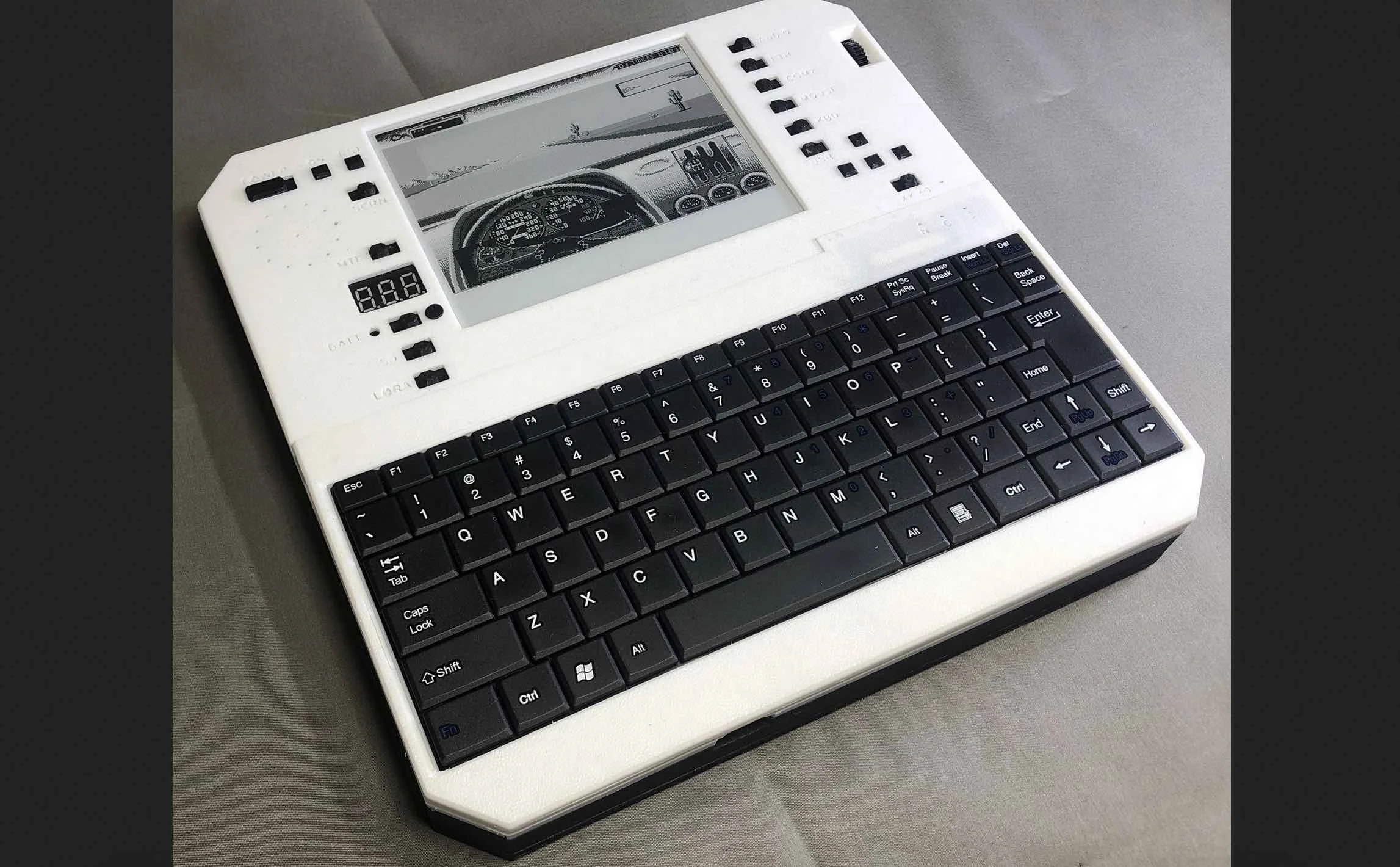
    It’s clear that many people around the world would happily sacrifice some raw power for extended battery life. The Evertop PC, an innovative open-source initiative, elevates battery longevity by incorporating vintage 80s components alongside a highly efficient E-ink display.

    Open-Source and Retro Appeal

    This project is open-source and accessible to anyone interested. Fans of retro computing are sure to appreciate this clone of the IBM XT. According to the creator, @ericjenott, this system can emulate a genuine IBM XT clone featuring an 80186 processor and an impressive megabyte of memory, all thanks to the ESP32 controller. As expected, the selection of operating systems is limited to what was available during that time, which includes DOS, Minix, and a few others. Most DOS software from the 80s is supported, provided they are compatible with the IBM XT.

    Impressive Display and Battery Life

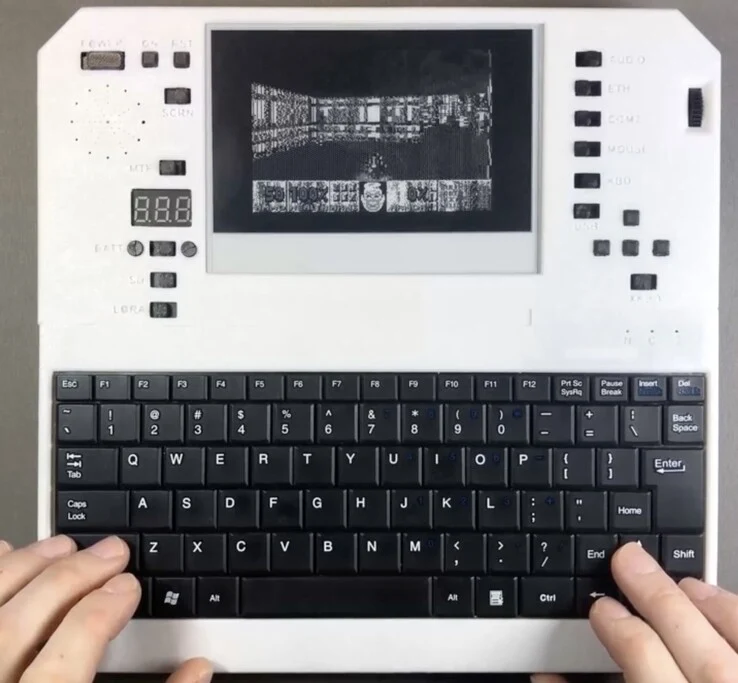
    At the top, there’s a 5.83-inch display that offers a resolution of 648 x 480. Because it’s an E-Ink screen, it doesn’t consume any power when it’s not refreshing. Storage is managed by a 256 GB SD card, which is adequately fast for the hardware involved. Thanks to its enormous 10,000 mAh battery and energy-efficient components, this system can achieve remarkable runtimes—anywhere from 200 to 500 hours, depending on usage. Additionally, solar charging support allows for 50 hours of operation from just one hour of charging.

    Connectivity Options

    Regarding connectivity, the Evertop includes a good selection of ports, such as PS/2 for mouse and keyboard, an ethernet port, USB for file transfers, and serial connections (9-pin RS232 and TTL). Video output is facilitated by CGA (Color Graphics Adapter), MCGA, Hercules, along with partial EGA and VGA support, though there may be limitations on resolution and color depth. There’s also a simplified version with fewer ports called the Evertop Mini currently in development. Overall, for those who love retro computing, the Evertop looks like an exciting project to engage with.

    Source:
    Link


  • Rust-Based Open-Source WiFi Stack Now Available for ESP32

    Rust-Based Open-Source WiFi Stack Now Available for ESP32

    An experimental open-source WiFi stack has been introduced for the ESP32. This project, named Ferris on Air (FoA), is created in async rust and serves as a proof-of-concept 802.11 stack. It aims to enable various interfaces using Embassy, a rust framework for embedded devices. The ultimate goal of this framework is to provide the ESP32 with features such as mesh networking and AirDrop. Although these features are thrilling, they were previously unattainable.

    The Challenge of Closed-Sourced Modules

    The ESP32 is mainly open-source, but its WiFi and Bluetooth modules are not, likely due to a hardware NDA that Espressif, the company behind the ESP32, is under. Thankfully, Espressif has agreed that the team could legally reverse engineer these modules and share the results under an Apache license. However, the process of reverse engineering is quite complex.

    The Reverse Engineering Journey

    To unlock the WiFi module, the team utilized Ghidra, a reverse engineering tool from the NSA, to study its code structure, logic, and function names—information that Espressif generously left in the code. This allowed the team to understand the roles of each hardware register that controls the WiFi Module. By combining physical and emulated ESP32 hardware analysis, they successfully reverse-engineered the WiFi module. Interestingly, the team had to create a DIY Faraday cage to separate the WiFi signals from the ESP32. For this, they constructed a wooden cube lined with conductive fabric, a fiberoptic cable to transmit signals to the ESP32, and a car battery to power the whole system.

    Future Developments

    Ferris on Air is still at the beginning of its journey but is rapidly developing and adding new features. More information about the reverse engineering process and additional project details can be found below.

    Check out Frosty314159 on GitHub and 38C3 for further insights.

    Source: Link

  • KV4P HT Ham Radio App Adds Exciting New Features for Android

    KV4P HT Ham Radio App Adds Exciting New Features for Android

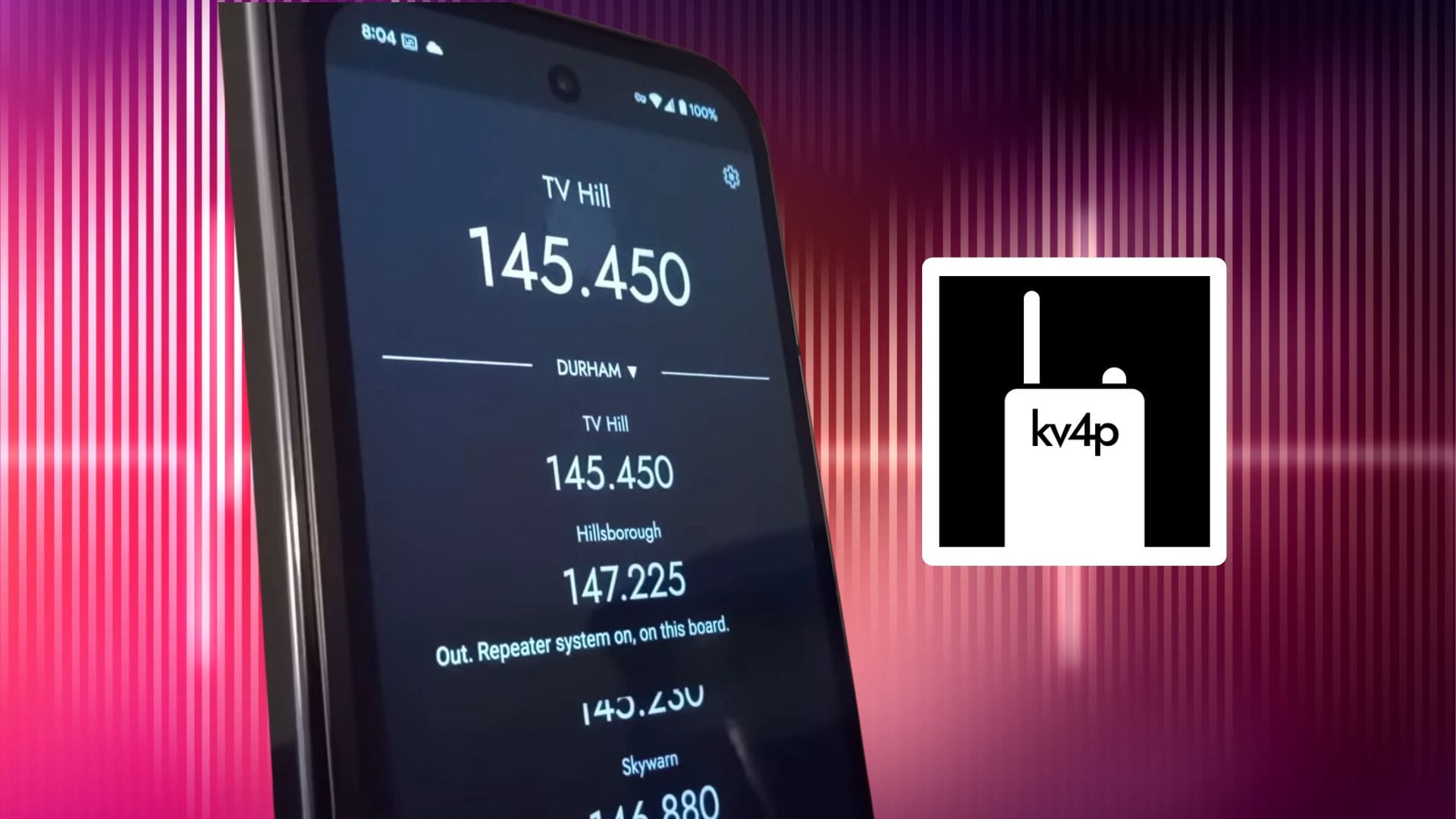
    For those unfamiliar with the kv4p HT project, this open-source initiative offers a clear and straightforward set of guidelines that allows you to turn $35 worth of parts into a fully functional Android-based ham radio transceiver. This plug-and-play radio also comes with a supportive Android application that lets you access essential features of the project, like:

    New Features in the kv4p HT App

    Now upgraded to version 1.2.3, the kv4p HT app has introduced several enhancements for user convenience. Along with various bug fixes, users can now utilize the Android application to flash or update the firmware on their kv4p HT setup, eliminating the need for a computer. Furthermore, the app allows for adjustments to tuning and frequencies, including:

    Updates to the Quickstart Guide

    The quickstart guide on the kv4p HT website has been refreshed for those embarking on their first radio-building experience. There’s a revised list of hardware options along with a new 3D printable case that accommodates a newer connector type required for the ESP32, which serves as the core of the build. Moreover, as the project expands, it seems that some build components are running low on stock, so users should frequently check the site for updates regarding any changes to the building process or to provide any feedback they wish to share with the developer. For more information, please visit the resources provided below.

    kv4p.com