
Key Takeaways
1. Game Bundles and Visual Issues: The Fallout 4 Anniversary Edition on Switch 2 includes the main game and six DLCs but retains visual glitches from previous versions.
2. Performance Analysis: The game runs at 1440p and 30 FPS in Docked mode, which is an improvement over the PS4 and Xbox One versions, though frame drops can occur during intense scenes.
3. Visual Fidelity and Performance Modes: The best performance is in the 40 FPS Docked mode at 1080p, but graphics quality decreases in 60 FPS mode due to Dynamic Resolution Scaling.
4. Handheld Mode Experience: In handheld mode, Fallout 4 maintains 30 FPS at native 1080p but drops resolution in more demanding situations, with the 60 FPS mode potentially lowering to 504p.
5. Future Updates: Bethesda plans to implement Nvidia’s DLSS for enhanced performance and visual clarity in a future update.
Bethesda’s Fallout 4 Anniversary Edition is now available on the Nintendo Switch 2. While the early footage from the February 2026 Nintendo Direct received some backlash, the final product appears to be a loyal yet notably enhanced version of Fallout 4.
Game Bundles and Issues
The Anniversary Edition includes the main game along with six major DLC expansions. Still, it doesn’t completely resolve ongoing problems, like the visual glitches that were present in the original PS4 and Xbox One versions, which also showed up on PS5 and Xbox Series X|S. This means the Switch 2 version stays true to the original, which has its pros and cons.
Performance Analysis
As per a detailed study from Digital Foundry, Fallout 4 on Nintendo Switch 2 runs at a native 1440p in Docked mode, consistently achieving 30FPS, which is better than the original PS4 and Xbox One’s 1080p target. Players delving into the early game areas can expect stable 30 FPS while roaming through the Commonwealth and Boston’s downtown.
Nevertheless, there are rare moments when the game can drop below 30 FPS at 1440p in Docked mode during intense scenes or battles with many foes on-screen, scaling down to 720p in demanding situations. This pattern is consistent across all performance settings and can also drop lower in the 60 FPS mode.
Visual Fidelity and Performance Modes
In terms of graphics, the game keeps steady lighting, shadows, and textures across various performance modes: 30 FPS, 40 FPS, and 60 FPS. The main compromise comes from Dynamic Resolution Scaling, which actively reduces image quality in the 40 FPS and 60 FPS modes, resulting in a softer appearance.
Currently, the best performance for Fallout 4 on the Nintendo Switch 2 is found in the 40 FPS Docked mode, which targets 1080p on a 120 Hz screen. Combined with VRR, this configuration smooths out motion and enhances frame pacing, leading to a noticeably smoother experience.
In the 60 FPS Docked mode, the hardware faces more strain, causing frame drops during intense combat and when viewing expansive landscapes, like from the Corvega factory.
In this mode, the resolution may decrease to 720p or 864p under heavy stress, while frame rates can drop to the sub-50s or lower. VRR helps lessen the impact of these drops, making them less noticeable during gameplay.
Handheld Mode Experience
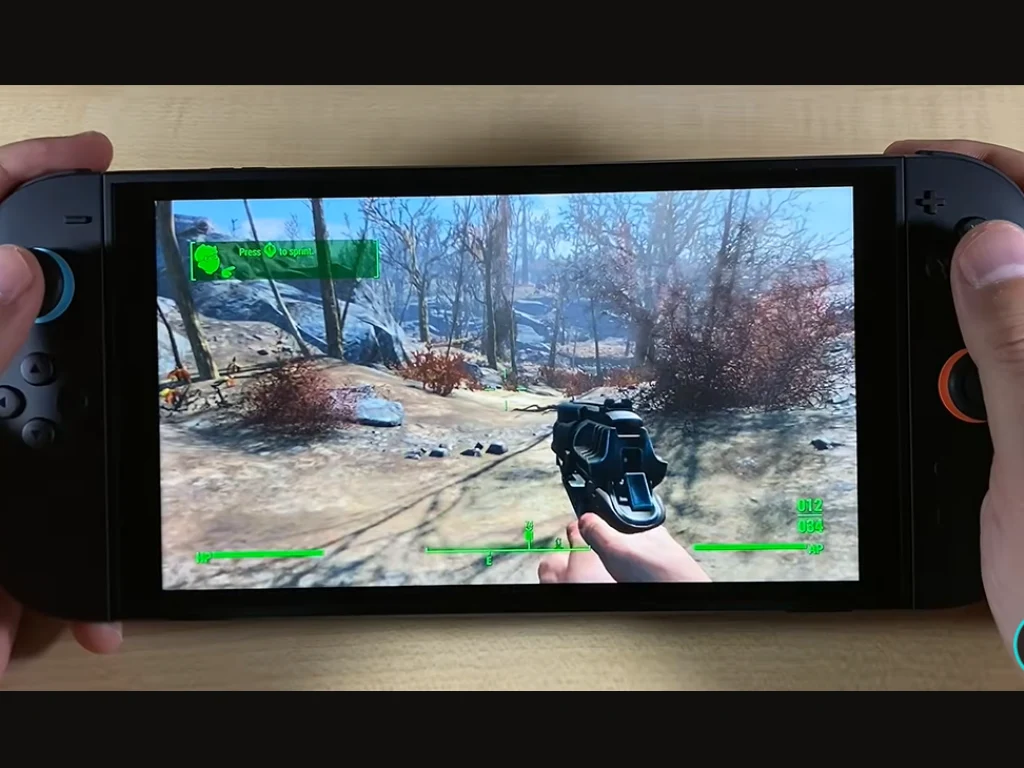
Fallout 4’s performance on the Nintendo Switch 2 in handheld mode presents a different scenario. As expected, the system reduces clock speeds to save battery, but the graphical settings stay the same across all FPS modes. The primary compromise is a more pronounced internal resolution scale.
At 30 FPS, the game manages to hold a native 1080p resolution, falling to 1026p or below in demanding situations, making it the clearest way to enjoy Fallout 4 on a portable device.
In 40 FPS mode, Dynamic Resolution Scaling keeps the internal resolution fluctuating between 810p and 990p. Conversely, the 60 FPS mode can push the internal resolution down to about 504p in graphically demanding areas and 900p in less intense parts. Nonetheless, VRR assists in smoothing motion and maintaining a generally playable experience.
At launch, Fallout 4 on Nintendo Switch 2 utilizes Bethesda’s temporal anti-aliasing solution. The studio has announced via X that Nvidia’s DLSS (CNN model) will be implemented in a future update, which should enhance performance and visual clarity on the Switch 2.
Source:
Link
Leave a Reply