
Key Takeaways
1. The E9 Pro vertical mouse is available for $69 through a Kickstarter campaign, competing with the Razer Pro Click V2 priced at $119.
2. It features a lightweight design of 3.4 oz and supports multiple connection types: cable, Bluetooth, and wireless 2.4GHz.
3. The mouse achieves a polling rate of up to 8,000Hz and utilizes the optical PW3395 sensor with DPI settings ranging from 800 to 36,000.
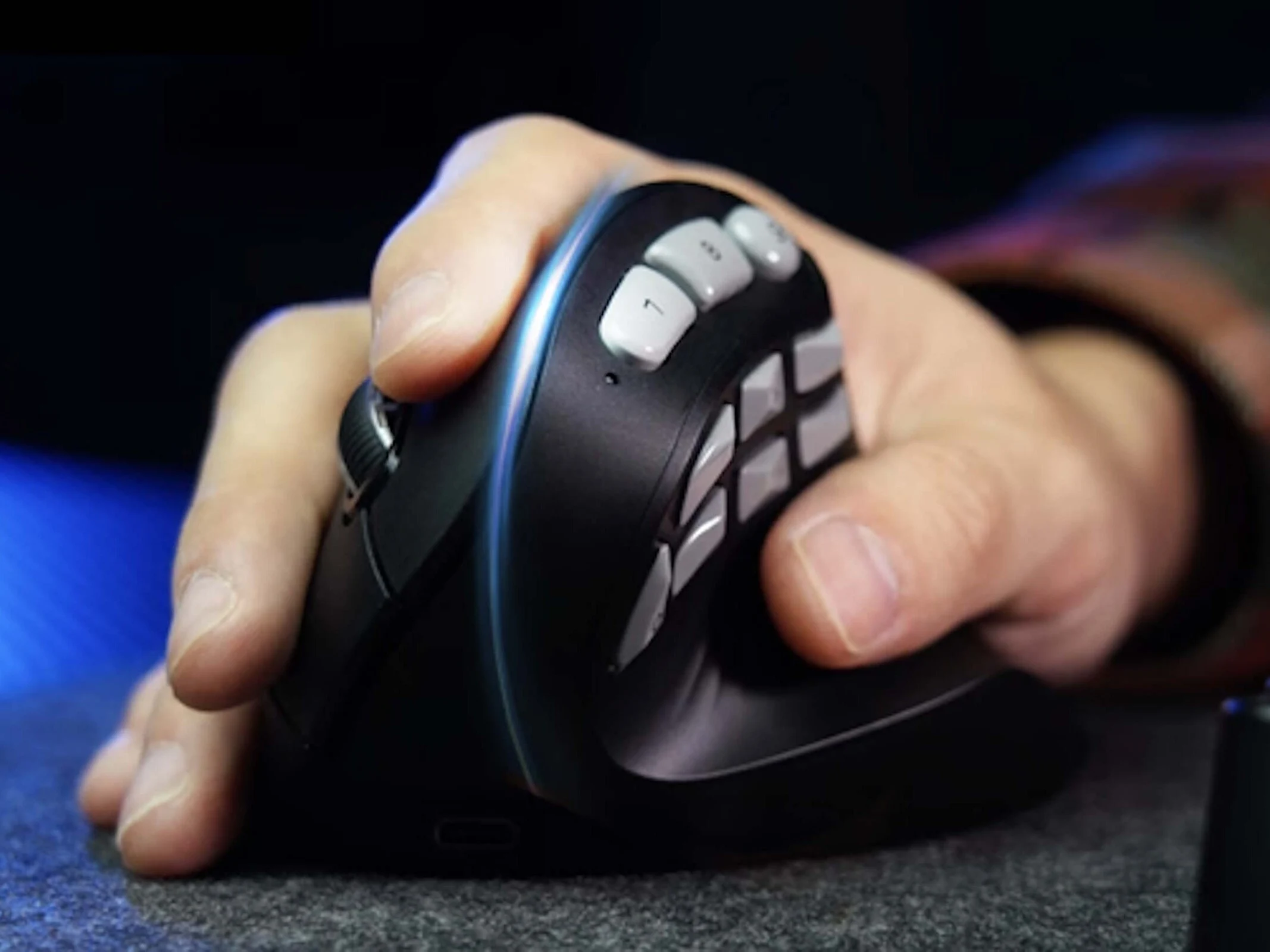
4. Its unique 45-degree angled design promotes better ergonomics by allowing the hand to grip the mouse rather than resting on it.
5. The E9 Pro includes multiple customizable buttons (nine in total) for macros, enhancing functionality for gamers, especially in complex game scenarios.
Vertical mice have been around for gamers for quite some time, and even major brands like Razer have products in this niche. The E9 Pro is set to enter the competition with mice such as the Razer Pro Click V2 Vertical, which starts at $119 on Amazon. Currently, the E9 Pro is available through a crowdfunding campaign on Kickstarter, where gamers can secure their vertical mouse for a pledge of $69. However, it’s important to consider the typical financial risks associated with crowdfunding before committing.
Design and Features
This gaming mouse has a weight of 3.4 oz and can connect using a cable, Bluetooth, or a wireless 2.4GHz dongle. Depending on the connection type, the E3 Pro can achieve a polling rate of up to 8,000Hz and offers low latency. It comes with the optical PW3395 sensor that supports DPI settings from 800 to 36,000. Unlike traditional mice, this vertical mouse features a design angled at 45 degrees, which means your hand grips the mouse rather than just resting on top of it, promoting better ergonomics.
Customization Options
On the right side of the mouse are the two main buttons, while the left side features a larger area with seven additional buttons. The manufacturer claims that all these buttons are customizable and can be programmed to execute macros, for example. Additionally, there are three more buttons located at the top of the mouse, which could be beneficial for gamers who play online RPGs or other complex games.
Source:
Link
Leave a Reply