Category: Gaming

  • Asus ROG Strix G16 Leaks with GeForce RTX 5050 and 14th Gen Intel

    Asus ROG Strix G16 Leaks with GeForce RTX 5050 and 14th Gen Intel

    Key Takeaways

    1. The Nvidia RTX 5050 laptop GPU has appeared on online stores, indicating an upcoming official launch, with Asus ROG Strix G16 listed at a placeholder price of 999,999,999 VND.
    2. The ROG Strix G16 features an Intel Core i7-14650HX processor, 32 GB DDR5-5600 RAM (upgradable to 64 GB), a 1 TB SSD, a 90 Wh battery, and a 16-inch 2.5K 240 Hz display.
    3. Despite its powerful CPU, the RTX 5050 GPU may struggle to achieve 240 FPS natively, leading users to rely on DLSS Frame Gen and Multi Frame Gen for better performance.
    4. The RTX 5050 GPU is expected to have a boost clock of up to 2,250 MHz, a thermal design power (TDP) of 115 Watts, and some models may have a lower TDP of 60 Watts.
    5. The RTX 5050 is reported to include a GB207 GPU with 2,560 CUDA cores.


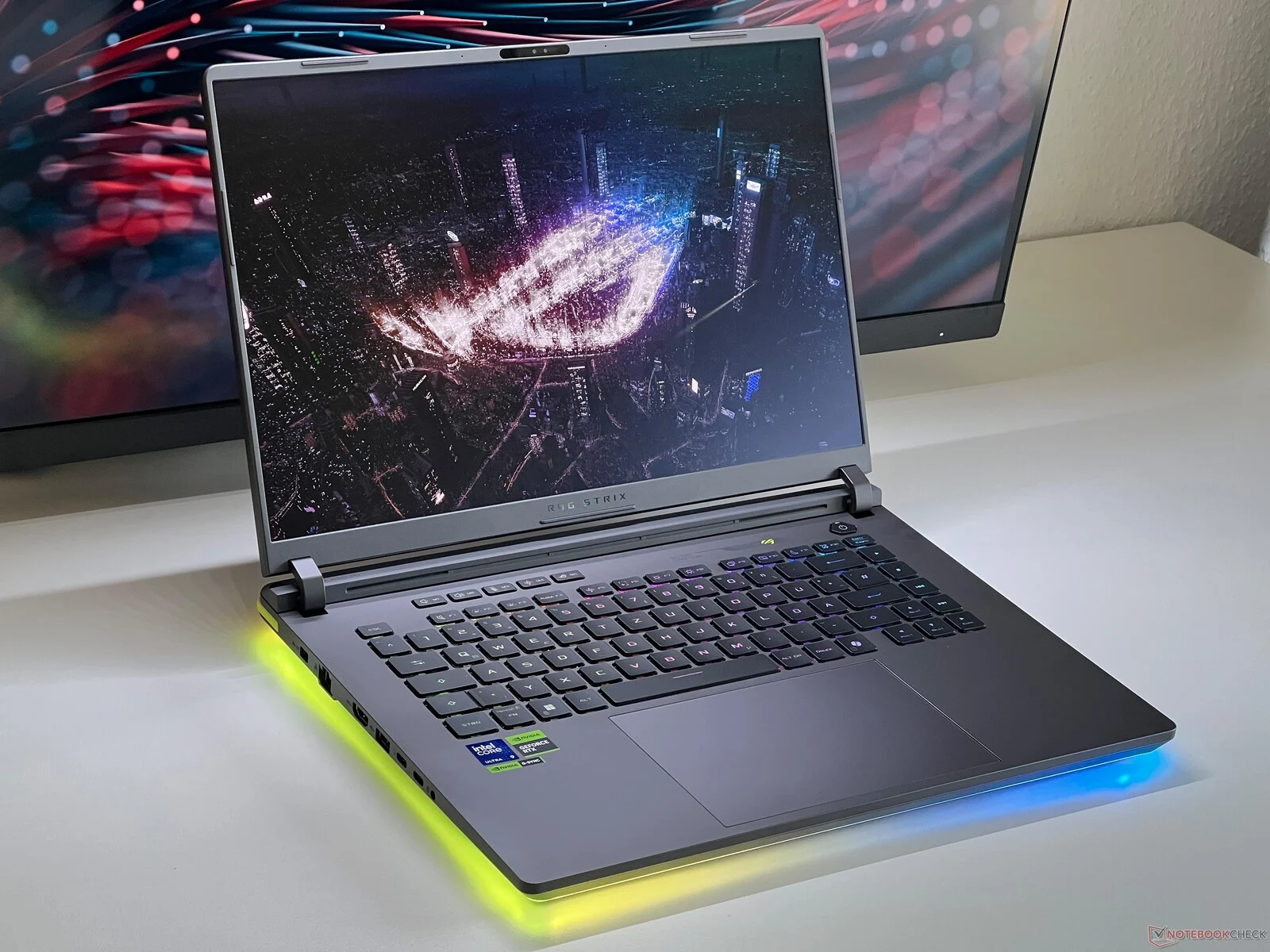
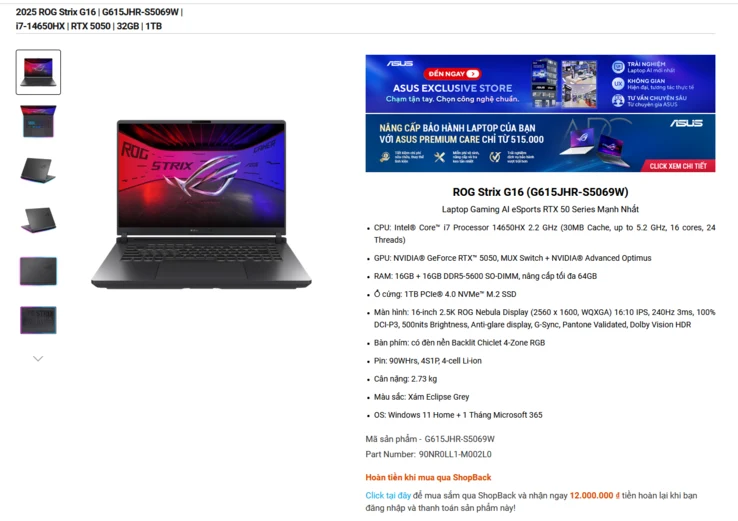
    Even though Nvidia has not yet officially unveiled the RTX 5050 laptop version, the GPU has appeared on various online stores along with a number of budget laptops. A recent listing from Vietnam showcases it again, this time featuring the Asus ROG Strix G16. The listing shows a placeholder cost of 999,999,999 VND, which is expected to be adjusted once the laptop is officially launched.

    Laptop Refresh Details

    To remind everyone, the laptop was updated at CES 2025 with the AMD Ryzen 9000 HX Fire Range mobile processors. A Dragon Range (Ryzen 8000 HX) update was also announced afterward. However, the ROG Strix G16 does not utilize either of those chips. Instead, it combines the RTX 5050 with an Intel Core i7-14650HX, which is based on the Raptor Lake architecture. Additional specifications include 32 GB of DDR5-5600 RAM (upgradable to 64 GB), a 1 TB SSD, a 90 Wh battery, and a 16-inch 2.5K (2,560 x 1,600) 240 Hz ROG Nebula display. The display is, especially, almost too much for a RX 5050 laptop.

    Performance Expectations

    Even with the powerful CPU, the GPU might struggle to maintain a consistent 240 FPS natively, which would likely compel users to rely on DLSS Frame Gen and Multi Frame Gen to maximize their hardware’s potential. The RTX 5050 laptop GPU is said to come with a boost clock reaching up to 2,250 MHz and a thermal design power (TDP) of 115 Watts (100 Watts base + 15 Watts boost), with some models dropping down to as low as 60 Watts. It is expected to include a GB207 GPU featuring 2,560 CUDA cores.

    Source:
    Link

  • Ubisoft Game Available for Free to Everyone: Don’t Miss Out!

    Ubisoft Game Available for Free to Everyone: Don’t Miss Out!

    Key Takeaways

    1. Ubisoft is shifting Tom Clancy’s Rainbow Six Siege to a free-to-play model, named Rainbow Six Siege X, to improve its financial situation.
    2. The free version grants access to specific modes and 26 operators, while a premium upgrade allows access to more operators and Ranked mode.
    3. A new game mode, Dual Front, will feature 6v6 gameplay on a large map with unique elements like in-match events and respawns.
    4. Players who have purchased the game before the free version will retain access to all modes and carry over their progress.
    5. The Standard Edition of Rainbow Six Siege is priced at $19.99 for new players.


    Ubisoft has been having a tough time lately, with several of its franchises not performing well. However, the French game studio is determined to make a change. One of its top games is set to go free-to-play, which could potentially improve Ubisoft’s business and financial situation.

    Free Access to a Beloved Game

    Ubisoft often provides trials for its AAA titles, but one game has stood out above the rest: Tom Clancy’s Rainbow Six Siege. After a decade of dedicated gameplay, this title is transitioning to a free model, at least partially.

    This new version, named Rainbow Six Siege X, will be available for free, but there will be some limitations. According to the official site, “Free access provides unrestricted access in Standard, Quick Play and Dual Front modes, along with a selection of 26 operators. Upgrading to a premium offer grants access to more operators and unlocks Ranked mode as players progress to level 50. By purchasing an edition of Rainbow Six Siege before Siege X release, you will maintain access to all modes, including Ranked, and carry over progression.”

    Exciting New Features

    Players can look forward to a new game mode called Dual Front, which is described as “A unique, permanent 6v6 game mode set on our biggest map yet with all-new gameplay elements, such as in-match events and respawns. Combine attackers and defenders and their abilities in ways never before seen, as you and your team attempt to secure the enemy sectors whilst defending your own.”

    If you have been playing the paid version for a long time, Ubisoft assures players that their progress will remain intact. Veteran rewards and badges will be waiting for you the next time you log into the game.

    Pricing Details

    To fully experience Tom Clancy’s Rainbow Six Siege, new players will need to make a purchase if they haven’t bought it yet. The Standard Edition is priced at $19.99.

    Source:
    Link

  • YouTuber Tests macOS 26 Tahoe: Cyberpunk 2077 Hits 60 FPS on M1 Max

    YouTuber Tests macOS 26 Tahoe: Cyberpunk 2077 Hits 60 FPS on M1 Max

    Key Takeaways

    1. Cyberpunk 2077 runs on a MacBook Pro M1 Max at 55-60 FPS using MetalFX Performance mode via CrossOver.
    2. The new macOS 26 Tahoe beta includes features like a special Games app and improved resource management for gaming.
    3. Metal 4 framework supports MetalFX Upscaling and built-in frame generation for better gaming performance.
    4. The game is not running natively on macOS; it uses CrossOver for compatibility with Windows titles.
    5. Performance during testing showed good heat and fan noise management, with native support for Cyberpunk 2077 expected later this year.


    A YouTuber has put Cyberpunk 2077 through its paces on a MacBook Pro M1 Max with the macOS 26 Tahoe beta, finding that frame rates consistently stay around 60 FPS. This performance boost is attributed to MetalFX upscaling and frame interpolation. The updated version also includes a special Games app, a revamped game mode for better resource management, and overall system improvements aimed at enhancing gaming experiences beyond what was available previously.

    Performance Insights

    In the video released by the YouTube channel Blendlogic Tech, Cyberpunk 2077 is seen running through CrossOver. The game, which is known for its high demands on PC systems, reportedly achieved frame rates between 55 and 60 FPS when using MetalFX Performance mode. When switched to Quality mode, the frame rates dropped a bit to around 45 FPS, although the visuals were noticeably better. The testing was done on a MacBook Pro M1 Max that features a 32-core GPU and 64 GB of unified memory.

    How it Works

    If you’re curious about how Nvidia-like GPU features function on Apple Silicon, here’s the breakdown. The game isn’t running natively on macOS; it’s actually being run via CrossOver, a compatibility layer that allows certain Windows titles to operate on Macs.

    Technical Details

    The game utilizes Apple’s Metal 4 framework, which was introduced with macOS 26 Tahoe. This framework includes features such as MetalFX Upscaling and a new built-in frame generation method. Although Apple does not incorporate Nvidia or AMD graphics cards, these innovations aim to provide similar advantages by leveraging the power of Apple’s integrated GPU and unified memory system.

    The YouTuber also noted that fan noise and heat levels were well managed, a common issue when playing demanding games on laptops. It’s important to mention that this performance isn’t quite at the native level yet, as Cyberpunk 2077 is set to launch on the App Store later this year with official support for Apple Silicon. The specific MacBook Pro used for this test, equipped with the M1 Max chip, can be found on Amazon.

    macOS 26 is currently in developer beta and is anticipated to be released later this year for Macs that support Apple silicon.

    Source:
    Link

  • DualSense Controllers to Support Multiple Device Pairing Soon

    DualSense Controllers to Support Multiple Device Pairing Soon

    Key Takeaways

    1. DualSense controllers currently only connect to one device at a time, despite having Bluetooth capabilities.
    2. Sony plans to release an update that will enable DualSense controllers to connect to multiple devices simultaneously.
    3. The update will allow the controller to remember previously connected devices for easier switching.
    4. The specifics of the update and its release timeline are still unclear, with users potentially waiting up to six months.
    5. Xbox controllers have had multi-device connectivity for a while, allowing easy switching between devices.


    One major issue that users of the PlayStation 5 have with their controllers is that, even though they have Bluetooth capabilities, they can only connect to one device at a time. Thankfully, Sony has revealed plans to roll out an update that will let DualSense controllers connect to multiple devices at once. However, specifics about this update are still not clear right now.

    Update Announcement

    The official PlayStation account on X shared news about an upcoming update that aims to improve pairing features, set for later this year. The DualSense controller is compatible with PS5, PC, mobile devices, and Mac, among others. Currently, it can only connect to a single device at a time, meaning that if you’re using your controller with a PS5 and want to switch to a PC or mobile, you have to either turn off the PS5 or disconnect it from the controller to establish a new connection.

    Multi-Device Functionality

    With the new multi-device pairing feature, the DualSense controller is expected to remember previously connected devices, allowing for a smoother transition between them. However, the exact mechanics of how this will function are still uncertain. The timeline for the update’s release is also vague, and fans might have to wait as long as six months.

    Comparison to Xbox Controllers

    Interestingly, Xbox Series X and Series S controllers have offered this capability for quite a while. They can connect to an Xbox and a second device, easily switching between the two using the Sync button.

    DualSense controllers come in a variety of colors, many of which are currently discounted on Amazon and other online stores.

    Source:
    Link

  • Hogwarts Legacy 2 Rumors: Could It Be Free to Play?

    Hogwarts Legacy 2 Rumors: Could It Be Free to Play?

    Key Takeaways

    1. A sequel to Hogwarts Legacy is being considered, although it has not been officially confirmed yet.
    2. Avalanche Software is looking for a design director for an online multiplayer RPG, hinting at potential changes for the sequel.
    3. Speculation suggests that Hogwarts Legacy 2 could be a free-to-play title.
    4. The studio is also seeking a specialist in game economics and monetization strategies, which may indicate microtransactions in the sequel.
    5. Hogwarts Legacy is available on the Nintendo Switch 2 with improvements over the original version.


    Following the triumph of the initial Hogwarts Legacy title, the creators appear eager to give fans of the Harry Potter realm a brand new installment. According to speculation, this upcoming game might be quite distinct from its predecessor.

    A New Adventure Awaits

    Created by Avalanche Software and released by Warner Bros Games, Hogwarts Legacy let players dive into the enchanting world of Harry Potter, crafting their own character’s journey. With more than 34 million gamers across various platforms, it’s hard to imagine that the developers wouldn’t want to create another installment.

    Still, the sequel has not been officially confirmed yet. Nevertheless, Gunnar Wiedenfeld stated in an interview with Variety that a follow-up to Hogwarts Legacy is a key focus. Additionally, Avalanche Software is taking steps towards this goal.

    Changes on the Horizon

    The studio is currently in search of a design director for an online multiplayer RPG, specifically someone with experience in free-to-play models. This job posting has led many fans of the franchise to speculate that Hogwarts Legacy 2 might be a free-to-play title.

    Upon examining the job description, it’s noted that the director will work closely with the teams that developed Hogwarts Legacy. However, these are merely rumors at this point, and no official confirmations have been made, so it’s wise to be cautious.

    Exciting Possibilities

    Further announcements suggest that the teams are also seeking a specialist in game economics, rewards, account systems, and monetization strategies. In the near future, Hogwarts Legacy 2 could adopt a free-to-play model, potentially featuring microtransactions for perks, cosmetics, and more, similar to several other games.

    While we wait for more details, fans of Harry Potter can check out Hogwarts Legacy on the Nintendo Switch 2, which has been available since June 5. It’s worth noting that this version is closer to the PS4 port, with some loading times improved, and significantly better than the one on the original Nintendo Switch.

    JeuxVideo.com (in French), WBD Careers’

    Source:
    Link


  • Ugreen Steam Deck Dock Offers 4K 120Hz Support Now on Amazon

    Ugreen Steam Deck Dock Offers 4K 120Hz Support Now on Amazon

    Key Takeaways

    1. Ugreen has released an upgraded Steam Deck Dock with 4K@120Hz DisplayPort support, priced at $47.99.
    2. The previous version is priced at $39.99 and supports 4K at 60Hz via HDMI.
    3. The new dock features data transfer speeds of up to 10Gbps and includes multiple USB ports, a Gigabit Ethernet port, and 100W Power Delivery.
    4. The dock is designed to fit the Steam Deck and is compatible with other devices, including ROG Ally, Legion Go, and iPad Air/Pro models with USB-C.
    5. The Ugreen Steam Deck Dock is available on Amazon for its standard price.


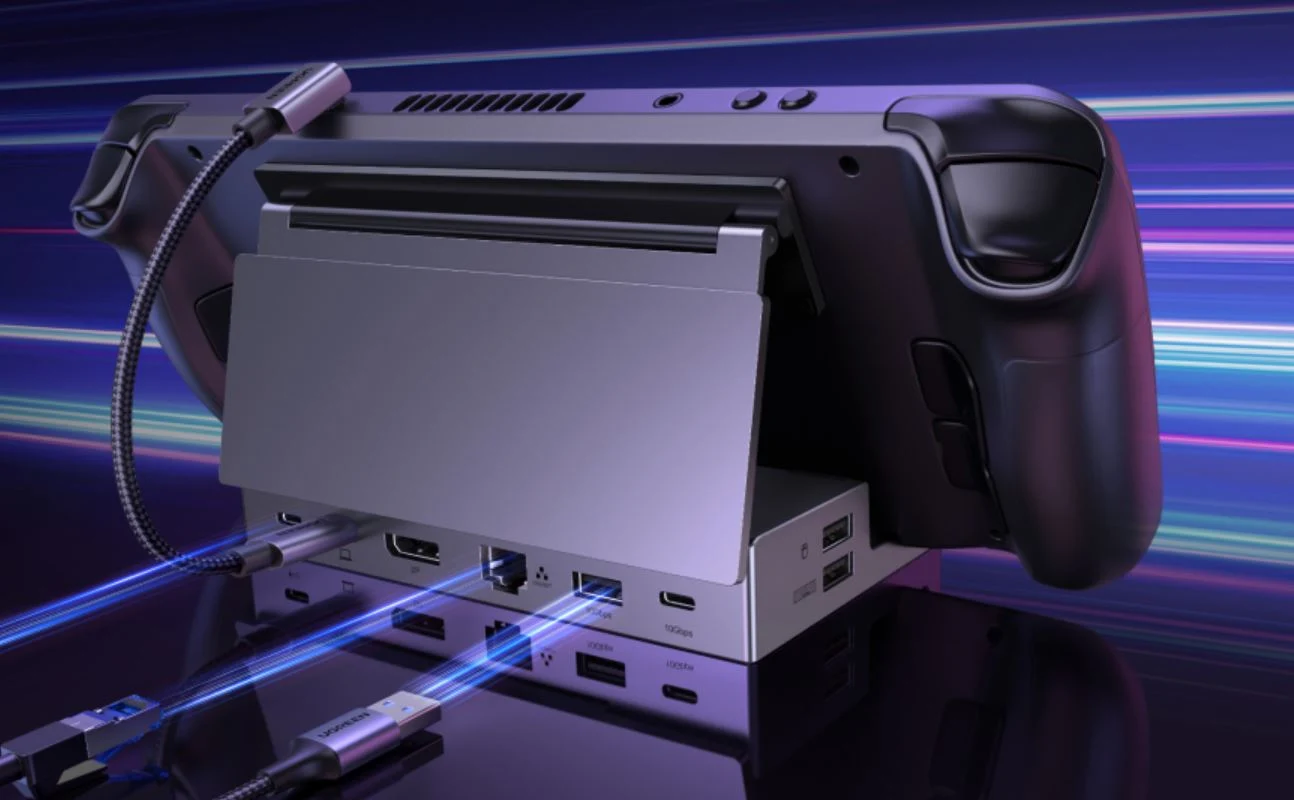
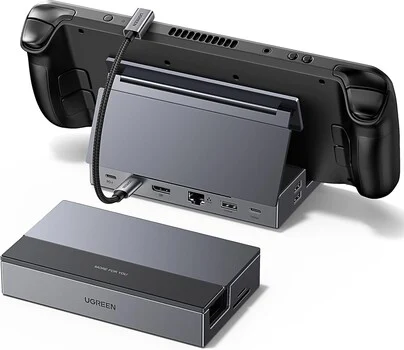
    Ugreen has been providing docking stations for the Steam Deck for a good number of years. Recently, they have introduced an upgraded version of a well-liked product on Amazon, called the Ugreen Steam Deck Dock with 4K@120Hz DP.

    Pricing and Availability

    The earlier version has been on the market for quite some time and is currently priced at $39.99 on Amazon. However, this model is restricted to 4K at 60Hz via HDMI. In contrast, the latest option is available for $47.99 on Amazon, offering DisplayPort that supports 4K at 120Hz, which fully utilizes the abilities of Valve’s famous Steam Deck.

    Features of the New Dock

    Besides providing 4K120 video output for displays or TVs, Ugreen’s Steam Deck Dock delivers data transfer speeds up to 10Gbps through USB 3.2 Type-C and Type-A ports. Moreover, there are two slower USB-A 2.0 ports for various accessories, a Gigabit Ethernet port, 100W Power Delivery via USB-C PD, and slots for SD and TF cards.

    Clearly, the Ugreen Steam Deck Dock is specially crafted for Steam’s gaming handheld. The console fits snugly into the dock’s foldable and adjustable stand. Alternatively, this Ugreen docking station also works with other devices such as the ROG Ally, Legion Go, and even Apple’s iPad Air and Pro models that come with a USB-C port.

    Source:
    Link


  • Alienware 16 Area-51: Fastest 175W Graphics Mode Requires Loud Fans

    Alienware 16 Area-51: Fastest 175W Graphics Mode Requires Loud Fans

    Key Takeaways

    1. The Alienware 16 Area-51 offers impressive 175 W TGP graphics, outperforming most 16-inch gaming laptops that typically have less than 150 W graphics.
    2. It outperforms the Razer Blade 16 by 10% in graphics performance, despite both using the same RTX 5080 GPU.
    3. Users must manually switch to “Turbo mode” via Alienware Command Center to access the full 175 W GPU performance.
    4. In “Performance mode,” the GPU is limited to 150 W, resulting in slightly slower performance.
    5. Activating Turbo mode increases fan noise from 50.4 dB(A) to 56.4 dB(A), making it louder than the Blade 16.


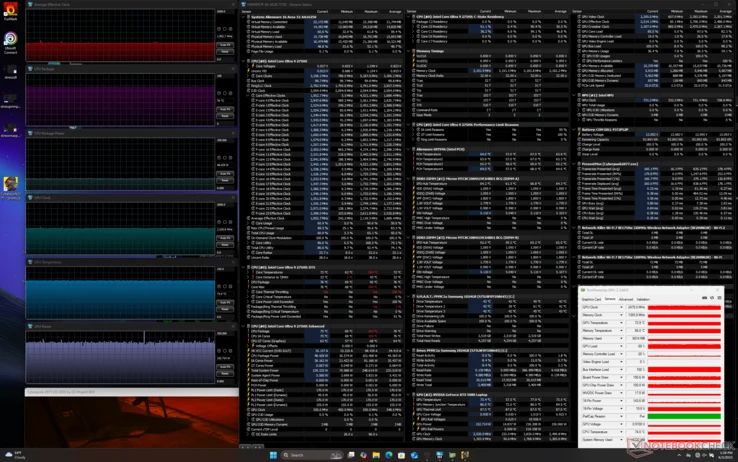
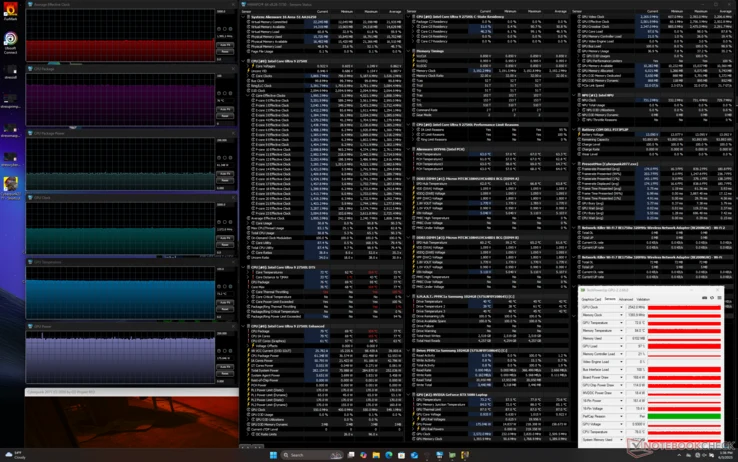
    The Alienware 16 Area-51 is now easily accessible for buying, and we were really impressed with its 175 W TGP graphics. This laptop stands out as one of the few 16-inch gaming machines that can handle 175 W graphics without any trade-offs. In contrast, most other laptops in this same size category usually provide less than 150 W graphics. For instance, our Time Spy benchmark table indicates that the Alienware outperforms the Razer Blade 16 by 10 percent in graphics, even though both laptops feature the same RTX 5080 GPU. It’s important to mention that the Blade 16 doesn’t have a similar “Turbo mode”; its highest setting is the standard Performance mode.

    Important Considerations

    However, there’s a key point to keep in mind: users need to manually switch the Area-51 to “Turbo mode” through the Alienware Command Center software that comes pre-installed, if they want the GPU to operate at 175 W. If not set to Turbo, the GPU is limited to 150 W, which results in slightly slower performance in “Performance mode.” Additionally, when moving from Performance mode to Turbo mode, the fan noise noticeably rises from 50.4 dB(A) to 56.4 dB(A), making it a bit louder than the Blade 16. While Dell’s offering is likely one of the fastest options available, it definitely has its drawbacks.

    Source:
    Link


  • Razer Launches BlackWidow V4 75 Barebones, $60 Off Complete Build

    Razer Launches BlackWidow V4 75 Barebones, $60 Off Complete Build

    Key Takeaways

    1. Razer has launched its first barebones keyboard, the BlackWidow v4 75 Barebones, allowing users to customize switches and keycaps.
    2. The kit includes high-quality components like a 5052-aluminum alloy top case, lubricated stabilizers, and a hot-swap PCB supporting 8K polling.
    3. Available in black and white, the barebones kit is priced at $140 for black and $150 for white, making it cheaper than the fully assembled version.
    4. Users can choose from Razer’s own switches or use their own, along with optional Razer Phantom keycap sets.
    5. Razer hints at future barebones kits and has a Pro model of the BlackWidow V4 with an OLED display for easier customization.


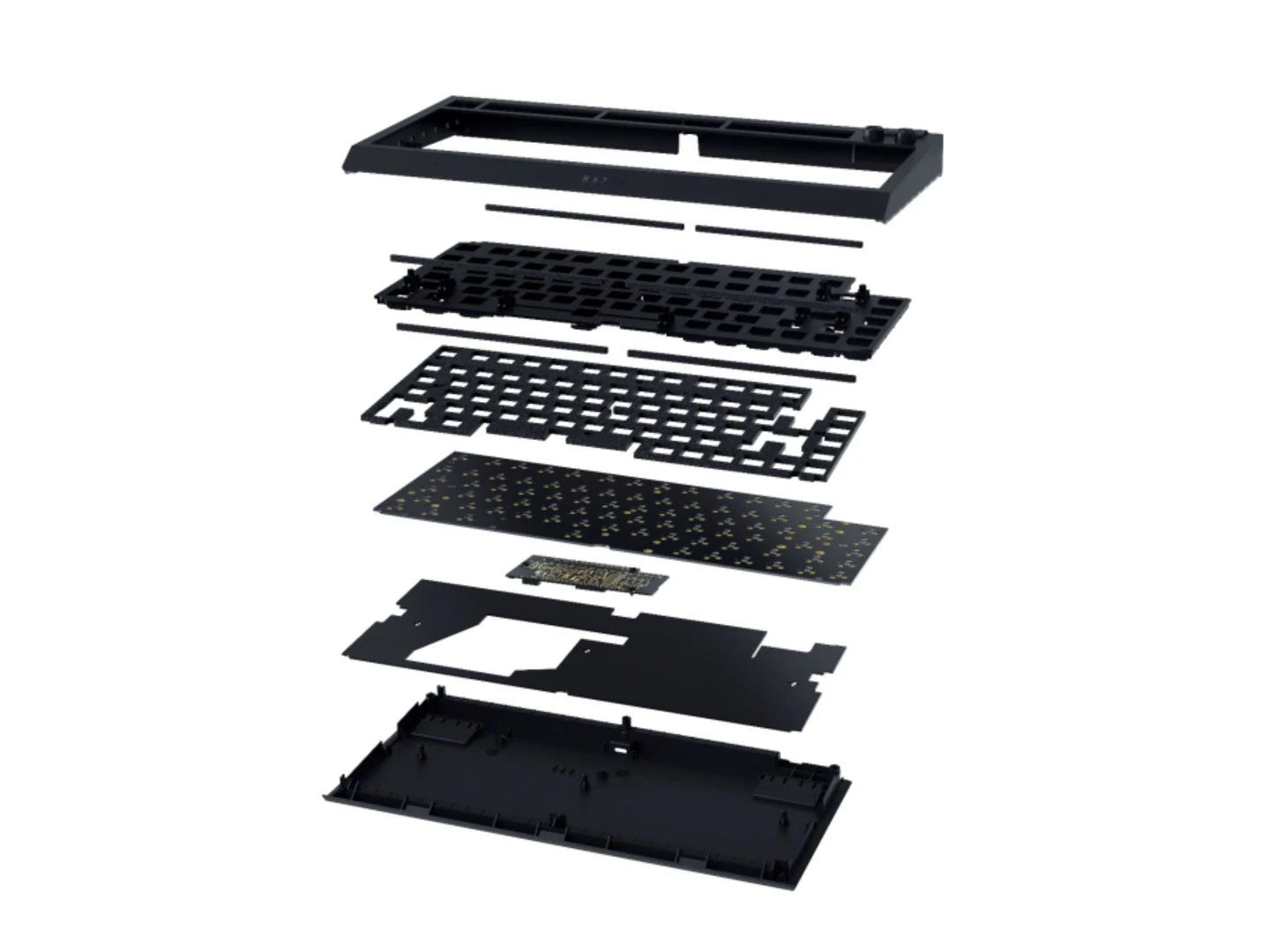
    Razer has introduced its very first barebones keyboard, giving users the chance to try out their own switches and keycaps, or select from Razer’s range. The Razer BlackWidow v4 75 Barebones is an upgrade to the company’s original hot-swappable keyboard, the BlackWidow v4 75 (Buy on Amazon). It retains the high-quality build, sound dampening features, and RGB lighting that the BlackWidow V4 series is known for.

    Kit Components and Options

    This barebones kit comes in two colors: black and white. It includes all components except for the switches and keycaps. Inside the kit, you’ll find a 5052-aluminum alloy top case, a multi-function roller along with two media keys, lubricated stabilizers, Poron gaskets, plate foam, and a hot-swap PCB that supports 8K polling. The hot-swap design means any standard 3-pin or 5-pin switches can be utilized. Razer also provides its own Orange tactile, Yellow linear, and Green clicky switches for users to choose from.

    Pricing and Keycap Choices

    Regarding the keycaps, users have the option to select the Razer Phantom upgrade set available in black or white, or they can use their own keycaps. The black barebones kit, without any switches or keycaps, is available for $140, making it $60 less than the fully assembled BlackWidow V4 75. Meanwhile, the white version is priced at $10 more.

    Future of Barebones Kits

    Razer claims that this launch signifies the start of a new chapter in their gaming keyboard history, hinting that more barebones kits may come out in the future. Additionally, there is a Pro model (Buy on Amazon) of the BlackWidow V4 that includes an OLED display for simple customization options.

    Currently, the Razer BlackWidow v4 75 Barebones can be purchased through the official website and Razer stores. It’s still uncertain if other retailers will also stock this barebones kit.

    Source:
    Link

  • Ninja Gaiden 4 Pre-Order Options: $999.99 PS5 Edition Available

    Ninja Gaiden 4 Pre-Order Options: $999.99 PS5 Edition Available

    Key Takeaways

    1. Release Date and Editions: Ninja Gaiden 4 is set to launch on October 21st, with Standard ($69.99) and Deluxe ($89.99) editions available for pre-order on PC, PS5, and Xbox.

    2. Pricing Error: Walmart mistakenly listed the PS5 version at $999.99, causing social media buzz, while the correct prices are significantly lower at other retailers.

    3. Game Pass Availability: Ninja Gaiden 4 will be available on day one for Xbox Game Pass, expanding access for subscribers.

    4. Deluxe Edition Extras: The Deluxe Edition includes the Yakumo skin, a weapon set, additional cosmetic items, and 50,000 NinjaCoin for unlocking new skills.

    5. Series Continuation: This installment marks the return of the Ninja Gaiden series after a 13-year break, featuring the younger character Yakumo instead of Ryu Hayabusa.


    The latest Xbox Games Showcase has unveiled that Ninja Gaiden 4 will be launched on October 21st. Pre-order details are now accessible, showcasing both Standard and Deluxe editions across PC, PS5, and Xbox platforms. Interestingly, one retailer has caught the spotlight due to what appears to be a pricing error. Walmart has set the price for the base PS5 version at an astonishing $999.99. In contrast, gamers can secure the hack-and-slash adventure at other retailers for the more standard price of $69.99 for the Standard version and $89.99 for the Deluxe edition.

    Pricing Errors and Marketplace Reactions

    Walmart’s listing likely serves as a SKU placeholder, allowing retailers to manage inventory even when prices aren’t established. Although many social media users acknowledge this as a mistake, there’s a growing concern among gamers regarding the rising costs of new games. Nintendo made waves with its announcement that Mario Kart World for the Switch 2 would be priced at $80. Following suit, Microsoft indicated that some first-party Xbox titles will see increased prices as well. Indeed, The Outer Worlds 2 is set to require an $80 investment at its release in October.

    Game Details and Availability

    Ninja Gaiden 4 will also be available on day one for Game Pass, created by Koei Tecmo and published under the Xbox Game Studios banner. The Standard Edition is priced at $69.99, but it’s important to highlight that disc versions are exclusively offered for the PS5. Meanwhile, Xbox titles that support Play Anywhere are increasingly being restricted to digital formats. As for pre-order incentives, the only bonus for the standard version is the Dark Dragon Descendant Yakumo skin.

    Deluxe Edition Features

    For those interested in the Deluxe Edition priced at $89.99, it includes the Yakumo skin as well as additional cosmetic items, the Divine Chimera Yakumo weapon set, and possibly future downloadable content. Players will also receive 50,000 NinjaCoin, which can be used to unlock new action skills.

    After a lengthy 13-year hiatus, Ninja Gaiden 4 marks the anticipated continuation of the series following the third installment. This time around, players will take control of the younger Yakumo rather than the iconic Ryu Hayabusa. With Koei Tecmo’s titles often featuring intense combat against multiple foes, there’s a mix of excitement and trepidation among fans as they await the Ninja Gaiden 4 release to discover the new obstacles it will present.

    The Wario64 X account has shared updates regarding Walmart’s listing.

    Source:
    Link


  • Nintendo Switch 2 microSD Express to M.2 2230 SSD Adapter News

    Nintendo Switch 2 microSD Express to M.2 2230 SSD Adapter News

    Key Takeaways

    1. The Nintendo Switch 2 lacks expandable M.2 SSD storage, relying solely on a built-in microSD Express slot.
    2. NVNTLabs is developing a converter to turn microSD Express cards into M.2 2230 SSDs, but the project is still in early stages.
    3. Early attempts to use the adapter have encountered errors, indicating that the project requires further development.
    4. If successful, the converter could provide more economical and faster storage options for the Nintendo Switch 2.
    5. Updates on the project can be followed on GitHub and Bilibili, with additional information available on X at @NVNT_R.


    Unlike many portable gaming devices available today, such as the Steam Deck and Asus ROG Ally, the Nintendo Switch 2 does not come with the option for expandable M.2 SSD storage. Instead, users are limited to the built-in microSD Express slot, which requires a compatible card to use.

    Modding for Expansion

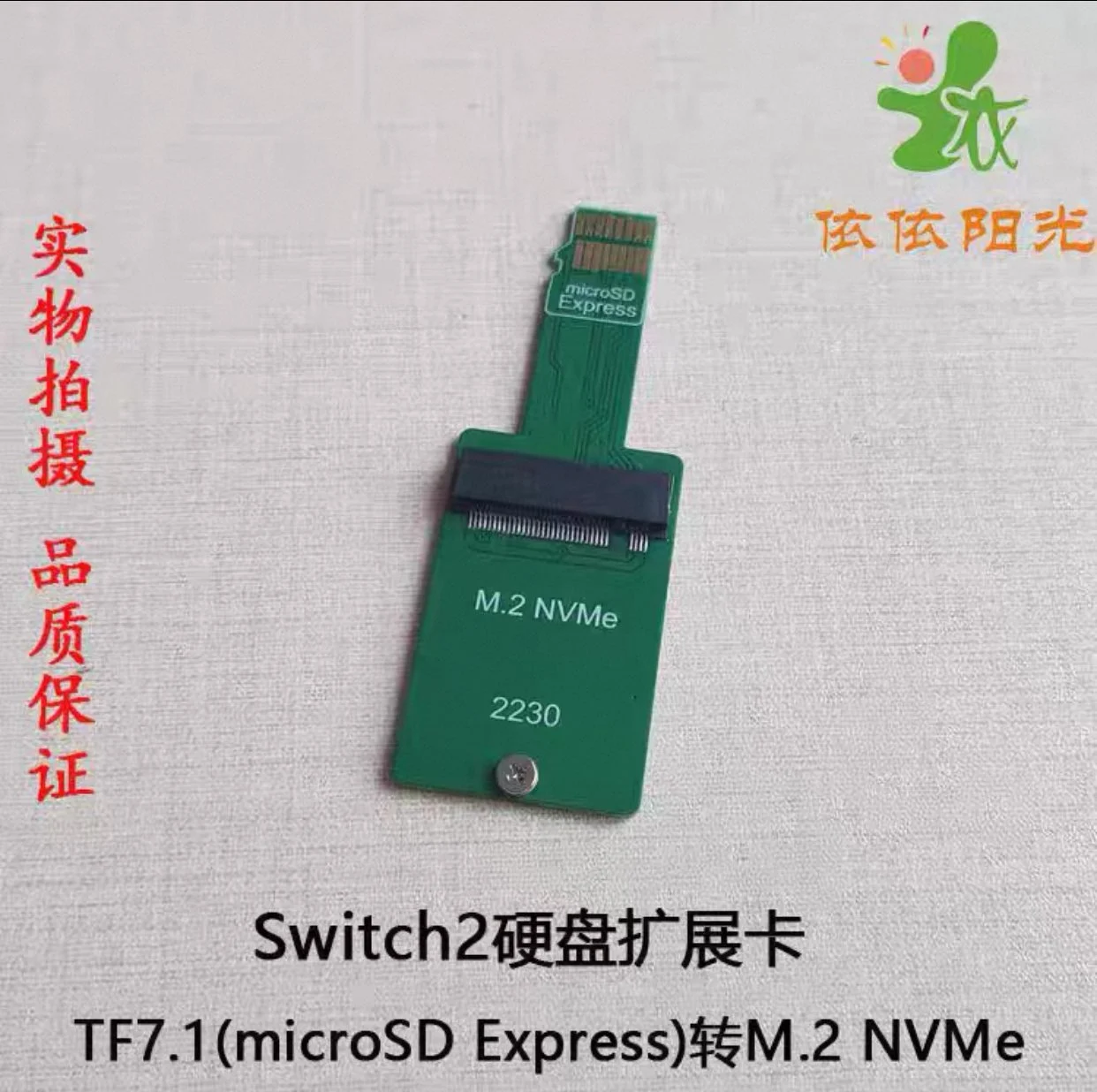
    A creative modder is working on a solution to this limitation using a combination of hardware and software tricks. The group known as NVNTLabs on GitHub has begun developing a converter that could turn a microSD Express card into an M.2 2230 SSD. Theoretically, this is achievable since the microSD Express can be adapted to an SD Express PCIe Gen3 x1 interface. However, this project is still in its infancy and may take a while to finalize.

    Early Attempts and Challenges

    One user on Bilibili tried to use the adapter with their newly purchased Nintendo Switch 2 but encountered an error message (2016-0641). According to Nintendo’s support site, this error code indicates a problem with the SD card, highlighting that the project is still a work in progress.

    If this project is successful, it could enable a simple dongle that offers improved storage options for the Nintendo Switch 2. As it stands, a 256 GB microSD Express card is priced at around $56 (~4.5 GB per dollar) on Amazon. In contrast, a 1 TB WD Black M.2 2230 NVMe SSD can be purchased for $99 (~10.10 GB per dollar), making it a more economical choice. Additionally, utilizing the PCIe Gen 3 interface could lead to shorter loading times.

    Stay Tuned for Updates

    Keep an eye on NVNTLabs over on GitHub and follow their progress. Also, check out Bilibili for more user experiences and updates on this intriguing development. You can also follow them on X at @NVNT_R.

    Source:
    Link