Tag: M.2 SSD

  • MSI Raider 16 Max HX: Simple Feature We Want on More Laptops

    Key Takeaway

    – First 16-inch model in the Raider family with a brand-new design, not a scaled-down 18-inch version
    – Built-in bottom subpanel for quick access to M.2 SSD and DDR5 SODIMM slots
    – Faster, simpler upgrades without removing the entire bottom panel
    – Avoids breaking warranty stickers or seals during upgrades
    – Reduces risk of accidental damage for less experienced users


    MSI Raider 16 Max Debuts with a Clever Upgrade Panel

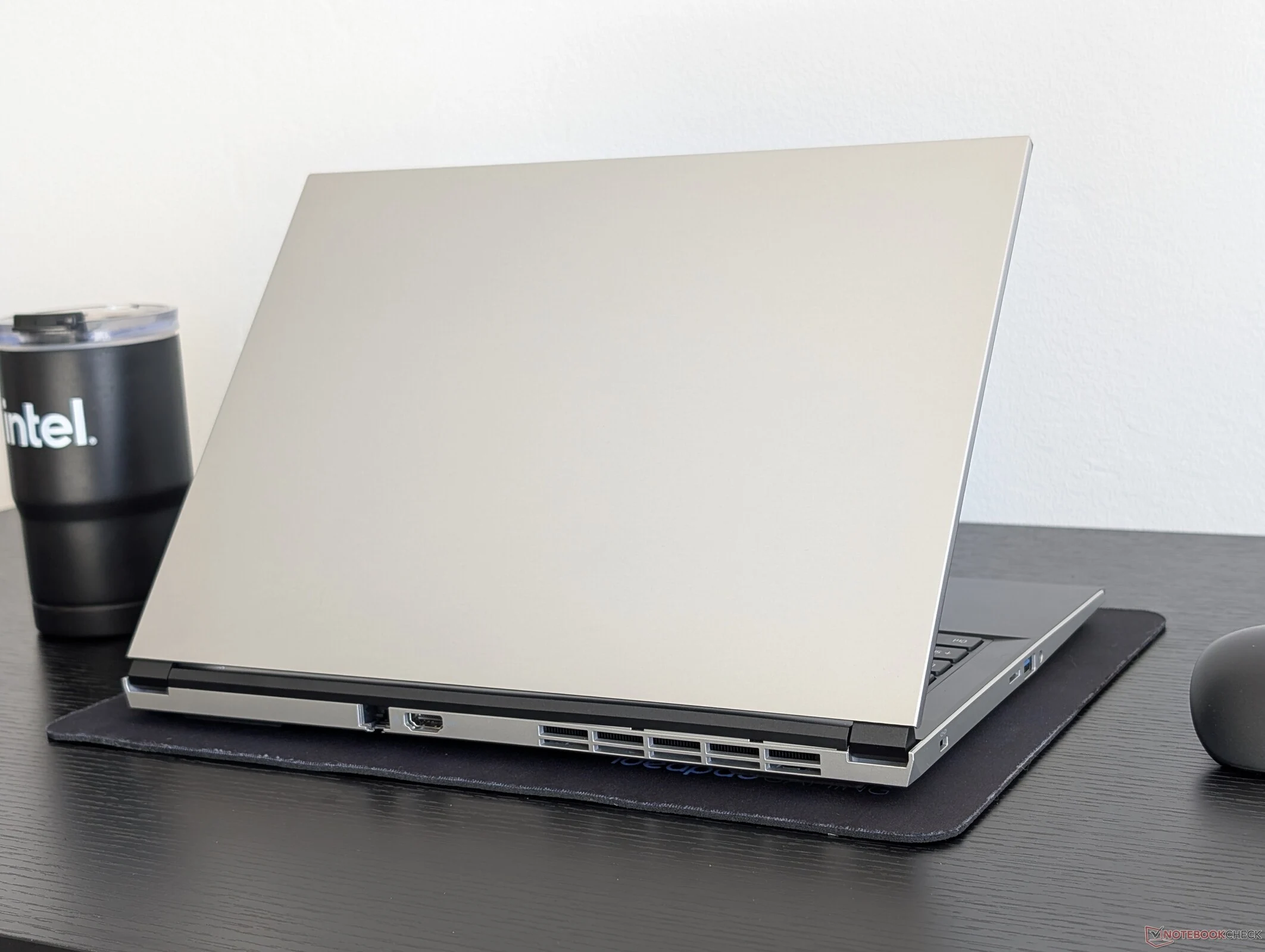
    The MSI Raider 16 Max made its debut at CES 2026 as the first 16-inch model in the Raider family. Instead of taking the easy way out, however, the Raider 16 Max is a fresh new design and not simply a smaller version of the larger 18-inch Raider 18 HX. It subsequentley sports several external features not found on its older sibling including one that we find to be especially usefull.

    Innovative Subpanel Design for Quick Upgrades

    The bottom panel of the new Raider 16 Max has a built-in subpanel for quicker access to the two M.2 SSD slots and two DDR5 SODIMM slots. Thus, instead of needing to remove the entire bottom panel just for simple upgrades as on the vast majority of laptops, owners will only need to remove the two screws securing the subpanel on the Raider 16 Max. Not only does this approach save on time, but the lower barrier of entry makes it much less daunting for end users who may not be as familiar or comfortable with upgrades.

    Warranty and Practical Benefits

    Arguably the biggest advantage to the subpanel is that it circumvents the need to break any warranty stickers or warranty seals that often appear on older MSI models. The bottom panel on many laptops can be tricky to open and so any accidental damages are significantly reduced with the subpanel aproach. This is a major quality-of-life improvement for people who like to tinker but also want to keep there warranty intact.

    Limitations of the Subpanel Access

    The subpanel on the Raider 16 Max unfortunatly does not grant direct access to the removable M.2 WLAN module, main Li-Ion battery, or cooling solution, but the entire bottom panel can still be removed with relative ease should the need arise. So while it handles the most common upgrades admirably, you’ll still need to do a full teardown for battery or thermal paste replacement.

    • Pricing and specifications for the MSI Raider 16 Max vary by configuration, with the base model starting at around $2,499 featuring an Intel Core Ultra 9 processor and an NVIDIA GeForce RTX 5080 GPU.
    • Higher end models can reach up to $3,999, offering up to 64GB of DDR5 RAM and a 4TB PCIe Gen 5 SSD, along with a 16-inch 4K Mini-LED display at 240Hz.
    • Dimensions are 14.1 x 10.5 x 0.9 inches and weight starts at 5.5 pounds.

    More information can be found on our full review of the Raider 16 Max.
    Sources
    • Eurocom Blitz Ultra 2: Features Missing in Most 14-Inch Laptops

      Eurocom Blitz Ultra 2: Features Missing in Most 14-Inch Laptops

      Key Takeaways

      1. The Eurocom Blitz Ultra 2 14 allows for upgradeable RAM and supports two full-size M.2 SSDs, unlike typical 14-inch subnotebooks.
      2. Users can customize the device with up to 128 GB of RAM and 16 TB of storage, making it suitable for RAM-intensive applications.
      3. Competing models, like the HP EliteBook X G1i 14, have limitations on RAM and SSD expansion options.
      4. The Eurocom device is bulkier and heavier compared to standard 14-inch subnotebooks, affecting portability.
      5. Potential buyers should consider the trade-offs between upgradeable features and the increased size and weight of the device.


      There are certain aspects that many 14-inch subnotebooks tend to give up due to their compact designs. Typically, these devices come with soldered LPDDR5 memory instead of removable or upgradeable RAM, and they often only accommodate one M.2 SSD rather than two separate drives. However, the Eurocom Blitz Ultra 2 14 stands out as one of the rare 14-inch subnotebooks that allows for both upgradeable RAM and the capability to install up to two full-size M.2 SSDs.

      Upgrade Options and Performance

      As highlighted in our review of the device, the Blitz Ultra 2 14 can be customized by users to include up to two 64 GB DDR5-5600 SODIMM modules, leading to a total of 128 GB of RAM, or even two 8 TB M.2 2280 NVMe SSDs configured in RAID 0/1, providing a massive storage capacity of up to 16 TB. In comparison, well-known 14-inch business laptops like the HP EliteBook X G1i 14 are limited to a maximum of 32 GB or 64 GB of non-upgradable RAM with no options for SSD expansion. Therefore, users who need to run multiple servers or RAM-intensive applications may find the lesser-known Eurocom model to be a more appealing choice.

      Considerations and Trade-offs

      Despite its advantages, there are some trade-offs to be aware of. One major downside is that the Eurocom device is slightly bulkier and heavier than the typical 14-inch subnotebook, including the previously mentioned HP model. This enhanced repairability does come with its own set of drawbacks when it comes to portability.

      Conclusion

      In conclusion, while the Eurocom Blitz Ultra 2 14 offers unique features that cater to power users, potential buyers should weigh these benefits against its size and weight. It’s a solid option for those seeking upgradeable hardware and extensive storage, but it might not be the best fit for everyone.

      Source:
      Link


    • Satechi SSD Enclosure Expands Mac Mini Storage to 8TB

      Satechi SSD Enclosure Expands Mac Mini Storage to 8TB

      Key Takeaways

      1. Sleek Design: The Satechi USB4 Slim NVMe SSD Enclosure is only 0.63 inches thick and matches the dimensions of the Mac Mini, allowing for easy placement without taking up extra space.

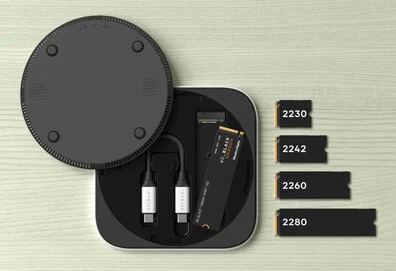
      2. Convenient Storage: The short USB-C cable can be stored inside the enclosure, enhancing portability, and it is compatible with both Macs and Windows computers.

      3. High Storage Capacity: Supports NVMe SSDs up to 8TB, offering a cost-effective alternative to Apple’s internal storage options.

      4. Fast Speeds: The enclosure can achieve data transfer speeds of up to 3,100 MB/s.

      5. Affordable Pricing: Priced at $119, the enclosure requires a separately purchased compatible SSD, making it a budget-friendly option for storage expansion.


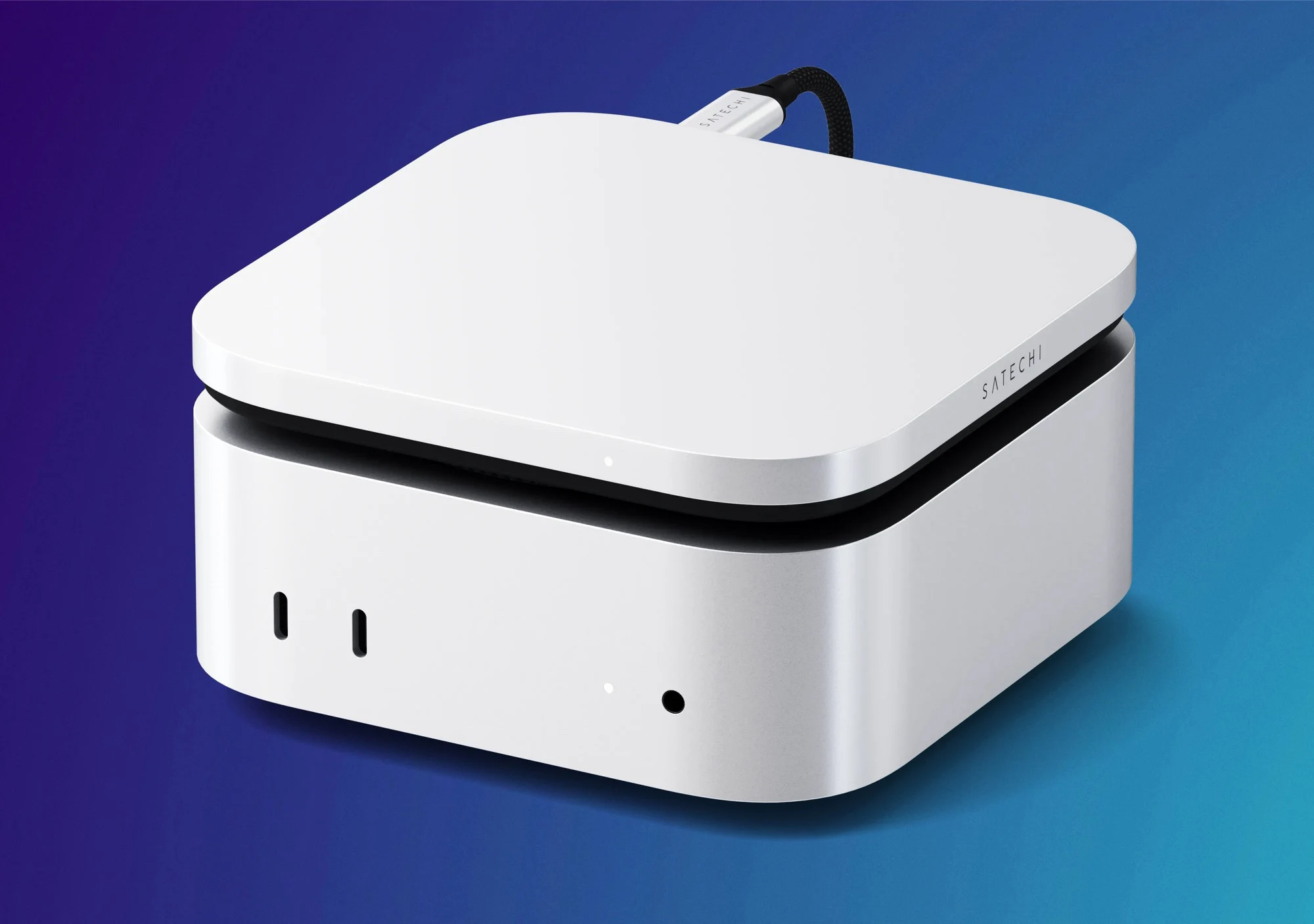
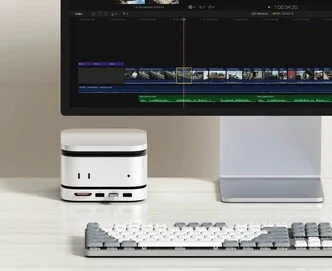
      While numerous docking stations for the Apple Mac Mini come with an M.2 SSD slot, the new USB4 Slim NVMe SSD Enclosure from Satechi prioritizes a sleek design over extra connectivity features. This accessory measures just 0.63 inches in thickness and matches the dimensions of the current Apple Mac Mini, measuring 5 inches in both length and width.

      Convenient Design

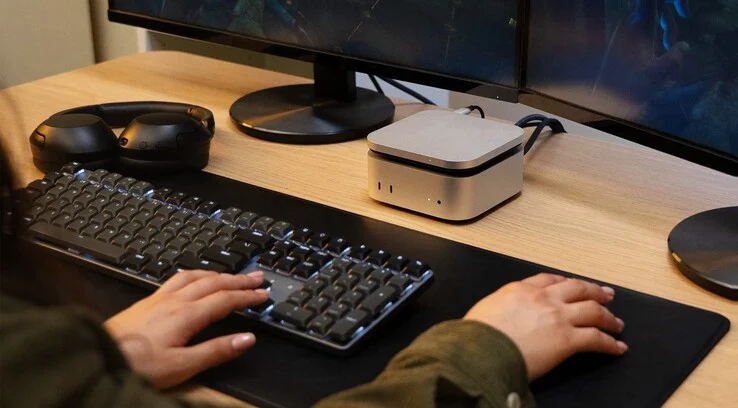
      This SSD enclosure can easily be placed on top of or beneath the Mac Mini, ensuring it doesn’t occupy any extra space on your desk. The short USB-C cable can be conveniently stored inside the enclosure, which enhances its portability. Since it connects through USB-C, this storage expansion device is also compatible with other Macs and even Windows computers. However, it’s important to note that a compatible SSD isn’t included with the purchase. The enclosure works with standard heatsink-less NVMe SSDs in the M.2 2280 format.

      Storage Capacity

      It supports SSDs with capacities up to 8TB, which can help users save a significant amount of money. For instance, Apple charges an extra $800 for an additional 2TB of internal SSD storage for the Mac Mini. By comparison, an 8TB WD Black M.2 SSD is currently priced at $609 on Amazon, while 2TB SSDs can be purchased for around $115 on Amazon. Satechi claims that this enclosure can achieve speeds of up to 3,100 MB/s.

      The Satechi USB4 Slim NVMe SSD Enclosure for the Apple Mac Mini is available for order at a price of $119. The company has not shared information about a worldwide launch, but Satechi products typically reach other markets within a few weeks following their release in the US. As previously mentioned, a compatible SSD for storage expansion needs to be bought separately.

      Conclusion

      Satechi’s new product exemplifies a balance between design and functionality, making it a practical choice for users who want to expand their Mac Mini’s storage without compromising on space.

      Source:
      Link


    • Nintendo Switch 2 microSD Express to M.2 2230 SSD Adapter News

      Nintendo Switch 2 microSD Express to M.2 2230 SSD Adapter News

      Key Takeaways

      1. The Nintendo Switch 2 lacks expandable M.2 SSD storage, relying solely on a built-in microSD Express slot.
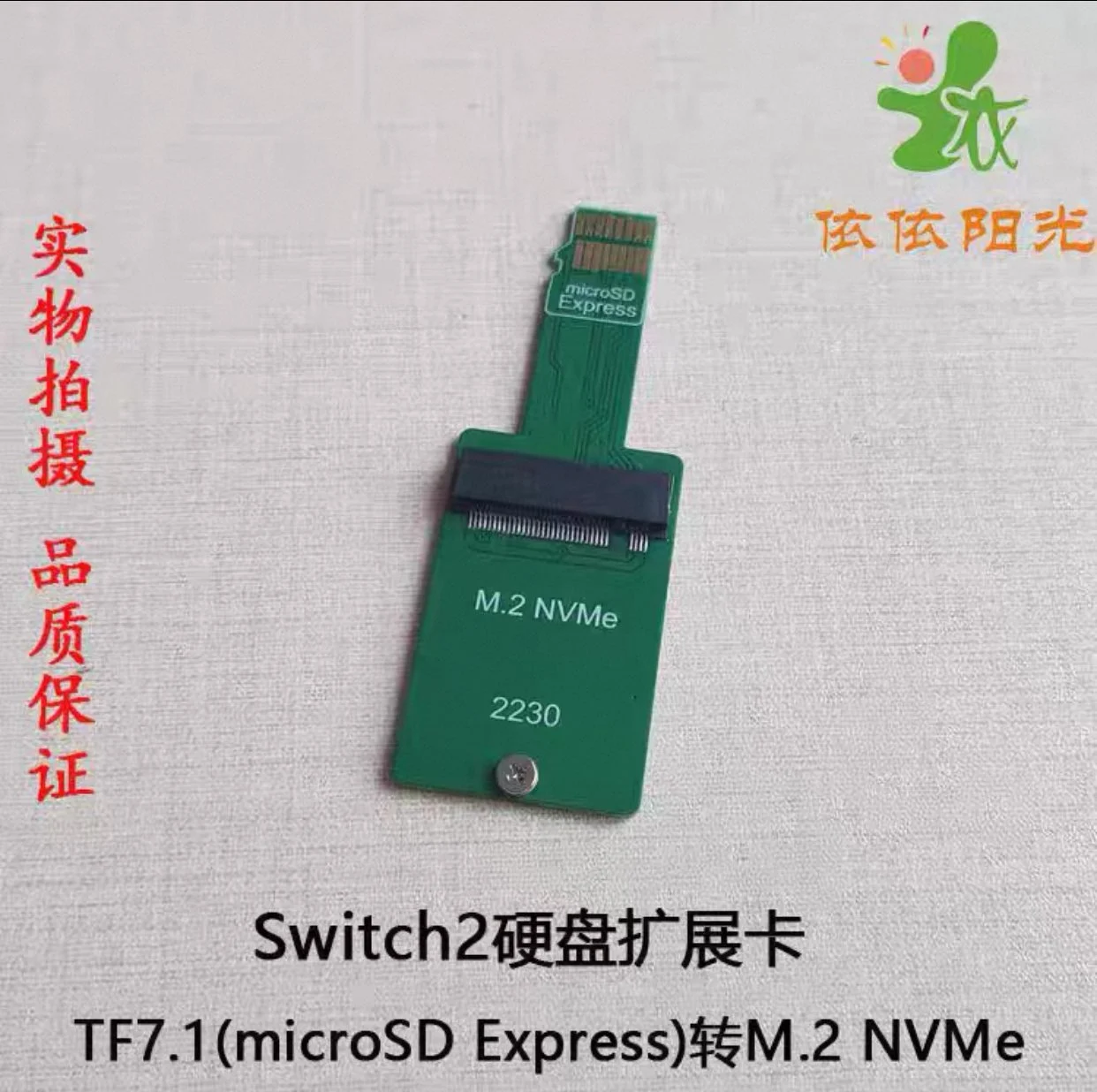
      2. NVNTLabs is developing a converter to turn microSD Express cards into M.2 2230 SSDs, but the project is still in early stages.
      3. Early attempts to use the adapter have encountered errors, indicating that the project requires further development.
      4. If successful, the converter could provide more economical and faster storage options for the Nintendo Switch 2.
      5. Updates on the project can be followed on GitHub and Bilibili, with additional information available on X at @NVNT_R.


      Unlike many portable gaming devices available today, such as the Steam Deck and Asus ROG Ally, the Nintendo Switch 2 does not come with the option for expandable M.2 SSD storage. Instead, users are limited to the built-in microSD Express slot, which requires a compatible card to use.

      Modding for Expansion

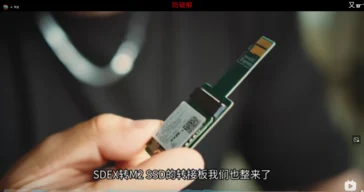
      A creative modder is working on a solution to this limitation using a combination of hardware and software tricks. The group known as NVNTLabs on GitHub has begun developing a converter that could turn a microSD Express card into an M.2 2230 SSD. Theoretically, this is achievable since the microSD Express can be adapted to an SD Express PCIe Gen3 x1 interface. However, this project is still in its infancy and may take a while to finalize.

      Early Attempts and Challenges

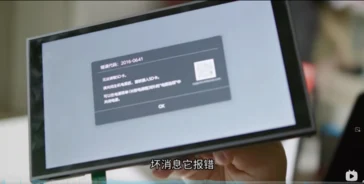
      One user on Bilibili tried to use the adapter with their newly purchased Nintendo Switch 2 but encountered an error message (2016-0641). According to Nintendo’s support site, this error code indicates a problem with the SD card, highlighting that the project is still a work in progress.

      If this project is successful, it could enable a simple dongle that offers improved storage options for the Nintendo Switch 2. As it stands, a 256 GB microSD Express card is priced at around $56 (~4.5 GB per dollar) on Amazon. In contrast, a 1 TB WD Black M.2 2230 NVMe SSD can be purchased for $99 (~10.10 GB per dollar), making it a more economical choice. Additionally, utilizing the PCIe Gen 3 interface could lead to shorter loading times.

      Stay Tuned for Updates

      Keep an eye on NVNTLabs over on GitHub and follow their progress. Also, check out Bilibili for more user experiences and updates on this intriguing development. You can also follow them on X at @NVNT_R.

      Source:
      Link


    • Beelink Launches ME Mini PC Series for NAS Market

      Beelink Launches ME Mini PC Series for NAS Market

      Key Takeaways

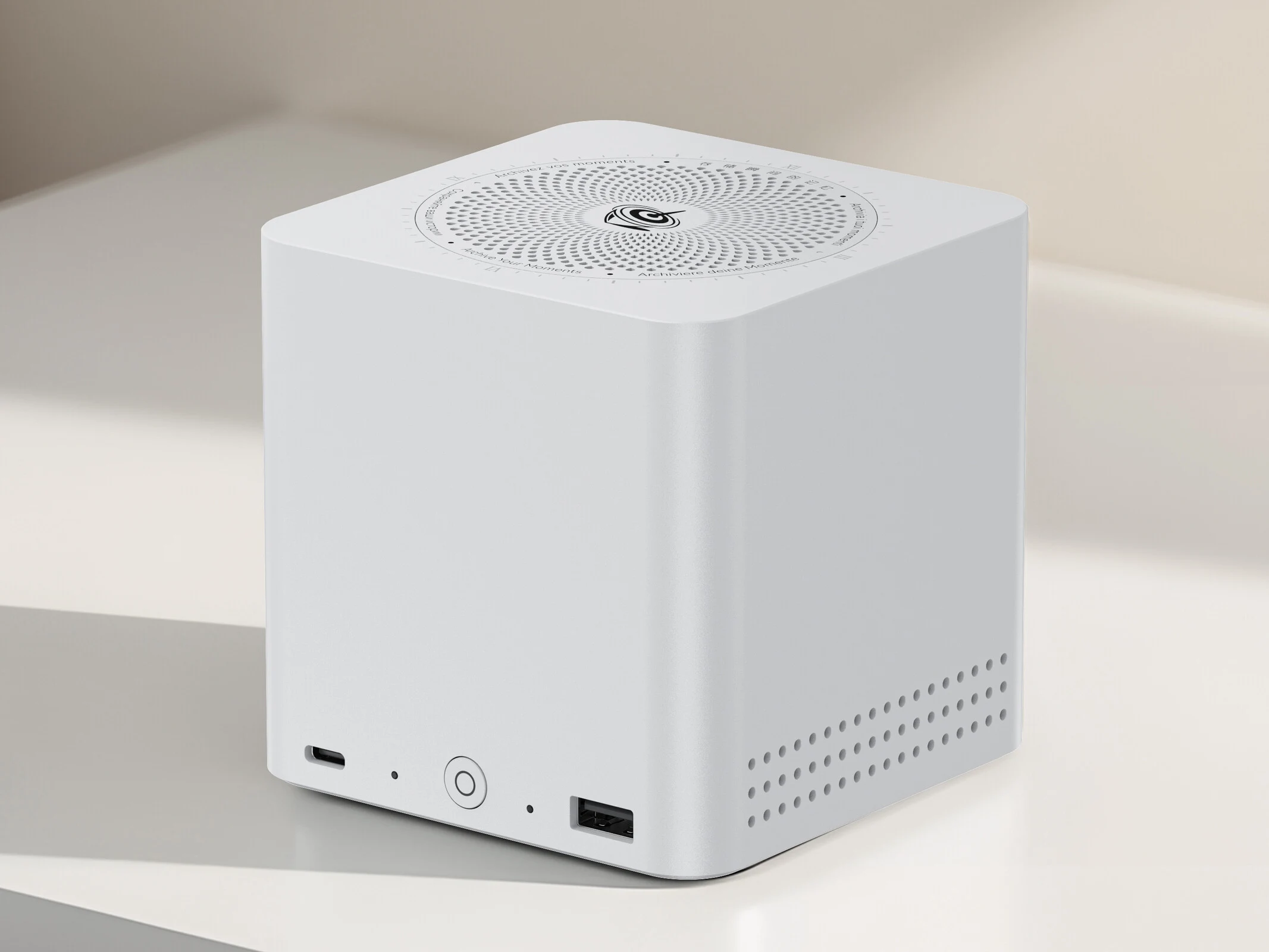
      1. Beelink is entering the NAS market with the new ME series, starting with the ME mini NAS system.
      2. The ME mini features a compact design, measuring 99×99.2×98.3 mm, and includes an integrated power supply for easy setup.
      3. It offers six M.2 slots for SSDs, allowing a maximum storage capacity of 24 TB.
      4. The NAS will use an x86 CPU and includes two 2.5 GbE LAN ports along with an efficient cooling system.
      5. No pricing or release date has been announced, and additional Pro and Max models are mentioned without further details.


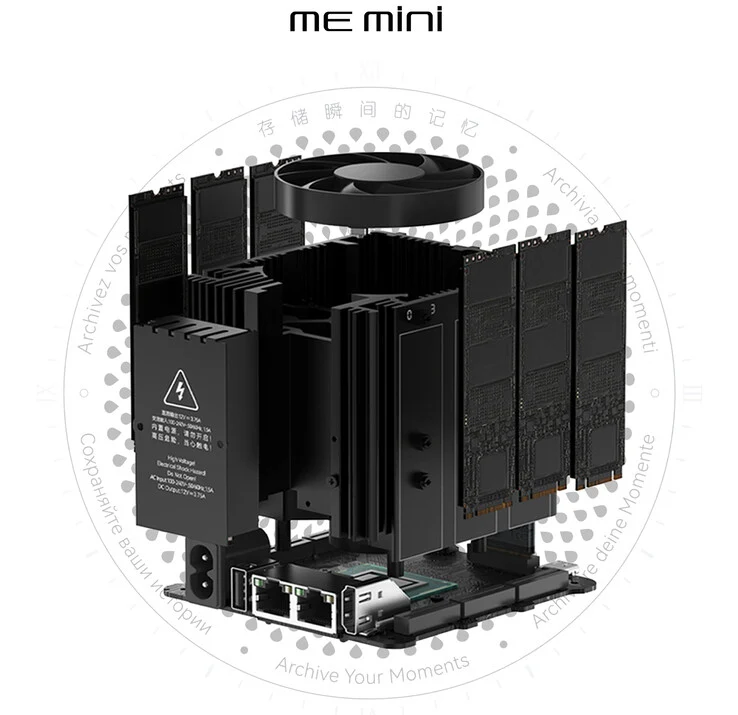
      Beelink has revealed a new product series called the ME series. This signifies the company’s foray into the NAS market, and the ME mini is set to be one of the initial NAS systems launched within this new mini PC range. Not much information has been provided regarding this first product in the series.

      Compact Design

      In their official announcement, Beelink highlighted that the ME mini will have a compact size, measuring 99×99.2×98.3 mm. Despite its small dimensions, this NAS system will come equipped with an integrated power supply, allowing users to power the device using just a single cable.

      Storage Capacity

      Naturally, the petite size means the ME mini won’t accommodate a 3.5-inch drive, which is common in many NAS systems. Nevertheless, it features six M.2 slots, each capable of housing a 4 TB SSD (currently, a 2 TB Samsung 990 EVO Plus costs $129.99 on Amazon). This configuration allows the system to offer a maximum storage capacity of 24 TB.

      The exact processor that will be used in the NAS hasn’t been disclosed, but Beelink confirmed it will be an x86 CPU. Furthermore, the announcement included information about two 2.5 GbE LAN ports and an efficient cooling system designed to maintain optimal temperatures for the internal storage drives.

      Pricing and Availability

      There is currently no information regarding the pricing, and Beelink has not revealed when the ME mini will be released. The announcement also refers to a Pro and Max model, but it does not provide further details about these variants.

      Source:
      Link