Tag: Wooting 80HE

  • Wooting Sets Pre-Order Date for 60HE v2 and 80HE Zinc Case Fix

    Wooting Sets Pre-Order Date for 60HE v2 and 80HE Zinc Case Fix

    Key Takeaways

    1. Wooting confirmed coating problems on the 80HE keyboard were due to reactions with chemicals in sweat from some users.
    2. The new e-coating process for the 80HE zinc case will enhance durability but may still be vulnerable to certain hand lotions.
    3. Pre-orders for the 60HE v2 will open on November 6, 2025, but pricing details have not been announced.
    4. Wooting aims to ship the 60HE v2 by the end of 2025, addressing previous production delays experienced with the 80HE.
    5. The 60HE v2 will feature a smaller design while incorporating many features from the 80HE, including an 8 kHz polling rate.


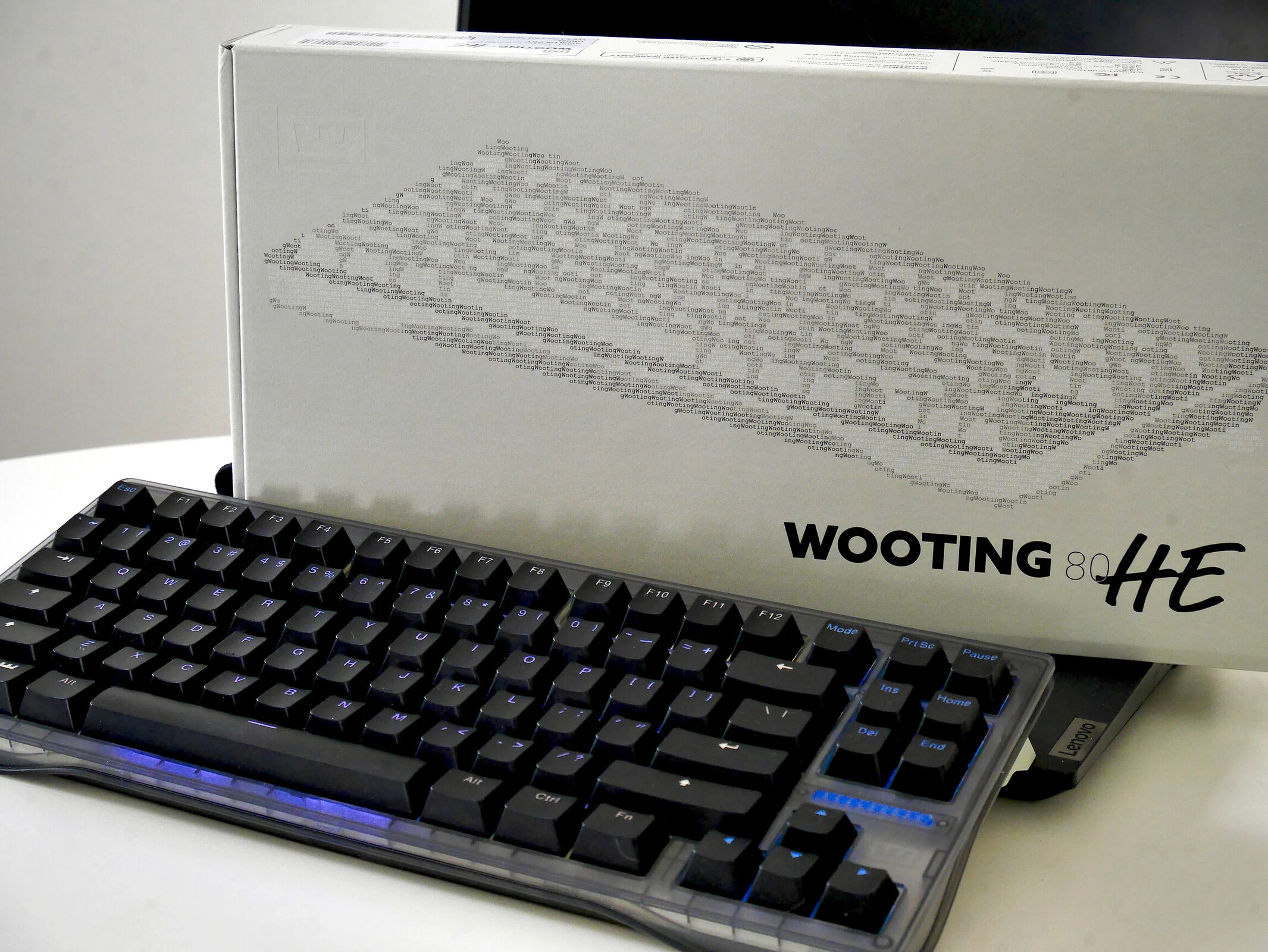
    Shortly after Wooting unveiled the 80HE analogue gaming keyboard, they began to get feedback from users who noted issues with the coatings on the zinc casing. The company has since done tests and confirmed that the problems arose due to the coating reacting with chemicals found in the sweat of a handful of “sweaty gamers.”

    Update from Wooting

    Recently, Calder Limmen, one of Wooting’s co-founders, shared an update regarding the coating problems and provided gamers insights on how the company intends to fix these issues moving forward. Limmen has stated that the new coating for the 80HE zinc case will use an e-coating process, which is quite common in the keyboard industry—likely resembling the coating we saw on the Keychron Q13 Max. While e-coating is known for its strong durability, achieving a consistent finish can sometimes be tricky.

    Durability Challenges

    Tests have shown that the e-coating process, although it offers better resistance to chemicals compared to the original zinc coating, still has vulnerabilities when it comes to certain hand lotion types. These lotions can leave behind persistent stains and residues on the case after contact. Consequently, Wooting has indicated that the new zinc coating is still some time away, with an initial six-month timeline now appearing too optimistic. It’s important to note that Wooting is dealing with a complex issue that impacts only a small fraction of its users, so a quick solution was never really on the table.

    Pre-Order Details

    In conjunction with the launch of Wooting’s Switchy’s Space Bar Heist mini-game, the landing page for the 60HE v2 has confirmed that pre-orders will open on November 6, 2025. However, there hasn’t been any pricing information disclosed yet. What is known is that the 60HE v2 will be available alongside the original 60HE, which suggests that a price increase for this new high-performance gaming keyboard is likely.

    When Wooting launched the 80HE, they also offered pre-orders, but faced several production delays, resulting in the first batches only being shipped to customers in November 2024—over six months after the conclusion of the Founder program. For the 60HE v2, Wooting is taking a different approach than they did with the 80HE by applying much of the R&D from the 80HE to the new version.

    Meeting Shipping Goals

    As previously mentioned, Wooting has already pinpointed and addressed a problem with the finish and coating of the 60HE v2’s case. This means that they are likely to meet their target of shipping the 60HE v2 by the end of 2025, as they promised. The timeline for pre-orders to ship after November 6 but before the year ends would significantly reduce the wait time compared to the 80HE.

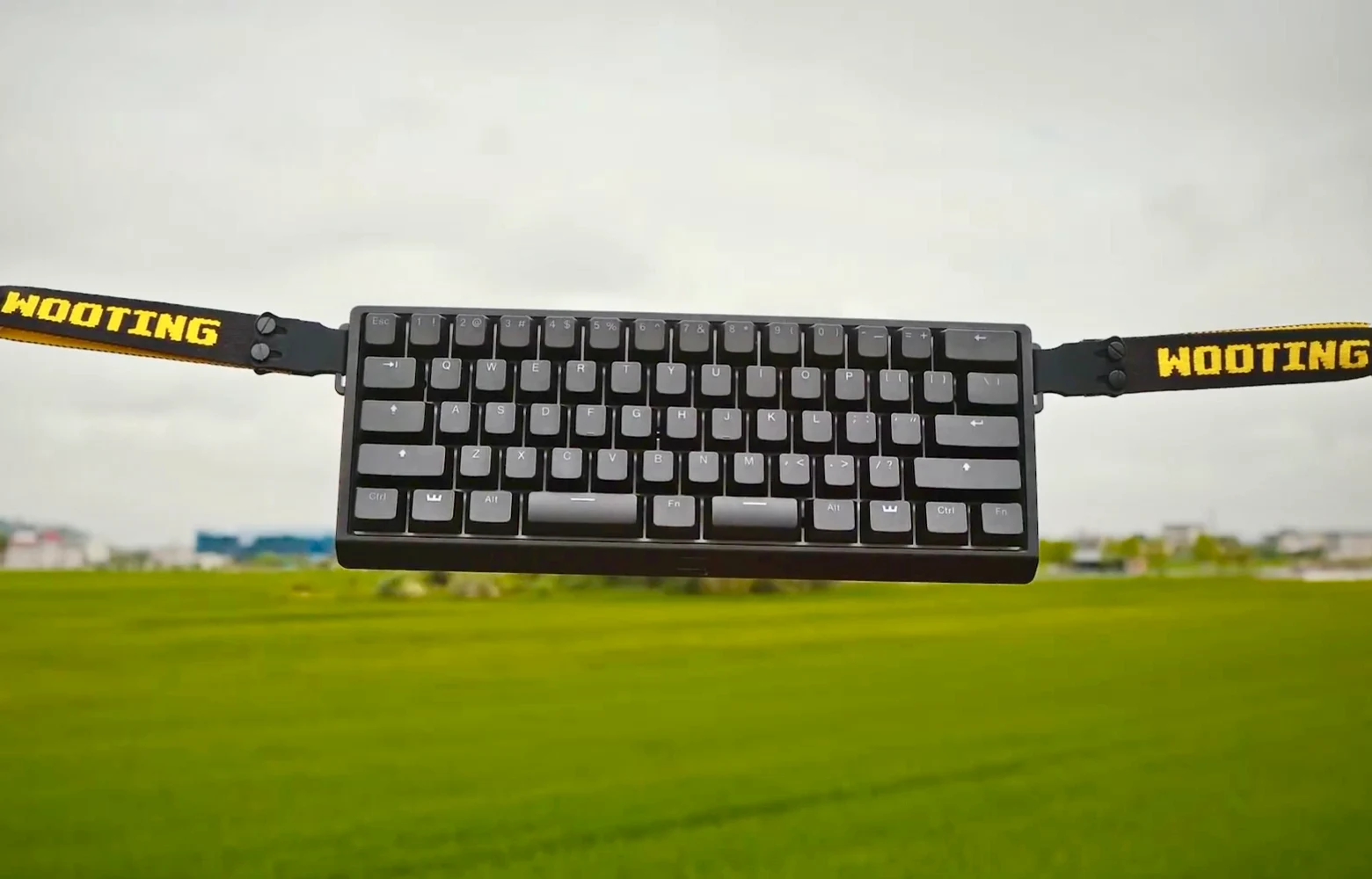
    The Wooting 60HE v2 is expected to incorporate many of the features we enjoyed in our review of the Wooting 80HE, such as 8 kHz polling rate and a gasket mount, into a smaller format. It will also introduce a split space layout to Wooting’s keyboard offerings.

    Source:
    Link


  • Wooting Respawn: Up to 50% Off Refurbished Hall Effect Keyboards

    Wooting Respawn: Up to 50% Off Refurbished Hall Effect Keyboards

    Key Takeaways

    1. The Wooting 80HE is a top gaming keyboard priced between $199.99 to $367, depending on options.
    2. The new Wooting Respawn Store offers refurbished items, products with minor flaws, and older models at discounted prices.
    3. Discounts in the Respawn Store can be up to 50%, with specific examples like a refurbished Wooting 60HE for $122.49.
    4. A two-year warranty is provided on refurbished products, covering the PCB and LEDs, which is shorter than the typical four-year warranty for new keyboards.
    5. The Respawn Store integrates with the main Wooting store for discount codes, combined orders, and shipping discounts.


    As we found in our evaluation, the Wooting 80HE stands out as one of the top gaming keyboards available today. However, it does come with a hefty price tag, starting at $199.99 and going up to $367, depending on the choices you make. Recently, Wooting has rolled out its Respawn Store, a new discount shop that features some of its most popular items at lower prices.

    Great Deals Await

    The Wooting Respawn Store provides refurbished items, products with slight cosmetic flaws, and older models, all of which are in perfect working condition and sold at reduced rates.

    By buying these items, you save money while we save storage space, helping to minimize waste together.

    Products Offered

    The outlet will feature “refurbished products, items with minor cosmetic imperfections, and legacy models,” which includes accessories like the 80HE Zinc Alloy Case and the Alumaze60 case. These items will have discounts of up to 50%. For instance, the Wooting 80HE with a white zinc alloy case is currently discounted by 20% to $231.99, while a refurbished Wooting 60HE is priced at $122.49, down from the regular price of $174.99.

    You can also find the Wooting 80HE Zinc Alloy case at a 50% discount for $54.99, and the concrete grey Alumaze60 case is also discounted by 50%, totaling $59.99. The refurbished keyboards available in the Respawn store come in both ISO and ANSI layouts, showing there is a good amount of stock. Like the standard Wooting ISO layout keyboards, the ISO versions do not come with keycaps, but they’re a bit cheaper, around $7–10 less.

    Warranty and Integration

    Wooting will provide a two-year warranty on these products for the PCB, including the LEDs. This warranty is standard for LEDs but is two years shorter than the four-year warranty usually given by the keyboard manufacturer. The Respawn Store will work with the main Wooting store in terms of discount codes, combining orders, and shipping discounts based on value.

    Wooting

    Source:
    Link


  • Wooting 80HE Gaming Keyboard: Features & Wootility Configurator

    Wooting 80HE Gaming Keyboard: Features & Wootility Configurator

    Key Takeaways

    1. Wootility V5.1.0 enhances user experience with improved intuitiveness and new features for the Wooting 80HE keyboard.
    2. The update introduces RGB effects visualization, allowing users to customize backlighting without looking away from the keyboard.
    3. A new profile drop-down menu option simplifies the process of importing keyboard profiles.
    4. UI enhancements include a continuous Rapid Trigger indicator and a JIT option for ModTap, improving multi-key functionality.
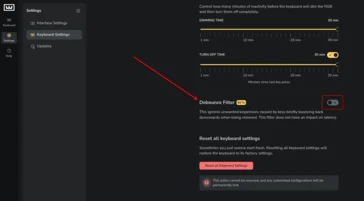
    5. The debounce feature reduces unintended inputs on larger keys, enhancing performance without affecting latency.


    When we took a look at the Wooting 80HE, we highlighted Wootility, its superb browser-based setup tool, for being user-friendly, packed with features, and very adjustable. Now, with the launch of Wootility V5.1.0, Wooting has improved Wootility to make it more intuitive, while also adding new capabilities to enhance the user experience with the 80HE.

    New Features in Update

    After the introduction of Wootility v5 in February of this year, Wooting has rolled out a fresh batch of features in the 5.1.0 update. At the top of the list is the cool new RGB effects visualisation within the RGB effects studio, alongside new debounce filters to prevent key chatter on highly sensitive keys. Additionally, a new choice was added to the profile drop-down menu, making it easier and clearer to import profiles.

    Wooting mentions in the update notes that the RGB visualisation feature is designed to simplify the customization of your keyboard, effectively eliminating the need to glance down at your keyboard while adjusting the backlighting settings. We tried this feature on our Wooting 80HE, and it proved to be a very useful way to visualize options without diverting your gaze from the keyboard. It’s also fascinating as a method to preview changes to the backlighting effects without disrupting the previously saved settings on your keyboard.

    User Interface Enhancements

    Several UI updates have also been included in the latest version, such as an indicator for continuous Rapid Trigger, which allows you to see most of the actuation point adjustments for all keys at a single glance.

    Moreover, Wooting introduced a JIT (just-in-time) option for ModTap users, which significantly simplifies the use of functions like shift-enter or LayerTap. There’s no longer a need to wait for the modifier timer to finish before activation. With this feature enabled, as soon as you press another key while holding down a key with ModTap, the modifier on that key will trigger, sending both the modifier and the second keystroke to your PC.

    We also tested this on the 80HE, utilizing ModTap on the space bar (shift when held, space when tapped), and we noticed a big improvement in accuracy, reducing the adjustment time associated with similar key bindings.

    Debounce Improvements

    The key debounce feature introduced in v5.1.0 might not be a revolutionary change if you only use your keyboard for typing, but it will lessen unintended inputs on larger keys, like the space bar. This is particularly helpful if you’re using your gaming keyboard with all keys set to an actuation distance of around 0.1 mm. Wooting stated that this new debounce function will minimize double inputs without impacting latency, suggesting they’re using a mix of input timing and travel distance to identify false inputs.

    Source:
    Link


  • Iqunix Hall Effect Keyboards Outshine Wooting with Macro Features

    Iqunix Hall Effect Keyboards Outshine Wooting with Macro Features

    Key Takeaways

    1. The Iqunix EZ63 now supports on-board macros after a recent firmware update, allowing users to create and store macros without additional software.
    2. The firmware update also introduced the ability to switch profiles on-board, enhancing usability as a daily keyboard.
    3. The macro recording process is user-friendly, with 16 macro slots available, but requires the latest firmware to function properly.
    4. The EZ63 is effective for both gaming and productivity tasks, but lacks the ability to export macros and key mappings, which limits customization.
    5. Compared to competitors like Keychron, Iqunix needs to improve its export options to enhance user experience after firmware updates.


    When I checked out the Iqunix EZ63 earlier this year, I gave it high marks for its sturdy build, comfortable typing experience, and satisfying sound. The software interface was the only significant letdown when compared to the Wooting 80HE, and it still doesn’t quite match up in that area. However, a recent firmware update has introduced a feature that has long been a weak point of Wooting’s keyboards for daily use — on-board macros. Wooting offers a solution called Wootomation, which runs in the background to convert keyboard inputs into macros, but it has some drawbacks, especially with Linux where it can be quite tricky.

    New Features with Firmware Update

    With the latest firmware update from Iqunix, which applies to both the EZ and EV series Hall effect keyboards, users can create macros that are stored in the keyboard’s built-in memory directly through the Iqunix web driver. This means you don’t need to install any additional software or have background services consuming important RAM and CPU resources. It also allows for a more uniform experience across different operating systems or computers, and it works seamlessly on Linux, as long as you access it via a Chromium browser.

    Additional Improvements

    This marks the second significant feature Iqunix has rolled out through a firmware update recently, with the first being the ability to switch profiles on-board, which greatly enhances the usability of the EZ63 (currently priced at $179.99 on Amazon) as a daily keyboard option.

    Recording macros in the EZ Software is very straightforward, featuring its own dedicated tab that makes it user-friendly. There are a total of 16 macro slots available, and during our tests, the macros performed well. However, if you attempt to create macros without first updating the firmware — the tab still appears in the software even without the update — you may encounter issues where keys get stuck.

    Still Room for Improvement

    In essence, the EZ63 has transformed into an 8 kHz Hall effect gaming keyboard that is also capable of handling macro-based productivity tasks effectively. Nevertheless, there’s still one vital feature missing that would help elevate this keyboard to a more recommended status — the ability to export macros and key mappings. This is an area where Keychron currently holds an advantage over Iqunix, even if their keyboards don’t match the EZ63’s impressive speed. With the Keychron Launcher, you can easily export macros and key maps, which is especially useful if a firmware update resets all your customized settings.

    Unfortunately, on the EZ63, there’s no option to export any settings, which could have cost you significant time to configure. This is increasingly crucial for Iqunix to address, as filling all 16 macro slots means it will take time to reconfigure everything after each firmware update.


  • Iqunix EZ80 TKL Hall-Effect Gaming Keyboard: 8kHz Polling Rate

    Iqunix EZ80 TKL Hall-Effect Gaming Keyboard: 8kHz Polling Rate

    Key Takeaways

    1. The Iqunix EZ80 will offer two color options and a choice of two types of switches, including the custom X Magnetic Switch and Gateron Magnetic Jade Pro switches.

    2. Priced around $100 higher than the Iqunix EZ63, the EZ80 starts at $269, making it a more expensive option for gamers.

    3. The EZ80 features a standard TKL layout, gasket mount, aluminum plate, and CNC-milled aluminum casing, along with new color options like the EZ80 Dark Side RS.

    4. The Iqunix X Magnetic switches have a total travel of 3.5 mm and are designed to minimize stem wobble, although they may feel scratchier than standard switches.

    5. The EZ80 competes with the Wooting 80HE in the HE gaming keyboard market, but Wooting currently leads in software capabilities, while Keychron offers close performance but with a lower polling rate.


    We recently shared news about the upcoming release of the Iqunix EZ80, which aims to compete with the much-anticipated Wooting 80HE. Iqunix has now disclosed additional information about the EZ80, stating that this new TKL HE keyboard will come in two distinct color options and offer a choice between two types of switches. Notably, the EZ80 is priced around $100 higher than the Iqunix EZ63 we reviewed earlier this year, which could make it a challenging option for many gamers.

    Design and Features

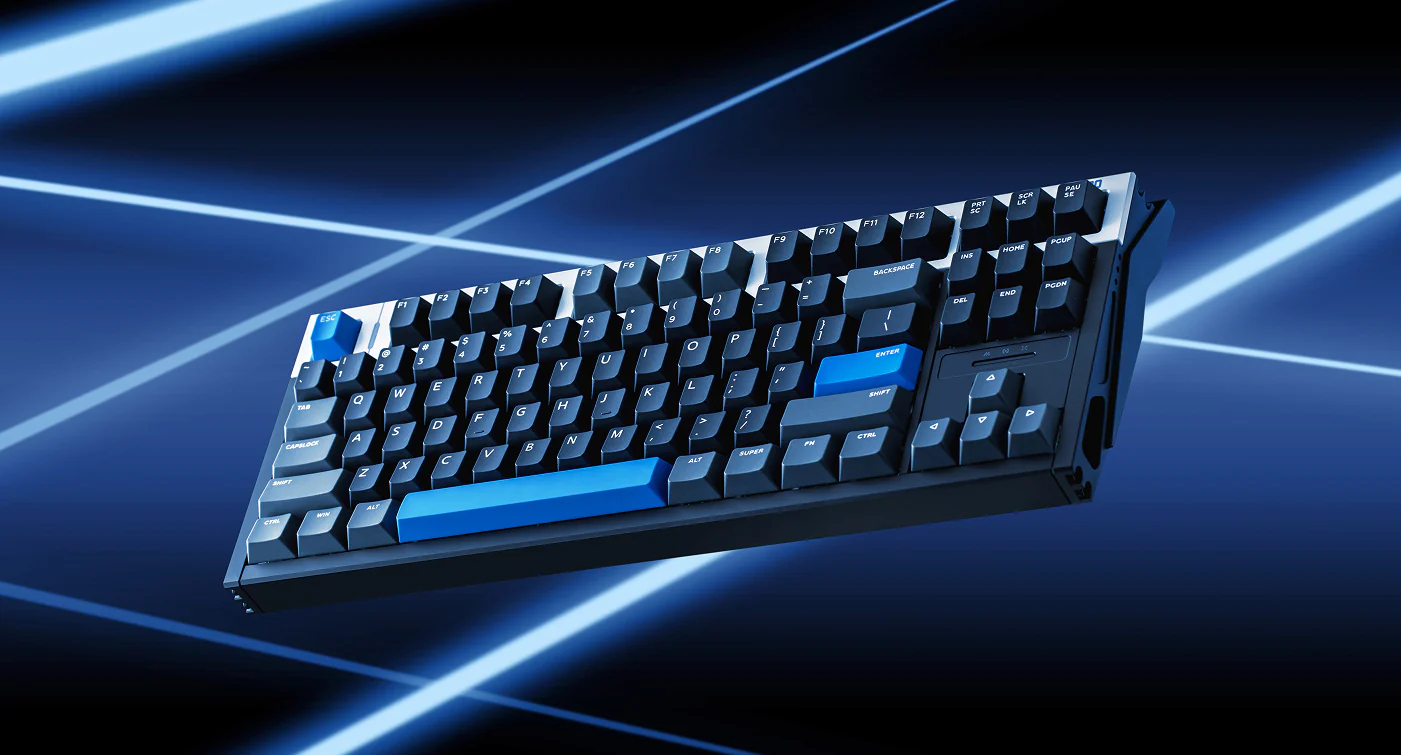
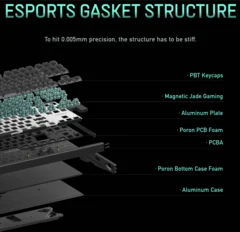
    The Iqunix EZ80, as shown in earlier previews, has a standard TKL layout along with a gasket mount, an aluminum plate, and a CNC-milled aluminum casing. At the time of launch, Iqunix mentioned that the EZ80 would be offered with the custom X Magnetic Switch and the well-known Gateron Magnetic Jade Pro switches, which we highlighted as the top Hall-effect switches for sound and feel in our recent review of the EZ63. The EZ80 will also come in black, white, and blue color combinations featuring non-shine-through double-shot PBT keycaps, similar to the EZ63. Additionally, there’s a new color option at launch called the EZ80 Dark Side RS, which sports a blacked-out case with translucent black keycaps that have side-printed legends.

    Pricing Options

    The pricing for the EZ80 varies depending on the selected switch and color, with the most affordable model being the black-and-blue colorway featuring Gateron Magnetic Jade Pro switches (currently $57.99 on Amazon), starting at $269. Choosing the X Magnetic switch raises the cost by $20 to $289, while opting for the Dark Side RS colorway adds an extra $10.

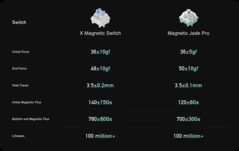
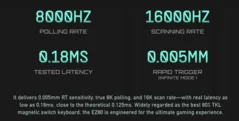
    The Iqunix X Magnetic switches are designed with a box stem that offers similar key travel and actuation force to the Jade Pro switches, featuring a total travel of 3.5 mm, a 36 gf initial force, and a 48 gf end force. The box stem aims to minimize stem wobble, although they may feel a bit scratchier compared to standard designs. Iqunix claims to have fine-tuned the X Magnetic switches and the sensors in the EZ80, achieving sensitivity levels as low as 0.005 mm.

    Competitive Landscape

    Right now, Wooting is the leading brand in the HE gaming keyboard market, and the 80HE competes directly with the EZ80 in terms of claimed latency rates. Wooting also excels in software and gaming capabilities, although Keychron, as noted in our K4 HE review, comes close to matching Wooting’s software performance, even providing macro support, which both Wooting and Iqunix currently do not offer. However, Keychron restricts all its HE keyboards to a 1,000 Hz polling rate, which theoretically increases latency, though we didn’t notice any significant difference in our HE keyboard tests.

    Source:
    Link


  • Wooting Teaser: New Hall-Effect Keyboard with Split Space Bars

    Wooting Teaser: New Hall-Effect Keyboard with Split Space Bars

    Key Takeaways

    1. Wooting is developing a new gaming keyboard, hinted at in a recent YouTube video featuring CEO Calder Limmen.
    2. The upcoming keyboard likely has a 60% or 65% layout, lacking a function row, with possibilities of unusual layouts.
    3. It features a split space bar design, enhancing ergonomics and productivity by allowing modifier keys for easier access.
    4. The video subtly highlights keys F, R, and 4, possibly referencing FR4, a popular material for mechanical keyboard plates.
    5. Wooting continues to engage with its community through playful teasing and hints about their upcoming products.


    Wooting has made a name for itself by popularizing Hall-effect technology, and they recently launched the Wooting 80HE, a product we highly commended in our evaluations last year. Now, it appears that Wooting is busy developing its next gaming keyboard, and they’re already giving fans a sneak peek at the design.

    A Sneak Peek

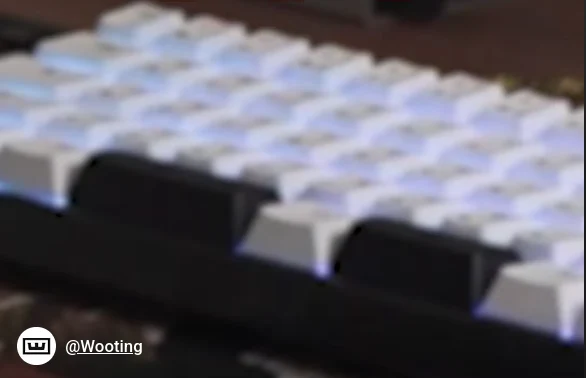
    In a recent short video on YouTube, Wooting humorously noted that an unreleased keyboard appeared “accidentally” in a clip featuring the company’s CEO, Calder Limmen. The keyboard can be seen briefly behind Limmen, though it’s somewhat blocked from full view. Nonetheless, there are clues about what the new keyboard might look like.

    Design Features

    First off, it’s clear the upcoming keyboard lacks a function row, which suggests it might be a 60% or 65% layout. However, there’s a chance it could be something unusual, such as a TKL without function row or even an F-row-less 1800 layout. More intriguing than the layout is the bottom row. Instead of the usual long space bar, the keyboard in the video features a split space bar with three keys replacing the single long one.

    Ergonomic Benefits

    If you didn’t know, split space bars are often found on compact keyboards, such as 40% layouts and Alice-style boards like the Keychron Q13 Max we reviewed recently. These layouts can significantly enhance productivity and ergonomics since you can assign frequently used modifiers to one of the space bar keys for easier access with your thumb.

    Subtle Hints

    During the video, some keys on the keyboard are highlighted in red. It’s not entirely obvious, but the keys appear to be F, R, and 4, which might reference FR4, a popular plate material used in high-end mechanical keyboards that can produce a nice “poppy” sound when typing.

    Wooting is known for teasing upcoming products and engaging with the community, often in a playful manner, and this seems to be another instance of that. Of course, it could also be Wooting having a little fun at the expense of the community or trying to mislead any would-be detectives.

    You can find the Keychron K4 HE, a 96% Hall-effect gaming keyboard we recently reviewed, available on Amazon for $144.99.

    Source:
    Link

  • Wooting X TTC KOM Hall-Effect Switches: Low Wobble, Affordable Price

    Wooting X TTC KOM Hall-Effect Switches: Low Wobble, Affordable Price

    Key Takeaways

    1. Wooting is recognized as a leader in Hall-effect gaming keyboards, especially with the Wooting 60HE and Wooting 80HE models.
    2. The company has introduced three new switch options to address feedback about the Lekker L60 V2 switches, focusing on stability and sound quality.
    3. The TTC x Wooting KOM RGB switches are rated for more stability but may produce a sharper sound compared to the KOM POM switches.
    4. The sound profiles of the new switches vary, with TTC KOM switches having a clacky noise and Geon Raw HE 50 switches offering a deeper sound.
    5. Only Geon Raw HE 50 switches are compatible with Wooting’s Spring Packs, which allow users to change actuation force, and the new switches are available for purchase with Wooting’s Module keyboard kits.


    There’s no question that Wooting leads the pack in Hall-effect gaming keyboards. This reputation largely stems from the rapid popularity of the Wooting 60HE and the more recent Wooting 80HE. In our review of the Wooting 80HE last year, we noted that the Lekker L60 V2 switches provided a pleasant typing experience but suffered from noticeable wobble and a somewhat unclear sound. Many in the gaming community seemed to share this view.

    New Switches Announced

    Wooting has clearly taken the feedback regarding the Lekker V2 switches to heart, as they have just revealed three new switch options now available in the Wooting store.

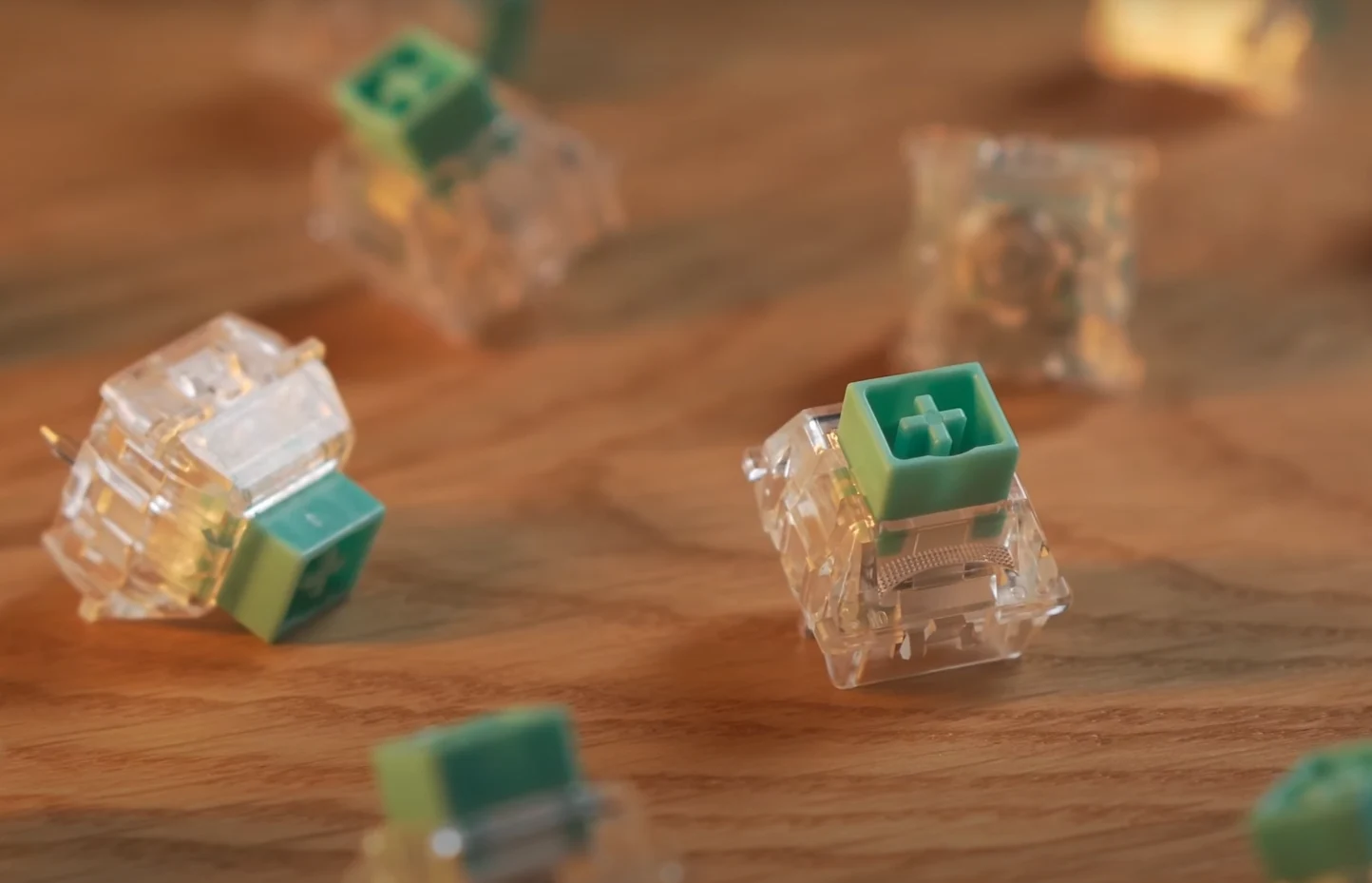
    On their website, Wooting appears to rate the TTC x Wooting KOM RGB switches as more stable than the KOM POM ones. However, the plastic housings of the KOM RGB switches tend to produce a sharper and louder sound, which might not be as favored by some keyboard fans. Each of the three switch designs has its unique features and purposes. All of them utilize POM stems, which are designed to resist stickiness or scratching over time. The clear PC housing of the KOM RGB switches is likely to make the RGB LEDs on keyboards like the Wooting 80HE and 60HE shine brighter than the popular Gateron Magnetic Jade Pro switches (currently priced at $57.99 for 70 pieces on Amazon) that we recently reviewed in the Iqunix EZ63.

    Sound Profiles Compared

    Both kinds of TTC switches are reported to have a pronounced clacky sound, yet the Geon Raw HE 50 switches provide a different auditory experience compared to the Jade Pros, Lekker V2s, and TTC KOM switches. The small hole at the bottom of the TTC KOM switches merges design aspects from both the Lekker V2 and the Gateron Jade series, resulting in a sound that has a slightly deeper quality than the TTC KOMs, which can be described as having a popping sound.

    All new switches are also purchasable alongside Wooting’s Module keyboard kits, offering an exciting option for those who enjoy DIY projects and want to save some cash. The Geon Raw switches are notably more affordable than many alternatives, matching the price of the Wooting Lekker V2 series when building a Wooting Module keyboard.

    Compatibility and Pricing

    Wooting points out that only the Geon Raw HE 50 switches work with the Wooting Spring Packs, which provide a simple way to change actuation force. The available spring options include 35 gf, 45 gf, 60 gf, 70 gf, and 80 gf.

    Source:
    Link