Key Takeaways
1. New G-Assist Features: App version 11.0.5 introduces new controls for laptop users, including Battery Boost, Whisper Mode, and Optimal Playable Settings management.
2. Integration of Desktop and Notebook Software: Nvidia is merging its desktop and notebook software for a more streamlined user interface.
3. Expanded DLSS Override Support: The update adds DLSS Override support for 13 more games, enhancing compatibility for gamers.
4. One-Click Optimization: Optimal settings support is now available for titles like Borderlands 4, Grounded 2, and Mafia: The Old Country, simplifying performance adjustments.
5. Focus on User Experience: Nvidia aims to address gamers’ frustrations with performance statistics and optimization tools through these updates, consolidating control into a single hub.
Nvidia has silently launched app version 11.0.5. Although it might seem like just another normal update, it includes several helpful changes, particularly for laptop users who depend on Nvidia’s G-Assist and DLSS features.
New Features for Laptops
According to the release notes, the highlight of app 11.0.5 is G-Assist’s new capability to manage controls specific to notebooks. This means it can now modify Battery Boost, Whisper Mode, and Optimal Playable Settings, allowing users to better manage the balance between performance and battery life on their laptops.
A Meaningful Change
While this might seem minor, it is significant for gamers on the move… especially since Nvidia is merging its desktop and notebook software into a more streamlined interface.
Furthermore, the update increases DLSS Override support to 13 more games, including Gears of War: Reloaded, Borderlands 4, METAL GEAR SOLID Δ: SNAKE EATER, and Lost Soul Aside.
Improved Gaming Experience
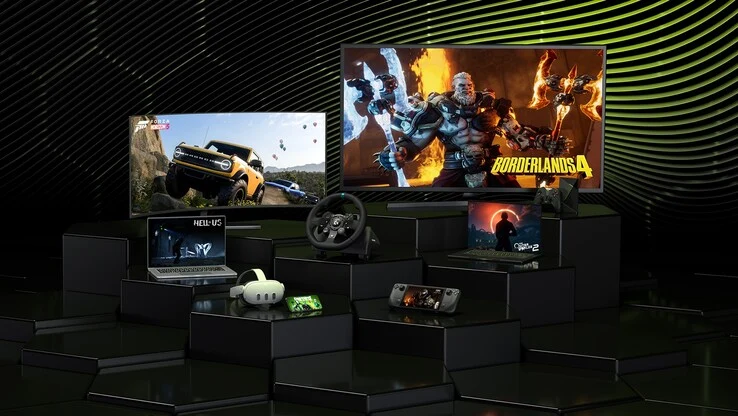
This allows players to adjust DLSS settings across a broader range of titles without needing to wait for specific patches or driver updates. Additionally, Nvidia has included optimal settings support for Borderlands 4, Grounded 2, and Mafia: The Old Country—all of which will now appear in the app’s one-click optimization list.
Nvidia seems to be addressing the common frustrations gamers have expressed—like lacking performance statistics and unreliable optimization tools. The latest features of G-Assist for notebooks especially indicate a clear movement towards consolidating the Nvidia app into a single control hub for both desktop and laptop performance management.
Source:
Link