Tag: Keychron M7 8K

  • Keychron Unveils Affordable Office Mice with Long Battery Life

    Keychron Unveils Affordable Office Mice with Long Battery Life

    Key Takeaways

    1. Keychron has launched gaming mice like the M7 8K and productivity mice such as the M6 8K, aiming for value and affordability.
    2. The new BM mouse series (BM25, BM24, BM22) offers budget-friendly options at $19.99, designed for lightweight and responsive use.
    3. All BM series models feature a symmetrical design, durable ABS shells, and PixArt PAW3212 sensors with up to 2400 DPI sensitivity.
    4. The BM series mice come with macro customization, remapping capabilities, and Bluetooth connectivity options, enhancing user experience.
    5. Unique design elements include the BM24’s nostalgic look, and different storage options for dongles among the BM models, highlighting their practical features.


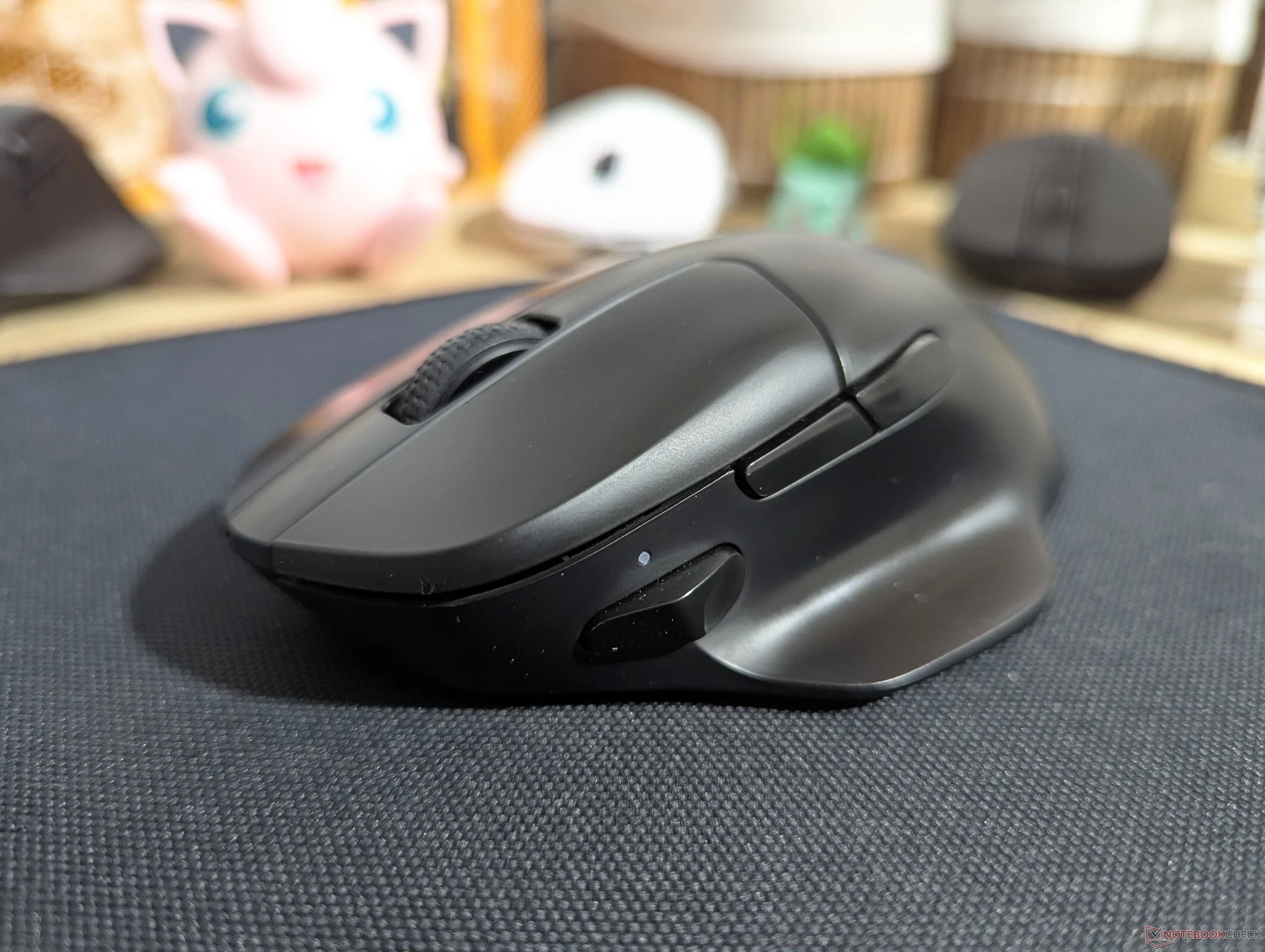
    Keychron has recently entered the gaming mouse market, offering products like the Keychron M7 8K, which received a positive review for its all-around value. Additionally, they produce high-end productivity mice, such as the Keychron M6 8K, a compelling $70 alternative to the Logitech MX Master 3S. The M7 8K is priced at just $69.99 on Amazon. Now, Keychron is shifting focus to the budget-friendly segment of productivity mice with the introduction of the BM mouse series.

    Affordable Options for Productivity

    The Keychron BM25, BM24, and BM22 are designed to be cost-effective, lightweight, and responsive mice for users who need something dependable and easy to use. They are priced at only $19.99 directly from Keychron. Additionally, the BM25 can be purchased as part of a $34.99 bundle that includes either the Keychron B33 or B36 wireless scissor switch keyboard.

    Similar Designs and Specifications

    These three models—the Keychron BM22, BM24, and BM25—share a symmetrical design and have similar dimensions and internal components. All of them come with durable ABS shells, PixArt PAW3212 sensors that offer up to 2400 DPI sensitivity, and a maximum polling rate of 1,000 Hz. While they are primarily designed as office mice, they can also be used for casual gaming, provided you’re okay with their weight of 76–81 grams and the absence of textured coatings.

    Features and Connectivity

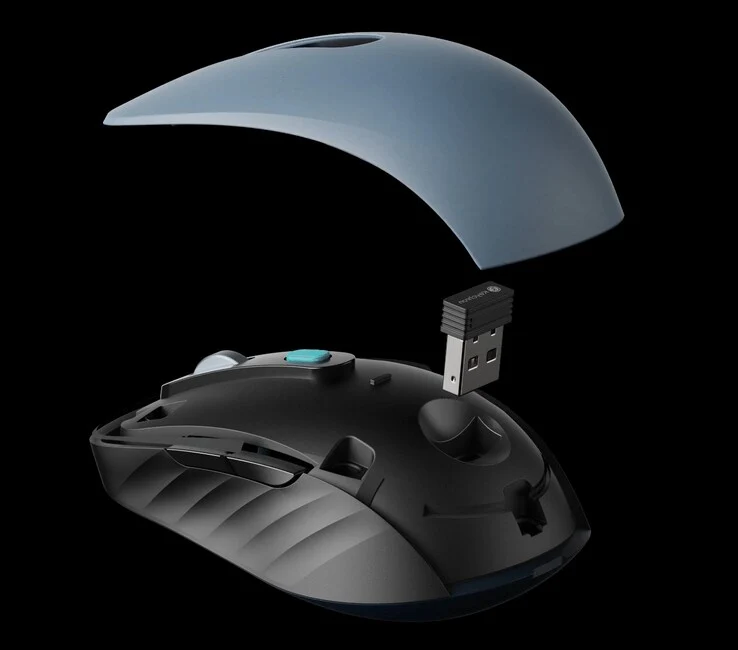
    For being budget mice, the Keychron B series is loaded with features. Each of the three models is compatible with Keychron Launcher, which allows for macro customization, remapping, and adjustments to polling rates and DPI settings. They also come with built-in storage for 2.4 GHz dongles and hardware toggles for changing connection modes. A push-button switch for Bluetooth pairing is included, and the middle top button is set to control DPI by default.

    Unique Styles and Design Elements

    While the BM25 and BM22 showcase distinct designs, the BM24 has a nostalgic look that resembles older Logitech gaming mice. Its main buttons and side panels are visually separated from the mouse body, set in rounded black sections.

    In terms of storage, both the BM22 and BM24 have space for the dongle on the underside, whereas the BM25 features a magnetic top cover that easily reveals the dongle storage. You can find the BM series mice on Keychron’s official online store, and they are expected to be available on Amazon soon.

    Source:
    Link


  • Keychron Gaming Mice Update: New Sniper Button and Profiles

    Keychron Gaming Mice Update: New Sniper Button and Profiles

    Key Takeaways

    1. The Keychron M7 8K is a lightweight gaming mouse priced at $69.99, offering a simpler alternative to high-end models like the Razer Basilisk.
    2. A recent firmware update allows users to mimic a “Sniper” feature by setting two DPI levels and switching between them using a side button.
    3. Users can now easily change polling rate intervals and program an extra button to switch profiles for work and gaming.
    4. The new 20,000 FPS mode enhances mouse responsiveness by locking the sensor frame rate, improving detection of small movements.
    5. Keychron’s updates significantly improve the gaming experience, particularly for users with low sensitivity settings.


    We took a look at the Keychron M7 8K recently and discovered it’s a great lightweight gaming mouse for anyone who wants something like a Razer Basilisk, but without the complicated software or the steep prices. In fact, the M7 8K is priced at just $69.99 on Amazon. However, one downside is that it doesn’t have a feature similar to the “Sniper” option, which temporarily lowers the sensor DPI for those times when you need your aim to be steadier and more precise.

    New Feature Update

    Thanks to the recent update to Keychron’s gaming mouse software, called Keychron Launcher, and its new firmware, you can now mimic this Sniper feature in a different way. The latest v1.0.1 firmware update, confirmed to be available for the M7 8K, M6 8K, and M3 8K, allows you to add or remove DPI steps. This means you can set just two DPI levels and use a side button to switch between these modes, giving you a way to replicate a Sniper button.

    Improved Control

    Additionally, Keychron has made it easier to change the polling rate intervals, similar to the new DPI settings. This is great for users who often adjust their mouse polling rate but want to avoid cycling through multiple extra polling rate steps or remembering the combinations for the indicator lights. Now, you can also program an extra button on Keychron’s gaming mice to switch profiles. This is useful for people who use their mouse for both work and gaming, as profiles save all the key bind info, sensitivity, and polling rates.

    Enhanced Performance

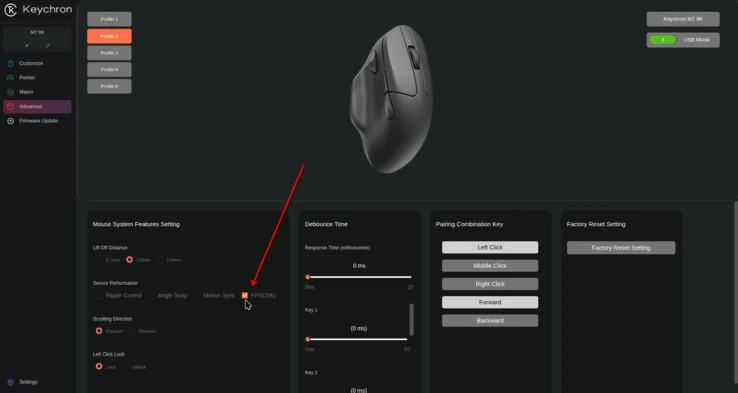
    Another new feature for Keychron’s gaming mice includes a 20,000 FPS mode, which fixes the sensor frame rate at 20,000 FPS instead of adjusting the frame rate to conserve power. You can find this 20K FPS option under the Sensor Performance section in the Advanced tab of Keychron Launcher.

    In theory, having a higher sensor frame rate could affect battery life, but it should enhance how responsive the mouse feels during the beginning and end of movements. With the frame rate locked at a high FPS, the mouse will be better at detecting small movements right away, without needing to ramp up. This is especially important for gamers who use low sensitivity settings. From our testing, the PAW3950 sensors in Keychron mice only show a noticeable delay in picking up movements when the sensitivity is set below 800 DPI.