Tag: HP OmniBook X

  • Intel Launches Five Pop-Up Experience Stores Featuring Top Laptops

    Intel Launches Five Pop-Up Experience Stores Featuring Top Laptops

    Key Takeaways

    1. Intel opened its first “Intel Experience Store” in Munich on October 30, 2025, showcasing Windows laptops powered by Intel processors.
    2. The store allows customers to interact with and purchase high-end laptops from various brands, including HP, Lenovo, Dell, and more.
    3. Intel partnered with German retailers to provide on-site assistance for customers to help them choose the best laptop for their needs.
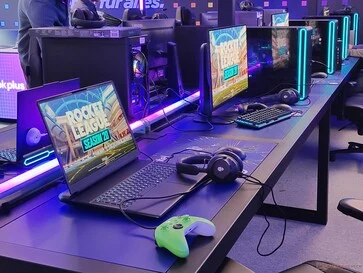
    4. A gaming zone featuring powerful gaming PCs and laptops aims to attract a younger audience, allowing customers to play games like Rocket League.
    5. Intel plans to open more stores globally, with additional locations in Seoul, New York, London, and Paris, following the Munich store’s limited run until December 6.


    Running a store can be quite costly, making it hard for many tech companies to manage, though Apple showcases how effective a network of retail outlets can be. In contrast, major PC makers often lack such a presence. Hence, Intel, which remains the top processor maker in the Windows market in terms of sales, decided to take action itself.

    The Opening of Intel’s First Store

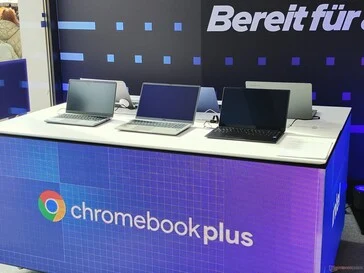
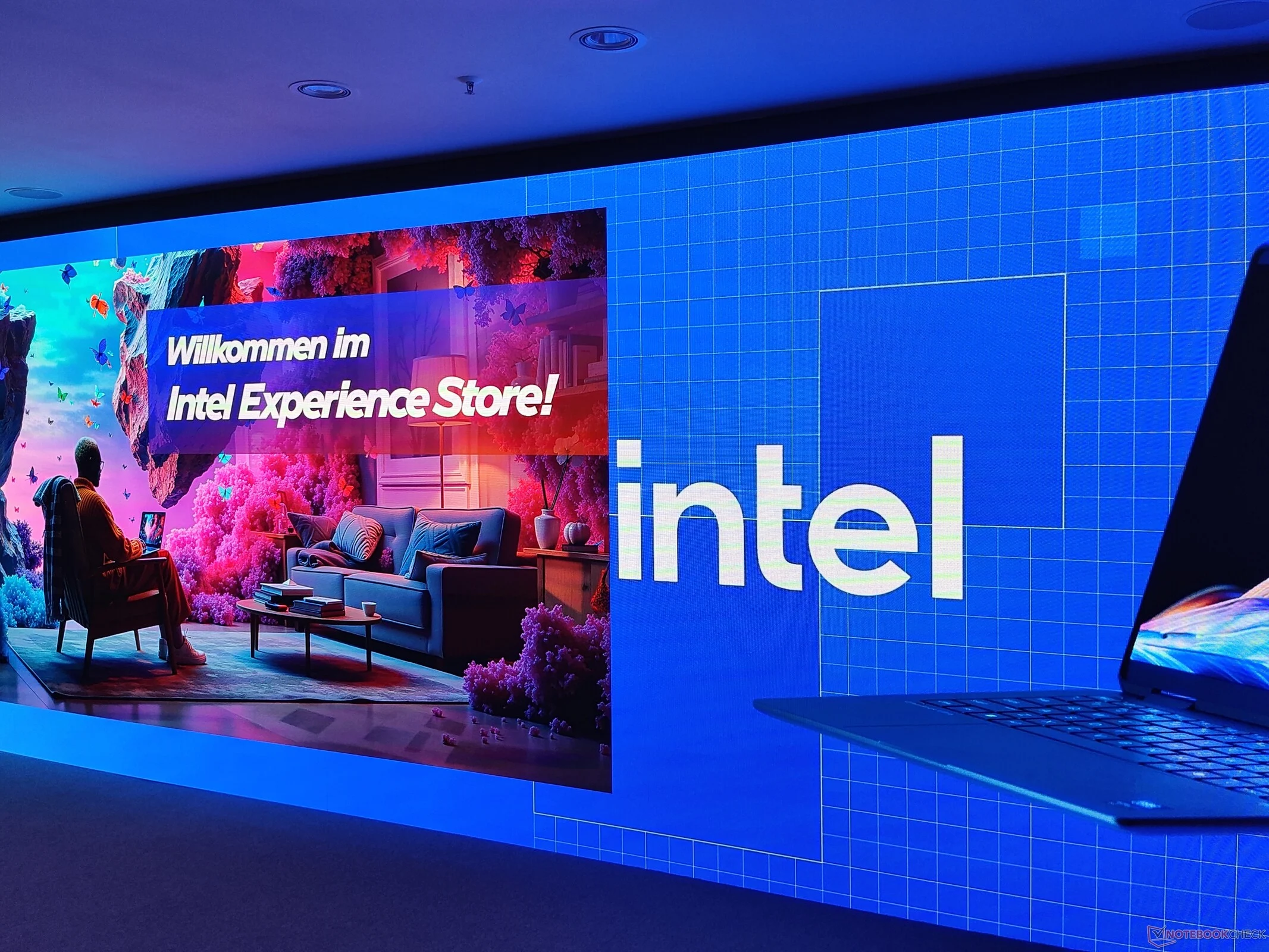
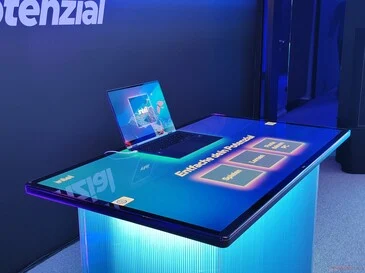
    On October 30, 2025, Intel launched its first “Intel Experience Store” in Munich. Located at Viktualienmarkt in the Bavarian city, this store allows customers to interact with the latest Windows laptops powered by Intel processors. Featured are high-end models from top brands like HP, Lenovo, Dell, Asus, and Acer, along with offerings from MSI, LG, and Samsung, including the HP Omnibook X (available on Amazon). Notebookcheck had the opportunity to preview the store during a press event.

    Shopping and Support for Consumers

    Not only can visitors touch the laptops, but they can also purchase them right there in the store. Intel runs this outlet in partnership with German retailers such as Mediamarkt, Notebooksbilliger, and Cyberport. According to Intel, on-site assistance will be provided to help customers choose the best model for their needs.

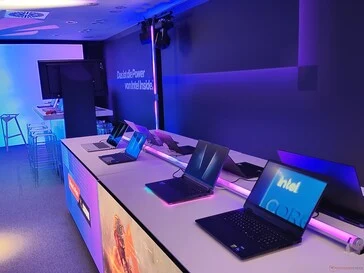
    To draw in a younger audience, Intel has created a gaming zone filled with powerful gaming PCs and laptops from Dell Alienware and Lenovo Legion, where customers can enjoy playing games like Rocket League.

    AI Demos and Focus on Consumers

    The store also includes engaging AI demonstrations aimed at showcasing the benefits of Intel’s AI PCs. While Chromebooks are featured, business-oriented PCs like Lenovo ThinkPads or HP EliteBooks will not be displayed, as the emphasis is clearly on the B2C (business to consumer) segment.

    The Intel Experience Store at Viktualienmarkt 6 operates Monday through Saturday from 12 PM to 8 PM. However, if you plan to visit, act fast! It will only be available until St. Nicholas Day on December 6. Fortunately, this isn’t just a one-time pop-up; Intel has plans to open more stores in the near future. In total, there will be five locations, with the other four set to debut in Seoul, New York, London, and Paris.

    Transparency note: Intel invited Notebookcheck to the opening of the Intel Experience Store in Munich, covering the author’s travel and accommodation costs. Notebookcheck is not obligated to publish this information.


  • HP OmniBook X & EliteBook Ultra Launched in India: Copilot+ Debut

    HP OmniBook X & EliteBook Ultra Launched in India: Copilot+ Debut

    HP introduced the EliteBook Ultra and the OmniBook X to the global market in May. These devices were announced to be available in India last month, with pre-orders starting in June. Now, HP’s first Copilot+ notebooks are officially available in the country.

    HP OmniBook X

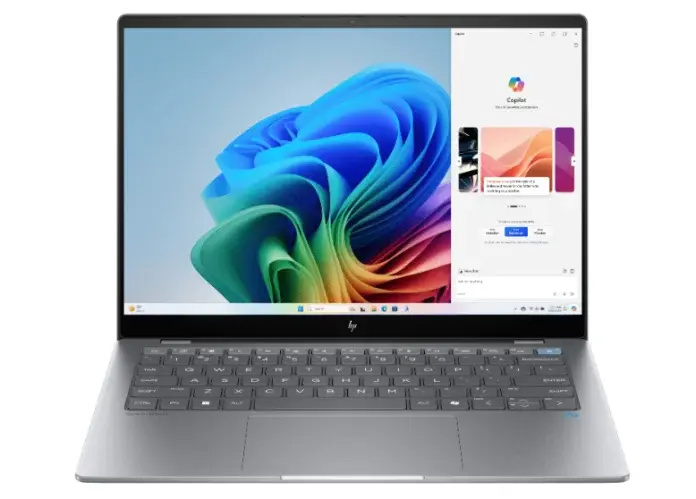
    The OmniBook X features a 14-inch IPS touchscreen with a 2.2K resolution and 300 nits peak brightness. It is powered by the Qualcomm Snapdragon X Elite processor, paired with Qualcomm Adreno graphics. Additionally, it includes a 45 TOPS NPU for various AI-powered functionalities. The device offers up to 16GB of RAM and up to 1TB of internal storage.

    A 59Whr battery fuels this laptop, which HP claims can last up to 26 hours. The OmniBook X operates on Windows 11 out of the box and includes a full-size backlit keyboard with a dedicated Copilot key. For video calls, it has a 5-megapixel IR web camera. Connectivity options include WiFi 7, Bluetooth 5.4, 2x USB Type C ports, a USB Type A port, and a 3.5mm audio jack. The laptop also features the PolyCamera Pro, offering virtual interactions and AI filters such as spotlight and auto framing, which are beneficial for video calls.

    HP EliteBook Ultra

    The EliteBook Ultra is similar to the OmniBook X, featuring a 14-inch touch display with a 2.2K resolution and 300 nits peak brightness. This model is also equipped with the Snapdragon X Elite chipset and Qualcomm Adreno Graphics, along with the 45 TOPS NPU for AI functionality. It offers up to 32GB of RAM and up to 1TB of internal storage. The battery capacity is the same as the OmniBook X, and it comes with a 65W USB Type C charger.

    This laptop runs on Windows 11. It includes a 5-megapixel IR web camera, a full-size backlit keyboard, an HP Image pad, and an image sensor-based click pad. It also features a dual microphone setup and dual stereo speakers. Connectivity options consist of Bluetooth 5.2, 2x USB Type C ports, a USB Type A port, WiFi 6E, and a 3.5mm audio jack.

    Pricing and Availability

    The HP OmniBook X is available for purchase through authorized retailers, while the EliteBook Ultra can be bought at HP World stores and online at HP stores. The OmniBook X starts at 139,999 INR (approximately 1,672 USD) for the Meteor Silver color, whereas the EliteBook Ultra is available in Atmospheric Blue starting at 169,934 INR (about 2,029 USD).


  • HP OmniBook X: 14″ Laptop with Snapdragon X Elite, Weighs 1.35kg

    HP OmniBook X: 14″ Laptop with Snapdragon X Elite, Weighs 1.35kg

    HP has introduced two new Arm-based AI PCs powered by Snapdragon X Elite – the OmniBook X and the EliteBook Ultra G1q. In this article, we’ll explore the HP OmniBook X, which features a 14″ screen and weighs just 1.35kg.


    HP OmniBook X: 14″ Laptop with Snapdragon X Elite, Weighs 1.35kg

    HP OmniBook X AI PC Specs and Features

    The HP OmniBook X is available in two colors: Ceramic White and Meteor Silver. It offers storage options of 512GB or 1TB PCIe NVMe M.2 SSD, combined with either 16GB or 32GB of LPDDR5X 8448MHz memory.

    The laptop is driven by the 12-core Snapdragon X Elite X1E-78-100 chipset, capable of reaching up to 3.4GHz clock speed. Notably, there are two additional variants (X1E-80-100 and X1E-84-100) that can achieve even higher clock speeds. This chipset is touted to be more efficient than the latest Intel and AMD offerings.

    Upon opening the lid, you’ll be greeted by a 14″ 2.2K (2240 x 1400) IPS touchscreen that reaches up to 300 nits of brightness and is certified for low blue light emission, ensuring comfort for your eyes. The screen boasts an 87.8% screen-to-body ratio, as illustrated by the image above.

    Webcam and Keyboard

    The device includes a 5MP webcam for video calls and a full-size backlit keyboard that matches the laptop’s color. For added security, it features a microphone mute key and a camera privacy shutter.

    Weighing in at 1.35kg, the OmniBook X is equipped with a 59Whr battery and comes with a USB Type-C power adapter. According to HP, it can charge up to 50% in just 30 minutes.

    Ports and Connectivity

    The laptop includes the following ports:

    • 1 x USB Type-A (10Gbps)
    • 3.5mm jack
    • 1 x USB Type-C (10Gbps, supports USB PD, DisplayPort 1.4a)
    • 1 x USB Type-C (40Gbps, and the above)

    For wireless connectivity, different versions of the OmniBook X offer options between WiFi 6E/7 and Bluetooth 5.3/5.4.

    Pricing and Availability

    The HP OmniBook X with 16GB RAM and 512GB storage is listed at $1,149 (~8319 Yuan) on the company’s website.

    While the chipset is capable and efficient, the overall user experience will also hinge on the native support and optimization of apps on the Windows on Arm platform. It’s advisable to check whether the specific apps you commonly use have native support on the WoA platform.