
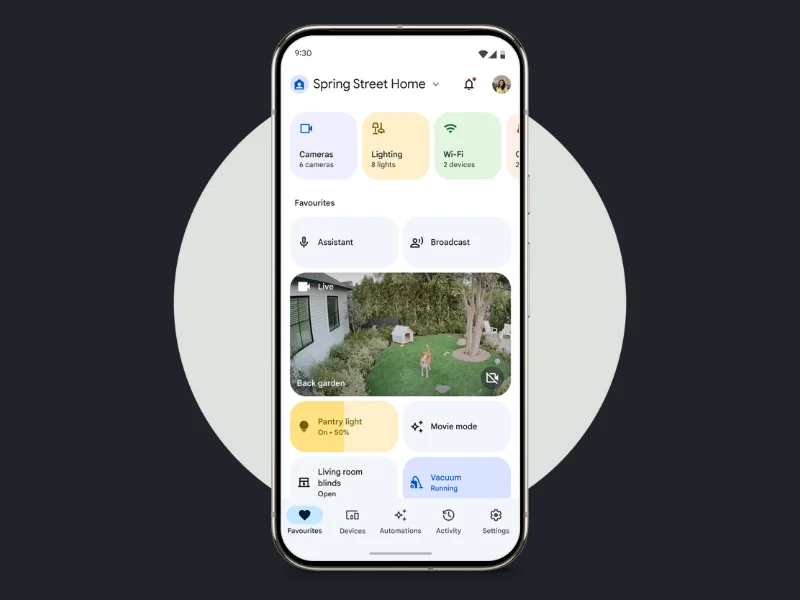
Tag: Google Home app

  • Google Home App Update Adds New Features for Smart Thermostats

    Google Home App Update Adds New Features for Smart Thermostats

    Key Takeaways

    1. Version 3.39 of the Google Home App is now available for both iOS and Android users, following the recent 3.38 update.
    2. Nest Learning Thermostat 3rd generation and Nest Thermostat E receive full support for temperature, sensor, and fan schedules, along with improved heating/cooling status visibility.
    3. The energy dashboard features enhancements, including separate totals for heating and cooling and monitoring energy consumption by heating type.
    4. Home & Away status can now be activated based on your mobile device’s Wi-Fi connections.
    5. Bug fixes address issues for iPad users, including freezing, video misalignment, and passcode errors for iOS users.


    The Google Home App has just updated to version 3.39 for users on both iOS and Android platforms. This new release comes just a few weeks after version 3.38, which introduced enhancements related to smart cameras.

    Enhancements for Nest Thermostat Users

    With the arrival of version 3.39, there are notable upgrades for those using the Nest Learning Thermostat 3rd generation and Nest Thermostat E (currently priced at $89.99 on Amazon). These older devices now have complete support for schedules involving temperature, sensors, and fans. Moreover, Google states that it’s now simpler to check the heating or cooling status within the Home app for all Nest Thermostats. The company has implemented “more vibrant colors” and “updated descriptions” to improve the overall experience for users.

    Improved Energy Dashboard Features

    In addition, the energy dashboard has seen significant enhancements. Users will find distinct totals for heating and cooling, along with the ability to monitor energy consumption by stage or type of heating. Another exciting feature is the Home & Away status, which can now be activated when your mobile device connects or disconnects from your selected Wi-Fi network.

    Bug Fixes Included

    The release notes mention three bug fixes that address problems for iPad users, where the Google Home App might freeze, as well as issues with misaligned videos and passcode errors for iOS users. You can obtain the latest version of the Google Home App from either the Apple App Store or the Google Play Store.

    Source:
    Link


  • Google Launches Update to Fix 2nd Gen Chromecast Issues

    Google Launches Update to Fix 2nd Gen Chromecast Issues

    Key Takeaways

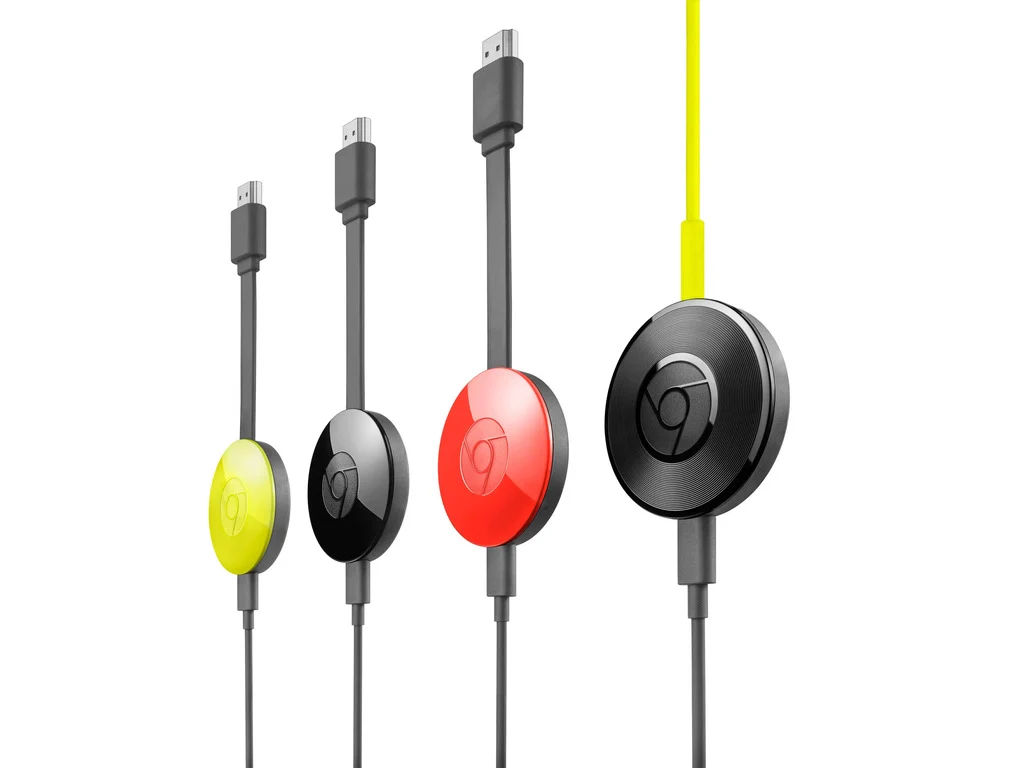
    1. Google is releasing a solution for issues faced by second-generation Chromecast users, including Chromecast Audio.
    2. Users received apologies from Google, and devices should now work properly with automatic firmware updates.
    3. A temporary fix involved resetting the device and changing the date to before March 9th, and updating the Google Home app.
    4. Users can check their firmware versions in the Google Home app, with new versions for Chromecast and Chromecast Audio specified.
    5. The global rollout of updates may take a few days, and the issue is believed to be linked to an expired certificate authority.


    Last week, a lot of users faced troubles while trying to cast content using their second-generation Chromecast devices, including Chromecast Audio. Google is now in the process of releasing a solution for this issue.

    Apologies from Google

    In a message sent to users who were affected, Google expressed their “sincere apologies” for the problems and assured that the devices “should now work properly.” If you haven’t done a reset on your device, it is expected to update automatically to the latest firmware and resume its normal function.

    Workaround Solutions

    One temporary fix that helped some users involved resetting the device and changing the date manually to a date before March 9th. If you opted for this reset method, Google suggests that you update your Google Home app to the most recent version, which is 3.30.1.6 for Android and 3.30.106 for iOS, and then set up your devices anew.

    To verify if your devices have the latest firmware, you can check the version numbers. For Chromecast, the new firmware version is 1.56.467165, while for Chromecast Audio, it should be 1.56.467166. You can find your device’s firmware version by opening your Google Home app, pressing and holding your device’s name, and selecting settings > device information. It should be located in “Technical Information.”

    Global Rollout of Updates

    Google has mentioned that the updates for the Home app and the new firmware are slowly being made available to users around the globe, though it might take a few days for it to show up for everyone. Although Google hasn’t officially acknowledged the issue, users on Reddit suggested it could be related to an “intermediate certificate authority that expired on March 9th, 2025.”

    This situation led to the devices failing authentication checks on Google’s servers and is believed to be “likely an unintentional mistake by Google where they overlooked the CA expiry.”

    Source:
    Link