
Key Takeaways
1. Rivian has launched a new companion app for the Apple Watch, allowing users to manage their vehicles directly from their wrists.
2. Users can lock/unlock doors, roll down windows, and activate the alarm, with specific features varying for Gen 1 and Gen 2 Rivian owners.
3. Gen 2 Rivian owners benefit from automatic unlocking when approaching the vehicle, using a digital key setup with compatible devices.
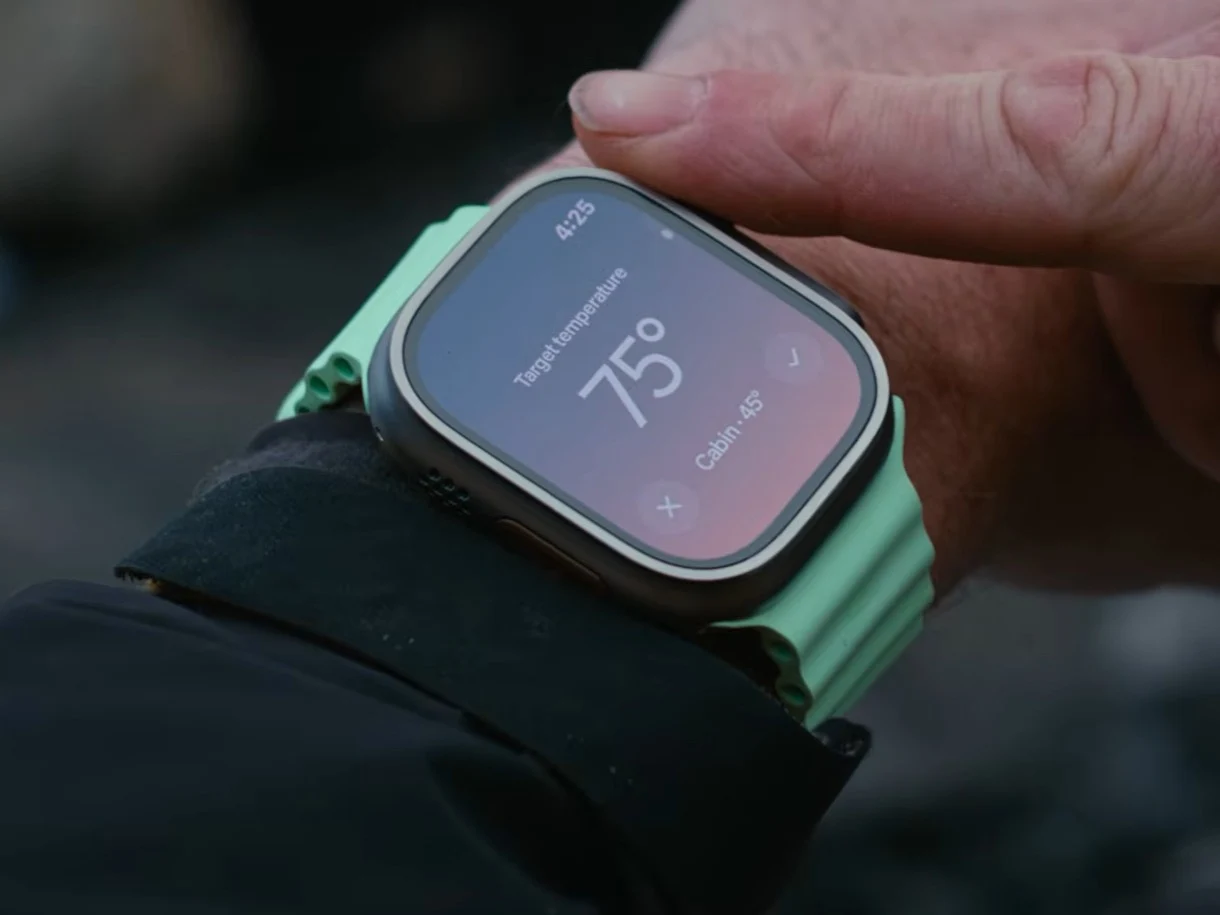
4. The Apple Watch app includes options for precise control adjustments, such as cabin temperature and charge state, using the digital crown.
5. Users can add a battery status complication to their watch face and select frequently used controls for quicker access, with more features expected in future updates.
Rivian has rolled out a new update for its mobile application, which includes a companion app designed for the Apple Watch. This new feature enables users to manage their vehicles straight from their wrists, making it unnecessary to reach for their phones for simple car functions.
Handy Features for Users
With the Apple Watch app, users can conveniently lock or unlock their car doors and trunks, roll down the windows, or activate the alarm. The functionality differs depending on whether the user owns a Gen 1 or Gen 2 Rivian. For Gen 1 owners, they can simply tap the lock symbol on their watch to manage their vehicle’s security.
Gen 2 Advantages
For those with a Gen 2 Rivian, there’s no need for manual control as the car will automatically unlock as the user approaches, assuming they have set up a digital key. This requires an iPhone and an Apple Watch equipped with UWB, like the iPhone 17 and the Apple Watch Series 11, which is currently available on Amazon for $329.
Enhanced Control Options
The press release and product demonstration show that users can utilize the digital crown on the Apple Watch for precise adjustments, such as tweaking cabin temperature or managing the charge state. Additionally, users can add a battery status complication to their chosen watch face and select up to four frequently used controls for quicker access. Rivian has indicated that more features will be rolled out to the Apple Watch app in the future.
To access the app, you should update (or download) the latest version of the Rivian app, which will automatically include the companion Apple Watch app.
Source:
Link