

Tag: Flight Simulator

  • Fly Around the World: Google Launches Browser Flight Simulator

    Fly Around the World: Google Launches Browser Flight Simulator

    Key Takeaway

    – Google Earth’s Flight Simulator is now available directly in web browsers, no download required.
    – It offers a bird’s-eye view with 3D building renders and appealing visuals.
    – Flying is harder than it looks, both virtually and in real life.
    – The feature was previously exclusive to the desktop app, now part of Google’s effort to expand browser capabilities.
    – Access it at earth.google.com via Tools menu > Flight Simulator.


    New Flight Feature Lets You Soar the Globe Online

    Those who are bored of exploring Earth on the ground — whether in real life or via Google’s interactive Street View — can now take to the skies via Google Earth’s Flight Simulator. No downloading or app installation is needed: users can simply fly all over the Earth via their web browser of choice.

    Virtual Aviation Made Accessible

    Launched on June 12, the new tool lets you view the world from a bird’s-eye perspective. Designed with everyday users in mind, it offers 3D building renders and appealing visuals as you navigate between locations. But be warned: flying is much harder than it looks, whether virtually or in real life.

    From Desktop Exclusive to Browser Tool

    While Google Earth’s flight simulator was previously exclusive to its professional desktop application, it has now made its way to the browser for the first time. This is part of a broader effort by Google to bring advanced features to its web interface, eliminating the need to download the desktop app. Among these additions are elevation profiles, new import formats, additional data layers and the flight simulator itself.

    How to Begin Your Virtual Flight

    Interested readers can visit earth.google.com, click Explore Earth, open the Tools menu and select Flight Simulator. A full list of keyboard shortcuts — covering everything from adjusting speed to banking left and right — is available on the Developers’ page.
    Sources
  • FS10 Series Cockpit Panel: Ideal for Flight Simulator Fans

    FS10 Series Cockpit Panel: Ideal for Flight Simulator Fans

    Key Takeaways

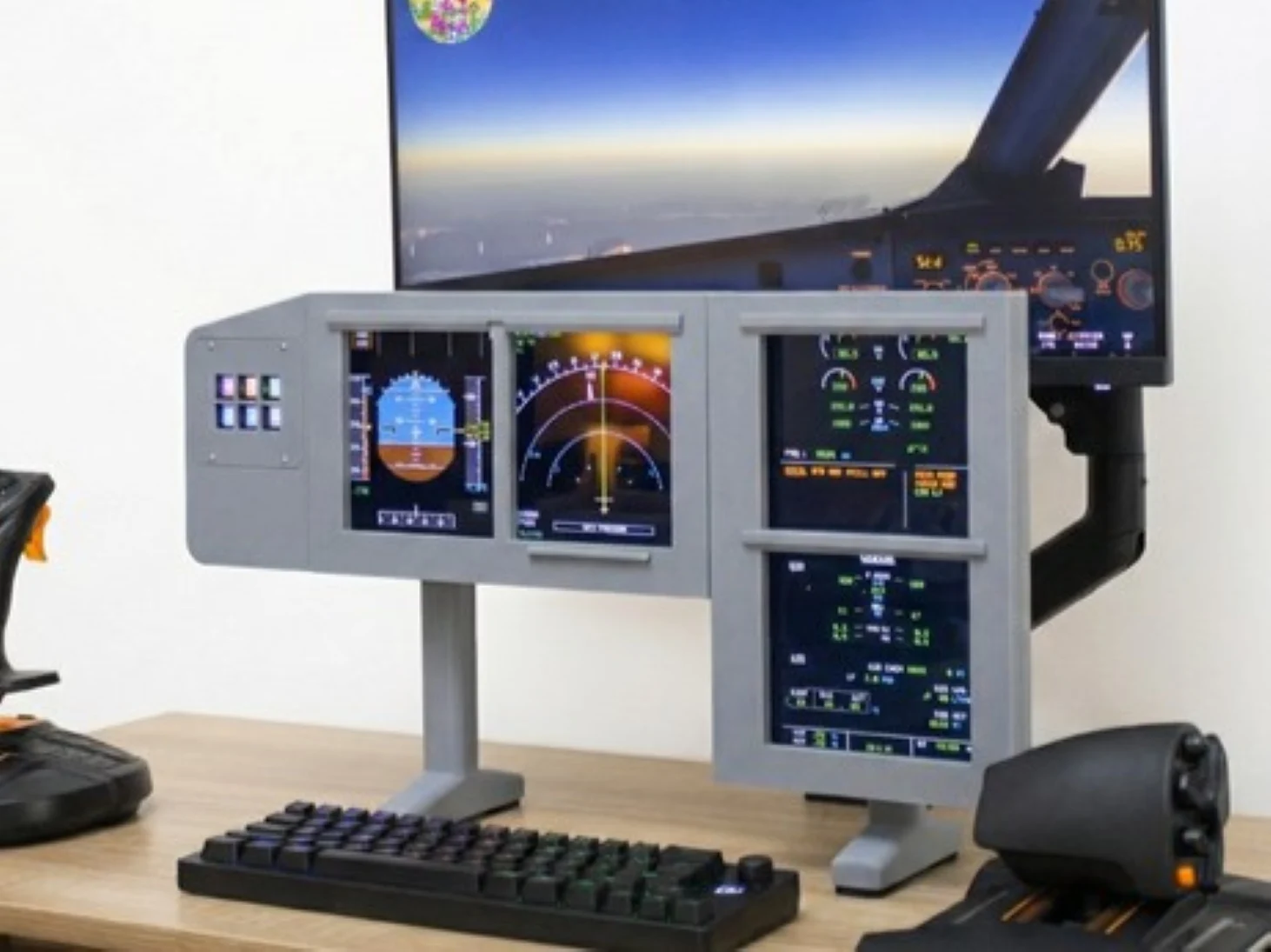
    1. The new device is a hardware module for flight simulators that emulates a cockpit instrument panel with dual HD screens.
    2. It features customizable magnetic front panels for various aircraft layouts and a mount for the Elgato Stream Deck Mini.
    3. The project has a DIY aspect, stemming from a 3D printing background, and may face challenges in mass production.
    4. Early supporters can back the project for about $330, with shipping expected in June 2026, but delivery is not guaranteed.
    5. Caution is advised when investing in crowdfunding projects, as specifications and delivery may change.


    Kickstarter serves as a well-known platform for supporting new projects. This also leads to unique products appearing on the site from time to time, like a robot vacuum that can be controlled by a gamepad or a smartwatch equipped with headphones. Recently, a developer from France is seeking funds for their new creation: a hardware module intended for flight simulators that aims to emulate a cockpit instrument panel directly on your desk.

    Device Features

    This gadget features two built-in 11.6-inch HD screens (LCD, 1920 x 1080) that display flight instruments such as the Primary Flight Display (PFD) and Multi Function Display (MFD). The developer highlights the magnetic front panels, which can replicate the layouts of various aircraft from both Airbus and Boeing. Additionally, it includes a mount for the Elgato Stream Deck Mini. This aspect sets it apart from well-known competitors like Saitek/Logitech, which typically have rigid designs, lower resolution displays, and offer limited customization for different aircraft models.

    DIY Nature

    However, the FS10 Series appears to resemble a DIY project. The creator hails from the 3D printing community, and moving to mass production (like injection molding) can often be challenging. Another downside is that what’s being offered is basically just monitors in a visually appealing frame, lacking any rotary knobs or switches.

    Early supporters can secure a C-Panel through a super early bird deal for about $330, plus shipping and possible import fees, depending on where the buyer is located. The anticipated shipping date is set for June 2026. As with typical Kickstarter projects, it’s wise to exercise caution before making an investment. Since this is a crowdfunding initiative, backers aren’t officially purchasing the product, and delivery cannot be guaranteed. Finally, the technical specifications of the final item might vary from what is currently shown.

    Source:
    Link


  • Special Controller for Microsoft Flight Simulator & X-Plane Available

    Special Controller for Microsoft Flight Simulator & X-Plane Available

    Key Takeaways

    1. The new Echo Aviation controller from Honeycomb is priced at $150 and is currently only available through the manufacturer.
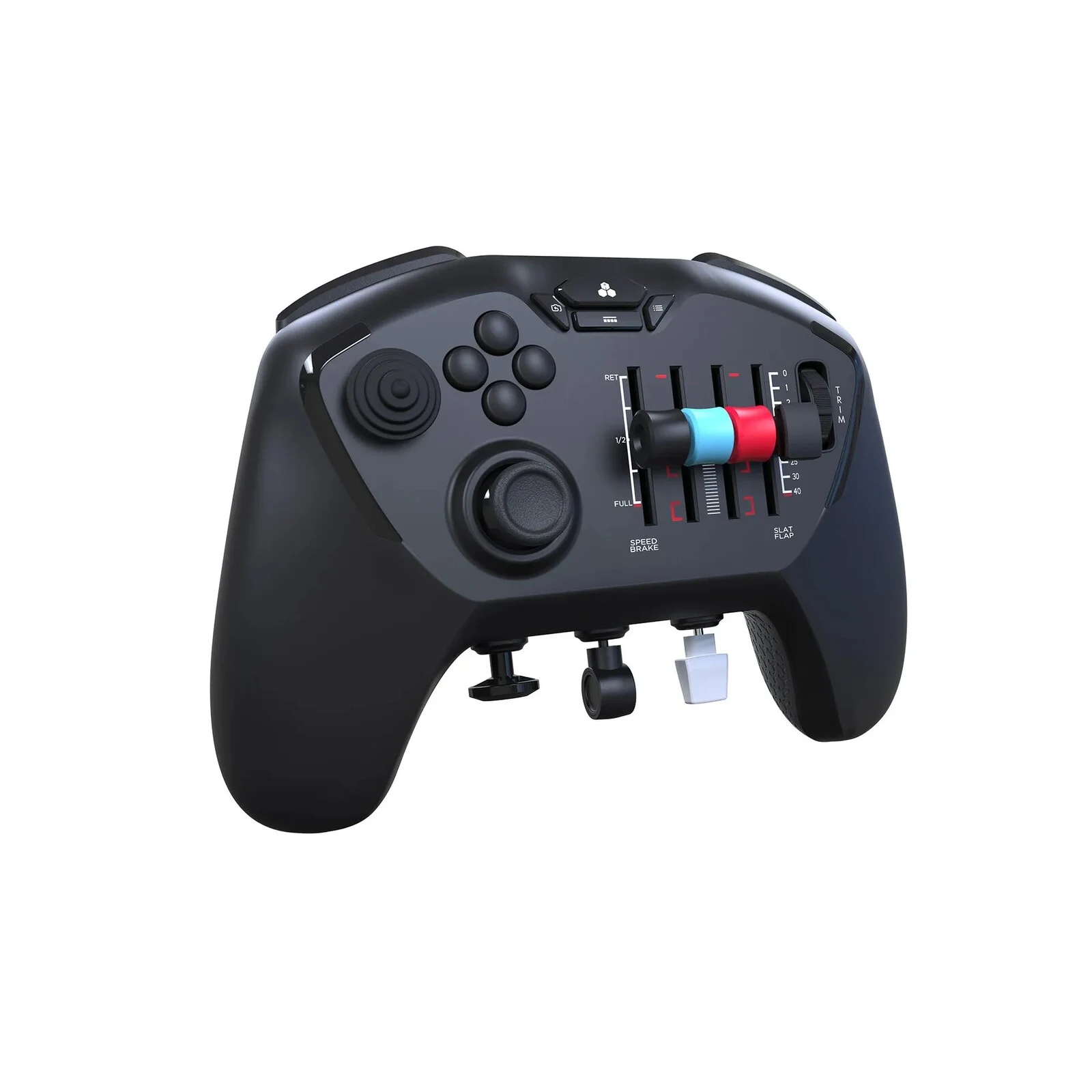
    2. The controller includes accessories such as a carrying case, a 2.4GHz dongle, and adaptable levers for different aircraft types.
    3. It replaces traditional flight sticks or yokes, offering throttle control and rudder pedals in a compact design suitable for travel.
    4. The controller is compatible with Microsoft Flight Simulator (2020 and 2024), X-Plane 11 and 12, and Prepar3D, with six downloadable profiles available for Flight Simulator 2024.
    5. Currently, the controller works only on PCs and Macs, with plans for a console version expected to be announced in 2026.


    The new Echo Aviation controller has hit the market and can be bought directly from Honeycomb. For now, it’s only available through the manufacturer, and even specialized online retailers haven’t listed this gamepad yet.

    Pricing and Accessories

    Honeycomb sets the price at $150 for this fresh controller, which includes several accessories. Among these are a carrying case, which is similar to the one that comes with the Xbox Elite controller, a 2.4GHz dongle, and various levers designed for adapting the gamepad to different aircraft types. These levers cater to both propeller planes and jets.

    Features for Gamers

    This setup aims to help flight simulator enthusiasts access all necessary functions while gaming on the move. Users can replace traditional flight sticks or yokes, and there’s throttle control and rudder pedals included too. Typically, these would be three separate devices that take up considerable desk space and are not very practical for travel. Honeycomb employs long-lasting Hall effect technology for the stick, and the rudder controls underneath also use Hall effect sensors.

    Compatibility and Profiles

    The Echo Aviation Controller works with Microsoft Flight Simulator (2020 and 2024), X-Plane 11 and 12 by Laminar Research, and Prepar3D from Lockheed Martin. Honeycomb has already released six downloadable profiles, but they are only for Flight Simulator 2024. Setting up profiles can be a bit tedious in Microsoft’s flight simulator. There are profiles available for single, twin, and four-engine aircraft, along with a general profile and specific profiles for the Boeing 737 Max and Airbus A320 Neo.

    Currently, the controller is only usable on PCs and Macs, but there are plans for a console version to be released later, probably announced in 2026. At this time, it’s not clear which consoles will be supported, especially since Microsoft’s Flight Simulator 2024 just became available on PlayStation 5.

    Source:
    Link