
Tag: Dell 14 Plus 2-in-1

  • Dell 14 Plus 2-in-1 Lacks Features of Inspiron 14 7445

    Dell 14 Plus 2-in-1 Lacks Features of Inspiron 14 7445

    Key Takeaways

    1. The 2025 Dell 14 Plus 2-in-1 replaces the 2024 Inspiron 14 7445 and 7440 models but has removed some features.
    2. Key missing features include the SD card reader and a second USB-A port, which may inconvenience users.
    3. The RAM in the new model is not removable, unlike the previous version that had expandable memory options.
    4. Both models weigh about 1.6 kg, with similar processor performance; however, the new model has a larger battery for better longevity.
    5. The Dell 14 Plus 2-in-1 offers slight AI acceleration but only minimal speed improvements for basic office tasks compared to the previous model.


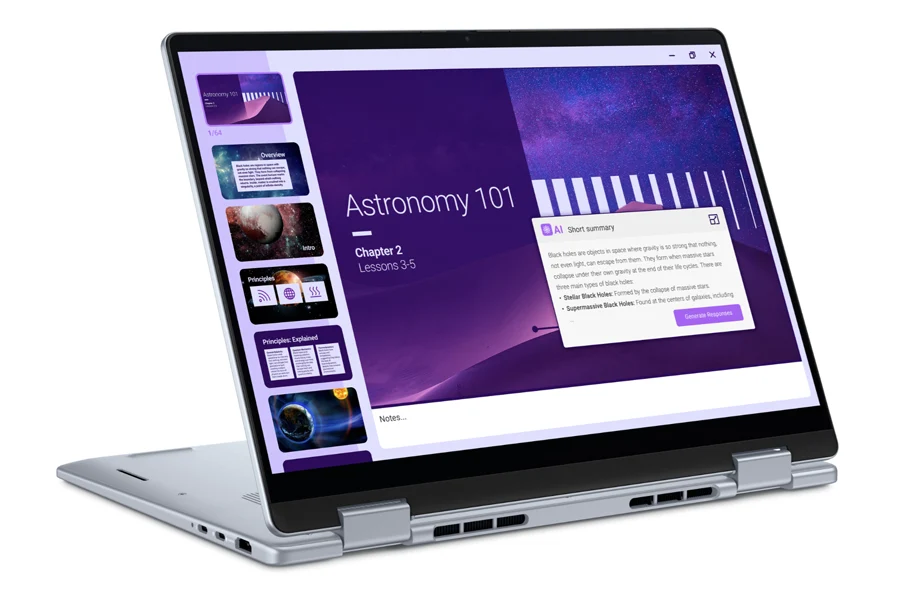
    The 2025 Dell 14 Plus 2-in-1 is now available, taking the place of the 2024 Dell Inspiron 14 7445 2-in-1 and Inspiron 14 7440 2-in-1. Ideally, the new version would retain all the features of the previous one while introducing some additional options, but in truth, several features have been removed or substituted.

    Missing Features

    One of the key components that the Inspiron 14 7445 2-in-1 has but the Dell 14 Plus 2-in-1 lacks is the SD card reader. Additionally, it does not include a second USB-A port. This may inconvenience users who depend on card readers for transferring files. Also, the RAM in the new model isn’t removable, unlike the 2024 version which offers two SODIMM slots for expanding memory.

    Weight and Performance

    So, do these removed features create a lighter and quicker device? Sadly, both the 2024 and 2025 models weigh approximately 1.6 kg, and their processor performance is quite similar. However, the newer model does come with a bigger battery pack (64 Wh vs. 54 Wh), which is beneficial for battery longevity.

    AI Acceleration

    For those interested in AI acceleration from the Ryzen AI 7 350, the Dell 14 Plus 2-in-1 might still be a good option. Nevertheless, basic office tasks such as browsing the web, working on spreadsheets, light editing, and video streaming will see only a slight increase in speed with the more expensive new model.

    Source:
    Link

  • Dell 14 Plus 2-in-1 AMD vs Intel: Speed Comparison and Catch

    Dell 14 Plus 2-in-1 AMD vs Intel: Speed Comparison and Catch

    Key Takeaways

    1. The Dell 14 Plus 2-in-1 offers both Intel (Lunar Lake Core Ultra 5 and 9) and AMD (Zen 5 Ryzen AI 5 and 7) processor options.
    2. AMD options, especially the Ryzen AI 7 350, excel in multi-threaded performance, outperforming Intel’s top model by over 30%.
    3. Intel models provide advantages like longer battery life, better performance-per-watt, and superior integrated graphics.
    4. Intel configurations support HDMI 2.1 and Thunderbolt 4, allowing for better connectivity with external 4K monitors.
    5. AMD versions are limited to HDMI 1.4 and USB-C at 10 Gbps, making them less suitable for high-bandwidth external displays.


    The Dell 14 Plus 2-in-1 offers both Intel and AMD choices. For Intel, you can pick between the Lunar Lake Core Ultra 5 226V or the Ultra 9 288V. On the AMD side, there are options like the Zen 5 Ryzen AI 5 540 or the Ryzen AI 7 350. Although all models feature the same 1200p touchscreen and external design, there are significant differences in performance and available ports.

    Performance Insights

    If you are someone who values multi-threaded performance, it might be beneficial to lean toward the AMD options since the Ryzen AI 7 350 can outperform the Core Ultra 9 288V by over 30 percent. Nevertheless, the Intel model brings several advantages, such as a longer battery life, better performance-per-watt, and significantly quicker integrated graphics with the Arc 140V compared to the Radeon 860M.

    Connectivity Differences

    Another often-missed benefit of the Intel models is their compatibility with HDMI 2.1 and Thunderbolt 4 running at 40 Gbps. In contrast, the Dell 14 Plus 2-in-1 AMD versions are restricted to HDMI 1.4 and USB-C at 10 Gbps. If you plan to hook up external 4K monitors to your laptop, the Intel configuration is the better choice for optimal monitor connectivity.

    Source:
    Link