
Key Takeaways
1. First Smartphone Launch: Clicks unveiled its first smartphone, the Clicks Communicator, alongside an updated keyboard accessory.
2. MagSafe and Qi2 Compatibility: The Clicks Power Keyboard connects magnetically to smartphones that support MagSafe or Qi2, including popular models like iPhone 17 and Pixel 10 Pro.
3. Multi-Device Connectivity: Users can connect the keyboard to three devices simultaneously, including TVs and VR headsets, and switch between them easily with a keyboard shortcut.
4. New Features: The keyboard features a dedicated number row and additional symbols on other keys, enhancing usability for tasks like spreadsheets.
5. Wireless Charging Functionality: The Power Keyboard doubles as a wireless charging power bank with a 2,150mAh capacity, allowing users to manage battery usage through the Clicks app.
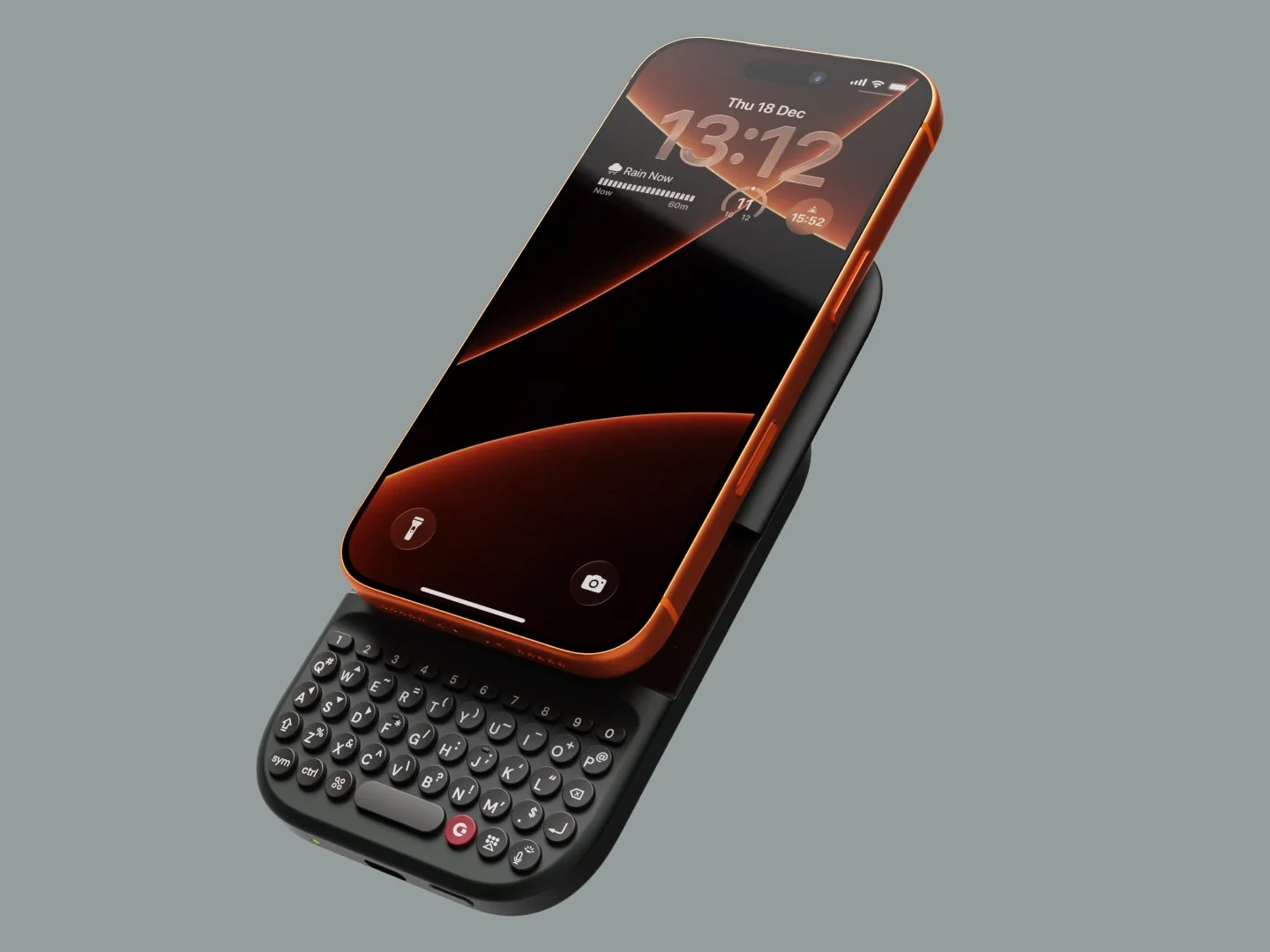
In addition to unveiling its first-ever smartphone, the Clicks Communicator, Clicks introduced an updated version of its smartphone keyboard accessory. The Clicks Power Keyboard, unlike previous models like the Clicks (Keyboard) for iPhone or the Clicks for Razr/Pixel, is made to be compatible with any smartphone that supports MagSafe or Qi2.
Easy Attachment and Use
The Clicks Power Keyboard easily connects to the back of smartphones like the iPhone 17, Pixel 10 Pro, or HMD Skyline through magnets. If your phone has a magnetic case, like the OnePlus 15, it will also work perfectly. After you attach it, you simply turn on the keyboard and pair it with your phone via Bluetooth. To start typing, just slide your phone upwards to show the keyboard. You can even rotate your phone into landscape mode for a wider view when required.
Multi-Device Connectivity
Clicks claims that users can connect the keyboard to three devices simultaneously, including non-phone gadgets such as TVs, handhelds, or VR headsets. As long as the device has Bluetooth capability, the Clicks Power Keyboard will be compatible. There’s a specific keyboard shortcut that allows users to switch between different keyboard profiles quickly.
New Features and Battery Life
The Power Keyboard now includes a dedicated number row, which is really useful for tasks that need a lot of numerical entries, like spreadsheets. Thanks to the new number row, there’s also more room on the other keys for extra symbols, such as arrow icons on the W, A, S, and D keys.
Another cool aspect of the Power Keyboard is that it can function as a wireless charging power bank, which explains the “power” in its name. The battery capacity is rather modest at 2,150mAh, with 500mAh reserved for the keyboard itself. By using the Clicks app, users can manage how much battery power goes to the keyboard. However, it charges slowly at a rate of 5W. Still, it can be quite useful when your phone’s battery is running low.
The Clicks Power Keyboard is currently available for pre-order at a price of $79, with shipping set to start this Spring. After the pre-order phase, it will retail for $109, which is still a better deal compared to the Clicks for iPhone 16 Pro, priced at $139 on Amazon.
Source:
Link