
Tag: Clicks Communicator

  • Clicks Announces Launch of Compact Smartphone with Keyboard

    Clicks Announces Launch of Compact Smartphone with Keyboard

    Key Takeaway

    1. The Clicks Communicator is scheduled for production starting in Q4, with initial deliveries expected late in the year.
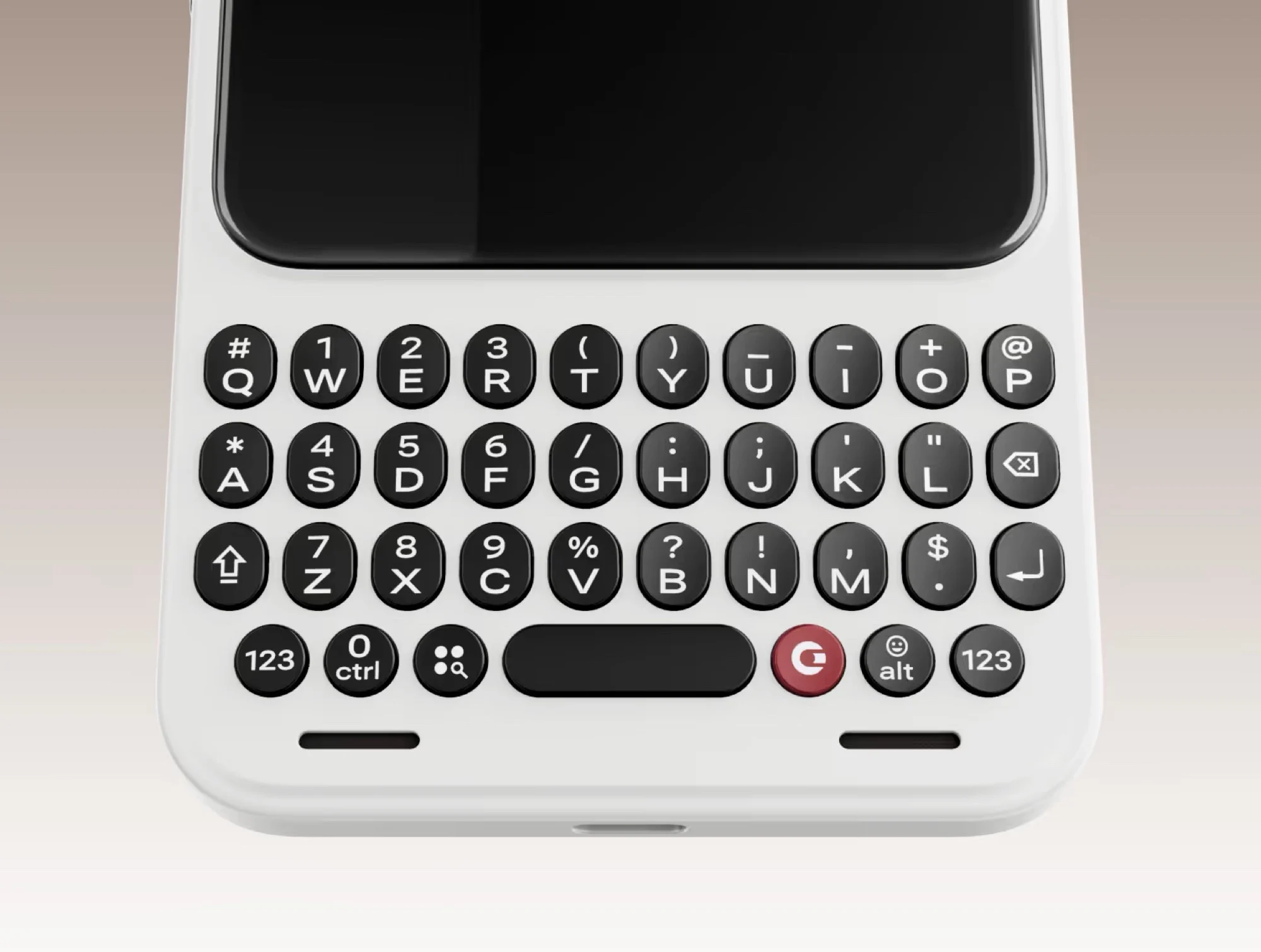
    2. The device features multiple keyboard layouts, a touch-sensitive trackpad, and biometric security embedded in the space bar.
    3. Software demonstrations and certifications are planned for May, June, and Q3, with updates on development progress published monthly.
    4. It is a mid-range Android smartphone supporting updates up to Android 20, compatible with Qi2 wireless charging.

    Introduction to the Clicks Communicator

    The Clicks Communicator has been available for pre-order for several weeks now. Currently, the device is priced at $499, but this does not include shipping costs, import sales tax, or customs duties, which can add additional expenses. The company has recently shared information about its launch timeline. Specifically, Clicks states that production won’t start until the fourth quarter, with delivery of the first pre-orders expected towards the year’s end.

    Key Features and Design

    This smartphone is designed with multiple keyboard layouts such as QWERTZ and QWERTY to cater different users’ preferences. Leading up to the release, the manufacturer is planning to release regular updates to keep customers informed. They will showcase detailed software demonstrations in May and aim to present a fully working prototype in June. The third quarter is reserved for certification processes and intensive testing to ensure quality and performance.

    Hardware and User Interface

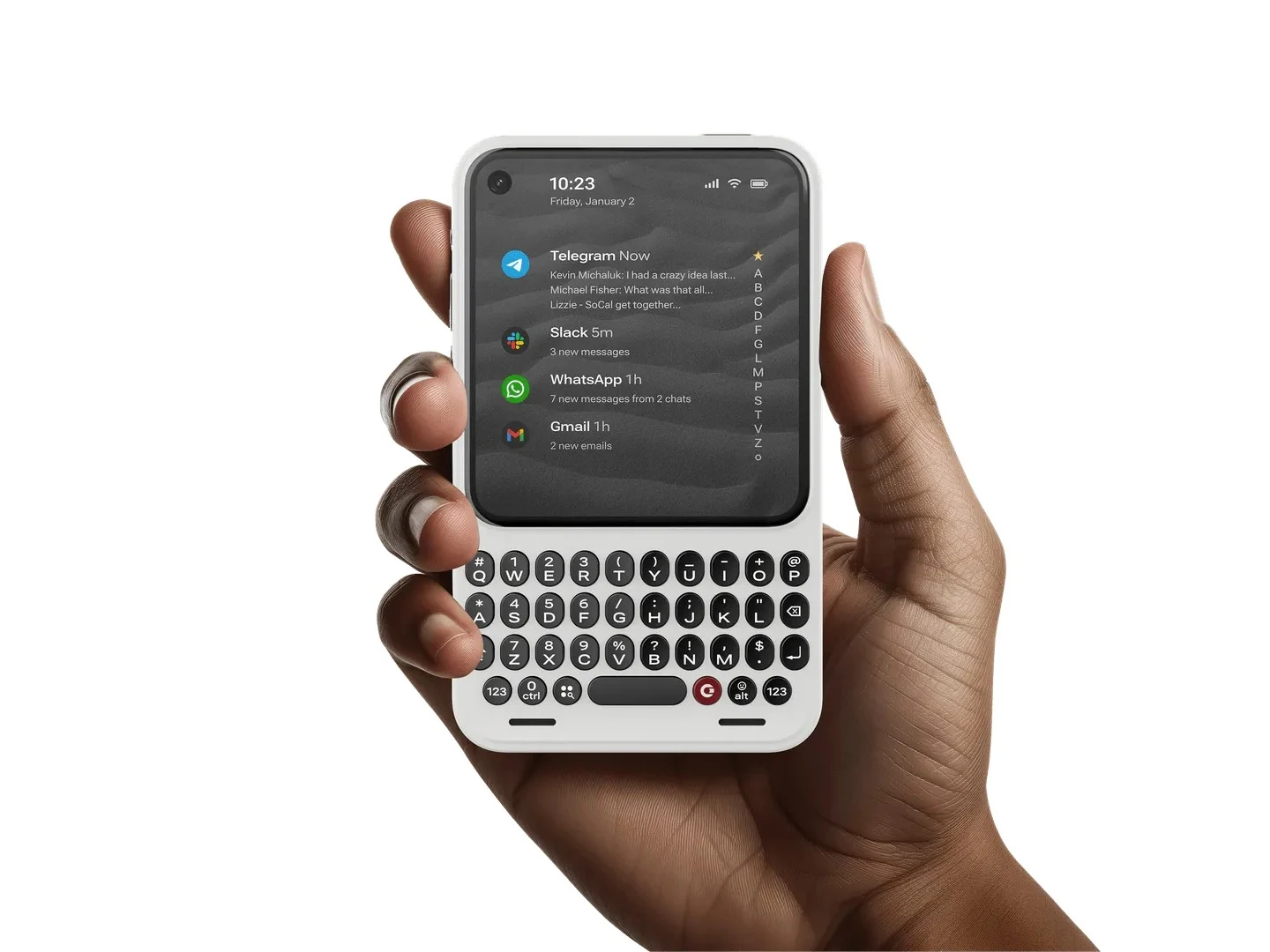
    The device is a compact mid-range smartphone powered by Android 16, with plans for updates up to Android 20. Its 4-inch touchscreen is nearly square-shaped, and beneath it is a touch-sensitive keyboard that also functions as a trackpad. Notably, the space bar incorporates a fingerprint sensor for added security. On the right, there’s a shortcut button designed to quickly record voice memos. The user interface is simplified, with a primary focus on communication. This makes the device versatile enough to serve as both a primary or secondary phone since most Android applications are supported. The Clicks Communicator also supports Qi2 wireless charging, similar to the Apple iPhone 17.
  • Clicks’ Power Keyboard Converts Phones to BlackBerry with MagSafe

    Clicks’ Power Keyboard Converts Phones to BlackBerry with MagSafe

    Key Takeaways

    1. First Smartphone Launch: Clicks unveiled its first smartphone, the Clicks Communicator, alongside an updated keyboard accessory.

    2. MagSafe and Qi2 Compatibility: The Clicks Power Keyboard connects magnetically to smartphones that support MagSafe or Qi2, including popular models like iPhone 17 and Pixel 10 Pro.

    3. Multi-Device Connectivity: Users can connect the keyboard to three devices simultaneously, including TVs and VR headsets, and switch between them easily with a keyboard shortcut.

    4. New Features: The keyboard features a dedicated number row and additional symbols on other keys, enhancing usability for tasks like spreadsheets.

    5. Wireless Charging Functionality: The Power Keyboard doubles as a wireless charging power bank with a 2,150mAh capacity, allowing users to manage battery usage through the Clicks app.


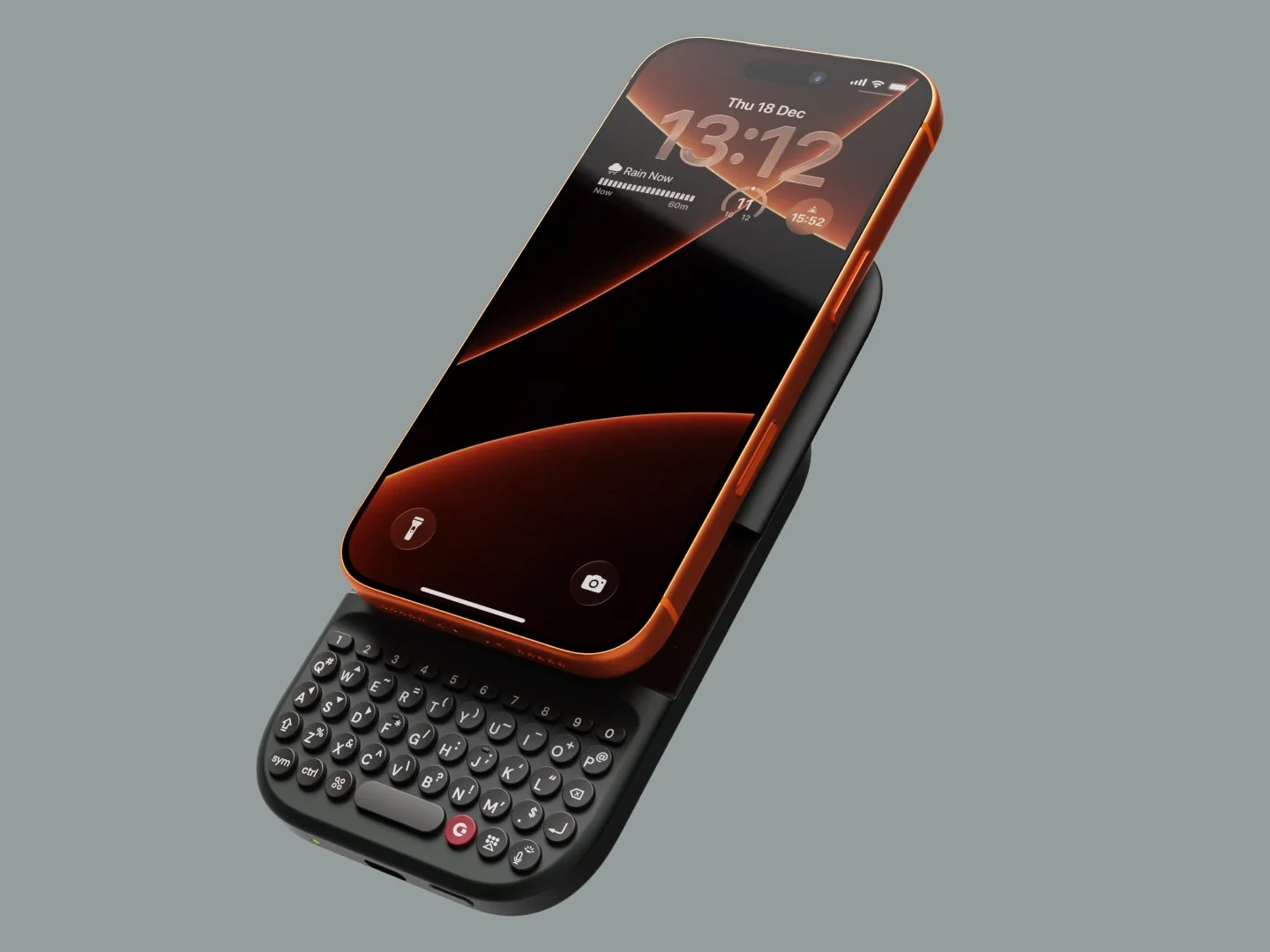
    In addition to unveiling its first-ever smartphone, the Clicks Communicator, Clicks introduced an updated version of its smartphone keyboard accessory. The Clicks Power Keyboard, unlike previous models like the Clicks (Keyboard) for iPhone or the Clicks for Razr/Pixel, is made to be compatible with any smartphone that supports MagSafe or Qi2.

    Easy Attachment and Use

    The Clicks Power Keyboard easily connects to the back of smartphones like the iPhone 17, Pixel 10 Pro, or HMD Skyline through magnets. If your phone has a magnetic case, like the OnePlus 15, it will also work perfectly. After you attach it, you simply turn on the keyboard and pair it with your phone via Bluetooth. To start typing, just slide your phone upwards to show the keyboard. You can even rotate your phone into landscape mode for a wider view when required.

    Multi-Device Connectivity

    Clicks claims that users can connect the keyboard to three devices simultaneously, including non-phone gadgets such as TVs, handhelds, or VR headsets. As long as the device has Bluetooth capability, the Clicks Power Keyboard will be compatible. There’s a specific keyboard shortcut that allows users to switch between different keyboard profiles quickly.

    New Features and Battery Life

    The Power Keyboard now includes a dedicated number row, which is really useful for tasks that need a lot of numerical entries, like spreadsheets. Thanks to the new number row, there’s also more room on the other keys for extra symbols, such as arrow icons on the W, A, S, and D keys.

    Another cool aspect of the Power Keyboard is that it can function as a wireless charging power bank, which explains the “power” in its name. The battery capacity is rather modest at 2,150mAh, with 500mAh reserved for the keyboard itself. By using the Clicks app, users can manage how much battery power goes to the keyboard. However, it charges slowly at a rate of 5W. Still, it can be quite useful when your phone’s battery is running low.

    The Clicks Power Keyboard is currently available for pre-order at a price of $79, with shipping set to start this Spring. After the pre-order phase, it will retail for $109, which is still a better deal compared to the Clicks for iPhone 16 Pro, priced at $139 on Amazon.

    Source:
    Link


  • Clicks Communicator Revives BlackBerry Legacy for $499

    Clicks Communicator Revives BlackBerry Legacy for $499

    Key Takeaways

    1. Clicks has developed a new smartphone, the Clicks Communicator, featuring a physical keyboard and running on Android, reminiscent of Blackberry devices.
    2. The device includes a 4.03-inch AMOLED touch display, a 24MP front camera, and a 50MP rear camera with optical image stabilization.
    3. It is powered by a 4nm MediaTek processor, offers 256GB of internal storage expandable via microSD, and features a 4,000mAh battery with wireless and USB-C charging.
    4. The smartphone includes customizable features like a side key with LED options, touch-sensitive keyboard functionality, and a fingerprint scanner under the spacebar.
    5. The Clicks Communicator will receive two years of Android updates and five years of security upgrades, priced at $399 for early pre-orders and $499 after launch.


    After previously creating physical keyboard cases for various smartphones like Apple, Google, Motorola, and Samsung, Clicks has now chosen to develop its own smartphone featuring a physical keyboard. The device, named the Clicks Communicator, runs on Android and represents a new effort to create a contemporary smartphone reminiscent of the Blackberry.

    Display and Camera Features

    The Clicks Communicator boasts a 4.03-inch AMOLED touch display with a resolution of 1080 × 1020 and rounded corners along with a consistent bezel. Unlike the recent trend that places the front camera in the center, this phone includes a punch hole for its 24MP front-facing camera located in the top left corner.

    Performance and Battery

    Within the Clicks Communicator lies a 4nm MediaTek processor, but the RAM details remain unspecified. It comes with 256GB of internal storage and allows for expansion via a microSD card slot, accommodating up to an additional 2TB. The back of the phone features a single 50MP camera equipped with optical image stabilization. It also includes a 4,000mAh silicon-carbon battery that supports both Qi2 wireless charging and USB-C charging.

    The specifications indicate that the phone has a physical SIM slot and supports eSIM as well. Other features include NFC, Wi-Fi 6, an audio jack, and a USB-C port. A physical kill switch is located on the side, along with a power button positioned at the top.

    Customization and Usability

    On the right side of the device is a physical button known as the side key, complete with a customizable LED. Users can assign unique colors to this button for specific contacts or applications. Furthermore, pressing and holding the side key allows users to record voice notes, transcribe meetings, or convert spoken words into text.

    The keyboard features touch sensitivity, enabling users to scroll through applications and web pages without needing to touch the screen. A fingerprint scanner is discreetly placed under the spacebar key. Additionally, users can create custom shortcuts for the red Clicks key located on the keyboard.

    Design and Software Updates

    The Clicks Communicator comes in three color options and features a flat frame, while the removable back has a textured surface designed for better grip. It ships with Android 16, accompanied by a custom launcher. Clicks has committed to providing two years of Android updates and five years of security enhancements.

    The Clicks Communicator will be sold unlocked and is currently available for pre-order. The early bird price is $399, which includes priority access shipping and two complimentary back covers valued at $100. Customers can secure the early bird price of $399 by paying a $199 reservation deposit. Following the launch, the device will retail for $499. Shipping is anticipated for later this year, with a specific date to be announced once the final manufacturing stage is completed.

    Source:
    Link