Tag: Bluetooth Audio

  • Hidden Steam Deck Bluetooth Trick Most Users Miss

    Hidden Steam Deck Bluetooth Trick Most Users Miss

    Key Takeaway

    – The Steam Deck can receive Bluetooth audio from a smartphone, allowing users to route calls, YouTube, or Spotify from their phone to the handheld.
    – Many Steam Deck owners were unaware of this Bluetooth audio source feature.
    – Using a phone as a Bluetooth audio source may be less demanding on the Steam Deck’s battery and performance than running apps directly on the device.


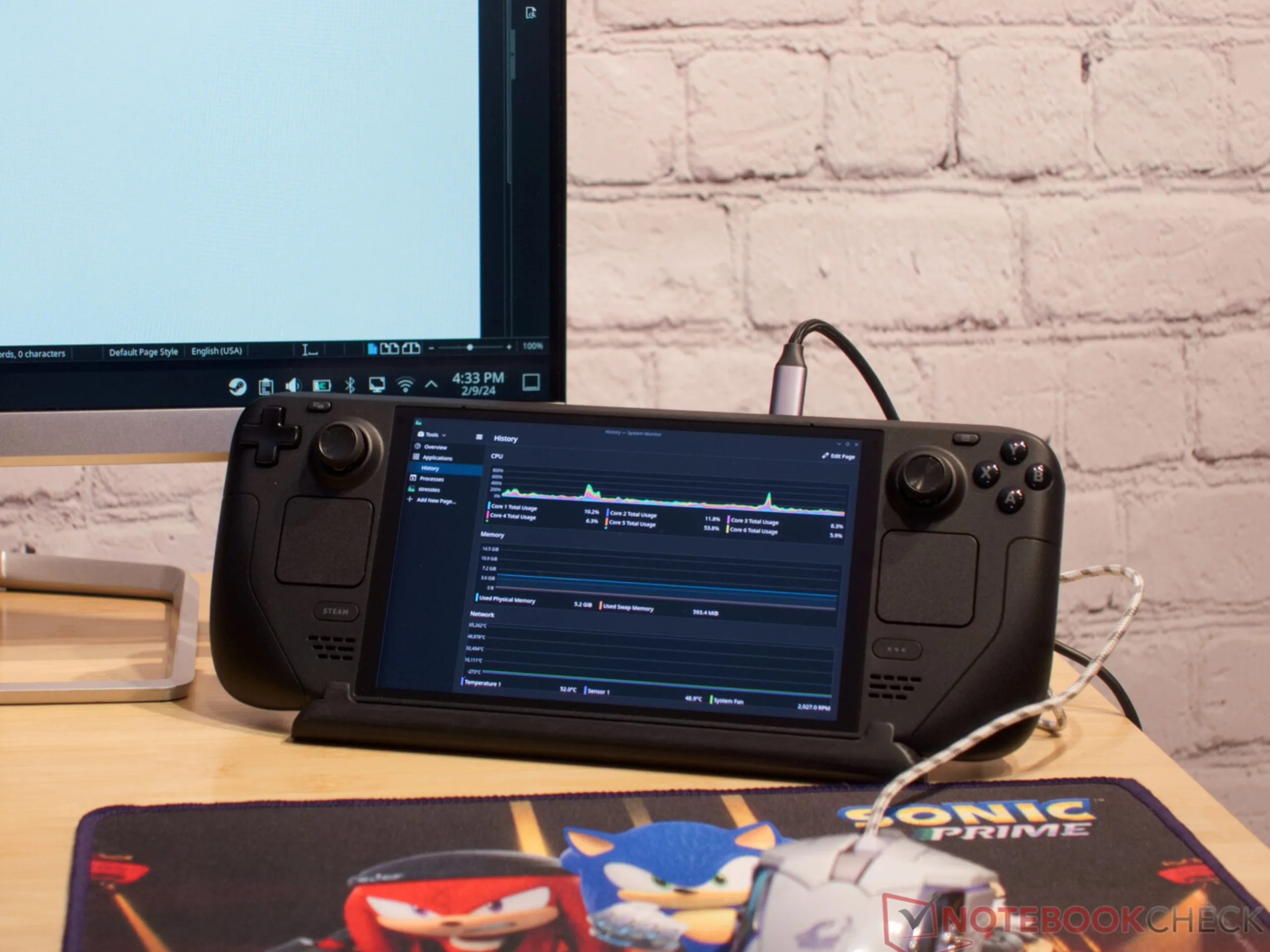
    Amid discussions about the current Steam Deck OLED price increases, Reddit also has something to laugh about – and even something to learn. A meme in the Steam Deck subreddit sums up how many gamers use their handheld: the device is tired, the battery is groaning – and yet it is still expected to handle Mario Kart 8 Deluxe at double emulation speed, full brightness and Spotify running in the background.

    The Joke Turned Into A Serious Discussion

    The joke turned into a discussion about how much people actually demand from the handheld in everyday use – and also brought attention to a hidden feature that some users apparently did not know about. It started with a comment by u/PushDeep9980, who wondered why anyone would run Spotify on the Steam Deck when they could instead stream audio from their smartphone to the handheld via Bluetooth. The Redditor explains it as follows:

    How To Connect Your Phone

    “On your phone, you can search for your steam deck as a Bluetooth device. Once it is connected, then all audio from your phone will be routed to your deck. So you can even listen to whatever the f*ck YouTube, Spotify, phone calls.”

    Practical Uses For The Feature

    A smartphone can therefore be used as a Bluetooth audio source for the Steam Deck. The idea is that a simple Bluetooth connection to the phone may be less demanding for the handheld in terms of battery life and performance than running the app directly on the Steam Deck. Whether that is actually true is debatable. Either way, the feature is practical – for incoming calls, for example, or for watching a YouTube video on the side while playing the audio through the same headphones.

    User Reactions

    Many Steam Deck owners were apparently unaware of the trick. On Reddit, users wrote things like “TIL!” or “Well… I learned something new today. Thank you.” Even the creator of the thread seemingly did not know about it. In the end, the meme thread about the Steam Deck’s digital burnout offered some real added value.
    Sources
  • HiBy W4 Portable Headphone Amplifier: High-Res Audio for All Headphones

    HiBy W4 Portable Headphone Amplifier: High-Res Audio for All Headphones

    Key Takeaways

    1. High-Quality Audio: The HiBy W4 amplifier supports both Bluetooth and wired connections, enhancing music playback for various headphone types.

    2. Battery Life: It offers up to 5.0 hours of use with balanced headphones and 6.3 hours with unbalanced ones, powered by a 1,500 mAh battery.

    3. Codec Compatibility: The device supports multiple audio codecs, including aptX Adaptive/HD/Lossless and DSD512, allowing for high-resolution audio playback.

    4. Design and Attachment: It features a compact design (66.15 x 65.1 x 21.5 mm) and can be attached to smartphones or bags using magnetic kits or a removable clip.

    5. Affordability: The amplifier is priced at $99, available for purchase directly from HiBy or through their Amazon store.


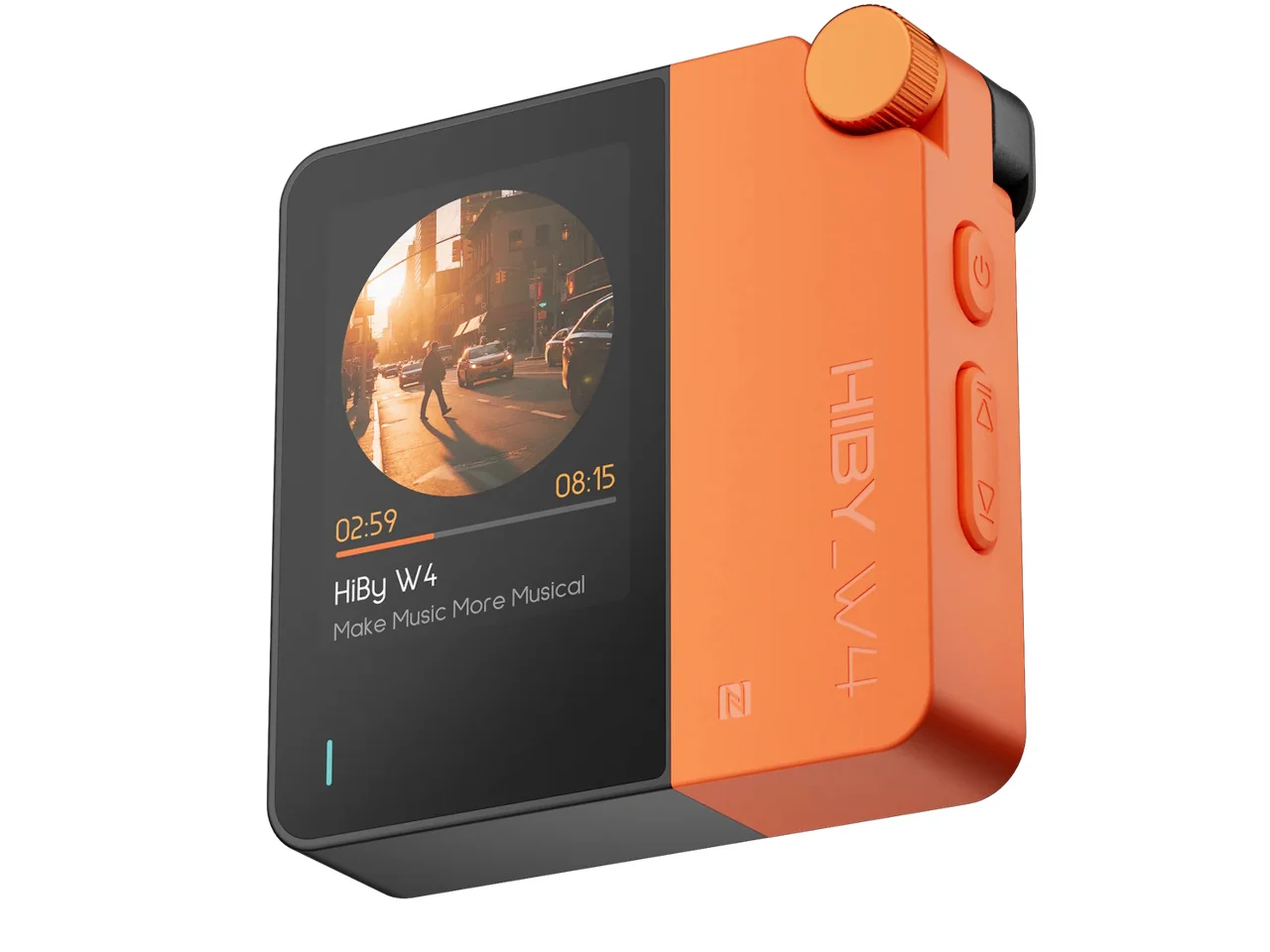
    The HiBy W4 portable HiFi headphone amplifier offers high-quality music playback for Bluetooth wireless headphones and works with both 4.4 mm balanced and 3.5 mm unbalanced headphones.

    Battery Life and Connectivity

    According to the manufacturer, its 1,500 mAh battery allows for up to 5.0 hours of usage with balanced headphones, while it can last 6.3 hours with unbalanced ones. Users can connect the W4 wirelessly via Bluetooth 5.4 or through a USB-C cable to various digital audio devices like smartphones, laptops, or digital audio players.

    Audio Codec Support

    The Bluetooth connection is compatible with aptX Adaptive/HD/Lossless, LDAC, AAC, and SBC audio codecs. For wired connections, it supports DSD512 and PCM 768 kHz codecs, which means it can handle both standard and high-resolution audio. The device features physical volume buttons, a control dial, and a 2-inch color touchscreen for easy adjustments.

    Attachment Options and Dimensions

    You can attach the W4 to MagSafe-compatible smartphones using a separate magnetic kit or use the included removable clip to fasten it to bags. Its dimensions are 66.15 x 65.1 x 21.5 mm (2.60 x 2.56 x 0.85 in.), and it has a weight of 93.3 g (3.3 oz.).

    The HiBy W4 portable amplifier comes with a suggested retail price of $99 and can be bought directly from HiBy. Customers can also explore more audio products from the company by visiting the HiBy store on Amazon.

    Source:
    Link


  • LG Launches Sales for Xboom Buds Lite and Plus Earbuds

    LG Launches Sales for Xboom Buds Lite and Plus Earbuds

    Key Takeaways

    1. The LG Xboom Buds Lite is priced at $69.99, while the Buds Plus costs $179.99.
    2. Both models feature SBC and AAC Bluetooth codecs, allowing connection to two audio sources simultaneously.
    3. The Buds Plus has a shorter battery life of 10 hours compared to 11.5 hours for the Buds Lite.
    4. The Buds Plus includes a 6-microphone noise-canceling system and supports Auracast audio.
    5. The Buds Plus package comes with a charging case that has a built-in UV light for disinfection and supports wireless charging.


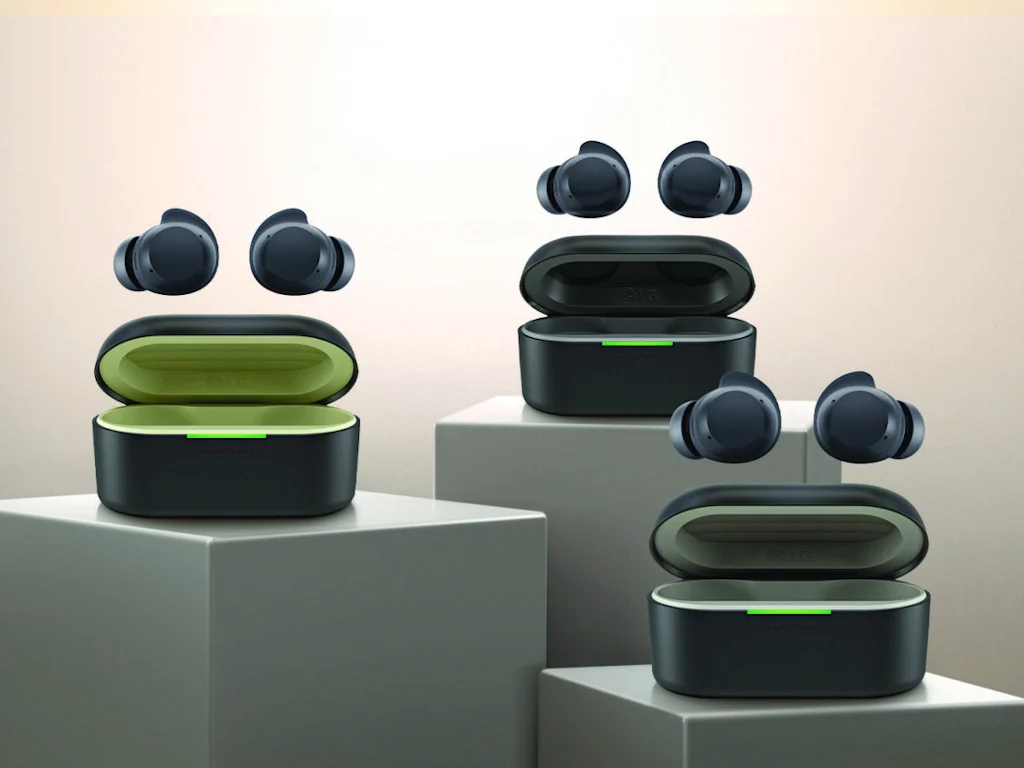
    The LG Xboom Buds Lite and Buds Plus ANC earbuds were introduced in September 2025 and are now ready to buy. The Xboom Buds Lite is priced at $69.99, while the Buds Plus is listed at $179.99. You can find both models on the LG website or soon at the LG store on Amazon.

    Features and Compatibility

    Both versions feature the SBC and AAC Bluetooth audio codecs, allowing them to connect to two wireless audio sources at the same time. The earbuds have an IPX4 water resistance rating and are designed with 10 mm graphene-coated drivers, with audio tuning done by musician will.i.am. This ensures that they produce sound with strong bass and clear treble, as stated by LG.

    Differences Between Models

    Although the two models share many features, there are some key differences. The Buds Plus offers a slightly shorter battery life of 10 hours compared to the 11.5 hours of the Buds Lite. Additionally, it comes equipped with a 6-microphone noise-canceling system and supports Auracast audio.

    Additional Accessories

    The Buds Plus package includes a charging case that features a built-in UV light for disinfection and a Bluetooth audio transmitter for devices with a 3.5 mm jack. Plus, it supports wireless charging, making it more convenient for users.

    In summary, both the LG Xboom Buds Lite and Buds Plus ANC earbuds present great audio options with unique features and pricing, catering to diverse needs.

    Source:
    Link


  • Topping DX5 II DAC: Hi-Res Audio, USB ASIO, Powerful Headphone Amp

    Topping DX5 II DAC: Hi-Res Audio, USB ASIO, Powerful Headphone Amp

    Key Takeaways

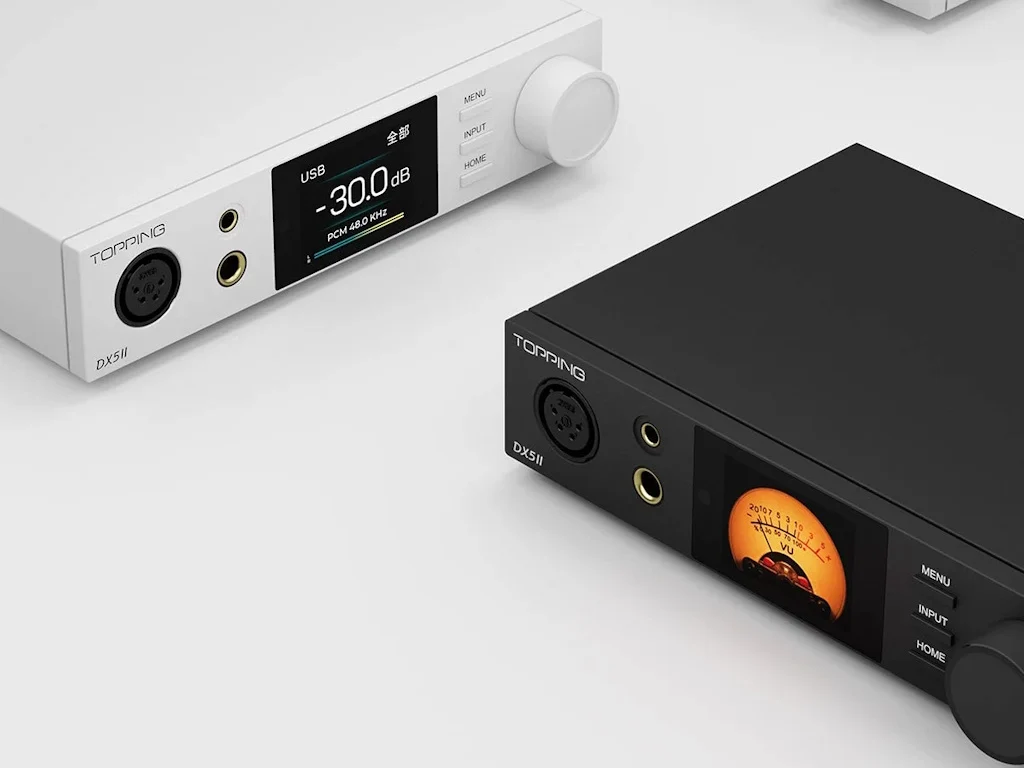
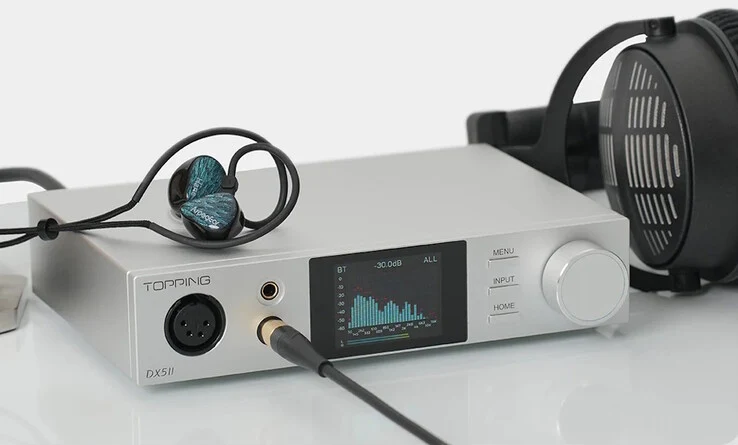
    1. The Topping DX5 II DAC is designed for audiophiles, supporting both wired and wireless headphones with ultra-low noise performance.
    2. It features dual 32-bit ES9039Q2M DAC chips, achieving a signal-to-noise ratio and dynamic range of 133 dB, with THD+N under 0.00006%.
    3. The DAC has strong amplification capabilities, driving low-impedance headphones at 7600 mW and high-impedance headphones at 490 mW while maintaining low distortion.
    4. Wireless connectivity includes Bluetooth 5.1 with support for various audio codecs, and it can connect to PCs via USB for high-resolution audio playback.
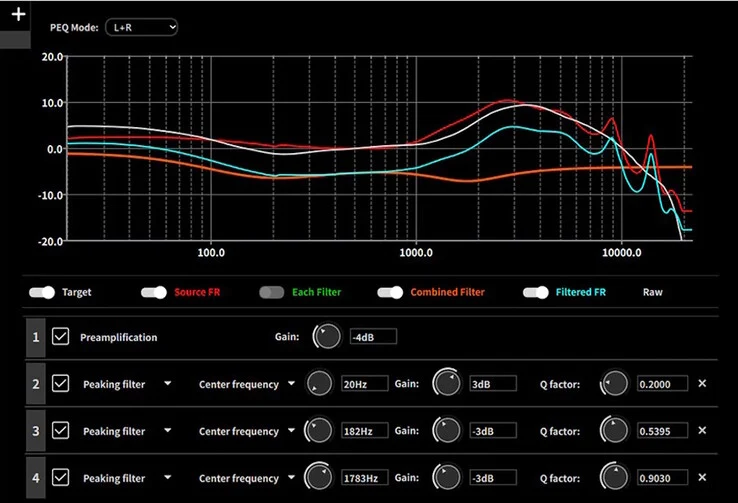
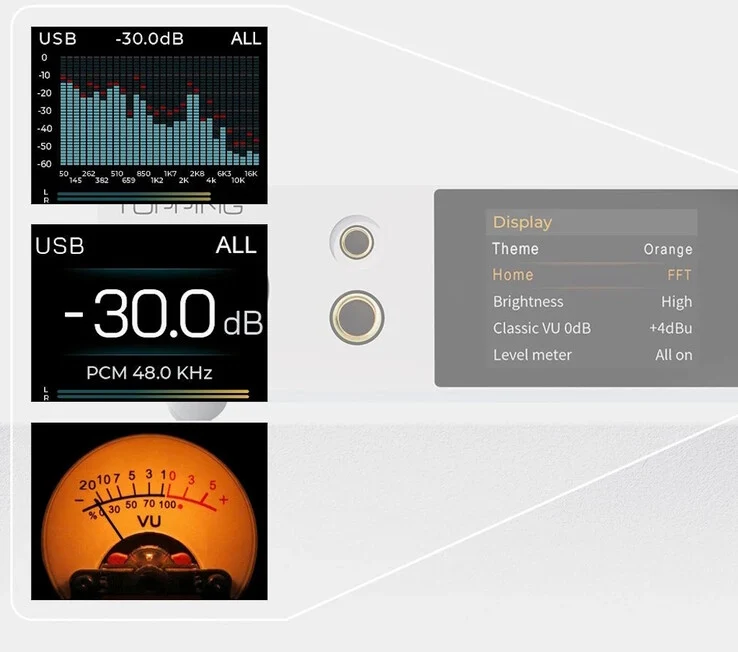
    5. Users can customize audio settings using a 10-band parametric EQ and easily navigate options through a 2.0-inch LCD display.


    Topping has introduced the DX5 II DAC, designed for audiophiles who enjoy high-resolution music. This DAC is compatible with both wired and wireless headphones, promising an ultra-low noise experience. Priced at $299, the DX5 II can be purchased from Topping’s Amazon store.

    Specifications and Performance

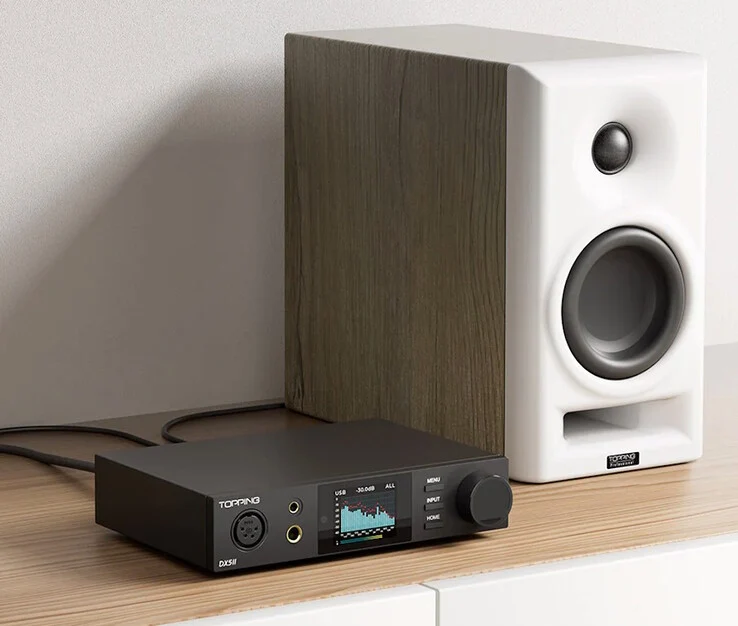
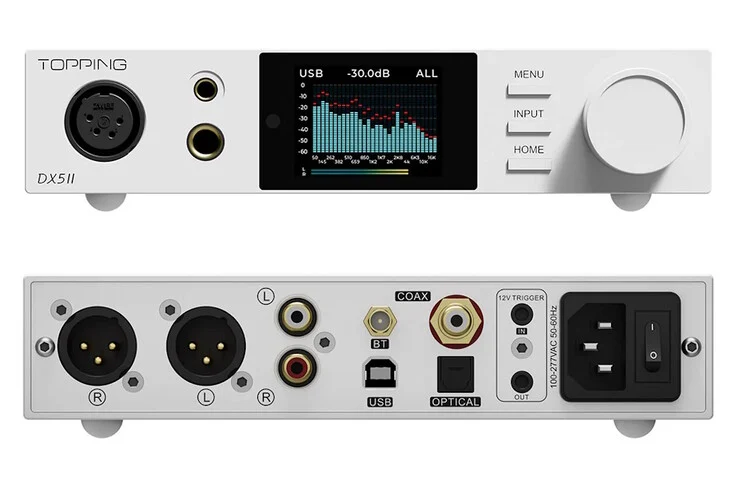
    Equipped with dual 32-bit 2-channel ES9039Q2M DAC chips, the DX5 II delivers impressive performance for balanced headphones, achieving a signal-to-noise ratio (SNR) of 133 dB and a dynamic range of 133 dB. The total harmonic distortion plus noise (THD+N) at 1 kHz (A-weighted) is less than 0.00006%. The X-Hybrid amplifier is capable of driving low-impedance headphones at 7600 mW for 16 Ω and can also handle high-impedance headphones up to 490 mW at 600 Ω, all while maintaining THD+N below 1%. For added convenience, you can connect external active speakers directly to the DX5 II in preamp mode.

    Wireless and Connectivity Features

    The DX5 II also shines when it comes to wireless capabilities, featuring a Qualcomm QCC5125 Bluetooth 5.1 System on Chip (SoC). It supports a variety of codecs for Bluetooth audio, including standard SBC and AAC, as well as higher-quality aptX Adaptive, aptX HD (24-bit, 48 kHz at 576 kbps), and High-Res Audio LDAC (24-bit, 96 kHz at 990 kbps).

    For direct connectivity, the DAC can be linked to PCs via USB, allowing playback from streaming platforms and local music files, supporting formats like 32-bit 768 kHz PCM and DSD512. It can also operate in ASIO mode using the Thesycon driver, which is great for low-latency professional audio tasks. The 12-volt input/output trigger allows for automation when paired with other audio devices.

    Customization and User Interface

    Users can fine-tune their audio experience with the 10-band parametric EQ software for PCs, enabling the saving and recalling of multiple custom profiles. The 2.0-inch LCD display provides easy access to all settings and status information, which can be navigated using the input knob and three control buttons.

    Source:
    Link


  • FiiO BTR17: Qualcomm aptX Lossless & 650mW Amp for $199

    FiiO BTR17: Qualcomm aptX Lossless & 650mW Amp for $199

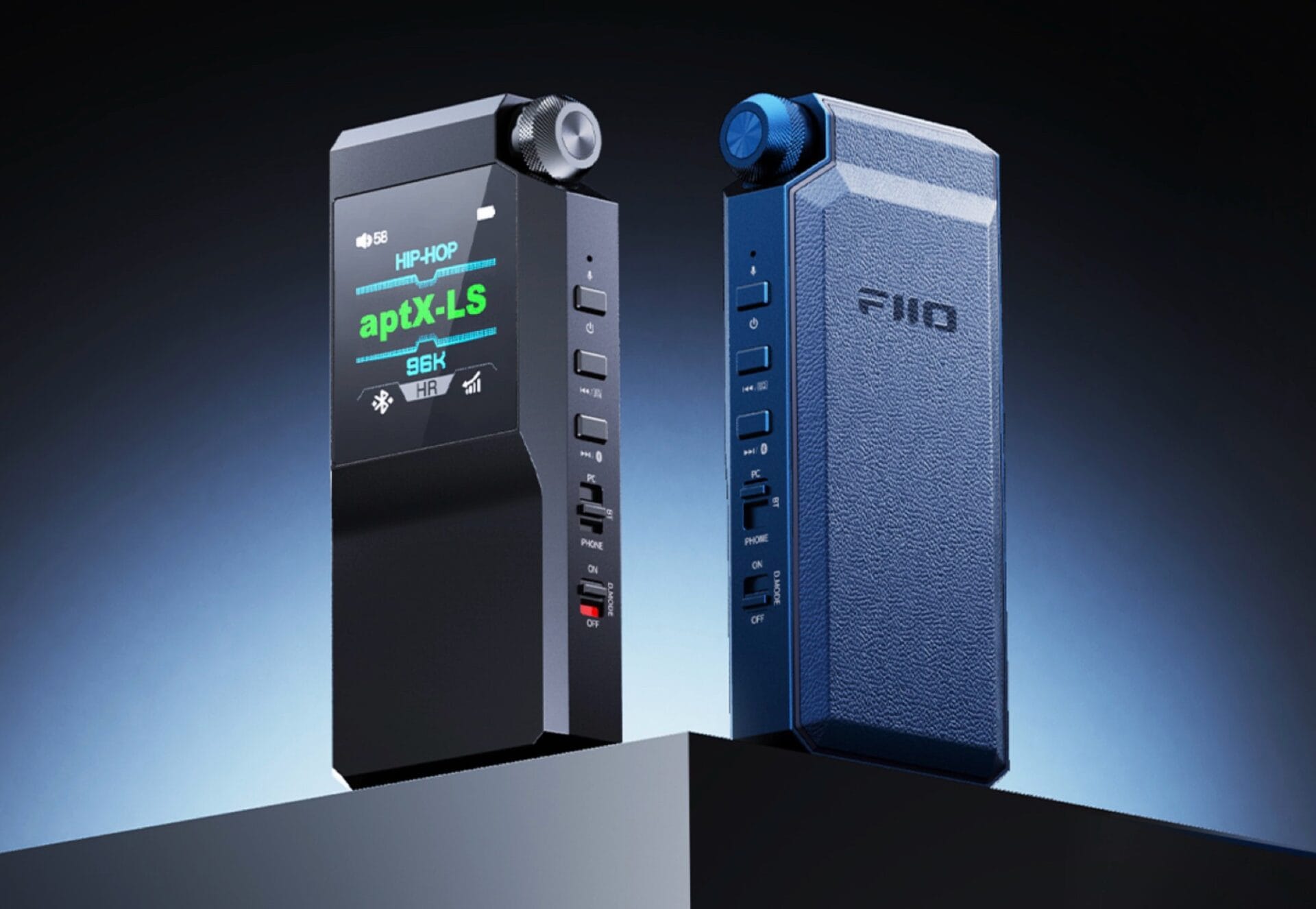
    Most modern smartphones have ditched the headphone jack, with high-end devices like the Apple iPhone 16 only using highly compressed Bluetooth codecs such as AAC and SBC. The FiiO BTR17 headphone amplifier aims to address these issues. When connected to a smartphone through USB-C, users have the option to plug in their headphones via either a 3.5 mm or a balanced 4.4 mm jack.

    Superior Sound Quality

    To provide exceptional audio, the FiiO BTR17 is equipped with an ESS Sabre ES9069Q DAC along with a powerful 650 mW amplifier, making it suitable for even the most demanding headphones. Users can also connect Bluetooth headphones, as the FiiO BTR17 supports Sony LDAC and Qualcomm aptX Lossless, courtesy of the Qualcomm QCC5181 Bluetooth chip. This allows for streaming music in CD quality without any loss. Weighing around 73 grams, this device boasts a battery life of about eight hours.

    User-Friendly Interface

    The gadget features a small 1.3-inch IPS display that shows the current settings and music quality. A dedicated rotary control allows users to adjust the volume, while a 10-band equalizer enables customization of sound preferences. Firmware updates can be easily installed through the FiiO Control app on a smartphone. The device has a desktop mode for peak performance, while the smartphone mode helps save battery life by preventing excess power drain from the smartphone.

    Pricing and Availability

    You can purchase the FiiO BTR17 headphone amplifier for $199, available in blue or black colors. FiiO also provides a leather carrying case and a USB-C cable with the product. For more information, you can visit the official product page.

    Source: Link,Link


    Image 1
    Image 1
    Image 1
  • Android 15 Introduces Bluetooth Auracast for Audio Sharing

    Android 15 Introduces Bluetooth Auracast for Audio Sharing

    For individuals who often travel in groups with friends or family, the challenge of sharing audio content, such as movies or playlists, arises due to current Bluetooth limitations that restrict streaming to a single device at a time. However, the Bluetooth LE Audio standard, along with its Auracast feature, presents a solution to this issue.

    Auracast Feature Overview

    Auracast facilitates the broadcasting of audio to nearby devices using Bluetooth Low Energy technology. Unlike conventional Bluetooth methods, Auracast eliminates the need for pairing between the transmitting and receiving devices.

    In essence, envision your smartphone as a miniature radio tower, transmitting an audio stream that can be picked up by other compatible devices.

    Enhanced Audio Sharing Capabilities

    While some smartphones already possess audio-sharing functionalities, they are often limited to specific ecosystems. For instance, Samsung phones offer a feature called “Dual Audio,” permitting media audio to be sent to two different Bluetooth devices simultaneously, but this functionality is restricted to select Samsung devices. Similarly, Apple’s “Share Audio” feature only works between iPhones.

    In contrast, Auracast is accessible to any device or platform that licenses the technology from the Bluetooth Special Interest Group (SIG), the regulatory body for Bluetooth standards.


    Android 15 Introduces Bluetooth Auracast for Audio Sharing

    Implementation of Auracast

    Although Auracast was announced in 2022, it has already been embraced by smartphone manufacturers. As Bluetooth LE Audio becomes a standard feature, the landscape is evolving.

    A significant development is the native integration of a dedicated “audio sharing” page in Android 15, enabling users to manage Auracast streams efficiently. This feature allows users to discover, connect to, or commence their Auracast broadcasts.

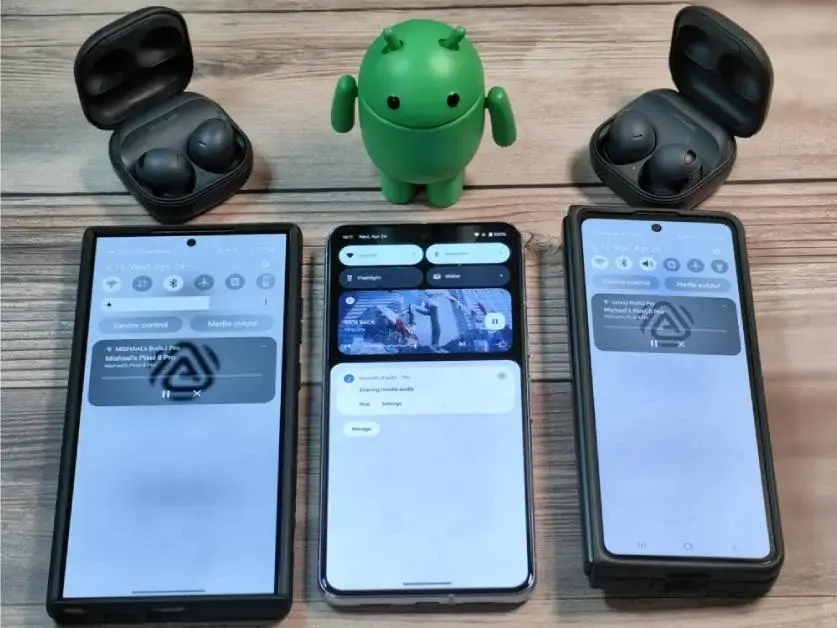
    Mishal Rahman, in a blog post on Android Authority, successfully activated the Auracast feature on a Pixel 8 Pro running Android 15 Beta 1.1, establishing a connection with Samsung Galaxy devices running One UI 6.1. Notably, this connection required Samsung’s Galaxy Buds 2 Pro earbuds, which support Auracast.

    Utilizing Auracast on Android 15

    To initiate an Auracast stream on Android 15, users need to navigate to Settings > Connected devices > Connection preferences > Audio sharing. Here, a toggle for “share audio” can be activated to commence the broadcast.

    For added security, users can set a custom broadcast name and password under “stream settings” or generate a QR code for others to scan and join the stream.

    Upon successful connection, both devices will play the same audio through their respective earbuds. It is crucial to note that Auracast supports one-way broadcasts, meaning connected devices cannot control playback on the source device.