
Tag: Asus Zenbook 14

  • E Ink Touchpad for Laptops: Change Design with One Button

    E Ink Touchpad for Laptops: Change Design with One Button

    Key Takeaways

    1. The E Ink trackpad offers significant power efficiency by only using energy when the display changes.
    2. Users can customize the trackpad to show various widgets and applications, enhancing functionality.
    3. The trackpad can integrate with AI tools for features like meeting transcripts and summaries.
    4. Visibility may be limited in dim environments due to the trackpad’s low brightness and black-and-white display.
    5. The E Ink trackpad is still in development, and its availability in laptops is uncertain.


    Laptops featuring touchscreens built into their trackpads aren’t a fresh concept; a notable example is the Asus Zenbook 14, which comes with the Asus ScreenPad. The recently introduced ePaper trackpad from E Ink, utilizing the Intel Smart Base laptop framework, is claimed to have a significant benefit: much lower energy use.

    Power Efficiency

    E Ink screens only draw power when there’s a change in what’s displayed, allowing the trackpad’s appearance to be altered with just a tap without greatly affecting the laptop’s battery. This trackpad can show various widgets and applications, like weather updates or a note-taking interface. In combination with different AI tools, users can present a transcript or a summary of a current meeting or video call right on the E Ink screen. Quick access to commonly used apps and system features is possible through shortcuts on the trackpad.

    Limitations in Display

    Even though E Ink screens perform well in sunlight, the trackpad’s limited brightness could affect visibility in dim environments. Also, this trackpad can only show content in black and white, and E Ink’s slower reaction time typically prevents smooth video playback. It remains uncertain if or when this E Ink trackpad will appear in a laptop available for purchase, but E Ink mentions that their “ultra-thin” module can be easily fitted into laptops that are based on Intel technology.

    Source:
    Link
  • Asus Zenbook 14 2025 Launch: Core Ultra 9, 2.8K OLED, Wi-Fi 7

    Asus Zenbook 14 2025 Launch: Core Ultra 9, 2.8K OLED, Wi-Fi 7

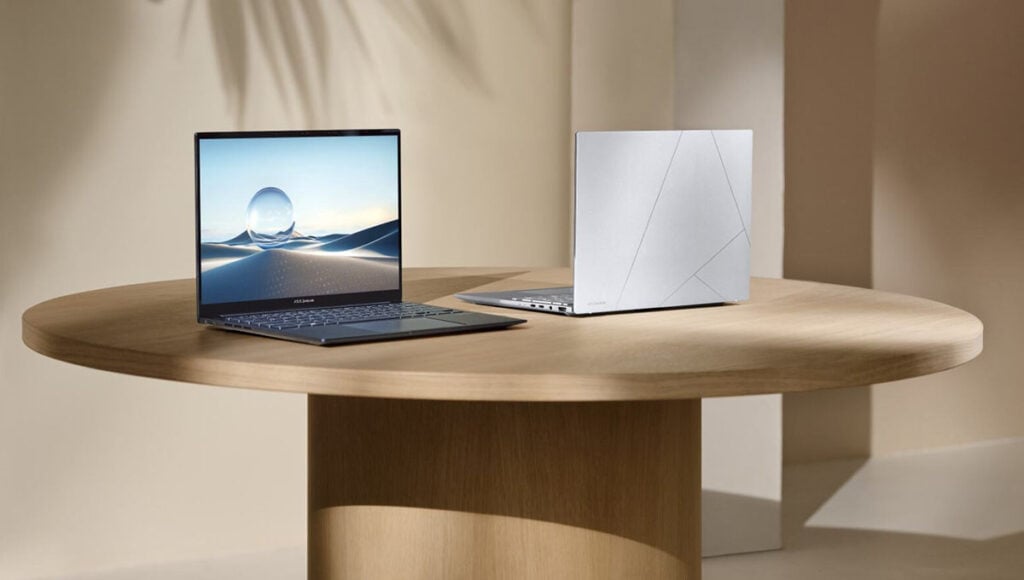
    Asus has rolled out the Zenbook 14 (2025) series. This new version features advanced Intel Core Ultra/Ryzen AI processors, bright OLED screens, and many user-friendly features, making it an attractive option for both creators and regular users. Let’s dive into the main specifications.

    Specifications of the Asus Zenbook 14 (2025)

    The Asus Zenbook 14 (UX3405CA) offers various configurations to meet different user requirements. Depending on the model, the laptop is equipped with either an Intel Core Ultra 9 285H, Ultra 7 265H, or an AMD Ryzen AI 7 350 processor. It can support up to 32GB of LPDDR5X-7467 RAM and comes with 1TB of PCIe 4.0 SSD storage.

    Display and Visuals

    It showcases a beautiful 14-inch Lumina OLED display available in two resolution choices: a 1920×1200 version with a 60Hz refresh rate and a 2.8K version with a 120Hz refresh rate. The display supports a full 100% DCI-P3 color gamut and peaks at 600 nits brightness, ensuring colors are vivid and true-to-life. It provides stunning visuals with HDR compatibility, a contrast ratio of 1,000,000:1, and TÜV-certified hardware-level blue light reduction. Additionally, it supports a 0.2ms response time for smooth gaming and content creation.

    Portability and Battery Life

    Asus has focused on making this model portable. The Zenbook 14 is lightweight (around 1.19kg) and has a slim profile (14.9mm) made from high-quality aluminum and magnesium alloy. It boasts an impressive battery life of up to 18 hours, powered by a 75Wh battery that supports wide-range charging from 5-20V, including compatibility with power banks.

    Connectivity Options

    For connectivity, it is equipped with two Thunderbolt 4 ports, one USB-A 3.2 Gen 1 port, an HDMI 2.1 port, and a 3.5mm audio jack, offering flexibility for a variety of peripherals.

    Enhancements for User Experience

    The 2025 Zenbook 14 brings several upgrades to enhance the user experience. It features a unique Copilot key on its ErgoSense keyboard, enabling fast access to AI-powered tools. This AI assistant can perform tasks like document summarization, generating AI art, and controlling via voice commands.

    For models with touch capabilities, there are optional smart gestures that let users change brightness, volume, and video playback directly from the touchpad. It also includes AI-driven noise reduction for video calls, dual microphones, and a 1080p IR webcam with motion tracking and privacy functions.