
– macOS 27 will end support for Intel Macs entirely.
– macOS 28 will remove Rosetta 2, blocking all unoptimized Intel apps.
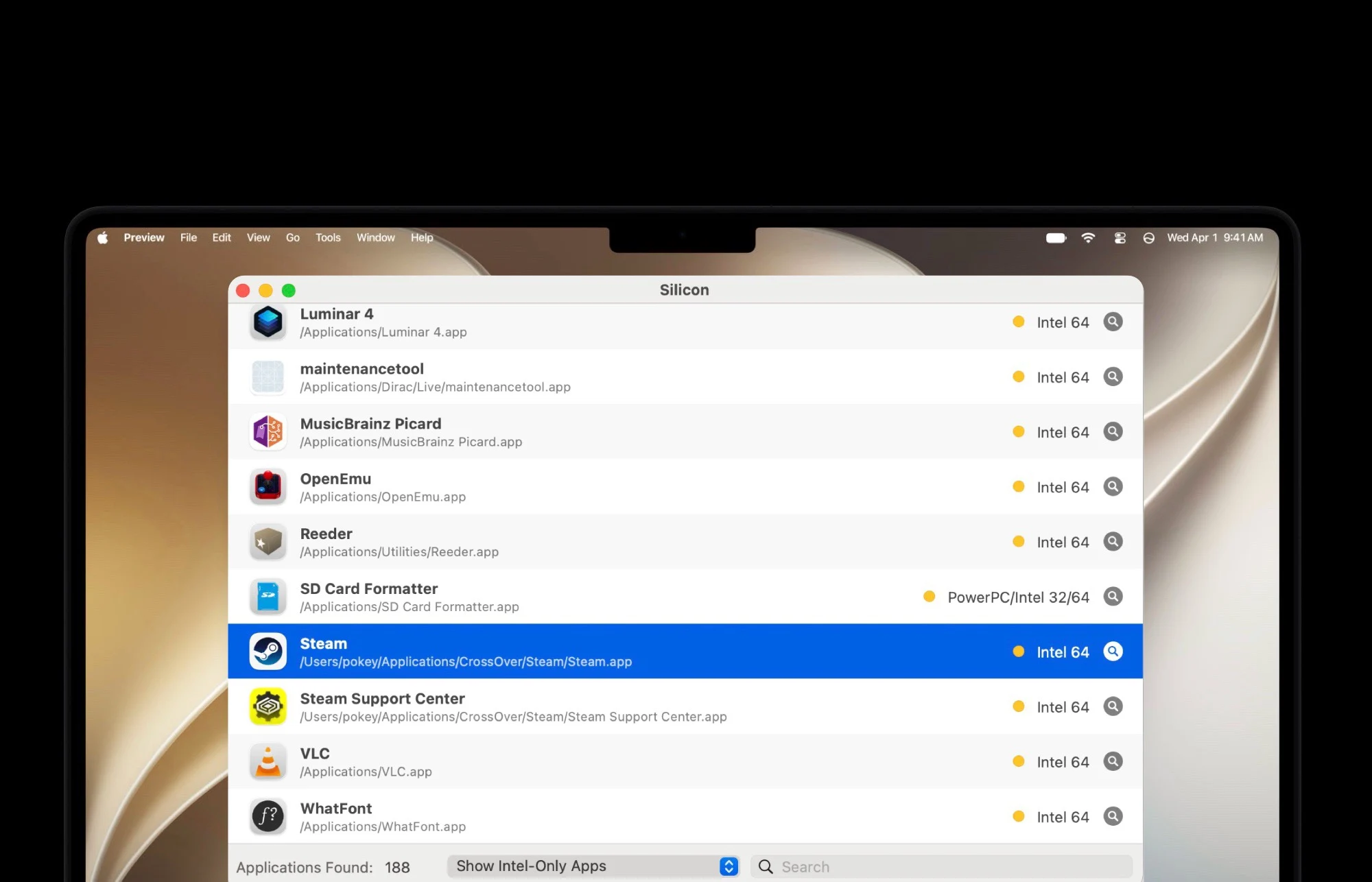
– Many popular apps (e.g., VLC, GOG Galaxy, OpenEmu) still lack ARM versions.
– Paid apps like Capture One may require buying a new license for ARM compatibility.
– Use tools like Silicon now to check which installed apps will break on macOS 28.
The era of Intel Macs is finally coming to a end soon. Because macOS 27 cannot be installed on any Mac that has an Intel processor instead of an ARM chip. However, there will also be restrictions for Intel software on modern Macs from next year. This is because macOS 28 will discontinue support for Rosetta 2, meaning that apps that have not been optimized for Apple ARM processors can no longer be opened. This marks a huge shift for users still clinging to old hardware.
Warnings have been showing since macOS 26.4
Since macOS 26.4, Macs have displayed a warning when an app is opened that will no longer work from macOS 28 onwards. While many apps have already been optimized for Apple’s ARM chips over the past six years, this is by no means the case for all apps. For example, the game launchers GOG Galaxy and Itch.io are still distributed as Intel apps. The same applies to OpenEmu, a popular app for playing retro games. These apps remain fully functional for now, but that compatibility won’t last forever.
Popular tools still waiting for updates
Popular tools such as the VLC media player or the SD Card Formatter, the official tool for formatting memory cards from the SD Card Association, have also not yet received a corresponding update. For paid apps such as Capture One, it may be necessary to purchase a license for a newer version in order to continue using the software after the update to macOS 28. Users should budget for these potential costs if they rely on professional creative software or hardware utilities.
How to check your app compatibility before upgrade
To check which of the apps installed on your Mac have not yet been optimized for ARM chips, free apps such as Silicon can be used. Before installing macOS 28 next year, it is advisable to check whether urgently needed apps will no longer work after the update. Taking this step early can prevent workflow disruptions and data loss. Apple continues to push the platform forward, leaving Intel-based workflows and legacy software behind for good.